Install StreamAlive for your PowerPoint slides
Learn more

Predictive Modelling Training for Corporate Trainers
StreamAlive helps 9x the audience engagement in your Virtual Instructor-led Trainings (VILT) directly inside your powerpoint presentation.
Make your instructor-led Predictive Modelling training more fun with polls, word clouds, spinner wheels and more
Works inside your existing PowerPoint presentation
Install the StreamAlive app for PowerPoint and see your slides come to life as people participate in your interactions
AI generates audience interactions for you
Let our AI scan your presentation and automatically come up with relevant questions based on the content. Or spend two hours coming up with your own questions, your choice!
Built to work with MS Teams and Zoom
Native apps for Teams and Zoom so you never have to leave your existing workflows
No QR Codes
Chat-powered interactions means your audience doesn’t need to scan QR codes or look at another screen to participate. They just type in the chat!

Quickly approved by your IT team
StreamAlive’s apps for Teams and Zoom means that they have been through rigorous quality assurance and client safety reviews. You’ll find everything an IT team needs to approve the app within the organization within your StreamAlive account.

Youve been asked to run an instructor-led session on Predictive Modelling for corporate trainers-and you want it to feel lively, practical, and not like a stats lecture. The good news: its totally doable. Here are simple, high-engagement ideas using StreamAlive to keep people active (and awake) throughout.
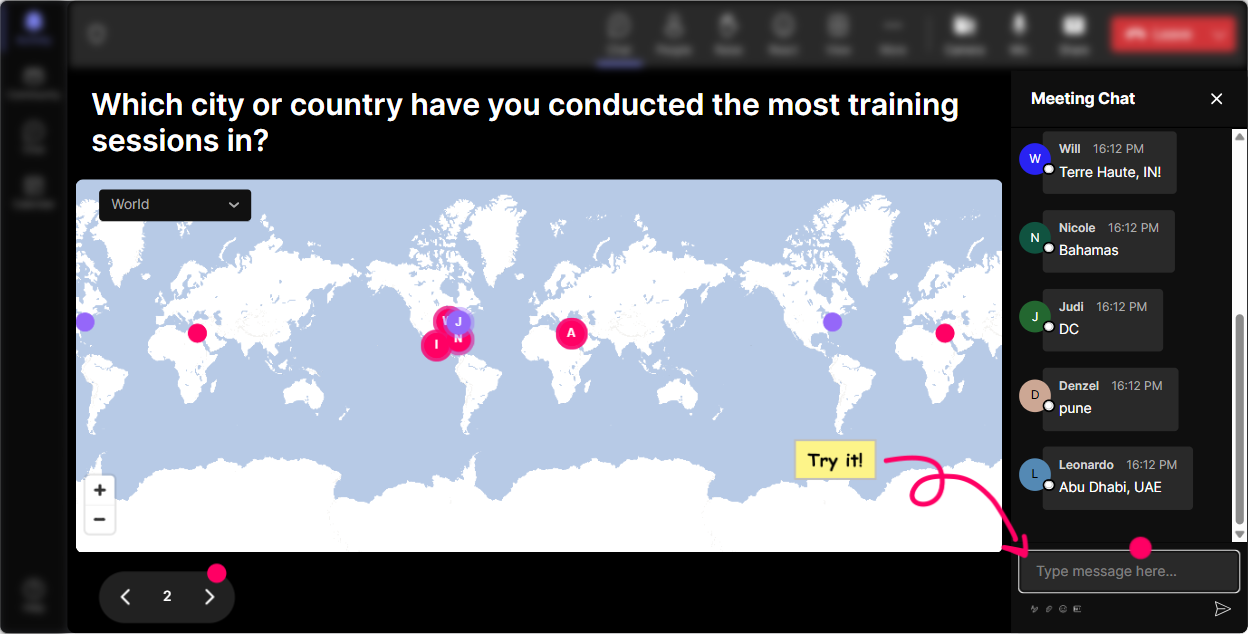
Magic Maps: kick off your Predictive Modelling training by putting everyone on the map
Predictive modelling is used everywhere-retail, HR, finance, operations-so start by showing the room how diverse the use-cases are. With **Magic Maps**, ask a location-based warm-up in chat and let StreamAlive plot everyone live on a world map. Try prompts like: - Where are you joining from today? (classic, fast, gets everyone typing) - What city does your business operate in? (nice segue into data context matters) - Pick a city where you think predictive analytics is exploding right now. (fun + opinion-based) - If you could teleport to a company doing predictive modelling brilliantly, where would you go? Trainer move: After the map builds, connect it back to the session-Look at this spread. Different industries, different markets which means different data quality, different seasonality, different behaviours. Thats why model features cant be copy-paste.
Rating Polls: get a quick read on their confidence before you go deep
Before you start talking about features, labels, train/test splits, and evaluation metrics-check the room. **Rating Polls** are perfect for that quick pulse-check, and theyre way more fun than asking Everyone good so far? Use rating prompts like: - On a scale of 110, how confident are you with predictive modelling basics? - Rate your comfort with model evaluation (accuracy, precision/recall, AUC). - How confident are you explaining overfitting to a non-technical stakeholder? - How confident are you teaching predictive modelling to others? (perfect because your audience is trainers) Trainer move: If the average is low, you slow down and simplify. If its high, you say, Awesome, Im going to push you a bit today, and people lean in.

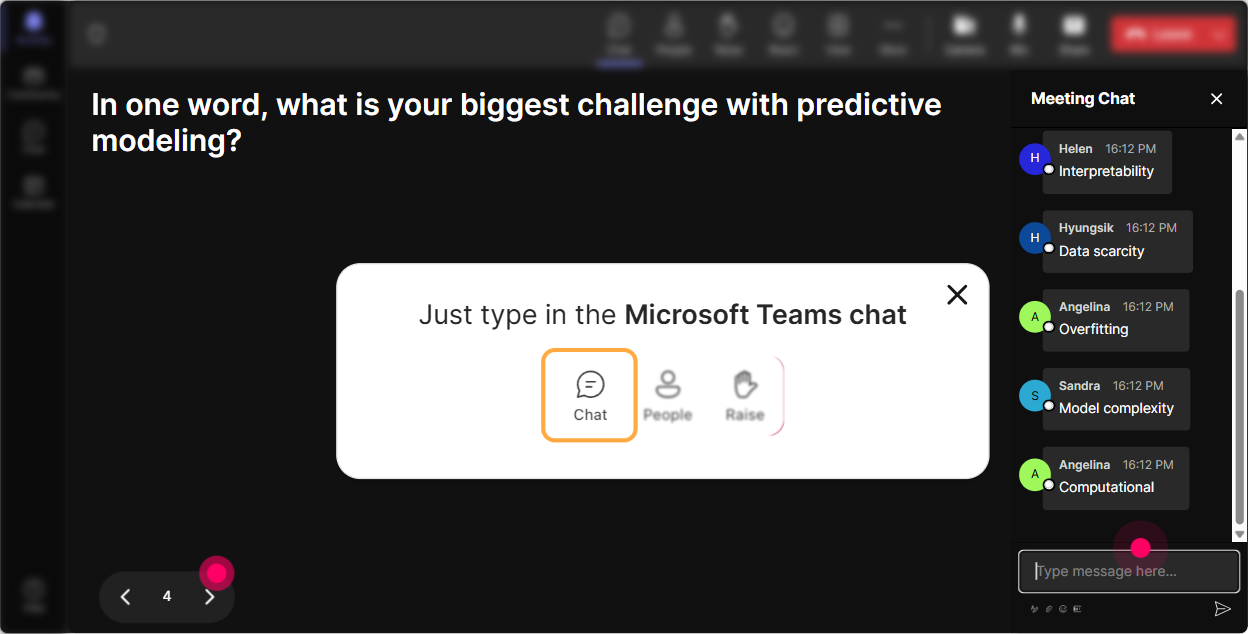
Wonder Words (Word Cloud): capture the vibe in the room in 10 seconds
Predictive modelling can make people feel excited or totally intimidated. A **Wonder Words** word cloud makes that visible instantly, and it gives you a natural way to acknowledge what people are feeling. Ask one of these (12 word answers work best): - When you hear predictive modelling, whats the first word that pops up? - Whats the biggest challenge with predictive models at work? - What do you want more of today: theory, demos, or practice? - One word: how do stakeholders in your company feel about AI predictions? Trainer move: Call out the biggest words on the cloud-Im seeing confusing, data, bias, black box great. Were going to tackle these head-on. Suddenly, the session feels tailored, not generic.
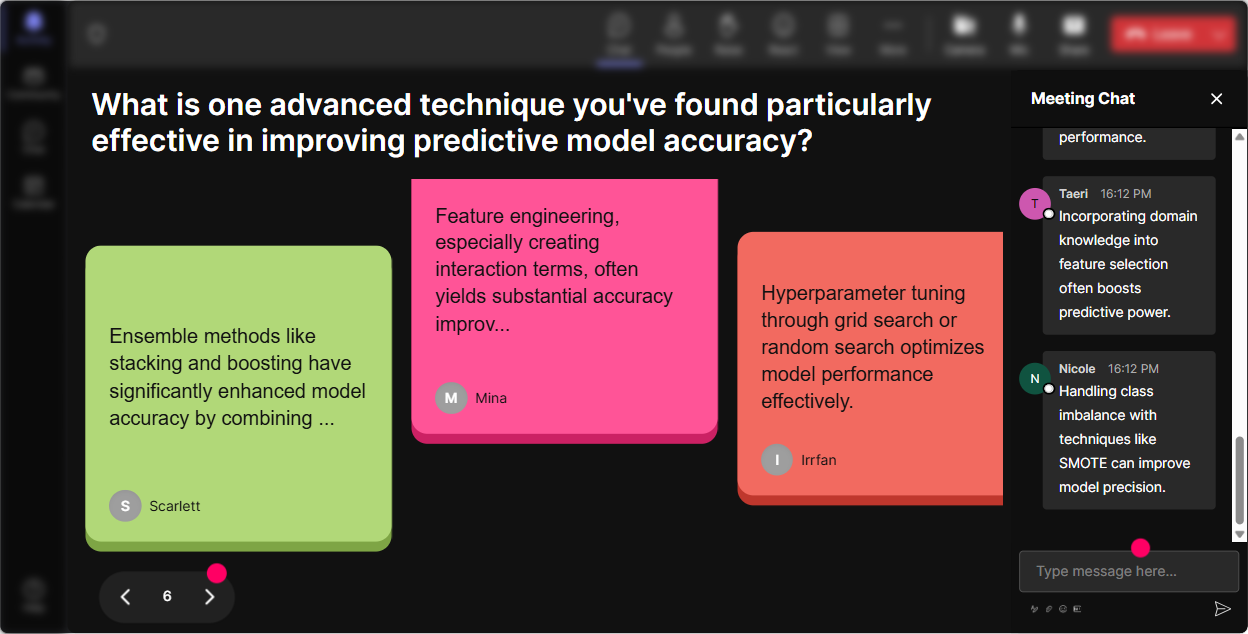
Talking Tiles: turn real-world modelling stories into a shared learning moment
This is where you get gold from the group. **Talking Tiles** is ideal when you want longer responses than a word cloud-mini stories, examples, quick experiences. As answers come in, they show up as dynamic tiles on screen, so people actually read each others ideas. Try questions like: - Where could predictive modelling save time or money in your role? - Tell me a prediction your business already makes (even if its informal). - What data do you *wish* you had to make better predictions? - Whats one model failure youve seen (or fear)? What went wrong? Trainer move: Use 23 tiles as case studies. You can literally say, Lets use these as our dataset today, and build an example around what they typed. Thats engagement you dont have to force.
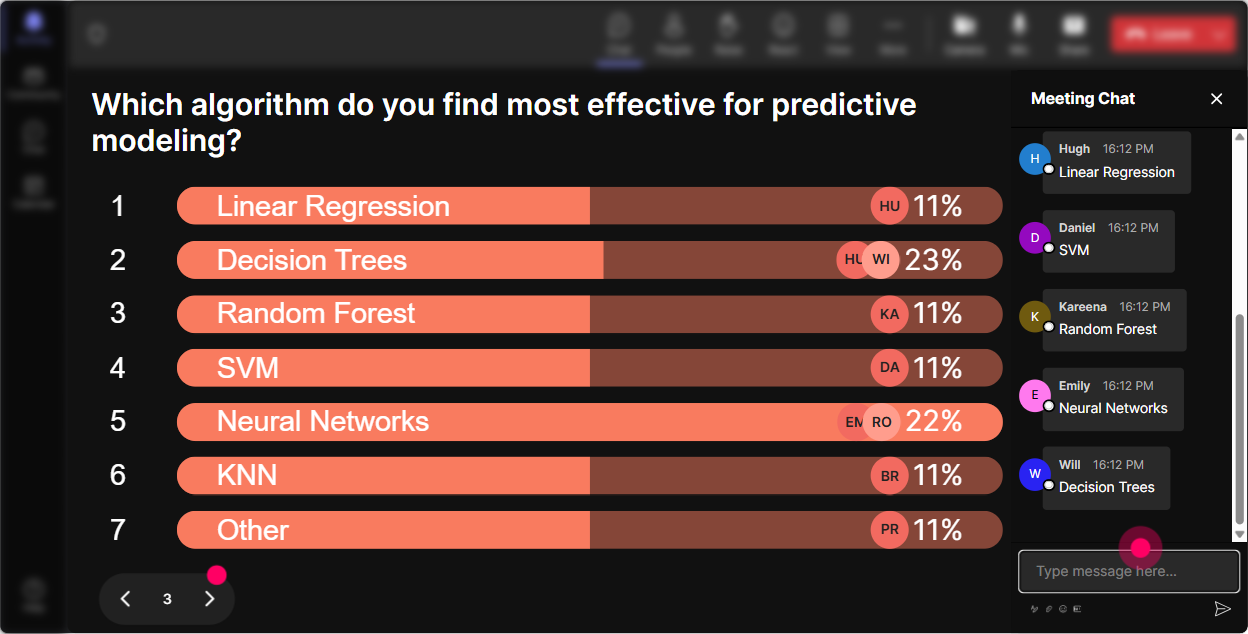
Power Polls: let the audience choose the direction of your Predictive Modelling session
Corporate trainers love when learners feel ownership. With **Power Polls**, you can quickly find what they want most-and then adjust your examples to match. Poll ideas (with options): - What do you want to focus on today? 1) Choosing the right problem (classification vs regression) 2) Feature selection + data prep 3) Model evaluation + metrics 4) Communicating results to stakeholders - Which use-case should we build examples around? 1) Employee attrition 2) Sales forecasting 3) Customer churn 4) Fraud/ risk - Whats your biggest blocker to teaching this internally? 1) Too much math fear 2) Not enough real data 3) Hard to explain metrics 4) People dont trust the model Trainer move: Run one poll early, one mid-way. The mid-way poll is your choose the next module moment-and it keeps attention from dipping.
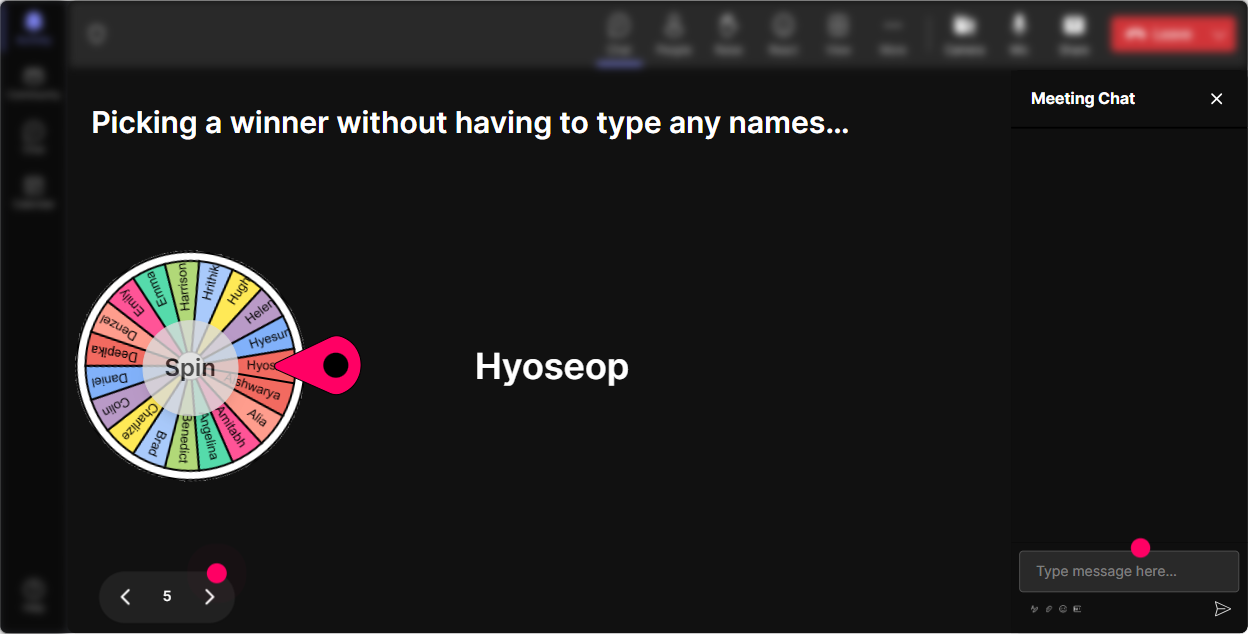
Winner Wheel: get participation without awkwardly calling on people
You know that moment when you ask, Who wants to share? and suddenly everyone becomes a statue? **Winner Wheel** fixes that by making participation feel playful and fair. Ways to use it in Predictive Modelling training: - Spin to pick who explains a concept in plain English: Explain overfitting like youre talking to a manager. - Spin to pick who chooses the next example: Pick our next business scenario: churn, sales, HR, or risk. - Spin for quick spot the issue rounds: show a tiny confusion matrix or metric result, then spin for someone to interpret it. - Add a small reward: Winner gets bragging rights or Ill share my model cheat-sheet. Trainer move: Tell them upfront: Comment at least once during this section to get on the wheel. Participation jumps immediately.
Quiz: do quick knowledge checks that dont feel like an exam
A Predictive Modelling session needs frequent check-ins-otherwise people nod along and get lost quietly. StreamAlives **Quiz** makes knowledge checks quick, visual, and low-pressure. Quiz question examples (single correct answer): - Which metric is best when classes are imbalanced? 1) Accuracy 2) Precision/Recall 3) Random guess 4) Total records - Whats the main purpose of a holdout test set? 1) Train the model 2) Tune hyperparameters 3) Estimate real-world performance 4) Clean the data - Overfitting usually means 1) Performs well on train, poorly on test 2) Needs more colours in charts 3) Data is too small to store 4) The model is unbiased Trainer move: After revealing the correct answer, ask one follow-up in chat: In your workplace, what happens if we measure the wrong metric? That one question triggers real discussion.

Rating Polls: get a quick read on their confidence before you go deep
Before you start talking about features, labels, train/test splits, and evaluation metrics-check the room. **Rating Polls** are perfect for that quick pulse-check, and theyre way more fun than asking Everyone good so far? Use rating prompts like: - On a scale of 110, how confident are you with predictive modelling basics? - Rate your comfort with model evaluation (accuracy, precision/recall, AUC). - How confident are you explaining overfitting to a non-technical stakeholder? - How confident are you teaching predictive modelling to others? (perfect because your audience is trainers) Trainer move: If the average is low, you slow down and simplify. If its high, you say, Awesome, Im going to push you a bit today, and people lean in.
Q&A (Quick Questions): catch every question without losing your flow
Predictive modelling sessions generate tons of questions-but in a fast chat, they get buried. StreamAlive **Q&A** automatically detects and collects questions from the chat so you dont have to play detective mid-session. How to use it smoothly: - Tell them: Drop questions anytime-StreamAlive will catch them. - Schedule Q&A breaks: after problem framing, after features, after evaluation. - Encourage practical questions: - What if our data is messy or incomplete? - How do I explain probabilities to stakeholders? - How much data is enough? - What if my model is accurate but nobody trusts it? Trainer move: When you answer, say the persons name and show the question on screen. People feel seen, and more questions come in.

Analytics: after the session, know what actually worked (and what lost them)
This is the part most trainers skip-and its where you level up fast. StreamAlive **Analytics** shows you engagement minute-by-minute, which interactions landed, and who your most engaged participants were. How a corporate trainer can use it after Predictive Modelling ILT: - Spot the engagement spikes: Oh, interest jumped during the churn case study-do more of that next time. - Find the drop-offs: Looks like energy dipped during metrics-next run, Ill add a quiz + a real example earlier. - Identify your Fantastic Fans (highly engaged learners): great people to invite for follow-up workshops, pilot groups, or champions for internal rollout. - Share interaction results with stakeholders: export/ email reports to show training impact beyond attendance. Trainer move: Use analytics to refine your run-of-show. Youll stop guessing what worked-and start designing sessions that reliably get that 9x engagement feel.

Use StreamAlive in all your training sessions
StreamAlive isn’t just for
Predictive Modelling
training,
it can also be used for any instructor-led training session directly inside your PowerPoint presentation.
Explore similar traingin ideas: unlocking the potential of StreamAlive
See how StreamAlive transforms live training with engaging events and interactive sessions across industries, directly inside your PowerPoint presentation.

Interactions in action
(it's free)

.svg.png)


