Install StreamAlive for your PowerPoint slides
Learn more

Skills-Based Organizations Training for Corporate Trainers
StreamAlive helps 9x the audience engagement in your Virtual Instructor-led Trainings (VILT) directly inside your powerpoint presentation.
Make your instructor-led Skills-Based Organizations training more fun with polls, word clouds, spinner wheels and more
Works inside your existing PowerPoint presentation
Install the StreamAlive app for PowerPoint and see your slides come to life as people participate in your interactions
AI generates audience interactions for you
Let our AI scan your presentation and automatically come up with relevant questions based on the content. Or spend two hours coming up with your own questions, your choice!
Built to work with MS Teams and Zoom
Native apps for Teams and Zoom so you never have to leave your existing workflows
No QR Codes
Chat-powered interactions means your audience doesn’t need to scan QR codes or look at another screen to participate. They just type in the chat!

Quickly approved by your IT team
StreamAlive’s apps for Teams and Zoom means that they have been through rigorous quality assurance and client safety reviews. You’ll find everything an IT team needs to approve the app within the organization within your StreamAlive account.

Youve been asked to run an instructor-led session on Skills-Based Organizations for corporate trainers-and you want it to feel alive, not like a slide marathon. The good news: a few smart interactions can keep people participating the whole way through. Here are practical ideas you can plug straight into your session using StreamAlive to drive up engagement (seriously, it can feel like night-and-day).
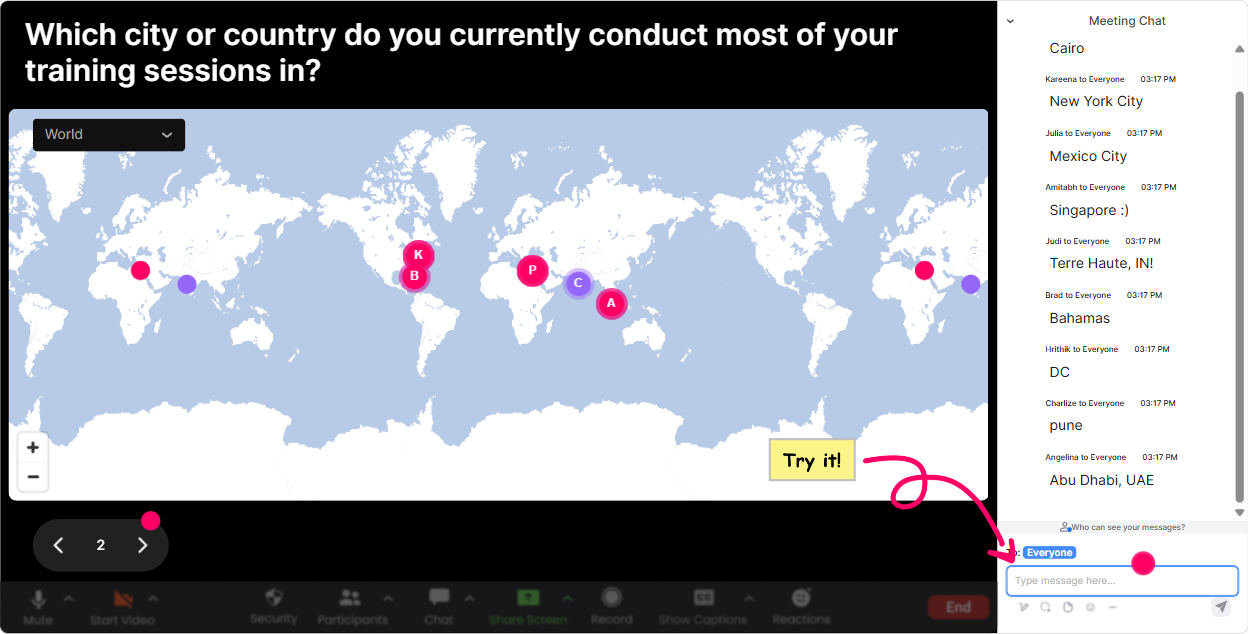
Magic Maps: Start your Skills-Based Organizations session by putting everyone on the map
If you want instant energy in the first 60 seconds, this is it. Instead of the usual awkward hello can you hear me? opener, ask a location-based question and let StreamAlive plot everyone on a live world map in real time. Its a simple move that makes the room feel real fast-and it subtly sets the tone: were doing this together. How to use it in Skills-Based Organizations training (trainer-friendly prompts): - Where are you joining from today? (City + country) (classic, always works) - Where is your organization HQ located? (nice segue into workforce strategy) - If you could visit any company known for talent innovation, where would you go? - Which city has taught you the most about hiring or training people? Pro tip for trainers: If your audience is global, those clusters on the map become a talking point-Looks like we have a big group from Toronto-whats happening in your market around skills-based hiring? Its a natural discussion starter without putting anyone on the spot.
Rating Polls: Quick pulse-check on how ready the room is for Skills-Based Organizations
Rating Polls are perfect when you want a fast read on confidence, readiness, or current maturity-without forcing people to explain themselves right away. Everyone can respond in seconds, and you get a clean visual you can react to live. Ways to use Rating Polls in your session: - On a scale of 110, how familiar are you with the idea of a Skills-Based Organization? - Rate your organizations current skills visibility (1 = we guess, 10 = we can search skills like a database). - How confident are you that your current training programs map to business-critical skills? - How ready do you think leaders are to hire/promote based on skills vs job titles? (110) How this helps you as the facilitator: If the average comes in low, you slow down and define the basics. If its high, you skip the 101 stuff and go straight to application. Either way, youre not guessing-youre adapting in real time.

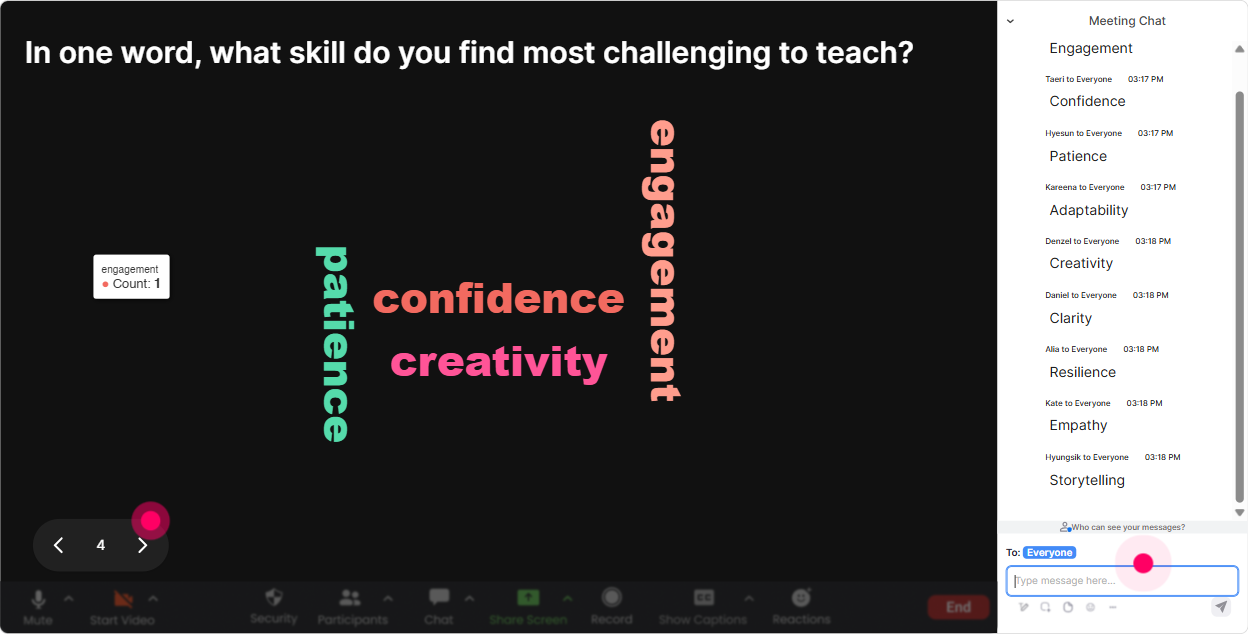
Wonder Words (Word Cloud): Get the real feelings in the room about Skills-Based Organizations
Skills-Based Organizations can trigger all kinds of reactions-excited, skeptical, overwhelmed, curious. A word cloud lets people share honestly with low effort (12 words), and you instantly see the vibe of the room. Word Cloud prompts that work really well for this topic: - When you hear Skills-Based Organization, whats the first word that comes to mind? - Whats the biggest blocker to becoming skills-based in your company? (12 words) - Whats the biggest benefit youd WANT from moving to a skills-based approach? (12 words) - Whats one skill area your org is struggling to build right now? Trainer move: Read out a few of the big words and a few of the tiny ones. The big ones show shared reality; the tiny ones often reveal interesting edge cases. It makes people feel seen-and it gives you perfect segues into your next section.
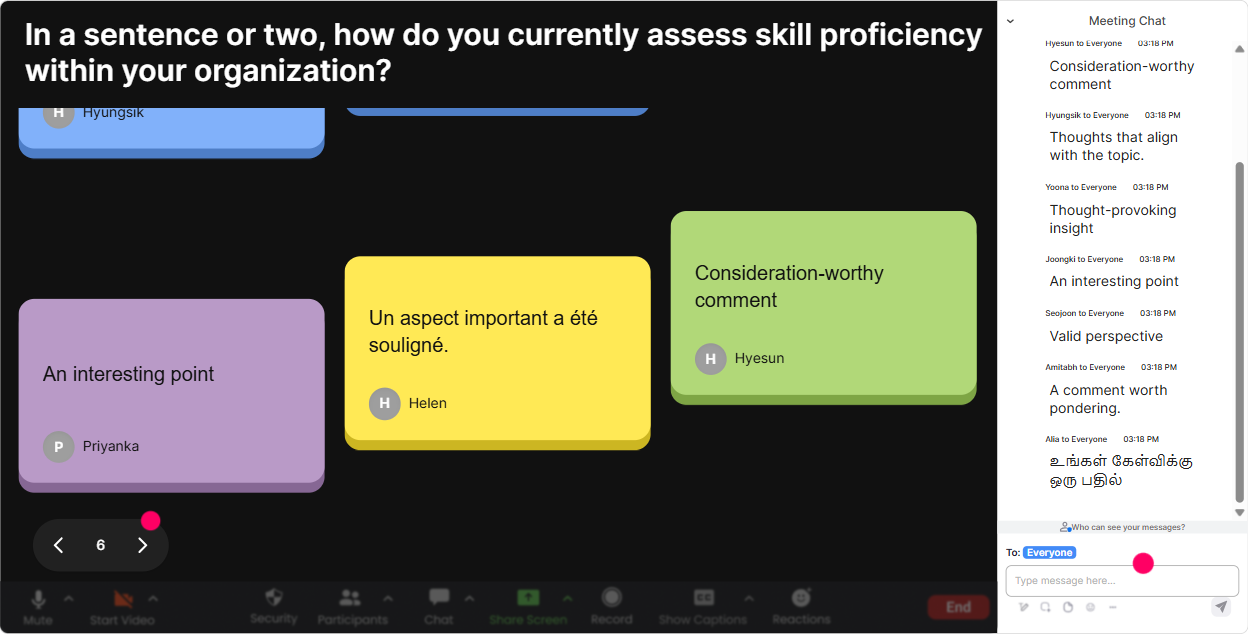
Talking Tiles: Turn Skills-Based Org discussion into a real conversation (not a silent chat box)
Talking Tiles are great when you want richer answers than a poll, but you still want it to feel fun and fast. As people type, their responses show up as falling tiles on screen-so suddenly the groups thinking becomes the content. Use Talking Tiles when you want applied, workplace-grounded input like: - In your role as a trainer, where do you see job titles getting in the way of skill growth? - Whats one training program you run today that could be redesigned around skills? - Whats a skill your workforce needs more of in the next 12 months? - Whats one place in your org where skills data already exists (even if messy)? Facilitation tip: After 6090 seconds of responses, pick 35 tiles to react to. Youre basically co-creating the session with the audience-people stop multitasking when their words are on the screen.
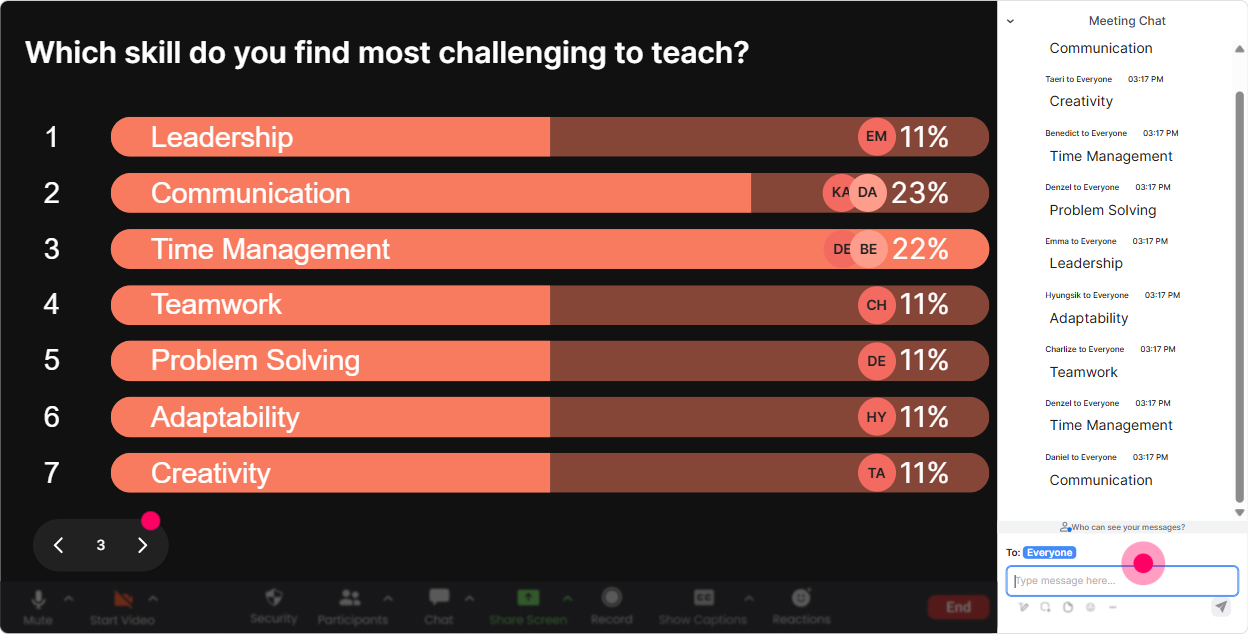
Power Polls: Let the audience vote on what part of Skills-Based Organizations you go deeper into
Power Polls are your choose the adventure tool. In trainer-led sessions, this is gold because it prevents that feeling of were covering stuff no one asked for. You can let the group steer the focus while still staying in control of the flow. Poll ideas for this training: - What do you want the most practical help with today? 1) Skills taxonomy / framework 2) Skills assessment 3) Linking learning to skills 4) Skills-based hiring & internal mobility 5) Measuring skills progress (analytics/metrics) - Where is your org today? 1) Curious but early 2) Piloting in one area 3) Rolling out across teams 4) Already skills-based, refining - Which stakeholder is the hardest to bring along? 1) Leaders 2) HR/Talent 3) Managers 4) Employees 5) L&D (yes, sometimes us) Trainer win: Once results show live, you can say, Cool-looks like most of you want internal mobility and skills assessment. Ill spend more time there and keep taxonomy lighter. People love feeling like the session is tailored.
Winner Wheel (Spinner Wheel): Call on people without making it awkward
You know that moment when you ask a question and silence. Winner Wheel fixes that in a way that feels playful, not punitive. You can pull names from people who participated in the chat (so it rewards engagement), then spin to choose who shares. Ways to use it in this session: - Drop one skill your org under-invests in. Im going to spin the wheel and ask one person to share why. - Who wants to share an example of training tied to a real business skill? Type me-then well spin. - After this case study, Ill spin to pick someone to summarize the key shift from roles to skills. Important tone tip: Frame it as fun and optional. Example: If you get picked and youd rather pass, just say pass-no stress. That little line keeps it light and keeps trust high.

Quiz: Quick knowledge checks that dont feel like school
A Quiz interaction is perfect for those wait-did that land? moments. You set multiple-choice options, participants answer in chat, and you can reveal the correct answer when youre ready. It keeps attention sharp and gives you instant feedback. Quiz questions tailored to Skills-Based Organizations: - Which is the best example of a skills-based practice? A) Promoting based on tenure B) Hiring based on degree only C) Matching people to projects based on demonstrated skills D) Using job titles as the main filter for internal mobility (Correct: C) - A skills taxonomy is best described as: A) A list of job titles B) A structured way to define and organize skills in the organization C) A performance review template D) A learning library (Correct: B) - Whats a common risk when moving to skills-based models? A) Better visibility B) More mobility C) Inconsistent skill definitions across teams D) Faster staffing (Correct: C) Trainer tip: Use quizzes as speed bumps every 1015 minutes. It resets focus and prevents passive listening.

Rating Polls: Quick pulse-check on how ready the room is for Skills-Based Organizations
Rating Polls are perfect when you want a fast read on confidence, readiness, or current maturity-without forcing people to explain themselves right away. Everyone can respond in seconds, and you get a clean visual you can react to live. Ways to use Rating Polls in your session: - On a scale of 110, how familiar are you with the idea of a Skills-Based Organization? - Rate your organizations current skills visibility (1 = we guess, 10 = we can search skills like a database). - How confident are you that your current training programs map to business-critical skills? - How ready do you think leaders are to hire/promote based on skills vs job titles? (110) How this helps you as the facilitator: If the average comes in low, you slow down and define the basics. If its high, you skip the 101 stuff and go straight to application. Either way, youre not guessing-youre adapting in real time.
Q&A (Quick Questions): Capture every question without losing the flow
In a busy live training, good questions get buried in the chat fast. StreamAlives Q&A pulls audience questions out automatically and displays them neatly so you can actually manage them like a pro. How to use Q&A during Skills-Based Organizations training: - Kick off with: As questions come up, just type them in chat-no special format needed. Ill grab them in the Q&A panel. - Do a scheduled Question Sprint after big sections like: - Skills framework/taxonomy - Assessing skills (self, manager, evidence-based) - Linking learning to skills - Internal mobility and talent marketplaces Trainer workflow tip: Park questions you cant answer yet. Say: Love that-I'm pinning it for our mobility section. People feel heard, and you dont derail the agenda.

Analytics: After the session, see what actually engaged people (so your next delivery is even better)
This is the part most trainers dont get from live sessions: real evidence of what worked. StreamAlive analytics show minute-by-minute engagement, chat activity, and which interactions performed best-so you can improve the next delivery based on data, not vibes. How Skills-Based Org trainers can use Analytics: - Spot where attention dropped (maybe that taxonomy slide needs a story or an example) - Identify which activity spiked engagement (word cloud vs quiz vs talking tiles) - Find your most engaged participants (Fantastic Fans)-great for follow-up, champions, or pilot groups - Pull interaction reports and share them with stakeholders: Heres what the group said our biggest blocker is - Email the reports to yourself or your team so you can iterate your run-of-show Bottom line: Analytics helps you turn one good session into a repeatable, high-engagement session you can run again and again-each time tighter, sharper, and more audience-driven.

Use StreamAlive in all your training sessions
StreamAlive isn’t just for
Skills-Based Organizations
training,
it can also be used for any instructor-led training session directly inside your PowerPoint presentation.
Explore similar traingin ideas: unlocking the potential of StreamAlive
See how StreamAlive transforms live training with engaging events and interactive sessions across industries, directly inside your PowerPoint presentation.

Interactions in action
(it's free)

.svg.png)


