Install StreamAlive for your PowerPoint slides
Learn more

Purpose-Driven Organizations Training for L&D Leaders
StreamAlive helps 9x the audience engagement in your Virtual Instructor-led Trainings (VILT) directly inside your powerpoint presentation.
Make your instructor-led Purpose-Driven Organizations training more fun with polls, word clouds, spinner wheels and more
Works inside your existing PowerPoint presentation
Install the StreamAlive app for PowerPoint and see your slides come to life as people participate in your interactions
AI generates audience interactions for you
Let our AI scan your presentation and automatically come up with relevant questions based on the content. Or spend two hours coming up with your own questions, your choice!
Built to work with MS Teams and Zoom
Native apps for Teams and Zoom so you never have to leave your existing workflows
No QR Codes
Chat-powered interactions means your audience doesn’t need to scan QR codes or look at another screen to participate. They just type in the chat!

Quickly approved by your IT team
StreamAlive’s apps for Teams and Zoom means that they have been through rigorous quality assurance and client safety reviews. You’ll find everything an IT team needs to approve the app within the organization within your StreamAlive account.

Youve been asked to run an instructor-led session on Purpose-Driven Organizations for L&D Leaders-and you want it to feel alive, not like another slide marathon. The good news: a few simple interactions can turn passive listeners into active contributors fast. Here are practical ideas using StreamAlive to keep people engaging (and chatting) all session long.
1) Magic Maps: put your L&D leaders on the map (and tie it to purpose)
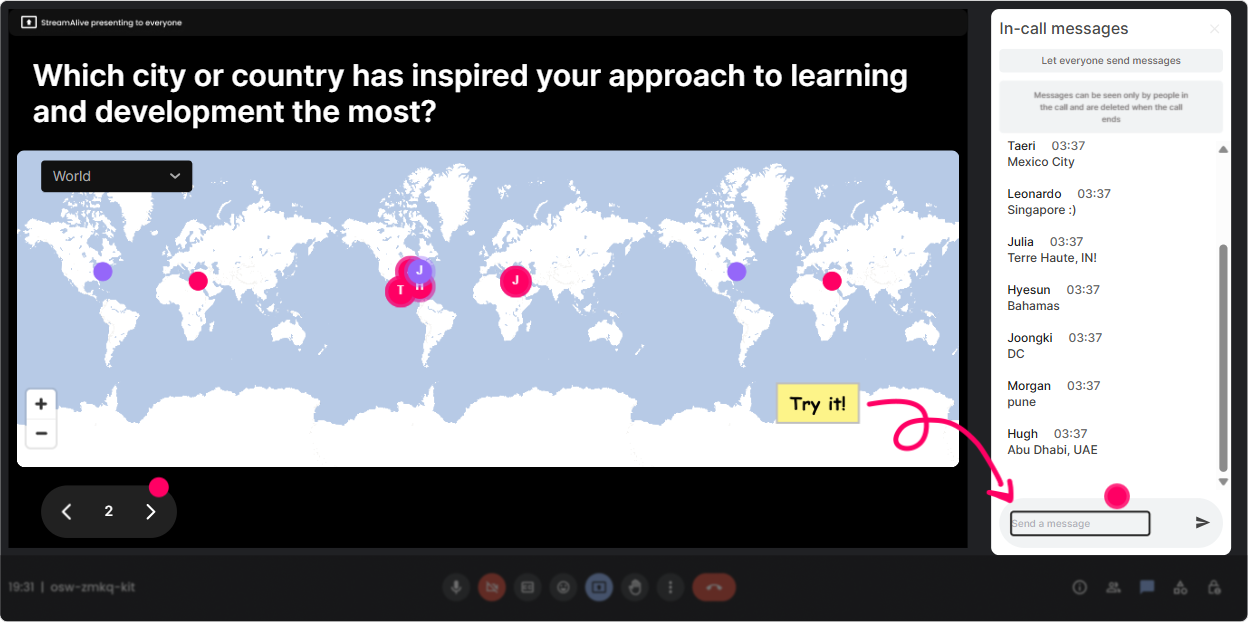
This is the easiest way to kick things off without the awkward lets go around the room. Ask a location-based question, and StreamAlive instantly plots everyones answers on a live world map. How to use it in a Purpose-Driven Organizations ILT: - Classic warm-up (but better): Where are you joining from today? - Make it purpose-themed: Which city has shaped your values the most? - Connect to impact: Drop a place where youve seen a company truly show up for its community. Trainer tip: When clusters show up (like 12 people from the same region), use that moment to build connection: Alright, everyone from the Midwest-what purpose initiatives are big in your organizations right now?
2) Rating Polls: quick pulse check on purpose maturity (no long surveys)
Rating Polls are perfect when you need instant truth from the room. People just type a number in chat, and you get a live visual read of where the group is. Ways to use it: - Knowledge check at the start: On a scale of 110, how confident are you explaining what a purpose-driven organization is? - Reality check: Rate your organizations purpose clarity today (1 = unclear, 10 = crystal clear). - After an activity: How usable was that purpose-to-behavior framework for your L&D work? (110) Trainer move: If the average is low, you can say, Perfect-this is exactly why were here, and adjust your depth. If its high, you can skip the basics and go straight to application.

3) Wonder Words (Word Cloud): make purpose feel real in 10 seconds
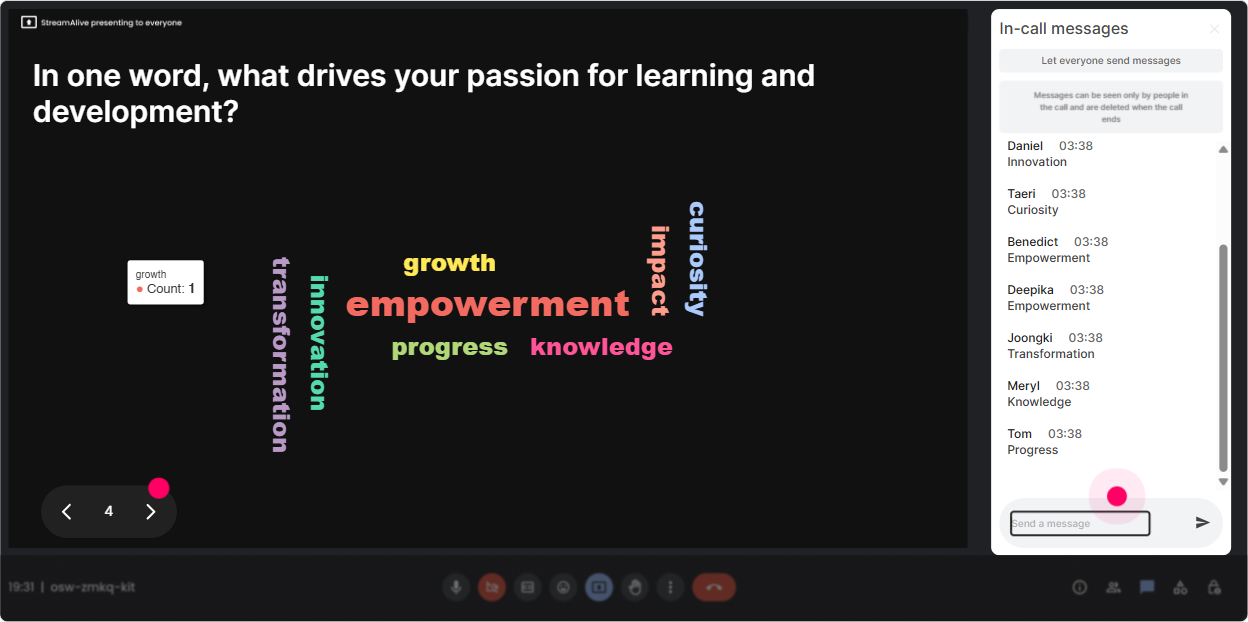
Purpose can get abstract fast. Word clouds pull it back into real human language-what your participants actually think and feel. Ask for 12 word responses like: - When you hear purpose-driven organization, whats the first word that comes to mind? - Whats the biggest blocker to purpose where you work? (Examples youll see: leadership, cynicism, metrics, time) - One word you want employees to feel at work. Trainer tip: Use the biggest word as your bridge. If authenticity or trust shows up huge, youve got your discussion anchor right there-no guessing what matters to the room.
4) Talking Tiles: turn experiences into a shared wall of insights
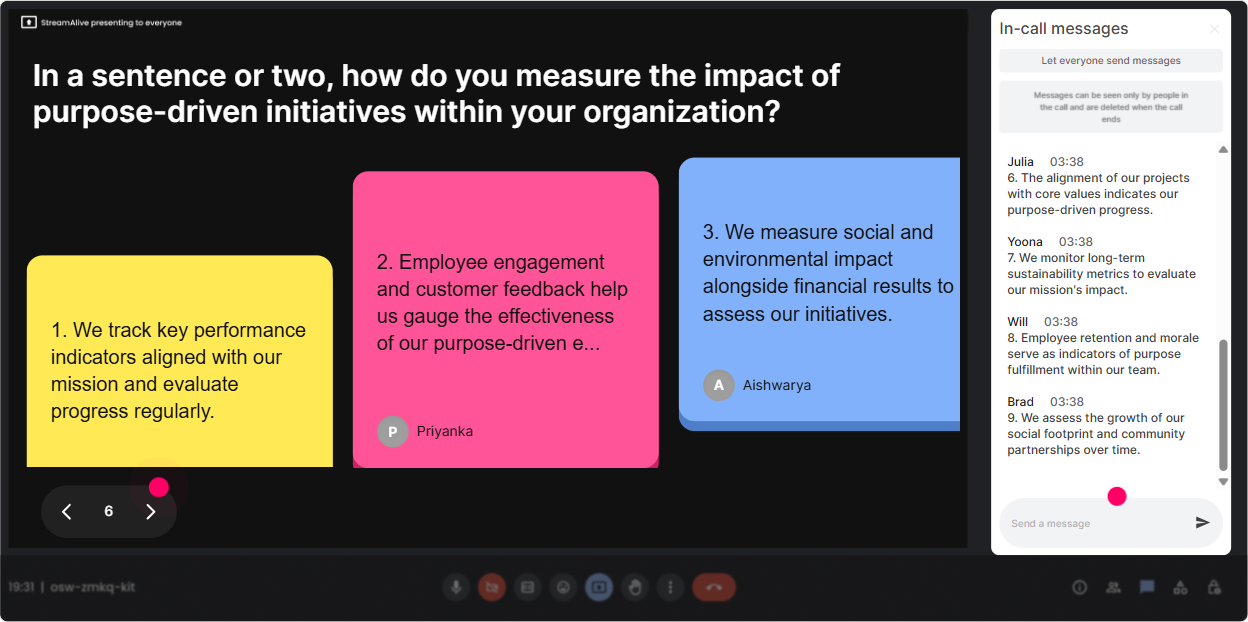
Talking Tiles are great when you want more than one-word answers-stories, examples, real opinions. Responses show up as dynamic tiles on screen, so people actually watch what others are saying (instead of mentally checking out). Try prompts like: - Whats one moment when you felt your organizations purpose was REAL-not just words? - Where does purpose show up in your role as an L&D leader (or where should it show up)? - Whats one behavior you wish leaders would model if they were serious about purpose? Trainer move: Pick 23 tiles to read out loud and respond to. People feel seen, and the chat usually speeds up because participants realize their input is driving the session.
5) Power Polls: let the group choose the agenda (and boost buy-in)
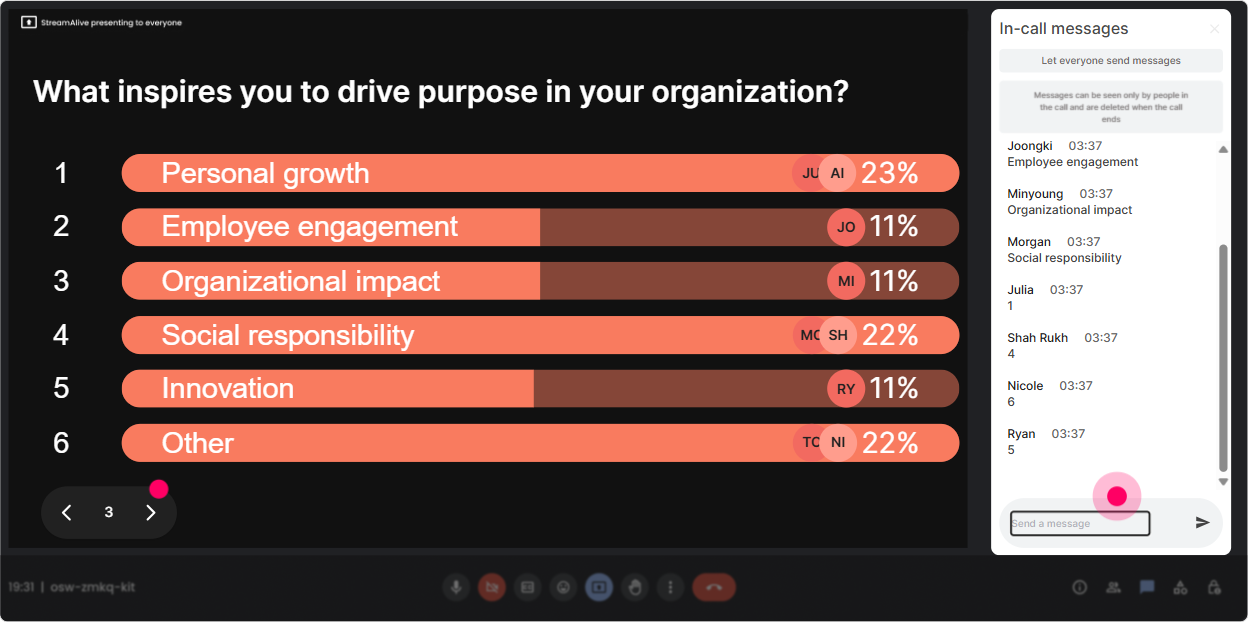
Power Polls help you stop guessing what your audience wants. You offer options, they vote in chat, and you show results live. It feels collaborative-and it keeps attention because everyone wants to see what wins. Poll ideas for this topic: - Where should we spend the MOST time today? 1) Defining purpose vs values vs mission 2) Leadership behaviors that make purpose believable 3) Building purpose into learning programs 4) Measuring purpose-driven outcomes - Whats your biggest challenge right now? 1) Exec buy-in 2) Employee skepticism 3) No clear purpose statement 4) Hard to measure impact Trainer tip: Once the winning option is clear, say: Cool-room has spoken. Lets go there. That one sentence alone increases engagement because people feel ownership.
6) Winner Wheel: get volunteers without the crickets
Sometimes you want voices, not just chat-but asking anyone want to share? can be painful. Winner Wheel fixes that by randomly selecting from people who participated (so it still feels fair). Ways to use it in Purpose-Driven Organizations training: - After a case study: Drop ME in chat if youre willing to share your take. Im going to spin the wheel. - For peer examples: Type one purpose initiative your company tried. Ill spin and ask a couple of you to expand. - For friendly accountability: Who wants to read their purpose statement draft? Lets spin. Trainer tip: Keep it light: You can pass if needed-but Im hoping you wont. People usually play along, and it adds energy instantly.

7) Quiz: quick knowledge checks that dont feel like school
Use the Quiz interaction when theres a right answer and you want to reinforce learning fast. People vote in chat, you show the live tally, then reveal the correct answer. Quiz questions that work well here: - Which one is the BEST example of a purpose statement? (Provide 34 options; only one is clear, human, and impact-focused.) - Purpose is MOST effective when its 1) Printed on posters 2) Tied to daily decisions and behaviors (correct) 3) Owned only by HR 4) Discussed once a year - Which metric is MOST aligned to purpose-driven L&D? (Options might include retention, internal mobility, customer outcomes, community impact-depending on your lesson.) Trainer move: After revealing the answer, ask: If you picked a different option, what made it tempting? Thats where the real learning shows up.

2) Rating Polls: quick pulse check on purpose maturity (no long surveys)
Rating Polls are perfect when you need instant truth from the room. People just type a number in chat, and you get a live visual read of where the group is. Ways to use it: - Knowledge check at the start: On a scale of 110, how confident are you explaining what a purpose-driven organization is? - Reality check: Rate your organizations purpose clarity today (1 = unclear, 10 = crystal clear). - After an activity: How usable was that purpose-to-behavior framework for your L&D work? (110) Trainer move: If the average is low, you can say, Perfect-this is exactly why were here, and adjust your depth. If its high, you can skip the basics and go straight to application.
8) Q&A (Quick Questions): capture every question without losing your flow
In a busy chat, great questions get buried. StreamAlives Q&A picks up audience questions directly from the chat and organizes them so you can actually manage them. How to use it smoothly: - Tell them: If you have a question, just type it normally in chat-StreamAlive will catch it. - Do planned question pit stops: after definitions, after a case study, and at the end. - Use it for sensitive topics: purpose can trigger cynicism, layoffs, greenwashing concerns-Q&A helps you address those without scrolling forever. Trainer tip: If you see repeat themes (like measurement or leadership hypocrisy), name it: Im seeing a pattern in the questions-lets tackle that head-on.

9) Analytics: prove engagement, improve your next session, and spot your champions
After the session, StreamAlive analytics shows you what actually worked-minute by minute-so youre not relying on vibes. What to look at for Purpose-Driven Organizations ILT: - Engagement spikes: Did chat light up during the case study? The word cloud? The poll? Now you know what to repeat. - Interaction reports: See which questions got the most responses, so you can refine your run of show. - Top engaged participants (Fantastic Fans): These are your future champions-great people to invite into pilots, peer panels, or follow-up cohorts. - Email/shareable reporting: Handy when you need to show L&D impact to stakeholders-Heres what the room cared about, and heres how they responded live. Trainer move: Use the data to tweak timing. If engagement dips around minute 35 every time, thats your cue to drop in a poll, a quick quiz, or a 60-second reflection prompt right there.

Use StreamAlive in all your training sessions
StreamAlive isn’t just for
Purpose-Driven Organizations
training,
it can also be used for any instructor-led training session directly inside your PowerPoint presentation.
Explore similar traingin ideas: unlocking the potential of StreamAlive
See how StreamAlive transforms live training with engaging events and interactive sessions across industries, directly inside your PowerPoint presentation.

Interactions in action
(it's free)

.svg.png)


