Install StreamAlive for your PowerPoint slides
Learn more

Skills Data Infrastructure Training for Training Agencies
StreamAlive helps 9x the audience engagement in your Virtual Instructor-led Trainings (VILT) directly inside your powerpoint presentation.
Make your instructor-led Skills Data Infrastructure training more fun with polls, word clouds, spinner wheels and more
Works inside your existing PowerPoint presentation
Install the StreamAlive app for PowerPoint and see your slides come to life as people participate in your interactions
AI generates audience interactions for you
Let our AI scan your presentation and automatically come up with relevant questions based on the content. Or spend two hours coming up with your own questions, your choice!
Built to work with MS Teams and Zoom
Native apps for Teams and Zoom so you never have to leave your existing workflows
No QR Codes
Chat-powered interactions means your audience doesn’t need to scan QR codes or look at another screen to participate. They just type in the chat!

Quickly approved by your IT team
StreamAlive’s apps for Teams and Zoom means that they have been through rigorous quality assurance and client safety reviews. You’ll find everything an IT team needs to approve the app within the organization within your StreamAlive account.

Youve been asked to run a Skills Data Infrastructure instructor-led training for a Training Agency-and you want it to feel lively, not like a long technical monologue. The fastest win? Get people talking early, keep them contributing often, and make participation feel effortless. Here are practical ways to do that using StreamAlive so engagement stays high all session long.
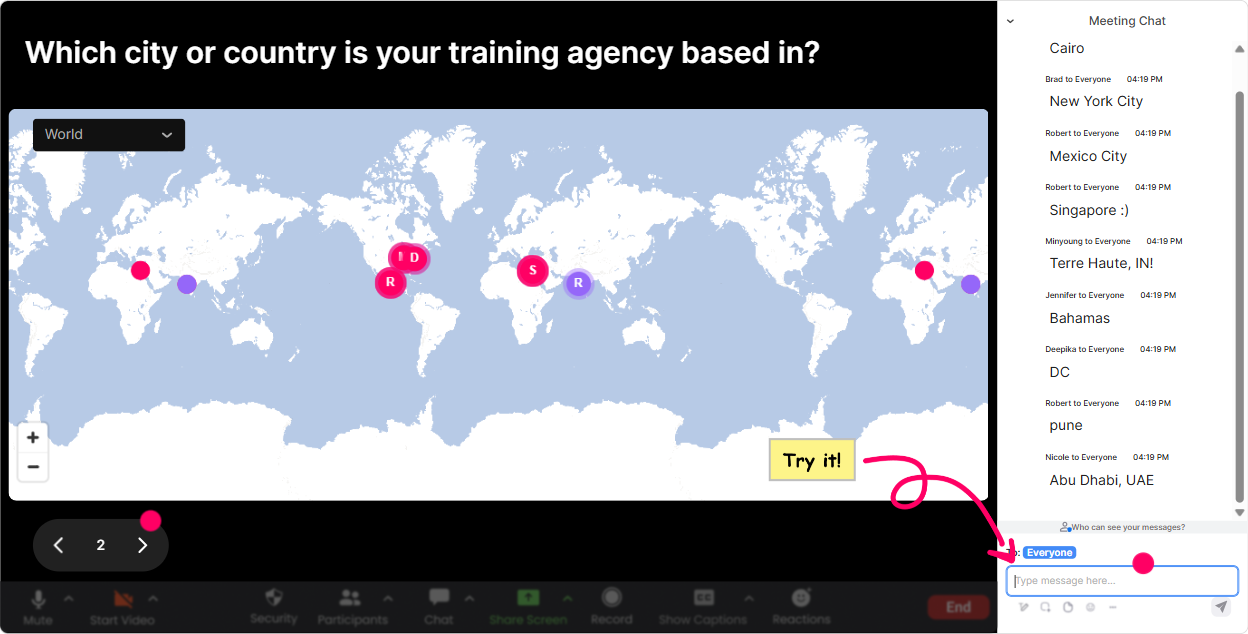
1) Magic Maps: put your training agency audience on the map (literally)
Skills Data Infrastructure work is super connected to context-regions, systems, compliance, client types-so a map icebreaker actually makes sense here. How to use it in your session: - Kickoff question (classic, but always works): Where are you joining from today? City + country. - Make it role-relevant: Where is your learner data coming from most often-HQ city, branch city, or client location? (Have them type the main location.) - Make it future-focused: If you could fix one data source anywhere in the world (HRIS/LMS/CRM), where would it be based? Trainer tip: When clusters show up (like lots of people from one region), call it out: Okay, looks like weve got a strong Toronto cluster-tell me, are you all on the same LMS? That quick moment turns a passive group into a real community.
2) Rating Polls: get a quick pulse on Skills Data Infrastructure confidence
This is your easiest way to avoid pitching the session too high (and losing people) or too low (and boring them). Run a quick rating poll and youll instantly know how to pace. How to use it: - Opener confidence check: On a scale of 110, how confident are you in your orgs skills data infrastructure today? - Mid-session checkpoint: Rate how clear the difference is now: skills taxonomy vs skills ontology (1 = still fuzzy, 10 = crystal clear). - End-of-module pulse: How ready are we to map skills data flows across HRIS LMS LXP? (110) Trainer tip: If you see a split (some 9s and some 2s), say it out loud: Perfect-this tells me weve got a mixed room. Ill keep it practical, and Ill add quick advanced callouts for the 9s. People feel seen immediately.

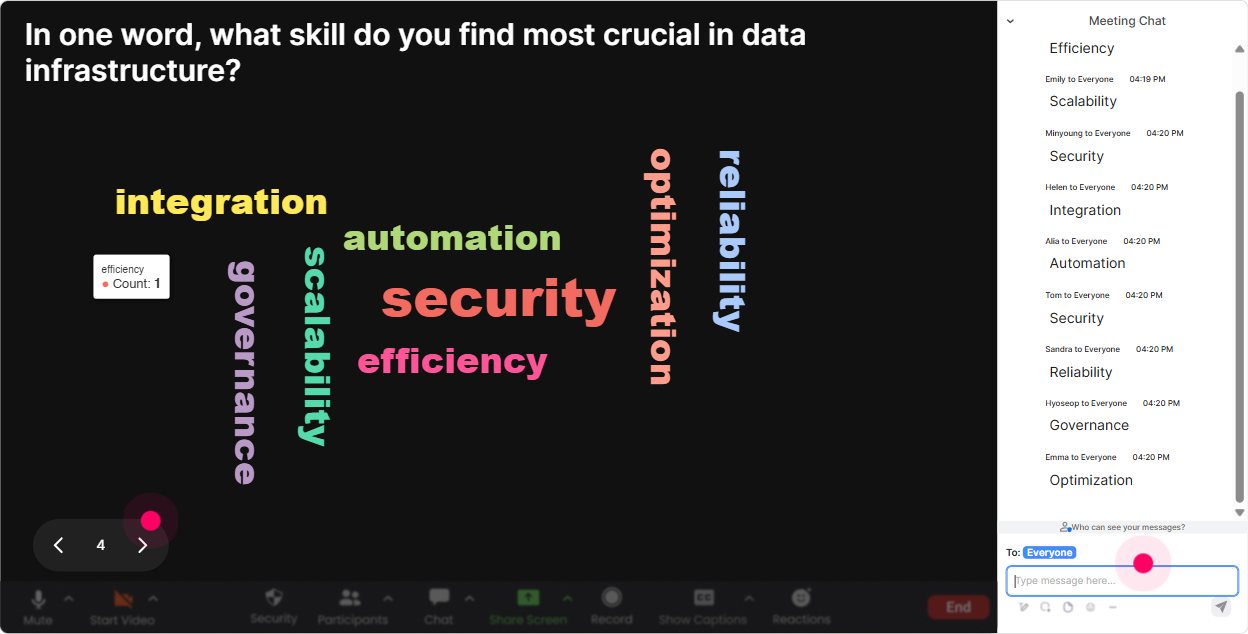
3) Wonder Words (Word Cloud): surface what people associate with Skills Data Infrastructure
Skills Data Infrastructure can feel abstract until you hear whats in peoples heads. Word clouds pull that out in seconds-and you can tailor examples to what shows up. Great prompts (keep them 12 words): - When you hear Skills Data Infrastructure, whats the first word that comes to mind? - Whats the biggest blocker in your skills data right now? (Examples people might type: messy, silos, ownership, taxonomy.) - What outcome are you hoping for from skills data? (Examples: mobility, reporting, personalization, hiring.) Trainer tip: Use the biggest word as your agenda: Im seeing silos pop up the most-cool, well keep coming back to how to connect HR, learning, and talent data without building a Frankenstein system.
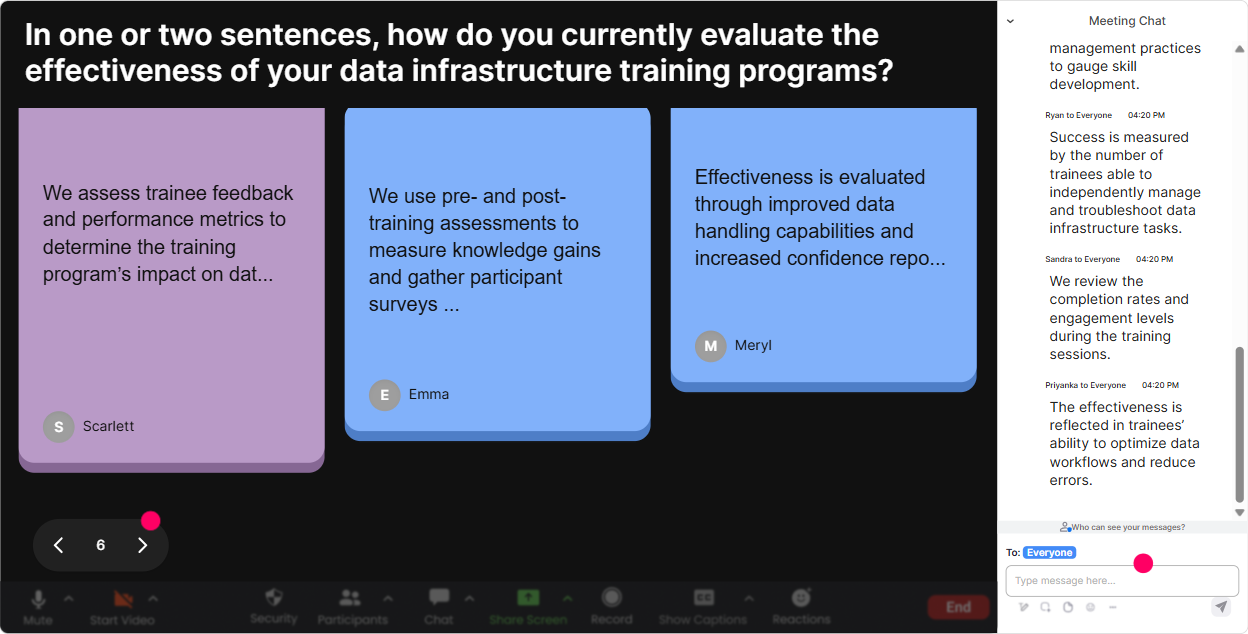
4) Talking Tiles: turn real challenges into teachable moments (without putting anyone on the spot)
This is where you get the gold: people explaining their reality in their own words. Talking Tiles is perfect because answers can be longer, and it feels like a fun group brainstorm instead of a who wants to speak? moment. Use it for prompts like: - In 12 sentences: where does skills data break down in your agency today? - Tell me what systems your skills data touches right now (HRIS, LMS, CRM, spreadsheets, assessments, etc.). - Whats one report you wish you could pull easily, but cant? Trainer tip: As tiles stack up, pick 23 and narrate patterns: Im seeing a theme: skills live in spreadsheets, assessments are separate, and LMS completions dont translate into proficiency. Thats basically the story of why infrastructure matters. Now your content feels tailor-made.
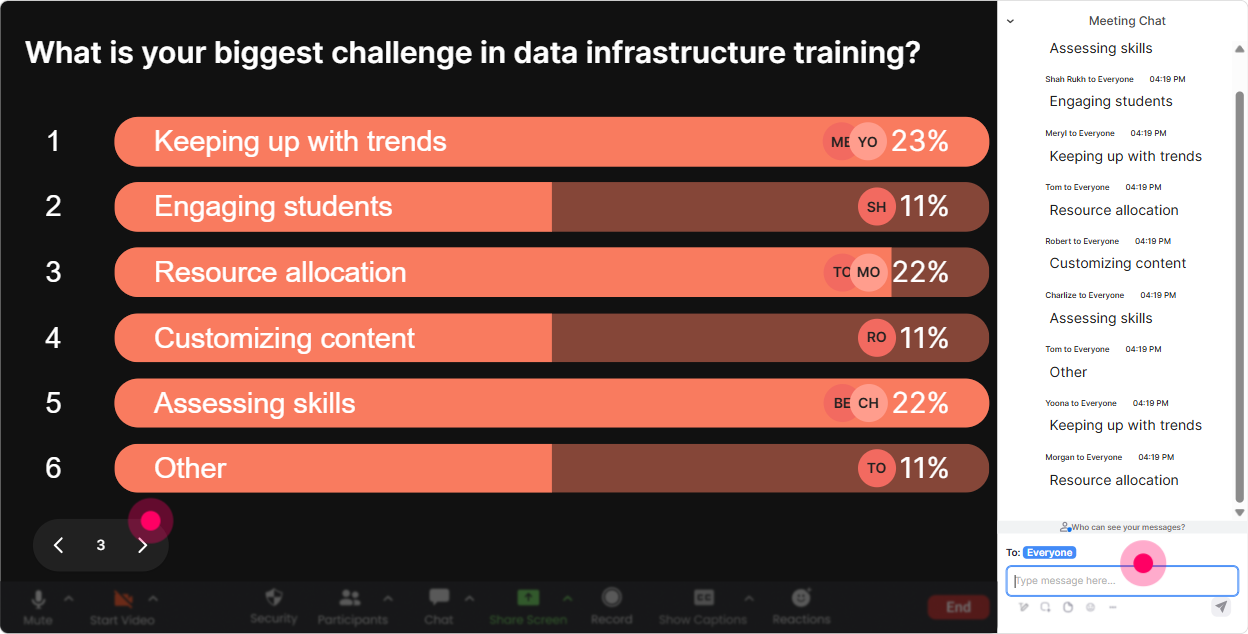
5) Power Polls: let the room choose what you go deeper on
In Skills Data Infrastructure training, everyone cares about different parts: taxonomy design, integration, governance, reporting, privacy, AI matching-so let them vote and youll get buy-in instantly. Poll ideas (with options): - What do you want most from skills data in the next 6 months? 1) Better reporting 2) Personalized learning 3) Talent mobility 4) Hiring/role matching 5) Client-facing outcomes (for agencies delivering training) - Where is your biggest data pain today? 1) Too many sources 2) No common skills language 3) Poor data quality 4) No ownership/governance 5) Cant connect learning to proficiency - Which integration matters most for your agency? 1) HRIS LMS 2) LMS LXP 3) Assessments LMS 4) CRM/Client systems Reporting 5) Data warehouse BI dashboards Trainer tip: Use the winning option to decide your examples: Looks like governance is #1-awesome. Ill show you a simple ownership model you can actually run with, not a 40-page policy.
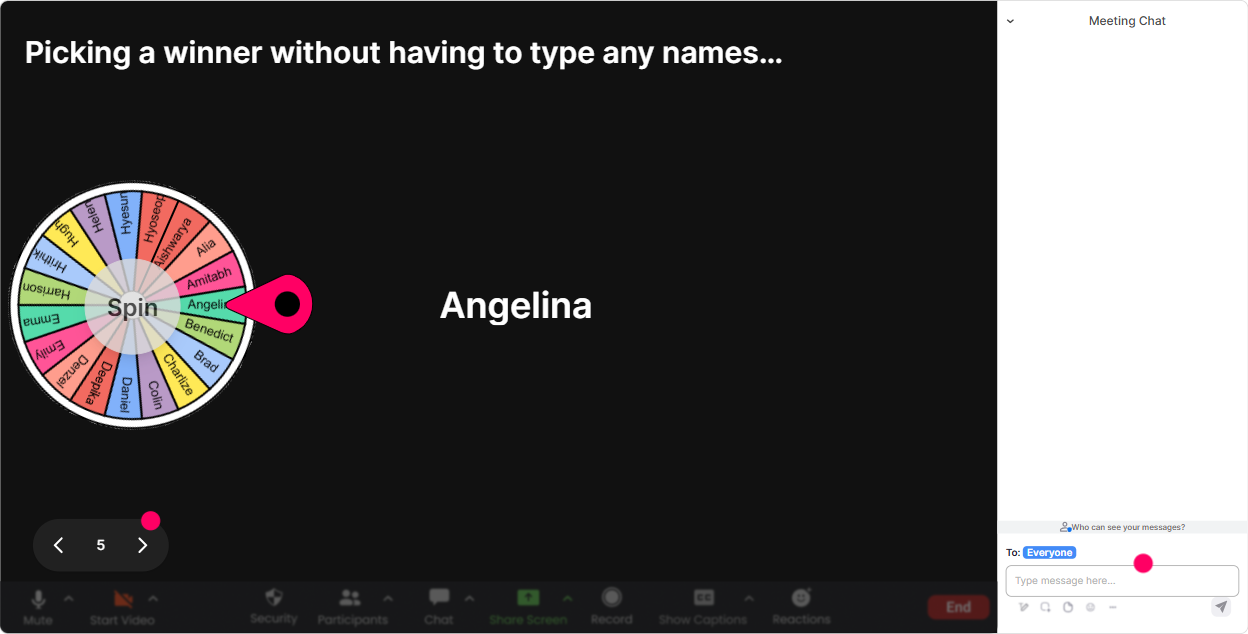
6) Winner Wheel (Spinner Wheel): make participation feel safe-and kind of exciting
Sometimes you need someone to speak, but you dont want awkward silence or the same two confident people talking all day. The Spinner Wheel makes it feel fair, random, and fun. How to use it in this topic: - After a poll: Im going to spin the wheel and ask one person to share why they voted for option #2. - After a framework: Wheel time-whos going to give me an example of a skills data source in your org? - For mini-case discussions: Drop ME in the chat if youre willing to share your current skills data setup. Ill spin from volunteers. Trainer tip: Make it low-pressure: No gotchas. If you get picked, just share the first thing that comes to mind-20 seconds. Youll get way more voices that way.
7) Quiz: quick knowledge checks that dont feel like school
Skills Data Infrastructure has terminology that people *think* they know-until you quiz it. A quick quiz keeps energy up and helps you catch confusion early. Quiz questions you can use (multiple choice, one correct): - Which is the best definition of a skills taxonomy? A) A list of learning courses B) A structured classification of skills (Correct) C) A BI dashboard D) An HR policy document - Whats the biggest risk of collecting skills data with no governance? A) Faster reporting B) Cleaner integrations C) Inconsistent definitions + unreliable decisions (Correct) D) Better personalization - Which data point is usually the weakest proxy for skill proficiency? A) Assessment score B) Manager validation C) Course completion (Correct) D) Work output evidence Trainer tip: After revealing the correct answer, ask a follow-up in chat: Whats the most common way YOUR org currently measures proficiency? Thats where the real discussion starts.

2) Rating Polls: get a quick pulse on Skills Data Infrastructure confidence
This is your easiest way to avoid pitching the session too high (and losing people) or too low (and boring them). Run a quick rating poll and youll instantly know how to pace. How to use it: - Opener confidence check: On a scale of 110, how confident are you in your orgs skills data infrastructure today? - Mid-session checkpoint: Rate how clear the difference is now: skills taxonomy vs skills ontology (1 = still fuzzy, 10 = crystal clear). - End-of-module pulse: How ready are we to map skills data flows across HRIS LMS LXP? (110) Trainer tip: If you see a split (some 9s and some 2s), say it out loud: Perfect-this tells me weve got a mixed room. Ill keep it practical, and Ill add quick advanced callouts for the 9s. People feel seen immediately.
8) Q&A (Quick Questions): catch every question without losing your flow
In a topic this technical, questions come fast-and they get buried in chat. StreamAlives Q&A pulls questions out automatically so you can actually manage them like a pro. Ways to use it during Skills Data Infrastructure ILT: - Set a norm: Drop questions anytime-StreamAlive will capture them. Ill pause every 15 minutes to clear the list. - Use it for sticky topics: integrations, data privacy, governance roles, data models, AI skill inference. - End-of-session: Lets do a lightning round-top 5 questions from the Q&A list. Trainer tip: If you see repeated questions, reflect it: Weve got three questions about data ownership-this is a real pain point, so lets spend 5 minutes on a clean RACI model.

9) Analytics: prove what worked (and make your next delivery even stronger)
After the training, you want to know what actually landed-especially if youre delivering this for a Training Agency where outcomes matter. How to use StreamAlive Analytics for Skills Data Infrastructure sessions: - Spot your engagement peaks: Find the moments where chat spiked (often during polls, case prompts, or contentious topics like governance). - Replay interaction results: Save poll/word cloud outputs as evidence-great for post-session reports to stakeholders. - Identify your top engaged participants: Those are your future champions, pilot-group volunteers, or even internal SME partners. - Improve your run-of-show: If engagement drops during a specific section (say, data architecture diagrams), youll know to break it up next time with a quick poll or quiz. Trainer tip: Share a simple post-session recap: Heres what the group voted as their #1 challenge, and here are the top 3 terms that showed up in the word cloud. That one move makes your session feel high-value and consultative, not generic.

Use StreamAlive in all your training sessions
StreamAlive isn’t just for
Skills Data Infrastructure
training,
it can also be used for any instructor-led training session directly inside your PowerPoint presentation.
Explore similar traingin ideas: unlocking the potential of StreamAlive
See how StreamAlive transforms live training with engaging events and interactive sessions across industries, directly inside your PowerPoint presentation.

Interactions in action
(it's free)

.svg.png)


