Install StreamAlive for your PowerPoint slides
Learn more

Team-based RTO Training for Training Agencies
StreamAlive helps 9x the audience engagement in your Virtual Instructor-led Trainings (VILT) directly inside your powerpoint presentation.
Make your instructor-led Team-based RTO training more fun with polls, word clouds, spinner wheels and more
Works inside your existing PowerPoint presentation
Install the StreamAlive app for PowerPoint and see your slides come to life as people participate in your interactions
AI generates audience interactions for you
Let our AI scan your presentation and automatically come up with relevant questions based on the content. Or spend two hours coming up with your own questions, your choice!
Built to work with MS Teams and Zoom
Native apps for Teams and Zoom so you never have to leave your existing workflows
No QR Codes
Chat-powered interactions means your audience doesn’t need to scan QR codes or look at another screen to participate. They just type in the chat!

Quickly approved by your IT team
StreamAlive’s apps for Teams and Zoom means that they have been through rigorous quality assurance and client safety reviews. You’ll find everything an IT team needs to approve the app within the organization within your StreamAlive account.

Youve been asked to run Team-based RTO instructor-led training for a Training Agency-and you dont want it to feel like another sit-and-listen session. You want teams talking, thinking, and actually applying the ideas live. Here are practical ways to do that (and use StreamAlive to keep participation buzzing the whole time).
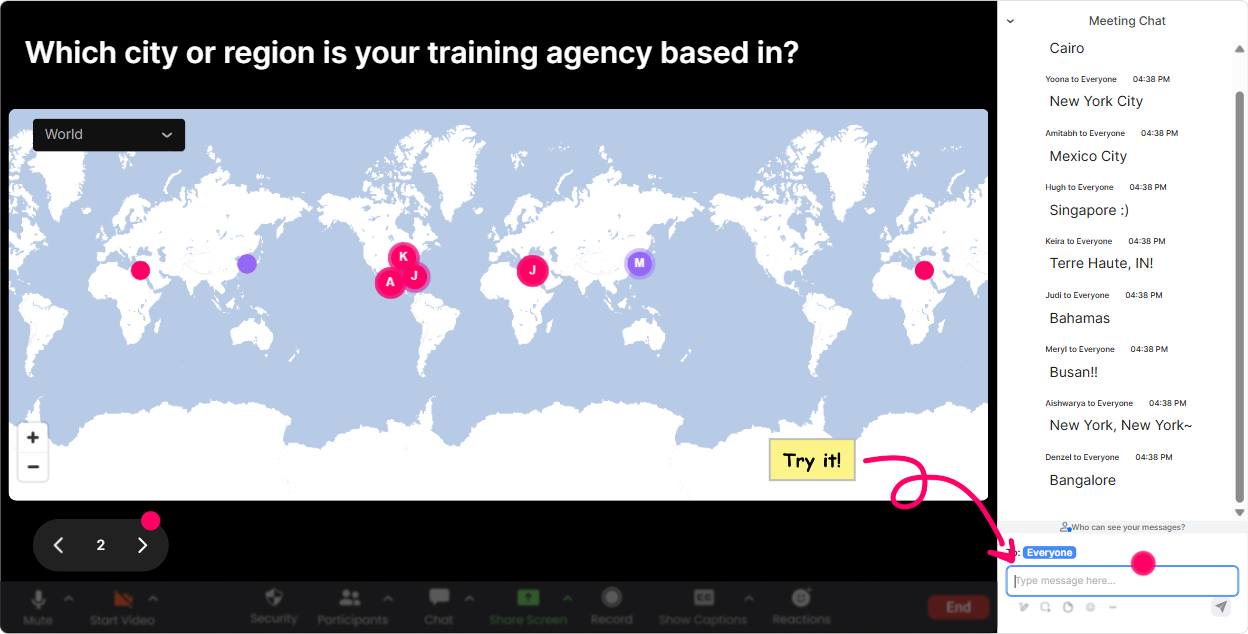
1) Magic Maps: Turn introductions into instant team energy
The easiest win in any live RTO session? Get people typing early. Magic Maps does that in seconds-because everyone loves seeing themselves (and their team) show up on the map. How to use it for Team-based RTO training: - Kick-off icebreaker: Where are you joining from today (city/suburb)? Then say: If you see someone near you, drop them a quick hello in chat. Instant connections. - Team identity warm-up: Type the location of the training site/campus you support most. Great if youve got multiple campuses or partner sites. - Scenario hook: If you could teleport your team to one workplace to observe best practice RTO training, where would you go? (This sets you up for later discussion on what best practice looks like.) Trainer tip: If your class is large, those clustered map pins are gold. Use them to call out patterns like Looks like weve got a strong Melbourne cluster-Melbourne folks, whats one challenge you see with team delivery?
2) Rating Polls: Quick pulse checks that tell you what to do next
Rating Polls are your read the room button-without awkward silence. Youll instantly know if you can move faster, need to slow down, or need to revisit a concept. Ways to use it in Team-based RTO training: - Confidence check (start): On a scale of 110, how confident are you in running team-based training sessions? - Implementation reality check: How ready is your organisation to roll out team-based delivery next month? (1 = not ready, 10 = totally ready) - After an activity: Rate how clear the roles/responsibilities feel after that example (110). What this unlocks for you as the trainer: - If the average is low, you immediately know to add a worked example, a template, or a mini role-play. - If the average is high, you can move into advanced stuff (edge cases, compliance traps, facilitation techniques).

3) Wonder Words (Word Cloud): Get honest feelings-fast
Before you can get teams working well, youve got to surface what people are really thinking. Wonder Words is perfect because its low effort (12 words), but super revealing. Word Cloud prompts that work brilliantly for Team-based RTO sessions: - Emotion check: Team-based delivery feels (12 words) Youll see stuff like exciting, messy, confusing, efficient, hard. Now you know what to address. - Barriers: Biggest blocker to team-based RTO in your world? (e.g., time, rosters, communication, consistency) - Success factors: One thing that makes team-based delivery work? (e.g., planning, handover, trust, clear roles) Trainer move: When one word gets big (like communication), pause and say: Cool-communication is clearly the boss battle today. Lets spend 3 minutes unpacking whats breaking down and how to fix it.

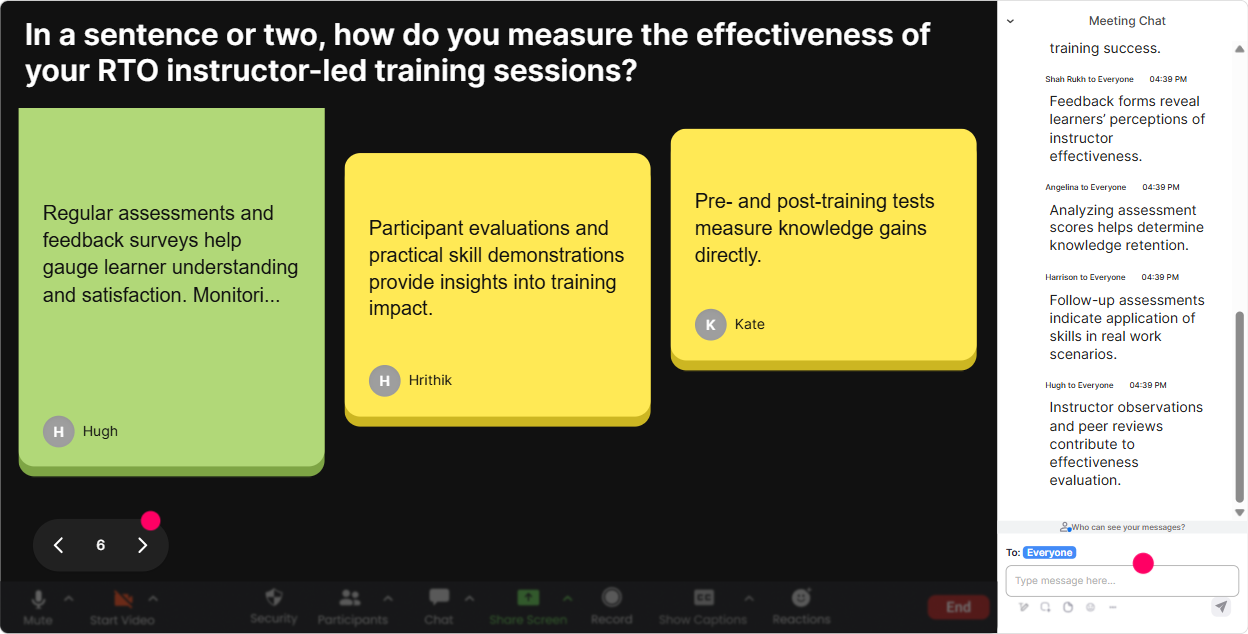
4) Talking Tiles: Capture the messy, real-world stuff (without losing control)
Team-based RTO delivery is full of real-world complexity-handover gaps, inconsistent feedback, different trainer styles. Talking Tiles is great when you want responses longer than one word, but still want it to feel lively and visual. Try these Talking Tiles prompts: - Role impact: How does team-based delivery change your day-to-day work? (One or two sentences) - Handover reality: Whats one thing that goes wrong during trainer-to-trainer handover? - Best practice share: Whats a handover habit or tool your team uses that actually works? How to turn it into a team activity: - Ask everyone to answer. - Then say: Pick one tile thats NOT yours and reply with a quick suggestion or we do this too. This creates peer-to-peer learning, which is exactly what team-based delivery is about.
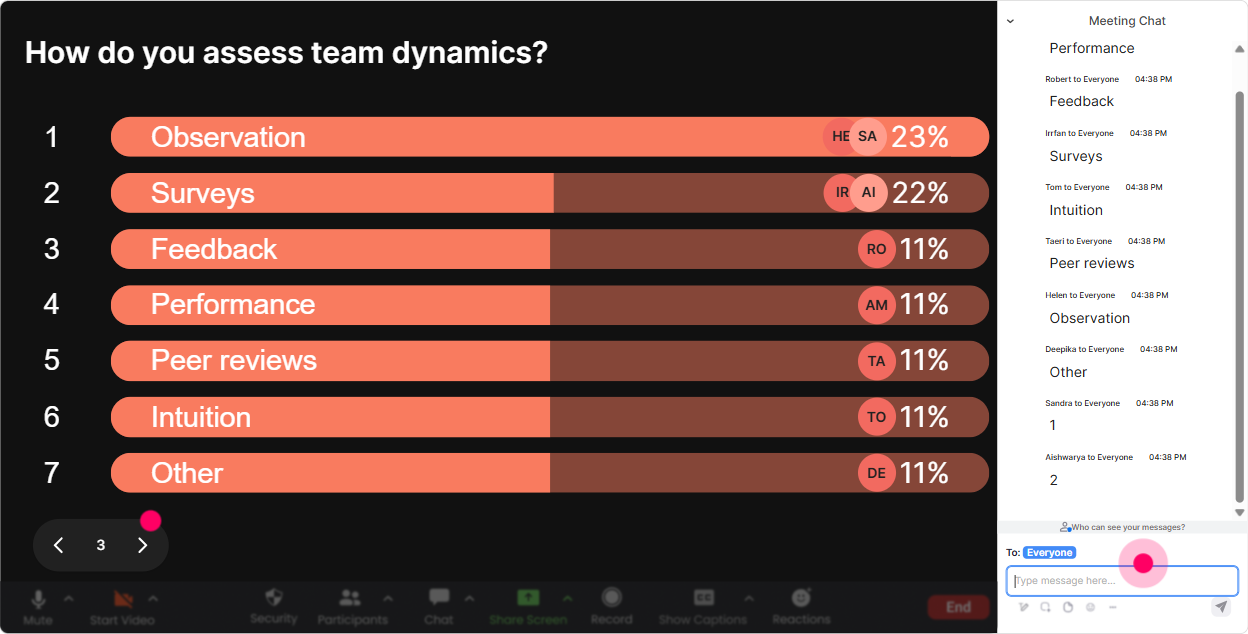
5) Power Polls: Let the group decide where the session goes
Power Polls help you stop guessing what people want. You can literally let your participants steer the session-and that alone boosts engagement because they feel ownership. Poll ideas for Team-based RTO instructor-led training: - Choose the focus: What do you want most from today? 1) Clear team roles in delivery 2) Consistent assessment decisions 3) Trainer handover systems 4) Running team-based sessions without chaos - Common pain point vote: Where does team-based training break down most often in your org? 1) Scheduling/rostering 2) Communication between trainers 3) Learner experience consistency 4) Evidence collection & compliance Trainer tip: Run the poll, show results live, then say: Alright-option 2 is the winner. Lets handle communication first, and Ill weave the other topics into our activities.
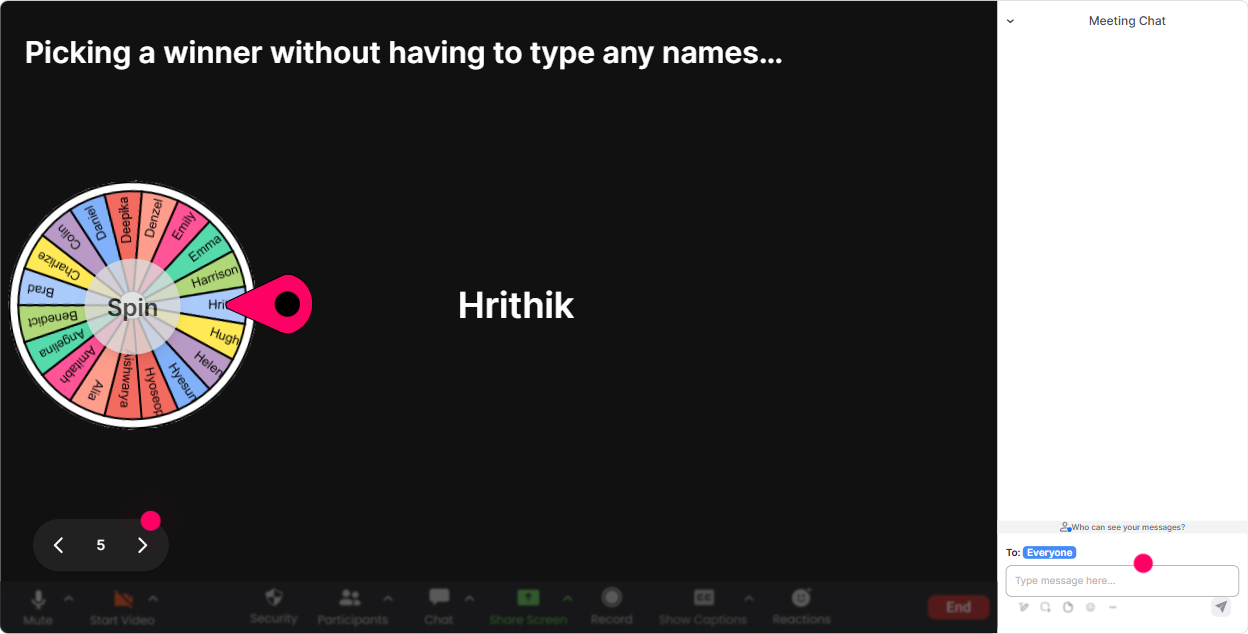
6) Winner Wheel (Spinner Wheel): Get voices involved-without putting anyone on the spot
Getting people to unmute is hard, especially in corporate/RTO environments where some folks would rather wrestle a crocodile than speak up. Winner Wheel gives you a fun, fair way to pick a speaker-based on who participated in chat. Ways to use it (without making it awkward): - Lets hear one real example. Im going to spin the wheel from everyone who answered in chat-winner gets bragging rights. - We need a volunteer team to share their approach. Wheel decides! - Mini-reward: Ill spin for a small prize at the end from everyone who contributed to todays activities. Best practice: Always give an out. Say: If youd rather pass, just type pass and Ill spin again-no stress. People stay engaged because it feels safe.
7) Quiz: Turn compliance and policy into something people actually remember
Quizzes are perfect for knowledge checks-especially when the topic includes process, quality, compliance, or how we do it here. StreamAlives Quiz makes it feel like a live game instead of an exam. Quiz question examples for Team-based RTO delivery: - Consistency check: Whats the BEST way to ensure consistency in assessment decisions across a trainer team? A) Everyone uses their own checklist B) Regular moderation + shared tools + calibration C) Only the lead trainer assesses D) Let learners choose their assessor - Handover check: Which handover detail is most critical to reduce learner confusion? A) Trainer availability B) What was covered + whats next + learner progress C) Room number D) Coffee order How to make it team-based: - Put people into breakout teams (or table groups in-room) for 60 seconds. - Then they vote in chat. - Reveal the correct answer and ask one team to explain their reasoning.

2) Rating Polls: Quick pulse checks that tell you what to do next
Rating Polls are your read the room button-without awkward silence. Youll instantly know if you can move faster, need to slow down, or need to revisit a concept. Ways to use it in Team-based RTO training: - Confidence check (start): On a scale of 110, how confident are you in running team-based training sessions? - Implementation reality check: How ready is your organisation to roll out team-based delivery next month? (1 = not ready, 10 = totally ready) - After an activity: Rate how clear the roles/responsibilities feel after that example (110). What this unlocks for you as the trainer: - If the average is low, you immediately know to add a worked example, a template, or a mini role-play. - If the average is high, you can move into advanced stuff (edge cases, compliance traps, facilitation techniques).
8) Q&A: Catch every question without drowning in the chat
In team-based training sessions, people often ask questions that reveal hidden confusion-like Whos responsible for what? or How do we keep evidence consistent? StreamAlives Q&A feature pulls questions from the chat and puts them in one clean place, so you dont miss them. How to use it smoothly: - Set a rule: If its a question, start your message with Q: so it gets picked up. - Do parking lot style: Ill handle quick ones as we go and do a bigger Q&A break every 20 minutes. - Team-based angle: If someone asks a great question, Ill toss it to the group first-drop your best answer in chat, then Ill add the official guidance. This keeps the session interactive, and it also reduces the pressure on you to be the only voice in the room.

9) Analytics: Prove engagement and improve the next delivery
After the session, Analytics is where you get the what worked story-without guessing. What you can do with StreamAlive Analytics for Team-based RTO training: - See engagement minute-by-minute: Youll spot the moments where chat spikes (usually polls, debates, scenarios) and where attention drops (usually long explanations). Then you can tighten your run sheet. - Replay interactions: Great for reviewing what teams struggled with-like if everyone voted wrong in the quiz on moderation. - Identify top participants (Fantastic Fans): These are your future champions-great people to invite into pilot groups, train-the-trainer cohorts, or internal communities of practice. - Share results easily: Email the interaction outcomes to your team, or use it in a debrief: Heres what the group said were the top 3 barriers-lets build our action plan around that. Bottom line: youre not just delivering training-youre collecting real-time insight you can use to make team-based delivery actually stick.

Use StreamAlive in all your training sessions
StreamAlive isn’t just for
Team-based RTO
training,
it can also be used for any instructor-led training session directly inside your PowerPoint presentation.
Explore similar traingin ideas: unlocking the potential of StreamAlive
See how StreamAlive transforms live training with engaging events and interactive sessions across industries, directly inside your PowerPoint presentation.

Interactions in action
(it's free)

.svg.png)


