Install StreamAlive for your PowerPoint slides
Learn more

Transparency Training for Corporate Trainers
StreamAlive helps 9x the audience engagement in your Virtual Instructor-led Trainings (VILT) directly inside your powerpoint presentation.
Make your instructor-led Transparency training more fun with polls, word clouds, spinner wheels and more
Works inside your existing PowerPoint presentation
Install the StreamAlive app for PowerPoint and see your slides come to life as people participate in your interactions
AI generates audience interactions for you
Let our AI scan your presentation and automatically come up with relevant questions based on the content. Or spend two hours coming up with your own questions, your choice!
Built to work with MS Teams and Zoom
Native apps for Teams and Zoom so you never have to leave your existing workflows
No QR Codes
Chat-powered interactions means your audience doesn’t need to scan QR codes or look at another screen to participate. They just type in the chat!

Quickly approved by your IT team
StreamAlive’s apps for Teams and Zoom means that they have been through rigorous quality assurance and client safety reviews. You’ll find everything an IT team needs to approve the app within the organization within your StreamAlive account.

Youve been asked to run a Transparency instructor-led training for corporate trainers-and you want people to actually stay with you (not multitask in silence). The easiest way? Make transparency something they *do* in the session, not just something they *hear* about. Here are simple, highly interactive ideas using StreamAlive to keep everyone involved.
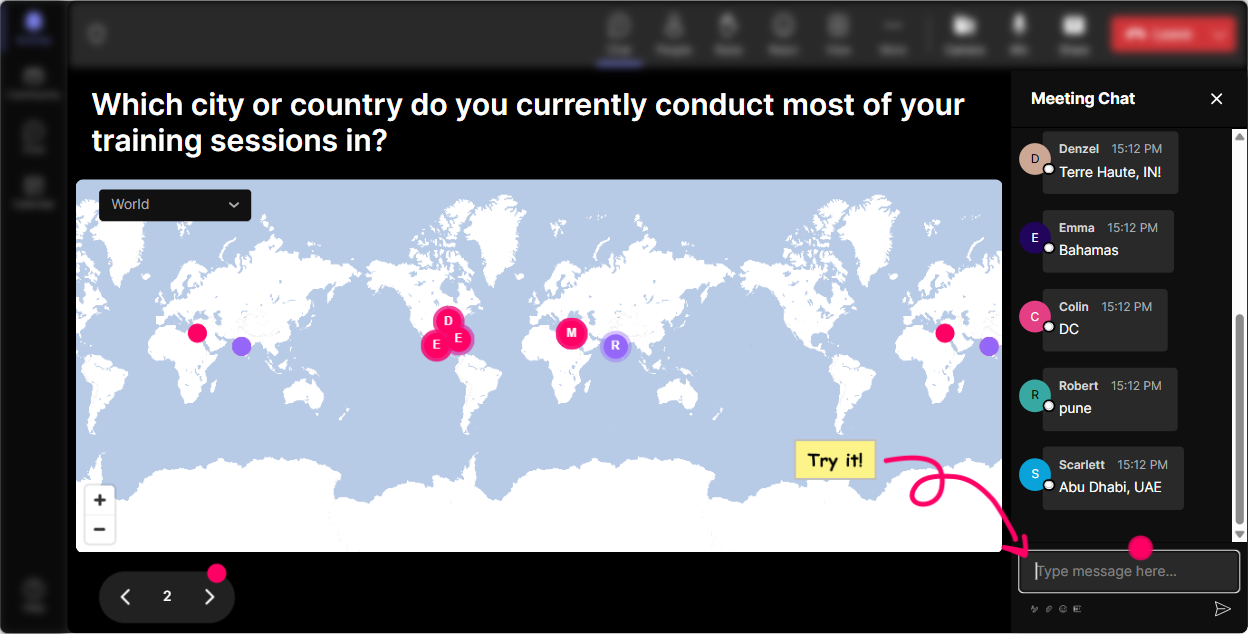
1) Magic Maps: Start with where are you joining from?-but make it about transparency
Transparency training can feel like a values topic unless you ground it in real people, real places, real contexts. Magic Maps does that in seconds. How to use it (trainer-style): - Kick off with: Where are you joining from today? and let StreamAlive plot everyone on a live map. Instant energy. - Then pivot it to the topic: Type a city where youve seen transparency done *really well*-could be a workplace, a client, even a leader you worked with. - Or a fun one that still connects: If transparency was a place on earth, where would it be and why? (Just type the location.) Why it works for Transparency ILT: - Youre modeling openness from minute one-everyone shows up visibly. - It creates a natural segue into, Different cultures/regions/companies define transparent differently-lets unpack that. Pro tip: Turn on one location per attendee so the map stays clean, and highlight big clusters (great for calling out patterns like multiple people from the same company hub).
2) Rating Polls: Get a fast pulse check on transparency maturity
Before you teach anything, find out where people *actually are*. Rating Polls give you a live temperature check without the awkwardness of calling on people. Use it right at the start: - On a scale of 110, how confident are you in teaching transparency to others? - Rate your current workplace transparency (1 = not at all, 10 = extremely transparent). - How comfortable are you giving tough feedback with clarity and kindness? (110) How to make it useful (not just a number): - Ask a follow-up: If you rated 7 or above, whats one habit that helps? or If you rated 4 or below, what usually gets in the way? - Now your training adapts in real time-because youre not guessing the room.

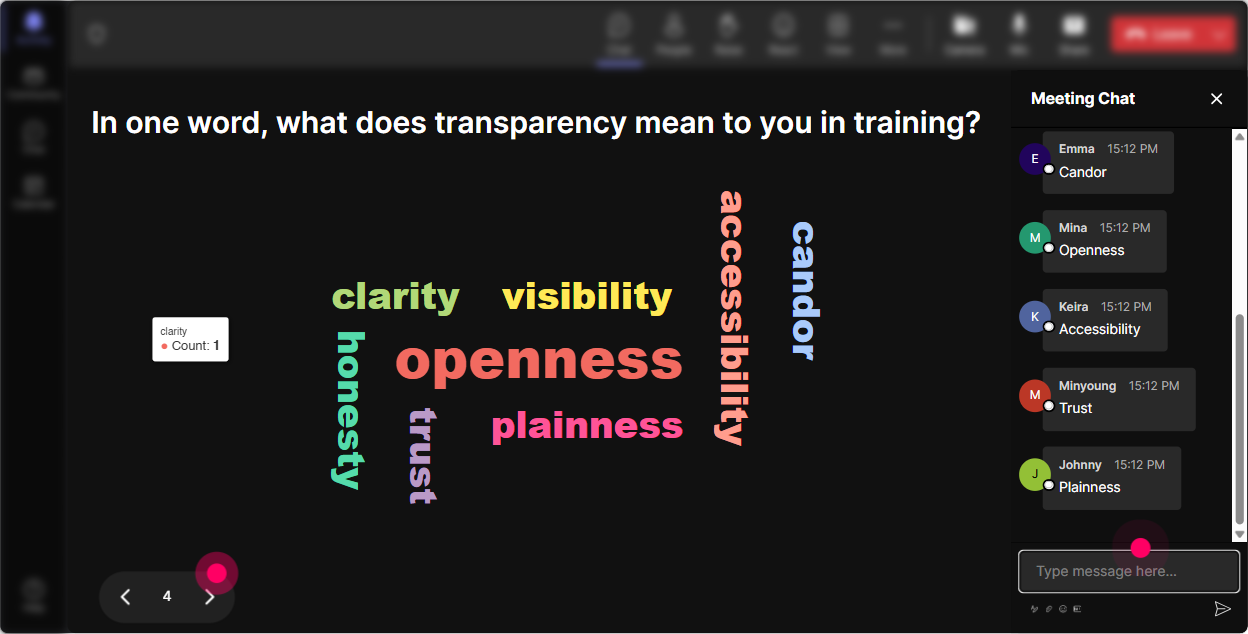
3) Wonder Words (Word Cloud): Make transparency mean something real to them
Transparency is one of those words everyone nods at but people mean different things by it. A Word Cloud makes that visible instantly. Great prompts (keep it 12 words): - When you hear transparency at work, whats the first word you think of? - Whats the biggest blocker to transparency in training sessions? - What does a transparent trainer do consistently? How to run it like a pro: - Let the cloud build for 2030 seconds. - Then call out the big words: Interesting-trust is huge here. Lets talk about what behaviors create trust quickly. - Use Combine Similar Answers so honesty/honest and clarity/clear dont split the votes. This is also an easy way to surface hidden tension-if words like fear or politics show up, youve got a real conversation to facilitate.
4) Talking Tiles: Pull out real scenarios trainers deal with (without putting anyone on the spot)
Talking Tiles is perfect when you want more than one-word answers-like examples, stories, or trainer-specific situations. Prompts that work really well: - Whats one moment where being transparent as a trainer felt risky? - Share a line youve used to be transparent with a tough participant (or wish you had). - Where do you think trainers accidentally *lose* transparency-timing, expectations, feedback, or something else? Why its gold for this topic: - People can share honestly without you spotlighting them. - You get a wall of real-life examples you can teach from. Facilitation move: - Read 23 tiles out loud and say, Lets workshop this one. Youve now turned your session into a live coaching lab.

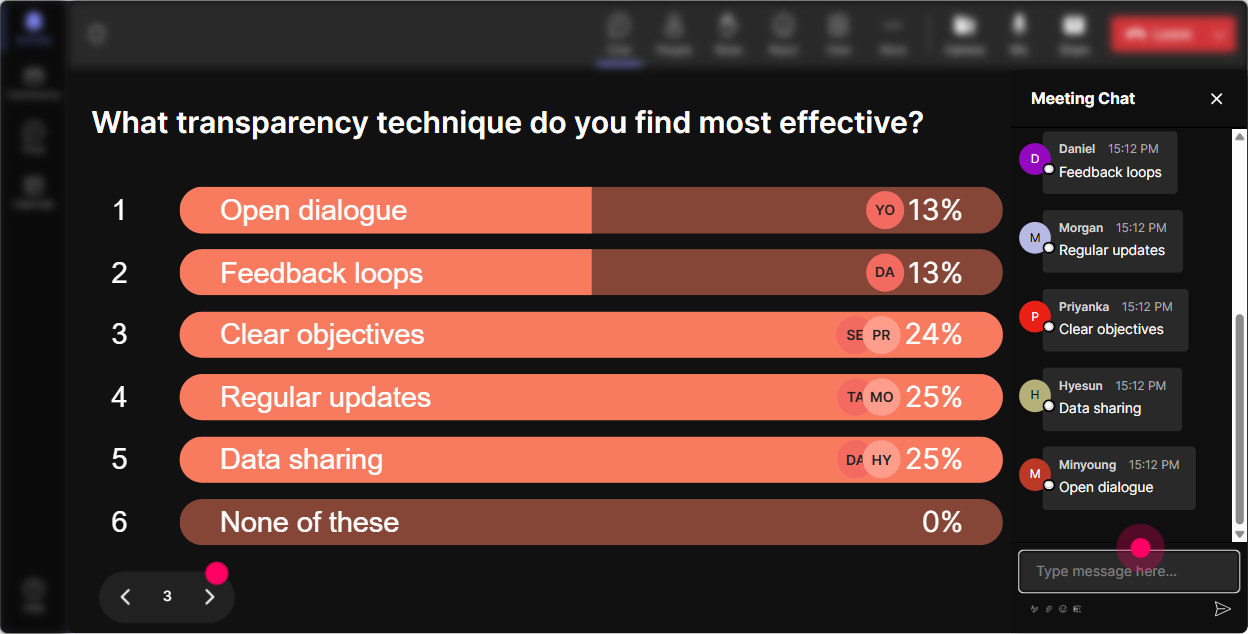
5) Power Polls: Let the room choose what part of transparency to go deeper on
Instead of guessing what they need, just ask-and let StreamAlive show the results live. Poll ideas for Transparency ILT: - Where do you want more tools today? 1) Setting expectations clearly 2) Giving feedback transparently 3) Handling I disagree conversations 4) Admitting mistakes as a trainer 5) Sharing decisions + the why behind them Or use it mid-session: - Which transparency tactic should we practice next? 1) SBI feedback 2) Radical Candor-style framing 3) Heres what I know / heres what I dont script 4) Q&A boundary setting Trainer tip: - Tell them: Whatever wins, well spend the next 10 minutes practicing it. People instantly pay more attention because they helped steer the session.
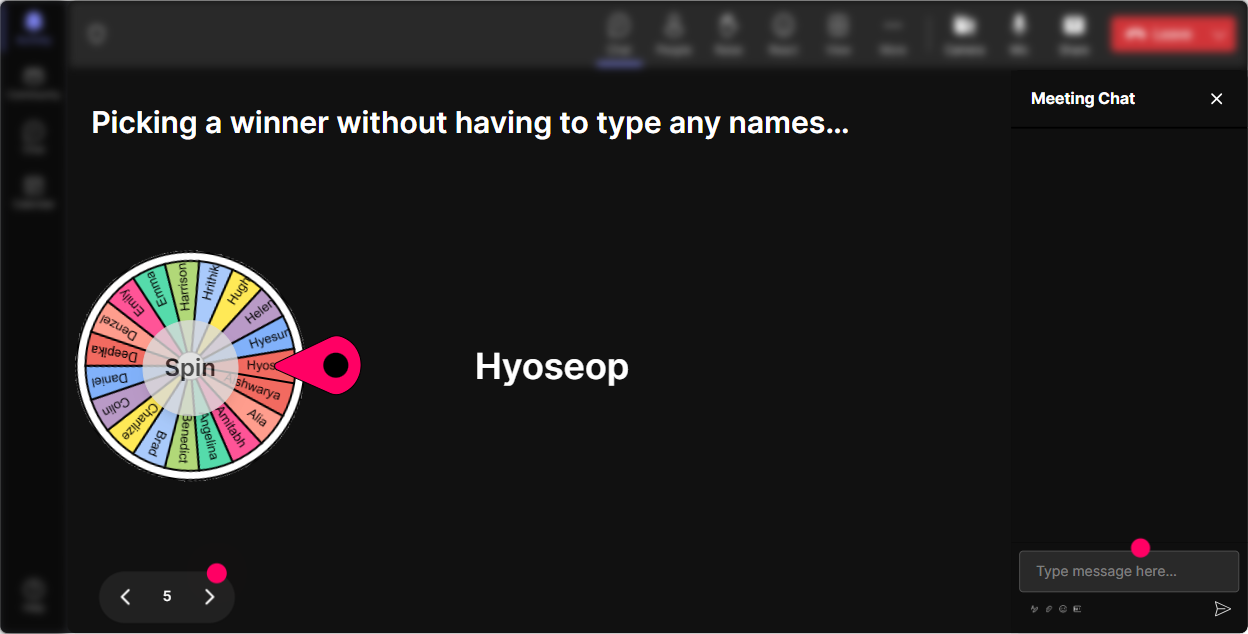
6) Winner Wheel (Spinner Wheel): Make participation fun-and get volunteers without awkwardness
Weve all been there: you ask for a volunteer and suddenly everyone becomes deeply interested in their mute button. Winner Wheel fixes that-playfully. Easy ways to use it in transparency training: - Drop a transparency challenge youve faced in the chat. Im going to spin the wheel and well coach one situation together. - Type ME if youre open to role-play. The wheel decides who gets the first scenario. - Everyone who answered the last poll is eligible-lets pick someone to share their take. Keep it psychologically safe: - Say: You can always pass-no pressure. Were here to practice, not perform. Bonus engagement: - Use it as a reward too: One random person who participated today gets a resource pack / template. People suddenly chat a lot more.
7) Quiz: Do quick knowledge checks that feel like a game, not a test
Transparency has nuance. A Quiz interaction helps you clear up misconceptions fast-and people like seeing whether they were right. Quiz questions you can use (multiple choice, one correct): - Which is the BEST example of transparency? A) Sharing every detail with everyone B) Sharing the decision and the reasoning + whats still unknown (Correct) C) Waiting until youre 100% sure before communicating D) Being blunt no matter what - When you dont know the answer in a session, whats the most transparent response? A) Guess confidently B) Move on and hope no one notices C) I dont know yet-heres what Ill do to find out and when Ill follow up (Correct) D) Ask someone else to answer without context How to make it land: - After you reveal the correct answer, ask: Why do you think people choose A? Thats where the learning happens.

2) Rating Polls: Get a fast pulse check on transparency maturity
Before you teach anything, find out where people *actually are*. Rating Polls give you a live temperature check without the awkwardness of calling on people. Use it right at the start: - On a scale of 110, how confident are you in teaching transparency to others? - Rate your current workplace transparency (1 = not at all, 10 = extremely transparent). - How comfortable are you giving tough feedback with clarity and kindness? (110) How to make it useful (not just a number): - Ask a follow-up: If you rated 7 or above, whats one habit that helps? or If you rated 4 or below, what usually gets in the way? - Now your training adapts in real time-because youre not guessing the room.
8) Q&A: Capture questions cleanly (and model transparency in how you answer)
Transparency training invites real questions-sometimes sensitive ones. StreamAlives Q&A feature pulls questions directly from chat and organizes them, so youre not hunting through a fast-moving feed. How to run Q&A like a transparent trainer: - Early on, set a norm: Ask questions anytime in chat. Ill pause every 15 minutes and well hit the Q&A list. - If you cant answer, model the behavior: Great question. I dont have the full answer right now-heres what I know, and heres what Ill confirm after the session. - If a question needs boundaries: I cant speak to that specific HR case, but I *can* share a framework you can apply. This is transparency in action-clear, honest, and respectful.

9) Analytics: Improve your transparency training every single time you run it
After the session, StreamAlive Analytics helps you see what actually worked-so your next run gets sharper. What to look at: - Minute-by-minute engagement: Spot where attention dropped. Thats usually where you need a story, a question, or a tighter explanation. - Interaction reports: See which polls/word clouds got the most participation-then reuse those prompts. - Top engaged participants (Fantastic Fans): These are your future champions. If youre building an internal trainer community, these are the people to invite to deeper practice sessions. - Chat replay: Review the exact moments people reacted most-those are your keep forever segments. Practical use: - Send the email report to yourself or your L&D team and say, Heres what landed, heres what Im changing next time. Thats transparency too-and it sets a great standard for your trainer culture.

Use StreamAlive in all your training sessions
StreamAlive isn’t just for
Transparency
training,
it can also be used for any instructor-led training session directly inside your PowerPoint presentation.
Explore similar traingin ideas: unlocking the potential of StreamAlive
See how StreamAlive transforms live training with engaging events and interactive sessions across industries, directly inside your PowerPoint presentation.

Interactions in action
(it's free)

.svg.png)


