Install StreamAlive for your PowerPoint slides
Learn more

Workplace Community Training for Corporate Trainers
StreamAlive helps 9x the audience engagement in your Virtual Instructor-led Trainings (VILT) directly inside your powerpoint presentation.
Make your instructor-led Workplace Community training more fun with polls, word clouds, spinner wheels and more
Works inside your existing PowerPoint presentation
Install the StreamAlive app for PowerPoint and see your slides come to life as people participate in your interactions
AI generates audience interactions for you
Let our AI scan your presentation and automatically come up with relevant questions based on the content. Or spend two hours coming up with your own questions, your choice!
Built to work with MS Teams and Zoom
Native apps for Teams and Zoom so you never have to leave your existing workflows
No QR Codes
Chat-powered interactions means your audience doesn’t need to scan QR codes or look at another screen to participate. They just type in the chat!

Quickly approved by your IT team
StreamAlive’s apps for Teams and Zoom means that they have been through rigorous quality assurance and client safety reviews. You’ll find everything an IT team needs to approve the app within the organization within your StreamAlive account.

Youve been asked to run a Workplace Community instructor-led training for corporate trainers-and you want it to feel lively, not like another sit-and-get session. The easiest way to pull that off is to get people talking early and often. Here are practical, trainer-friendly ideas using StreamAlive to keep engagement high all session long.
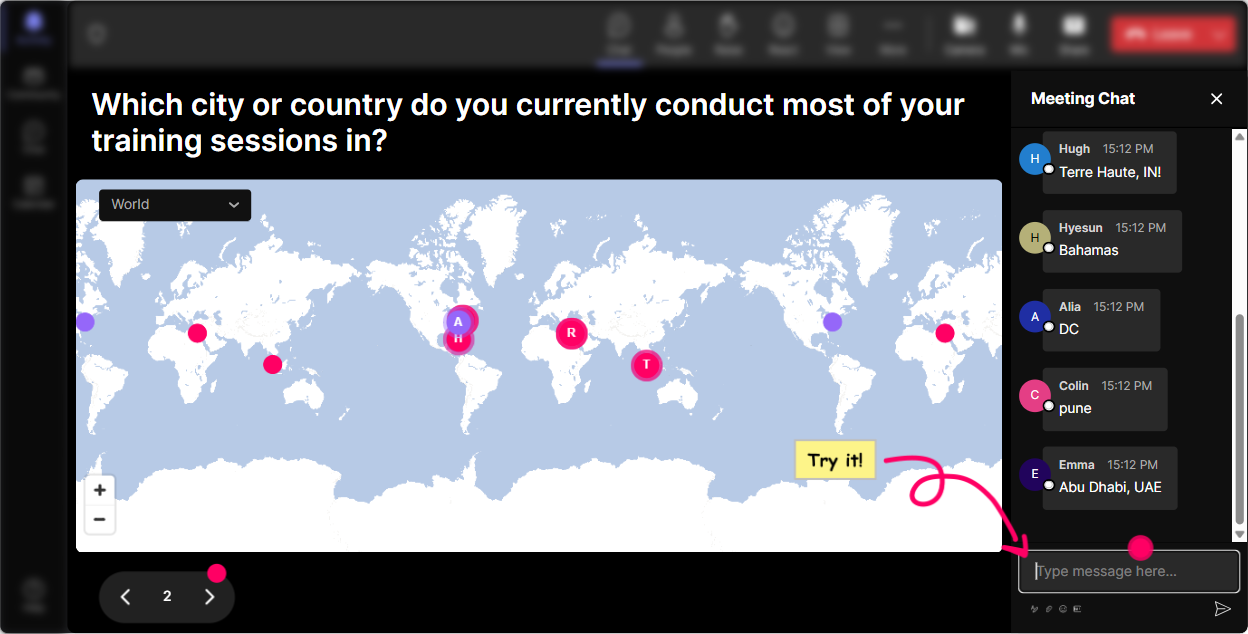
1) Magic Maps: Kick off Workplace Community training by putting everyone in the room visually
The fastest way to build a sense of community is to literally show the community. Magic Maps turns the classic Where are you joining from? into an instant, real-time visual that makes people feel seen. Try these Workplace Community-friendly prompts: - Where are you joining from today? (City + country) - Wheres your workplace community based-HQ, remote, or hybrid? Drop your closest major city. - Name a city where youve felt the strongest sense of belonging at work. - If your workplace community could do an offsite anywhere on earth, where should it be? Trainer tip: If your session has multiple regions, call out the clusters you see (Wow, big group from Toronto-whos representing?). Its a simple moment, but it immediately warms up chat and gets people comfortable participating.
2) Rating Polls: Get a quick pulse check on how people experience workplace community today
Rating Polls are perfect when you want honest input fast-without putting anyone on the spot. Youll instantly see where the room is at and can adjust your facilitation in real time. Use Rating Polls at key moments like the start, middle, and end: - Start-of-session: On a scale of 110, how strong is workplace community in your organization right now? - After a concept: How confident are you in explaining workplace community to a new manager? (110) - After an activity: How useful was that activity for your own training sessions? (110) Trainer tip: If you see lots of 46 ratings, youve got gold. Say: Cool-this tells me we need practical tools more than theory. Lets go there. People feel like the session is being shaped with them, not just delivered at them.

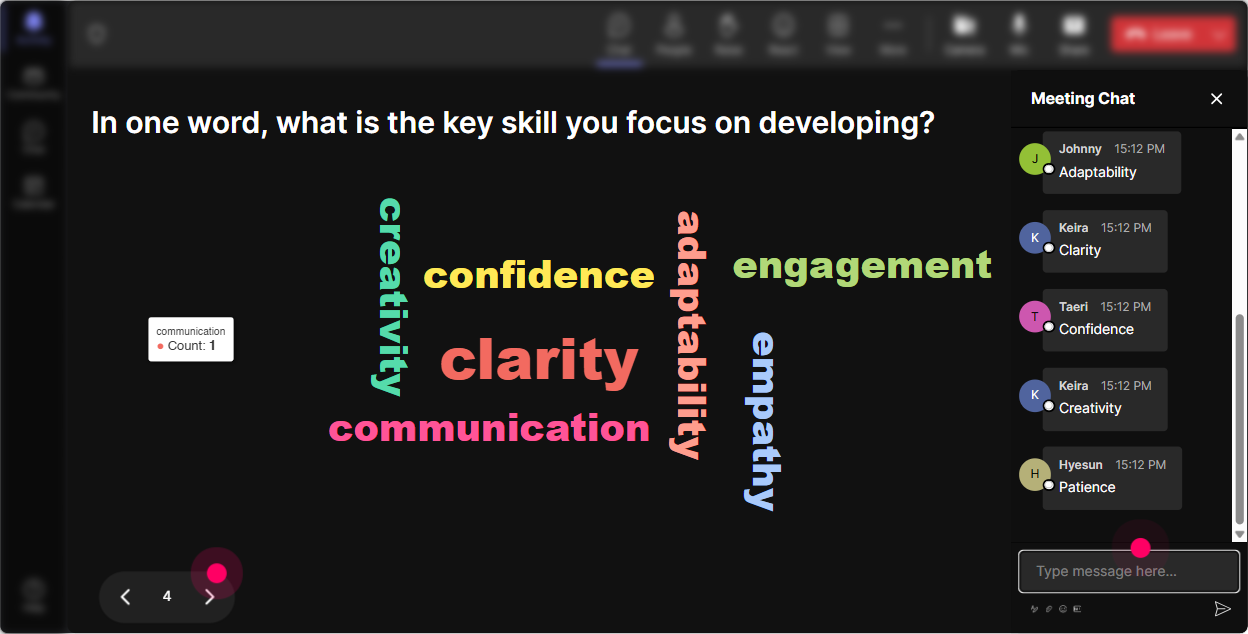
3) Wonder Words (Word Cloud): Make feelings and perceptions visible-instantly
Workplace community can mean different things to different people. A Word Cloud helps you surface those differences in a way thats fun, fast, and super visual. Ask one- to two-word questions like: - When you hear workplace community, whats the first word that comes to mind? - Whats the biggest blocker to community at work right now? (12 words) - What do you want more of in your workplace community? - How do you want learners to feel in your trainings? (One word) Trainer tip: Use what shows up big in the cloud as your agenda. If trust or belonging becomes huge, you can say: Alright-trust is the headline. Lets design for trust. Thats how you make the session feel personal without customizing 50 slides.
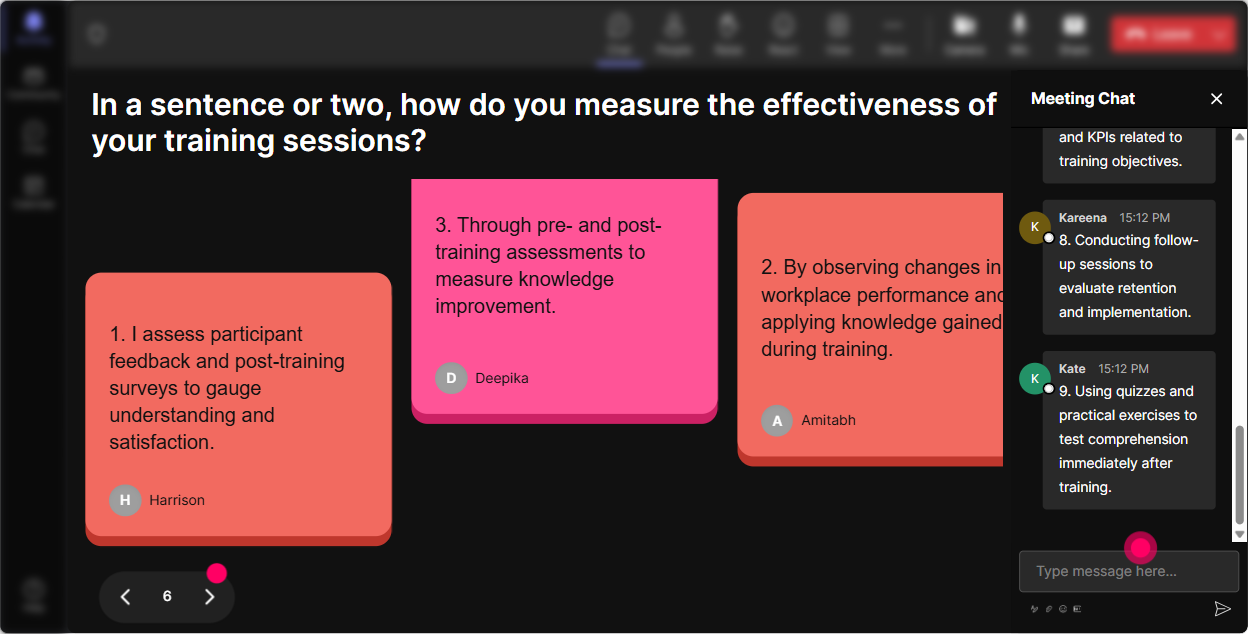
4) Talking Tiles: Turn real examples into a live community wall
Talking Tiles are great when you want more than one-word answers. Its basically a live brainstorm that feels energetic because responses visually stack on screen. Use it for practical prompts like: - Describe one moment when you saw workplace community improve performance (what happened?) - Whats one small ritual your team could start to build community? - As a trainer, how do you create belonging in the first 5 minutes of a session? - Whats one thing leaders do that accidentally damages community? Trainer tip: Tell participants youre going to steal a few responses to read out loud. Then actually do it-pick 35 tiles and react. People love hearing their idea echoed back, and it encourages others to type too.
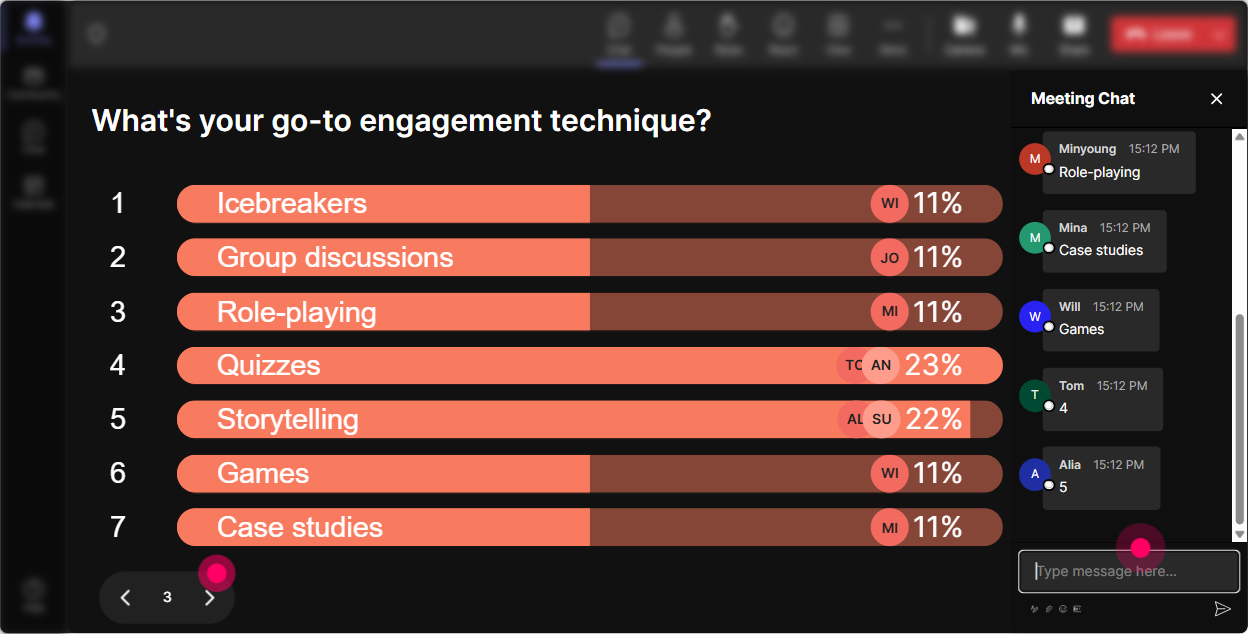
5) Power Polls: Let the audience choose where the training goes next
If you want engagement to jump, give learners real choices. Power Polls let you run quick pick one moments that keep the session moving and make people feel ownership. Poll ideas for Workplace Community ILT: - What do you want to focus on today? 1) Building trust fast 2) Creating connection in hybrid teams 3) Handling conflict and cliques 4) Peer recognition that feels real - Where does community break down most in your org? 1) New hires 2) Cross-team collaboration 3) After reorgs 4) Remote/hybrid communication - Which activity should we do next? 1) Case study 2) Role-play 3) Toolkit + templates 4) Group brainstorm Trainer tip: Run a poll right before a break and say, When we come back, well go with what wins. Watch how many people stay mentally checked in because theyre waiting to see the outcome.
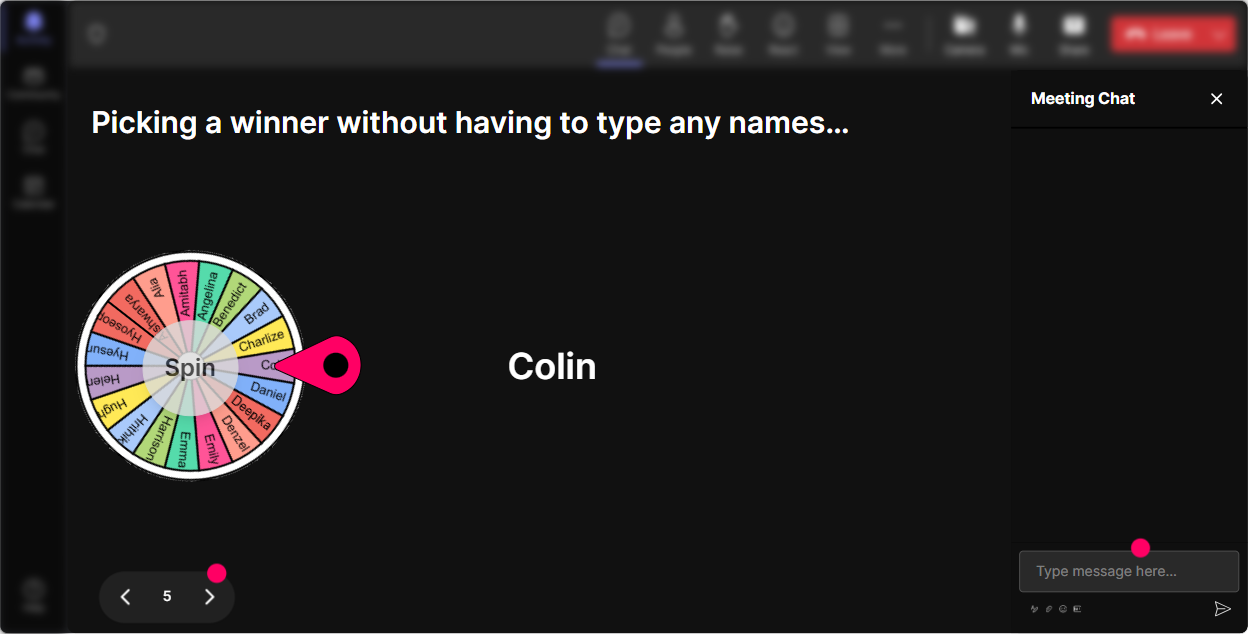
6) Winner Wheel (Spinner Wheel): Get participation without awkward volunteering
Weve all done it: Any volunteers? and then silence. Winner Wheel fixes that by making participation feel playful and fair. You can pick someone from those who commented (so it rewards engagement) and it keeps things light. Fun ways to use it in Workplace Community training: - Drop one community-building idea in chat. Ill spin the wheel and ask one person to explain theirs in 20 seconds. - Type DONE once youve finished the worksheet-wheel decides who shares first. - Share a challenge youre facing. Ill spin and well coach the selected scenario together. Trainer tip: Frame it as low-pressure: You can always pass, but Im hoping youll play along. That tiny permission makes people less tense-and weirdly, more willing to speak.
7) Quiz: Add quick knowledge checks that dont feel like an exam
Quizzes are perfect for keeping attention up and checking understanding-especially with corporate trainers who like practical clarity. Keep it short, fast, and relevant. Workplace Community quiz questions you can use: - Which is the BEST example of a community-building behavior? A) Only rewarding top performers B) Creating shared rituals and peer support C) Avoiding conflict at all costs D) Keeping communication strictly transactional - In a hybrid team, whats most likely to harm community? A) Over-communicating expectations B) Consistent team norms C) Information shared only in hallway conversations D) Rotating facilitation in meetings - Whats the most effective first step to rebuild community after a reorg? A) Pretend nothing happened B) Clarify purpose + create listening spaces C) Add more meetings D) Tighten rules Trainer tip: After revealing the correct answer, ask: If you picked something else, what was your reasoning? That one question turns a quiz into a discussion-and discussion is where learning sticks.

2) Rating Polls: Get a quick pulse check on how people experience workplace community today
Rating Polls are perfect when you want honest input fast-without putting anyone on the spot. Youll instantly see where the room is at and can adjust your facilitation in real time. Use Rating Polls at key moments like the start, middle, and end: - Start-of-session: On a scale of 110, how strong is workplace community in your organization right now? - After a concept: How confident are you in explaining workplace community to a new manager? (110) - After an activity: How useful was that activity for your own training sessions? (110) Trainer tip: If you see lots of 46 ratings, youve got gold. Say: Cool-this tells me we need practical tools more than theory. Lets go there. People feel like the session is being shaped with them, not just delivered at them.
8) Q&A (Quick Questions): Catch every question without losing your flow
In live trainings, questions get buried in chat-especially when people are actively participating. StreamAlives Q&A pulls questions out and displays them cleanly so you dont miss the important stuff. How to use it during Workplace Community training: - Set a simple rule: If its a question, start with Q: so it gets picked up easily. - Do a dedicated segment: Lets do 5 minutes of Q&A before we move into the next model. - Use it for scenario coaching: Ask your toughest workplace community situation-like cliques, remote disconnect, or trust issues. Trainer tip: When the same type of question shows up multiple times, say it out loud: Im seeing a theme here-hybrid fairness. Lets tackle that properly. People feel understood, and your session feels way more relevant.

9) Analytics: Improve every run of this training (and prove engagement to stakeholders)
If you deliver this training more than once, Analytics is where the real payoff happens. You can see exactly when chat spiked, which interactions landed, and who your most engaged participants were. Ways corporate trainers can use StreamAlive Analytics: - Spot the drop-off moments: If engagement dips during a long explanation, youll know to break it up next time with a poll or a quick tile prompt. - Compare activities: Maybe Word Cloud gets 80% participation, but your quiz gets 40%. Thats a sign to tweak how you frame the quiz. - Find your champions: Identify your most engaged folks (your Fantastic Fans) and invite them to share examples, co-facilitate, or become community ambassadors. - Share results easily: Email interaction reports to your team or stakeholders to show, in real numbers, that your ILT wasnt passive-it was active. Trainer tip: After each session, write down one simple adjustment based on analytics (example: Add a Rating Poll at minute 12 or Swap the long slide for a Word Cloud). Do that for a month and your engagement can genuinely climb session over session.

Use StreamAlive in all your training sessions
StreamAlive isn’t just for
Workplace Community
training,
it can also be used for any instructor-led training session directly inside your PowerPoint presentation.
Explore similar traingin ideas: unlocking the potential of StreamAlive
See how StreamAlive transforms live training with engaging events and interactive sessions across industries, directly inside your PowerPoint presentation.

Interactions in action
(it's free)

.svg.png)


