Install StreamAlive for your PowerPoint slides
Learn more

AI Agents Training for L&D Leaders
StreamAlive helps 9x the audience engagement in your Virtual Instructor-led Trainings (VILT) directly inside your powerpoint presentation.
Make your instructor-led AI Agents training more fun with polls, word clouds, spinner wheels and more
Works inside your existing PowerPoint presentation
Install the StreamAlive app for PowerPoint and see your slides come to life as people participate in your interactions
AI generates audience interactions for you
Let our AI scan your presentation and automatically come up with relevant questions based on the content. Or spend two hours coming up with your own questions, your choice!
Built to work with MS Teams and Zoom
Native apps for Teams and Zoom so you never have to leave your existing workflows
No QR Codes
Chat-powered interactions means your audience doesn’t need to scan QR codes or look at another screen to participate. They just type in the chat!

Quickly approved by your IT team
StreamAlive’s apps for Teams and Zoom means that they have been through rigorous quality assurance and client safety reviews. You’ll find everything an IT team needs to approve the app within the organization within your StreamAlive account.

Youve been asked to run an instructor-led session on AI Agents for L&D Leaders-and you want it to feel alive, not like a 60-slide monologue. The good news: with the right moments of interaction, you can keep people leaning in the whole time. Here are practical ways to use StreamAlive to make your AI Agents training more fun, more human, and up to 9x more engaging.
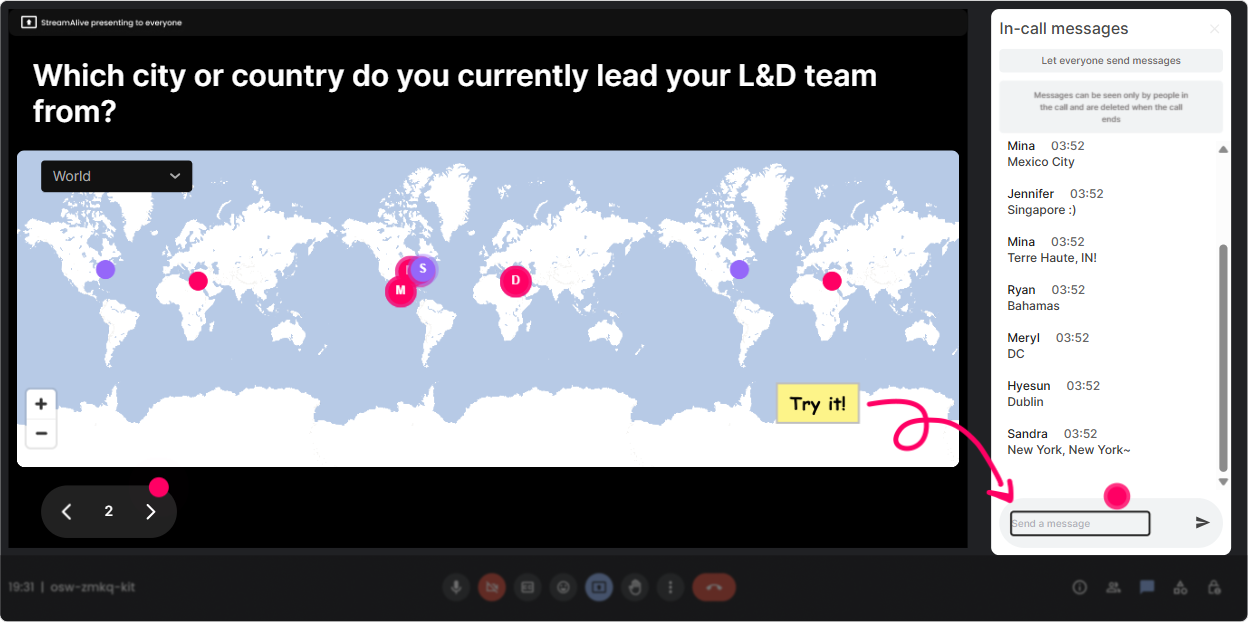
Magic Maps: Put your L&D Leaders on the map (literally)
This is the easiest everyone participates opener-and it instantly makes the room feel like a real community. How to use it in your AI Agents ILT: - Kick-off question: Where are you joining from today? (Classic, works every time.) - Make it topic-relevant: What city would you send an AI Agent to if it could handle one annoying task for you today? - Future-focused: If you could visit any place on earth to study the future of work, where would you go? Trainer tip: If youve got a global audience, call out clusters like, Okay London is showing up strong-what are you folks building in L&D right now? Its a smooth way to start conversation without putting anyone on the spot.
Rating Polls: Do a quick confidence check (without the awkward silence)
Rating Polls are perfect for finding the rooms comfort level fast-so you dont overteach the experts or lose the beginners. Use these at key points in your AI Agents training: - At the start: On a scale of 110, how confident are you explaining what an AI Agent is? - After your framework: Rate this statement: I can identify 2-3 L&D use cases for AI Agents in my org. (110) - Before hands-on practice: How ready are you to prototype a simple agent workflow today? (110) Trainer tip: If the average is low, you immediately know to slow down and add an example. If its high, you can say, Alright, youre ready-lets go into the fun stuff.

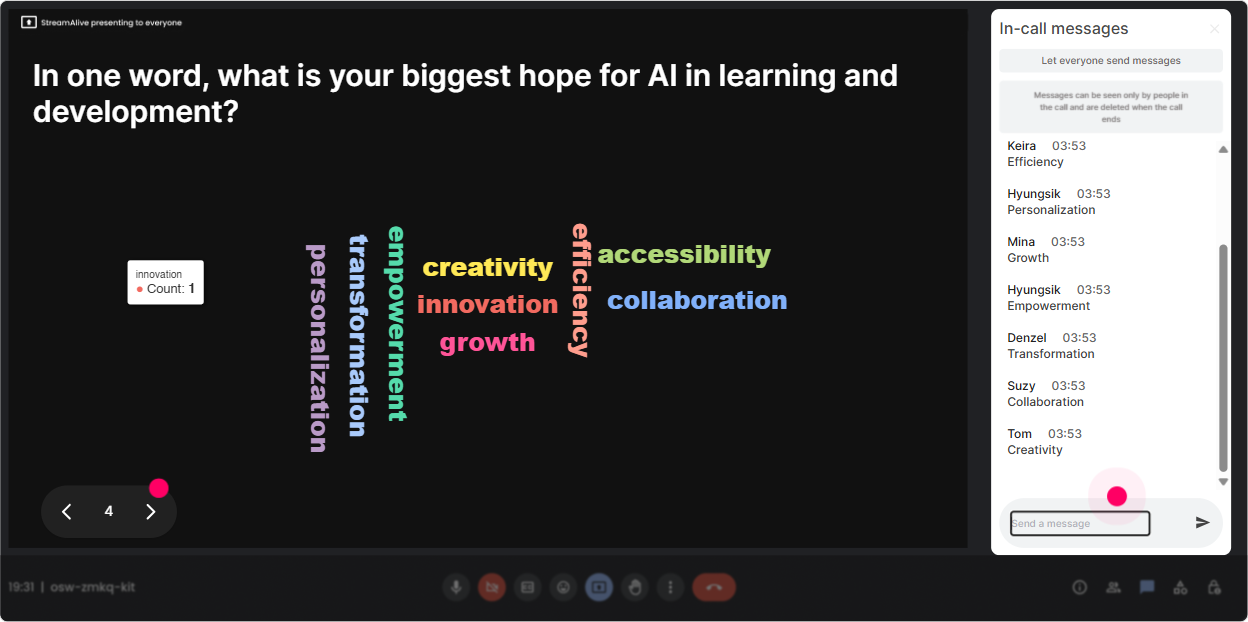
Wonder Words (Word Cloud): Get the rooms vibe in one question
Word clouds are a cheat code for emotion + perception. People answer quickly, and you instantly see whats really in the room. Try these prompts during AI Agents ILT: - Emotional temperature check: In 12 words, how do you feel about AI Agents in L&D? (Youll get excited, curious, overwhelmed, skeptical-and thats gold.) - Reality check: Whats the biggest barrier to using AI Agents at work? (Examples: security, trust, budget, skills, IT.) - Practical focus: Whats ONE outcome youd love AI Agents to improve? (Examples: onboarding, coaching, content, assessment, support.) Trainer tip: When a word gets big (like security), pause and say, Okay-this is clearly the elephant in the room. Lets address it properly. That moment builds trust fast.
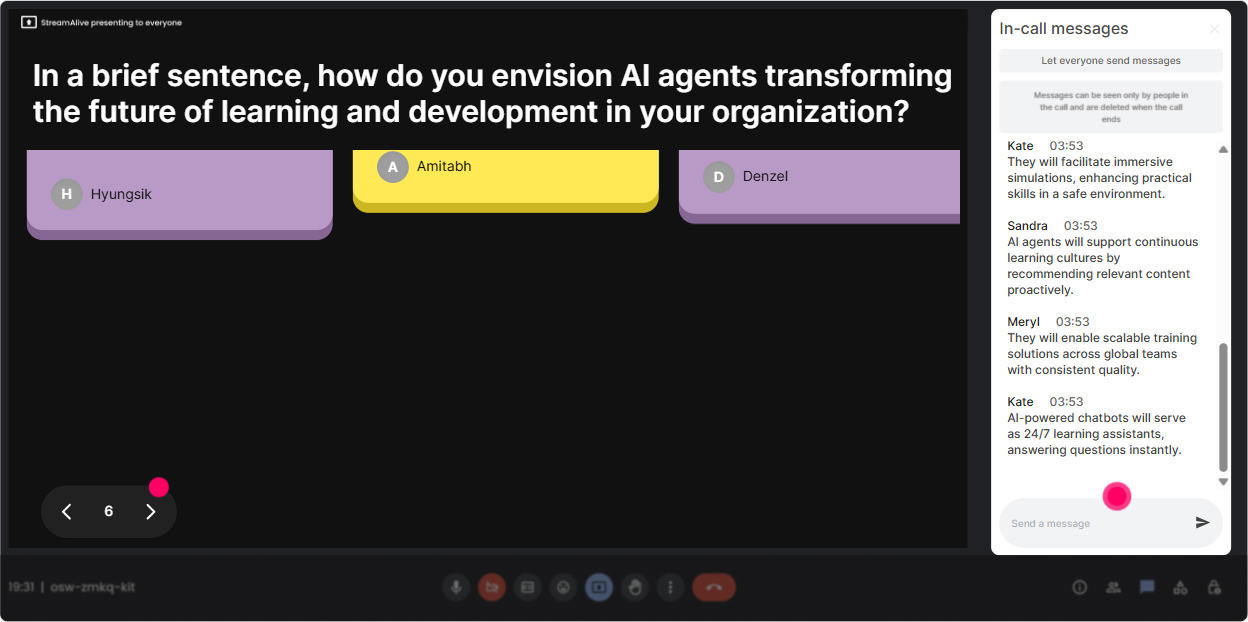
Talking Tiles: Turn real responses into a live wall of ideas
Talking Tiles are great when you want more than one-word answers-like stories, scenarios, and real workplace context. It feels like the room is building the content with you. Use it for AI Agents discussion moments like: - Role impact: In one or two sentences: how could AI Agents change your role in L&D over the next 12 months? - Use-case brainstorm: Describe one workflow youd LOVE to hand off to an AI Agent (even partially). - Responsible AI moment: Whats one thing an AI Agent should NEVER do in your learning environment? Trainer tip: Read a few tiles out loud and group them: Im seeing a theme around onboarding another theme around admin work and a big theme around coaching. You look organized, and participants feel heard.
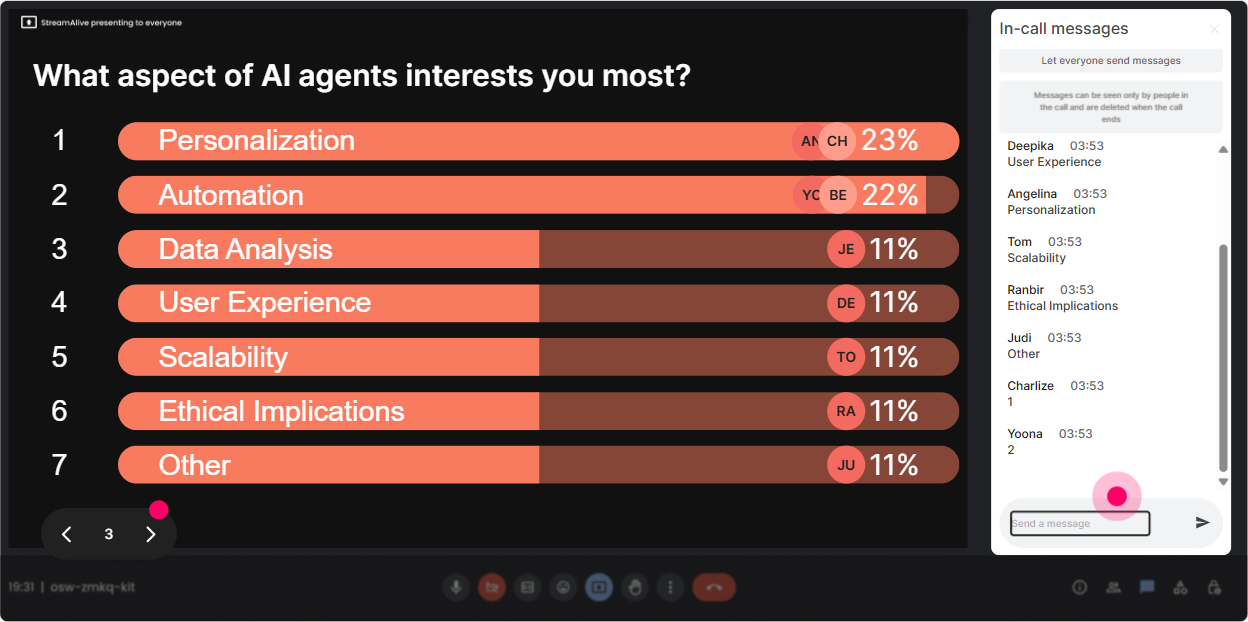
Power Polls: Let the audience choose the direction (and theyll stay with you)
Polls are perfect for decision points: what to cover deeper, what to prioritize, or whats most relevant to this specific group of L&D Leaders. Poll ideas for your AI Agents ILT: - Pick the focus: What do you want most from today? 1) AI Agents basics (what they are) 2) L&D use cases 3) Implementation + change management 4) Risk, governance, and ethics - Tooling reality check: Where is your org today? 1) Exploring 2) Piloting 3) Scaling 4) Not allowed / blocked - Practical next step: If we had 20 minutes to build one thing, what should it be? 1) Agent use-case checklist 2) Learner support agent concept 3) Facilitation copilot plan 4) Measurement/ROI approach Trainer tip: When people see results live, they feel like, This session is for me. Thats how you keep engagement high without forcing it.
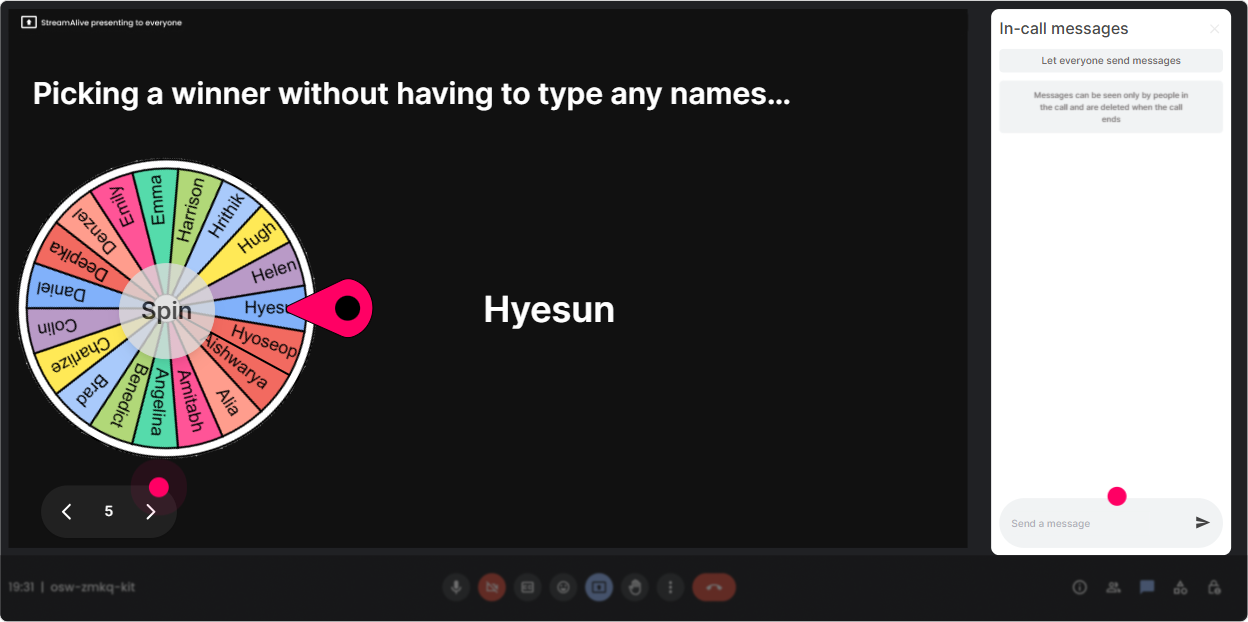
Winner Wheel (Spinner Wheel): Get volunteers without the crickets
Instead of asking, Who wants to share? and getting silence, let the Spinner Wheel make it playful. It keeps things fair and fun-and people pay attention because they might be up next. Ways to use it in AI Agents ILT: - Lets spin for someone to share a current L&D challenge an agent could help with. - We need a brave volunteer-spin wheel decides-who will test this prompt idea out loud? - Quick share: tell us one thing your stakeholders worry about with AI Agents. Trainer tip: Set expectations kindly: If you get picked and youd rather pass, just type pass-no stress. People feel safe, and you still get participation.
Quiz: Quick knowledge checks that dont feel like school
Quizzes are perfect for clearing up misconceptions about AI Agents-because lots of people think they understand it until you test the definition. Quick quiz questions you can run: - Which is the best definition of an AI Agent? A) A chatbot that answers questions B) A system that can plan + take actions toward a goal using tools C) A database that stores training content D) A video course recommendation engine (Correct: B) - Whats a good first L&D use case for an AI Agent? A) Replacing all trainers B) Automatically firing employees C) Answering policy/learning program questions + routing to resources D) Writing performance reviews with no human input (Correct: C) Trainer tip: After you reveal the correct answer, ask: If you chose A, what were you thinking? Not to shame-just to surface assumptions. Those conversations are where real learning happens.

Rating Polls: Do a quick confidence check (without the awkward silence)
Rating Polls are perfect for finding the rooms comfort level fast-so you dont overteach the experts or lose the beginners. Use these at key points in your AI Agents training: - At the start: On a scale of 110, how confident are you explaining what an AI Agent is? - After your framework: Rate this statement: I can identify 2-3 L&D use cases for AI Agents in my org. (110) - Before hands-on practice: How ready are you to prototype a simple agent workflow today? (110) Trainer tip: If the average is low, you immediately know to slow down and add an example. If its high, you can say, Alright, youre ready-lets go into the fun stuff.
Q&A: Capture questions from chat automatically (and stop missing the good ones)
In a live session, great questions get buried in chat. StreamAlives Q&A pulls them out and organizes them so you can actually manage them like a pro-without constantly scrolling. How it helps in AI Agents training: - During complex parts (governance, risk, data privacy), tell people: Drop questions anytime-StreamAlive will collect them. - Use it for a structured parking lot: Well do a Q&A break every 15 minutes-keep them coming. - End with confidence: Lets tackle the top questions the room asked-so we leave nothing hanging. Trainer tip: Call out patterns: Weve got 6 questions about security and 4 about implementation-lets handle those as themes. It feels clean and satisfying.

Analytics: After the session, see what actually worked (and prove engagement)
This is the part L&D Leaders love-because it helps you improve the next session and show evidence that people werent just logged in they were active. What you can do with StreamAlive Analytics after your AI Agents ILT: - See minute-by-minute engagement: spot where attention dipped (maybe that section needs a story or a quick activity). - Review chat replay + interaction results: pull real participant language to refine your examples. - Identify top engaged participants: great for follow-ups, champions, pilot groups, or internal communities of practice. - Share results easily via email reports: perfect if you need to show stakeholders Heres what the audience cared about most. Trainer tip: Use the interaction data to upgrade your next run: Last time, governance was the #1 concern-so I added a 10-minute practical checklist. Thats how you get better every delivery.

Use StreamAlive in all your training sessions
StreamAlive isn’t just for
AI Agents
training,
it can also be used for any instructor-led training session directly inside your PowerPoint presentation.
Explore similar traingin ideas: unlocking the potential of StreamAlive
See how StreamAlive transforms live training with engaging events and interactive sessions across industries, directly inside your PowerPoint presentation.

Interactions in action
(it's free)

.svg.png)


