Install StreamAlive for your PowerPoint slides
Learn more

Social Learning Training for L&D Leaders
StreamAlive helps 9x the audience engagement in your Virtual Instructor-led Trainings (VILT) directly inside your powerpoint presentation.
Make your instructor-led Social Learning training more fun with polls, word clouds, spinner wheels and more
Works inside your existing PowerPoint presentation
Install the StreamAlive app for PowerPoint and see your slides come to life as people participate in your interactions
AI generates audience interactions for you
Let our AI scan your presentation and automatically come up with relevant questions based on the content. Or spend two hours coming up with your own questions, your choice!
Built to work with MS Teams and Zoom
Native apps for Teams and Zoom so you never have to leave your existing workflows
No QR Codes
Chat-powered interactions means your audience doesn’t need to scan QR codes or look at another screen to participate. They just type in the chat!

Quickly approved by your IT team
StreamAlive’s apps for Teams and Zoom means that they have been through rigorous quality assurance and client safety reviews. You’ll find everything an IT team needs to approve the app within the organization within your StreamAlive account.

Youve been asked to run a Social Learning instructor-led training for L&D Leaders-and you want it to feel alive, not like a slide marathon. The easiest win? Make the room talk to each other, not just listen to you. Here are simple Social Learning-friendly activities you can run using StreamAlive to keep engagement up (seriously, it can feel like 9x more energy).
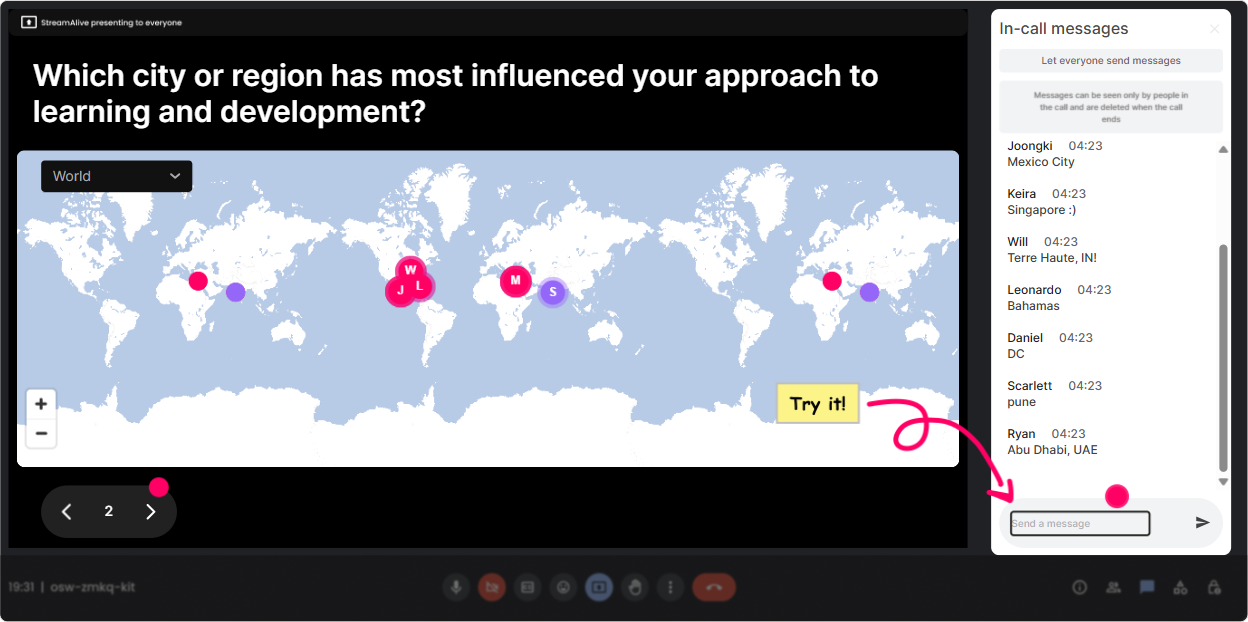
1) Magic Maps: Start Social Learning the moment people join
Social Learning works best when people feel like theyre in it together. Magic Maps is such an easy way to create that were a community vibe in the first 60 seconds. How to use it in your session (social-learning style): - Kick-off question: Where are you joining from today? (classic, always works) - Make it relevant to the topic: Where do your teams really learn from each other-HQ, frontline, hybrid what city are you in? - Add a fun twist that still ties to L&D: If you could visit any company known for strong learning culture, where would you go? Trainer move: When clusters show up (like multiple people from the same region), call it out and instantly create peer connections: Looks like weve got a mini-learning community from Toronto-yall, keep an eye on each others ideas in chat today.
2) Rating Polls: Do a quick confidence check (and adapt on the fly)
Rating Polls are your fast temperature check. No long surveys. No awkward silence. Just a quick number in the chat and boom-you can see where people are. Ways to use Rating Polls in Social Learning ILT: - Opener: On a scale of 110, how confident are you that Social Learning is working in your org right now? - Mid-session pulse check: 110: How easy would it be for your managers to support Social Learning next week? - Post-activity reflection: Rate this idea: peer-led micro-sessions (1 = not happening, 10 = we can do this). Trainer move: If the average is low, dont push harder-pivot smarter: Cool, looks like were at a 45. Lets swap whats blocking it before we add more models. Thats Social Learning in action-letting the group teach the group.

3) Wonder Words (Word Cloud): Capture the groups vibe in one visual
Word clouds are perfect for Social Learning because they surface the rooms shared language-fast. And it gives quieter folks a super low-effort way to contribute. Best Social Learning prompts (12 words answers): - When you hear Social Learning, whats the first word that pops up? - Whats the biggest barrier to Social Learning in your org? (Expect words like: time, culture, managers, tools, trust) - What do you want more of in your learning culture? (sharing, mentoring, coaching, community) Trainer move: Use the biggest word as your bridge: Alright, time is huge on this cloud. Lets do a quick peer swap-whos solved the time problem even a little? Now your participants become the content.

4) Talking Tiles: Turn the chat into a living brainstorm wall
Talking Tiles is where you go when you want more than one-word answers. It makes the chat feel like a real group exercise-not just a side channel. Try these Social Learning activities: - Real-world impact: Where could Social Learning make your team faster/better? Be specific-onboarding, sales enablement, leadership, customer support? - Story swap: Share one time you learned something important from a colleague (not a course). What happened? - Design sprint prompt: If you could start ONE Social Learning ritual next month, what would it be? Trainer move: When a strong response drops, spotlight it and ask others to build on it: Love that-peer shadowing for onboarding. Who else has done something similar? Add your twist in chat. Thats literally Social Learning happening live.
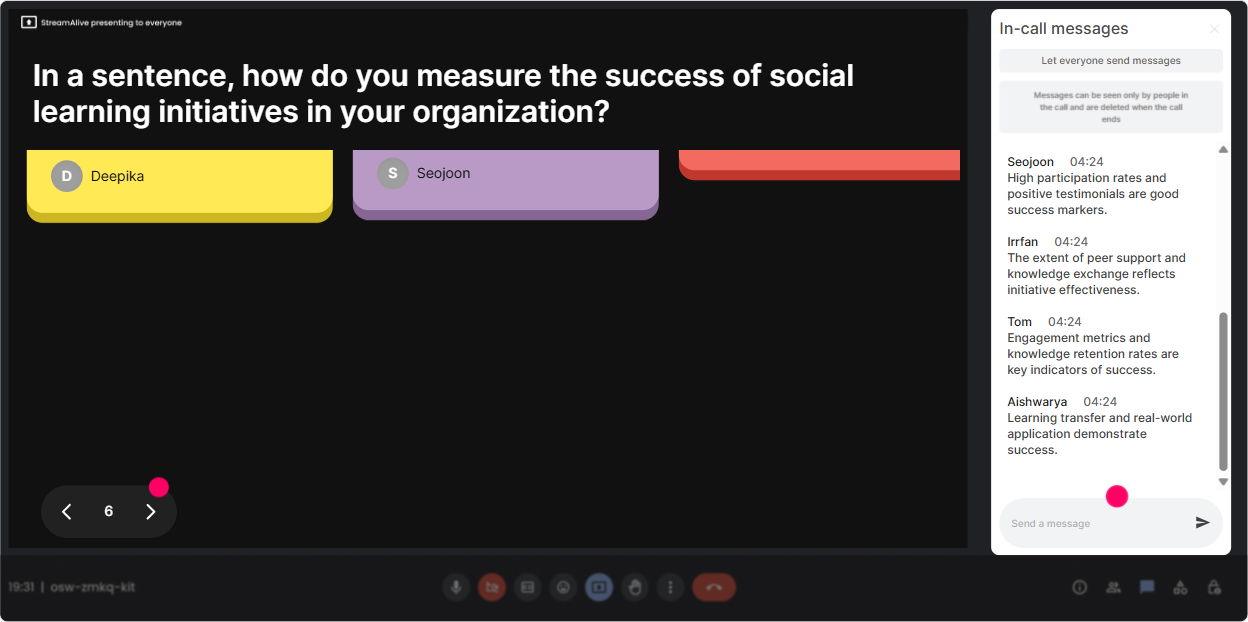
5) Power Polls: Let the room choose the agenda (people engage more when they pick)
Nothing boosts engagement like letting the audience steer. Power Polls make it easy to show the group what the group wants-right now. Poll ideas for L&D Leaders learning Social Learning: - What do you want to focus on today? 1) Building a sharing culture 2) Manager enablement 3) Communities of practice 4) Tools/tech for Social Learning - Where does Social Learning happen most today in your org? 1) Teams/Slack chat 2) On the job / shadowing 3) In meetings 4) Its not really happening yet Trainer move: Commit to the result out loud: Alright, manager enablement won. Well spend the next 15 minutes there, and Ill weave tools into the examples. People feel heard-and they stick around.
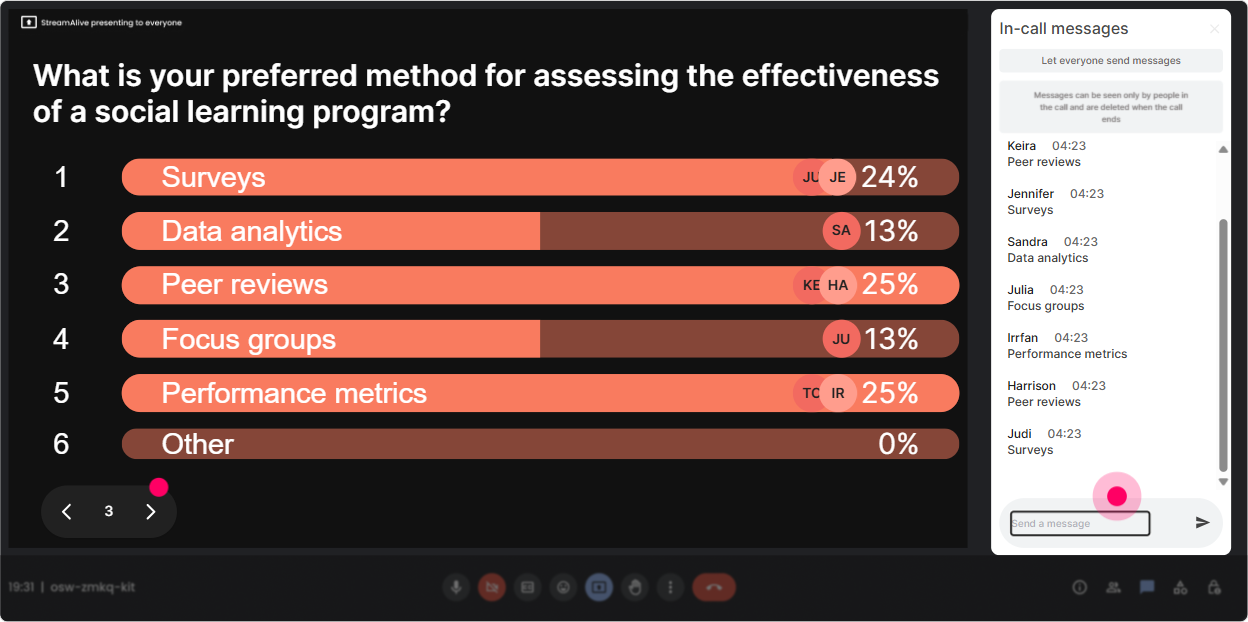
6) Winner Wheel (Spinner Wheel): Get volunteers without the awkward pause
You know that moment when you ask, Who wants to share? and crickets. Spinner Wheel fixes that without putting people on the spot in a weird way. How to use it in a Social Learning-friendly way: - Tell them the rule: Everyone who answers in chat is eligible-so drop something in and you might get picked. - Prompt: Share one Social Learning challenge youre dealing with right now. - Spin: Choose a random contributor and invite them to unmute: Jamie, youre up-tell us more (30 seconds). Trainer move: Make it feel safe: You can pass if you want, but Id love a quick headline. Over time, people realize sharing is normal-and thats the behavior youre trying to build back at work.
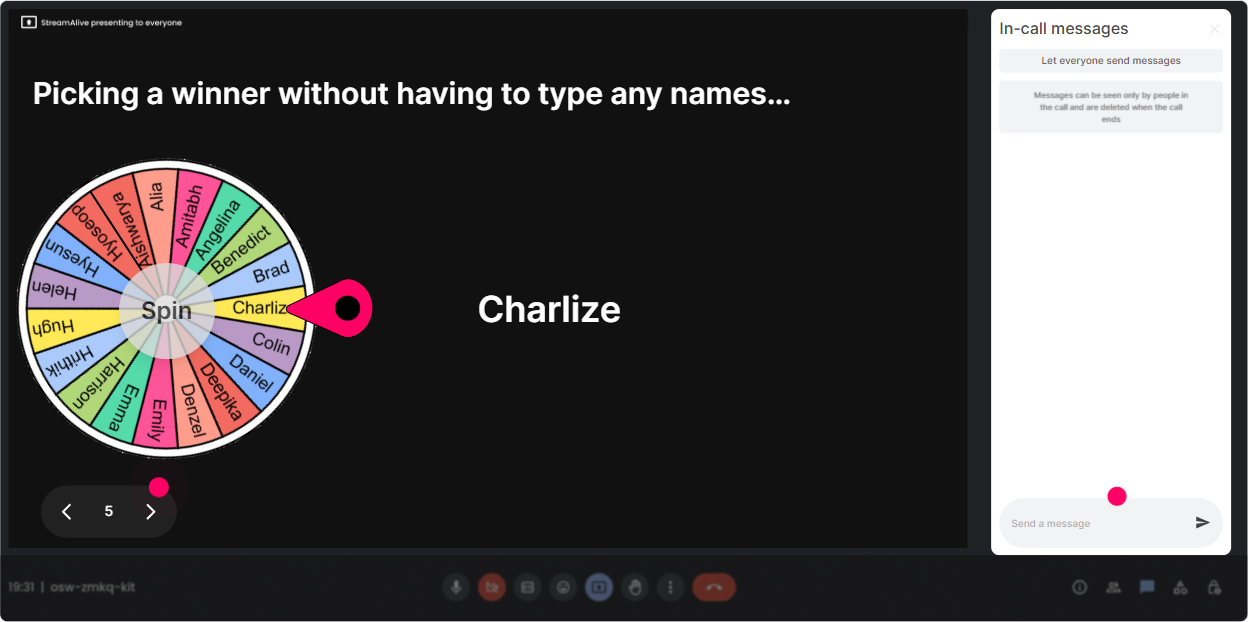
7) Quiz: Quick knowledge checks that feel like a game, not a test
A Quiz interaction is perfect for busting myths and aligning everyone on what Social Learning actually is (and isnt). Keep it quick, keep it playful. Sample Social Learning quiz questions: - Which is the best example of Social Learning? A) Watching a compliance video alone B) Asking a peer for feedback and trying again (Correct) C) Reading a policy PDF D) Completing an eLearning module - Whats the biggest driver of Social Learning adoption? A) More content B) Better LMS C) Manager role-modeling (Correct) D) Longer workshops Trainer move: After revealing the correct answer, immediately ask: Okay-whos seen this work in real life? Drop an example. That turns a quiz into peer teaching.

2) Rating Polls: Do a quick confidence check (and adapt on the fly)
Rating Polls are your fast temperature check. No long surveys. No awkward silence. Just a quick number in the chat and boom-you can see where people are. Ways to use Rating Polls in Social Learning ILT: - Opener: On a scale of 110, how confident are you that Social Learning is working in your org right now? - Mid-session pulse check: 110: How easy would it be for your managers to support Social Learning next week? - Post-activity reflection: Rate this idea: peer-led micro-sessions (1 = not happening, 10 = we can do this). Trainer move: If the average is low, dont push harder-pivot smarter: Cool, looks like were at a 45. Lets swap whats blocking it before we add more models. Thats Social Learning in action-letting the group teach the group.
8) Q&A: Capture questions cleanly (without losing them in the chat scroll)
If youve ever missed a great question because chat moved too fast, youll love this. StreamAlive automatically detects and collects questions from the chat so you can handle Q&A like a pro. How to use it during Social Learning ILT: - Set expectations: Ask questions anytime in chat-StreamAlive will catch them for me. - Do structured Q&A moments: Lets pause every 15 minutes and hit top questions. - Use questions as discussion starters: This is a great one-before I answer, who in the group has tackled this? Trainer move: Social Learning isnt just you answering-its the group helping. Q&A becomes a peer coaching segment when you intentionally toss it back to the room.

9) Analytics: Prove what engaged people (and improve every cohort)
After your session, StreamAlive Analytics is where you get the what worked? receipts. This matters a lot for L&D Leaders because youre not just running a fun session-youre improving a repeatable experience. What to look for: - Minute-by-minute engagement: Identify where attention spiked (and where it dipped). Was it your story? The activity? The debate? - Interaction reports: See which questions and polls got the most participation-great for refining your future run-of-show. - Top engaged participants (Fantastic Fans): These are your potential champions for Social Learning in their orgs. Follow up with them. Trainer move: Use the insights to make Social Learning stick after the session: I saw the biggest engagement around communities of practice-Im sending a follow-up template and pairing people who want to pilot it. Now your ILT turns into ongoing learning, not a one-and-done event.

Use StreamAlive in all your training sessions
StreamAlive isn’t just for
Social Learning
training,
it can also be used for any instructor-led training session directly inside your PowerPoint presentation.
Explore similar traingin ideas: unlocking the potential of StreamAlive
See how StreamAlive transforms live training with engaging events and interactive sessions across industries, directly inside your PowerPoint presentation.

Interactions in action
(it's free)

.svg.png)


