Install StreamAlive for your PowerPoint slides
Learn more

AI Fluency Training for Training Agencies
StreamAlive helps 9x the audience engagement in your Virtual Instructor-led Trainings (VILT) directly inside your powerpoint presentation.
Make your instructor-led AI Fluency training more fun with polls, word clouds, spinner wheels and more
Works inside your existing PowerPoint presentation
Install the StreamAlive app for PowerPoint and see your slides come to life as people participate in your interactions
AI generates audience interactions for you
Let our AI scan your presentation and automatically come up with relevant questions based on the content. Or spend two hours coming up with your own questions, your choice!
Built to work with MS Teams and Zoom
Native apps for Teams and Zoom so you never have to leave your existing workflows
No QR Codes
Chat-powered interactions means your audience doesn’t need to scan QR codes or look at another screen to participate. They just type in the chat!

Quickly approved by your IT team
StreamAlive’s apps for Teams and Zoom means that they have been through rigorous quality assurance and client safety reviews. You’ll find everything an IT team needs to approve the app within the organization within your StreamAlive account.

Youve been asked to deliver an AI Fluency instructor-led training for a Training Agency-and you want it to be practical, fun, and not another AI lecture. The easiest win? Make people do something every few minutes. Heres how to use StreamAlive interactions to keep your room active and engaged (and yes, way more responsive).
1) Magic Maps: Put your AI Fluency room on the map (literally)
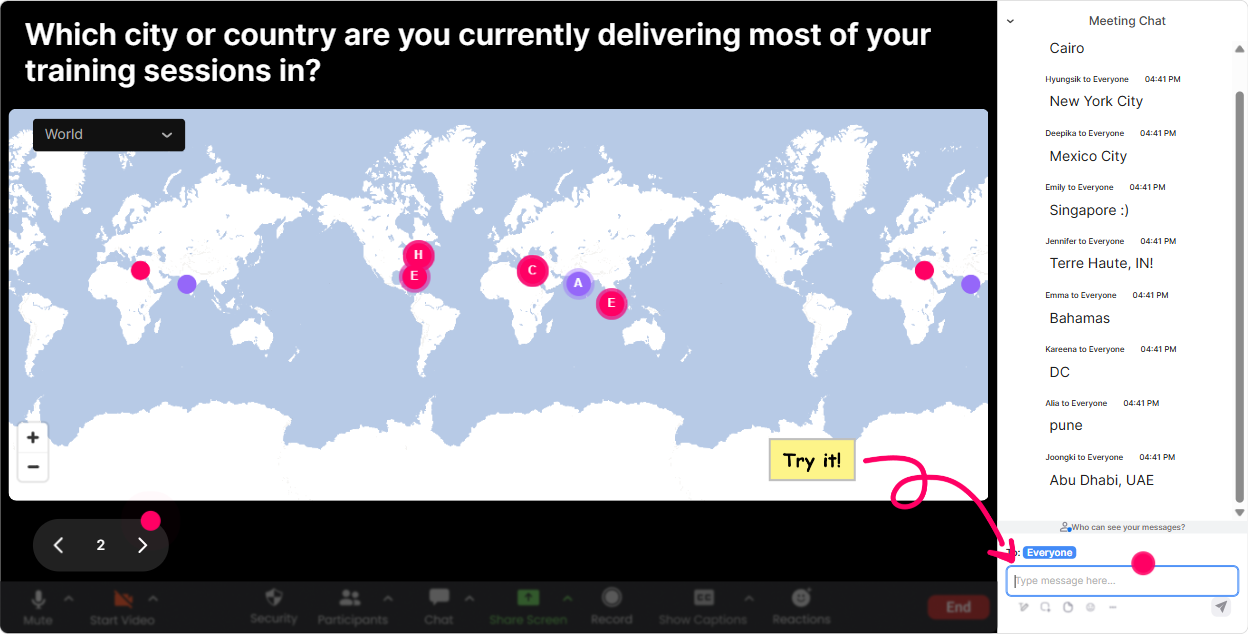
Start with energy right away. Instead of the usual awkward silence at the beginning, ask a location-based question and let StreamAlive plot everyone live. How to use it in AI Fluency training for Training Agencies: - Kickoff question: Where are you joining from today? (classic, always works) - Make it AI-relevant: If you could teleport to any city to attend an AI conference this year, where would you go? - Tie it to your agency work: Which city do you train in most often? Why it boosts engagement: people LOVE seeing themselves appear on the map. It gives you instant connection and also helps you tailor examples (ex: different regions, industries, markets). Pro tip: If you want to keep it clean, set it to one location per attendee so the map doesnt turn into a geography essay.
2) Rating Polls: Quick pulse-check on AI confidence (no pressure, just numbers)
Before you dive into prompts, tools, or frameworks-get a read on where everyone actually is. AI Fluency Rating Poll ideas: - Rate your current AI fluency from 1 (brand new) to 10 (I teach this). - How confident are you in writing prompts that work reliably? (110) - How ready is your agency to add AI into your training design workflow? (110) Why it boosts engagement: its low effort for participants but high value for you. You can instantly adjust your pace, group people mentally, and call out the average: Looks like were at a 5.8-perfect, were in the right room.

3) Wonder Words (Word Cloud): Get the real emotions people have about AI
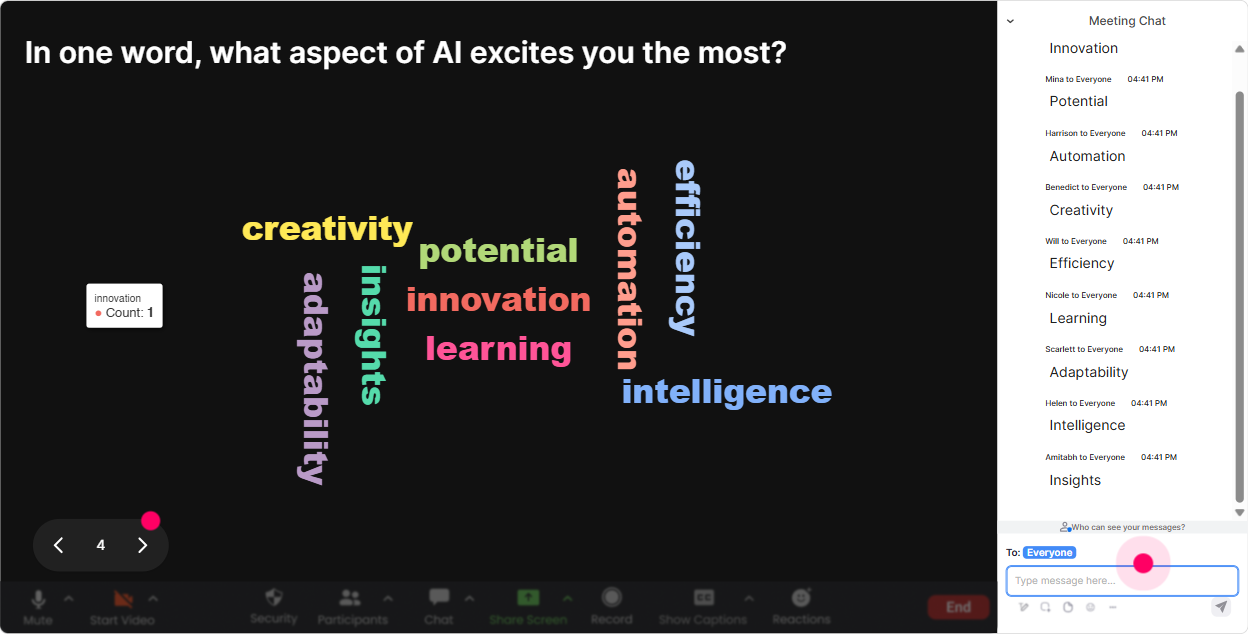
This is one of the fastest ways to get honesty without putting anyone on the spot. Ask for 12 words and watch the group mood appear on screen. Word Cloud prompts for AI Fluency sessions: - AI in training makes me feel - One word: whats your biggest AI worry at work? - What do you hope AI helps you do faster? - When someone says AI fluency, what word comes to mind? Why it boosts engagement: now youre not guessing the room. If overwhelmed or job security pops up big, you can address it right away. If excited dominates, you can move quicker into hands-on practice. Trainer tip: Use Combine Similar Answers so you dont end up with excited vs Excited vs excited!!! as three different things.
4) Talking Tiles: Turn group discussion into a visual, fast-moving brainstorm
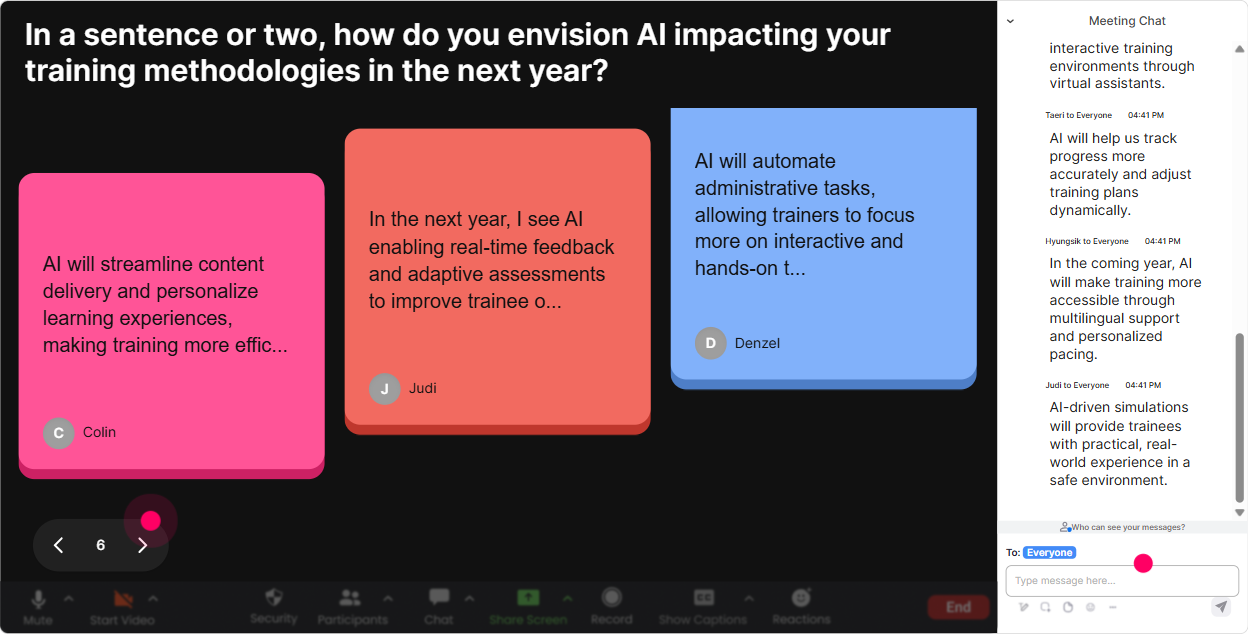
When you want more than one-word answers, Talking Tiles is gold. People type in chat, and their ideas show up as falling tiles-so the conversation feels alive. Talking Tiles prompts for Training Agencies learning AI Fluency: - In your role, where could AI save you 30 minutes a day? - Whats one training task youd love to automate (without losing quality)? - Describe a real client request where AI could help your team deliver faster. - Whats one risk you need to manage if trainers use AI in content creation? Why it boosts engagement: even the quiet folks contribute because its easier to type than to unmute. And as the tiles stack up, you get a ready-made list of discussion themes. Facilitation move: pick 3 tiles and say, Lets unpack these-who wrote this one? Instant participation, without awkward cold-calling.
5) Power Polls: Let the audience choose what you teach next (they love that)
Instead of guessing what your agency trainers want most, run a poll and let them steer. Youll get buy-in immediately because they chose the direction. Poll ideas for AI Fluency instructor-led training: - Which AI Fluency skill should we focus on today? Options: 1) Prompting fundamentals 2) Verifying outputs 3) Building AI into training design 4) Ethical & compliance basics - Where would AI help your agency most right now? Options: 1) Content creation 2) Assessments/quizzes 3) Facilitation support 4) Marketing & proposals - Whats your biggest blocker to using AI at work? Options: 1) Policy 2) Trust/accuracy 3) Dont know how 4) Time Why it boosts engagement: people pay attention when the content is customized to them in real time. Also, the live results create instant discussion: Interesting-most of you picked verification. Lets go there.

6) Winner Wheel (Spinner Wheel): Get volunteers without begging for them
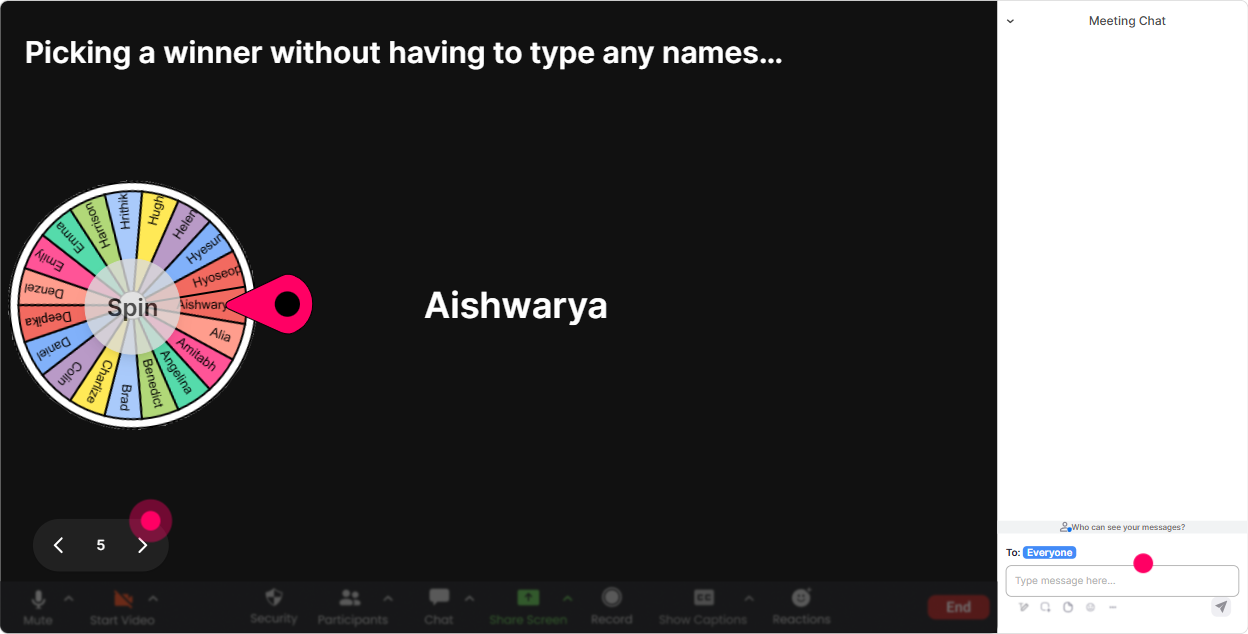
You know that moment when you ask, Who wants to share? and suddenly everyone becomes a statue? Spinner Wheel fixes that-fun, fair, and it keeps people participating because commenting = eligibility. Ways to use Spinner Wheel in AI Fluency training: - After a prompt exercise: Drop done in the chat when you have your prompt. Im spinning the wheel to pick someone to read theirs. - For scenario review: Type which option you chose (A/B/C). Wheel chooses someone to explain why. - For rewards: Anyone who shared a use-case today is on the wheel-winner gets bragging rights (or a small prize). Why it boosts engagement: people comment more because they want to be included. And it keeps things playful, which makes AI practice feel less intimidating.
7) Quiz: Quick knowledge checks that dont feel like school
AI Fluency isnt just knowing tools. Its knowing how to use AI responsibly and effectively. A quick quiz keeps everyone honest and helps you spot confusion early. Quiz questions you can run (multiple choice, one correct): - Which is the best next step after AI gives you an answer? A) Copy/paste it immediately B) Verify with a source or logic check C) Ask AI if its correct D) Send it to the client - Whats the main goal of a good prompt? A) Make it long B) Use fancy words C) Provide clear context + desired output D) Add emojis - Whats an example of sensitive data you shouldnt paste into public AI tools? A) A generic agenda B) Public website text C) Client personal info D) A quote you wrote Why it boosts engagement: people like seeing if theyre right, and it gives you a natural transition into teaching moments. Plus, revealing the correct answer creates a nice mini-drama in the room.

2) Rating Polls: Quick pulse-check on AI confidence (no pressure, just numbers)
Before you dive into prompts, tools, or frameworks-get a read on where everyone actually is. AI Fluency Rating Poll ideas: - Rate your current AI fluency from 1 (brand new) to 10 (I teach this). - How confident are you in writing prompts that work reliably? (110) - How ready is your agency to add AI into your training design workflow? (110) Why it boosts engagement: its low effort for participants but high value for you. You can instantly adjust your pace, group people mentally, and call out the average: Looks like were at a 5.8-perfect, were in the right room.
8) Q&A: Catch every question without losing your place
When youre teaching AI Fluency, the chat can get busy fast-questions, examples, tool links, concerns and its easy to miss the good stuff. StreamAlive Q&A pulls audience questions from chat and organizes them so you can actually manage them. How to use it smoothly: - Tell the room: Drop your questions in chat anytime-StreamAlive will capture them and Ill do Q&A breaks. - Do planned pauses: end of each module (ex: Prompting, Verification, Ethics) - Use it for parking lot questions without ignoring people Example prompts to invite questions: - Whats one AI moment at work that confused you? - Whats a client scenario you want to pressure-test with AI? Why it boosts engagement: participants feel heard, and you stay in control. No more scrolling forever trying to find that one great question from 10 minutes ago.

9) Analytics: After the session, see what actually worked (and who was most engaged)
This is the part most trainers skip-but its how you get better every time and prove value to the agency or client. How to use StreamAlive Analytics for AI Fluency sessions: - Check minute-by-minute engagement: Where did chat spike? Where did it drop? That tells you what to keep, cut, or tighten. - Review interaction reports: See which poll/word cloud/question got the best response-then reuse those formats next time. - Identify your top participants (Fantastic Fans): Great for follow-ups, champions, or even future cohort mentors. - Email/share reports with stakeholders: Super helpful if youre training for an agency that needs proof of participation and outcomes. Why it boosts engagement long-term: youre not guessing. Youre building a repeatable AI Fluency session that improves every run-and keeps clients coming back because it feels dynamic, not generic.

Use StreamAlive in all your training sessions
StreamAlive isn’t just for
AI Fluency
training,
it can also be used for any instructor-led training session directly inside your PowerPoint presentation.
Explore similar traingin ideas: unlocking the potential of StreamAlive
See how StreamAlive transforms live training with engaging events and interactive sessions across industries, directly inside your PowerPoint presentation.

Interactions in action
(it's free)

.svg.png)


