Install StreamAlive for your PowerPoint slides
Learn more

Workplace Community Training for L&D Leaders
StreamAlive helps 9x the audience engagement in your Virtual Instructor-led Trainings (VILT) directly inside your powerpoint presentation.
Make your instructor-led Workplace Community training more fun with polls, word clouds, spinner wheels and more
Works inside your existing PowerPoint presentation
Install the StreamAlive app for PowerPoint and see your slides come to life as people participate in your interactions
AI generates audience interactions for you
Let our AI scan your presentation and automatically come up with relevant questions based on the content. Or spend two hours coming up with your own questions, your choice!
Built to work with MS Teams and Zoom
Native apps for Teams and Zoom so you never have to leave your existing workflows
No QR Codes
Chat-powered interactions means your audience doesn’t need to scan QR codes or look at another screen to participate. They just type in the chat!

Quickly approved by your IT team
StreamAlive’s apps for Teams and Zoom means that they have been through rigorous quality assurance and client safety reviews. You’ll find everything an IT team needs to approve the app within the organization within your StreamAlive account.

Youve been asked to run "Ideas for Workplace Community instructor-led training for L&D Leaders" and you want it to feel like a real conversation-not a lecture. The fastest way to do that is to get people talking early, then keep them involved every few minutes. Here are practical ways to use StreamAlive to turn your live session into a true workplace community experience.
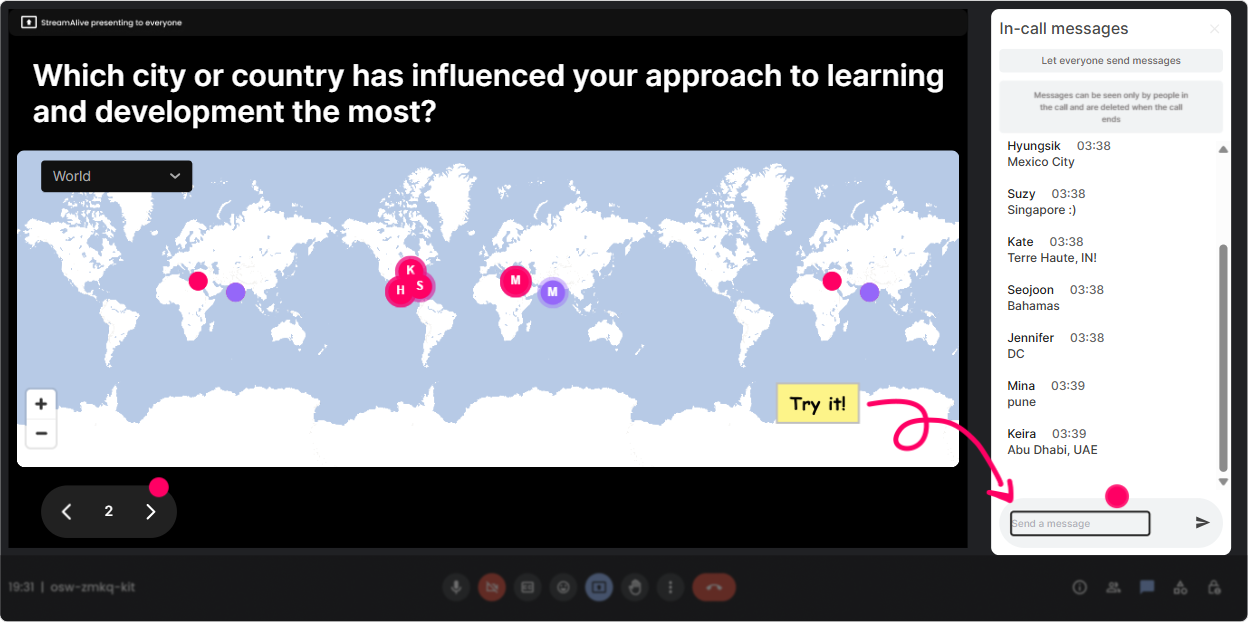
Magic Maps: Put your Workplace Community on the map (literally)
This is the easiest, friendliest icebreaker-and it instantly reinforces the whole community theme. How to use it in your session: - Kick-off question: Where are you joining from today? City + country in the chat. StreamAlive plots everyone in real time, and you can actually *see* your community forming. - Make it training-relevant: If you could visit any company with a strong workplace community, where would you go? (People drop locations; you get a fun map + a discussion starter.) - Add belonging: Which city has shaped your leadership style the most? Great segue into how environment + culture affects community. Trainer tip: If youve got multiple people in one region, call it out: Looks like weve got a mini community in Singapore-love it. That tiny moment builds connection fast.
Rating Polls: Quick pulse check-wheres everyone at?
Rating Polls are perfect when you want instant clarity without putting anyone on the spot. People can be honest with a number. Ways to use it for Workplace Community training: - Confidence check: On a scale of 110, how confident are you in building workplace community inside your team? - Current reality check: Rate your organizations workplace community today (1 = weak, 10 = thriving). - After a key model: How useful was that framework for you? 110. Trainer tip: If the average is low, dont panic-celebrate it: Great, that means were in the right room and this will be genuinely useful.

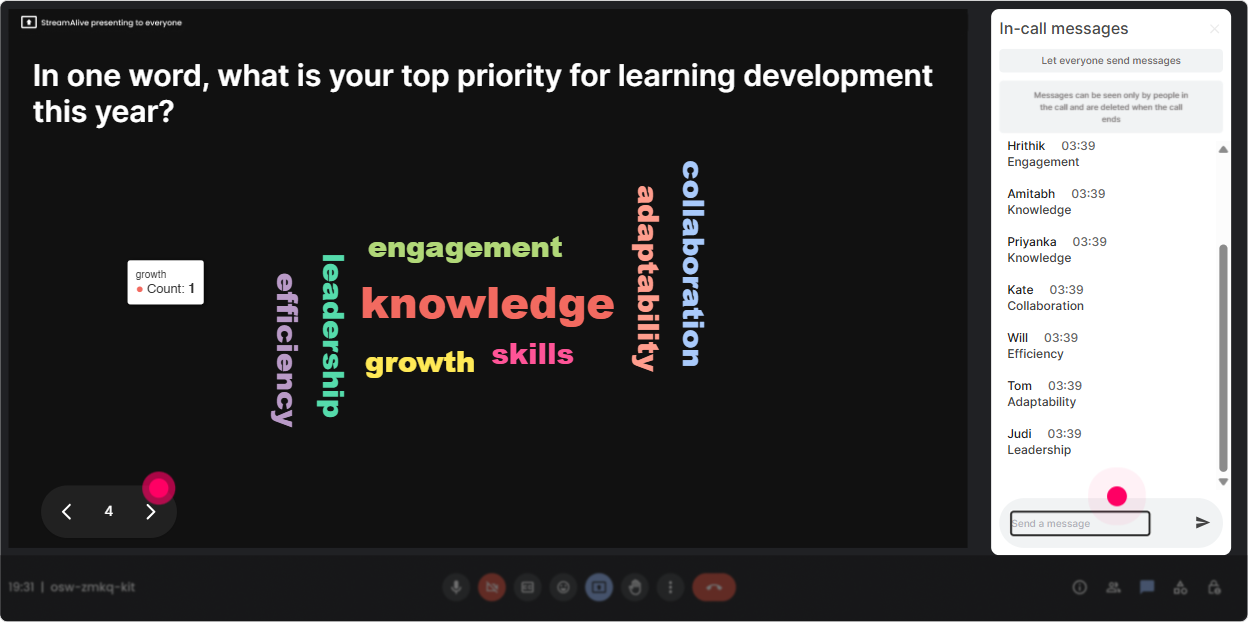
Wonder Words (Word Cloud): Capture the vibe in one screen
Word clouds are gold for making people feel seen-because their exact words show up on screen. Its also a quick way to surface patterns. Workplace Community prompts that work really well: - Emotional temperature: When you hear workplace community, whats the first word that comes to mind? (Belonging? Trust? Cringe? Extra work?) - Pain point finder: One word for what blocks community at work today? (Silos, time, politics, remote, workload) - Values check: Whats ONE word a strong workplace community should feel like? (Safe, inclusive, supportive, fun, real.) Trainer tip: Use the biggest 23 words as your live agenda: Cool-lets tackle silos and time first since theyre showing up huge.
Talking Tiles: Turn responses into a live brainstorm wall
Talking Tiles is where you go when answers need more than 12 words. Its like your chat becomes a shared canvas, and it feels way more interactive than reading lines of text. Strong prompts for L&D Leaders: - Practical impact: Whats one moment where a stronger workplace community wouldve made your work easier? - Program design: Whats one workplace community ritual youve tried (or want to try)? (Buddy systems, learning circles, AMAs, community channels, mentoring) - Leadership behavior: Whats one leader behavior that builds community fast? Trainer tip: As tiles fall, narrate patterns: Im seeing a lot around cross-team connection and psychological safety-yep, those are the big levers. It makes the group feel like theyre co-creating the session.

Power Polls: Let the group choose what to focus on next
Polls are your best friend when you want buy-in. Instead of guessing what the room needs, just ask-and then teach to the results. Poll ideas for this topic: - Whats your biggest workplace community challenge right now? 1) Remote/distributed connection 2) Siloed teams 3) Low participation in initiatives 4) Leadership buy-in 5) Psychological safety - Where do you want more ideas you can use immediately? 1) Rituals + routines 2) Community platforms (Teams/Slack) 3) Facilitation tactics 4) Measurement + ROI 5) Manager enablement Trainer tip: After the poll, say: Alright, the room has spoken. Then adjust your examples to match the winner. People pay attention when they feel like they influenced the session.

Winner Wheel (Spinner Wheel): Get voices in the room-without awkward volunteering
You know that moment when you ask Who wants to share? and its crickets? The Spinner Wheel fixes that in a fun, fair way. How to use it in Workplace Community ILT: - Pick a share-out: Drop one community-building idea in chat. Im going to spin the wheel and invite one person to unmute and explain theirs for 30 seconds. - Reinforce participation: Run the wheel using people who commented during this interaction so engagement actually gets rewarded. - Mini-coaching moment: Spin to win-whos going to get my 1-minute make it work in your org coaching? Trainer tip: Keep it light and safe: You can pass if you want, but Id love to hear you. That keeps the energy fun, not stressful.

Quiz: Make learning stick with quick knowledge checks
A Quiz is perfect when you want to confirm understanding (and keep attention up). Its also a sneaky-good way to correct misconceptions without lecturing. Workplace Community quiz questions you can run: - Which is the BEST example of a workplace community behavior? 1) Only celebrating wins 2) Shared rituals + peer support that happen consistently 3) More meetings for everyone 4) A one-time team offsite (Correct: 2) - Psychological safety is mainly about: 1) Being nice 2) Avoiding conflict 3) Feeling safe to speak up, disagree, and learn 4) Agreeing with your manager (Correct: 3) - Whats the most common reason communities fail at work? 1) No budget 2) No consistent facilitation/rituals 3) Too many emojis 4) Too much training (Often: 2) Trainer tip: Dont rush the reveal. Ask: Why did you pick that? first-then show the correct answer. Thats where the real learning happens.

Rating Polls: Quick pulse check-wheres everyone at?
Rating Polls are perfect when you want instant clarity without putting anyone on the spot. People can be honest with a number. Ways to use it for Workplace Community training: - Confidence check: On a scale of 110, how confident are you in building workplace community inside your team? - Current reality check: Rate your organizations workplace community today (1 = weak, 10 = thriving). - After a key model: How useful was that framework for you? 110. Trainer tip: If the average is low, dont panic-celebrate it: Great, that means were in the right room and this will be genuinely useful.
Q&A (Quick Questions): Stop missing questions in the chat
In a busy live session, great questions get buried fast. StreamAlives Q&A pulls questions out of the chat and displays them neatly so you can actually manage them. Ways to use it during this training: - As we go, drop questions in chat starting with Q: (example: Q: How do you build community in a hybrid team?) - Park-and-answer: Im going to collect questions for the last 10 minutes-keep them coming. - Theme-based Q&A: Lets do 3 questions on measurement/ROI first, then well do 3 on facilitation. Trainer tip: When people see their question captured on screen, they trust the process more-and they ask better questions.

Analytics: Prove engagement (and improve every next session)
If youre an L&D leader or trainer, youre often asked, Did it work? StreamAlive Analytics helps you answer that with real data-not vibes. What you can learn after your Workplace Community session: - Minute-by-minute engagement: Spot exactly where attention spiked (or dipped). Great for tightening your run-of-show. - Interaction results replay: See which questions landed best-your polls, word clouds, quizzes-so you can reuse what works. - Top engaged participants: Identify your community champions (the people who showed up, chatted, contributed). These are your future ambassadors. - Shareable reports: Email results to yourself or your team, or use them to debrief on Teams-super helpful for stakeholder updates. Trainer tip: Use analytics like a coach reviewing game film. Dont just ask Was it good? Ask Which 3 moments created the most interaction-and how do I design more of those?

Use StreamAlive in all your training sessions
StreamAlive isn’t just for
Workplace Community
training,
it can also be used for any instructor-led training session directly inside your PowerPoint presentation.
Explore similar traingin ideas: unlocking the potential of StreamAlive
See how StreamAlive transforms live training with engaging events and interactive sessions across industries, directly inside your PowerPoint presentation.

Interactions in action
(it's free)

.svg.png)


