Install StreamAlive for your PowerPoint slides
Learn more

Change Management Training for Training Agencies
StreamAlive helps 9x the audience engagement in your Virtual Instructor-led Trainings (VILT) directly inside your powerpoint presentation.
Make your instructor-led Change Management training more fun with polls, word clouds, spinner wheels and more
Works inside your existing PowerPoint presentation
Install the StreamAlive app for PowerPoint and see your slides come to life as people participate in your interactions
AI generates audience interactions for you
Let our AI scan your presentation and automatically come up with relevant questions based on the content. Or spend two hours coming up with your own questions, your choice!
Built to work with MS Teams and Zoom
Native apps for Teams and Zoom so you never have to leave your existing workflows
No QR Codes
Chat-powered interactions means your audience doesn’t need to scan QR codes or look at another screen to participate. They just type in the chat!

Quickly approved by your IT team
StreamAlive’s apps for Teams and Zoom means that they have been through rigorous quality assurance and client safety reviews. You’ll find everything an IT team needs to approve the app within the organization within your StreamAlive account.

Youve been asked to run Change Management instructor-led training for a Training Agency-and you want it to feel less like a lecture and more like a live, energetic room. The good news: you dont need gimmicks, you just need smarter interaction. Here are practical ways to use StreamAlive to keep people participating (not just attending).
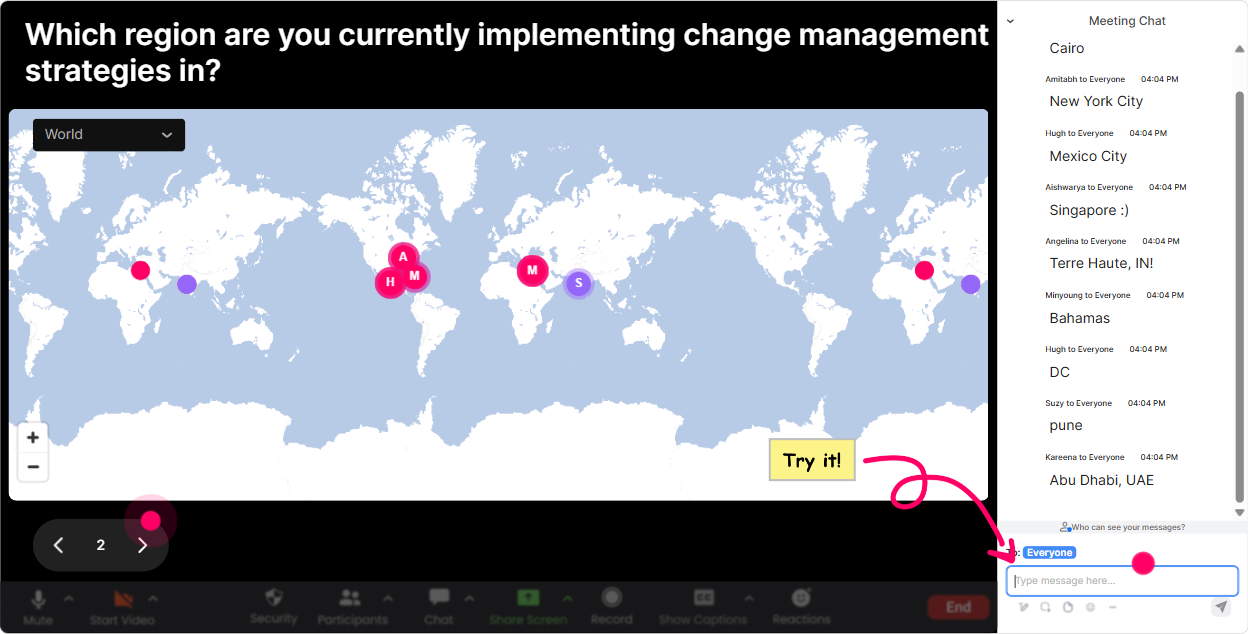
Magic Maps: start your Change Management session by putting everyone in the room
Change Management is all about people-and people engage faster when they feel seen. So instead of opening with housekeeping slides, open with a map. How to use it in your Change Management training: - Icebreaker that actually matters: Where are you joining from-and whats one change happening in your org right now? (Ask for the location in chat first, then the change.) - Make it relevant to Training Agencies: Which city are your learners usually based in? Great if you train teams spread across regions. - Tie it to change impact: If you could teleport to any site/team that needs change support most, where would you go? Trainer tip: if youre running multi-cohort programs, reset the map each cohort and screenshot it-youll have a quick visual of your training reach and where adoption challenges might differ by region.
Rating Polls: get a fast read of the room on change readiness
Before you teach models and frameworks, figure out where people are starting from. Rating Polls are perfect for quick pulse checks-no long surveys, no awkward silence. Change Management prompts that work really well: - On a scale of 110, how confident are you in leading change conversations? - How strong is change adoption in your current client projects? (1 = struggling, 10 = smooth) - Rate your familiarity with ADKAR/Kotter/Prosci (1 = whats that, 10 = I can teach it) How it helps you as a trainer: - If the average is low, you slow down and build foundations. - If its high, you move faster and spend more time on advanced application. - Run the same rating again at the end as a confidence lift moment-people love seeing progress live.

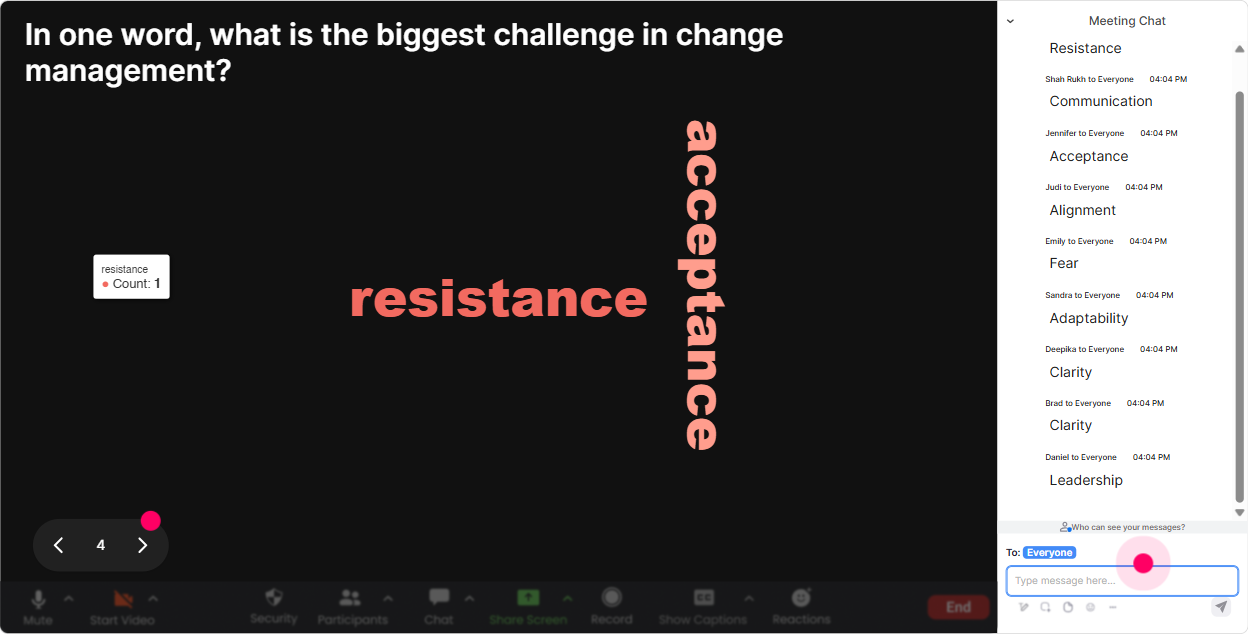
Wonder Words (Word Cloud): bring the real feelings about change to the surface
Lets be honest-Change Management triggers emotions. And if you dont name them, they show up later as disengagement. Word Cloud makes it easy to surface what people are thinking without putting anyone on the spot. Great word cloud questions for this topic: - When you hear organizational change, whats the first word that comes to mind? - What do employees usually say (or feel) when change is announced? - Whats the biggest blocker to change adoption in your world? (Ask for 12 words) How to use the results in the moment: - If words like fatigue, resistance, confusion get big-pause and say, Perfect. Thats exactly what were solving today. - If you see excited or opportunity-ask what made that possible, and turn it into a best-practice share. Its a super simple way to make the session feel tailored to them, not generic.
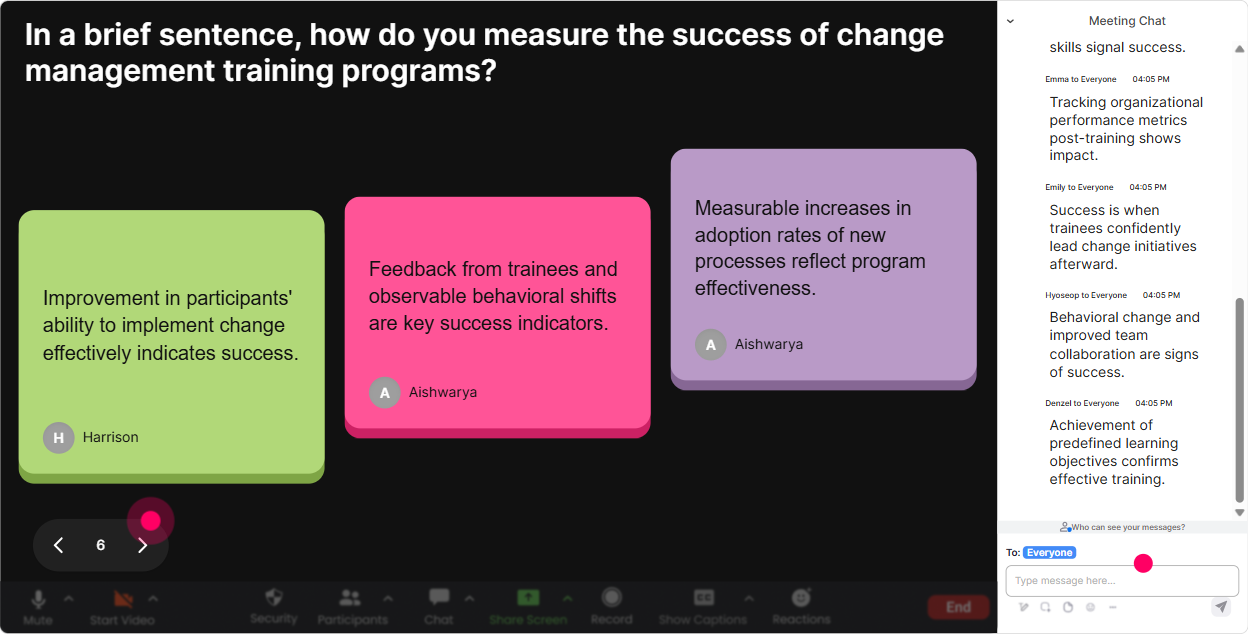
Talking Tiles: turn quiet thinking into visible, shareable change stories
Talking Tiles is your best friend when you want more than one-word answers. It pulls longer responses into a fun visual flow-so people feel like theyre building something together. Use it for the parts of Change Management training where stories matter: - Describe a change initiative that went sideways-what actually caused the resistance? - Whats one thing your stakeholders always worry about during change? - In your role as a trainer/consultant, what makes change training hard to land with learners? How trainers can run this smoothly: - Give them 30 seconds and a clear format: Start with: People resisted because - Read out 35 tiles and group them: communication gaps, leadership behavior, unclear why, workload overload. - Then say: Awesome. Now lets map these to the change framework. This is how you stop Change Management from feeling theoretical.
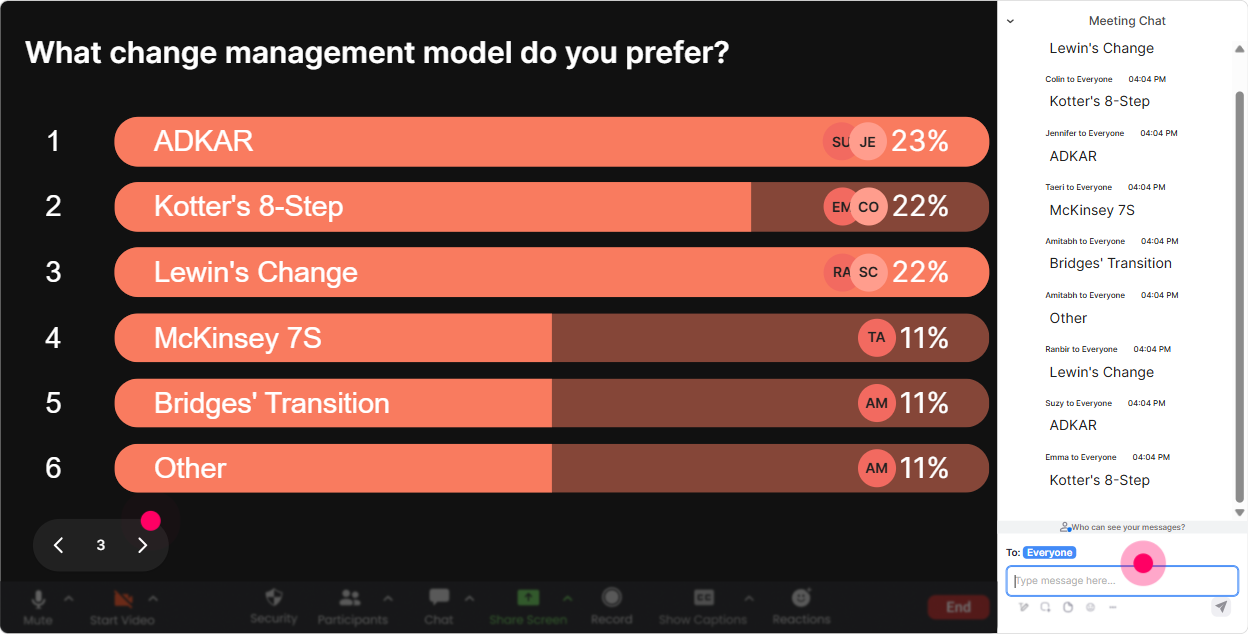
Power Polls + Open-Ended Polls: find out what people actually want help with
If youve ever taught Change Management and felt like half the group wanted stakeholder mapping while the other half wanted handling pushback-this fixes that. Polls help you co-design the session in real time. Use Power Polls (with options) for quick direction-setting: - Where do you need the most help today? 1) Handling resistance conversations 2) Stakeholder analysis & influence 3) Communication planning 4) Sustaining adoption & reinforcement - Which change model do your clients ask for most? 1) ADKAR 2) Kotter 3) Lewin 4) We dont use a model Use Open-Ended Polls when you want their real-world context: - Whats the biggest change happening in your organization/client right now? - Which stakeholder group is toughest to win over? Trainer move: after the poll, say, Cool-based on this, Ill spend extra time on the top two areas, and Ill share resources for the rest. People instantly feel the session is worth their time.
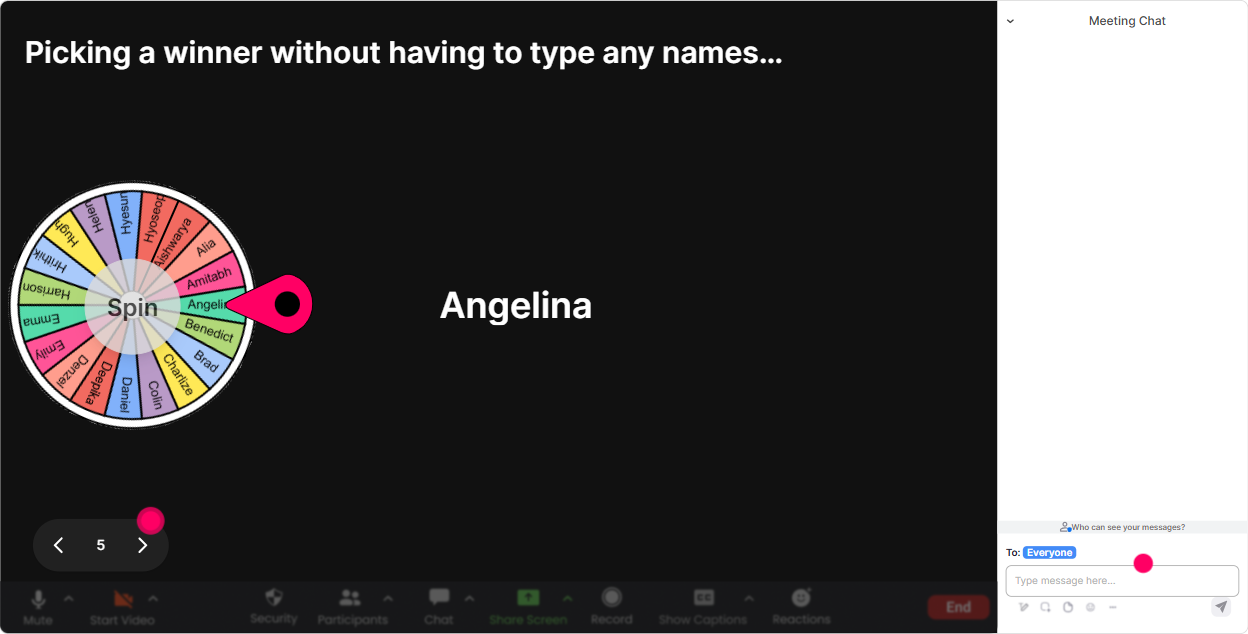
Winner Wheel (Spinner Wheel): get volunteers without the awkwardness
You know that moment when you ask, Anyone want to share? and its crickets? Winner Wheel keeps it playful and fair, and it gets more people chatting because participation is rewarded. Fun ways to use it in Change Management ILT: - Pick someone to answer a scenario: Youre the change lead and a manager says, My team is too busy for this. What do you say? - Choose a person to share a win: Tell us one change initiative youve seen work-and why. - Run mini-rewards: Everyone who posted in the chat is eligible-winner gets to choose the next case study we do. This works especially well for Training Agencies because it keeps cohorts lively, and it nudges the quieter folks to drop at least one comment so theyre in the draw.
Quiz: do quick knowledge checks that feel like a game (not a test)
Change Management has concepts people think they know until you actually apply them. Quiz interactions help you check understanding without the vibe turning into an exam. Quiz questions you can use right away: - Which is NOT part of ADKAR? A) Awareness B) Desire C) Delegation D) Reinforcement (Correct: C) - In Kotters model, what comes first? A) Build a guiding coalition B) Create urgency C) Communicate the vision D) Anchor in culture (Correct: B) - Whats the best first step when resistance shows up? A) Escalate to leadership B) Label them as blockers C) Get curious and diagnose the why D) Push harder on deadlines (Correct: C) Trainer tip: after revealing the correct answer, ask one follow-up in chat: What made that option tempting? Thats where the real learning shows up.

Rating Polls: get a fast read of the room on change readiness
Before you teach models and frameworks, figure out where people are starting from. Rating Polls are perfect for quick pulse checks-no long surveys, no awkward silence. Change Management prompts that work really well: - On a scale of 110, how confident are you in leading change conversations? - How strong is change adoption in your current client projects? (1 = struggling, 10 = smooth) - Rate your familiarity with ADKAR/Kotter/Prosci (1 = whats that, 10 = I can teach it) How it helps you as a trainer: - If the average is low, you slow down and build foundations. - If its high, you move faster and spend more time on advanced application. - Run the same rating again at the end as a confidence lift moment-people love seeing progress live.
Q&A (Quick Questions): capture every question without losing your flow
In a busy live session, questions get buried in chat fast-especially when youre doing activities. StreamAlives Q&A pulls questions out automatically so you dont have to play scroll detective. Ways to use it during Change Management training: - Park-and-come-back moments: Drop your questions anytime. Ill do a Q&A sweep every 20 minutes. - Sensitive questions made easier: Ask the tough stuff-like dealing with political stakeholders or change fatigue. - Scenario-based Q&A: As we go through the case study, add your what would you do if questions. This keeps the session feeling responsive, and it helps you handle Q&A like a pro even with large groups.

Analytics: prove engagement, improve delivery, and show value to clients
If youre a Training Agency, youre not just delivering training-youre proving impact. StreamAlive analytics help you see what landed, what didnt, and who was most involved. How it helps after your Change Management session: - Minute-by-minute engagement: spot exactly when attention spiked (maybe during the resistance activity) or dipped (maybe during the model overview). - Chat replay + interaction results: review what people said about blockers, readiness, and stakeholder challenges-this is gold for improving future cohorts. - Identify top participants: find your Fantastic Fans (your most engaged attendees). These are often your future champions, internal facilitators, or strong leads. - Easy reporting: share interaction summaries and engagement insights via email/Teams with stakeholders who want proof the session was interactive. Bottom line: youre not guessing what worked-youll know, and you can make the next delivery even stronger (and more engaging).

Use StreamAlive in all your training sessions
StreamAlive isn’t just for
Change Management
training,
it can also be used for any instructor-led training session directly inside your PowerPoint presentation.
Explore similar traingin ideas: unlocking the potential of StreamAlive
See how StreamAlive transforms live training with engaging events and interactive sessions across industries, directly inside your PowerPoint presentation.

Interactions in action
(it's free)

.svg.png)


