Install StreamAlive for your PowerPoint slides
Learn more

Cross-Cultural Competence Training for Corporate Trainers
StreamAlive helps 9x the audience engagement in your Virtual Instructor-led Trainings (VILT) directly inside your powerpoint presentation.
Make your instructor-led Cross-Cultural Competence training more fun with polls, word clouds, spinner wheels and more
Works inside your existing PowerPoint presentation
Install the StreamAlive app for PowerPoint and see your slides come to life as people participate in your interactions
AI generates audience interactions for you
Let our AI scan your presentation and automatically come up with relevant questions based on the content. Or spend two hours coming up with your own questions, your choice!
Built to work with MS Teams and Zoom
Native apps for Teams and Zoom so you never have to leave your existing workflows
No QR Codes
Chat-powered interactions means your audience doesn’t need to scan QR codes or look at another screen to participate. They just type in the chat!

Quickly approved by your IT team
StreamAlive’s apps for Teams and Zoom means that they have been through rigorous quality assurance and client safety reviews. You’ll find everything an IT team needs to approve the app within the organization within your StreamAlive account.

Youve been asked to run a Cross-Cultural Competence instructor-led session for corporate trainers-and you want it to feel alive, not like a slide marathon. The fastest way to do that is to get people talking early, often, and safely. Here are practical engagement ideas (using StreamAlive) you can plug straight into your session.
1) Magic Maps: Put your trainers on the map (literally)
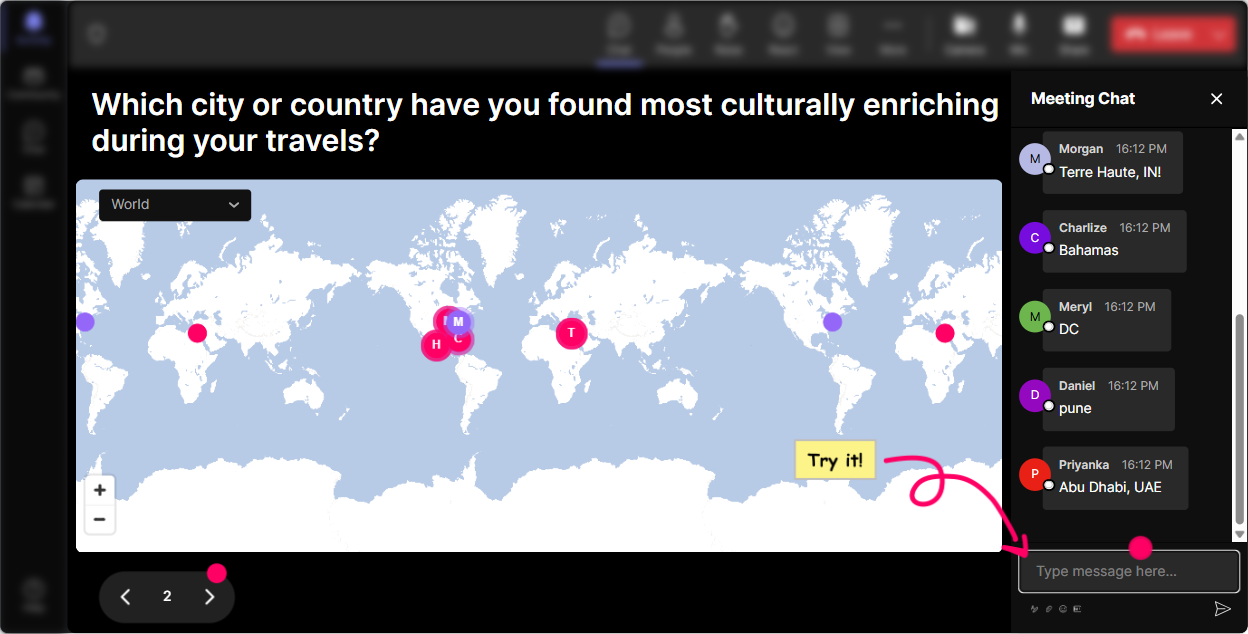
Cross-cultural competence starts with one simple truth: everyones normal is different. Magic Maps is a perfect opener because it instantly shows the diversity in the room-and gets everyone typing in chat right away. How to use it in your training: - Icebreaker (classic, but better): Where are you joining us from today? Watch the map fill up in real time and call out clusters: Looks like weve got a strong Singapore + Toronto crew today! - Culture lens warm-up: Name a city/country that shaped your communication style the most. (Many people will answer with where they grew up, studied, or first worked globally.) - Business-friendly version: Where are your learners usually based? Great when youre training trainers who deliver to global audiences. - Quick reflection prompt: After the map populates, ask: Whats one thing that might differ across these locations-feedback style, punctuality, directness, decision-making? Trainer tip: If you want one clean pin per person, set it to allow one location per attendee. Reset the map later and reuse it for dream assignment location or most challenging region to train in.
2) Rating Polls: Get a fast where are we at? confidence check
Before you teach anything, find out how people feel about the topic. Rating Polls are great because theyre quick, visual, and low-pressure-perfect for a mixed-experience room. Ideas you can run: - Confidence pulse check: On a scale of 110, how confident are you facilitating cross-cultural moments in a live class? - Reality check: Rate how often cultural misunderstandings show up in your training sessions (1 = never, 10 = all the time). - Skill focus: Rate your comfort level handling silence in a multicultural group. (This one usually sparks immediate discussion.) How this helps engagement: youre not guessing the room-youre adapting live. And participants feel seen because youre teaching to their actual needs, not your agenda.

3) Wonder Words (Word Cloud): Make the rooms assumptions visible
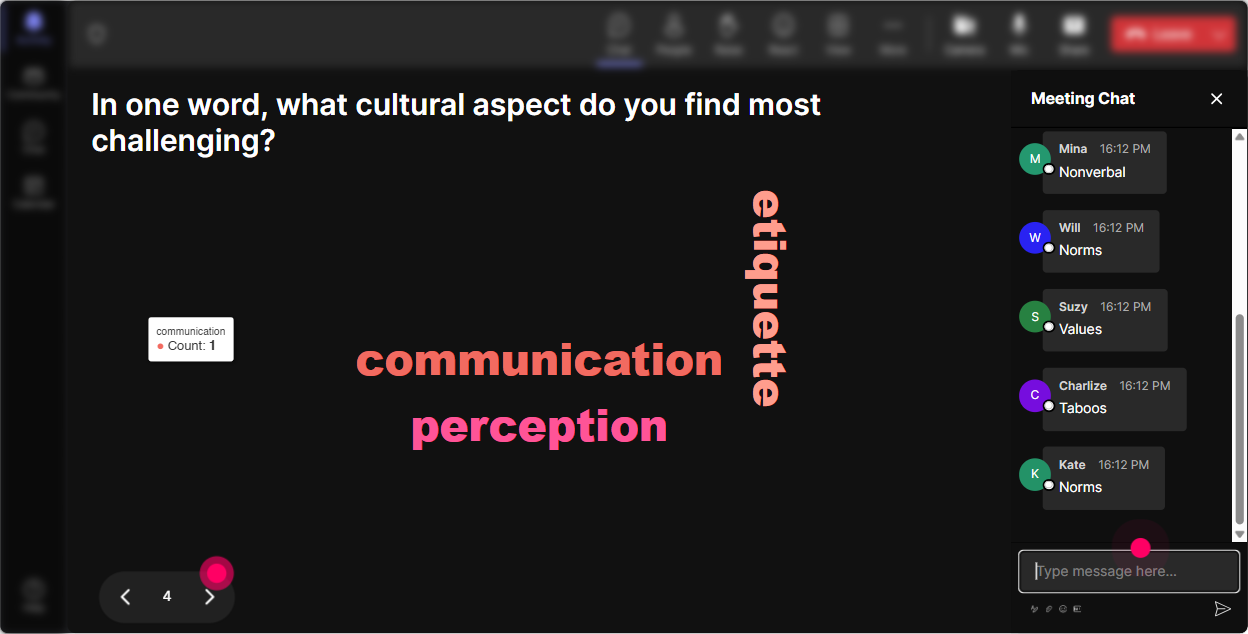
Cross-cultural competence is full of hidden beliefs-about respect, professionalism, time, disagreement, authority. A word cloud brings those beliefs to the surface without putting anyone on the spot. Prompts that work really well: - Emotional temperature: One word: how do you feel about facilitating cross-cultural topics? (Youll get curious, nervous, excited, overwhelmed, etc.) - Meaning-making: One word: what does respect look like in your culture? (This gets powerful fast.) - Trainer pain point: One word: whats hardest about training a global audience? (Common hits: silence, tone, humor, context, feedback.) Trainer tip: Turn on Combine Similar Answers so curious/curiosity dont split. Then pick the top 23 biggest words and ask: Whos willing to share a quick example of why you chose that?
4) Talking Tiles: Collect real stories (and make them fun to watch)
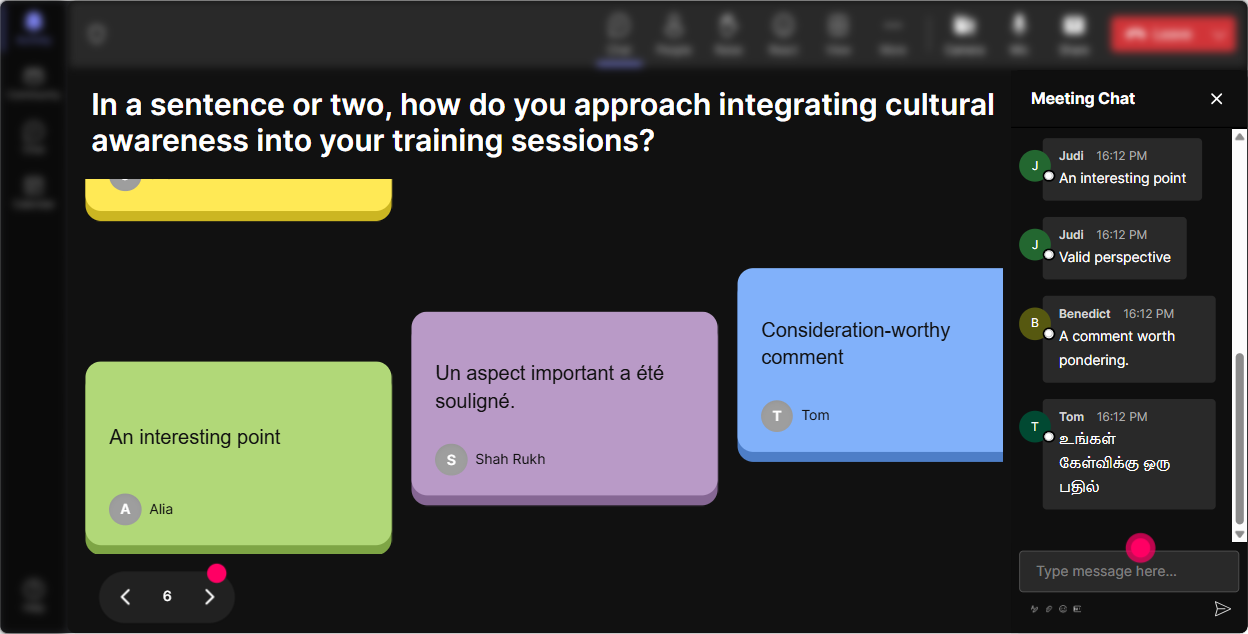
When you want more than a one-word answer-use Talking Tiles. It turns longer chat responses into a visual moment, so people actually pay attention to what others are saying. Best ways to use it in this session: - Story prompt: Describe a moment when culture impacted a training session you delivered-what happened? - Application prompt: Whats one adjustment youve made to be more inclusive across cultures? - Scenario reflection: After a case study, ask: What would you say/do next as the trainer? and let the tiles roll in. Why it boosts engagement: people love seeing their message land on screen, and it creates that were building this together feeling instead of you lecturing solo.
5) Power Polls: Let the audience choose the agenda (and feel ownership)
If you want buy-in, stop guessing what they want-ask them. Power Polls let you give options and show results live, which makes decision-making feel transparent and fair. Poll ideas for Cross-Cultural Competence (trainer edition): - What do you want more tools for today? 1) Managing silence + participation 2) Giving feedback across cultures 3) Handling conflict respectfully 4) Building psychological safety in diverse rooms - Which training moment is most likely to go sideways cross-culturally? 1) Role plays 2) Group discussions 3) Q&A / challenge questions 4) Humor / storytelling Trainer tip: Use the results to say, Okay, well spend extra time on feedback and silence, then actually do it. Thats how you earn trust fast.

6) Winner Wheel: Get volunteers without the awkward anyone want to share?
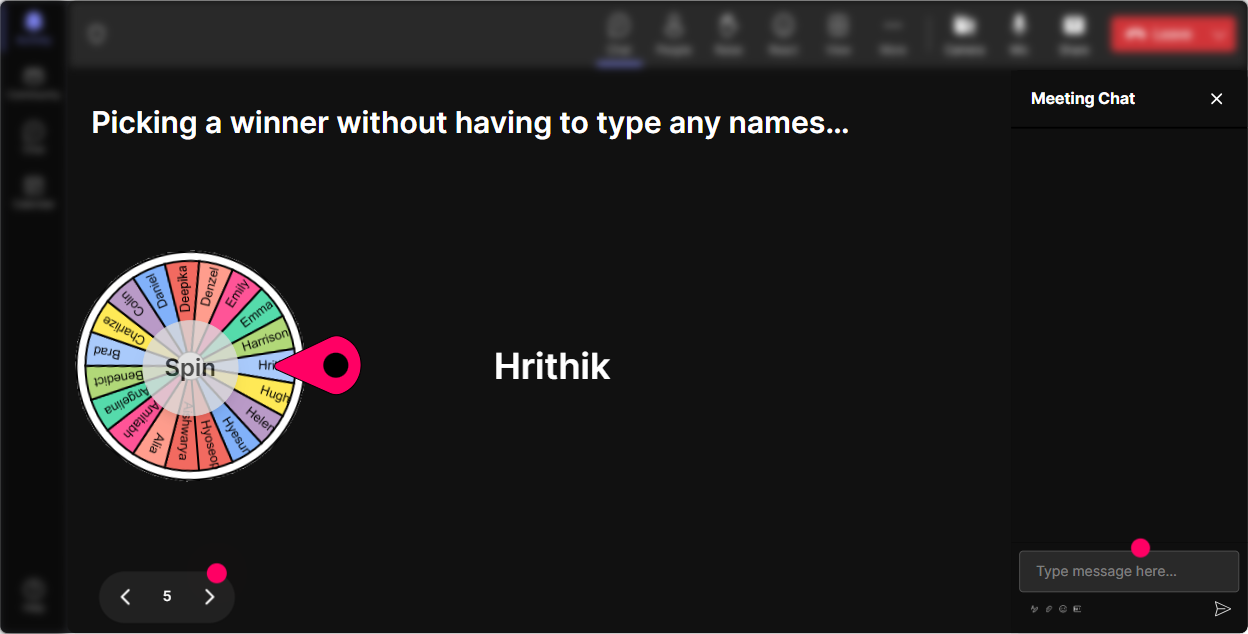
You know that moment: you ask for a volunteer, and suddenly everyone becomes deeply interested in their mute button. Winner Wheel fixes that-playfully. How to use it without making people panic: - First, ask: Type Im in if youre okay sharing a quick example out loud. - Then spin the Winner Wheel from only those who opted in. Great moments to use it: - Share one cultural norm about meetings youve learned the hard way. - Read this scenario-how would you facilitate it? - Give us a rephrase that keeps dignity but sets a boundary. Bonus: You can also use it as a participation reward-spin from people who contributed during an activity. It nudges quiet folks to join in next time.
7) Quiz: Do quick knowledge checks without killing the vibe
Cross-cultural competence isnt just be nice-there are real concepts trainers need to understand (context, power distance, direct vs indirect communication, etc.). A quick Quiz interaction keeps it light but still sharp. Multiple-choice questions you can run: - High-context communication usually means A) Everything is spelled out clearly B) Meaning depends heavily on context and relationships (Correct) C) People prefer written instructions only - In some cultures, silence in a training room can signal A) Disengagement only B) Respect, reflection, or hierarchy (Correct) C) People didnt hear the question Trainer tip: After revealing the correct answer, ask: Where have you seen the opposite assumption cause a problem? Thats where the learning sticks.

2) Rating Polls: Get a fast where are we at? confidence check
Before you teach anything, find out how people feel about the topic. Rating Polls are great because theyre quick, visual, and low-pressure-perfect for a mixed-experience room. Ideas you can run: - Confidence pulse check: On a scale of 110, how confident are you facilitating cross-cultural moments in a live class? - Reality check: Rate how often cultural misunderstandings show up in your training sessions (1 = never, 10 = all the time). - Skill focus: Rate your comfort level handling silence in a multicultural group. (This one usually sparks immediate discussion.) How this helps engagement: youre not guessing the room-youre adapting live. And participants feel seen because youre teaching to their actual needs, not your agenda.
8) Q&A: Capture questions as they happen (without losing them in chat chaos)
When the topic is culture, people get thoughtful questions-but they dont always ask them at the right time. StreamAlive Q&A collects questions from the chat so you dont miss them or scroll endlessly. Ways to use it in your session: - Drop your toughest cross-cultural facilitation question anytime-StreamAlive will grab it. - Mid-session checkpoint: Whats unclear or feels tricky to apply? - End-of-module: What would you do if a participant says, Thats not how we do it where Im from? This keeps the session flowing, and it also creates psychological safety-participants can ask in chat without feeling like theyre interrupting.

9) Analytics: Find out what actually engaged your trainers (so you can repeat it)
After the session, dont rely on gut feel. StreamAlive Analytics shows you what parts of your training sparked the most chat and interaction-minute by minute. How corporate trainers can use it: - Spot your engagement spikes: Did discussion jump during scenarios? During the word cloud? During the poll? Now you know what to do more of next time. - Replay key interactions: Review the poll results and open-ended responses so you can refine content and keep real participant language for future sessions. - Identify your most engaged participants (your Fantastic Fans): These are great people to follow up with-invite them to co-facilitate, pilot new modules, or share best practices. - Share results easily: Send the interaction reports to your email or your team so stakeholders can see participation, not just satisfaction scores. Bottom line: analytics helps you turn one good Cross-Cultural Competence class into a repeatable, consistently high-engagement experience.

Use StreamAlive in all your training sessions
StreamAlive isn’t just for
Cross-Cultural Competence
training,
it can also be used for any instructor-led training session directly inside your PowerPoint presentation.
Explore similar traingin ideas: unlocking the potential of StreamAlive
See how StreamAlive transforms live training with engaging events and interactive sessions across industries, directly inside your PowerPoint presentation.

Interactions in action
(it's free)

.svg.png)


