Install StreamAlive for your PowerPoint slides
Learn more

Data Privacy Training for Training Agencies
StreamAlive helps 9x the audience engagement in your Virtual Instructor-led Trainings (VILT) directly inside your powerpoint presentation.
Make your instructor-led Data Privacy training more fun with polls, word clouds, spinner wheels and more
Works inside your existing PowerPoint presentation
Install the StreamAlive app for PowerPoint and see your slides come to life as people participate in your interactions
AI generates audience interactions for you
Let our AI scan your presentation and automatically come up with relevant questions based on the content. Or spend two hours coming up with your own questions, your choice!
Built to work with MS Teams and Zoom
Native apps for Teams and Zoom so you never have to leave your existing workflows
No QR Codes
Chat-powered interactions means your audience doesn’t need to scan QR codes or look at another screen to participate. They just type in the chat!

Quickly approved by your IT team
StreamAlive’s apps for Teams and Zoom means that they have been through rigorous quality assurance and client safety reviews. You’ll find everything an IT team needs to approve the app within the organization within your StreamAlive account.

Youve been asked to run Data Privacy instructor-led training for a Training Agency, and you already know the risk: it can turn into a policy lecture real fast. Lets keep it practical, interactive, and actually fun-without losing the seriousness of the topic. Here are simple ways to use StreamAlive to keep people participating (not just attending).
1) Magic Maps: Start with Where are you joining from? then make it relevant to privacy
Data Privacy can feel abstract until people realize how different regions, laws, and client expectations can be. Magic Maps is a super easy icebreaker that also tees up your content. How to use it in your Data Privacy ILT: - Kick-off question (classic): Where are you joining us from today? - Make it privacy-relevant: Which country do you work with the most (clients/learners)? - Tie it to regulations: Drop a location where youve heard privacy rules are strict (city/country). Trainer moves that work really well: - When the map clusters show up, call out patterns: Nice-lots of folks from the UK and EU. GDPR examples will hit home today. - Use it as a bridge: Since weve got people across regions, well focus on universal principles: collect less, secure more, and share carefully. - Reset and reuse later: ask If you could teleport your data privacy program anywhere, which office/team would you fix first? (it gets a laugh and surfaces pain points).

2) Rating Polls: Get an instant read on confidence (and adjust your pacing)
Before you dive into definitions and legal terms, find out where the room is at. Rating Polls give you a quick pulse check-live-so you can teach the humans in front of you, not the slide deck. Use it at the start: - On a scale of 110, how confident are you about handling personal data correctly at work? - Rate your comfort level with GDPR/DPDP/CCPA terms: 1 = lost, 10 = I can explain it. Use it after key modules (mini temperature checks): - After Lawful basis or Consent: Rate how clear that was. - After Data breaches: How confident are you that youd know what to do in the first 30 minutes? Trainer tip: If the average is low, dont apologize-just pivot: Cool, thats exactly why were here. Lets do one example together.

3) Wonder Words (Word Cloud): Surface feelings and misconceptions fast
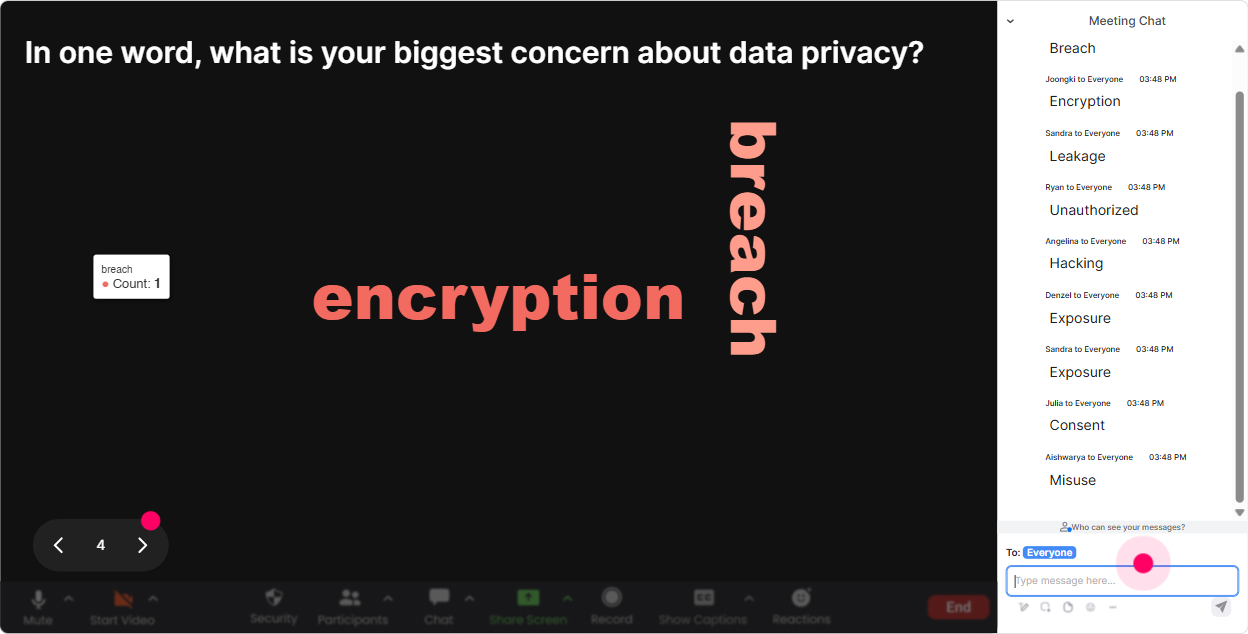
Data Privacy training often comes with emotions: nervousness, skepticism, confusion, or ugh not another compliance session. A word cloud lets you see that instantly-and its a great way to humanize the room. Word cloud prompts that work great in this topic: - In 12 words: what comes to mind when you hear Data Privacy? - Whats the biggest risk in your day-to-day work? (12 words) - One word: what makes privacy hard in training agencies? (common answers: spreadsheets, vendors, forms, WhatsApp, deadlines) How to make it useful (not just cute): - If you see consent big on the screen, say: Perfect. Well clear up consent myths in 10 minutes. - If you see fear or confusing: Totally fair-today is about simple decisions you can repeat, not legal gymnastics. - Use Combine Similar Answers so GDPR and G.D.P.R dont split into separate bubbles.
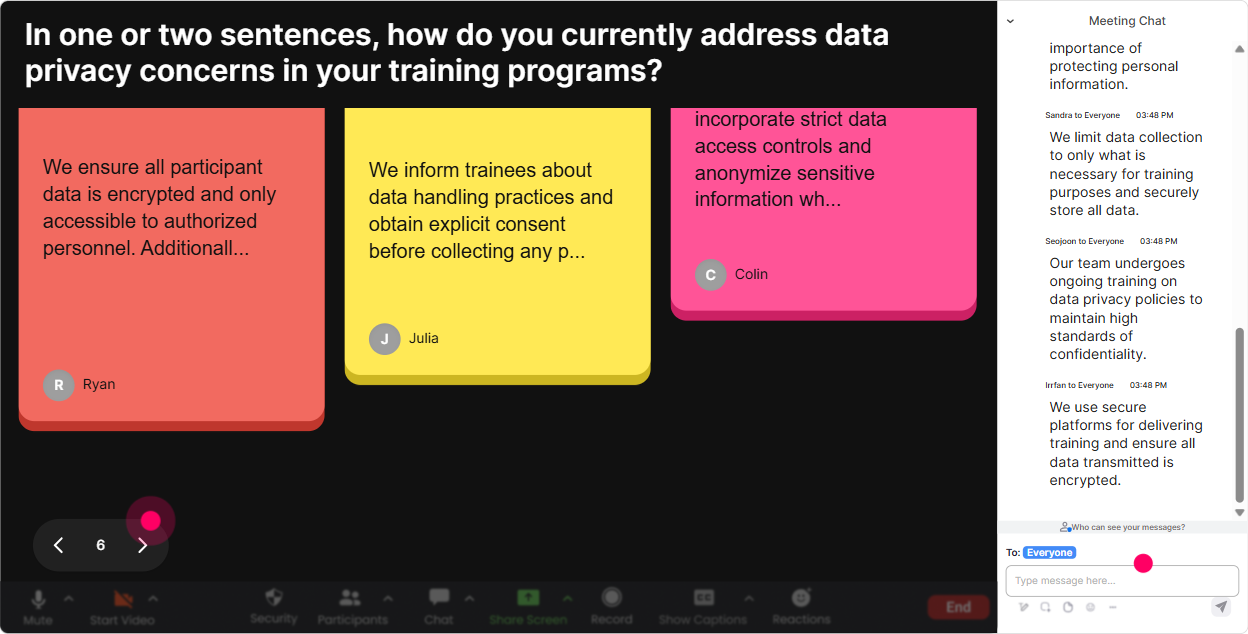
4) Talking Tiles: Turn policy talk into real stories from their work
This is where your session starts feeling like a real conversation. Talking Tiles is perfect when you want more than a one-word answer-like scenarios, habits, and this is what we actually do. Great prompts for Training Agencies: - Where do you see personal data show up in your work? (Think: enrollments, assessments, recordings, feedback forms, LMS exports, WhatsApp groups) - Whats one privacy grey area youve seen during training delivery? - Complete this sentence: The hardest part of privacy compliance in our programs is ____. How you can facilitate it live: - Read a few tiles out loud and group them: Okay Im seeing a theme: recordings, vendor tools, and participant lists. - Use it to build your examples on the fly: Lets use that exact scenario-sharing attendance sheet with the client-and decide whats okay and whats not. - Keep the tone safe: remind them not to share real names or sensitive details in chat.
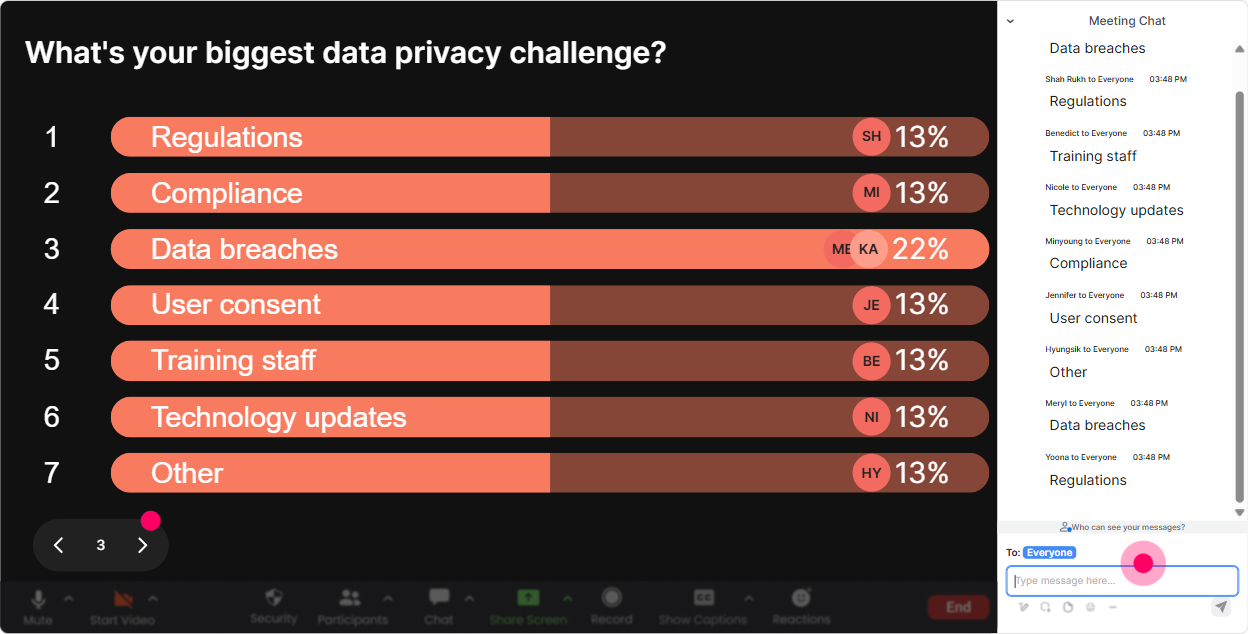
5) Power Polls: Let the audience choose what to focus on (and theyll pay attention)
People lean in when they feel like theyre shaping the session. Power Polls help you prioritize what matters to them, especially in Data Privacy where roles vary a lot. Poll ideas for Data Privacy ILT (Training Agency context): - Which area do you want more clarity on today? 1) Consent & lawful basis 2) Handling learner data (attendance, assessments) 3) Vendor tools (Zoom/LMS/forms) 4) Recordings & transcripts 5) Breach reporting basics Scenario-based polls (great mid-session): - A client asks for the full participant list with emails + phone numbers. What do you do? 1) Send it-client requested 2) Send only whats necessary + justify 3) Ask for approval internally 4) Refuse and offer an alternative Trainer tip: Run a poll, show results, then ask: Someone who voted option 4-tell me your thinking. Thats instant discussion without putting people on the spot randomly.
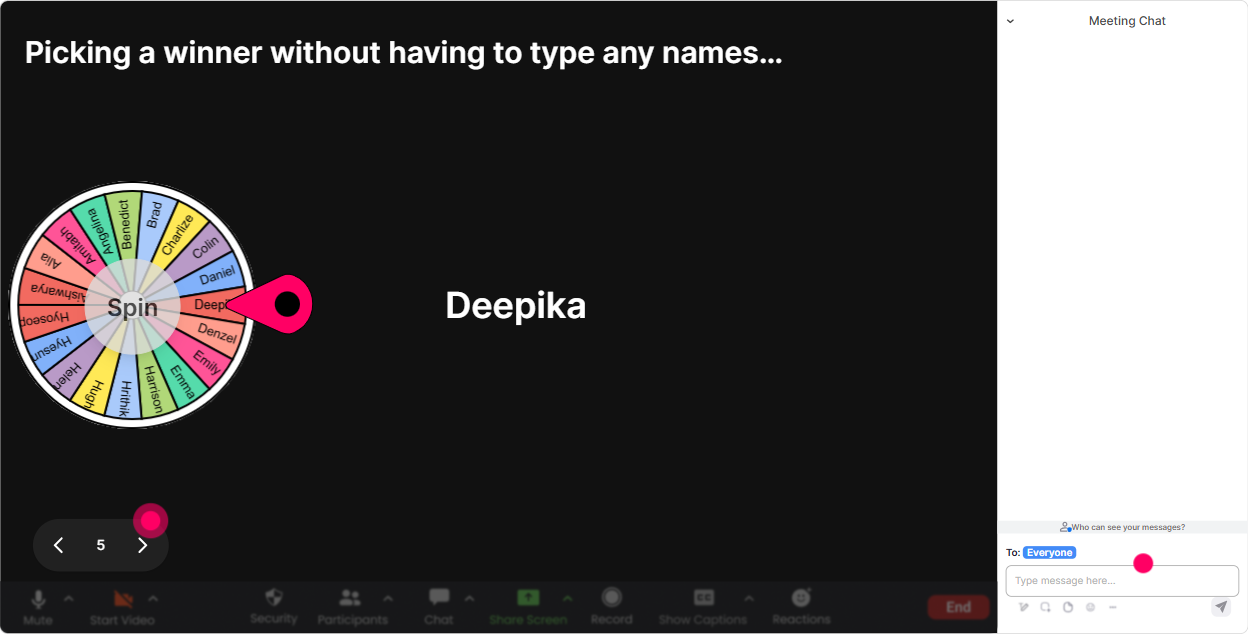
6) Winner Wheel: Get volunteers without the awkward silence
You know that moment: you ask a question and everyone suddenly becomes a statue. Winner Wheel fixes that-because now participation feels like a game, not a risk. Ways to use it in Data Privacy training: - Drop READY in the chat if youre willing to answer a scenario out loud. Then spin from those who commented. - Type one privacy risk youve seen (no names). Well spin the wheel and the winner gets to pick which risk we unpack first. - End-of-module recap: Type one golden rule youre taking away. Ill spin for a small prize / shoutout. Best practice: Make it opt-in. Let the wheel choose from people who commented so nobody feels ambushed.
7) Quiz: Quick knowledge checks that dont feel like an exam
Quizzes are perfect for Data Privacy because small misunderstandings can cause big mistakes. Keep it light, quick, and frequent. Quiz questions tailored for Training Agencies: - Which is personal data? 1) A learners email 2) An assessment score linked to a name 3) A recorded training session where faces are visible 4) All of the above (Correct) - What should you do first if you accidentally email a participant list to the wrong client contact? 1) Delete the sent email and ignore it 2) Report it immediately using your incident process (Correct) 3) Ask the recipient nicely to delete and move on 4) Wait to see if anyone notices - True or False: If a client requests data, we can always share it. (Correct: False) Trainer tip: After revealing the correct answer, ask one follow-up in chat: What made that tricky? Thats where real learning happens.

2) Rating Polls: Get an instant read on confidence (and adjust your pacing)
Before you dive into definitions and legal terms, find out where the room is at. Rating Polls give you a quick pulse check-live-so you can teach the humans in front of you, not the slide deck. Use it at the start: - On a scale of 110, how confident are you about handling personal data correctly at work? - Rate your comfort level with GDPR/DPDP/CCPA terms: 1 = lost, 10 = I can explain it. Use it after key modules (mini temperature checks): - After Lawful basis or Consent: Rate how clear that was. - After Data breaches: How confident are you that youd know what to do in the first 30 minutes? Trainer tip: If the average is low, dont apologize-just pivot: Cool, thats exactly why were here. Lets do one example together.
8) Q&A: Capture questions from chat automatically (so you dont miss the good stuff)
Privacy sessions generate lots of But what about? questions-and theyre usually buried in chat. StreamAlive Q&A pulls them out and organizes them so you can actually manage the flow. How to use it smoothly: - Tell them upfront: If you have a question, just type it in chat-StreamAlive will catch it. - Park questions without losing them: Great question-lets hold that for the recordings and retention segment. - Do a dedicated lightning round: Weve got 10 minutes-lets clear as many of these as we can. Examples youll likely get in Training Agencies (and you can encourage them): - Can we share learner feedback forms with the client? - How long can we keep attendance sheets? - Whats okay to store in WhatsApp/Google Sheets? - Do we need consent to record Zoom training?

9) Analytics: Prove engagement (and improve the next delivery)
If youre a training agency, youre often reporting back to stakeholders-clients, internal L&D, or compliance teams. StreamAlive analytics help you show what happened in the session and where people leaned in. How it helps after your Data Privacy ILT: - Spot high/low engagement moments: See which parts got people chatting (usually scenarios and polls) and which parts went quiet (usually definitions). Then tweak your run-of-show. - Identify your most engaged participants: Great for follow-ups like privacy champions or sending advanced resources. - Interaction reports: Pull up poll results and quiz performance to show what the group understood-and where confusion remains. - Email/share reports: Send a clean summary to your team or client contacts so your training value is visible beyond attendance. Trainer tip: Use analytics to redesign your next session: more scenarios where engagement spiked, shorter lecture where it dipped. Thats how you get better every run.

Use StreamAlive in all your training sessions
StreamAlive isn’t just for
Data Privacy
training,
it can also be used for any instructor-led training session directly inside your PowerPoint presentation.
Explore similar traingin ideas: unlocking the potential of StreamAlive
See how StreamAlive transforms live training with engaging events and interactive sessions across industries, directly inside your PowerPoint presentation.

Interactions in action
(it's free)

.svg.png)


