Install StreamAlive for your PowerPoint slides
Learn more

Skills-Based Organizations Training for Training Agencies
StreamAlive helps 9x the audience engagement in your Virtual Instructor-led Trainings (VILT) directly inside your powerpoint presentation.
Make your instructor-led Skills-Based Organizations training more fun with polls, word clouds, spinner wheels and more
Works inside your existing PowerPoint presentation
Install the StreamAlive app for PowerPoint and see your slides come to life as people participate in your interactions
AI generates audience interactions for you
Let our AI scan your presentation and automatically come up with relevant questions based on the content. Or spend two hours coming up with your own questions, your choice!
Built to work with MS Teams and Zoom
Native apps for Teams and Zoom so you never have to leave your existing workflows
No QR Codes
Chat-powered interactions means your audience doesn’t need to scan QR codes or look at another screen to participate. They just type in the chat!

Quickly approved by your IT team
StreamAlive’s apps for Teams and Zoom means that they have been through rigorous quality assurance and client safety reviews. You’ll find everything an IT team needs to approve the app within the organization within your StreamAlive account.

Youve been asked to run an instructor-led session on Skills-Based Organizations for a Training Agency, and you already know the big challenge: keeping people actively with you (not quietly multitasking). The good news? With StreamAlive, you can turn another training into something that feels interactive, fast, and genuinely fun-without extra tools or links.
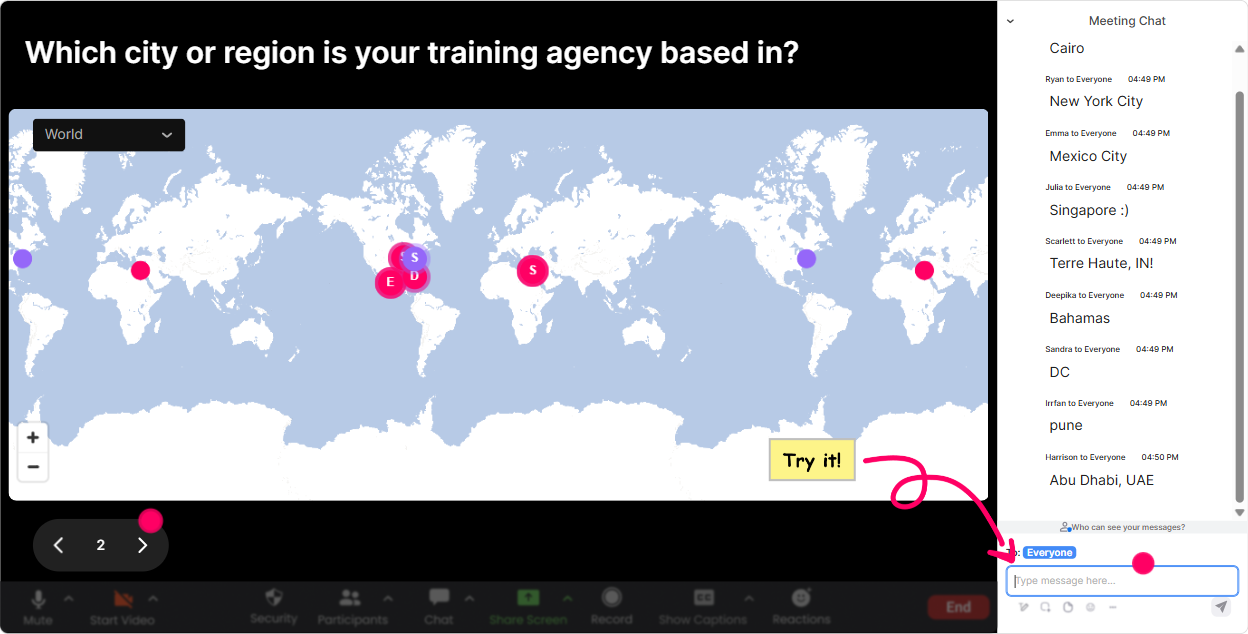
1) Magic Maps: Put your cohort on the map (and instantly break the ice)
This is the easiest win in the first 2 minutes. Ask a location-based question and let StreamAlive plot answers live on a world map. Its a small moment, but it flips the energy from viewer mode to participant mode. How to use it in Skills-Based Organizations ILT: - Kickoff question: Where are you joining from today? (classic, always works) - Skills-based twist: Where is your learners biggest audience-same city, same country, or global? - Training Agency angle: If you could run your next SBO pilot anywhere on earth, where would it be? Trainer tip: If your group is large, the clusters on the map become a talking point. You can literally say, Looks like weve got a strong cluster in ___-tell me what kind of clients you support there. Easy engagement, zero awkwardness.
2) Rating Polls: Quick confidence check (without putting anyone on the spot)
When youre teaching Skills-Based Organizations, people come in at wildly different levels-some are deep in competency models, others are hearing skills taxonomy for the first time. Rating Polls let you measure where the room is in seconds, straight from chat. How to use it in your session: - Opener: On a scale of 110, how confident are you explaining a Skills-Based Organization to a client? - Midway pulse: Rate this statement: Our clients are ready to move from job-based roles to skills-based practices. (1=not at all, 10=fully ready) - Closeout: How ready are you to run a skills-based needs analysis after today? Trainer tip: If you see a low average, you dont need to guess whats wrong-you can slow down, add an example, or do a quick recap. It helps you teach the room you actually have, not the one you planned for.

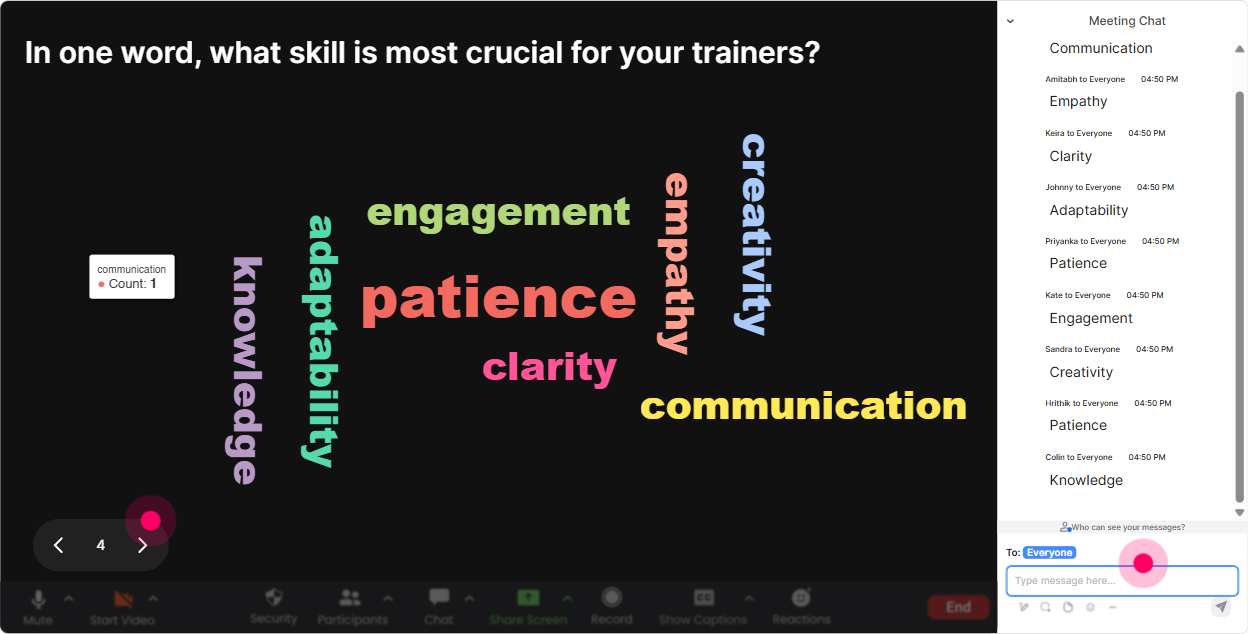
3) Wonder Words (Word Cloud): Get honest reactions fast-one or two words only
If you want everyone to participate (even the quiet folks), word clouds are magic. One short prompt, everyone types 12 words, and suddenly you can SEE the groups mindset. Use it for Skills-Based Organizations like this: - When you hear Skills-Based Organization, whats the first word that comes to mind? - Whats the biggest blocker your clients face with skills-based transformation? (ask for 12 words: buy-in, data, time, systems) - What do you want to be able to DO after this training? (e.g., pitch, design, map, measure) Trainer tip: If you notice big words like confusing or overwhelming, say it out loud and normalize it. That simple callout makes people feel seen-and theyll stay engaged longer because they trust youre guiding them.
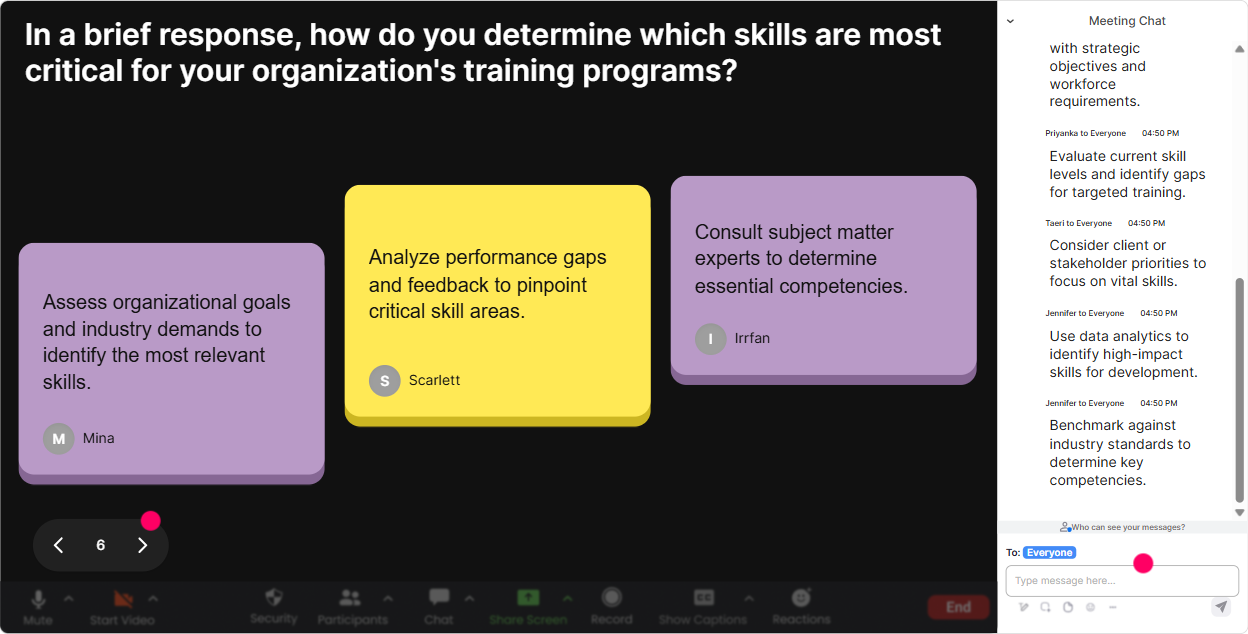
4) Talking Tiles: Turn the chat into a live brainstorm wall (that actually feels fun)
Skills-Based Organizations is full of real-world nuance-so youll want more than one-word answers sometimes. Talking Tiles is perfect when you want slightly longer responses and you want the group to learn from each other. Great prompts for Training Agencies: - Whats one client request youre hearing right now that screams skills-based (even if they dont use that term)? - Describe one job role your clients struggle to hire for-and what skills actually matter most. - Whats a skills project youve tried before that didnt land? What happened? Trainer tip: As tiles fall in, pick 23 responses and connect them to your model/framework. It feels like youre co-creating the session with them (because you are).
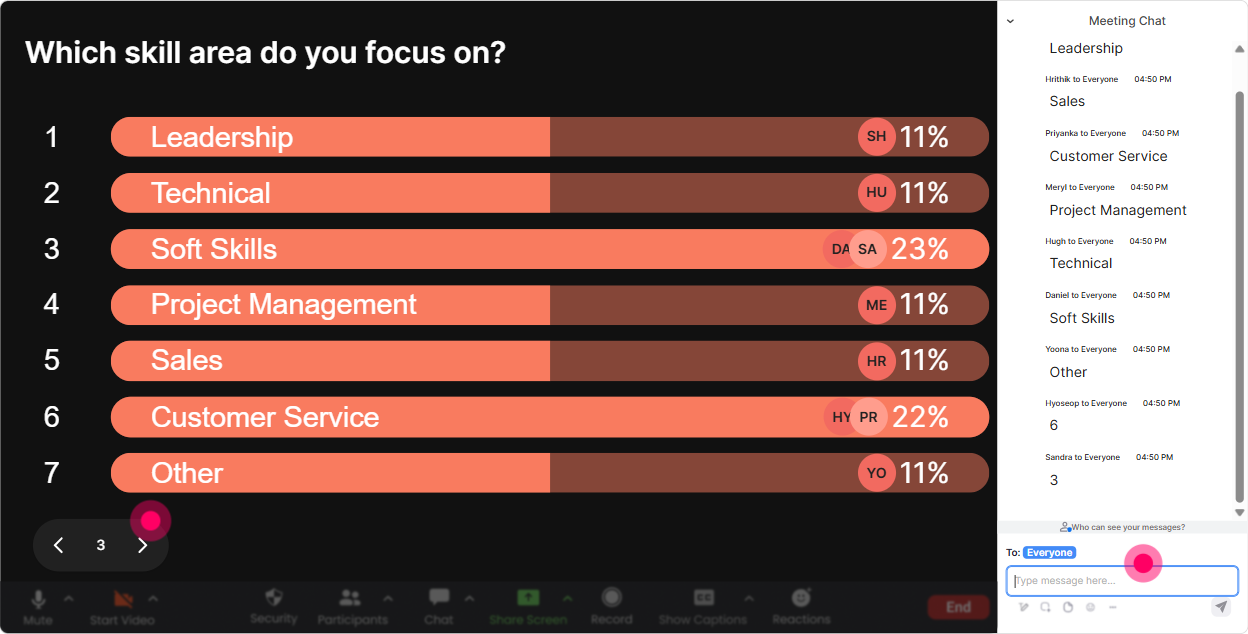
5) Power Polls: Let them choose the agenda (and boost buy-in instantly)
If youve ever felt the room drift because your content isnt matching what they need right now-polls fix that. Run a Power Poll early and say, Cool, well prioritize what you voted for. Poll ideas for a Skills-Based Organizations ILT: - What do you want most from today? 1) Skills taxonomy basics 2) Role-to-skill mapping 3) Assessment strategy 4) L&D alignment + learning pathways 5) How to sell this to clients - Where are your clients getting stuck? 1) Defining skills 2) Getting stakeholder buy-in 3) Choosing tech/tools 4) Measuring impact Trainer tip: Run the poll, show results live, then literally narrate your pivot: Alright, looks like mapping and measurement are the biggest needs-lets go there next. Engagement shoots up because they feel the session is for them.
6) Winner Wheel: Make participation effortless (and a little exciting)
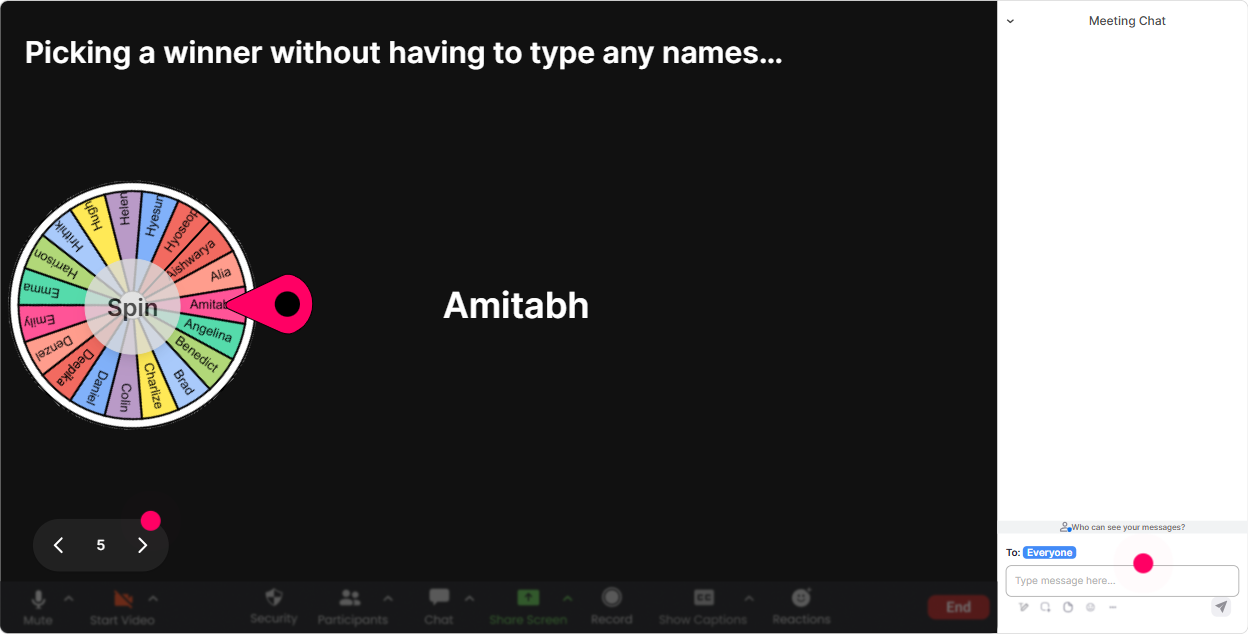
Getting people to speak up is hard-especially in corporate training where nobody wants to be first. Winner Wheel removes the pressure. You can say, No volunteering needed-if youve commented, youre eligible. Ways to use it in Skills-Based Organizations training: - After a brainstorm: Wheel pick: whos going to share their client scenario in 30 seconds? - After a quiz/poll: Lets spin for someone to explain why they chose that option. - For rewards: Well spin at the end for a coffee card / bonus template / shoutout-commenting gets you on the wheel. Trainer tip: This is how you keep the chat alive all session. People realize participation is noticed (and rewarded), so they stay active instead of disappearing after the first 10 minutes.
7) Quiz: Quick knowledge checks that dont feel like exams
When youre teaching frameworks like Skills-Based Organizations, you want to confirm understanding before you move on. StreamAlive Quiz lets you do it fast, in-chat, and show results instantly. Quiz questions you can use: - Which is the best example of a skills-based approach? A) Promote based on tenure B) Hire based on role titles only C) Match people to work based on verified skills (Correct) D) Train everyone on the same curriculum - A skills taxonomy is primarily used to A) Replace performance reviews B) Standardize and organize skills language across the org (Correct) C) Eliminate job descriptions D) Track vacation time Trainer tip: Dont just reveal the correct answer-ask one person (wheel-picked or volunteer) to explain it in plain language. Thats where learning sticks.

2) Rating Polls: Quick confidence check (without putting anyone on the spot)
When youre teaching Skills-Based Organizations, people come in at wildly different levels-some are deep in competency models, others are hearing skills taxonomy for the first time. Rating Polls let you measure where the room is in seconds, straight from chat. How to use it in your session: - Opener: On a scale of 110, how confident are you explaining a Skills-Based Organization to a client? - Midway pulse: Rate this statement: Our clients are ready to move from job-based roles to skills-based practices. (1=not at all, 10=fully ready) - Closeout: How ready are you to run a skills-based needs analysis after today? Trainer tip: If you see a low average, you dont need to guess whats wrong-you can slow down, add an example, or do a quick recap. It helps you teach the room you actually have, not the one you planned for.
8) Q&A (Quick Questions): Capture every question without losing your place
In SBO sessions, questions pop up constantly: Where do we start?, How do we measure skills?, What if the business doesnt buy in? The problem is they get lost in chat. StreamAlives Q&A collects and displays questions cleanly so you can actually manage them. How to run it smoothly: - Tell participants: Drop questions anytime-StreamAlive will catch them. - Do Q&A pit stops every 1520 minutes so questions dont stack up. - Use it for sensitive topics: Ask your toughest stakeholder objection as a question. Trainer tip: This makes you look more in control as a facilitator. Youre not hunting through chat-youre leading the room.

9) Analytics: Prove engagement (and improve your next delivery)
If you deliver training for clients, you know the post-session questions: Was it engaging? Did people participate? What landed? StreamAlive analytics gives you real proof-minute-by-minute engagement, interaction reports, and who your most engaged participants were. How Training Agencies can use this for Skills-Based Organizations training: - Identify the moments engagement spiked (maybe your role-to-skill mapping activity crushed it) and keep that in future runs. - Spot the drop-off points (maybe the taxonomy section needs a simpler example) and tighten it. - Share interaction results and engagement summaries with internal teams or client stakeholders via email/Teams. - Find your Fantastic Fans (most engaged attendees) and follow up-these are your champions for rollouts and pilots. Trainer tip: Analytics turns I think it went well into Heres exactly what the room engaged with. Thats gold when youre scaling this training across multiple cohorts.

Use StreamAlive in all your training sessions
StreamAlive isn’t just for
Skills-Based Organizations
training,
it can also be used for any instructor-led training session directly inside your PowerPoint presentation.
Explore similar traingin ideas: unlocking the potential of StreamAlive
See how StreamAlive transforms live training with engaging events and interactive sessions across industries, directly inside your PowerPoint presentation.

Interactions in action
(it's free)

.svg.png)


