Install StreamAlive for your PowerPoint slides
Learn more

DEIB Training for Training Agencies
StreamAlive helps 9x the audience engagement in your Virtual Instructor-led Trainings (VILT) directly inside your powerpoint presentation.
Make your instructor-led DEIB training more fun with polls, word clouds, spinner wheels and more
Works inside your existing PowerPoint presentation
Install the StreamAlive app for PowerPoint and see your slides come to life as people participate in your interactions
AI generates audience interactions for you
Let our AI scan your presentation and automatically come up with relevant questions based on the content. Or spend two hours coming up with your own questions, your choice!
Built to work with MS Teams and Zoom
Native apps for Teams and Zoom so you never have to leave your existing workflows
No QR Codes
Chat-powered interactions means your audience doesn’t need to scan QR codes or look at another screen to participate. They just type in the chat!

Quickly approved by your IT team
StreamAlive’s apps for Teams and Zoom means that they have been through rigorous quality assurance and client safety reviews. You’ll find everything an IT team needs to approve the app within the organization within your StreamAlive account.

Youve been asked to run DEIB instructor-led training for a training agency-and you want it to be meaningful, not awkward or lecture-y. The easiest way? Get people participating early and often. Here are simple DEIB-friendly activity ideas using StreamAlive so your session feels alive (not like a compliance video).
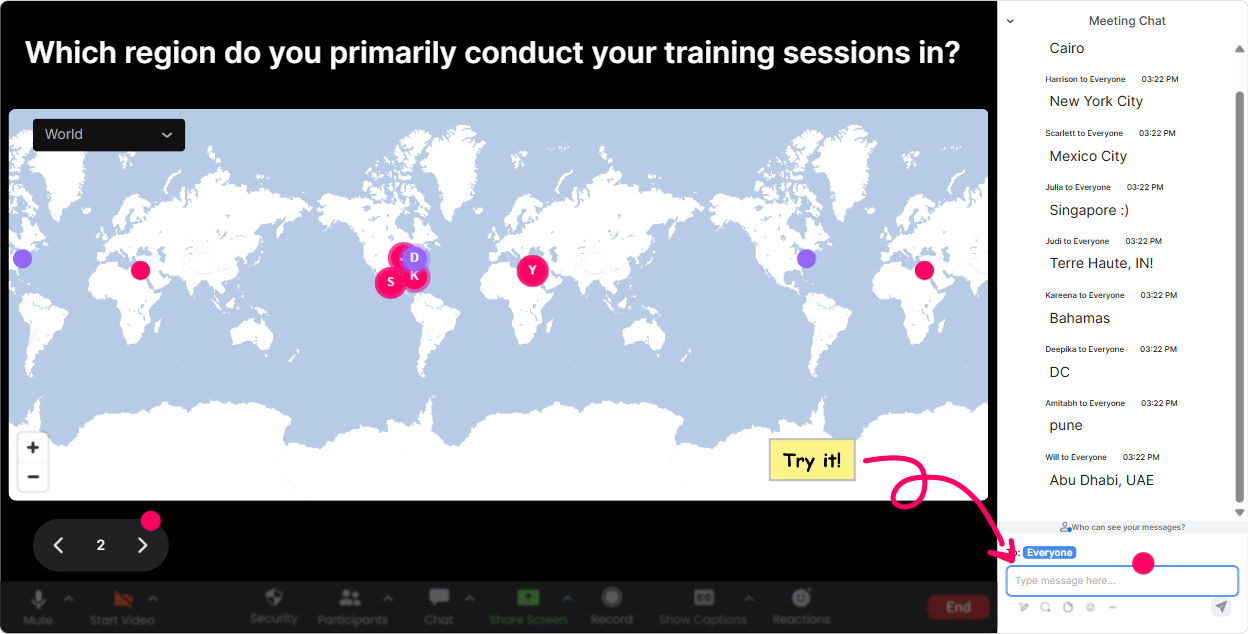
1) Magic Maps: Start DEIB with Whos in the room? (without putting anyone on the spot)
DEIB conversations go better when people feel seen-and Magic Maps is a super easy way to do that in the first 2 minutes. Ask a location-based question, let people answer in chat, and StreamAlive plots it live on a world map. Its instant energy, and it quietly reinforces: Were a mix of experiences here. Try these DEIB-friendly prompts: - Where are you joining from today? (classic, fast, zero risk) - Where did you grow up? (great for identity + background-optional if people prefer) - Name a place that shaped your perspective. (ties directly to inclusion and lived experience) - If you could learn about any culture by living there for a month, where would you go? Trainer tip: If youre worried about privacy, invite people to share a region/country instead of a city. You still get the were global and diverse moment without making anyone uncomfortable.
2) Rating Polls: Quick pulse-checks that tell you what youre dealing with
DEIB groups are rarely at the same starting line. Rating Polls let you find that out fast-without asking people to speak up. They just drop a number in chat and you get an instant visual. Use it at the start: - On a scale of 110, how confident do you feel talking about DEIB at work? - 110: How psychologically safe does your workplace feel right now? - 110: How familiar are you with terms like equity vs equality? Use it mid-session to adjust: - 110: Are we moving too fast? - 110: How useful was that scenario example? Use it at the end for impact: - 110: How likely are you to use one idea from today in the next two weeks? This is the kind of engagement that doesnt feel like engagement-it feels like youre listening in real time.

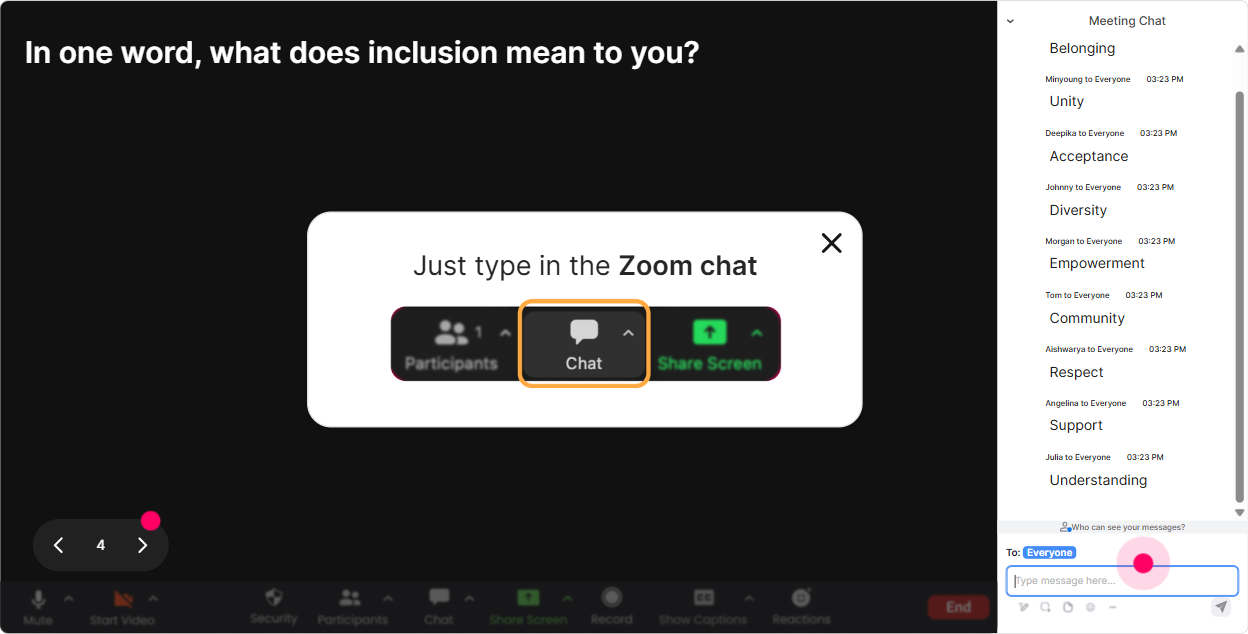
3) Wonder Words (Word Cloud): Let the room tell you the vibe-instantly
DEIB training can bring up a lot of emotions, and people dont always want to say them out loud. A word cloud is perfect because its quick, low-pressure, and super visual. Ask for 12 words and let StreamAlive build the rooms collective mood live. Great moments to use it: - Opener: In 12 words, how do you feel about DEIB training today? (youll see curious, nervous, skeptical-and it helps you set tone) - After a definition: What word comes to mind when you hear inclusion? - After a story: Whats the impact of bias in one word? - Commitment moment: One word: what do you want to practice more? (e.g., listening, speaking up, empathy) Trainer tip: Use the Combine Similar Answers option so safe and safety dont split into separate bubbles.
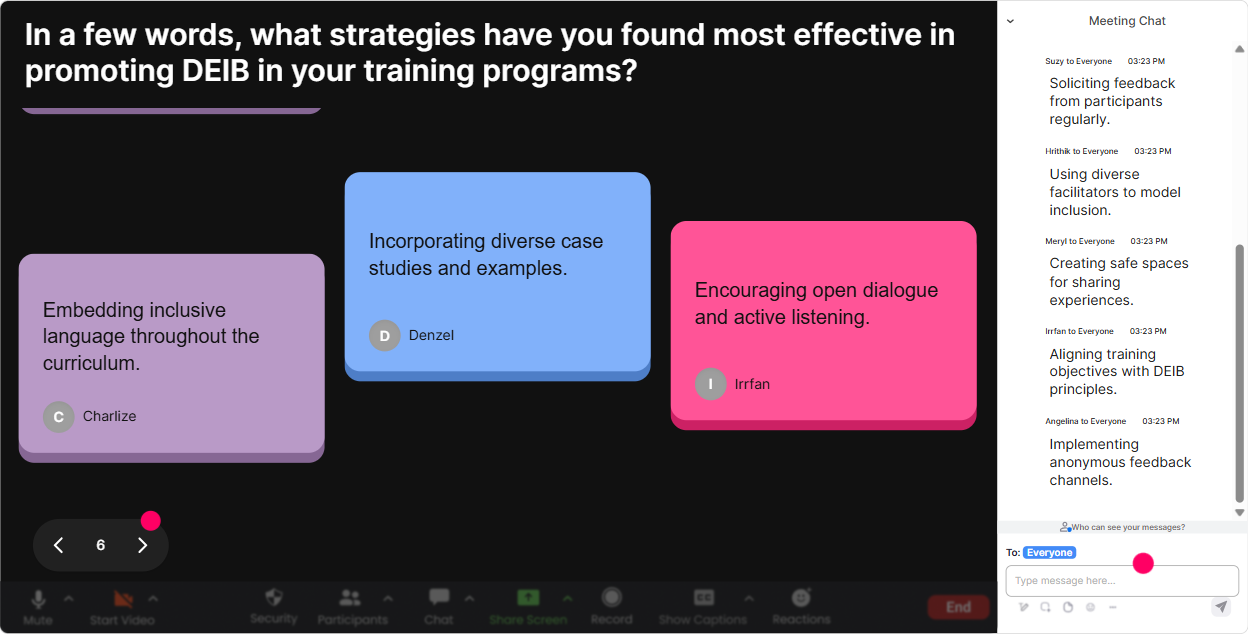
4) Talking Tiles: Turn DEIB reflections into a live wall of voices
Some DEIB questions need more than a one-word answer-but you still dont want 20 people unmuting one by one. Talking Tiles is the sweet spot: everyone types a short reflection and StreamAlive drops them on-screen like dynamic tiles. It feels like the whole group is contributing. Prompts that work really well: - Whats one way DEIB shows up in your role (client-facing, facilitation, program design, hiring)? - Describe a moment you felt included at work-what made it happen? - Whats one barrier to inclusion youve noticed in training rooms? - When you see bias in a session, whats the hardest part about addressing it? This is also great for training agencies because you can connect it directly to their world: learner experience, facilitation choices, case studies, language, accessibility, and client expectations.
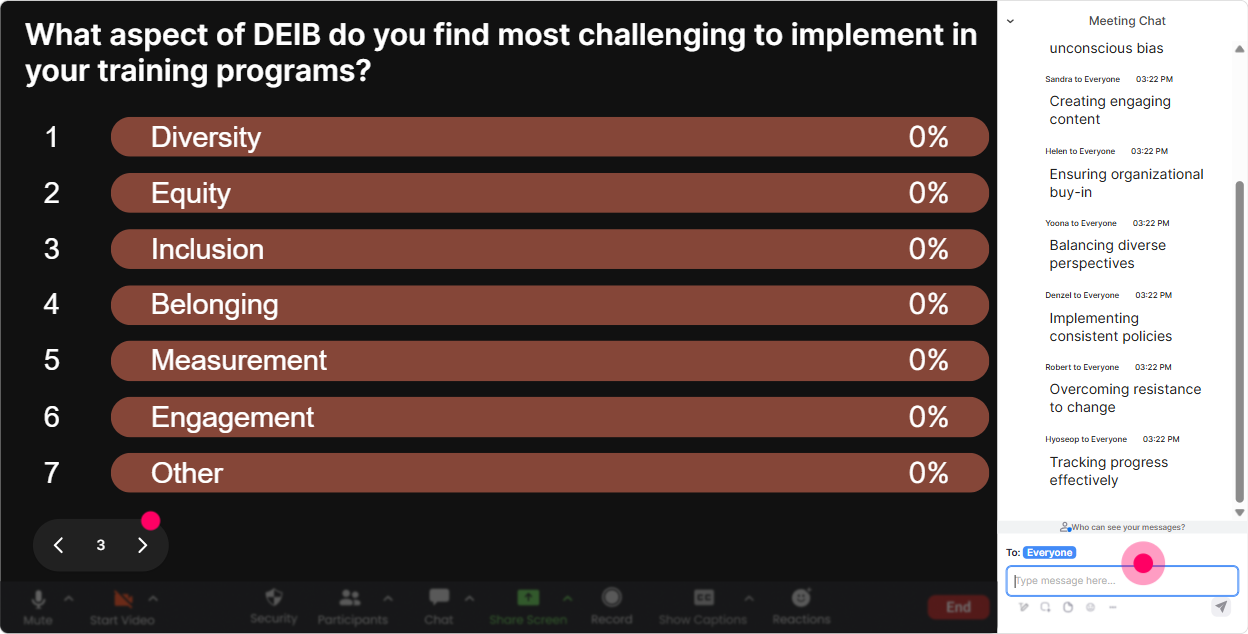
5) Power Polls: Let the group choose the direction (and increase buy-in fast)
If you want adults to engage, let them feel some control. Power Polls make it easy to ask, What do you want to focus on? and then actually show the results live. Poll ideas for DEIB instructor-led sessions: - Which area do you want more tools for today? 1) Inclusive language 2) Handling pushback 3) Bias in facilitation 4) Accessible learning design - Where do you see DEIB breakdowns most often? 1) In meetings 2) In training rooms 3) In hiring 4) In promotions - What would help you most? 1) Scripts to speak up 2) Scenario practice 3) Frameworks/definitions 4) Feedback techniques Trainer tip: Run a poll early, then say, Cool-looks like the room wants more on handling pushback. Lets spend extra time there. People immediately feel like the session is for them, not at them.
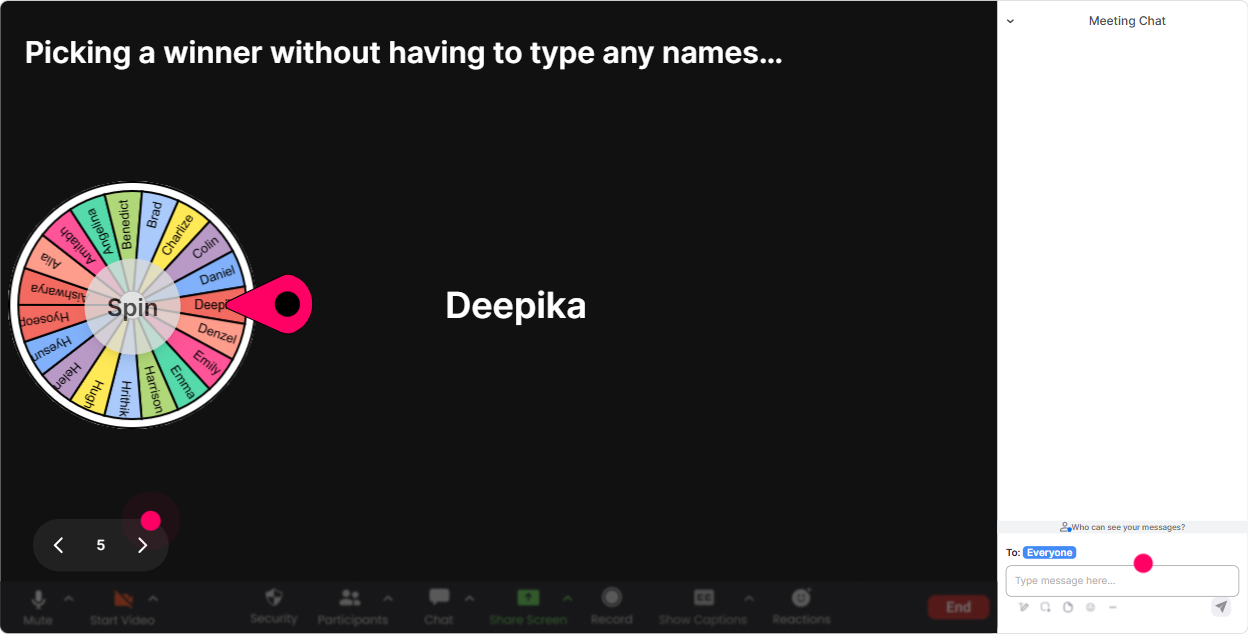
6) Winner Wheel: Make volunteering fair (and weirdly fun)
Getting people to speak in DEIB can be tricky-some folks dominate, others disappear. Winner Wheel helps you make participation feel fair and light, because its not the facilitator picking you. Its fate. Ways to use it without making it stressful: - Drop one strategy in chat for inclusive facilitation-I'll spin the wheel and ask one person to explain theirs for 20 seconds. - Type Im in if youre open to role-playing a scenario-winner wheel picks our volunteer. - Share one word youd use to reset a tense moment-I'll spin and ask someone to give a quick example. Important: Always give an opt-out line, like: If youd rather pass, just say pass-no big deal. Psychological safety first.
7) Quiz: Quick DEIB knowledge checks that dont feel like a test
A Quiz interaction is perfect for myths, definitions, and those wait, whats the difference? moments. You set multiple-choice options, participants answer in chat, and you reveal the correct answer when youre ready. Simple DEIB quiz questions trainers love: - Which is the best example of equity? A) Same resources for all B) Resources based on need C) Ignoring differences D) Seniority-based access - Whats the definition of microaggression? (pick the best option) - Which action most supports accessibility in live training? A) Speak fast B) Rely on color-only cues C) Provide captions/materials D) Skip breaks Trainer tip: Use quizzes as conversation starters, not gotcha moments. After you reveal the answer, ask: What made that tricky? Thats where the learning is.

2) Rating Polls: Quick pulse-checks that tell you what youre dealing with
DEIB groups are rarely at the same starting line. Rating Polls let you find that out fast-without asking people to speak up. They just drop a number in chat and you get an instant visual. Use it at the start: - On a scale of 110, how confident do you feel talking about DEIB at work? - 110: How psychologically safe does your workplace feel right now? - 110: How familiar are you with terms like equity vs equality? Use it mid-session to adjust: - 110: Are we moving too fast? - 110: How useful was that scenario example? Use it at the end for impact: - 110: How likely are you to use one idea from today in the next two weeks? This is the kind of engagement that doesnt feel like engagement-it feels like youre listening in real time.
8) Q&A: Capture the real questions (without losing them in the chat chaos)
In DEIB sessions, the best questions often show up mid-chat and then disappear under a flood of comments. StreamAlives Q&A feature automatically detects and collects questions from chat so you can actually manage them. How to use it in a DEIB-friendly way: - Set a norm: If its a question, start your message with Q: so it gets captured clearly. - Park tough ones: Im putting that in our Q&A queue-well hit it after the next activity. - Create safety: You can ask messy questions here. Well handle them respectfully. This helps you stay calm and organized-especially when the topic gets sensitive.

9) Analytics: Prove engagement, improve your next session, and spot your champions
If youre a training agency (or training for one), youre often asked: Did it work? StreamAlive Analytics gives you real signals, not just vibes. What you can do with it after a DEIB session: - See minute-by-minute engagement: find out where attention dropped (maybe the policy slide) and where it spiked (usually scenarios and stories) - Replay interaction results: reuse the best prompts next time, refine the ones that fell flat - Identify your most engaged participants (Fantastic Fans): these are often your future champions-great for follow-up, peer facilitators, or pilot groups - Share reports via email/Teams: helpful when a client wants proof of participation and outcomes Bottom line: youre not guessing what worked-youre improving with data, session after session, which is exactly how you get to that up to 9x engagement jump over standard webinar-style delivery.

Use StreamAlive in all your training sessions
StreamAlive isn’t just for
DEIB
training,
it can also be used for any instructor-led training session directly inside your PowerPoint presentation.
Explore similar traingin ideas: unlocking the potential of StreamAlive
See how StreamAlive transforms live training with engaging events and interactive sessions across industries, directly inside your PowerPoint presentation.

Interactions in action
(it's free)

.svg.png)


