Install StreamAlive for your PowerPoint slides
Learn more

Ethical AI Use Training for L&D Leaders
StreamAlive helps 9x the audience engagement in your Virtual Instructor-led Trainings (VILT) directly inside your powerpoint presentation.
Make your instructor-led Ethical AI Use training more fun with polls, word clouds, spinner wheels and more
Works inside your existing PowerPoint presentation
Install the StreamAlive app for PowerPoint and see your slides come to life as people participate in your interactions
AI generates audience interactions for you
Let our AI scan your presentation and automatically come up with relevant questions based on the content. Or spend two hours coming up with your own questions, your choice!
Built to work with MS Teams and Zoom
Native apps for Teams and Zoom so you never have to leave your existing workflows
No QR Codes
Chat-powered interactions means your audience doesn’t need to scan QR codes or look at another screen to participate. They just type in the chat!

Quickly approved by your IT team
StreamAlive’s apps for Teams and Zoom means that they have been through rigorous quality assurance and client safety reviews. You’ll find everything an IT team needs to approve the app within the organization within your StreamAlive account.

Youve been asked to run an instructor-led session on Ethical AI Use for L&D Leaders-and you want it to be more than a slide deck and a few awkward Any questions? moments. Totally fair. Here are simple, practical ways to teach ethical AI and keep your room (virtual or in-person) genuinely engaged-using StreamAlive to help you get up to 9x more interaction.
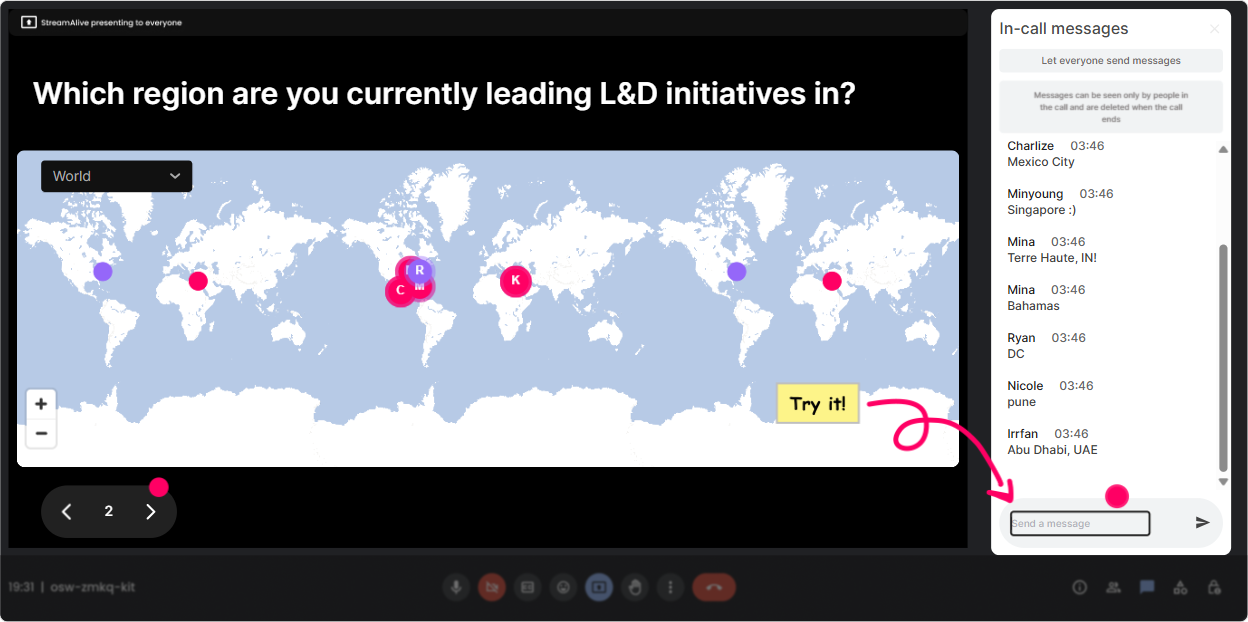
1) Kick off with Magic Maps: Ethical AI is global-so are we
The easiest win in any live training? Get people talking in the first 60 seconds. With **Magic Maps**, you ask one location-based question and StreamAlive plots everyones answers on a live map in real time-instant energy, instant belonging. **How to use it in Ethical AI Use training (for L&D leaders):** - **Warm-up question:** Where are you joining from today? (classic, always works) - **Make it relevant:** Which country/region do you think is shaping AI policy the fastest right now? - **Make it personal:** If you could visit one city to learn how theyre handling AI in workplaces, where would you go? **Trainer move:** When you see clusters, call them out: Wow-lots of folks from Toronto. Im curious, are you already seeing AI guidelines in your org? Thats how you turn a map into conversation.
2) Use Rating Polls to gauge confidence: How ready are we really?
Ethical AI can feel fuzzy-so dont guess where people are at. Use a **Rating Poll** to get a quick, visual pulse check (and it takes seconds for participants). **Great moments to run a Rating Poll:** - **Right at the start:** On a scale of 110, how confident are you in explaining ethical AI use to a business leader? - **After definitions:** Rate how clear the difference is: AI ethics vs AI compliance (1 = still murky, 10 = crystal clear). - **After a case study:** How comfortable would you be approving this AI use case in your org? (110) **Trainer move:** If the average is low, dont panic-celebrate it: Perfect. That means were exactly where we need to be. Lets build the clarity together.

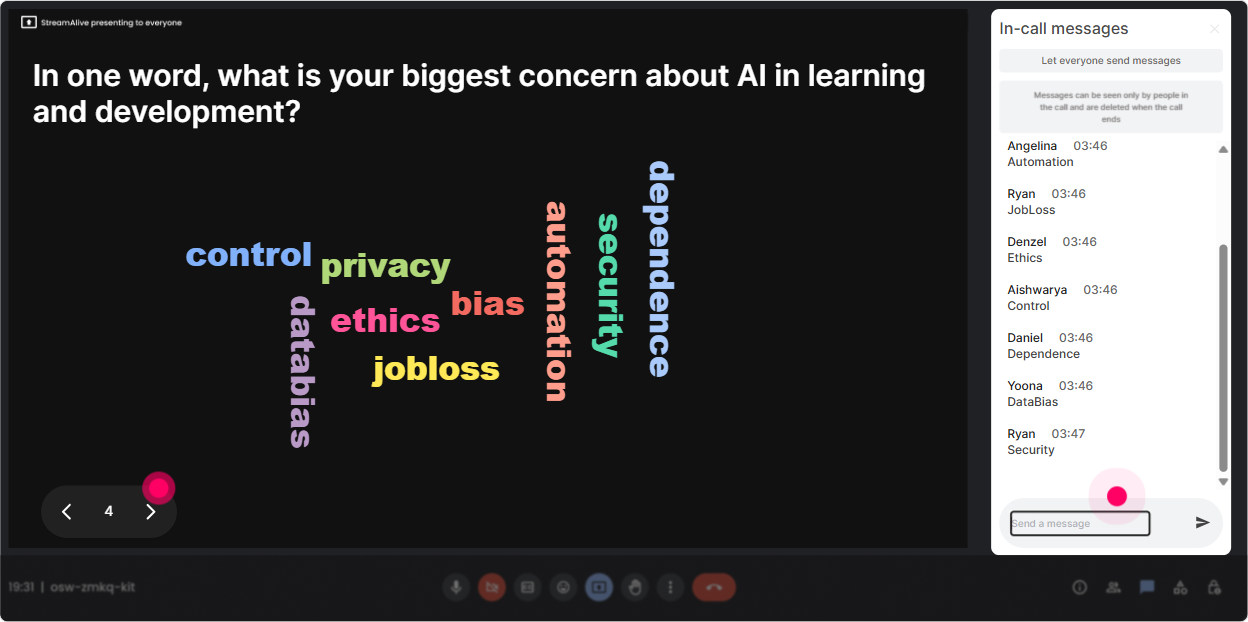
3) Open with Wonder Words (Word Cloud): What comes to mind when you hear Ethical AI?
If you want instant insight into your room, **Wonder Words** is gold. Ask for 12 word responses and StreamAlive turns it into a live word cloud-so your audience literally sees their collective mindset. **Word Cloud prompts that work brilliantly for Ethical AI:** - When you hear *Ethical AI*, whats the first word that comes to mind? - What emotion do you feel about AI in L&D? (12 words) - Whats the biggest risk you worry about with AI at work? (Examples youll see: bias, privacy, plagiarism, accuracy, legal) - What does responsible AI mean to you? **Trainer move:** Use the biggest word as your bridge: Bias is huge on the screen-lets unpack what bias actually looks like in learning content and talent decisions. Now youre teaching what they care about.
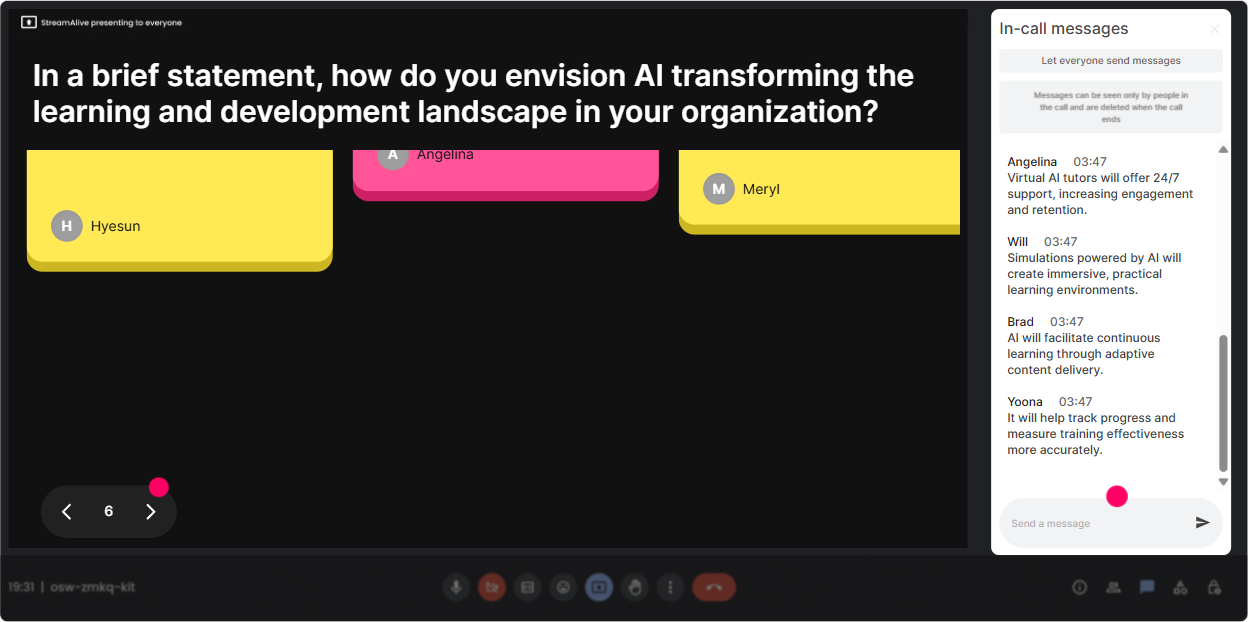
4) Bring stories to life with Talking Tiles: Show me whats happening in your world
Ethical AI gets real when people connect it to their day-to-day work. **Talking Tiles** is perfect for longer responses because it turns chat into a dynamic visual wall of contributions. **Prompts to get meaningful, practical answers:** - Where is AI already showing up in your L&D workflow? - Whats one AI use youre excited about-and one youre cautious about? - What could go wrong if someone in your org uses AI carelessly in training content? - Describe a scenario where AI could accidentally exclude or misrepresent learners. **Trainer move:** Pick 23 tiles and respond like a coach: This one says using AI to write course outlines-awesome. Lets talk about what you *must* verify before it becomes learner-facing.
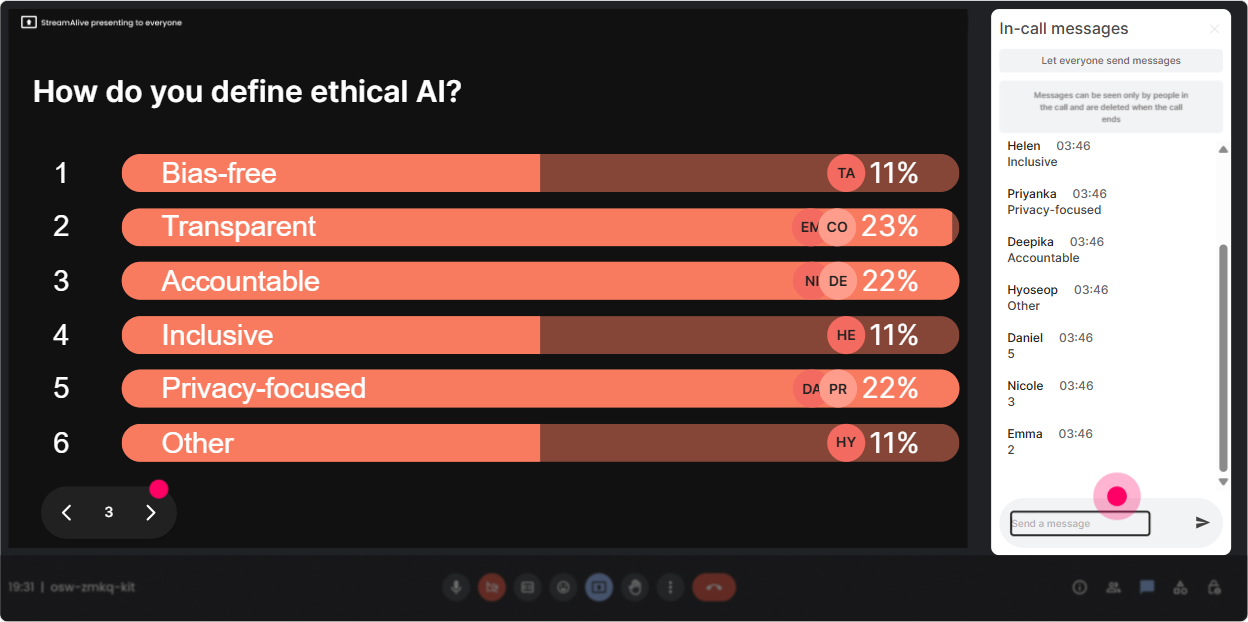
5) Use Power Polls to let the audience choose the agenda (and feel ownership)
L&D leaders love relevance. With **Power Polls**, you can let participants vote on what to dig into-then you teach in the direction the room is already leaning. **Poll ideas for Ethical AI Use training:** - What do you want most from today? 1) Practical AI policy templates 2) Risk management + governance basics 3) Real examples of ethical failures 4) How to coach employees on AI use - Which risk worries you most in your org? 1) Data privacy 2) Bias/fairness 3) Hallucinations/accuracy 4) IP/copyright 5) Over-reliance on AI - Where should AI be *allowed* in L&D? 1) Brainstorming only 2) Drafting content with review 3) Personalizing learning paths 4) Assessment/knowledge checks **Trainer move:** Say it out loud: Alright, the room voted-privacy wins. Lets start there. Watch engagement jump because now its *their* session too.
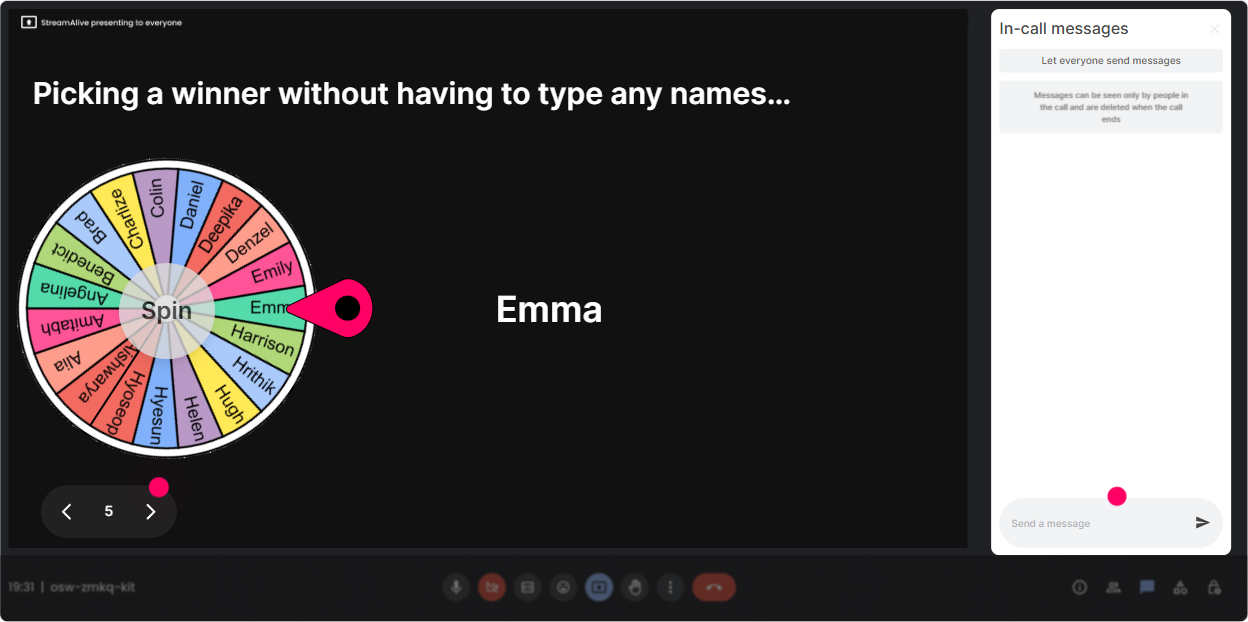
6) Winner Wheel: make participation fun (without putting people on the spot weirdly)
Sometimes you need more voices, not just chat. **Winner Wheel** helps you encourage participation in a playful, fair way-especially when the same 3 people keep answering. **Ways to use it in Ethical AI Use ILT:** - **Low-pressure volunteering:** Drop ME in chat if youre open to sharing how your org is using AI. Ill spin the wheel. - **Scenario review:** Type YES if youll help us evaluate this AI case study. Lets spin for our first reviewer. - **Reinforce engagement:** Everyone who contributed to the poll is eligible-wheel decides who wins a digital gift card / shoutout / free template. **Trainer move:** Keep it kind: You can pass anytime. People relax, and you still get more live voices.
7) Run a quick Quiz for myth-busting: Ethical AI isnt just common sense
Ethical AI has a lot of myths floating around. A **Quiz** interaction is perfect for quick knowledge checks where only one answer is correct-and it keeps your training lively. **Quiz questions you can use (multiple choice):** - Which is the BEST next step before using AI-generated content in a compliance course? A) Publish it if it sounds right B) Verify facts, sources, and bias before using it C) Add a disclaimer and move on D) Ask AI to be ethical - Whats the biggest issue with AI hallucinations in L&D content? A) Learners get bored B) It can create confident but false learning C) It makes content too short D) It uses too many bullet points - Which data should NEVER be pasted into public AI tools? A) Public web copy B) Internal employee performance notes C) A generic job description D) A public press release **Trainer move:** After revealing the correct answer, ask: What made that option tempting? Thats where the real learning happens.

2) Use Rating Polls to gauge confidence: How ready are we really?
Ethical AI can feel fuzzy-so dont guess where people are at. Use a **Rating Poll** to get a quick, visual pulse check (and it takes seconds for participants). **Great moments to run a Rating Poll:** - **Right at the start:** On a scale of 110, how confident are you in explaining ethical AI use to a business leader? - **After definitions:** Rate how clear the difference is: AI ethics vs AI compliance (1 = still murky, 10 = crystal clear). - **After a case study:** How comfortable would you be approving this AI use case in your org? (110) **Trainer move:** If the average is low, dont panic-celebrate it: Perfect. That means were exactly where we need to be. Lets build the clarity together.
8) Q&A that doesnt get lost in chat: capture questions automatically
In most platforms, questions get buried between thanks! and can you share the slide? StreamAlive **Q&A** pulls audience questions from chat and displays them neatly so you can actually manage them live. **How to use Q&A in Ethical AI Use training:** - Tell them: Drop your questions anytime-StreamAlive will catch them. - Plant a few prompts: - Whats the hardest part about setting AI guidelines in your org? - Where do you draw the line between helpful AI and unacceptable outsourcing? - How do we handle AI use when vendors wont disclose their models? **Trainer move:** Do a parking lot moment: Im saving three big questions for the end-keep them coming. People feel heard, and you stay in control.

9) Use Analytics after the session: prove engagement, improve the next run
After your training, StreamAlive **Analytics** shows you what actually happened-not what you *think* happened. You can see engagement minute-by-minute, which interactions landed best, and who your most engaged participants were. **How L&D leaders and trainers can use this for Ethical AI training:** - **Find your high-engagement moments:** Did the bias case study spike chat? Great-keep it and expand it. - **Spot where attention dropped:** If engagement dips during policy slides, break that section into a poll + discussion next time. - **Identify champions:** Your Fantastic Fans are the people who might help you roll out ethical AI practices internally. - **Share outcomes easily:** Send interaction results to your email, recap with stakeholders, or drop insights into Teams. **Trainer move:** Use analytics as your upgrade loop: Next session, Im swapping 10 minutes of lecture for 2 interactions-because the data shows thats when people leaned in.

Use StreamAlive in all your training sessions
StreamAlive isn’t just for
Ethical AI Use
training,
it can also be used for any instructor-led training session directly inside your PowerPoint presentation.
Explore similar traingin ideas: unlocking the potential of StreamAlive
See how StreamAlive transforms live training with engaging events and interactive sessions across industries, directly inside your PowerPoint presentation.

Interactions in action
(it's free)

.svg.png)


