Install StreamAlive for your PowerPoint slides
Learn more

Ethical AI Use Training for Training Agencies
StreamAlive helps 9x the audience engagement in your Virtual Instructor-led Trainings (VILT) directly inside your powerpoint presentation.
Make your instructor-led Ethical AI Use training more fun with polls, word clouds, spinner wheels and more
Works inside your existing PowerPoint presentation
Install the StreamAlive app for PowerPoint and see your slides come to life as people participate in your interactions
AI generates audience interactions for you
Let our AI scan your presentation and automatically come up with relevant questions based on the content. Or spend two hours coming up with your own questions, your choice!
Built to work with MS Teams and Zoom
Native apps for Teams and Zoom so you never have to leave your existing workflows
No QR Codes
Chat-powered interactions means your audience doesn’t need to scan QR codes or look at another screen to participate. They just type in the chat!

Quickly approved by your IT team
StreamAlive’s apps for Teams and Zoom means that they have been through rigorous quality assurance and client safety reviews. You’ll find everything an IT team needs to approve the app within the organization within your StreamAlive account.

Youve been asked to run an instructor-led session on Ethical AI Use for a training agency-and you want people to actually stay with you (not multitask in silence). The trick is to make it feel interactive every few minutes, without adding extra work. Heres how StreamAlive can help you do that and drive up to 9x more live engagement.
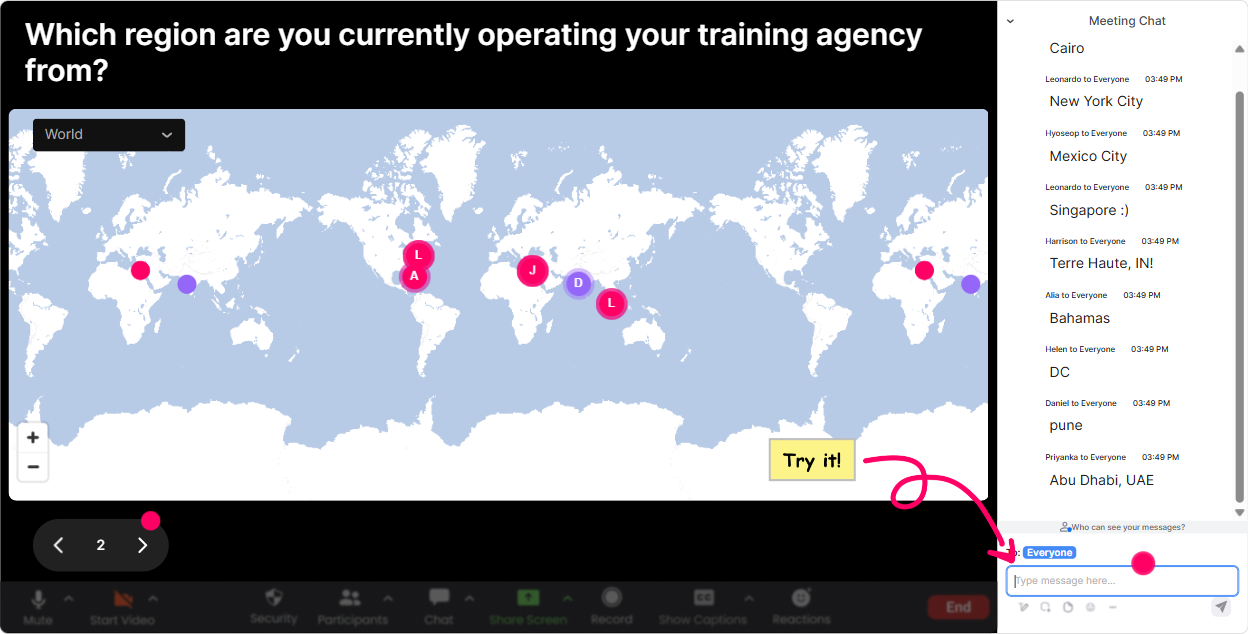
Magic Maps: Put your Ethical AI training agency audience on the map
Start with something easy that gets everyone typing right away-because once theyve chatted once, theyre way more likely to keep participating. How to use it in Ethical AI Use training: - Icebreaker: Where are you joining from today? (classic, always works) - Make it relevant: Drop the city where your learners are mostly based. (great for agencies with distributed clients) - Tie it to AI context: If AI could instantly translate your training into any language, which country would you expand to first? Trainer tip: If youve got a global crowd, call out the clusters. Wow, weve got a big group in Toronto-tell me, are your clients asking for AI policies yet? That one little moment turns a map into a conversation.
Rating Polls: Quick pulse-check on Ethical AI readiness
Rating Polls are perfect for those How are we doing? moments-without awkward silence. People just type a number and you instantly see the vibe. Ways to use it in Ethical AI Use instructor-led training: - Confidence check: On a scale of 110, how confident are you that your trainers are using AI ethically today? - Risk check: Rate the risk level of AI in your training content creation (1 low 10 high). - Policy reality check: How clear is your agencys AI guidance right now? (1 = not at all, 10 = crystal clear) Trainer tip: If you see a split (some 2s and some 9s), dont rush past it. Thats your moment to say, Alright, weve got different realities in the room-lets unpack why.

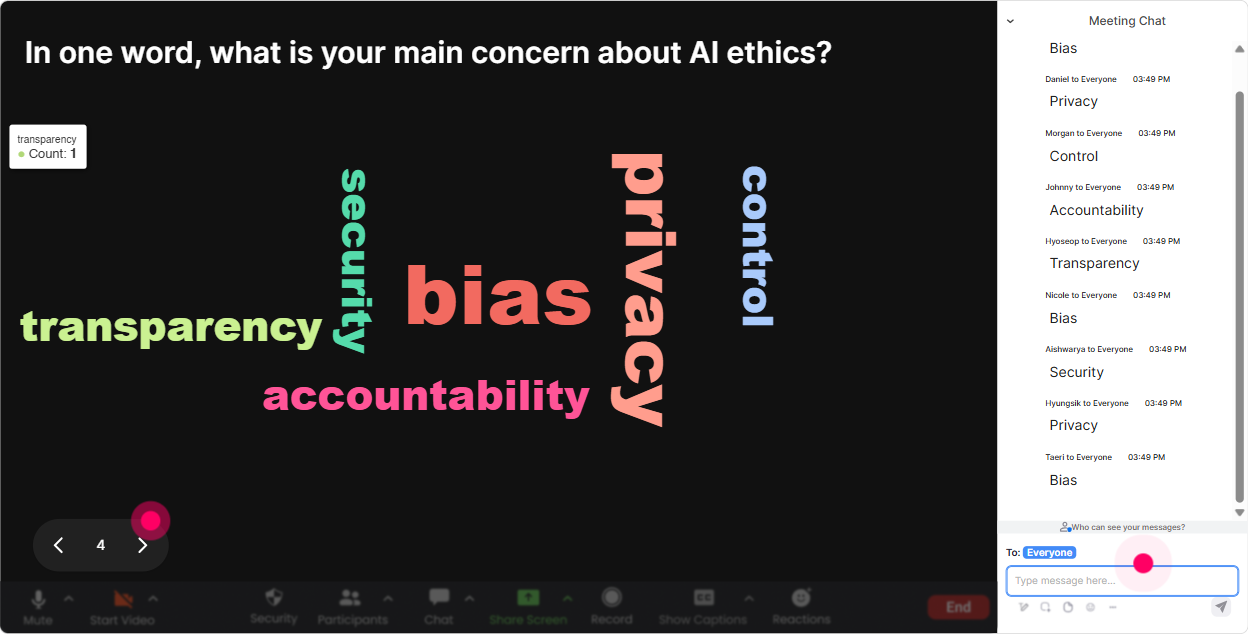
Wonder Words (Word Cloud): Capture emotions + beliefs about Ethical AI use
Ethical AI can feel heavy-policies, risks, compliance, bias a word cloud lets people show how they feel in one or two words, fast. And it gives you a great read on the room. Prompts that work really well: - When you hear Ethical AI use in training, whats the first word that pops up? - Whats the biggest concern you have about using AI in your training agency? (12 words) - Whats one benefit you *do* want from AI in your workflow? Trainer tip: Use Combine Similar Answers so privacy and data privacy dont get split. Then react to the biggest words live: Okay bias is huge-lets talk about how that shows up in training examples and assessments.
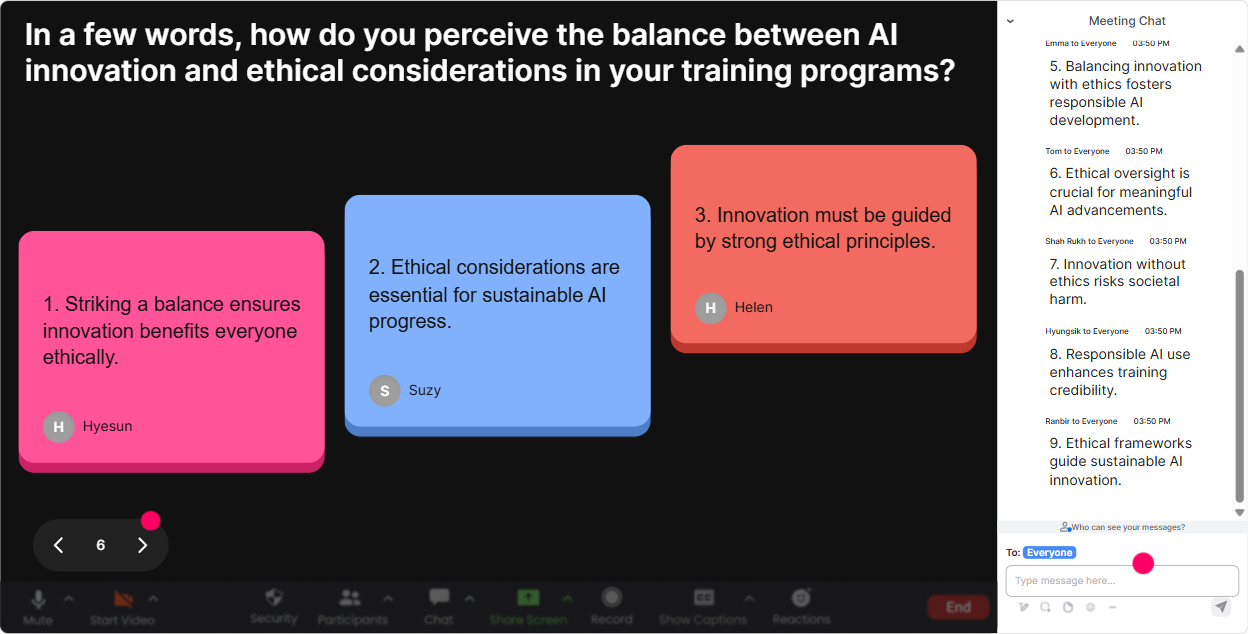
Talking Tiles: Turn audience responses into a live Ethical AI brainstorm wall
This is where you go beyond one-word answers. Talking Tiles lets people share real thoughts, and it looks fun on screen-so more people jump in. Great Ethical AI Use activities for training agencies: - Role impact: How does AI show up in your role today-content creation, facilitation, assessments, admin, sales proposals? - Scenario share: Describe one situation where AI would save you time, but youre unsure if its ethically okay. - Boundary-setting: Finish this sentence: In our agency, AI is NOT allowed to Trainer tip: Pick 23 tiles and read them out loud. People love hearing their input acknowledged, and it nudges others to participate too.
Power Polls: Find out what Ethical AI topics your audience actually wants
Instead of guessing what to focus on, just ask-and show results live. This also helps you tailor the session in real time (which makes you look like a mind reader). Poll ideas for Ethical AI Use instructor-led training: - What do you want to spend more time on today? 1) Data privacy + confidentiality 2) Bias + fairness in training content 3) Copyright/IP when using AI 4) Transparency (telling learners when AI was used) 5) Building an internal AI policy for trainers - Where is AI used most in your agency today? 1) Course design 2) Slide creation 3) Assessments/quizzes 4) Marketing content 5) Coaching/trainer support Trainer tip: Run this poll twice-once at the start and once near the end. Its a super clean way to show progress and shifting priorities.

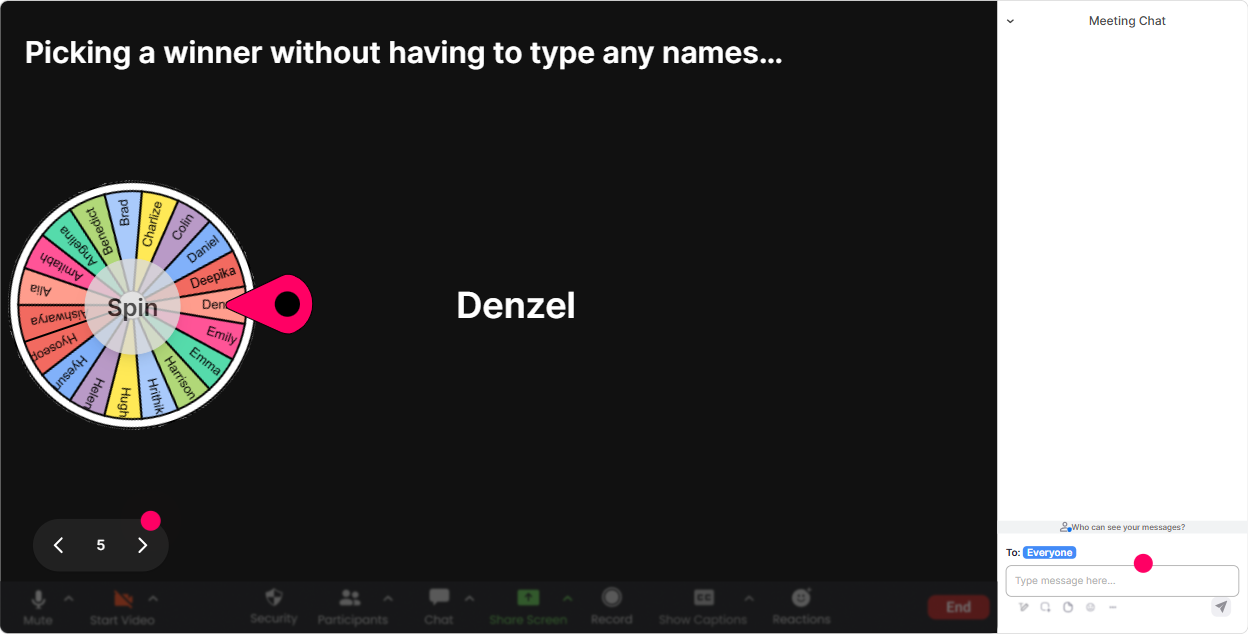
Winner Wheel (Spinner Wheel): Get volunteers without the awkwardness
You know that moment when you ask, Anyone want to share? and suddenly everyone becomes a statue? Winner Wheel fixes that. People participate in chat, and the wheel picks who speaks-random, fair, and kind of exciting. Ways to use it in Ethical AI training: - Scenario debrief: Share one AI use-case youre currently doing. Ill spin the wheel and ask one person to explain it in 30 seconds. - Mini roleplay: Drop Yes if youll help. Wheel picks someone to play client while I play trainer discussing AI disclosure. - Reward engagement: Everyone who contributed to the policy brainstorm-one of you wins a resource pack/template. Trainer tip: Set the expectation gently: If you get picked and youd rather pass, totally fine-just type pass. Participation stays high when people feel safe.
Quiz: Quick Ethical AI knowledge checks that dont feel like an exam
Quizzes are perfect for busting myths and making sure key points actually landed. And because answers come through chat, everyone can respond at once-no pressure. Quiz questions you can use (single correct answer style): - You used ChatGPT to draft slides. Whats the most ethical next step? 1) Use as-is 2) Fact-check, remove sensitive info, and add human review 3) Hide it from the client 4) Ask AI to make it compliant and assume it is - Which data should you NEVER paste into a public AI tool? 1) Public blog text 2) Client learner list with names/emails 3) A generic course outline 4) A publicly available policy - Bias risk is highest when: 1) You use AI for grammar only 2) You use AI to generate assessment questions without review 3) You use AI to create icons 4) You use AI to summarize your own notes Trainer tip: After revealing the correct answer, ask one follow-up in chat: What would you put in your agency checklist to prevent this mistake?

Rating Polls: Quick pulse-check on Ethical AI readiness
Rating Polls are perfect for those How are we doing? moments-without awkward silence. People just type a number and you instantly see the vibe. Ways to use it in Ethical AI Use instructor-led training: - Confidence check: On a scale of 110, how confident are you that your trainers are using AI ethically today? - Risk check: Rate the risk level of AI in your training content creation (1 low 10 high). - Policy reality check: How clear is your agencys AI guidance right now? (1 = not at all, 10 = crystal clear) Trainer tip: If you see a split (some 2s and some 9s), dont rush past it. Thats your moment to say, Alright, weve got different realities in the room-lets unpack why.
Q&A (Quick Questions): Catch every Ethical AI question without losing the chat
In Ethical AI sessions, questions come fast-and theyre often nuanced. StreamAlive pulls questions straight from chat and displays them neatly, so youre not scrolling like crazy and missing the good stuff. How to use it during the session: - Park questions while you teach: Drop questions anytime-StreamAlive will capture them and well hit a Q&A block every 15 minutes. - Themed Q&A: For the next 5 minutes, only ask questions about privacy + client data. - Anonymous-feel questions (people are more honest in chat): Whats one AI practice you suspect is happening, but nobody says out loud? Trainer tip: When you answer, repeat the question on screen and verbally. It makes remote learners feel seen and keeps the session crisp.

Analytics: Prove engagement, improve your Ethical AI training, and spot your champions
After your session, StreamAlive Analytics shows you exactly what worked-minute by minute-so you can refine your Ethical AI workshop like a pro (and report impact back to stakeholders). What to look at for training agencies: - Minute-by-minute engagement: See where attention dipped (maybe your policy section was too long) and where it spiked (maybe the scenario quiz was gold). - Interaction replay results: Check which poll/word cloud topics got the most responses-then build your next session around those. - Top engaged participants (Fantastic Fans): These are your future champions-great people to invite into an AI pilot group or policy review committee. - Email/shareable reports: Useful if your agency needs to show clients learner engagement or you want internal proof your ILT is working. Trainer tip: Use the data to tweak your run-of-show: aim for an interaction every 58 minutes. That rhythm alone can dramatically lift participation-and it doesnt require you to be an entertainer, just intentional.

Use StreamAlive in all your training sessions
StreamAlive isn’t just for
Ethical AI Use
training,
it can also be used for any instructor-led training session directly inside your PowerPoint presentation.
Explore similar traingin ideas: unlocking the potential of StreamAlive
See how StreamAlive transforms live training with engaging events and interactive sessions across industries, directly inside your PowerPoint presentation.

Interactions in action
(it's free)

.svg.png)


