Install StreamAlive for your PowerPoint slides
Learn more

Foresight Training for Corporate Trainers
StreamAlive helps 9x the audience engagement in your Virtual Instructor-led Trainings (VILT) directly inside your powerpoint presentation.
Make your instructor-led Foresight training more fun with polls, word clouds, spinner wheels and more
Works inside your existing PowerPoint presentation
Install the StreamAlive app for PowerPoint and see your slides come to life as people participate in your interactions
AI generates audience interactions for you
Let our AI scan your presentation and automatically come up with relevant questions based on the content. Or spend two hours coming up with your own questions, your choice!
Built to work with MS Teams and Zoom
Native apps for Teams and Zoom so you never have to leave your existing workflows
No QR Codes
Chat-powered interactions means your audience doesn’t need to scan QR codes or look at another screen to participate. They just type in the chat!

Quickly approved by your IT team
StreamAlive’s apps for Teams and Zoom means that they have been through rigorous quality assurance and client safety reviews. You’ll find everything an IT team needs to approve the app within the organization within your StreamAlive account.

Youve been asked to run a Foresight instructor-led training for corporate trainers-and you want it to feel alive, not like a lecture. The easiest win? Get people talking early and keep them participating every few minutes. Here are practical ways to do that using StreamAlive interactions.
1) Magic Maps: Put your Foresight room on the map (literally)
Start with something everyone can answer in 5 seconds-then use it to naturally bridge into foresight. How to use it in your Foresight ILT: - Kickoff question (classic): Where are you joining from today? (Instant connection, instant energy.) - Foresight twist: Name a city you think will be a future-ready hotspot in 10 years. - Scenario warm-up: If you could teleport to any place on earth to study an emerging trend up close, where would you go? Trainer move (what to say next): - Cool-look at the clusters. Notice how were already seeing patterns? Thats basically what foresight is: spotting signals and making sense of them. Pro tip: If you need one clean answer per person (one city only), set the interaction to accept one location per attendee so the map stays crisp.

2) Rating Polls: Quick confidence check before you teach anything
Rating Polls are perfect for that read the room moment-without awkward cold calling. Ways to use it in your Foresight session: - Confidence baseline: On a scale of 110, how confident are you in explaining strategic foresight to a stakeholder? - Relevance check: How relevant is foresight to your work right now? (1 = not relevant, 10 = extremely relevant) - Skills pulse: How comfortable are you with tools like trends, scenarios, and signals? (110) Trainer move: - Looks like weve got a mix-great. That means well keep it practical, and the confident folks can share examples as we go. This also gives you a perfect after Rating Poll at the end to show progress.

3) Wonder Words (Word Cloud): Capture how people really feel about Foresight
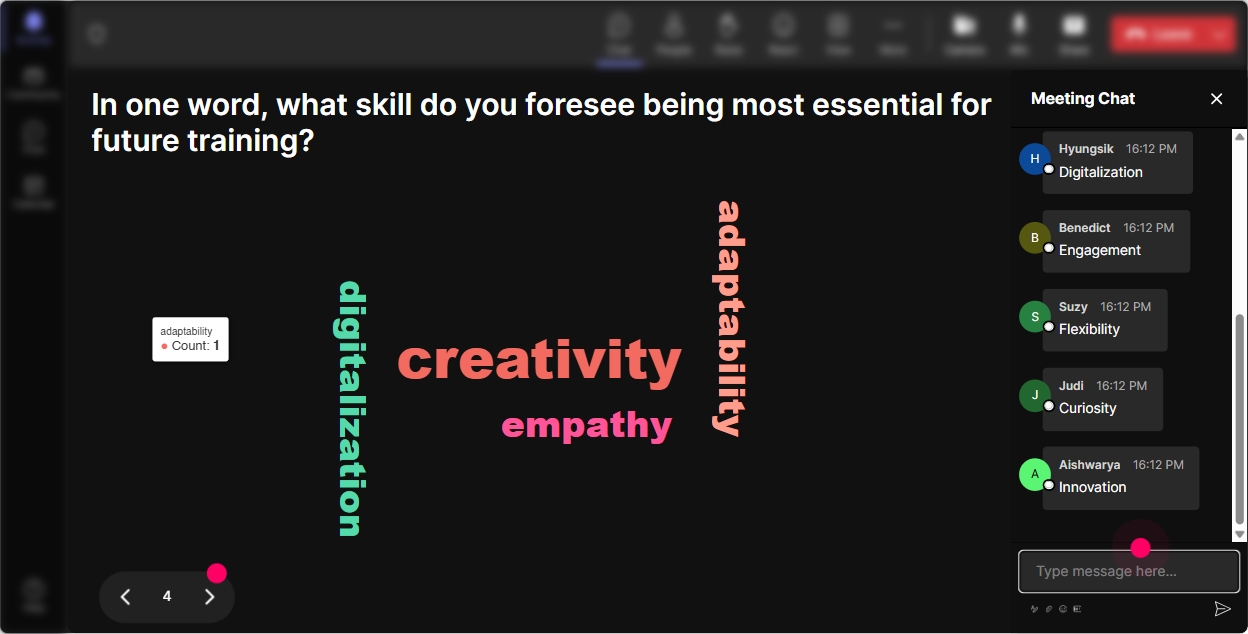
Foresight can feel exciting to some peopleand fluffy to others. A word cloud lets you surface the vibe instantly-and you can address it head-on. Prompts that work great (12 words answers): - When you hear foresight, whats the first word that comes to mind? - Whats the biggest blocker to doing foresight at work? One word. - What do you most want from this session? One or two words. Trainer move: - If you see words like time, unclear, leadership, say: Perfect-this is our agenda now. Well tackle these as we go. - If you see buzzword, fluffy, say: Fair. By the end, youll have a simple process and a few tools you can run next week. Pro tip: Use Combine Similar Answers so time and no time dont split into separate buckets.
4) Talking Tiles: Turn your group into a foresight think tank
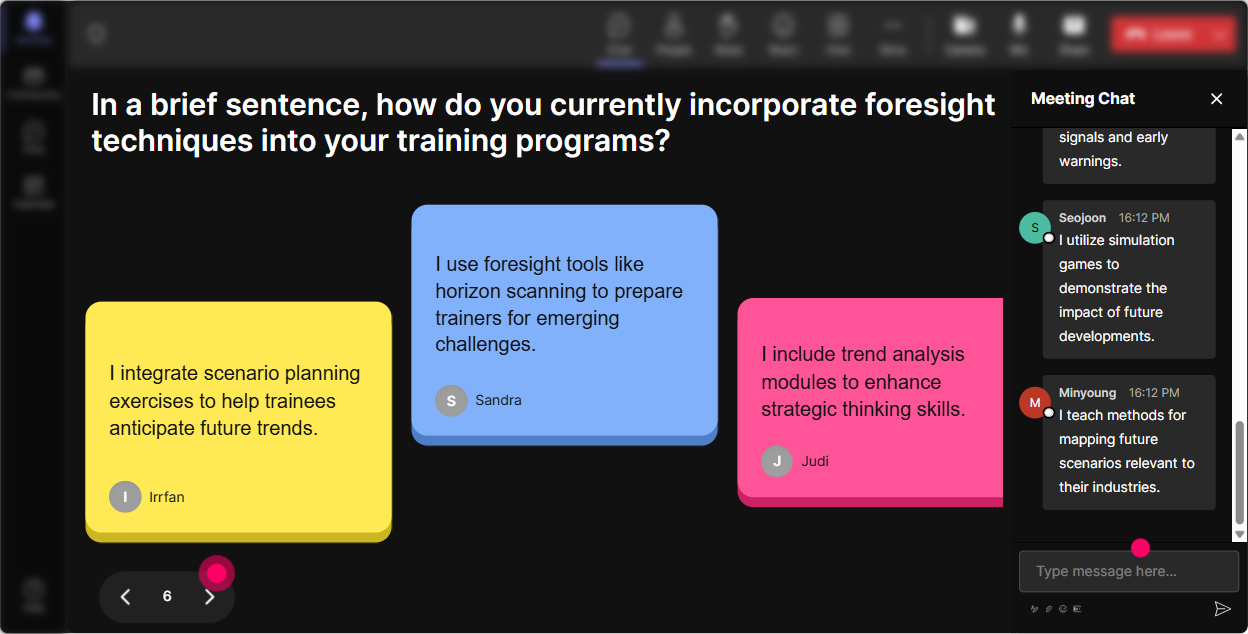
Talking Tiles are great when you want richer input than a word cloud-like mini stories, examples, and real workplace context. Use it for: - Role impact: Where could foresight make your job easier-or your training more impactful? Share a quick example. - Signal spotting: Whats one change youve noticed in your industry in the past year that others might be underestimating? - Scenario building: Finish this sentence: In 2030, corporate training will be more ______ because ______. Trainer move: - Read 35 tiles out loud and group them: Im seeing a cluster around AI, another around attention spans, and another around leadership buy-in. That clustering is exactly what we do with signals. It feels like collaboration, not trainer talking at people.
5) Power Polls: Let the audience choose the direction (and theyll lean in)
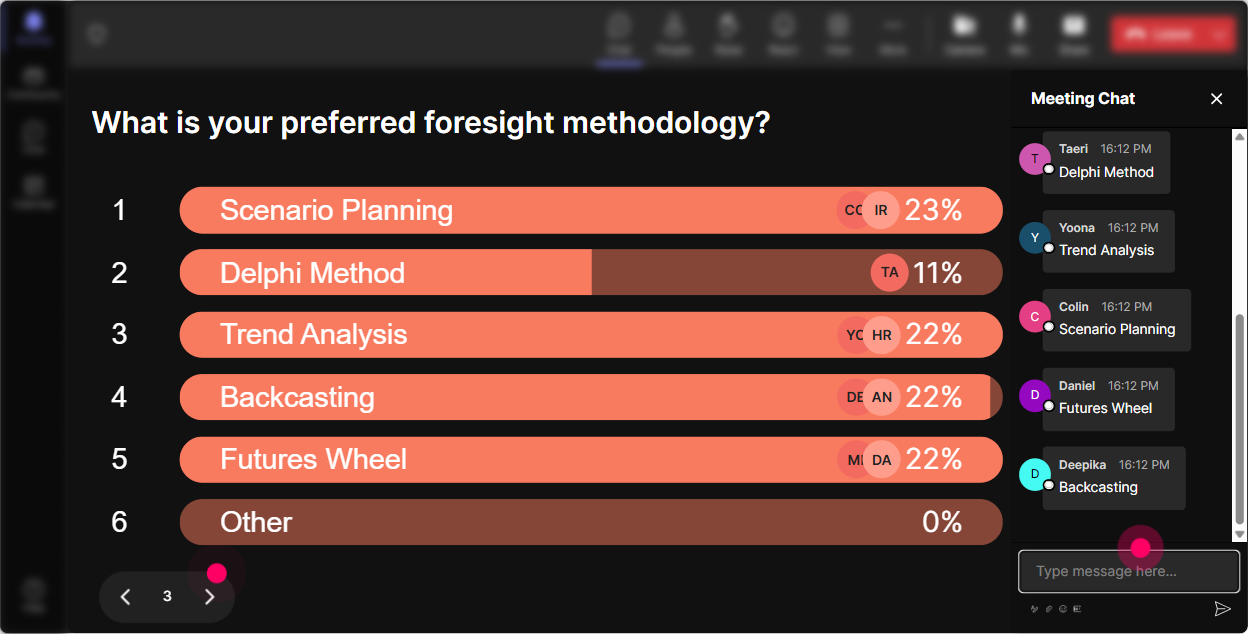
Polls are your secret weapon for co-creating the session. People pay attention when they feel like they helped shape what happens next. Poll ideas for Foresight ILT: - What do you want more of today? 1) Trend scanning basics 2) Turning trends into implications 3) Scenario building 4) Using foresight in training design - Which foresight tool should we practice live? 1) Signals wall 2) Futures wheel 3) 2x2 scenarios 4) Backcasting - Where does foresight break down in your organization most? 1) No time 2) No leadership support 3) No clear process 4) Too much data, no insight Trainer move: - Alright, the group voted-so well spend the next 15 minutes on the winner. That way this stays useful, not theoretical. You can also run an open-ended poll like: Name one trend impacting learning right now and StreamAlive will pick up answers from chat automatically.
6) Winner Wheel (Spinner Wheel): Get volunteers without the awkward silence
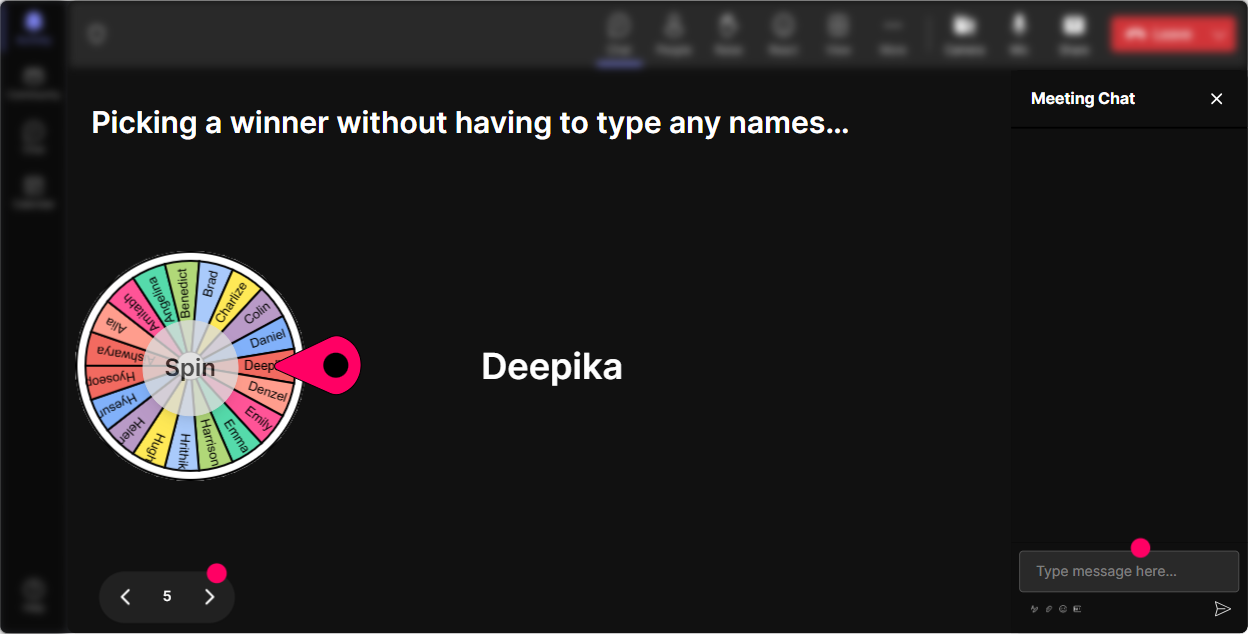
You know that moment: you ask a question and everyone suddenly becomes a statue. Spinner Wheel fixes that by making participation feel fun and fair. Ways to use it: - Drop one trend affecting your learners in the chat. Im going to spin the wheel to choose someone to unpack theirs for 30 seconds. - Type scenario if you want to share your 2030 scenario headline-wheel decides who gets the mic. - Everyone share one stakeholder you need to convince (e.g., HRBP, Sales leader, COO). Ill spin and well workshop one together. Trainer move: - No pressure-this isnt gotcha. Were just borrowing your example so the whole group can learn from it. You can even spin from people who commented during a specific activity-so youre rewarding participation.
7) Quiz: Fast knowledge checks that dont feel like school
A quiz interaction is perfect for busting myths and checking understanding-especially in foresight where people confuse terms. Sample multiple-choice questions (single correct answer): - Strategic foresight is mainly about A) Predicting the future accurately B) Preparing for multiple plausible futures (Correct) C) Choosing one best-case plan D) Avoiding risk entirely - A signal is best described as A) A proven fact B) A weak early indicator of change (Correct) C) A competitors announcement D) A KPI trend - Which is NOT a typical foresight output? A) Scenarios B) Implications C) A single guaranteed forecast (Correct) D) Strategic options Trainer move: - Answer in chat with the option number-then well reveal it and Ill share a simple way to explain it to your stakeholders. This keeps the pace snappy and helps you see what needs clarifying.

2) Rating Polls: Quick confidence check before you teach anything
Rating Polls are perfect for that read the room moment-without awkward cold calling. Ways to use it in your Foresight session: - Confidence baseline: On a scale of 110, how confident are you in explaining strategic foresight to a stakeholder? - Relevance check: How relevant is foresight to your work right now? (1 = not relevant, 10 = extremely relevant) - Skills pulse: How comfortable are you with tools like trends, scenarios, and signals? (110) Trainer move: - Looks like weve got a mix-great. That means well keep it practical, and the confident folks can share examples as we go. This also gives you a perfect after Rating Poll at the end to show progress.
8) Q&A: Capture questions without losing the chat (or your mind)
In a lively session, great questions get buried fast. StreamAlives Q&A picks up questions directly from chat and organizes them so you dont miss the good stuff. How to use it in your Foresight training: - Park-and-answer: Ask questions anytime. Ill do a Q&A sweep every 15 minutes. - Topic buckets: Drop questions as we go-especially on scenarios, trends, or how to apply this in training design. - Make it real invites: If youve got a real stakeholder challenge, ask it as a question and well tackle one live. Trainer move: - Im going to grab the top 3 questions showing up here and well handle them now before we move on. It keeps you present and prevents that frantic scrolling through chat.

9) Analytics: Find out what actually engaged your trainers (so you can 9x it next time)
After your session, StreamAlive analytics help you see what worked-so you can repeat the good stuff and tweak the weak spots. What to look for after your Foresight ILT: - Minute-by-minute engagement: When did attention spike-during the scenario activity, the poll, or the debate? - Interaction reports: See which prompts got the most responses (keep those in your template). - Chat replay: Revisit the best comments and questions-perfect for improving your next run. - Top engaged participants (Fantastic Fans): Identify who leaned in the most. These are your potential champions for rolling foresight deeper into the organization. - Shareable/email reports: Easy to send to your L&D team or stakeholders to prove participation and impact. Trainer move: - Next time I run this, Im doubling down on the activities that got the highest engagement-and trimming the parts where energy dipped.

Use StreamAlive in all your training sessions
StreamAlive isn’t just for
Foresight
training,
it can also be used for any instructor-led training session directly inside your PowerPoint presentation.
Explore similar traingin ideas: unlocking the potential of StreamAlive
See how StreamAlive transforms live training with engaging events and interactive sessions across industries, directly inside your PowerPoint presentation.

Interactions in action
(it's free)

.svg.png)


