Install StreamAlive for your PowerPoint slides
Learn more

Burnout & Change Fatigue Training for Training Agencies
StreamAlive helps 9x the audience engagement in your Virtual Instructor-led Trainings (VILT) directly inside your powerpoint presentation.
Make your instructor-led Burnout & Change Fatigue training more fun with polls, word clouds, spinner wheels and more
Works inside your existing PowerPoint presentation
Install the StreamAlive app for PowerPoint and see your slides come to life as people participate in your interactions
AI generates audience interactions for you
Let our AI scan your presentation and automatically come up with relevant questions based on the content. Or spend two hours coming up with your own questions, your choice!
Built to work with MS Teams and Zoom
Native apps for Teams and Zoom so you never have to leave your existing workflows
No QR Codes
Chat-powered interactions means your audience doesn’t need to scan QR codes or look at another screen to participate. They just type in the chat!

Quickly approved by your IT team
StreamAlive’s apps for Teams and Zoom means that they have been through rigorous quality assurance and client safety reviews. You’ll find everything an IT team needs to approve the app within the organization within your StreamAlive account.

Youve been asked to run a Burnout & Change Fatigue instructor-led session for a Training Agency-and you already know the topic can feel heavy. The good news: you can keep it real, practical, and surprisingly engaging. Here are simple ways to use StreamAlive to get people participating (not just listening) all the way through.
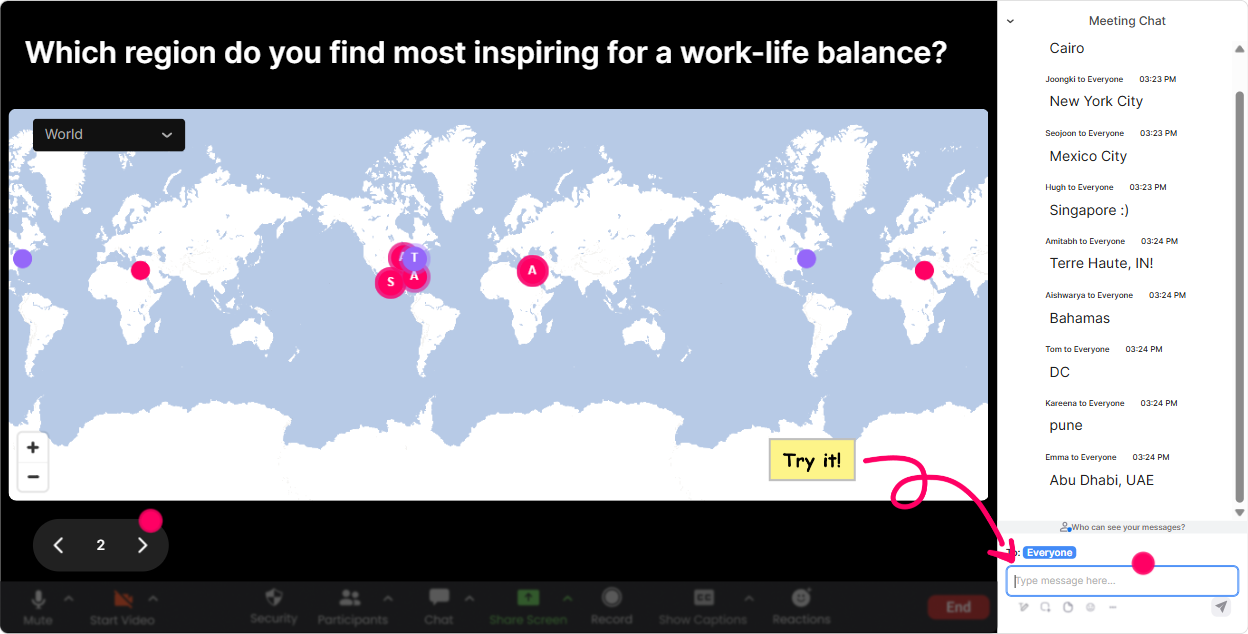
1) Magic Maps: Put your training agency audience on the map (and instantly warm up the room)
Burnout and change fatigue can feel isolating-like its just me. Magic Maps fixes that vibe in the first 60 seconds by helping people see theyre part of a bigger group. How to use it in your Burnout & Change Fatigue training (Training Agencies edition): - Icebreaker that actually fits the topic: Where are you joining from-and whats one word to describe the pace of change in your location right now? (They enter the location; you ask for the one word verbally.) - Culture + context opener: What city are you working from today? Then follow up with: Okay, who here is supporting multiple client time zones? - Dream-reset moment (great for a break): If you could teleport anywhere on earth for a real rest day, where would you go? Trainer tip: If youre training a group that supports multiple client orgs, call out clusters. Looks like a lot of us are in major metro areas-no wonder the always on pressure is showing up. Its a simple moment, but it makes people feel seen.
2) Rating Polls: Get a quick burnout/change-fatigue pulse check without making it awkward
Rating Polls are perfect when you want honesty, fast-without putting anyone on the spot. People can answer in-chat, you get a live visual, and you can adapt your delivery right away. Ways to use Rating Polls in this session: - Knowledge check upfront: On a scale of 110, how confident are you explaining the difference between burnout and change fatigue? - Reality check (super useful for Training Agencies): 110: How change-saturated does your work feel right now (new clients, new platforms, new processes)? - After teaching a model: 110: How usable is this tool in your next client delivery? Trainer tip: Dont just show the score-react to it. Im seeing a lot of 67s. Cool. That tells me we dont need more theory-we need practical scripts and boundaries that work in client-facing roles. Thats how you keep attention.

3) Wonder Words (Word Cloud): Let them say how it feels-without forcing a speech
When the topic is burnout, people often dont want to talk first but theyll type. Wonder Words makes it easy to get emotional temperature in a low-pressure way-and it gives you instant language to work with. Word cloud prompts that work really well here: - In 12 words: what does change fatigue feel like in your work lately? - Whats the biggest burnout trigger in training delivery right now? (Examples youll see: scope creep, back-to-back, travel, clients, slides) - One word: what would you like to feel more of at work? (Youll usually get calm, control, focus, support) Trainer tip: Read the big words out loud and normalize them. Overwhelm is huge on the screen-thank you for saying it. Lets work with that. This creates psychological safety fast.

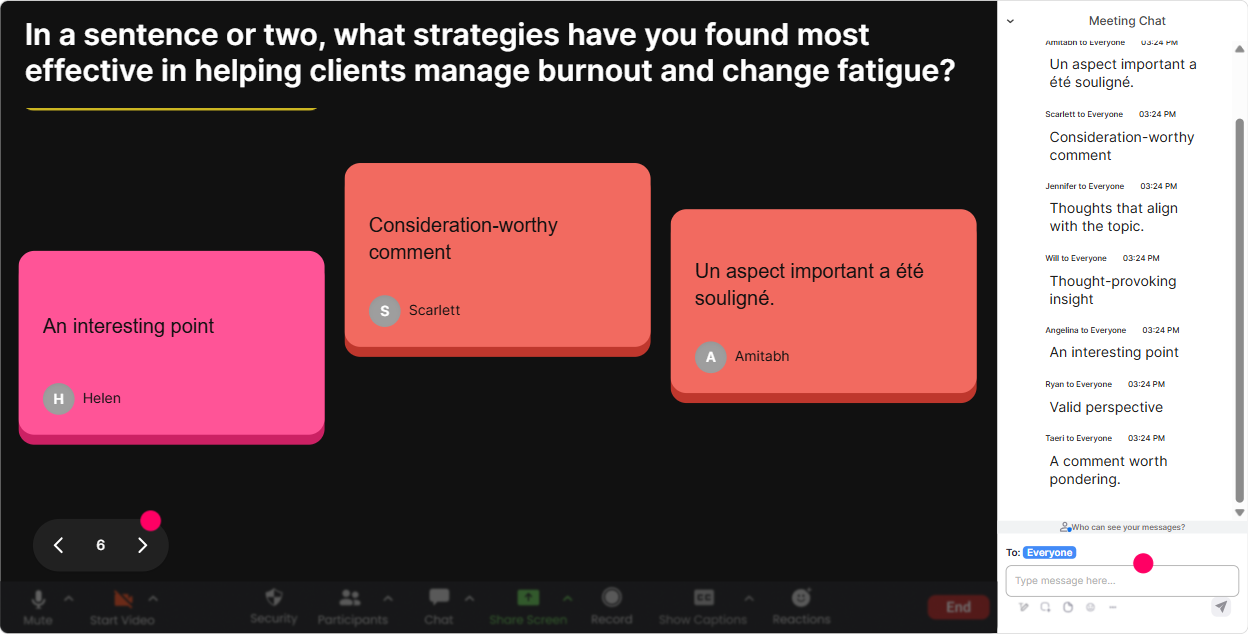
4) Talking Tiles: Turn real experiences into teachable moments (without forcing anyone to unmute)
Talking Tiles is your best friend when you want longer, real-world answers-especially with trainers and facilitators who have a lot of stories, but might not want to speak up. Use it to pull out practical situations you can coach on: - Whats one moment recently where you thought: I cant take one more change? - Where does burnout show up for you during delivery-before, during, or after a session? - Finish this sentence: The hardest part of supporting clients through change is ______. Trainer tip: Once the tiles start falling, you can cluster responses verbally. Im seeing three themes: workload pressure, constant tool changes, and emotional labor with clients. Now your content feels customized-and engagement spikes because its literally their words on screen.
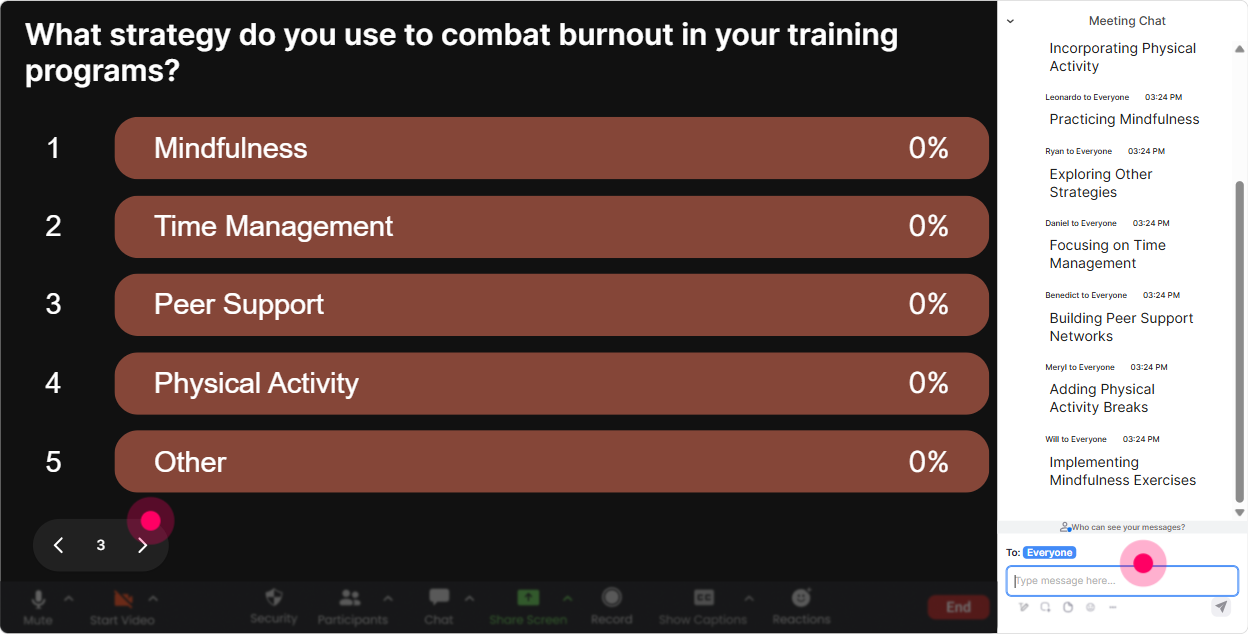
5) Power Polls: Let the room choose what you focus on (so it doesnt feel like a generic wellness talk)
In Burnout & Change Fatigue training, relevance is everything. Power Polls make it easy to let the group steer the session-so you spend time where they actually need help. Poll ideas tailored for Training Agencies: - Where is change fatigue hitting you the most right now? 1) New client demands 2) Internal process changes 3) New tech/tools 4) Resourcing / staffing shifts 5) Travel + delivery pace - What would help most in the next 30 days? 1) Boundary scripts (with clients/internal) 2) Workload prioritization 3) Recovery practices that fit a busy schedule 4) Managing uncertainty + stress 5) Team norms (meeting rules, response times) - Which part should we do as a live practice today? 1) Saying no / renegotiating scope 2) Resetting expectations with stakeholders 3) Building a personal early warning checklist 4) A 5-minute reset routine between sessions Trainer tip: After the poll, say exactly what youll do with it. Option 2 won-so Im going to cut one slide and well spend 10 minutes practicing a prioritization method you can use with client requests. People love seeing their input shape the plan.
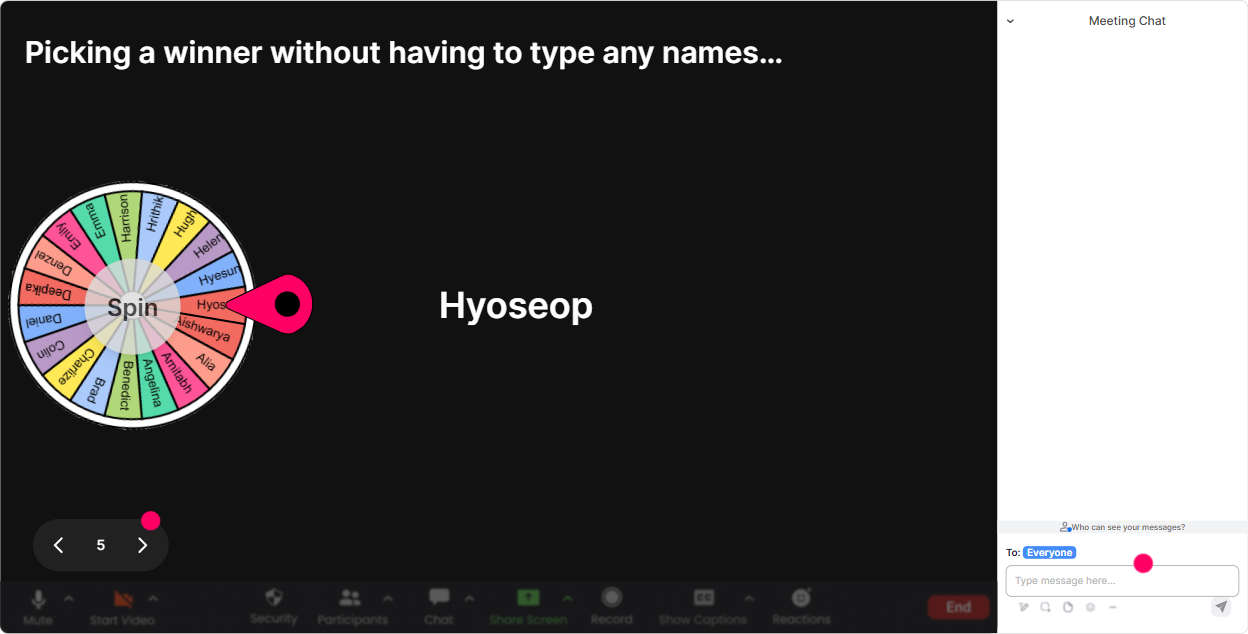
6) Winner Wheel (Spinner Wheel): Get volunteers without the awkward silence
You know that moment: you ask for a volunteer, and suddenly everyone becomes extremely interested in their mute button. Winner Wheel fixes that. It keeps things playful, fair, and surprisingly effective at getting participation. Great ways to use the Spinner Wheel in this training: - Pick someone to share a small change that created big stress (30 seconds max). - Choose a person to read a Talking Tiles response (not their own) and react to it. - Select a case coach for a quick scenario: A client adds scope 24 hours before delivery-whats your boundary script? Trainer tip: Make it feel safe. Tell them: If you get picked and youd rather pass, just type pass-no pressure. Paradoxically, that permission usually gets more people willing to talk.
7) Quiz: Make key concepts stick (and keep energy up)
Burnout & change fatigue has a lot of sounds-the-same concepts. A quick Quiz makes it stick-and it wakes up the room in the middle of a content-heavy section. Quiz questions you can run (multiple choice, one correct answer): - Which is the best description of change fatigue? A) Exhaustion mainly caused by long work hours B) Stress and depletion caused by continuous change with little recovery time (Correct) C) Lack of motivation due to poor performance D) Stress only caused by personal life issues - Whats the best first step when you notice early burnout signals? A) Push through and catch up later B) Wait until after the busy season C) Name the signal + reduce load or add recovery immediately (Correct) D) Ignore it so you dont seem negative - Which boundary is most helpful in client-facing work? A) Being available 24/7 B) Clear turnaround times + scope confirmation (Correct) C) Taking on just one more thing D) Keeping expectations flexible Trainer tip: Dont use Quiz to test them-use it to teach. When you reveal the correct answer, give a 20-second explanation and one real example from training delivery.

2) Rating Polls: Get a quick burnout/change-fatigue pulse check without making it awkward
Rating Polls are perfect when you want honesty, fast-without putting anyone on the spot. People can answer in-chat, you get a live visual, and you can adapt your delivery right away. Ways to use Rating Polls in this session: - Knowledge check upfront: On a scale of 110, how confident are you explaining the difference between burnout and change fatigue? - Reality check (super useful for Training Agencies): 110: How change-saturated does your work feel right now (new clients, new platforms, new processes)? - After teaching a model: 110: How usable is this tool in your next client delivery? Trainer tip: Dont just show the score-react to it. Im seeing a lot of 67s. Cool. That tells me we dont need more theory-we need practical scripts and boundaries that work in client-facing roles. Thats how you keep attention.
8) Q&A: Capture every question without losing the chat (and without derailing your flow)
In burnout/change sessions, questions come up fast-and theyre often personal or situational. StreamAlive Q&A pulls questions from chat and organizes them so you dont miss the important ones. How to use it smoothly: - Run a quiet question parking lot early: Drop your toughest burnout/change fatigue question anytime-StreamAlive will capture it. - Do a mid-session reset: Lets take 3 questions before we move into tools. - End with real-world application Q&A: Whats one change youre dealing with right now that you want help navigating? Trainer tip: If questions are sensitive, encourage anonymized-style phrasing: You can write it as A trainer I know is struggling with Totally fine. Youll get more honesty and better discussion.

9) Analytics: Prove engagement, improve your next delivery, and spot your champions
If you deliver training for agencies, youre often accountable for outcomes-participant satisfaction, engagement, repeat bookings, internal reporting. StreamAlive Analytics helps you see what actually worked, not just what you think worked. What you can learn after a Burnout & Change Fatigue session: - Minute-by-minute engagement: See exactly where attention spiked (maybe your boundary script exercise) and where it dipped (maybe your theory section went too long). - Chat replay + interaction results: Perfect for improving your facilitator guide. Youll know which prompts got real responses and which ones fell flat. - Identify your most engaged participants: These are often your internal champions-future facilitators, peer supporters, or the people most likely to implement the tools. - Easy reporting: Share the results with your team or client stakeholders via email, or use them to refine the next cohort. Trainer tip: Use the data to tighten your run-of-show. If you notice engagement drops after 12 minutes of lecture, bake in a Wonder Words or Rating Poll every 810 minutes next time. Thats how you steadily move toward that up to 9x engagement experience-because the session becomes interactive by design, not by luck.

Use StreamAlive in all your training sessions
StreamAlive isn’t just for
Burnout & Change Fatigue
training,
it can also be used for any instructor-led training session directly inside your PowerPoint presentation.
Explore similar traingin ideas: unlocking the potential of StreamAlive
See how StreamAlive transforms live training with engaging events and interactive sessions across industries, directly inside your PowerPoint presentation.

Interactions in action
(it's free)

.svg.png)


