Install StreamAlive for your PowerPoint slides
Learn more

Quiet Quitting & Productivity Theatres Training for Training Agencies
StreamAlive helps 9x the audience engagement in your Virtual Instructor-led Trainings (VILT) directly inside your powerpoint presentation.
Make your instructor-led Quiet Quitting & Productivity Theatres training more fun with polls, word clouds, spinner wheels and more
Works inside your existing PowerPoint presentation
Install the StreamAlive app for PowerPoint and see your slides come to life as people participate in your interactions
AI generates audience interactions for you
Let our AI scan your presentation and automatically come up with relevant questions based on the content. Or spend two hours coming up with your own questions, your choice!
Built to work with MS Teams and Zoom
Native apps for Teams and Zoom so you never have to leave your existing workflows
No QR Codes
Chat-powered interactions means your audience doesn’t need to scan QR codes or look at another screen to participate. They just type in the chat!

Quickly approved by your IT team
StreamAlive’s apps for Teams and Zoom means that they have been through rigorous quality assurance and client safety reviews. You’ll find everything an IT team needs to approve the app within the organization within your StreamAlive account.

Youve been asked to run a session on Quiet Quitting & Productivity Theatres for a training agency-and you already know the hardest part isnt the content its keeping people truly present. The good news: with StreamAlive, you can turn silent Zoom rooms into a session where everyone participates without feeling put on the spot. Here are practical ways to do it, using StreamAlive interactions (and yes, it can feel like 9x more engagement when you run it right).
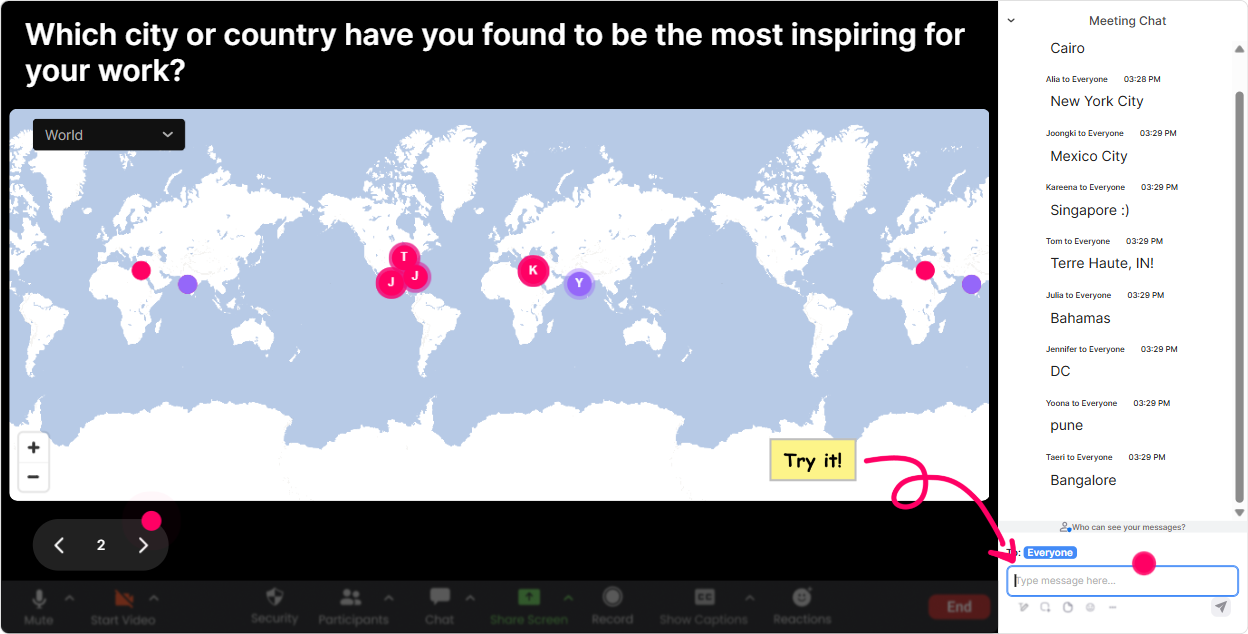
Magic Maps: kick off with a were in this together moment
Start with something easy that everyone can answer in chat-no pressure, no overthinking. Magic Maps instantly turns those chat responses into a live world map, and it creates that oh wow, were everywhere energy right away. Try prompts like: - Where are you joining from today? (classic, always works) - What city do you think quiet quitting is happening the most in and why? (fun and a little provocative) - If you could teleport anywhere for a stress-free workday, where would you go? (light + gets people typing) Trainer tip: If youve got multiple people from the same region, call it out: Okay Toronto is showing up strong-whats in the water over there? That tiny moment of recognition pulls more people into chat.
Rating Polls: get an instant pulse-check without awkward cold calling
Quiet quitting and productivity theatre can be touchy topics. A Rating Poll is the easiest way to gauge where people are at without making anyone explain themselves out loud. Use it early as a baseline: - On a scale of 110, how familiar are you with quiet quitting? - Rate this statement: Productivity theatre is a bigger problem than lack of motivation. (1 = disagree, 10 = agree) - How confident are you in spotting productivity theatre behaviors in teams? (110) Then use it again later: - After these examples, how clearly can you distinguish burnout vs quiet quitting? (110) That before/after comparison is gold because it proves learning happened-and participants feel it too.

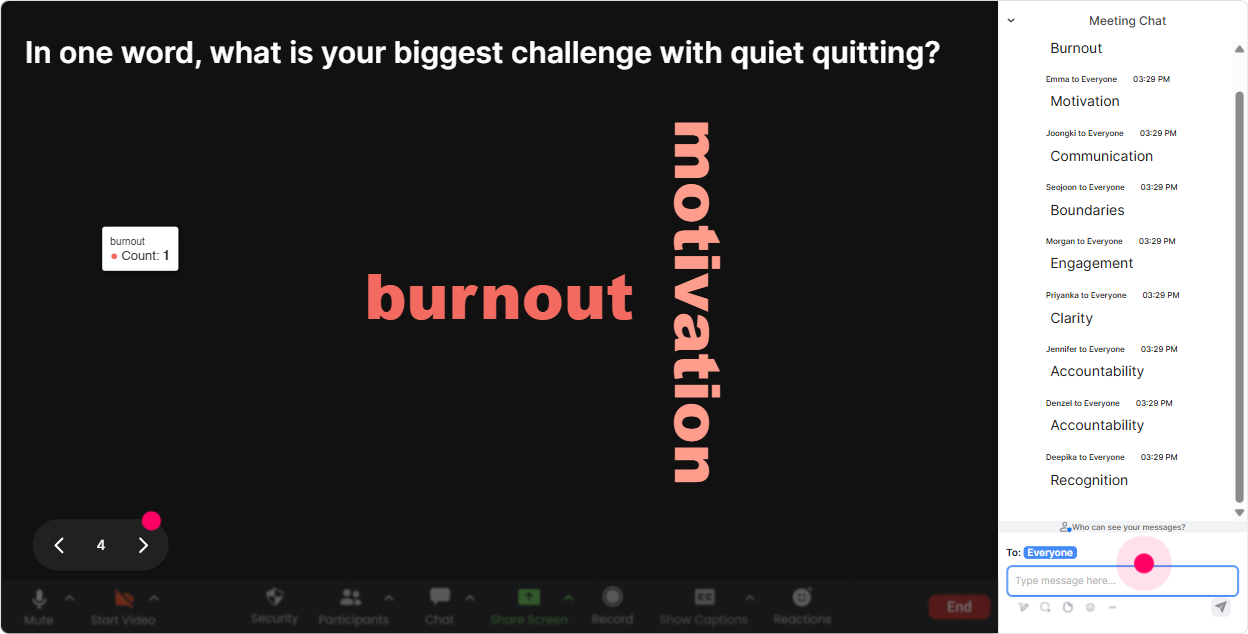
Wonder Words: make the rooms feelings visible (fast)
Wonder Words is perfect for topics that have emotional weight. You ask for a 12 word response, and boom-your groups mindset shows up live on screen. Its like reading the room, but better. Great word cloud prompts for this session: - When you hear quiet quitting, whats the first word that comes to mind? - One word: whats driving productivity theatre in your workplace? - What do employees want more of right now? (answers like clarity, trust, flexibility will pop) - Whats the biggest blocker to real productivity? Host-style move: pick the top 23 biggest words and react like a human. Okay Im seeing burnout loud and clear not surprised. Lets talk about where that shows up first.
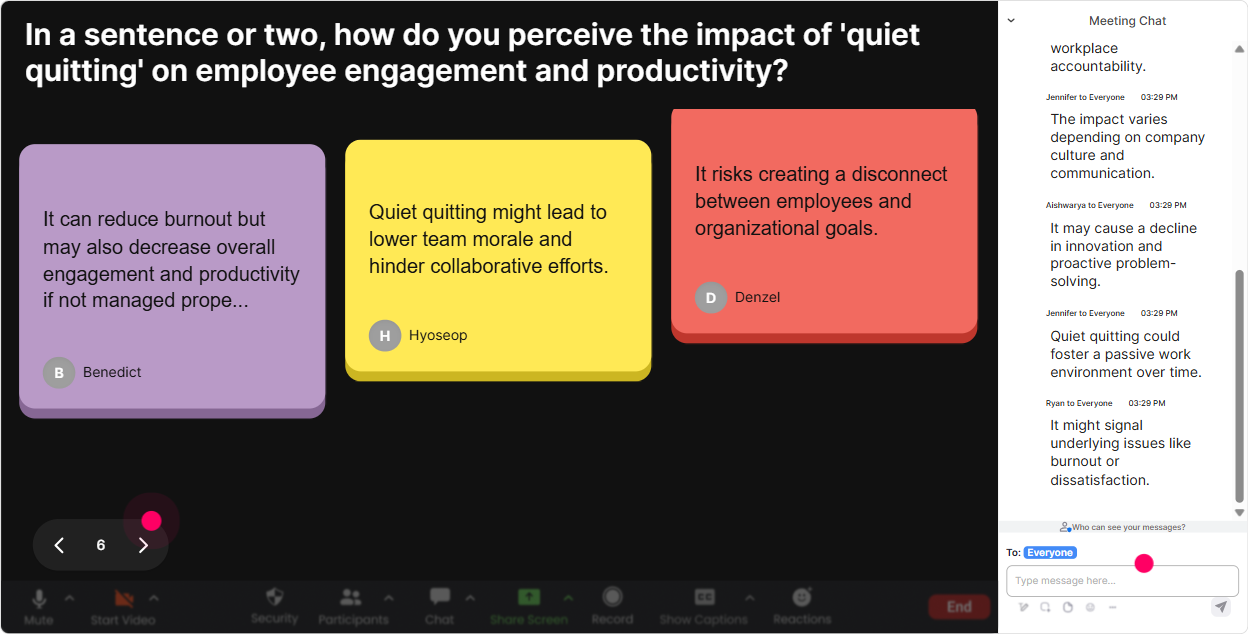
Talking Tiles: let people share real stories without turning it into a therapy circle
Sometimes you want more than a one-word vibe-you want examples. Talking Tiles makes longer chat responses feel fun and safe because everyone answers at once, and their responses become a visual moment on screen. Use it for questions like: - Where do you see productivity theatre happening most-meetings, reporting, Slack, emails? - Whats one behavior that *looks* productive but isnt? - Finish this: My team would be more productive if we stopped ____. - Whats one thing leaders do that unintentionally encourages quiet quitting? Trainer tip: When a few strong responses drop, read 23 out loud and say, If you wrote something similar, type same in chat. That follow-up creates a second wave of participation instantly.
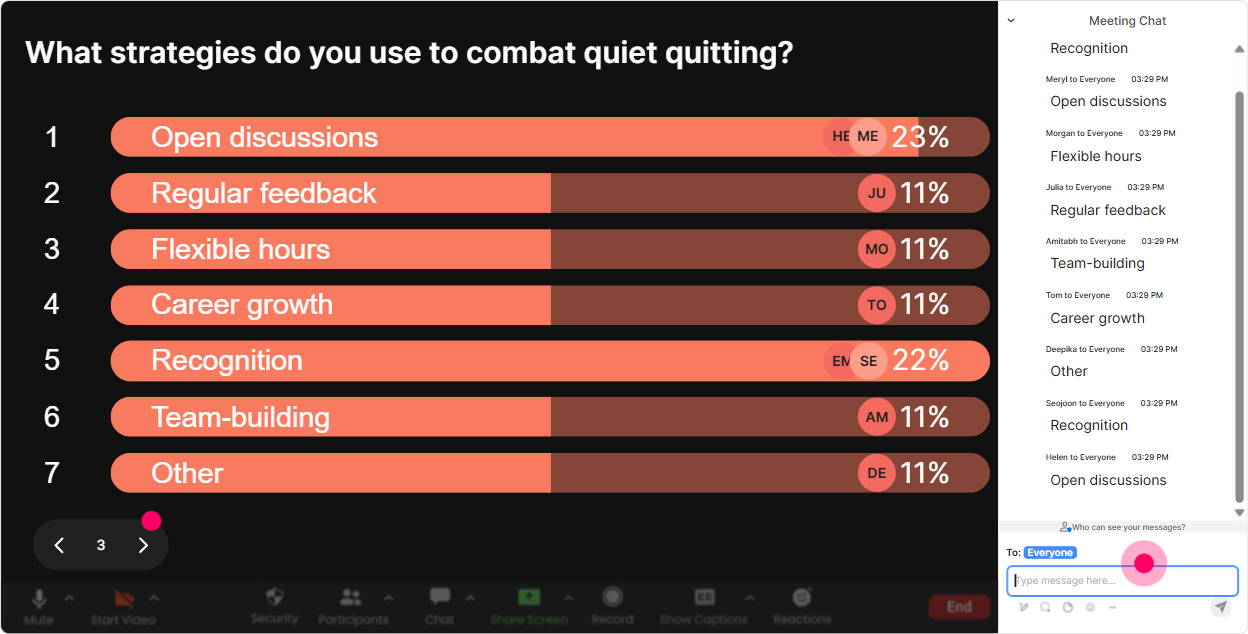
Power Polls: steer the session toward what your audience actually cares about
Quiet quitting & productivity theatre sessions can go a few directions-leadership, culture, systems, motivation, wellbeing. Power Polls let your group vote on what to spend time on so youre not guessing. Use a poll like: - What do you want to focus on today? 1) Root causes of quiet quitting 2) Spotting productivity theatre patterns 3) What managers can say/do instead 4) Team norms and expectations that actually work 5) Practical fixes (meetings, metrics, workload) Or a decision-maker poll: - Which is more damaging long-term? 1) Quiet quitting 2) Productivity theatre Then do the thing most trainers forget: acknowledge the winner and adapt. Looks like what managers can do instead is the big one-awesome, well spend extra time on scripts and real examples.
Winner Wheel: get participation from quiet folks without making it weird
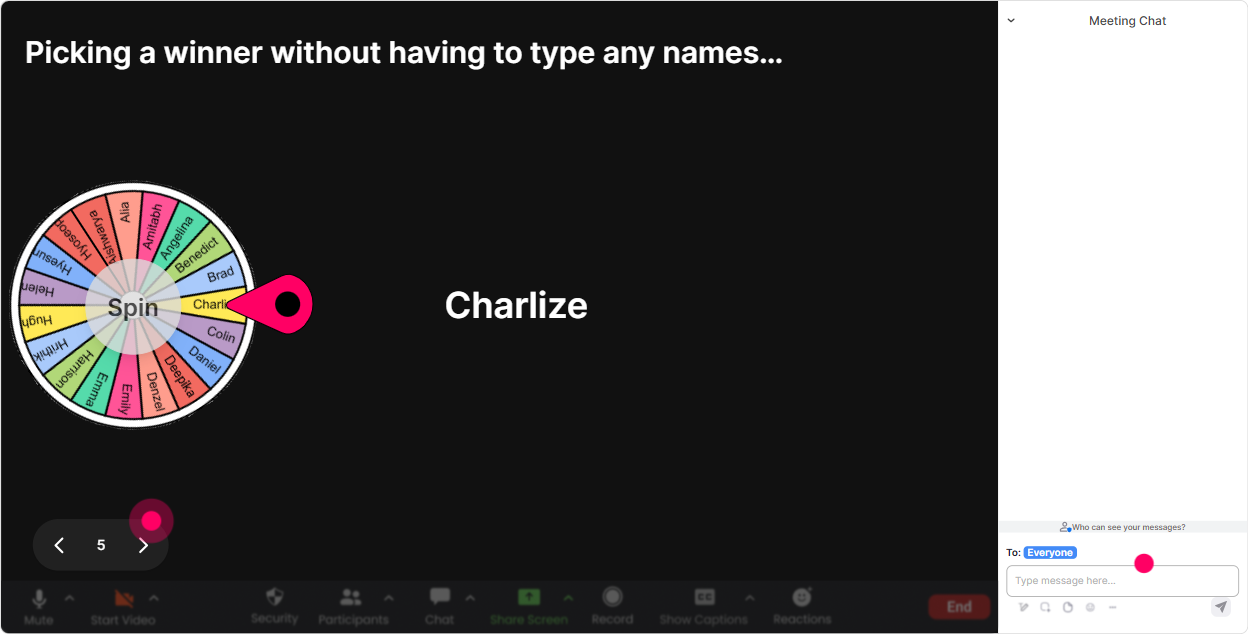
You know the moment you ask a question and the same two people answer. Winner Wheel fixes that in a way that feels playful, not punishing. How to use it in this session: - Tell participants: Drop one tip in chat: how do you personally stay productive without performing productivity? - Then spin the wheel: Alright, Im going to spin and ask one person to expand on their answer-keep it to 20 seconds, no pressure. Other ways to run it: - Spin for a case study helper (Youll help me diagnose whether this scenario is burnout, quiet quitting, or productivity theatre.) - Spin for a myth buster (Youll pick one myth from the list and well break it down together.) Bonus: you can also spin it to reward chat activity (Someone whos commented 3+ times wins a coffee card). Suddenly chat is alive.
Quiz: quick knowledge checks that dont feel like school
Quiz is your best friend for keeping attention high every 812 minutes. Its a mini pattern-break and it tells you whether people are actually tracking. Use questions like: - Which is the best example of productivity theatre? A) Delivering a project early B) Sending emails late to look busy C) Blocking focus time on calendar D) Reducing meeting time by 25% (Correct: B) - Quiet quitting is best described as A) Resigning without notice B) Doing the job requirements without extra unpaid effort C) Refusing to collaborate D) Avoiding all work (Correct: B) Then reveal the answer and ask one follow-up: What made that tricky? Thats where the real learning sticks.

Rating Polls: get an instant pulse-check without awkward cold calling
Quiet quitting and productivity theatre can be touchy topics. A Rating Poll is the easiest way to gauge where people are at without making anyone explain themselves out loud. Use it early as a baseline: - On a scale of 110, how familiar are you with quiet quitting? - Rate this statement: Productivity theatre is a bigger problem than lack of motivation. (1 = disagree, 10 = agree) - How confident are you in spotting productivity theatre behaviors in teams? (110) Then use it again later: - After these examples, how clearly can you distinguish burnout vs quiet quitting? (110) That before/after comparison is gold because it proves learning happened-and participants feel it too.
Q&A: capture the real questions (the ones that usually get lost in chat)
When the topic is sensitive, people ask important questions in chat-but in a busy session, they get buried. StreamAlives Q&A pulls those questions out and keeps them organized so you can actually answer them. How to make it work for this topic: - Say: As questions pop up, just type them in chat like normal-StreamAlive will catch them. - Do two planned Q&A pit stops: one after definitions/examples, another after solutions. Common questions youll likely see (and should welcome): - How do I address quiet quitting without sounding accusatory? - What if leadership rewards visibility more than outcomes? - How do we measure productivity without driving theatre? Host move: thank the *question*, not the person. Thats an important question-lots of people are thinking it. It keeps psychological safety high.

Analytics: prove engagement, improve the next session, and spot your champions
After the session, StreamAlive Analytics helps you stop guessing what worked. What youll actually use it for as a trainer: - See minute-by-minute engagement: Did people drop off during the theory part? Did the case study spike chat? - Review chat replay + interactions: steal your own best moments and reuse them in future deliveries. - Identify your top engaged participants (Fantastic Fans): these are your future champions-great for follow-up, testimonials, or even co-facilitators in longer programs. - Export/share results: send the interaction summaries to your team or client via email, or use the data to improve your run-of-show. If youre running this training for agencies, analytics also helps you show value to stakeholders: not just people attended-but people participated.

Use StreamAlive in all your training sessions
StreamAlive isn’t just for
Quiet Quitting & Productivity Theatres
training,
it can also be used for any instructor-led training session directly inside your PowerPoint presentation.
Explore similar traingin ideas: unlocking the potential of StreamAlive
See how StreamAlive transforms live training with engaging events and interactive sessions across industries, directly inside your PowerPoint presentation.

Interactions in action
(it's free)

.svg.png)


