Install StreamAlive for your PowerPoint slides
Learn more

Gyg Economy Training for Training Agencies
StreamAlive helps 9x the audience engagement in your Virtual Instructor-led Trainings (VILT) directly inside your powerpoint presentation.
Make your instructor-led Gyg Economy training more fun with polls, word clouds, spinner wheels and more
Works inside your existing PowerPoint presentation
Install the StreamAlive app for PowerPoint and see your slides come to life as people participate in your interactions
AI generates audience interactions for you
Let our AI scan your presentation and automatically come up with relevant questions based on the content. Or spend two hours coming up with your own questions, your choice!
Built to work with MS Teams and Zoom
Native apps for Teams and Zoom so you never have to leave your existing workflows
No QR Codes
Chat-powered interactions means your audience doesn’t need to scan QR codes or look at another screen to participate. They just type in the chat!

Quickly approved by your IT team
StreamAlive’s apps for Teams and Zoom means that they have been through rigorous quality assurance and client safety reviews. You’ll find everything an IT team needs to approve the app within the organization within your StreamAlive account.

Youve been asked to run a Gig Economy instructor-led training for a training agency-and you want people to stay with you (not drift into emails). The easiest way? Build quick moments where everyone participates every few minutes. Here are simple, trainer-friendly ways to do it using StreamAlive.
1) Magic Maps: Start with whos in the room? (and make it visual)
If youre training agencies, chances are your audience is spread out-different cities, regions, even countries. Instead of the usual Where are you joining from? and getting a dead chat put them on a live map. How to use it in Gig Economy training: - Warm-up (classic): Where are you joining from today? (People love seeing their city pop up.) - Make it topic-related: Where are most of your gig workers based? (Helps you talk about regional compliance differences.) - Future-focused: If you could launch a new gig worker program anywhere, where would it be? (Great segue into market demand and workforce supply.) Trainer tip: If youre doing group discussions later, you can call out clusters-Looks like weve got a big Toronto crowd Im going to use your region for an example. Instant relevance.

2) Rating Polls: Do a quick confidence check before you teach
Before you go deep into policies, classification, onboarding, or managing gig talent-find out where people are starting from. Rating Polls let you get a fast pulse without anyone overthinking. Use it like this: - On a scale of 110, how confident are you explaining the Gig Economy to a client? - Rate your current understanding of worker classification risks (1 = what is that, 10 = I can teach it). - How prepared is your agency to support gig worker onboarding at scale? Why it works: youll instantly see if you should slow down, speed up, or add an example. Plus, your participants feel seen because youre adjusting to them in real time.

3) Wonder Words (Word Cloud): Get instant feelings + beliefs out in the open
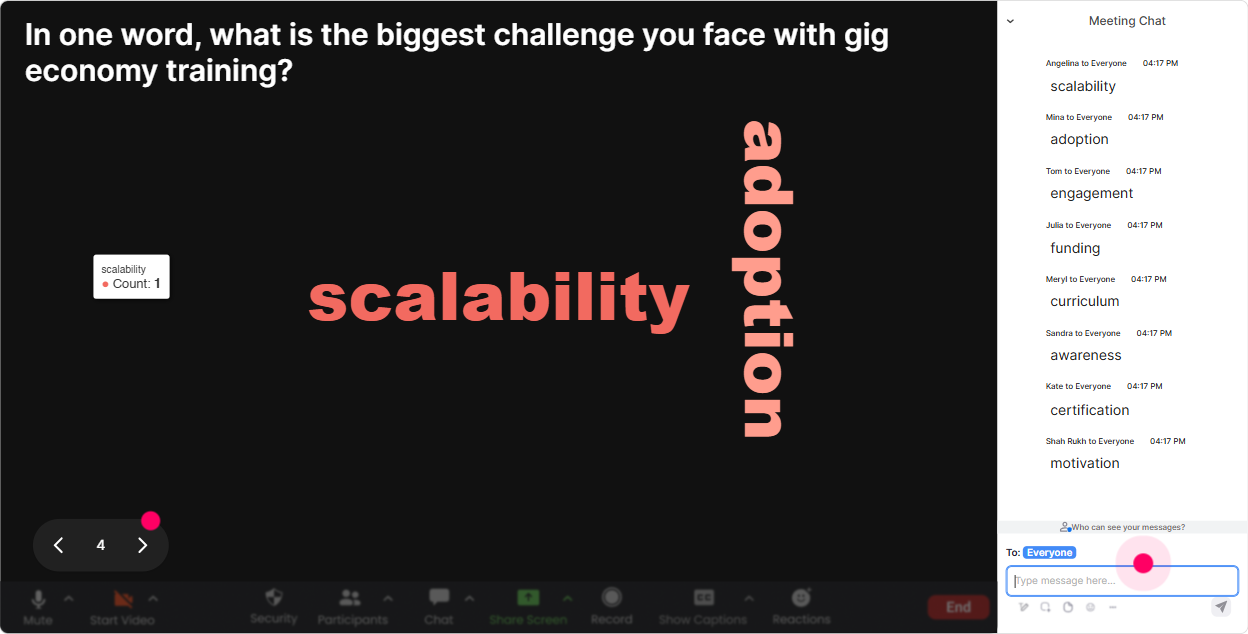
Gig Economy topics can be loaded-some people are excited, others are nervous about compliance, and some think its just Uber-style work. A word cloud is a super fast way to surface what people really think. Prompts that work really well: - When you hear Gig Economy, whats the first word that comes to mind? - Whats the biggest challenge for training agencies in the gig space? (12 words) - What do gig workers value most? (One word) Trainer tip: When a big word appears (like compliance or flexibility), pause and say: Cool-this is our roadmap. Lets tackle the biggest words first. Now your agenda feels co-created.
4) Talking Tiles: Turn real stories into your best teaching moments
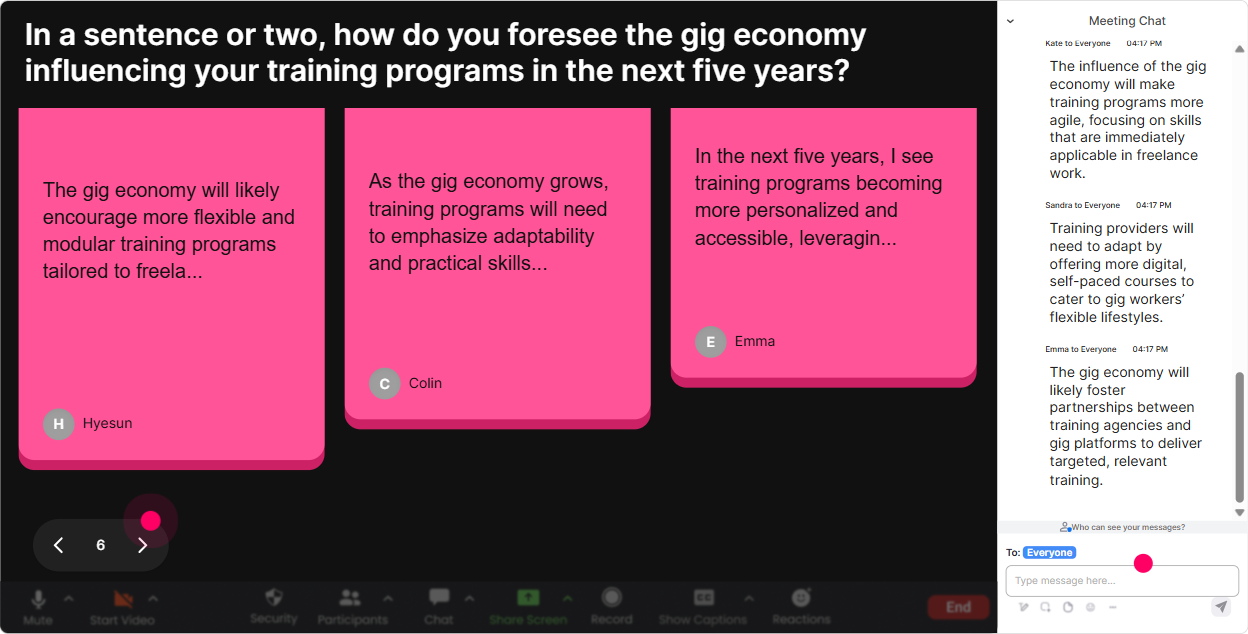
Gig Economy training gets 10x more useful when people share what theyre actually dealing with-clients asking odd questions, gig workers churning fast, confusion around expectations, all of it. Talking Tiles is perfect because it displays longer chat responses in a fun, dynamic way. Try questions like: - What impact is the Gig Economy having on your role right now? - Whats one gig-worker challenge you wish clients understood better? - Share one policy/process youve had to change because of gig work. How to facilitate: read a few tiles out loud, group them (Im seeing onboarding issues also classification worries and a lot about retention), then teach directly to those themes.
5) Power Polls: Let the group choose what you focus on next
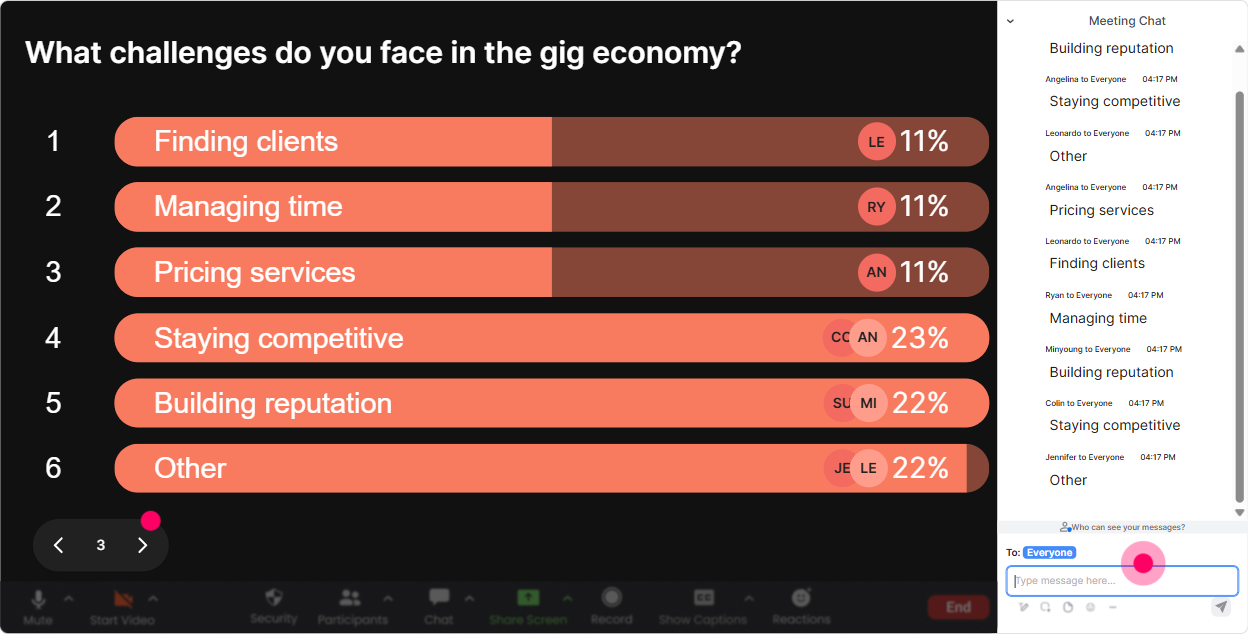
This is the move when youve got limited time and a wide topic. Instead of guessing what they care about, let them vote-and show the results live. Poll ideas for Gig Economy ILT: - What do you want to spend the most time on today? 1) Gig worker onboarding 2) Engagement + retention 3) Compliance / classification basics 4) Client expectations + contracts - Which industry are you supporting most with gig talent? (Add options like retail, logistics, healthcare, tech, hospitality.) - Whats your biggest concern with gig programs? (Quality, churn, legal risk, training consistency, performance tracking) Trainer tip: When the winner shows up, say: Alright-this is the rooms priority. Lets go there. Engagement jumps because youre teaching what they asked for.
6) Winner Wheel (Spinner): Get volunteers without the awkward silence
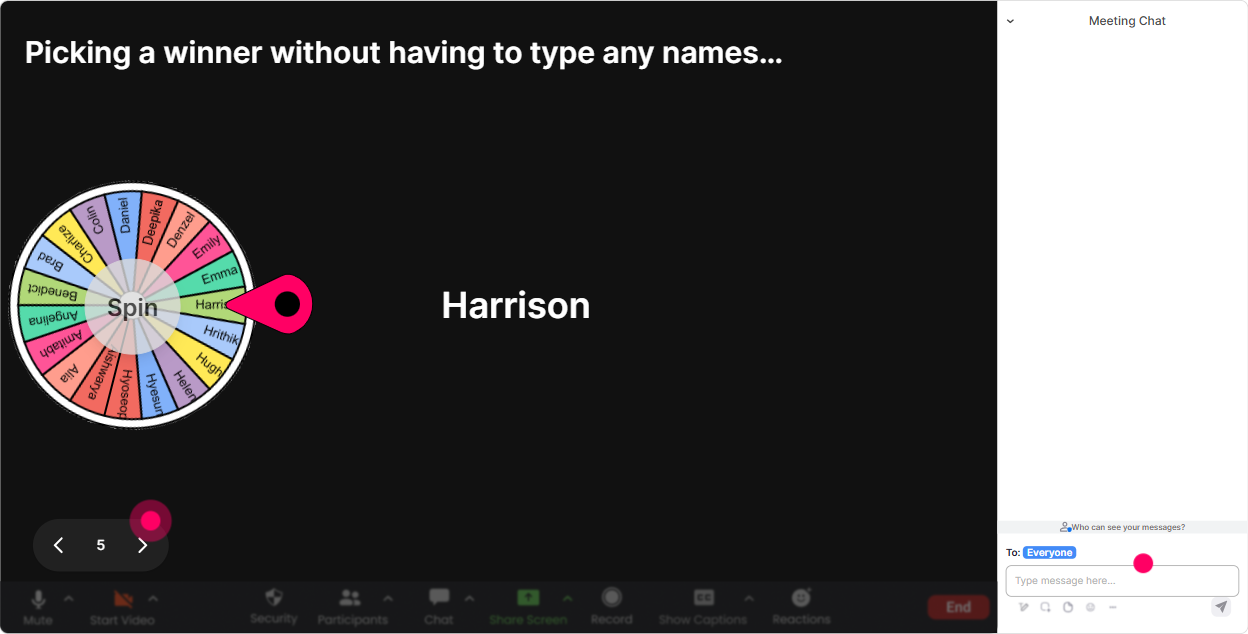
You know that moment when you ask, Who wants to share? and suddenly everyone becomes a statue? Use the Winner Wheel to make it playful and fair. Ways to use it in Gig Economy training: - After a discussion prompt: Everyone drop one tip for keeping gig workers engaged. Then spin to pick someone to expand on their tip. - For scenario practice: Type Ready if youre up for a quick role-play: client vs agency. Spin to choose the role-play volunteer. - For energy + participation: pick a winner from people who commented during the last activity (small prize, shoutout, or bragging rights). Trainer tip: People participate more when they know commenting might get them picked-without you putting anyone on the spot manually.
7) Quiz: Quick knowledge checks that dont feel like school
A quiz is perfect for Gig Economy training because there are lots of sounds right but is wrong myths-especially around classification, flexibility, and performance expectations. StreamAlive lets you run a multiple-choice question and reveal the correct answer. Quiz questions you can use: - Which is the BEST definition of gig work? (One correct option) - Whats a common risk when scaling gig programs fast? - Which metric best predicts gig worker retention? Trainer tip: After revealing the correct answer, ask: If you picked a different option, what was your reasoning? That discussion is where the real learning happens.

2) Rating Polls: Do a quick confidence check before you teach
Before you go deep into policies, classification, onboarding, or managing gig talent-find out where people are starting from. Rating Polls let you get a fast pulse without anyone overthinking. Use it like this: - On a scale of 110, how confident are you explaining the Gig Economy to a client? - Rate your current understanding of worker classification risks (1 = what is that, 10 = I can teach it). - How prepared is your agency to support gig worker onboarding at scale? Why it works: youll instantly see if you should slow down, speed up, or add an example. Plus, your participants feel seen because youre adjusting to them in real time.
8) Q&A: Capture every question without losing the chat
When youre teaching live, great questions get buried fast-especially if the chat is active. StreamAlive automatically detects and collects questions from the chat so you can actually manage them. How to make it work in your Gig Economy session: - Say: Drop your questions anytime-StreamAlive will catch them. - Do parking lot Q&A: Ill pause every 15 minutes and clear the top questions. - Use it for sensitive topics: If youre unsure about classification or compliance, ask it-chances are others are wondering too. Trainer win: You stay focused while participants feel heard, because youre not missing their questions.

9) Analytics: Know what landed, what didnt-and who your champions are
After the session, you want proof of engagement (especially for training agencies reporting to clients or internal stakeholders). StreamAlive analytics helps you see what actually worked. What to look at after a Gig Economy ILT: - Minute-by-minute engagement: Find the spots where chat spiked (those are your strongest sections) and where it dropped (those sections need tightening). - Interaction replay results: See which polls/questions got the best response so you can reuse them in your next cohort. - Top engaged participants (Fantastic Fans): These are your future champions-people to invite to pilot programs, testimonials, or follow-up workshops. - Easy sharing: Send reports to your email or share insights with your team on Teams. Trainer tip: Use the data to tweak your run-of-show. When you improve based on analytics, your engagement compounds session after session.

Use StreamAlive in all your training sessions
StreamAlive isn’t just for
Gyg Economy
training,
it can also be used for any instructor-led training session directly inside your PowerPoint presentation.
Explore similar traingin ideas: unlocking the potential of StreamAlive
See how StreamAlive transforms live training with engaging events and interactive sessions across industries, directly inside your PowerPoint presentation.

Interactions in action
(it's free)

.svg.png)


