Install StreamAlive for your PowerPoint slides
Learn more

L&D Marketing Training for Corporate Trainers
StreamAlive helps 9x the audience engagement in your Virtual Instructor-led Trainings (VILT) directly inside your powerpoint presentation.
Make your instructor-led L&D Marketing training more fun with polls, word clouds, spinner wheels and more
Works inside your existing PowerPoint presentation
Install the StreamAlive app for PowerPoint and see your slides come to life as people participate in your interactions
AI generates audience interactions for you
Let our AI scan your presentation and automatically come up with relevant questions based on the content. Or spend two hours coming up with your own questions, your choice!
Built to work with MS Teams and Zoom
Native apps for Teams and Zoom so you never have to leave your existing workflows
No QR Codes
Chat-powered interactions means your audience doesn’t need to scan QR codes or look at another screen to participate. They just type in the chat!

Quickly approved by your IT team
StreamAlive’s apps for Teams and Zoom means that they have been through rigorous quality assurance and client safety reviews. You’ll find everything an IT team needs to approve the app within the organization within your StreamAlive account.

Youve been asked to run an instructor-led session on L&D Marketing for corporate trainers-and you dont want it to feel like a lecture. You want people talking, thinking, and actually applying the ideas live. Here are practical ways to do that with StreamAlive so your engagement doesnt flatline after slide 3.
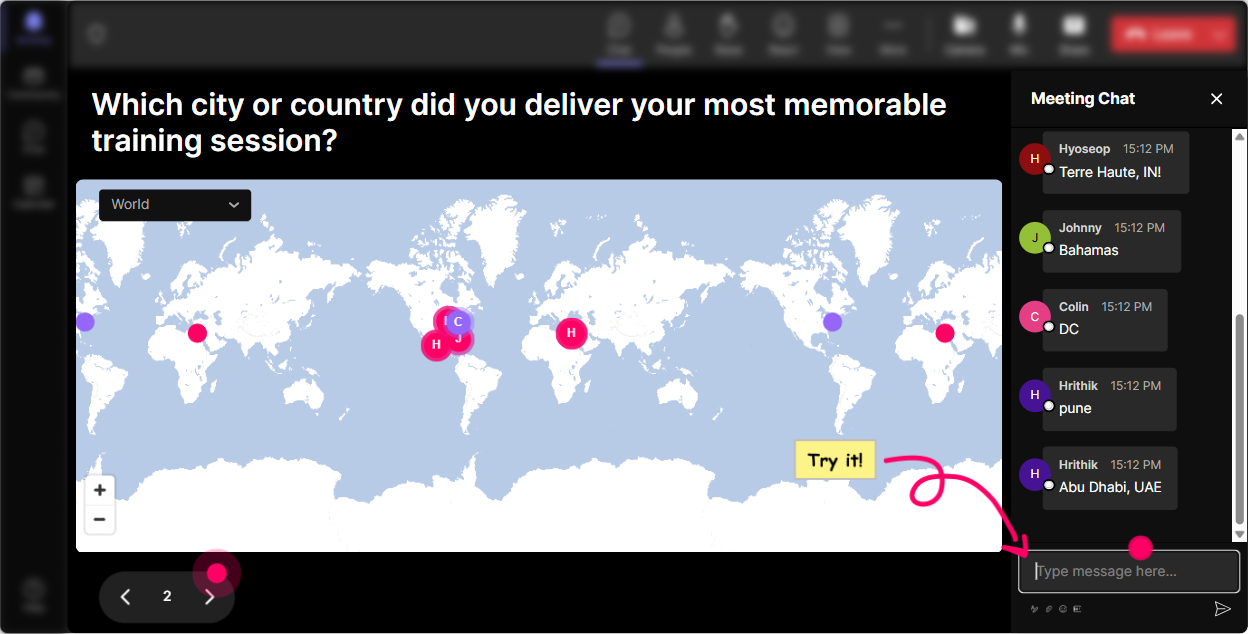
1) Magic Maps: Put your trainers on the map (and instantly warm up the room)
If you start with Where are you joining from? youll get a few polite answers and then move on. With StreamAlives Magic Maps, you turn that same question into a moment. How to use it in L&D Marketing training: - Kickoff question: Where are you joining from today? (classic, always works) - Make it marketing-relevant: Where do your learners usually work from-HQ city or spread out? - Go a layer deeper: Name a city where you wish your training had more visibility internally. - Fun but still useful: If you could run a live workshop anywhere on earth, where would it be? Why it boosts engagement: people love seeing themselves represented visually, and it quietly signals: Yep, chat is part of this session. Bonus: if you spot clusters (like lots of people from one region), you can tailor examples: Cool-since many of you are in APAC, lets talk timing and internal comms for that timezone.
2) Rating Polls: Get a quick confidence check (and adjust your pace on the fly)
In L&D Marketing sessions, people often *think* theyre behind or they *think* theyve nailed it and both can be wrong. Rating Polls give you a fast, visual pulse check without the awkward silence. Ways to use Rating Polls during your session: - Opener: Rate your current confidence in L&D Marketing (1 = What is that? 10 = I could teach it) - After you explain internal positioning: How clear is the difference between promoting training vs positioning outcomes? - Mid-session gut check: How likely are you to market your next ILT program differently after today? - End-of-session: How useful was today for your real training calendar next month? Why it boosts engagement: its low effort for participants, high insight for you. And when you say, Im seeing a lot of 46s, lets slow down and do an example, people feel seen-which makes them participate more.

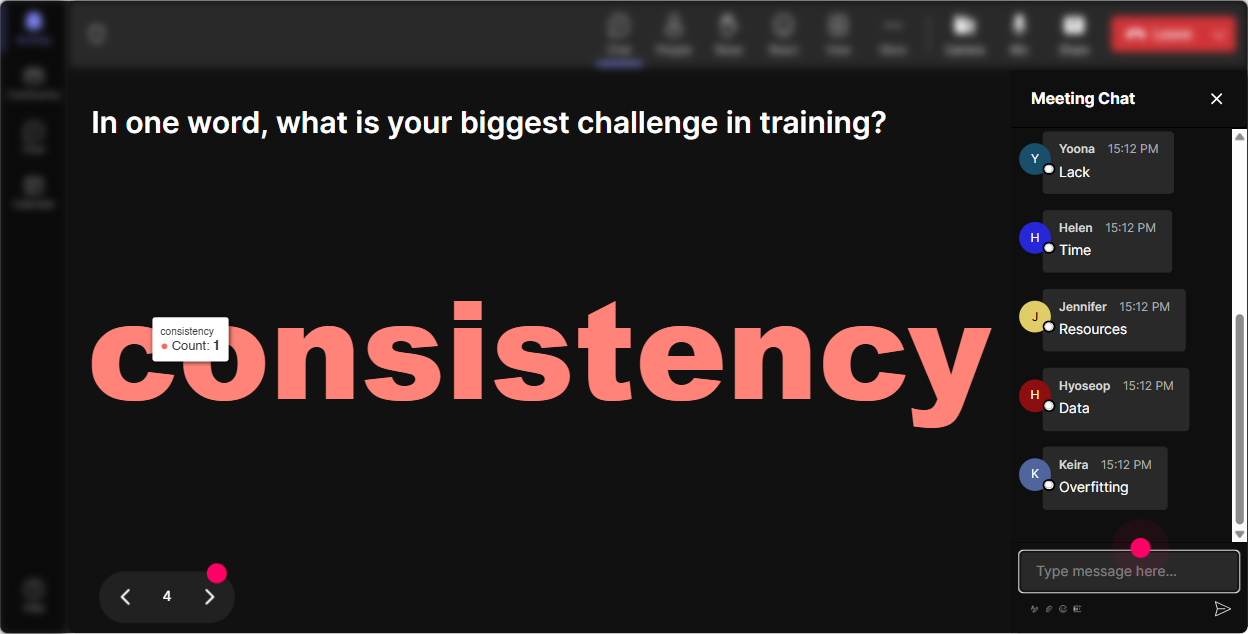
3) Wonder Words (Word Cloud): Make the rooms mindset visible in 10 seconds
This is one of the easiest ways to get everyone involved at once-especially the quiet folks. Ask a one-to-two word question, and let StreamAlive turn the chat into a live word cloud. Perfect word cloud prompts for L&D Marketing training: - When you hear L&D Marketing, whats the first word that comes to mind? - Whats the biggest barrier to getting people to attend training? (answers like: time, managers, workload, relevance) - What do you want your training to be known for? (practical, career, confidence, skills, promotion) - One word to describe your current training attendance rates? (painful, inconsistent, decent, unpredictable) Why it boosts engagement: youre not guessing what people feel-youre showing it on screen. And then you can teach directly to what you see: Okay time and relevance are huge here-lets build messaging that tackles those two head on.
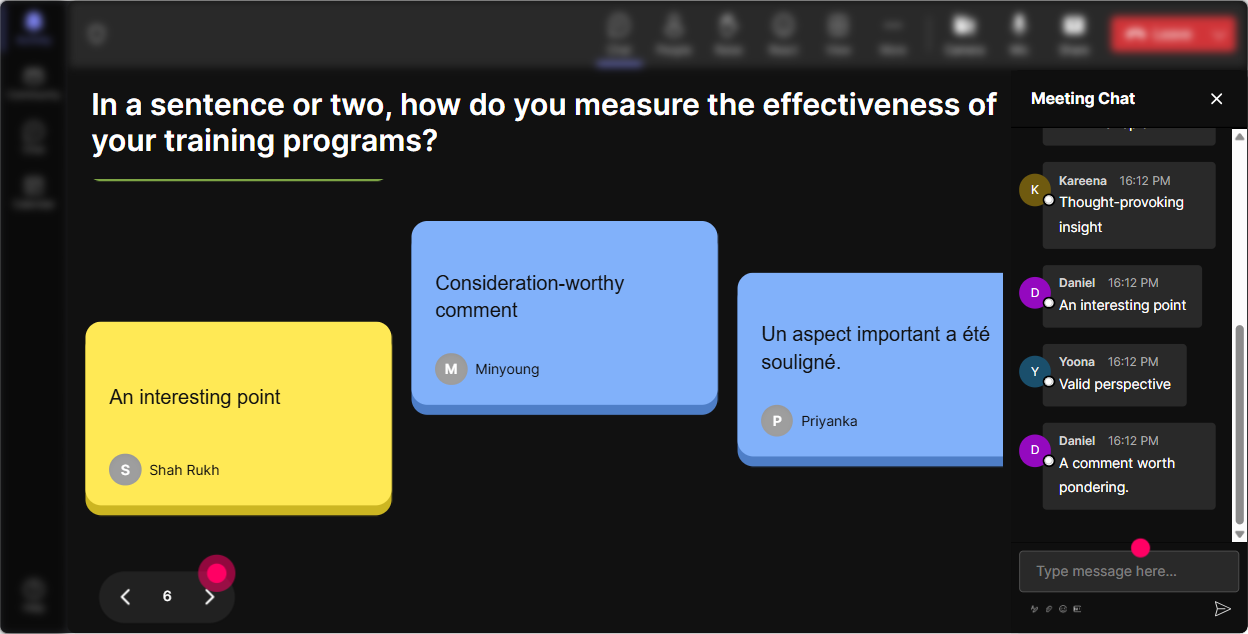
4) Talking Tiles: Turn longer answers into a live, energetic brainstorm
Sometimes you need more than one-word answers-especially when youre teaching trainers how to *market* a program. Talking Tiles lets people type real responses, and it displays them visually as they come in. It feels like the room is thinking together. Great Talking Tiles moments in an L&D Marketing ILT: - In one sentence, whats the impact of L&D Marketing on your role? - Describe one training program you wish had higher attendance-and why. - Whats one internal channel you have access to (Teams, email, intranet, manager huddles)? - Write a draft headline youd use to promote your next workshop. Why it boosts engagement: it makes participation feel alive and fast (not like filling out a form). And it gives you real material to coach: pick 23 tiles and say, Lets workshop these messages together.
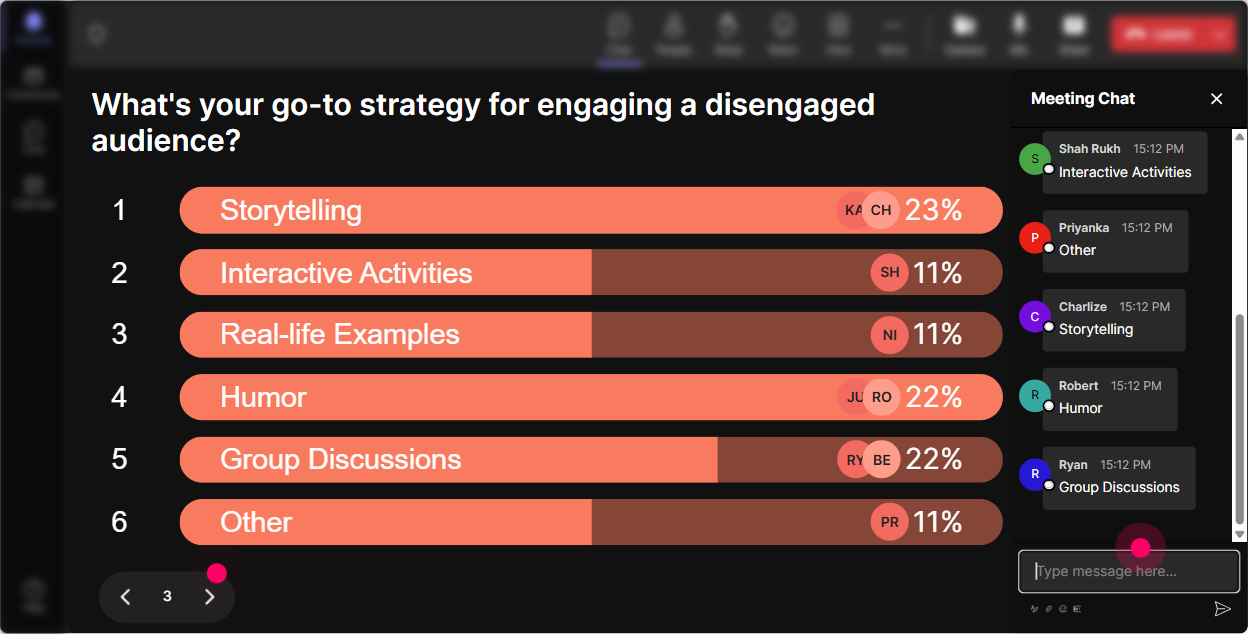
5) Power Polls: Let your audience choose the agenda (so they actually care)
L&D Marketing can go in a lot of directions-internal comms, branding, stakeholder buy-in, messaging, measurement. If you pick the focus alone, youll lose half the room. Use Power Polls to let them vote, then teach what they want most. Poll ideas that work really well: - Whats your biggest L&D Marketing challenge right now? 1) Low attendance 2) No time to promote 3) Managers dont support it 4) People dont see the value 5) Unsure what channels to use - Where do you want to improve first? 1) Messaging 2) Visual promos 3) Internal partnerships 4) Launch plan 5) Measuring impact - Which audience is hardest to reach? 1) New hires 2) Frontline 3) Leaders 4) Remote teams 5) SME groups Why it boosts engagement: voting is easy, seeing results live is satisfying, and people feel like the session is being shaped around them-not around your slide deck.
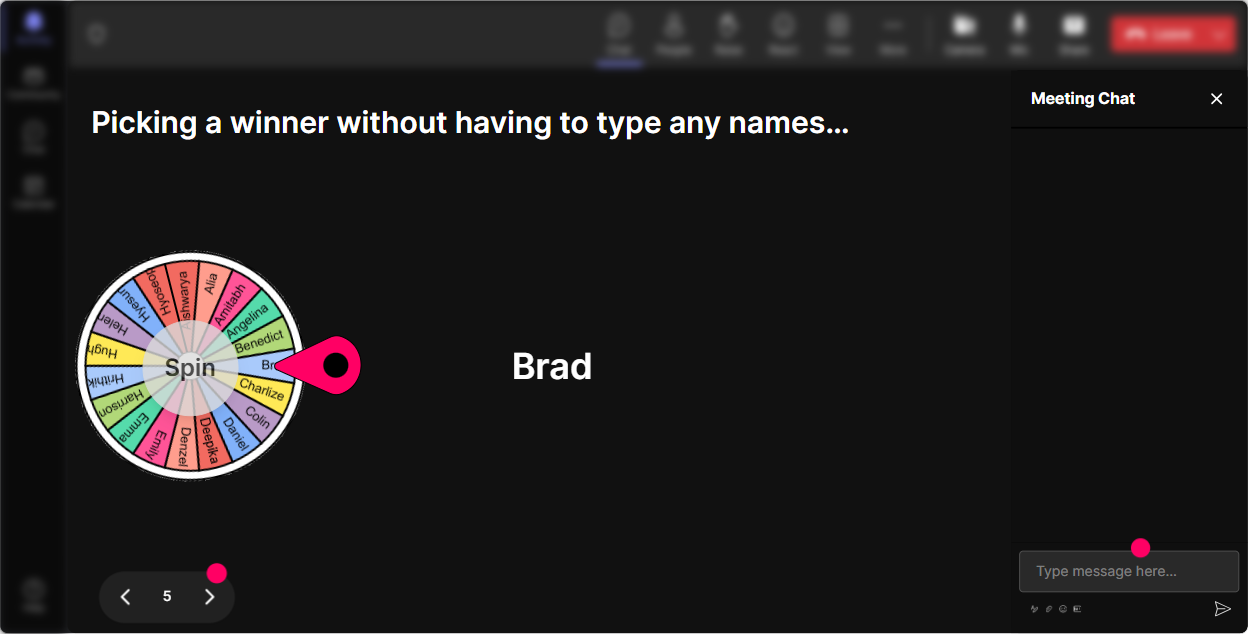
6) Winner Wheel: Get participation without putting people on the spot (and make it fun)
You know that moment where you ask, Who wants to share? and suddenly everyone becomes a statue? Winner Wheel fixes that-because now participation feels like a game, not a performance. How to use it in L&D Marketing training: - Tell them: If you drop an answer in chat, you might get picked to expand on it-quick and friendly. - Run an interaction first (poll/word cloud/talking tiles), then spin: - Lets spin for someone to share how they currently promote training internally. - Spin for someone to read their promo headline out loud. - Spin for someone to share a win-when training filled up fast-what worked? - Use it for small rewards too: Winner gets a template / checklist / my sample launch plan. Why it boosts engagement: people type in chat more often because they know it counts. And because the wheel is random, it feels fair and playful-not like youre singling someone out.
7) Quiz: Do quick knowledge checks that feel like a game, not a test
A quiz is perfect when youre teaching core concepts-like positioning, value props, channels, or measurement. You ask a multiple-choice question, people answer in chat, and StreamAlive tallies it live. Then you reveal the correct answer and explain it. Quiz questions tailored to L&D Marketing: - Which message is most outcome-focused? A) Compliance Training 60 minutes B) Reduce onboarding mistakes in your first 30 days C) New Training Module Available D) Mandatory Session Please Attend (Correct: B) - Which is the best first step before promoting a new program? A) Create the poster B) Ask managers what business problem they need solved C) Pick a catchy title D) Send a calendar invite (Correct: B) - Whats the strongest internal channel for driving attendance? A) One email B) Manager endorsement C) Intranet post D) A flyer (Correct: B - usually) Why it boosts engagement: it wakes people up, creates friendly competition, and gives you a clean moment to reinforce the lesson.

2) Rating Polls: Get a quick confidence check (and adjust your pace on the fly)
In L&D Marketing sessions, people often *think* theyre behind or they *think* theyve nailed it and both can be wrong. Rating Polls give you a fast, visual pulse check without the awkward silence. Ways to use Rating Polls during your session: - Opener: Rate your current confidence in L&D Marketing (1 = What is that? 10 = I could teach it) - After you explain internal positioning: How clear is the difference between promoting training vs positioning outcomes? - Mid-session gut check: How likely are you to market your next ILT program differently after today? - End-of-session: How useful was today for your real training calendar next month? Why it boosts engagement: its low effort for participants, high insight for you. And when you say, Im seeing a lot of 46s, lets slow down and do an example, people feel seen-which makes them participate more.
8) Q&A (Quick Questions): Catch every question without losing your flow
In live ILT, questions get buried fast-especially when chat is active. StreamAlives Q&A automatically detects and collects questions from chat so youre not scrolling like a maniac while trying to teach. How to use it smoothly: - Set the expectation: Drop questions anytime-StreamAlive will collect them and Ill hit them at the end of each section. - Use it for structured pauses: - After Messaging: Lets do 3 questions before we move into channels. - After Channels: Lets take the top questions and then well build a mini launch plan. - Great prompts to invite questions: - Whats one internal barrier youre facing right now? - Whats the hardest stakeholder to convince-L&D, managers, or leadership? Why it boosts engagement: participants feel safer asking questions, and you look more organized because you actually answer them without missing the good ones.

9) Analytics: Prove what worked (and get smarter every session)
If youre doing L&D Marketing, you already know the value of data. StreamAlive Analytics is basically that-but for your live session engagement. How trainers can use Analytics after an ILT: - See minute-by-minute engagement: identify where attention spiked (maybe your messaging examples section) and where it dipped (maybe you talked too long without an interaction). - Review chat replay + interaction results: steal your own best moments and reuse them in future sessions. - Identify your most engaged participants (Fantastic Fans): these are your future champions-people who can pilot your next program, share testimonials, or help spread the word internally. - Share results with stakeholders: export or email reports to show things like participation levels, top topics, and what your audience voted for. Why it boosts engagement long-term: you stop guessing. You learn what truly pulls people in, and your next session gets tighter, more interactive, and yes-more likely to hit that up to 9x engagement jump because youre designing based on real behavior.

Use StreamAlive in all your training sessions
StreamAlive isn’t just for
L&D Marketing
training,
it can also be used for any instructor-led training session directly inside your PowerPoint presentation.
Explore similar traingin ideas: unlocking the potential of StreamAlive
See how StreamAlive transforms live training with engaging events and interactive sessions across industries, directly inside your PowerPoint presentation.

Interactions in action
(it's free)

.svg.png)


