Install StreamAlive for your PowerPoint slides
Learn more

Metaverse Training for Training Agencies
StreamAlive helps 9x the audience engagement in your Virtual Instructor-led Trainings (VILT) directly inside your powerpoint presentation.
Make your instructor-led Metaverse training more fun with polls, word clouds, spinner wheels and more
Works inside your existing PowerPoint presentation
Install the StreamAlive app for PowerPoint and see your slides come to life as people participate in your interactions
AI generates audience interactions for you
Let our AI scan your presentation and automatically come up with relevant questions based on the content. Or spend two hours coming up with your own questions, your choice!
Built to work with MS Teams and Zoom
Native apps for Teams and Zoom so you never have to leave your existing workflows
No QR Codes
Chat-powered interactions means your audience doesn’t need to scan QR codes or look at another screen to participate. They just type in the chat!

Quickly approved by your IT team
StreamAlive’s apps for Teams and Zoom means that they have been through rigorous quality assurance and client safety reviews. You’ll find everything an IT team needs to approve the app within the organization within your StreamAlive account.

Youve been asked to run Metaverse instructor-led training for a training agency, and you want it to feel hands-on (not like a boring concept lecture). The easiest win? Turn your session into a constant back-and-forth so people dont drift. Here are simple Metaverse training ideas powered by StreamAlive that can lift participation fast-often by up to 9x.
1) Kick off your Metaverse session with Magic Maps (and instantly make it feel live)
In Metaverse training, your audience might be spread across cities, countries, even continents-so use that to your advantage right away. With StreamAlives Magic Maps, you ask one location-based question, people answer in chat, and boom-everyone appears on a real-time world map. Its a super quick icebreaker that feels way more Metaverse-ish than the usual roll call. Try these openers for training agencies: - Where are you joining us from today? (City + country) - If you could host your next training inside a virtual world anywhere on earth, where would you place it? - Which city has the best conference/training memories for you? - Dream destination for a global cohort training program-where would it be? Trainer tip: If youre doing regional breakouts later (APAC/EMEA/NA), the map helps you naturally set that up: Cool-looks like weve got a strong cluster in Singapore and London. Well use those examples in the next activity.

2) Use Rating Polls to quickly gauge Metaverse confidence (without awkward silence)
Metaverse topics can intimidate people-some are excited, some feel totally behind. Rating Polls let you get that reality check in 10 seconds, directly from chat, and you can show the result live. Practical ways to use Rating Polls in Metaverse instructor-led training: - On a scale of 110, how confident are you explaining Metaverse learning to a client? - Rate your current comfort level with VR-based training: 1 (never tried) to 10 (I can facilitate it). - How ready is your agency to sell a Metaverse learning solution? 110. Then you can respond like a human trainer would: - Alright, were averaging around a 4-perfect. That means were not going too advanced too fast, and well build step-by-step. It keeps the session tuned to the room instead of guessing.

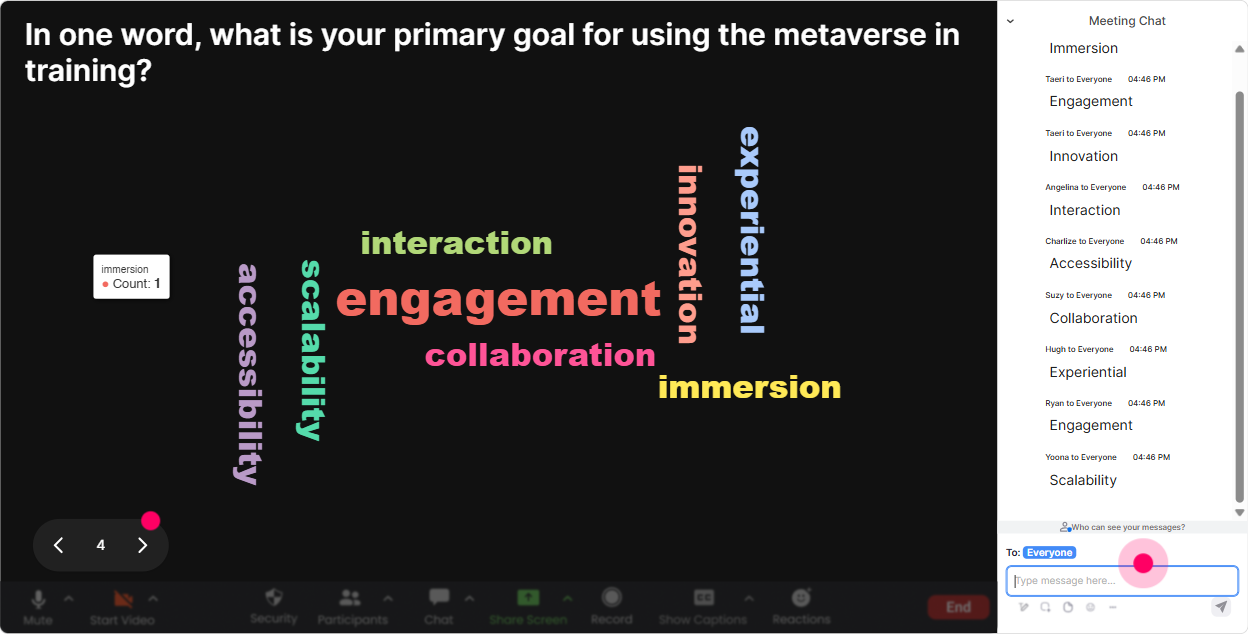
3) Use Wonder Words (Word Cloud) to surface the REAL feelings about Metaverse training
Word clouds are gold for Metaverse sessions because they instantly reveal what people associate with it-without putting anyone on the spot. With StreamAlive Wonder Words, ask for a 12 word answer, and youll see a live word cloud grow as people respond. Great prompts for training agencies: - Metaverse training in one word: what comes to mind? - How do you feel about delivering training in virtual worlds? (12 words) - Whats the biggest barrier for your clients adopting Metaverse learning? (keep it short) - Whats one skill a Metaverse facilitator needs? Trainer move: When you see big words like cost, confusing, hardware, engagement, youve got your agenda handed to you by the audience. Call it out: Okay-hardware is huge. Lets tackle that next with a simple rollout model.
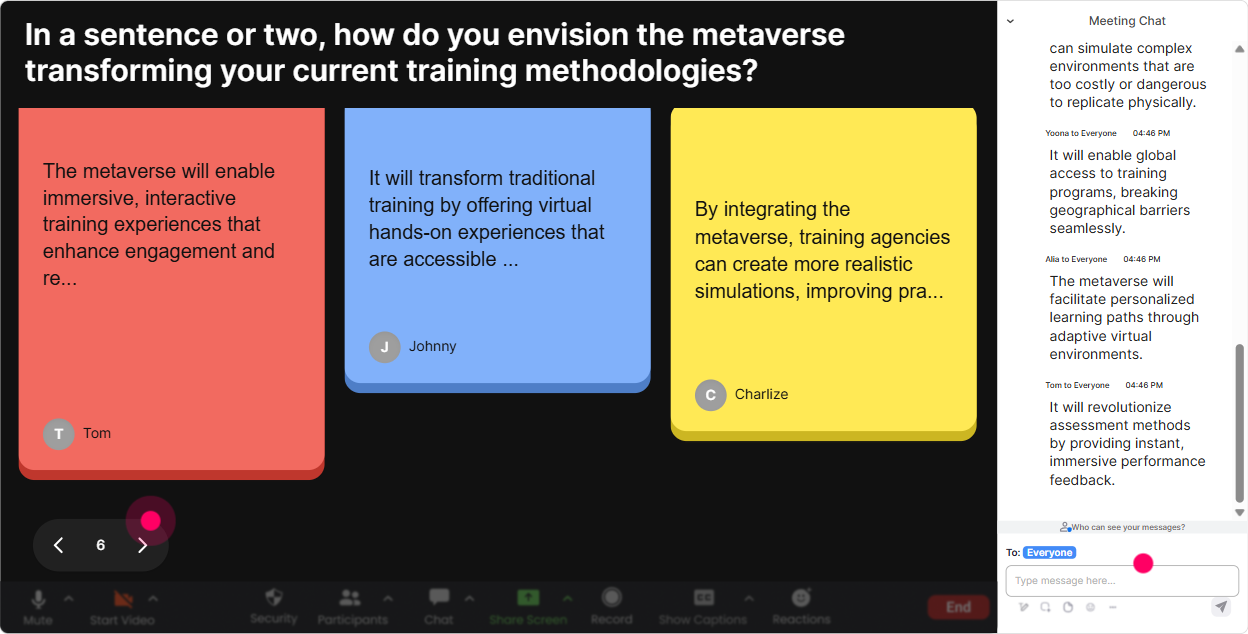
4) Turn ideas into a visual brainstorm using Talking Tiles
Once people are warmed up, you want longer answers-real thoughts, not just one-word vibes. Talking Tiles is perfect because responses fall onto the screen like Tetris tiles, so the conversation becomes a visual activity. Use it for Metaverse training scenarios like: - In your role, where could Metaverse training genuinely improve outcomes? - Describe one training program you run today that could be upgraded with a virtual-world layer. - What would you need to confidently pitch a Metaverse learning solution to a corporate client? - Whats one thing you *dont* want Metaverse training to become? This is especially useful for agencies because you can turn their answers into a service menu in real time: - onboarding simulations - leadership role-plays - sales rehearsals - safety walkthroughs - customer service scenarios And the best part: people see their message on screen, so theyre way more likely to participate again.
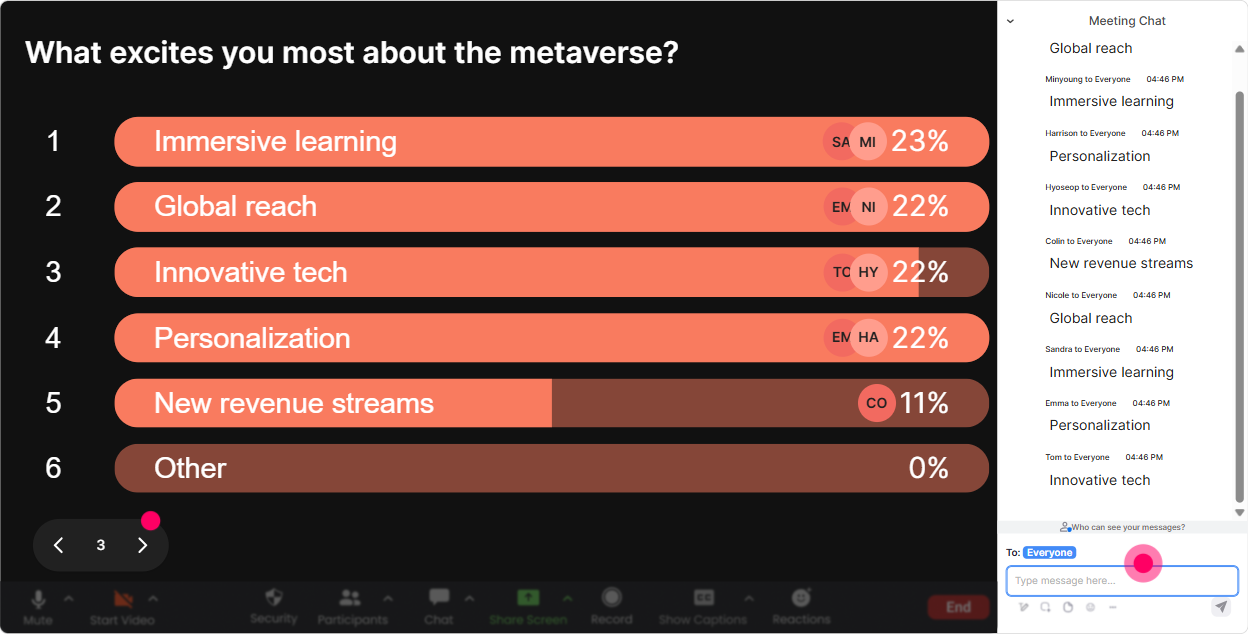
5) Run Power Polls to steer the session toward what your agency audience actually wants
Metaverse is a big topic. If you try to cover everything, it turns into a firehose. Power Polls let you hand the steering wheel to the audience and show results live, so you can prioritize like a pro. Poll ideas for Metaverse instructor-led training (training agencies edition): - What do you want most from today? 1) How Metaverse training works (basics) 2) Use cases you can sell to clients 3) Designing Metaverse learning activities 4) Tools/platform options 5) Pricing + packaging as an agency - Which Metaverse delivery format is most interesting for your clients? 1) VR headset sessions 2) Browser-based 3D worlds 3) AR overlays for on-the-job learning 4) Hybrid (Zoom + immersive activity) - Where would Metaverse training create the biggest impact? 1) Compliance/safety 2) Leadership 3) Sales 4) Customer support 5) Technical training Trainer tip: Run a poll at the start, then again near the end-Has your priority changed now that youve seen the options? That contrast creates a satisfying learning arc.
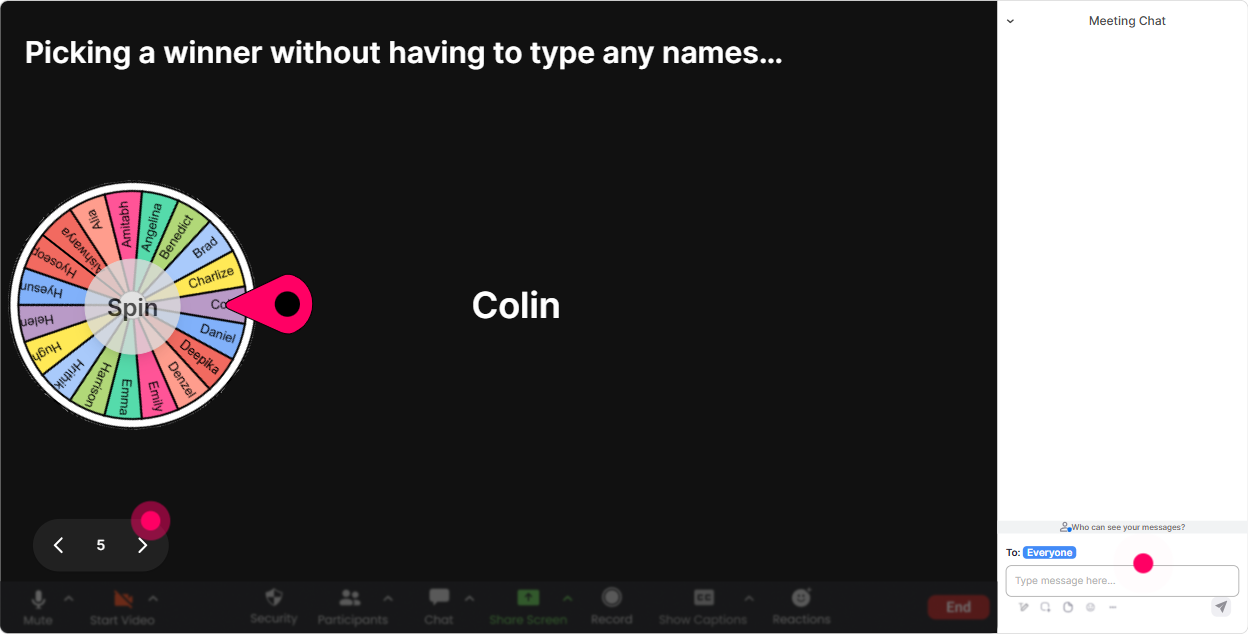
6) Use the Winner Wheel to pick speakers fairly (and get quieter people to join in)
Every session has the same challenge: a few people talk, everyone else stays quiet. StreamAlives Winner Wheel fixes that without you having to call people out. Heres how trainers use it in Metaverse sessions: - Type ONE Metaverse use case youd pitch to a client. (collect responses) - Then spin the wheel: Alright, wheel time-whos going to give us the 30-second pitch? Other fun ways to use it: - Pick a participant to choose the next scenario: Well build a Metaverse activity live-wheel decides which industry we do first. - Pick a person to summarize the last section: Wheel chooses our recap champion. - Pick a winner from those who participated to give away a bonus: template, checklist, or a free consult call. It feels playful, but its actually a serious engagement lever-people start chatting because they know participation gets noticed.
7) Lock learning in with quick Metaverse Quizzes (knowledge checks that dont kill the vibe)
Metaverse training can get jargon-heavy fast-VR vs AR vs MR, avatars, spatial audio, etc. A StreamAlive Quiz is a clean way to check understanding and wake everyone up. Example quiz questions for training agencies: - Which is the best example of presence in immersive learning? 1) Watching a video about a scenario 2) Reading a PDF guide 3) Feeling like youre inside the environment during practice (Correct) 4) Taking a multiple-choice test - Whats a strong reason companies use VR training? 1) Its always cheaper than everything else 2) It can improve practice + retention in high-risk scenarios (Correct) 3) It replaces all instructors 4) It removes the need for learning design - Which client training is usually a great fit for immersive simulations? 1) Safety + equipment operation (Correct) 2) Filing expense reports 3) Reading policy updates 4) Basic email etiquette Run these every 1015 minutes and youll feel attention snap back into the room.

2) Use Rating Polls to quickly gauge Metaverse confidence (without awkward silence)
Metaverse topics can intimidate people-some are excited, some feel totally behind. Rating Polls let you get that reality check in 10 seconds, directly from chat, and you can show the result live. Practical ways to use Rating Polls in Metaverse instructor-led training: - On a scale of 110, how confident are you explaining Metaverse learning to a client? - Rate your current comfort level with VR-based training: 1 (never tried) to 10 (I can facilitate it). - How ready is your agency to sell a Metaverse learning solution? 110. Then you can respond like a human trainer would: - Alright, were averaging around a 4-perfect. That means were not going too advanced too fast, and well build step-by-step. It keeps the session tuned to the room instead of guessing.
8) Make Q&A painless with StreamAlive Q&A (so you never miss the good questions)
In Metaverse sessions, questions come fast-and chat can get messy. StreamAlive Q&A automatically detects and collects questions from chat and shows them clearly on your Presentation Live screen. How to use this in Metaverse instructor-led training: - Tell people: If its a question, start your message with Q: and StreamAlive will capture it. - Do a structured Q&A twice: one at the midpoint, one at the end. - Use it for client-facing concerns agencies hear all the time: - Do we need headsets? - How do we measure ROI? - Whats a realistic first program to pilot? - How do we facilitate in a virtual world without it getting chaotic? This keeps you from scrolling and missing questions-and makes the whole session feel more organized without being stiff.

9) Use StreamAlive Analytics to improve the next Metaverse cohort (and prove engagement to stakeholders)
If youre a training agency, youre not just delivering a session-youre usually reporting outcomes too. StreamAlive Analytics helps you see what actually worked, minute-by-minute. Heres how to use analytics after Metaverse instructor-led training: - Check the minute-by-minute engagement to spot where attention dropped (was it a lecture-heavy section? too much theory?) - Review chat replay to see which Metaverse topics triggered the most conversation (use that to adjust your agenda) - Identify your most engaged participants (your Fantastic Fans)-theyre often your future champions, internal sponsors, or the ones to invite into an advanced cohort - Pull interaction reports from your polls/quizzes and share them with your team or stakeholders via email Real agency use case: You can literally say, Heres what the cohort cared about most, heres where confidence increased, and heres what we should build into the next Metaverse training package. Thats how you turn one training delivery into a repeatable, sellable program.

Use StreamAlive in all your training sessions
StreamAlive isn’t just for
Metaverse
training,
it can also be used for any instructor-led training session directly inside your PowerPoint presentation.
Explore similar traingin ideas: unlocking the potential of StreamAlive
See how StreamAlive transforms live training with engaging events and interactive sessions across industries, directly inside your PowerPoint presentation.

Interactions in action
(it's free)

.svg.png)


