Install StreamAlive for your PowerPoint slides
Learn more

Neurodiversity Inclusion Training for Training Agencies
StreamAlive helps 9x the audience engagement in your Virtual Instructor-led Trainings (VILT) directly inside your powerpoint presentation.
Make your instructor-led Neurodiversity Inclusion training more fun with polls, word clouds, spinner wheels and more
Works inside your existing PowerPoint presentation
Install the StreamAlive app for PowerPoint and see your slides come to life as people participate in your interactions
AI generates audience interactions for you
Let our AI scan your presentation and automatically come up with relevant questions based on the content. Or spend two hours coming up with your own questions, your choice!
Built to work with MS Teams and Zoom
Native apps for Teams and Zoom so you never have to leave your existing workflows
No QR Codes
Chat-powered interactions means your audience doesn’t need to scan QR codes or look at another screen to participate. They just type in the chat!

Quickly approved by your IT team
StreamAlive’s apps for Teams and Zoom means that they have been through rigorous quality assurance and client safety reviews. You’ll find everything an IT team needs to approve the app within the organization within your StreamAlive account.

Youve been asked to run a Neurodiversity Inclusion instructor-led session for a training agency-and you want it to be genuinely engaging (not another slide + nod workshop). The good news: you can make it interactive without putting anyone on the spot. Here are practical ways to do it using StreamAlive so participation feels easy, safe, and natural.
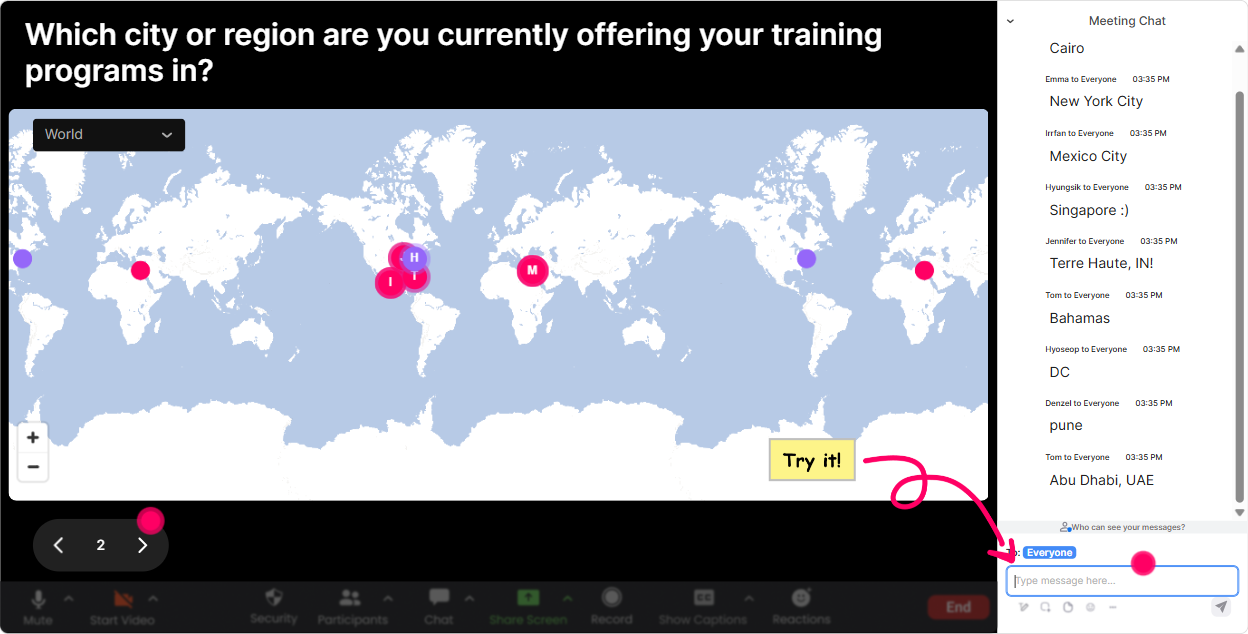
1) Magic Maps: Start inclusive, start human (and skip the awkward intros)
Neurodiversity-friendly sessions work best when people feel safe and seen early on-without being forced to speak. Magic Maps is perfect for that because everyone can participate quietly through chat, and you instantly create a sense of were in this together. Try it as your first 2 minutes: - Where are you joining from today? (classic, simple, no pressure) - If your brain had a happy place on the map, where would it be? (keeps it light) - Pick a city that represents your work pace today: calm / busy / chaotic-where are you? (fun metaphor, still low effort) Trainer tip for inclusion: If you have participants who process slower or hate being called on, this is gold-because the map fills up while you talk, and nobody has to perform. Also, the clustering on the map makes people feel like they belong (Oh wow, there are 6 of us from the same region).
2) Rating Polls: Get a quick temperature check without making it weird
In Neurodiversity Inclusion training, you want to know where people are starting from-without asking them to publicly admit theyre unsure. Rating Polls give you that quick pulse-check in seconds. Use it at the start: - Rate your confidence in supporting neurodivergent learners (1 = not sure where to start, 10 = I train others on this). - How inclusive do you think your current training delivery is? (110) Use it mid-session (this is where engagement spikes): - How clear was that concept? (110) after you explain things like sensory load, executive function, or universal design. Use it at the end: - How ready do you feel to apply one change in your next session? (110) Why this helps inclusion: its fast, predictable, and doesnt demand writing. Participants who struggle with open-ended responses still get an easy way to participate.

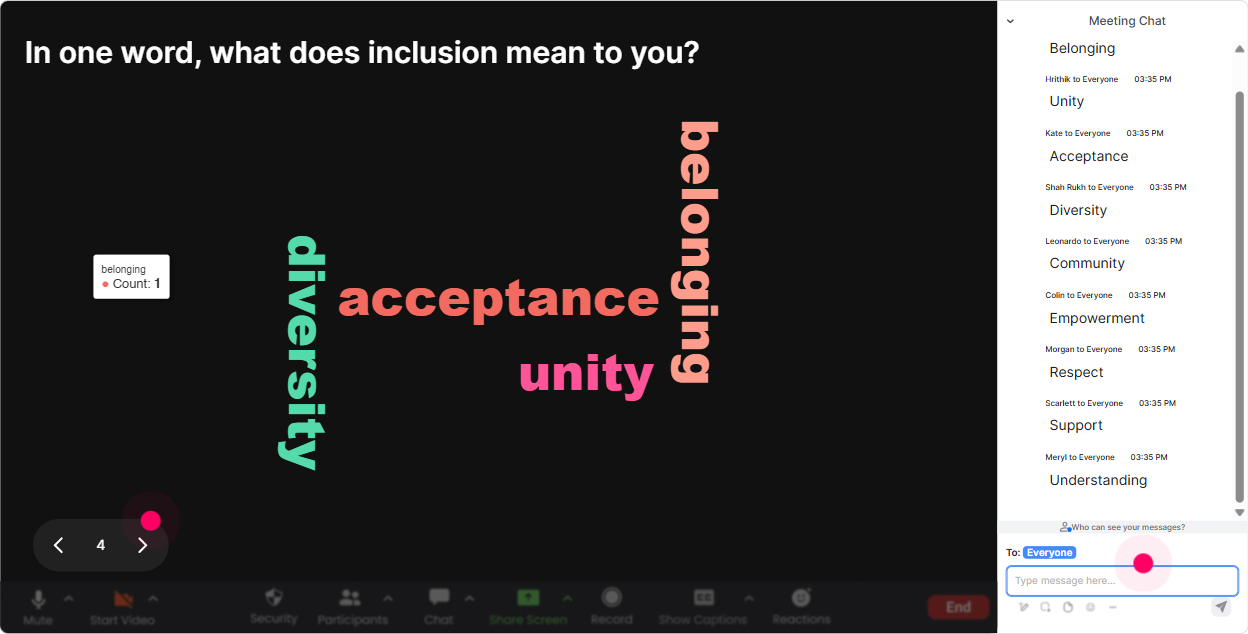
3) Wonder Words (Word Cloud): Let people share feelings without oversharing
Word clouds are one of the easiest ways to make a neurodiversity topic feel approachable. You ask for 12 words, and suddenly the whole rooms emotions and assumptions are visible-without anyone needing to explain themselves. Great prompts for this topic: - When you hear neurodiversity inclusion, whats the first word that comes to mind? - What do you want more of in training spaces? (one word) (examples: clarity, breaks, empathy, structure) - One word for what makes training stressful for learners? (noise, speed, uncertainty, multitasking) What you do as the trainer: - Call out patterns gently: Im seeing overwhelmed, curious, and unsure-thats normal. - Use it to steer the session: Since clarity is huge here, Ill show you a couple of simple clarity upgrades you can apply tomorrow. Neurodiversity inclusion win: people who dont want to speak can still be heard, and you normalize a range of reactions right away.
4) Talking Tiles: Turn lived experience into content (without forcing anyone to unmute)
Talking Tiles is where you can go deeper-but still keep it chat-based and low-pressure. Its great for scenarios, reflection, and real-world practice because responses can be a sentence or two, and the visual tiles make it feel lively. Try prompts like: - Whats one small change youve made (or want to make) to be more inclusive in your training? - Think of a learner who struggled in class-what might have been happening beneath the surface? - Whats one training habit we should retire because it can unintentionally exclude people? You can also do agency-specific prompts: - In your client sessions, what delivery style gets the most pushback-fast pace, group work, cold calling, long modules? - Where do accommodations typically break down: pre-work, live session, assessments, or follow-up? Inclusive facilitation tip: After tiles appear, dont judge answers. Just group them verbally: Im seeing themes-pace, clarity, and breaks. Lets tackle those. It makes people feel safe contributing again.

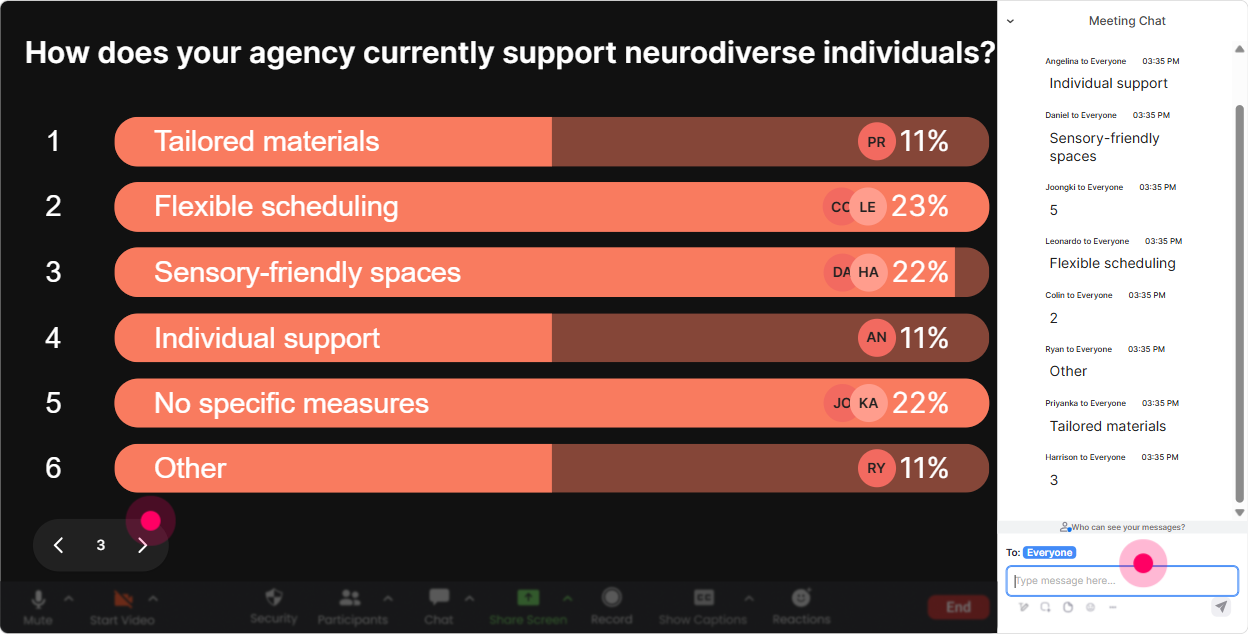
5) Power Polls: Let the group choose the agenda (seriously)
If you want engagement to jump, let people influence what happens next. Power Polls help you stop guessing what your audience needs-and you can show results live so people feel heard. Use it early: - What would help you most today? 1) Practical accommodations in ILT 2) Designing slides/activities for cognitive accessibility 3) Handling group work and participation fairly 4) Language to use with clients/managers Use it before a segment: - Which scenario should we solve first? 1) Learner shuts down during fast activities 2) Learner dominates and interrupts 3) Learner struggles with instructions 4) Learner cameras-off + silent in chat Why its neurodiversity-friendly: choice reduces anxiety. When learners know where the session is going (and they helped pick it), resistance drops and participation goes up.
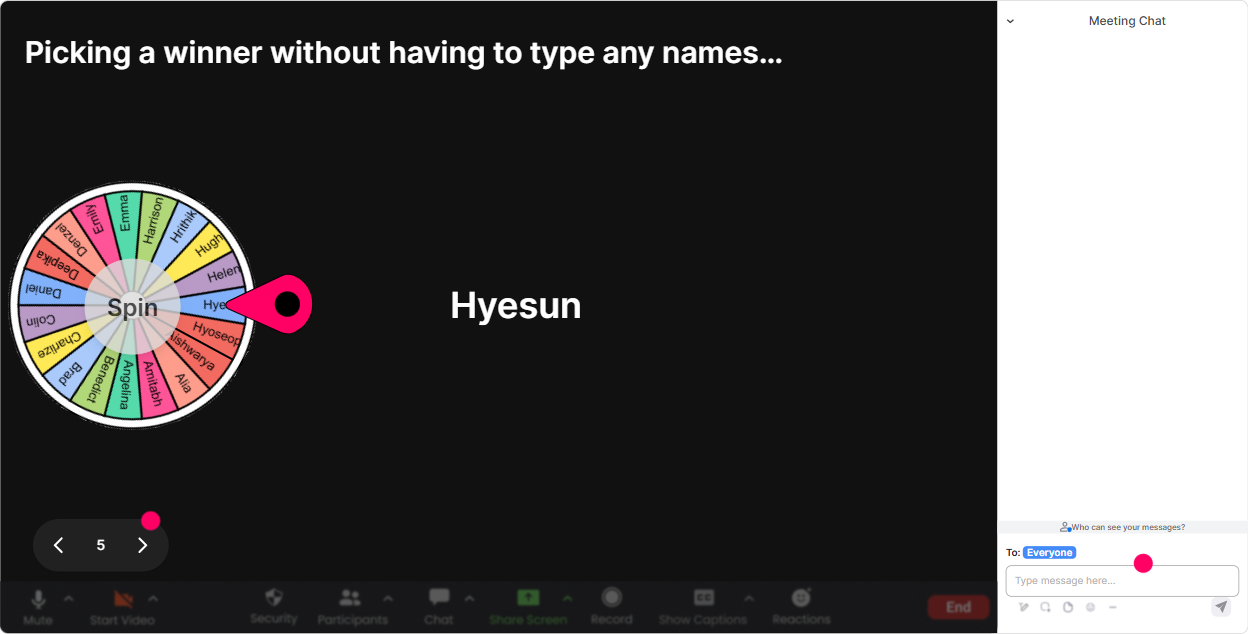
6) Winner Wheel: Get volunteers without the awkward silence (and without pressure)
Lets be real: asking Who wants to share? usually gets you nothing. But you also dont want to cold-call someone in a neurodiversity session-because that can spike anxiety fast. Winner Wheel gives you a middle path: - First, ask for opt-in in chat: Type IN if youre happy to share out loud for 30 seconds. - Then spin the wheel from that opt-in group. Ways to use it in this session: - Pick someone to read a scenario card and say how theyd respond - Pick a volunteer to share one inclusion tweak theyll try next week - Pick someone to summarize the groups top word cloud theme Make it feel positive: - Well spin from volunteers only-no surprises. - Offer a pass: If it lands on you and youd rather not, just say pass-totally fine. This keeps energy high, but still respects different comfort levels.
7) Quiz: Do quick myth-busting without sounding preachy
Neurodiversity Inclusion training often includes unlearning myths-so a Quiz interaction works beautifully as a light knowledge-check. Its interactive, its clear, and it avoids long debates. Quick quiz ideas (single correct answer): - Neurodiversity includes A) Only autism B) Only ADHD C) A range of natural brain differences (Correct) D) Only diagnosed conditions - Whats usually the BEST first step when a learner struggles? A) Tell them to try harder B) Ask what support would help and offer options (Correct) C) Move on quickly to stay on schedule D) Call on them more so they engage - Which change often helps the widest range of learners? A) More pop quizzes B) Clearer instructions + predictable structure (Correct) C) Longer sessions with fewer breaks D) More group work by default Trainer move: Run the quiz, show results, then reveal the correct answer and give a 20-second explanation. That rhythm keeps attention locked in.

2) Rating Polls: Get a quick temperature check without making it weird
In Neurodiversity Inclusion training, you want to know where people are starting from-without asking them to publicly admit theyre unsure. Rating Polls give you that quick pulse-check in seconds. Use it at the start: - Rate your confidence in supporting neurodivergent learners (1 = not sure where to start, 10 = I train others on this). - How inclusive do you think your current training delivery is? (110) Use it mid-session (this is where engagement spikes): - How clear was that concept? (110) after you explain things like sensory load, executive function, or universal design. Use it at the end: - How ready do you feel to apply one change in your next session? (110) Why this helps inclusion: its fast, predictable, and doesnt demand writing. Participants who struggle with open-ended responses still get an easy way to participate.
8) Q&A: Catch questions that would normally get lost in chat
In sensitive topics like inclusion, people ask important questions-but they can get buried fast. StreamAlives Q&A pulls questions from chat and organizes them so you dont miss them. How to use it in Neurodiversity Inclusion ILT: - Tell participants upfront: Drop questions anytime in chat-StreamAlive will catch them for our Q&A breaks. - Do Q&A in short bursts (every 1520 minutes) so people dont hold anxiety the whole session. Common questions youll likely see (and you can invite them explicitly): - What if a client refuses accommodations? - How do I support someone without diagnosing them? - How do I make group work inclusive without removing it? This feature helps you stay present as the facilitator instead of scrolling chat like a maniac.

9) Analytics: Prove what worked (and improve your next delivery fast)
If you run training for agencies, youre not just delivering-you're constantly improving, reporting outcomes, and showing value. StreamAlive Analytics helps you see exactly what got people talking and where attention dipped. What you can do after your Neurodiversity Inclusion session: - Check minute-by-minute engagement: Did engagement spike during scenarios? Dip during theory? Great-next time, break theory into smaller chunks. - Review chat replay + interaction reports: see which questions created the most participation and reuse them. - Identify your most engaged participants (Fantastic Fans): these are often your champions-people to invite into pilots, feedback groups, or future cohort discussions. - Share results internally: email the report to your team or stakeholders so its not just people seemed to like it-youve got proof. Bottom line: analytics turns your session into a repeatable, improvable product-so every cohort gets better, and your engagement climbs (often way beyond what youd see with slides alone).

Use StreamAlive in all your training sessions
StreamAlive isn’t just for
Neurodiversity Inclusion
training,
it can also be used for any instructor-led training session directly inside your PowerPoint presentation.
Explore similar traingin ideas: unlocking the potential of StreamAlive
See how StreamAlive transforms live training with engaging events and interactive sessions across industries, directly inside your PowerPoint presentation.

Interactions in action
(it's free)

.svg.png)


