Install StreamAlive for your PowerPoint slides
Learn more

Skills Data Infrastructure Training for L&D Leaders
StreamAlive helps 9x the audience engagement in your Virtual Instructor-led Trainings (VILT) directly inside your powerpoint presentation.
Make your instructor-led Skills Data Infrastructure training more fun with polls, word clouds, spinner wheels and more
Works inside your existing PowerPoint presentation
Install the StreamAlive app for PowerPoint and see your slides come to life as people participate in your interactions
AI generates audience interactions for you
Let our AI scan your presentation and automatically come up with relevant questions based on the content. Or spend two hours coming up with your own questions, your choice!
Built to work with MS Teams and Zoom
Native apps for Teams and Zoom so you never have to leave your existing workflows
No QR Codes
Chat-powered interactions means your audience doesn’t need to scan QR codes or look at another screen to participate. They just type in the chat!

Quickly approved by your IT team
StreamAlive’s apps for Teams and Zoom means that they have been through rigorous quality assurance and client safety reviews. You’ll find everything an IT team needs to approve the app within the organization within your StreamAlive account.

Youve been asked to run an instructor-led session on Skills Data Infrastructure for L&D Leaders, and you already know the risk: it can get data-heavy fast. The goal is to keep it practical, interactive, and surprisingly fun. Here are simple ways to do that with StreamAlive so people stay with you (and actually participate).
Magic Maps: Kick off with Where are you joining from?-but make it relevant
Skills data work looks different depending on region, business unit, and workforce mix-so start by literally putting your audience on the map. How to use it in your session: - Icebreaker (classic): Where are you joining us from today? City + country. - Make it skills-relevant: Where is your hardest-to-fill talent market located? (one location per person) - Future-state prompt: If you could benchmark your skills program anywhere in the world, where would you go? Trainer tip: When clusters form (say, lots of folks from London or Bengaluru), call it out and ask a quick follow-up: Whats one skills data pain point youre seeing there right now? That tiny moment creates instant belonging-and chat momentum.

Rating Polls: Get an honest baseline in 10 seconds
Before you go into frameworks, tools, or architecture diagrams, find out where people are really at. Rating Polls are perfect for a quick pulse check without putting anyone on the spot. Ideas you can run: - On a scale of 110, how confident are you in your orgs skills data right now? - Rate your current skills taxonomy maturity (1 = we dont have one, 10 = it drives decisions). - How aligned are HR, L&D, and Talent Acquisition on skills definitions? (110) Trainer tip: If the average comes in low, say it out loud: Cool-this means today will be super useful. If it comes in high, pivot: Awesome, lets talk about scaling and governance so it doesnt fall apart next year.

Wonder Words (Word Cloud): Turn the vibe into something you can teach from
Skills Data Infrastructure can trigger all kinds of feelings-excitement, confusion, even a little trauma from past HR systems. Wonder Words lets you see the mood instantly and teach into it. Great prompts (12 words answers): - When you hear skills data infrastructure, what word comes to mind? - Whats the biggest blocker in your org? (One word: tools, buy-in, taxonomy, governance, data quality) - What do you want more of this year? (visibility, mobility, analytics, personalization, automation) Trainer tip: Use the biggest word as your agenda bridge. If governance pops, say: Perfect-lets make governance feel less like bureaucracy and more like clarity.
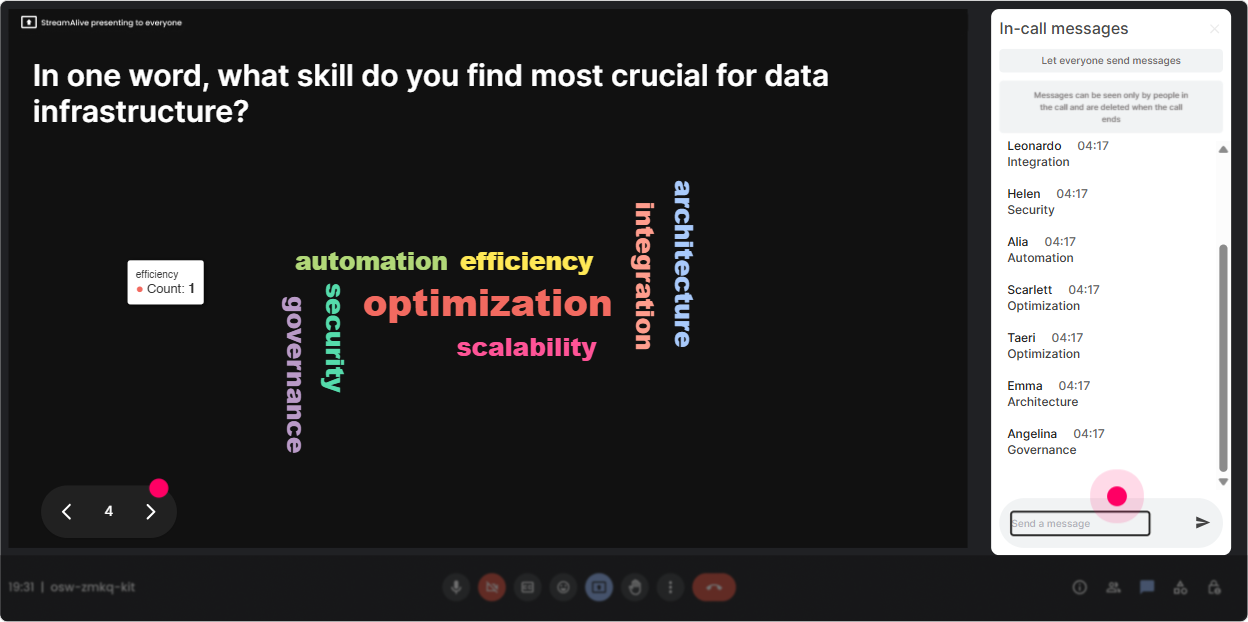
Talking Tiles: Get real stories (the stuff leaders actually learn from)
When you want more than one-word answers-like examples, context, and real operational challenges-Talking Tiles makes the chat feel alive and visible. Prompts that work really well for L&D Leaders: - Where does skills data show up in your job today-if at all? - Whats one place skills data breaks down? (e.g., duplicates, outdated profiles, inconsistent naming, no integrations) - If you could fix ONE thing in your skills data flow this quarter, what would it be? Trainer tip: Pick 23 tiles live and react like a host: Yep, thats a classic systems issue. Oof, thats governance. Thats actually a data model problem. Suddenly youre teaching, but it feels like a conversation.

Power Polls: Let the room vote on what to go deeper on
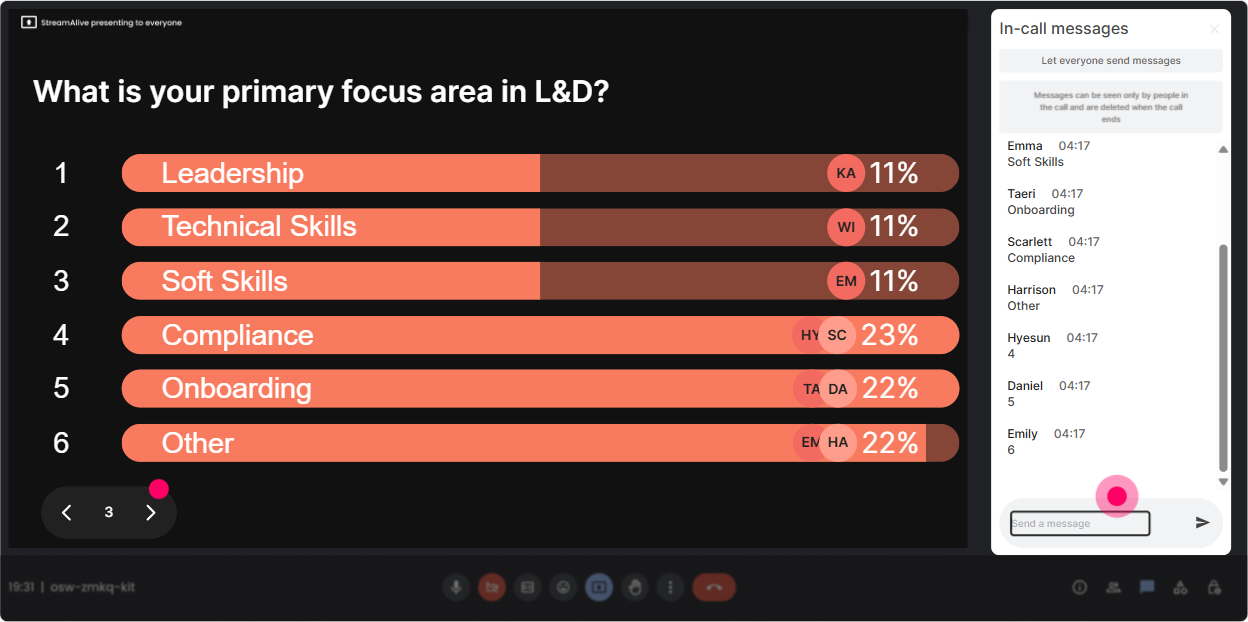
L&D Leaders dont all need the same thing-some want taxonomy, some want integrations, some want measurement. Use a Power Poll to let them choose the direction (and theyll feel ownership). Poll ideas with options: - Whats your #1 focus for skills data infrastructure right now? 1) Skills taxonomy/library 2) Data integrations (HRIS/LMS/ATS) 3) Governance + operating model 4) Skills validation/assessment 5) Reporting + skills intelligence Or use it mid-session: - Which use case should we apply this model to? 1) Internal mobility 2) Workforce planning 3) Learning personalization 4) Talent acquisition Trainer tip: After the winning option shows, say: Alright, majority rules-lets build the example around that. Engagement jumps because youre not guessing what they care about.
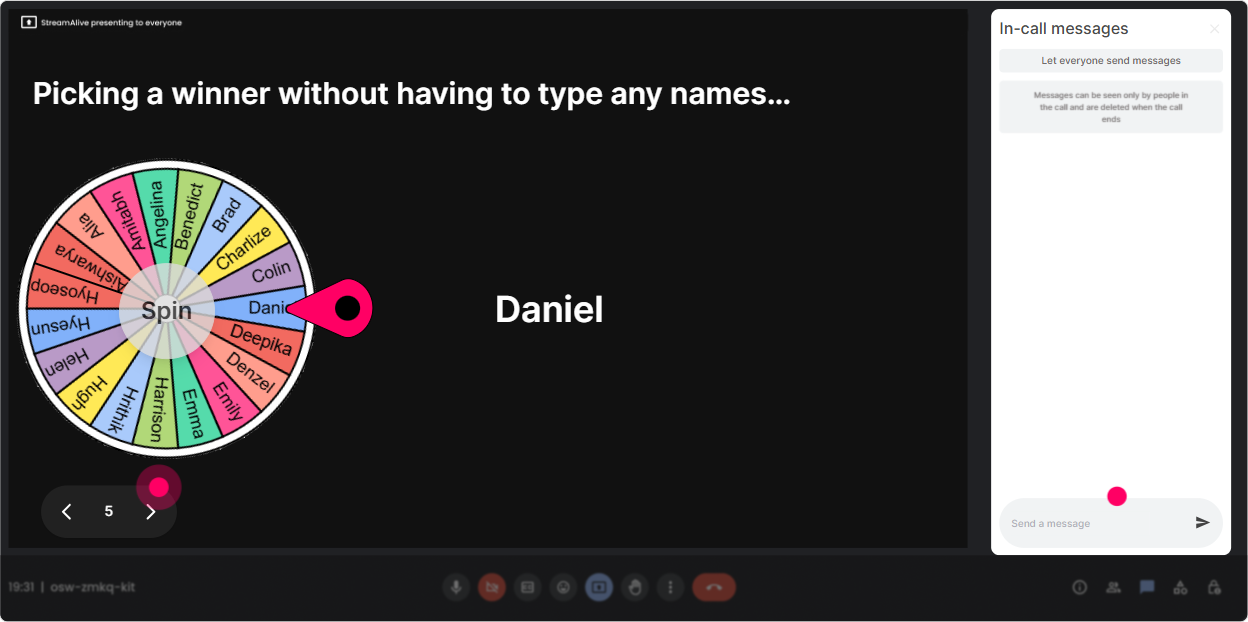
Winner Wheel: Make participation feel worth it (without being awkward)
You know that moment when you ask a question and the same two people answer? Winner Wheel fixes that by rewarding chat participation and making it playful. How to use it smoothly: - Drop one risk of poor skills data in the chat. Im spinning the wheel to pick someone to expand on theirs for 30 seconds. - Type DONE when youve mapped your current systems (HRIS/LMS/ATS/etc.). Ill spin and the winner gets to choose the next example use case. - Well do a quick recap-answer in chat, and Ill pick a random winner for bragging rights (or a small prize if you have one). Trainer tip: Tell them the rule upfront: The more you participate, the higher your chances. Youll see quiet attendees start posting just to get in the game.
Quiz: Quick knowledge checks that dont feel like school
When youre teaching infrastructure concepts (taxonomy vs ontology, source of truth, integrations, validation), a Quiz keeps attention high and helps you catch misunderstandings early. Quiz questions you can use: - Which is the BEST definition of a skills ontology? 1) A list of skill names 2) A structured model that defines relationships between skills (Correct) 3) A learning catalog 4) A job architecture - Whats most likely to break skills reporting? 1) Too many dashboards 2) Inconsistent skill naming across systems (Correct) 3) Too many learners 4) Too many job families Trainer tip: After revealing the correct answer, ask: If you picked another option, what made it tempting? That question alone creates great discussion without calling anyone out.

Rating Polls: Get an honest baseline in 10 seconds
Before you go into frameworks, tools, or architecture diagrams, find out where people are really at. Rating Polls are perfect for a quick pulse check without putting anyone on the spot. Ideas you can run: - On a scale of 110, how confident are you in your orgs skills data right now? - Rate your current skills taxonomy maturity (1 = we dont have one, 10 = it drives decisions). - How aligned are HR, L&D, and Talent Acquisition on skills definitions? (110) Trainer tip: If the average comes in low, say it out loud: Cool-this means today will be super useful. If it comes in high, pivot: Awesome, lets talk about scaling and governance so it doesnt fall apart next year.
Q&A (Quick Questions): Capture the real questions without losing the flow
Skills Data Infrastructure sessions spark lots of but what about questions. Quick Questions pulls those straight from chat and organizes them, so you dont miss the important stuff. Ways to run it like a pro: - Set expectation: Ask questions anytime in chat-StreamAlive will catch them, and Ill pause every 15 minutes. - Do a themed Q&A: Lets do 5 minutes of questions just on governance and ownership-drop them now. - Park-and-return: Great question. Im tagging that for our integrations section-keep them coming. Trainer tip: If youre co-facilitating, assign one person to manage Quick Questions while the other teaches. It feels insanely smooth to the audience.

Analytics: Figure out what actually worked (so your next session is even better)
After your session, dont just guess what landed-use StreamAlive Analytics to see it. What you can learn (and how it helps L&D Leaders): - Minute-by-minute engagement: Spot where attention dropped (usually long explanation stretches) and where it spiked (polls, stories, examples). Then adjust your run-of-show. - Interaction reports: See which questions got the most responses-those are your highest value discussion topics for future cohorts. - Fantastic Fans (top engagers): Identify who leaned in the most-these are great candidates to invite into a pilot group, SME roundtable, or internal champions network. - Easy sharing: Email reports to yourself or your team, or debrief with stakeholders on Teams using real engagement data. Trainer tip: Use analytics to build your repeatable playbook: Every 710 minutes, insert an interaction. Thats how you move from a presentation to a true live experience-and where the 9x engagement jump starts to show up.

Use StreamAlive in all your training sessions
StreamAlive isn’t just for
Skills Data Infrastructure
training,
it can also be used for any instructor-led training session directly inside your PowerPoint presentation.
Explore similar traingin ideas: unlocking the potential of StreamAlive
See how StreamAlive transforms live training with engaging events and interactive sessions across industries, directly inside your PowerPoint presentation.

Interactions in action
(it's free)

.svg.png)


