Install StreamAlive for your PowerPoint slides
Learn more

Neuroscience Training for Training Agencies
StreamAlive helps 9x the audience engagement in your Virtual Instructor-led Trainings (VILT) directly inside your powerpoint presentation.
Make your instructor-led Neuroscience training more fun with polls, word clouds, spinner wheels and more
Works inside your existing PowerPoint presentation
Install the StreamAlive app for PowerPoint and see your slides come to life as people participate in your interactions
AI generates audience interactions for you
Let our AI scan your presentation and automatically come up with relevant questions based on the content. Or spend two hours coming up with your own questions, your choice!
Built to work with MS Teams and Zoom
Native apps for Teams and Zoom so you never have to leave your existing workflows
No QR Codes
Chat-powered interactions means your audience doesn’t need to scan QR codes or look at another screen to participate. They just type in the chat!

Quickly approved by your IT team
StreamAlive’s apps for Teams and Zoom means that they have been through rigorous quality assurance and client safety reviews. You’ll find everything an IT team needs to approve the app within the organization within your StreamAlive account.

Youve been asked to run a Neuroscience instructor-led training for a Training Agency-and you want it to feel energizing, not like a textbook read-out loud. The trick is simple: turn brain science into real-time participation. Here are practical ways to do that using StreamAlive so your audience stays active (and awake) all session long.
Magic Maps: Put your neuroscience room on the map (literally)
Neuroscience is all about people-so start by making it feel human and connected right away. Magic Maps is the easiest everyone joins in opener because nobody has to overthink it. How to use it in your Neuroscience ILT: - Kick-off question: Where are you joining from today? (classic, fast, everyone answers) - Make it topic-relevant: If you could teleport your brain to anywhere on earth to fully reset where would you go? - Training Agency spin: Which city do you deliver training in most often? (great if your audience is trainers/ops folks) Why it works: the map lights up in real time, you get instant chatter, and you can naturally segue into neuroscience themes like environment, context, and how place impacts attention and stress. Pro tip: If youre running cohorts, reset the map at breaks and ask again: Wheres your mind at right now-same city, different energy?

Rating Polls: Quick pulse-checks on confidence, clarity, and brain overload
In neuroscience sessions, people can quietly get lost (especially once you hit terms like amygdala hijack, working memory, cognitive load). Rating Polls let you spot confusion before it turns into disengagement. Easy moments to use Rating Polls: - At the start: On a scale of 110, how confident are you with basic brain terms (attention, memory, stress)? - After a key concept: How clear is cognitive load right now? 1 = huh? 10 = I could teach it. - Mid-session energy check: Rate your current focus level (110). (then you can take a 60-second reset or stretch) Why it works: its fast, no one feels put on the spot, and you get a live dashboard of the rooms reality-way better than guessing based on silence.

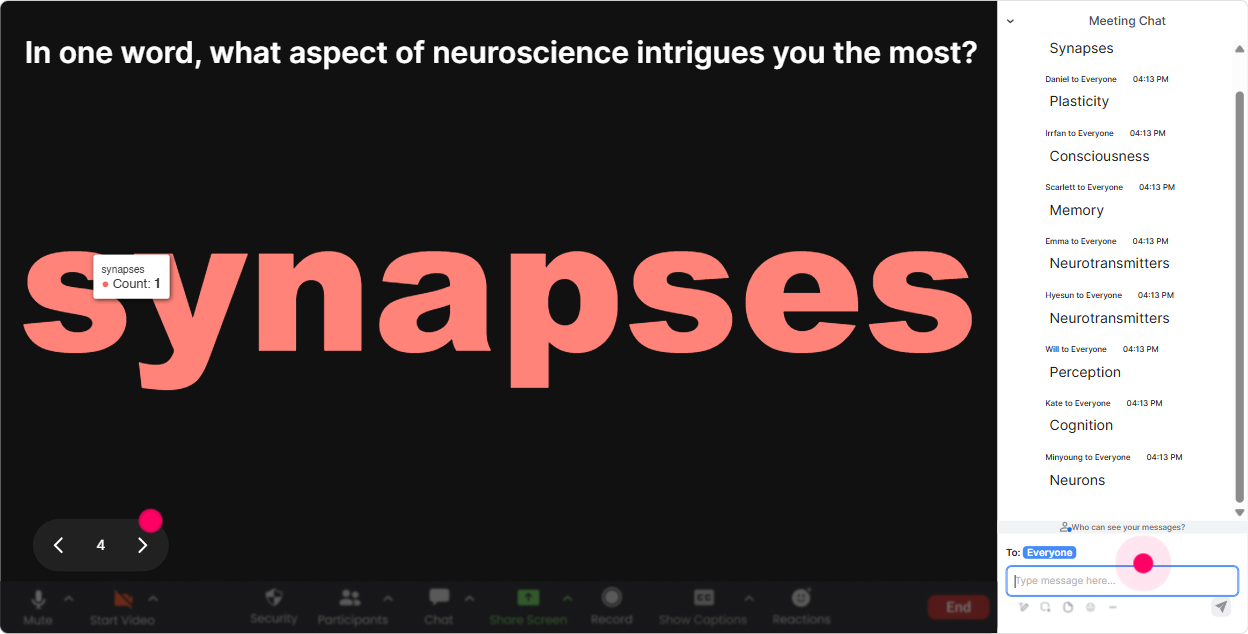
Wonder Words: Turn feelings and beliefs about neuroscience into a live word cloud
Neuroscience can trigger strong reactions-some people love it, some think its fluffy, some are intimidated. Wonder Words gets that out in the open in a fun way. Prompts that work really well: - Warm-up: When you hear neuroscience in training, whats the first word that comes to mind? - Before a section on memory: One word: what kills retention in training? (youll see things like overload, boring, no practice) - Before stress/attention topics: One word: what distracts you most during a session? Why it works: you instantly learn the rooms mindset and you can respond to what they actually typed. Plus, when a big word appears (overwhelm or skeptical), it gives you a natural moment to say, Okay-lets tackle that.
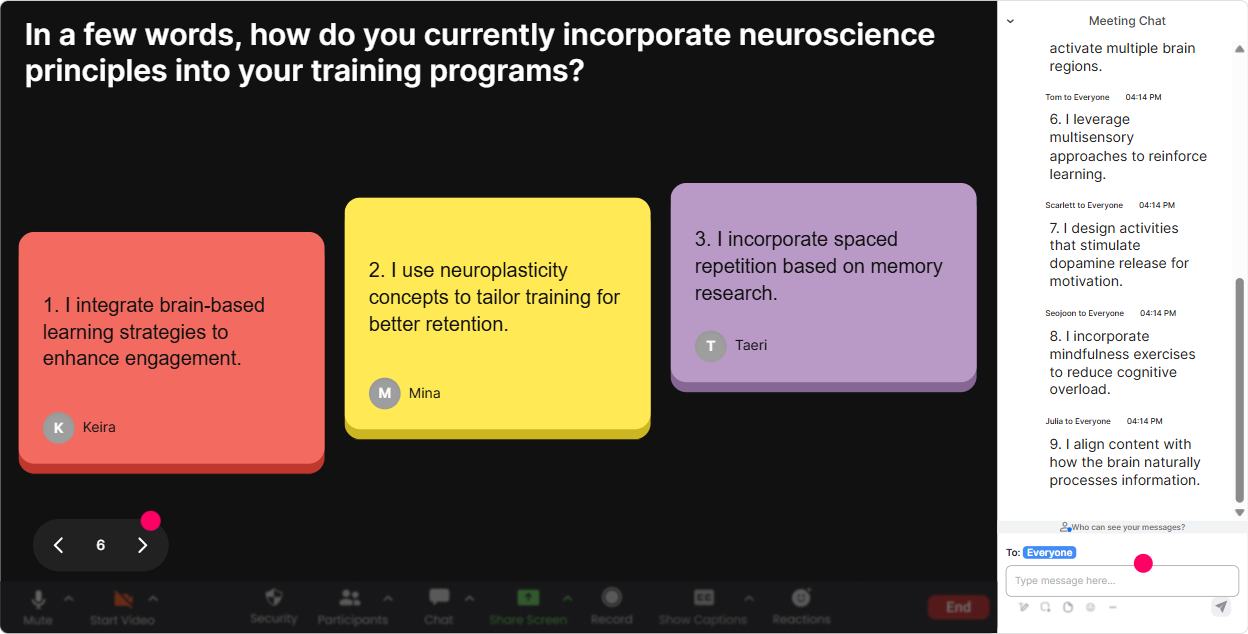
Talking Tiles: Get real stories and real use-cases (without awkward silence)
Neuroscience lands best when people connect it to their day-to-day. Talking Tiles is perfect when you want answers longer than a word, but you dont want to call on people one by one. Use it for applied prompts like: - Where do you see attention dropping most in your training programs-start, middle, or end? Tell me whats happening. - Describe a moment youve seen stress take over in a learner (or yourself) during training. - Whats one change you could make to your next session to reduce cognitive load? Why it works: responses appear visually as they come in, so participants feel seen, and you get tons of real examples to teach from. Also, it quietly nudges the quieter folks to contribute because they dont need to unmute.
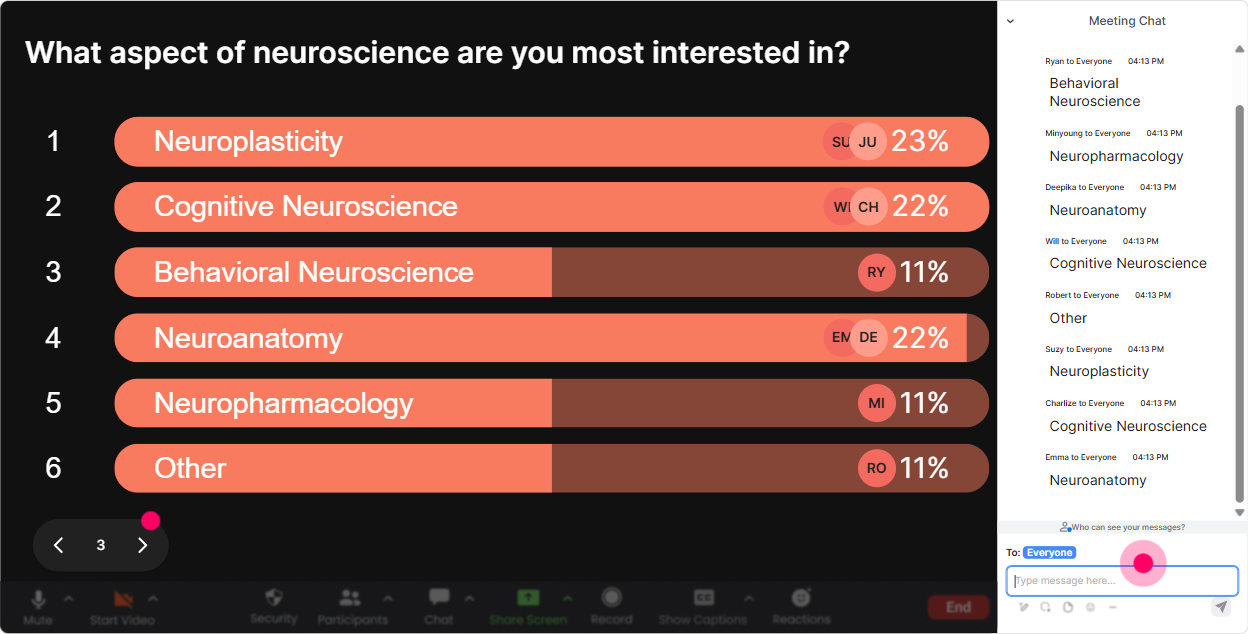
Power Polls: Let the group choose what neuroscience topic you go deeper on
If you want engagement, give people control. Power Polls make your session feel customized-even if you already planned your deck. Poll ideas for Neuroscience ILT: - Which topic should we spend extra time on today? 1) Attention & distraction 2) Memory & retention 3) Motivation & rewards 4) Stress & performance 5) Cognitive load & design - Whats your biggest learner challenge right now? 1) People forget fast 2) Low participation 3) Multitasking 4) Resistance to change 5) Low manager support Why it works: you get instant buy-in because the audience sees their choice win in real time. Then you can say, Cool-majority picked memory and retention. Lets make this practical.
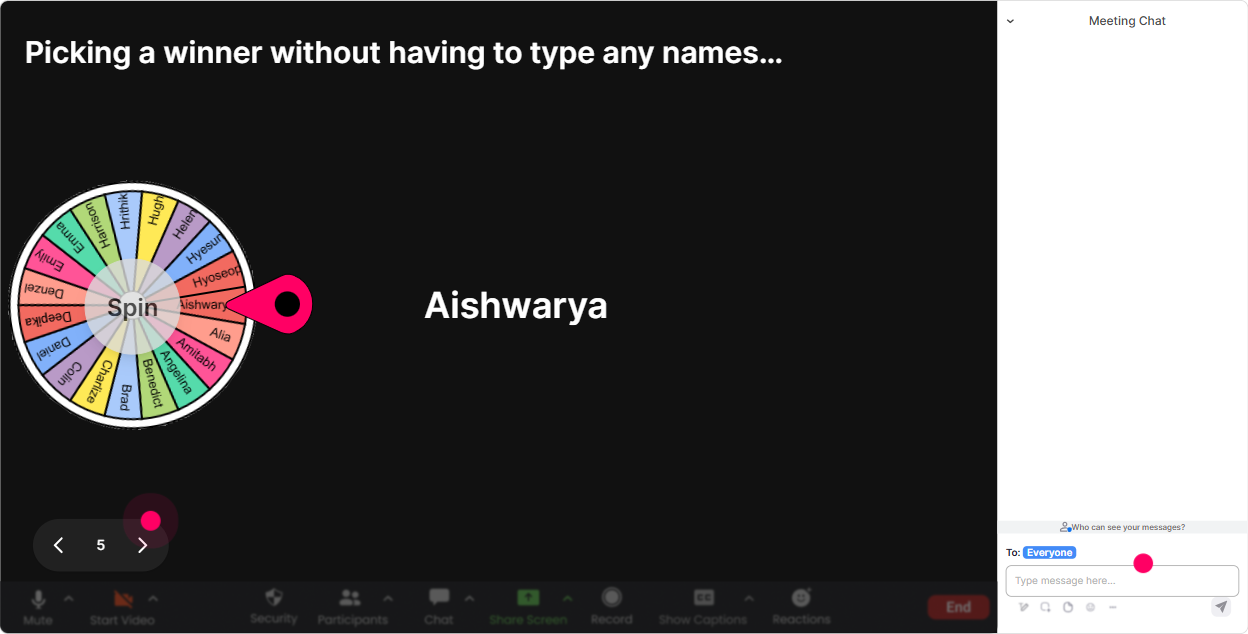
Winner Wheel: Call on someone without making it weird
You know that moment when you need a volunteer and everyone suddenly becomes a statue? Winner Wheel fixes that. Fun, low-pressure ways to use it: - Lets do a quick scenario. Im going to spin the wheel-winner gets to pick which example we use: onboarding, compliance, sales, or leadership training. - Pop one takeaway in chat. Ill spin the wheel and the winner shares their takeaway out loud (optional-but encouraged). - We need a brave brain to answer this: Whats one thing that boosts dopamine in learning? (spin from people who commented) Why it works: it rewards participation and keeps chat alive. And because its random, it feels fair-no one feels targeted.
Quiz: Quick neuroscience knowledge checks that feel like a game
Neuroscience has lots of myths floating around. A quick Quiz interaction is an easy way to correct misunderstandings without sounding preachy. Quiz questions you can run: - Which part of the brain is most associated with threat response? 1) Amygdala 2) Cerebellum 3) Occipital lobe 4) Brainstem - What typically helps memory the most? 1) Re-reading 2) Retrieval practice 3) Highlighting 4) Cramming - Multitasking is 1) Efficient 2) A myth (its task switching) 3) Best for creative work 4) A skill you can master with practice Why it works: you get participation from everyone at once, you can reveal the correct answer for a mini aha moment, and it breaks up long teaching segments perfectly.

Rating Polls: Quick pulse-checks on confidence, clarity, and brain overload
In neuroscience sessions, people can quietly get lost (especially once you hit terms like amygdala hijack, working memory, cognitive load). Rating Polls let you spot confusion before it turns into disengagement. Easy moments to use Rating Polls: - At the start: On a scale of 110, how confident are you with basic brain terms (attention, memory, stress)? - After a key concept: How clear is cognitive load right now? 1 = huh? 10 = I could teach it. - Mid-session energy check: Rate your current focus level (110). (then you can take a 60-second reset or stretch) Why it works: its fast, no one feels put on the spot, and you get a live dashboard of the rooms reality-way better than guessing based on silence.
Q&A (Quick Questions): Capture questions cleanly without losing the chat
In a neuroscience session, questions come fast-and they often show up right when youre mid-explanation. Quick Questions pulls audience questions from the chat and organizes them so you dont miss the good ones. How to use it smoothly: - Tell them early: If youve got a question, drop it in chat-StreamAlive will catch it for me. - Do structured Q&A breaks: Lets pause for 3 minutes-I'm going to hit the top questions that came in. - Use it for sensitive topics too (stress, burnout, anxiety in learning) because people may prefer typing over speaking. Why it works: you stay present as a facilitator instead of scrolling chat like a raccoon hunting for shiny objects.

Analytics: Find out what actually engaged your trainers (so you can improve fast)
If you deliver neuroscience training repeatedly (or your agency runs it for multiple clients), Analytics is gold. Youre not relying on vibes-youre using data. What you can learn after your session: - Which minute-by-minute moments had the most chat activity (aka the parts that truly hooked them) - Which interactions performed best (polls vs word clouds vs quizzes) - Who your most engaged participants were (your potential champions, promoters, or future facilitators) - Replay results so you can review what people answered and tighten your next delivery Practical Training Agency use-case: after a cohort finishes, share the interaction results with your internal team via email, compare cohorts, and refine your run-of-show so engagement climbs each time.

Use StreamAlive in all your training sessions
StreamAlive isn’t just for
Neuroscience
training,
it can also be used for any instructor-led training session directly inside your PowerPoint presentation.
Explore similar traingin ideas: unlocking the potential of StreamAlive
See how StreamAlive transforms live training with engaging events and interactive sessions across industries, directly inside your PowerPoint presentation.

Interactions in action
(it's free)

.svg.png)


