Install StreamAlive for your PowerPoint slides
Learn more

Career Portfolios Training for Training Agencies
StreamAlive helps 9x the audience engagement in your Virtual Instructor-led Trainings (VILT) directly inside your powerpoint presentation.
Make your instructor-led Career Portfolios training more fun with polls, word clouds, spinner wheels and more
Works inside your existing PowerPoint presentation
Install the StreamAlive app for PowerPoint and see your slides come to life as people participate in your interactions
AI generates audience interactions for you
Let our AI scan your presentation and automatically come up with relevant questions based on the content. Or spend two hours coming up with your own questions, your choice!
Built to work with MS Teams and Zoom
Native apps for Teams and Zoom so you never have to leave your existing workflows
No QR Codes
Chat-powered interactions means your audience doesn’t need to scan QR codes or look at another screen to participate. They just type in the chat!

Quickly approved by your IT team
StreamAlive’s apps for Teams and Zoom means that they have been through rigorous quality assurance and client safety reviews. You’ll find everything an IT team needs to approve the app within the organization within your StreamAlive account.

Youve been asked to run an instructor-led session on Career Portfolios for a Training Agency-and you dont want it to turn into a slide-and-sigh situation. Good news: with a few smart activities (and StreamAlive layered in), you can keep people chatting, thinking, and participating the whole way through. Here are practical ideas you can plug straight into your run-of-show.
Magic Maps: kick off Career Portfolios training by literally putting everyone on the map
The fastest way to get a quiet room talking is a low-stakes opener-and where are you joining from? works every time. With StreamAlives Magic Maps, their chat responses instantly show up on a live world map, so youre not just hearing locations youre seeing your group form in real time. How to use it in Career Portfolios ILT: - Warm-up (classic): Where are you joining us from today? Then tie it back: Cool-lots of different markets here. Your portfolio examples can reflect your region and industry. - Portfolio lens question: Where is your current (or target) job market? Great segue into tailoring portfolios to the roles they want. - Dream employer prompt: If you could work anywhere on earth for your next role, where would it be? Then connect it to portfolio positioning: projects, keywords, and proof that fits that market. Trainer tip: If youre training multiple cohorts, reset the map each session so every group feels seen from minute one.

Rating Polls: get a quick pulse on how confident people are about Career Portfolios
Before you teach anything, find out where everyones starting from. Rating Polls give you an instant confidence/experience snapshot-right in the chat-and you can adjust your pace without guessing. Ways to use Rating Polls in a Career Portfolios session: - Baseline confidence: On a scale of 110, how confident are you that your current career portfolio would impress a hiring manager? - Readiness check: Rate your portfolio readiness today (1 = I dont have one, 10 = its updated and shareable). - After a module: After that demo, how clear is portfolio storytelling now? (110) Trainer move: Call out what you see. Looks like most of us are around a 46-perfect. Well build it step-by-step, no pressure. People relax and participate more.

Wonder Words (Word Cloud): capture the groups thoughts on Career Portfolios in one punchy visual
Career portfolios can trigger all kinds of feelings-excitement, confusion, overwhelm, imposter syndrome-you name it. Wonder Words lets you ask a simple prompt and instantly reflect the room back to them. Its an easy way to make people feel like, Okay, its not just me. Great word cloud prompts for this training: - Emotion check-in: In 12 words, how do you feel about creating a career portfolio? (Youll get: excited, overwhelmed, unsure, motivated) - What belongs in it: Whats one thing you think a strong portfolio must include? (results, projects, proof, storytelling, metrics) - Biggest barrier: Whats your #1 challenge with portfolios? (time, clarity, confidence, examples) Facilitator trick: Use the biggest word as your agenda. Time is huge in the cloud-so Ill show you a quick template you can update in 20 minutes a week.
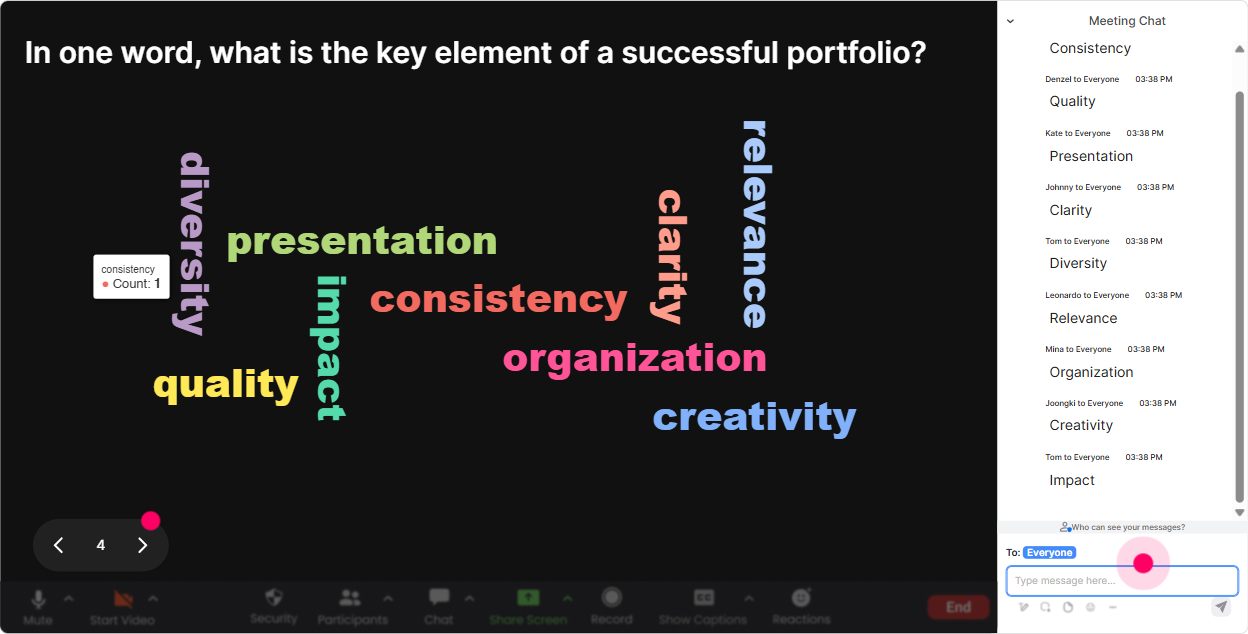
Talking Tiles: turn portfolio storytelling into a fun, visual brainstorm
Talking Tiles is perfect when you want more than one-word answers. People can type short stories, examples, or ideas-and you get this energetic messages falling in visual that keeps attention up. Try these prompts during your Career Portfolios ILT: - Proof prompt: Share one project youve done that youre proud of-and what impact it had. - Outcomes prompt: Write one measurable result youve delivered (even if it feels small). - Portfolio section builder: If your portfolio had 3 sections, what would they be? (e.g., Case Studies, Training Delivery, Program Design, Client Wins) Trainer tip: Pick 23 tiles live and coach them into portfolio-ready language. Example: turn helped onboarding into Redesigned onboarding, reduced ramp time by X% (or improved satisfaction). People love seeing the upgrade happen in real time.
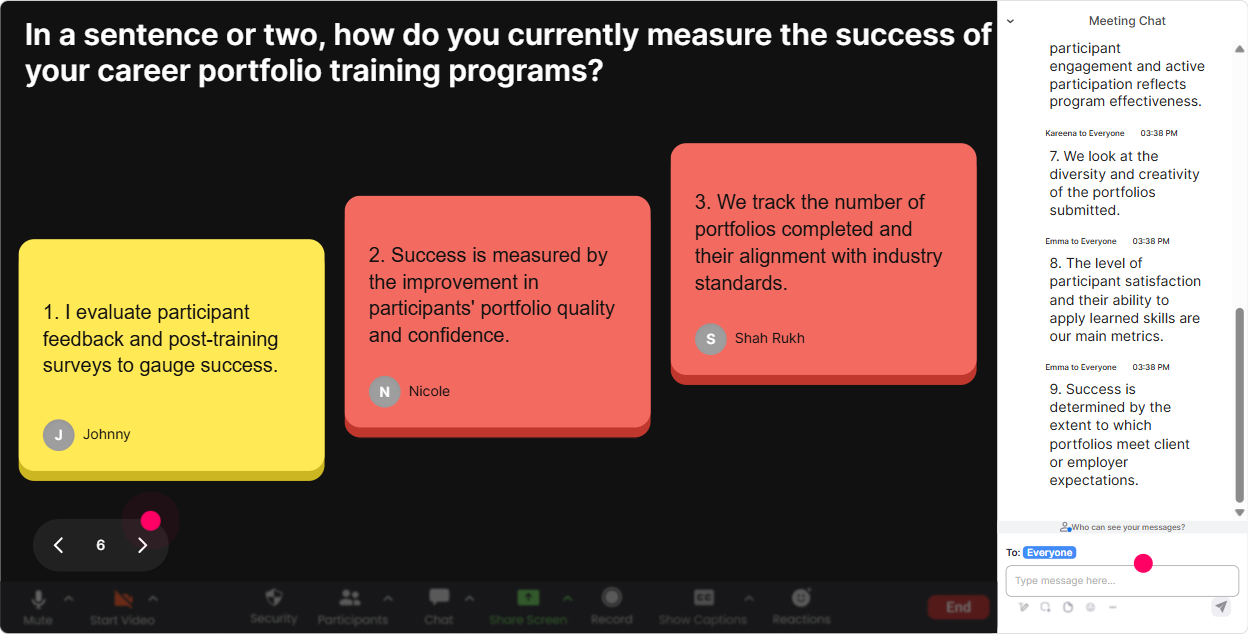
Power Polls: let the audience choose what part of Career Portfolios to focus on (so it feels tailored)
When learners feel like they helped shape the session, they pay attention. Use a Power Poll to ask what they want most-then spend more time there. It stops the session from feeling generic. Power Poll ideas for Career Portfolios training: - Focus picker: What do you want most from today? 1) Portfolio structure/template 2) Strong case studies 3) Writing impact statements 4) How to present it in interviews - Format decision: Where should your portfolio live? 1) PDF 2) LinkedIn Featured 3) Personal website 4) Google Drive/Notion - Audience reality check: Who is your portfolio mainly for? 1) Hiring managers 2) Internal promotions 3) Clients 4) All of the above Facilitator move: After the poll, say: Cool-case studies won. Ill still cover the basics, but well go deeper on case-study structure and examples.
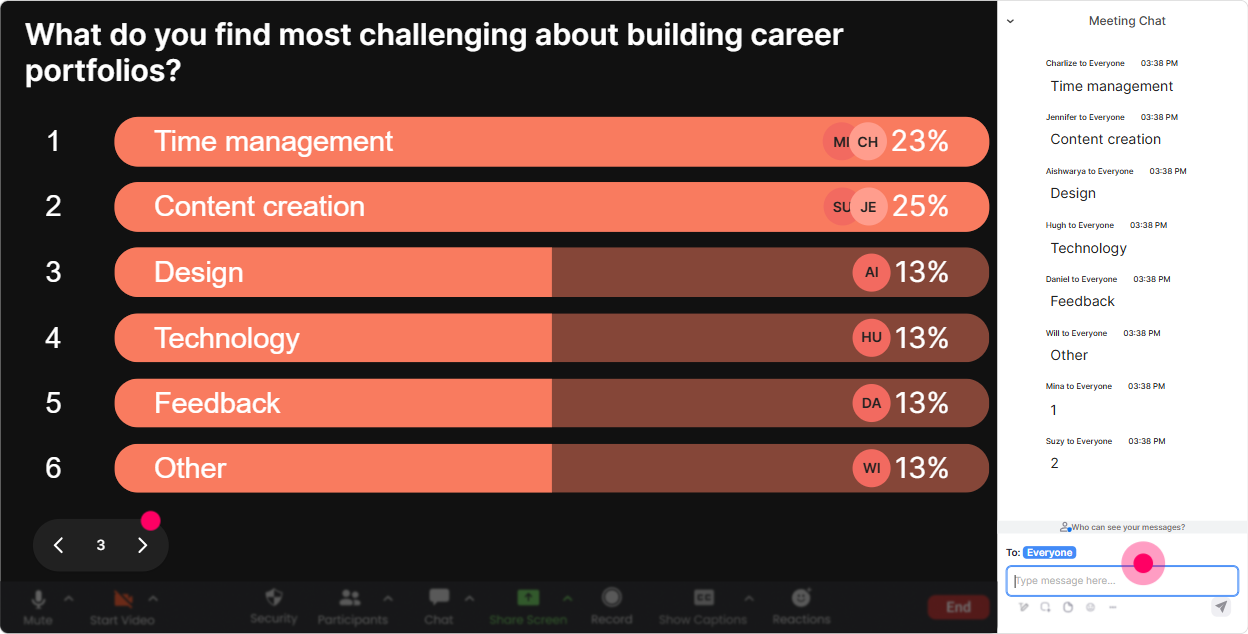
Winner Wheel (Spinner Wheel): get participation without the awkward any volunteers? silence
You know that moment when you ask for a volunteer and everyone suddenly becomes a statue? The Winner Wheel fixes that. Tell people: Drop your answer in chat-then well spin the wheel to hear one example. Now engagement goes up because typing feels safer than unmuting. Ways to use the Spinner Wheel in this training: - Case study spotlight: Share one project title in chat (just the title). Well spin and work with one live. - Practice round: Write your strongest portfolio headline in chat. Spinner decides who we workshop (kindly, I promise). - Friendly incentives: Anyone who contributes an impact metric goes into the wheel for a small prize (or bragging rights). Trainer tip: Keep it light. Remind them they can pass. The wheel adds fun without turning it into pressure.
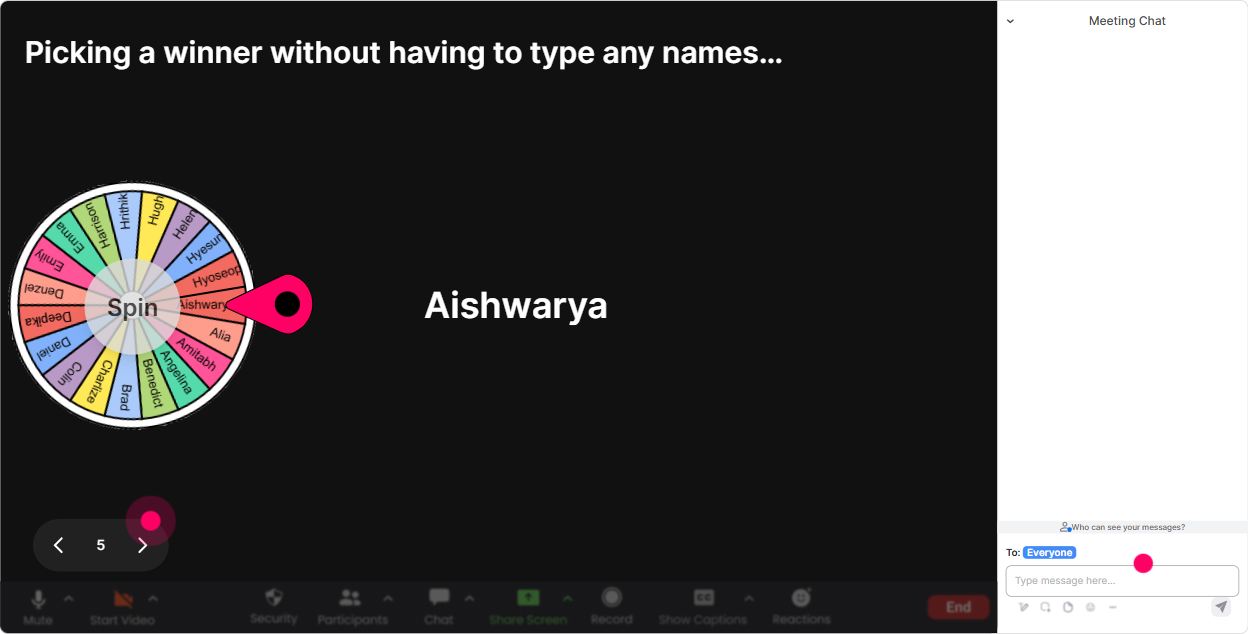
Quiz: do quick knowledge checks that feel like a game, not a test
Quizzes are awesome for breaking up content blocks and making sure people actually absorbed the point. With StreamAlives Quiz, they answer in chat, you show results live, and you can reveal the correct answer when youre ready. Quiz questions that fit Career Portfolios training: - Whats the BEST example of a portfolio bullet? A) Responsible for training new hires B) Delivered onboarding program; improved new-hire CSAT by 18% (Correct) C) Worked on several projects D) Helped the team with tasks - How many case studies should most people start with in a portfolio? A) 12 (Correct, for a starter) B) 10+ C) 20 D) As many as possible - What should a strong case study highlight first? A) Your job title B) The problem/context (Correct) C) A long company history D) Every tool youve ever used Trainer move: Use wrong answers as teaching moments. Totally get why you chose A-lots of resumes look like that. Lets upgrade it into impact language.

Rating Polls: get a quick pulse on how confident people are about Career Portfolios
Before you teach anything, find out where everyones starting from. Rating Polls give you an instant confidence/experience snapshot-right in the chat-and you can adjust your pace without guessing. Ways to use Rating Polls in a Career Portfolios session: - Baseline confidence: On a scale of 110, how confident are you that your current career portfolio would impress a hiring manager? - Readiness check: Rate your portfolio readiness today (1 = I dont have one, 10 = its updated and shareable). - After a module: After that demo, how clear is portfolio storytelling now? (110) Trainer move: Call out what you see. Looks like most of us are around a 46-perfect. Well build it step-by-step, no pressure. People relax and participate more.
Q&A (Quick Questions): capture questions cleanly without losing the chat
In portfolio sessions, questions come fast-and chat can get messy. StreamAlives Q&A automatically detects questions from the chat and organizes them for you, so you dont miss the good stuff. How it helps in Career Portfolios ILT: - Run a parking lot while teaching: Drop questions anytime-StreamAlive will catch them and well hit them at the end of each section. - Common Career Portfolio Qs youll get (and should invite): - What if I cant share client work publicly? - Do I include failures or only wins? - How do I build a portfolio with limited experience? - PDF vs website-what do recruiters prefer? Trainer tip: Do 2-minute Q&A sprints every 1520 minutes. It keeps attention up and reduces end-of-session overload.

Analytics: prove engagement, improve your next cohort, and spot your super participants
After the session, StreamAlive Analytics shows you what actually happened-when chat spiked, which interactions landed, and who your most engaged people were. This is gold for Training Agencies because you can improve delivery and also report outcomes. How to use Analytics for Career Portfolios training: - Tighten your run-of-show: If engagement drops during a long lecture chunk, youll see it-then you can insert a poll, quiz, or tiles activity at that point next time. - Measure what worked: Review interaction reports to see which questions got the most responses (great for refining future cohorts). - Identify your top fans: Find the people who participated the most-these are often your champions for testimonials, follow-up programs, or advanced workshops. - Share results internally: Use the email reports to quickly show stakeholders: participation levels, hotspots, and proof the session wasnt passive. Trainer mindset shift: Instead of guessing Did they like it? youll have real engagement signals-and youll get better every single delivery.

Use StreamAlive in all your training sessions
StreamAlive isn’t just for
Career Portfolios
training,
it can also be used for any instructor-led training session directly inside your PowerPoint presentation.
Explore similar traingin ideas: unlocking the potential of StreamAlive
See how StreamAlive transforms live training with engaging events and interactive sessions across industries, directly inside your PowerPoint presentation.

Interactions in action
(it's free)

.svg.png)


