Install StreamAlive for your PowerPoint slides
Learn more

Psychological Safety Training for L&D Leaders
StreamAlive helps 9x the audience engagement in your Virtual Instructor-led Trainings (VILT) directly inside your powerpoint presentation.
Make your instructor-led Psychological Safety training more fun with polls, word clouds, spinner wheels and more
Works inside your existing PowerPoint presentation
Install the StreamAlive app for PowerPoint and see your slides come to life as people participate in your interactions
AI generates audience interactions for you
Let our AI scan your presentation and automatically come up with relevant questions based on the content. Or spend two hours coming up with your own questions, your choice!
Built to work with MS Teams and Zoom
Native apps for Teams and Zoom so you never have to leave your existing workflows
No QR Codes
Chat-powered interactions means your audience doesn’t need to scan QR codes or look at another screen to participate. They just type in the chat!

Quickly approved by your IT team
StreamAlive’s apps for Teams and Zoom means that they have been through rigorous quality assurance and client safety reviews. You’ll find everything an IT team needs to approve the app within the organization within your StreamAlive account.

Youve been asked to run Psychological Safety instructor-led training for L&D Leaders-and you want it to be more than a slide deck and awkward silence. Totally fair. Here are practical ways to make it feel real, interactive, and surprisingly fun using StreamAlive so you keep people talking (not multitasking).
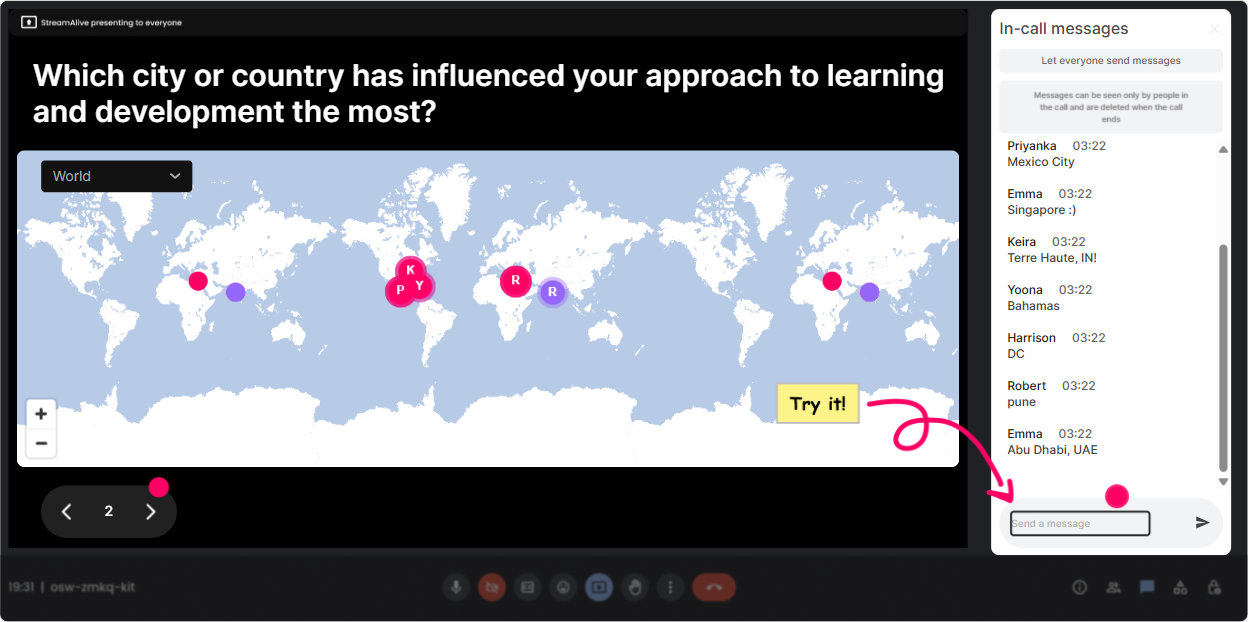
1) Magic Maps: Start with Youre safe here energy-by putting everyone on the map
Psychological safety starts before you even define it. Magic Maps is a simple way to break the ice without forcing anyone to overshare. It gives you instant connection: Oh wow, weve got folks from Singapore, Toronto, and Cape Town! How to use it in Psychological Safety ILT (with L&D Leaders): - Opener question: Where are you joining from today? (easy, low-risk, everyone can answer) - Trust-building twist: If you could host your next team offsite anywhere on earth, where would it be? (light, imaginative) - Connection to the topic: Which city best represents psychological safety for you-and why? (optional why in a follow-up chat prompt) Trainer tip: When you see clusters, call them out: Looks like weve got a mini community in London-love it. That tiny moment of belonging helps people participate more freely later.
2) Rating Polls: Get an honest pulse check without putting anyone on the spot
Before you teach psychological safety, find out where people actually are. Rating Polls let participants share how confident/comfortable they feel-without needing to explain themselves. Its quick, visual, and gives you a baseline in seconds. Ways to use Rating Polls in your session: - On a scale of 110, how confident are you explaining psychological safety to a senior leader? - How psychologically safe does your current team feel right now? (1 = not safe, 10 = very safe) - How comfortable are you speaking up in a meeting when you disagree? (110) Trainer tip: When you see the average, dont judge it-normalize it. Say: This is exactly why this topic matters. Lets work with whats real. That response models psychological safety in the room.

3) Wonder Words (Word Cloud): Make emotions visible-fast
Psych safety is emotional, but people dont always say that out loud. A word cloud gives them a low-effort way to share what theyre feeling-and it gives you an instant discussion starter. Great Wonder Words prompts for this topic (12 words answers work best): - When you hear psychological safety, whats the first word that pops up? - What kills psychological safety on teams? - What helps psychological safety the most? - One word for how you want your learners to feel in training? Trainer tip: If big words show up like fear, judgment, or ego, dont rush past it. Pause and say: Okay-this is the room telling the truth. Lets work with that.

4) Talking Tiles: Turn real experiences into teachable moments (without forcing anyone to speak)
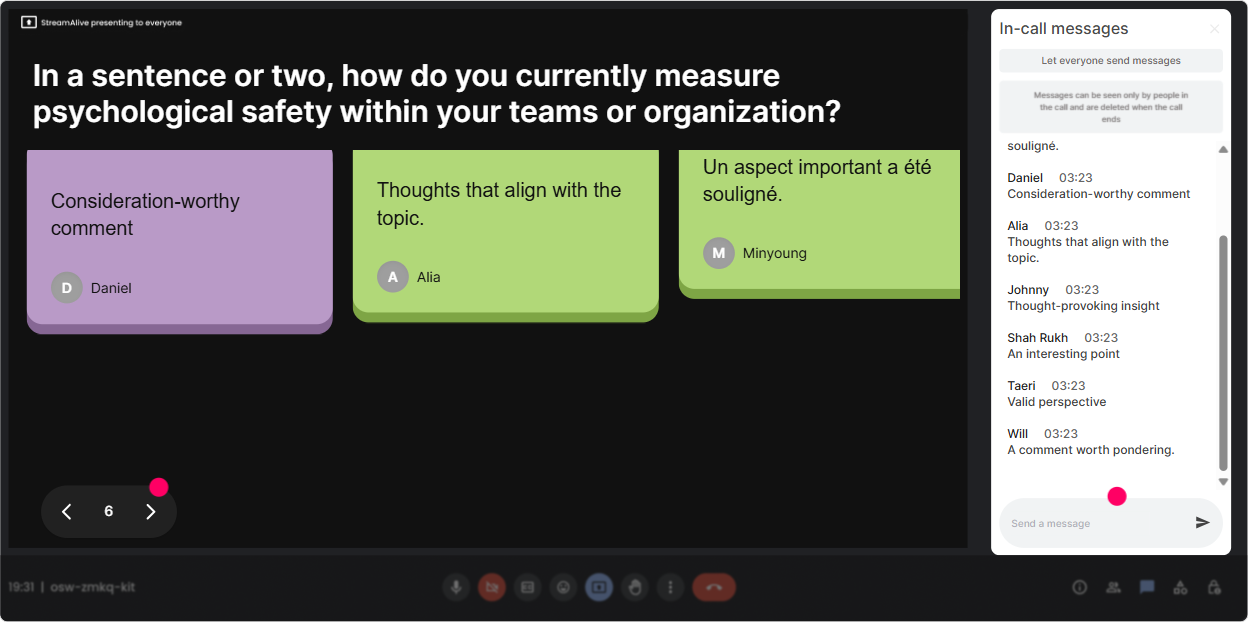
Talking Tiles is perfect when you want longer, more meaningful answers-but you dont want to pressure people to unmute. Participants type their real examples, and you instantly get a wall of lived experience to work from. Prompts that work really well in Psychological Safety ILT: - Finish this: I feel safe to speak up at work when - Whats one leader behavior that shuts people down in meetings? - Describe a moment when a manager made it safe to make a mistake. - As an L&D leader, where do you see psychological safety breaking down most-facilitation, feedback, or leadership? Trainer tip: Pick 23 tiles to read out loud and say, Whoever wrote this, thank you-this is more common than we admit. Youre reinforcing that sharing is valued (and safe).
5) Power Polls: Let the group choose where you go next
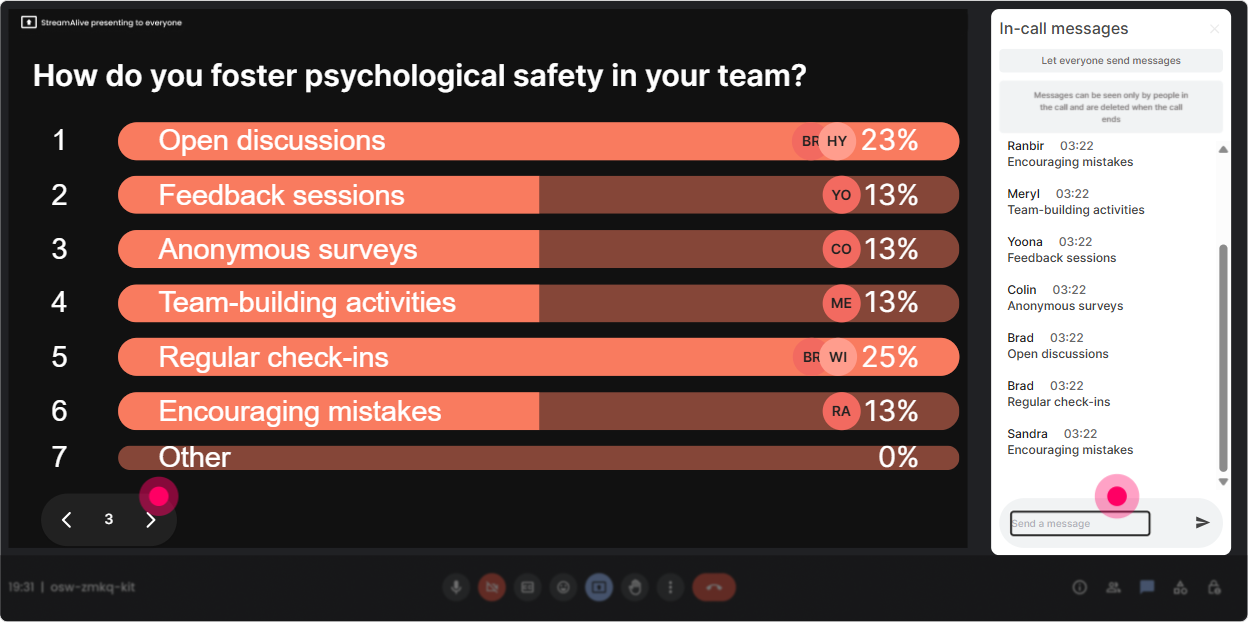
L&D Leaders love practical takeaways. Power Polls helps you stop guessing what they need and lets the audience steer. Plus, when they see the results live, it creates instant relevance: Oh good, were not the only ones dealing with that. Poll ideas for Psychological Safety training: - Whats the hardest part of building psychological safety in your org? 1) Leaders dont model it 2) People fear consequences 3) Meetings arent inclusive 4) Feedback feels unsafe 5) Remote/hybrid distance - Where do you want more tools today? 1) Facilitating tough conversations 2) Running safe retrospectives 3) Coaching leaders 4) Training design for safety 5) Measuring psychological safety Trainer tip: Take the top-voted option and say, Cool-lets spend the next 10 minutes there. That one move boosts trust because people feel heard.
6) Winner Wheel: Get volunteers without the awkward silence (and keep it playful)
Sometimes you want someone to share out loud-but asking Any volunteers? can create that painful quiet. Winner Wheel keeps it light and fair, and it nudges participation because people know comments can get picked. Ways to use it in Psychological Safety ILT: - Drop in chat: one phrase youve heard that shuts down ideas. spin the wheel ask the winner to unmute and share context (optional) - Type one micro-behavior that builds safety (e.g., thank you for saying that). spin winner explains how theyd use it - Who wants a coaching scenario? ask people to type me spin to pick who gets the scenario Trainer tip: Always give a graceful out. If youd rather not unmute, no problem-just say pass in chat. Thats literally psychological safety in action.

7) Quiz: Do quick myth-busting and knowledge checks (without making it feel like school)
Psychological safety gets misunderstood a lot (So we just agree with everyone?). A quick quiz is a fun way to clear up myths and reinforce the real definition-fast. Quiz questions you can run: - Psychological safety means: A) Everyone is always nice B) No conflict allowed C) Its safe to take interpersonal risks (correct) D) Leaders avoid giving feedback - Which behavior builds psychological safety the most? A) Being the smartest voice B) Asking genuine questions (correct) C) Correcting people publicly D) Avoiding mistakes at all costs - True or false: Psychological safety improves learning behavior and performance over time. (True) Trainer tip: Reveal the correct answer and immediately ask: What made the wrong options tempting? Thats where the real learning happens.

2) Rating Polls: Get an honest pulse check without putting anyone on the spot
Before you teach psychological safety, find out where people actually are. Rating Polls let participants share how confident/comfortable they feel-without needing to explain themselves. Its quick, visual, and gives you a baseline in seconds. Ways to use Rating Polls in your session: - On a scale of 110, how confident are you explaining psychological safety to a senior leader? - How psychologically safe does your current team feel right now? (1 = not safe, 10 = very safe) - How comfortable are you speaking up in a meeting when you disagree? (110) Trainer tip: When you see the average, dont judge it-normalize it. Say: This is exactly why this topic matters. Lets work with whats real. That response models psychological safety in the room.
8) Q&A: Capture the real questions people are nervous to ask
In psychological safety sessions, the most important questions are often buried in chat-or never asked because people dont want to look behind. StreamAlive Q&A pulls questions directly from chat so you can spot themes and answer them cleanly. How to use it: - Mid-session prompt: Whats one situation where youre not sure how to respond as a leader? - End prompt: Whats the most real-life question you want answered before you try this at work? - Tough topic prompt: Whats one pushback you get when you bring up psychological safety? Trainer tip: Read questions neutrally and thank the asker. Thats a brave question-and its more common than you think. This encourages more honest participation.

9) Analytics: Prove engagement (and improve your next session)
If youre training L&D Leaders, theyll care about outcomes. StreamAlive Analytics lets you see what actually landed: when chat spiked, which interactions got traction, and who your most engaged participants were. How to use analytics after your Psychological Safety ILT: - Identify high-engagement moments: The biggest spike happened during the what shuts down ideas activity-so Ill expand that next time. - Spot quiet sections: If engagement dips during a theory-heavy portion, you know where to add an interaction. - Share interaction results: Export and share poll/word cloud outcomes with stakeholders via Teams or email as evidence of participation and themes. - Recognize your top contributors: Great for follow-up communities of practice (Want to join a leader peer group?) Trainer tip: Use the data to iterate your run-of-show. Psychological safety is built through small behaviors-and so is great facilitation. Analytics shows you what those small wins were.

Use StreamAlive in all your training sessions
StreamAlive isn’t just for
Psychological Safety
training,
it can also be used for any instructor-led training session directly inside your PowerPoint presentation.
Explore similar traingin ideas: unlocking the potential of StreamAlive
See how StreamAlive transforms live training with engaging events and interactive sessions across industries, directly inside your PowerPoint presentation.

Interactions in action
(it's free)

.svg.png)


