Install StreamAlive for your PowerPoint slides
Learn more

Skills-Based Organizations Training for L&D Leaders
StreamAlive helps 9x the audience engagement in your Virtual Instructor-led Trainings (VILT) directly inside your powerpoint presentation.
Make your instructor-led Skills-Based Organizations training more fun with polls, word clouds, spinner wheels and more
Works inside your existing PowerPoint presentation
Install the StreamAlive app for PowerPoint and see your slides come to life as people participate in your interactions
AI generates audience interactions for you
Let our AI scan your presentation and automatically come up with relevant questions based on the content. Or spend two hours coming up with your own questions, your choice!
Built to work with MS Teams and Zoom
Native apps for Teams and Zoom so you never have to leave your existing workflows
No QR Codes
Chat-powered interactions means your audience doesn’t need to scan QR codes or look at another screen to participate. They just type in the chat!

Quickly approved by your IT team
StreamAlive’s apps for Teams and Zoom means that they have been through rigorous quality assurance and client safety reviews. You’ll find everything an IT team needs to approve the app within the organization within your StreamAlive account.

Youve been asked to run an instructor-led session on Skills-Based Organizations for L&D Leaders, and you already know the risk: it can turn into a slides + silence situation fast. The good news? A few simple live interactions can make it feel like a real room again. Here are practical ideas (using StreamAlive) to keep people participating, not just attending.
1) Magic Maps: Put your L&D leaders on the map (and instantly wake up the room)
That classic opener-Where are you joining from?-still works, but Magic Maps makes it actually fun because people see themselves appear live. How to use it in a Skills-Based Organizations session: - Kickoff icebreaker: Where are you joining from today? (Fast win, everyone can answer.) - Skills context opener: Which city/region is your toughest talent market right now? (Great segue into skills shortages and internal mobility.) - Strategy warm-up: If you could import one skill hotspot into your organization, where would it be-Bangalore, Toronto, Berlin, Singapore? Trainer tip: If youre training a global group, call out clusters as they appear (Wow, weve got a big Toronto cluster-tell me what skills are hardest to hire there right now?). Easy discussion starter, zero awkwardness.

2) Rating Polls: Take a quick pulse before you go deep
Before you teach anything, find out where people actually are. Rating Polls let you do that in seconds, right from chat, and you can show the live result on screen. Try these in a Skills-Based Organizations ILT: - Knowledge check: Rate your current understanding of Skills-Based Organizations (1 = brand new, 10 = were already doing it). - Confidence check: How confident are you that your org can move from roles to skills in the next 12 months? (110) - Readiness check: How ready is your data (skills taxonomy, skills inventory) today? (110) Trainer tip: Use the result to adjust your pacing in real time. If the average is a 34, slow down and define terms. If its 78, skip the basics and go straight to use cases and pitfalls.

3) Wonder Words (Word Cloud): Get feelings, friction, and buy-in on the table
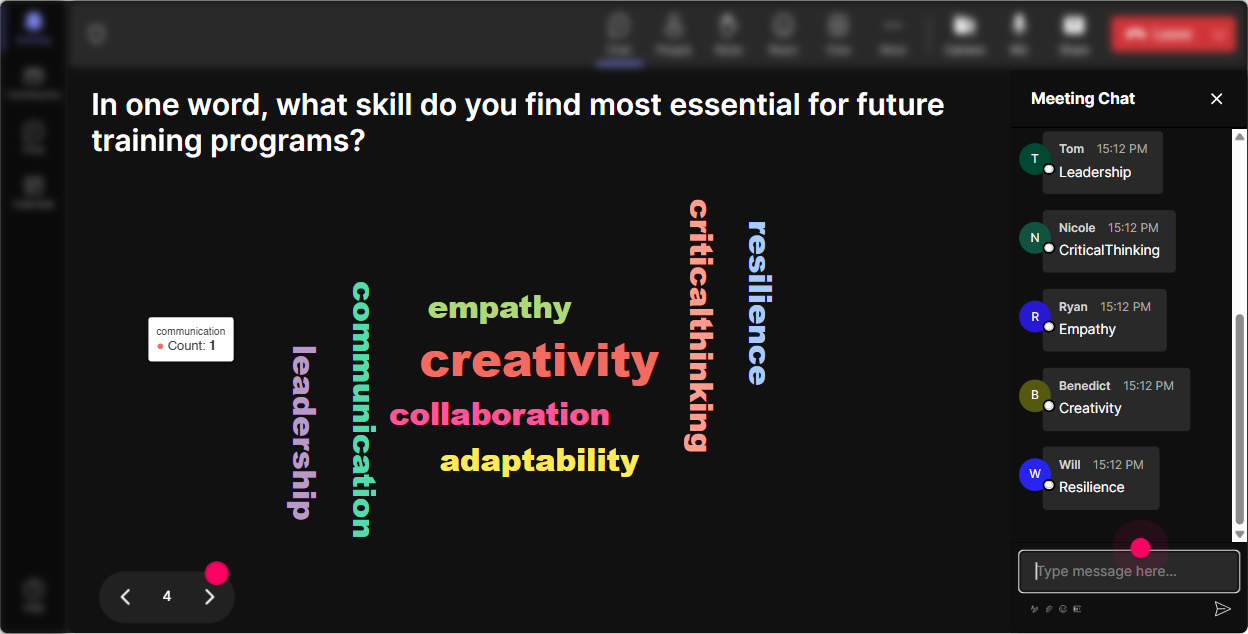
Skills-based transformations arent just process changes-theyre emotional. People have opinions. Wonder Words lets you surface the rooms vibe in a way thats quick and super visual. Word Cloud prompts that work really well: - When you hear Skills-Based Organization, whats the first word that comes to mind? - Whats the biggest barrier to going skills-based in your org? One or two words. (Youll see things like data, buy-in, managers, time, systems.) - Whats the main outcome you want from a skills-based approach? (Youll get mobility, retention, agility, upskilling.) Trainer tip: When a big word shows up (like buy-in), pause and say: Okay-whose buy-in? Leaders, managers, employees? Boom, instant discussion that actually matters.
4) Talking Tiles: Turn quiet thinking into visible, shareable insights
When you want more than a one-word answer, Talking Tiles is perfect. People type fuller responses, and you get this lively wall of real comments you can react to. Great prompts for L&D Leaders: - Where do you see skills-based thinking impacting your role the most-workforce planning, learning programs, mobility, hiring, performance and why? - Whats one initiative you could convert from role-based to skills-based in the next 60 days? - Whats a skills signal you already have that youre underusing? (LMS data, project history, credentials, manager ratings, etc.) Trainer tip: Pick 23 tiles to read out loud and respond to. People feel seen, and it models what good answers look like for everyone else.

5) Power Polls: Let the audience choose the agenda (without you losing control)
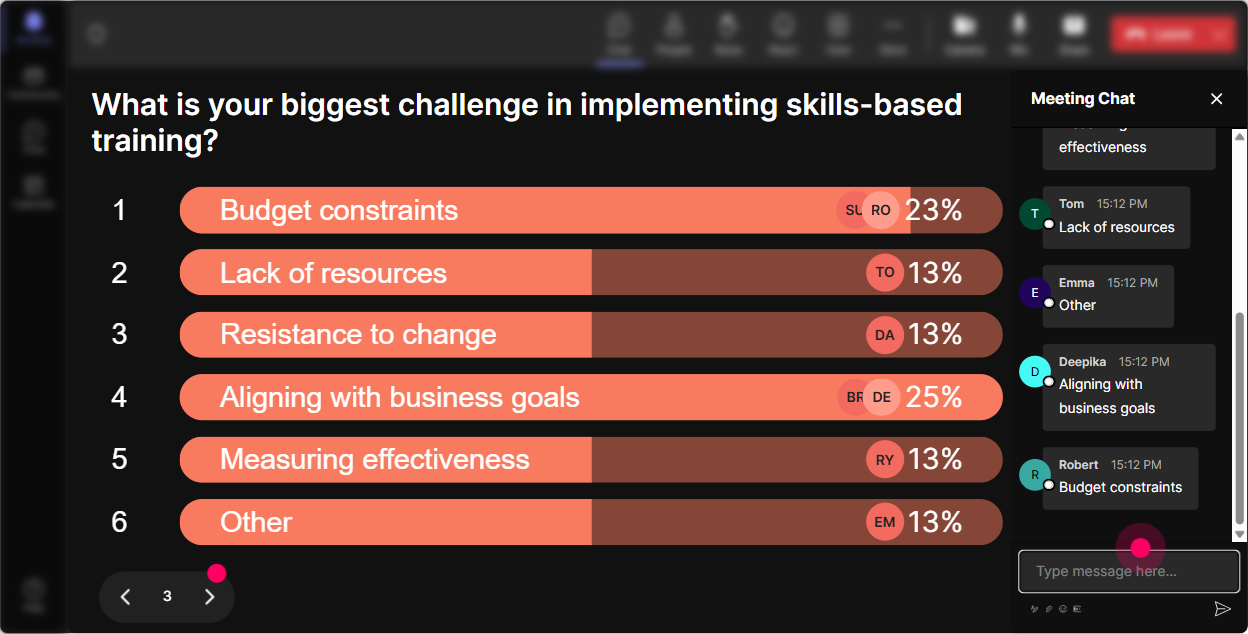
In skills-based training, different groups care about different things-taxonomy folks, talent marketplace folks, HRBP folks, L&D ops folks. Power Polls help you find the dominant need fast. Poll ideas: - What part of Skills-Based Organizations do you want to spend the most time on today? 1) Skills taxonomy & library 2) Skills inventory & validation 3) Talent marketplace/internal mobility 4) Learning aligned to skills 5) Workforce planning & analytics - Where is your org right now? 1) Exploring 2) Piloting 3) Scaling 4) Mature/optimizing - Which stakeholder is the hardest to bring along? 1) Exec leaders 2) People managers 3) Employees 4) HR/TA/L&D alignment 5) IT/Systems Trainer tip: Run this right after the opener and literally say, Cool-looks like the room wants more on internal mobility. Ill lean there and keep taxonomy practical, not theoretical. People instantly trust the session more.
6) Winner Wheel (Spinner Wheel): Get participation without the awkward any volunteers? moment
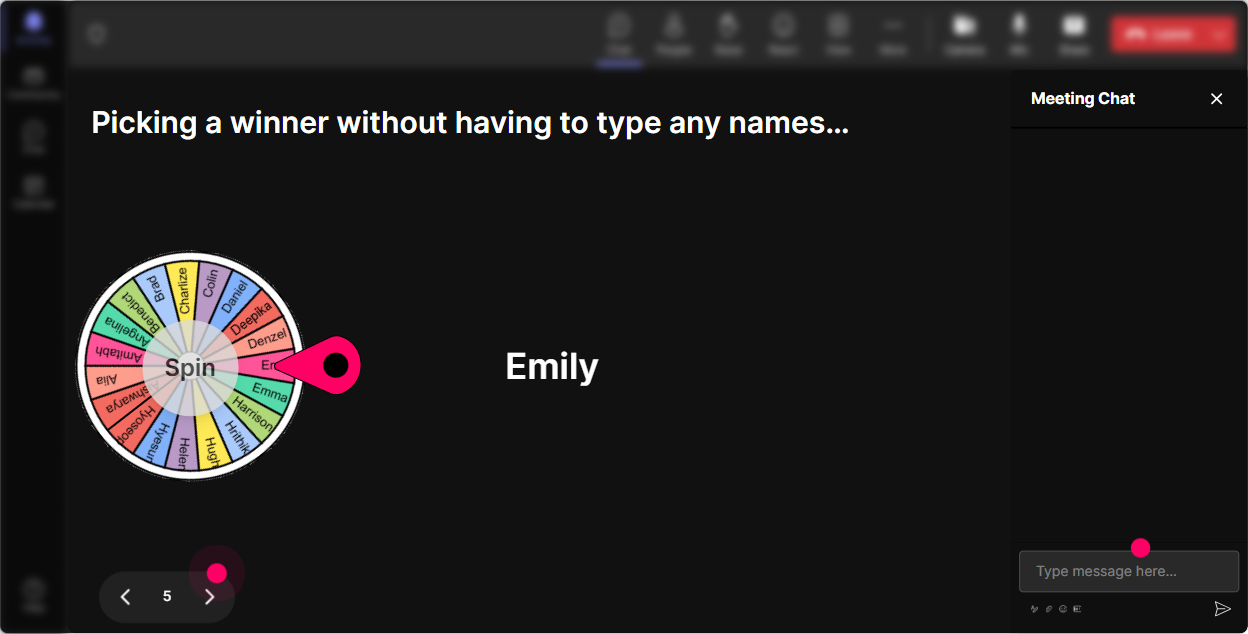
You know the moment: you ask a question, and everyone suddenly becomes a statue. Winner Wheel fixes that because it turns speaking up into a game-and its fair. Fun (and useful) ways to use it: - After a discussion prompt: Everyone drop one skill you think will be critical in the next 2 years for your org. Then spin the wheel: Alright, Im going to pick someone to expand on theirs for 30 seconds. - For scenario practice: Type ready if youre open to being our example organization. Spin to choose who youll workshop live. - For reinforcement: Anyone who answered the last poll is eligible-lets pick one person to share what they voted for and why. Trainer tip: Set the tone: You can pass if you want, no pressure. Ironically, that makes more people actually talk.
7) Quiz: Do quick knowledge checks that dont feel like school
Quizzes are perfect for skills-based topics because there are a few concepts people *think* they understand until you test them lightly. StreamAlive makes this easy and visual, and you can reveal the correct answer live. Quiz questions you can use: - Which is the best example of a skill (not a task or a role)? A) Project Manager B) Stakeholder management C) Build a Q4 roadmap D) Weekly status meeting (Correct: B) - Whats a common first step in moving toward a Skills-Based Organization? A) Rename job titles B) Build a skills taxonomy/library C) Remove performance reviews D) Stop hiring externally (Often correct: B, depending on your framework) - Which metric best signals skills-based progress? A) Number of job descriptions updated B) Internal fill rate for priority roles/projects C) Number of training hours delivered D) Org chart changes (Correct: B) Trainer tip: After revealing the answer, ask: If you picked something else, what made you choose it? Thats where the real learning happens.

2) Rating Polls: Take a quick pulse before you go deep
Before you teach anything, find out where people actually are. Rating Polls let you do that in seconds, right from chat, and you can show the live result on screen. Try these in a Skills-Based Organizations ILT: - Knowledge check: Rate your current understanding of Skills-Based Organizations (1 = brand new, 10 = were already doing it). - Confidence check: How confident are you that your org can move from roles to skills in the next 12 months? (110) - Readiness check: How ready is your data (skills taxonomy, skills inventory) today? (110) Trainer tip: Use the result to adjust your pacing in real time. If the average is a 34, slow down and define terms. If its 78, skip the basics and go straight to use cases and pitfalls.
8) Q&A: Capture questions cleanly-without losing your place
When chat gets busy, good questions get buried. StreamAlives Q&A pulls questions out and organizes them so youre not playing scroll detective mid-session. How to make it work in Skills-Based Organizations training: - Park-and-address: Drop questions anytime-StreamAlive will capture them. Ill do a Q&A pit stop every 15 minutes. - Themed Q&A: If your question is about taxonomy, start it with TAX: If its about internal mobility, start with MOB: (Makes grouping easier.) - End with impact: Whats one question you need answered to move this forward in your org? (Great closing prompt.) Trainer tip: Read the question out loud and say the persons name. It instantly boosts participation because people feel like the room is actually listening.

9) Analytics: Prove engagement (and improve the next session fast)
This is the part L&D leaders quietly love: you can show what landed, where people engaged most, and which interactions got the best participation. Ways to use StreamAlive Analytics after your session: - Spot your engagement peaks: The chat spiked during the barriers word cloud-next time, Ill spend more time on change management and stakeholder alignment. - See what to tighten: If engagement dipped during a slide-heavy section, thats your cue to break it up with a poll or quiz next time. - Identify your most engaged participants (Fantastic Fans): Follow up with them as champions for your skills-based initiative, pilot group members, or internal advocates. - Share results with stakeholders: Email the interaction reports to your team or leadership to show participation, priorities (poll results), and common concerns (word cloud themes). Trainer tip: If youre trying to get budget or buy-in for skills-based work, these analytics are basically your evidence: Heres what our leaders cared about and where the friction is.

Use StreamAlive in all your training sessions
StreamAlive isn’t just for
Skills-Based Organizations
training,
it can also be used for any instructor-led training session directly inside your PowerPoint presentation.
Explore similar traingin ideas: unlocking the potential of StreamAlive
See how StreamAlive transforms live training with engaging events and interactive sessions across industries, directly inside your PowerPoint presentation.

Interactions in action
(it's free)

.svg.png)


