Install StreamAlive for your PowerPoint slides
Learn more

Vibe Coding Training for Corporate Trainers
StreamAlive helps 9x the audience engagement in your Virtual Instructor-led Trainings (VILT) directly inside your powerpoint presentation.
Make your instructor-led Vibe Coding training more fun with polls, word clouds, spinner wheels and more
Works inside your existing PowerPoint presentation
Install the StreamAlive app for PowerPoint and see your slides come to life as people participate in your interactions
AI generates audience interactions for you
Let our AI scan your presentation and automatically come up with relevant questions based on the content. Or spend two hours coming up with your own questions, your choice!
Built to work with MS Teams and Zoom
Native apps for Teams and Zoom so you never have to leave your existing workflows
No QR Codes
Chat-powered interactions means your audience doesn’t need to scan QR codes or look at another screen to participate. They just type in the chat!

Quickly approved by your IT team
StreamAlive’s apps for Teams and Zoom means that they have been through rigorous quality assurance and client safety reviews. You’ll find everything an IT team needs to approve the app within the organization within your StreamAlive account.

Youve been asked to run a Vibe Coding instructor-led training for corporate trainers-and you want it to feel fun, practical, and not like another sit-and-listen webinar. The good news: you can turn the room into an active, chatty, hands-on learning space. Here are simple ways to do it using StreamAlive so engagement can jump (yes, even up to 9x) without you working harder.
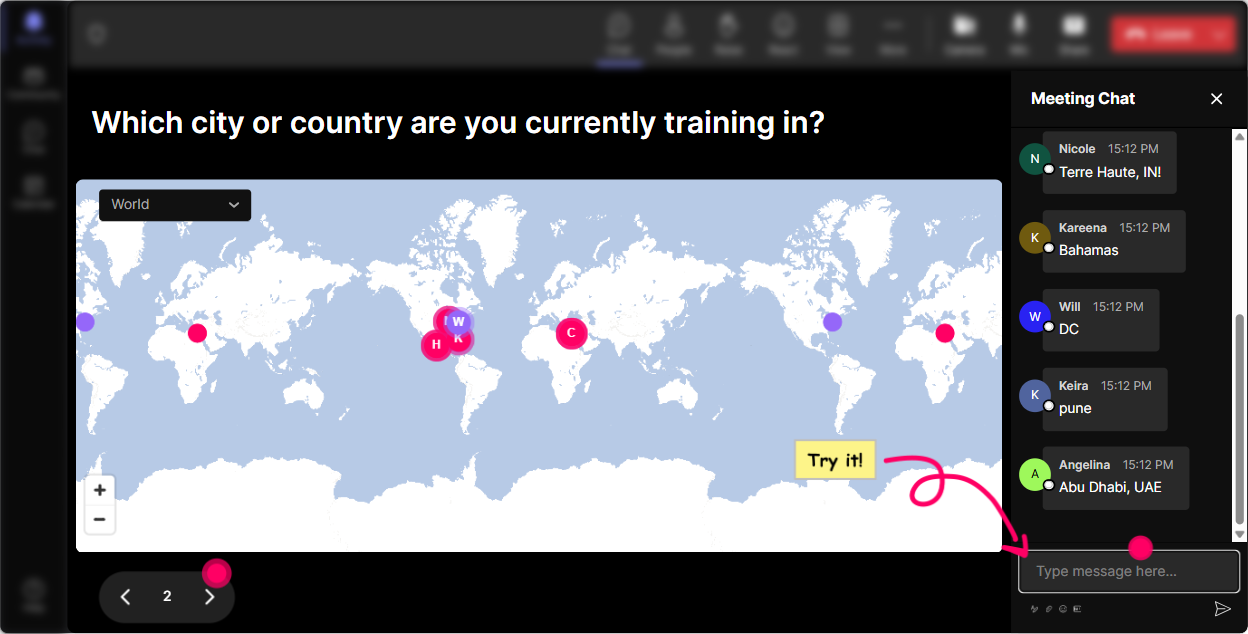
Magic Maps: Put your trainers on the map (and instantly warm up the room)
Vibe Coding is all about energy, curiosity, and experimenting-so start the session with something that gets people typing immediately. Magic Maps does that in seconds. How to use it in your Vibe Coding ILT: - Kickoff question (the classic): Where are you joining from today? Everyone drops a city/country in chat and StreamAlive plots it live. - Make it vibe-coding specific: If you could teleport anywhere on earth to do a coding retreat for a week, where would you go? - Make it corporate-trainer relevant: Which city has the toughest audiences youve ever trained? Why it works: while the map fills up, youre not begging for participation-youre getting it naturally. And it sets the tone: in this session, we interact. Pro tip: If you have a global group, highlight clusters (like all the trainers from one region) and ask them a quick follow-up: What kind of training do you usually deliver?
Rating Polls: Get a fast temperature check on Vibe Coding confidence
Before you teach anything, find out where everyones starting from-because the room always has a mix: curious beginners, quiet skeptics, and a few who already tried it. Use a Rating Poll to ask: - On a scale of 110, how confident are you that you understand what Vibe Coding actually means? - How comfortable are you using AI tools live during a training session? (1 = not at all, 10 = bring it on) - After a demo: How clear was that workflow? (110) Why it works: it gives you instant, visual feedback in real time (not a survey youll never read). Plus, people love seeing where they land compared to the group. Trainer move: If the average is low, say: Perfect-then were exactly where we need to be. If its high, say: Cool, then were going to level it up.

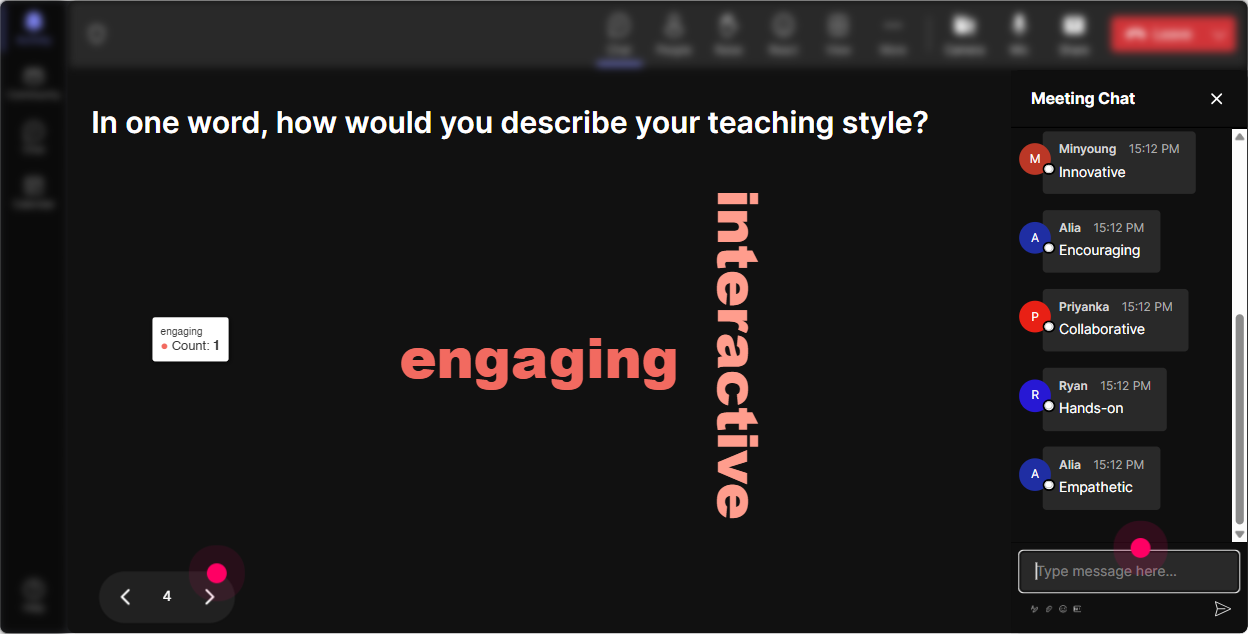
Wonder Words: Capture the groups vibe in one question
Wonder Words is perfect for Vibe Coding because it mirrors the whole idea-lots of small inputs turning into a clear pattern. Ask a 12 word prompt like: - Whats your first reaction to Vibe Coding? (excited / skeptical / curious / overwhelmed) - What do you want Vibe Coding to help you do? (faster / better prompts / lesson plans / activities) - Whats your biggest worry about using AI in training? (accuracy / cheating / compliance / trust) Why it works: you get emotional truth fast. And it gives you language to use throughout the session: Im seeing overwhelmed popping up-lets make this simple. Pro tip: Use Combine Similar Answers so excited and exciting dont split the results.
Talking Tiles: Turn your chat into a live brainstorm wall (without awkward silence)
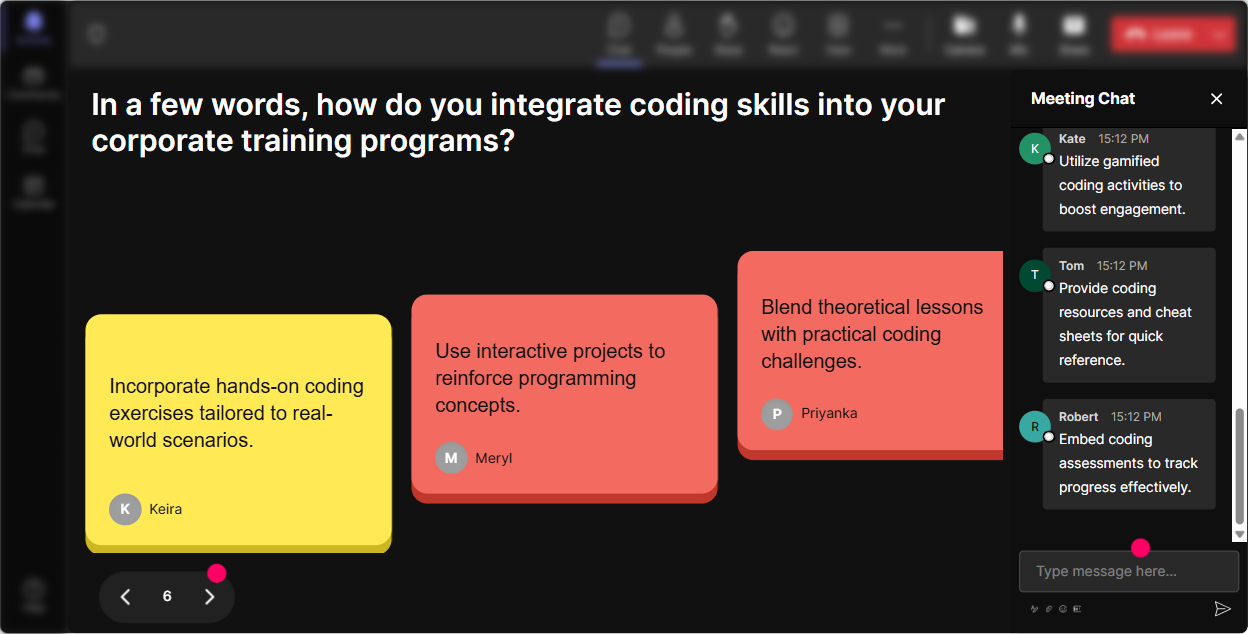
When you want more than a one-word answer, Talking Tiles is your friend. People type full thoughts in chat, and StreamAlive turns them into those falling tiles on-screen-super visual, super energizing. Great prompts for corporate trainers learning Vibe Coding: - Where would Vibe Coding save you the most time in your training workflow? - Whats one training task youd LOVE to automate or speed up? - Give me one use-case: how could you use Vibe Coding to design an activity, scenario, or role-play? - Whats one boundary you need (compliance, brand voice, confidentiality) before using AI at work? Why it works: you get a room full of examples instantly. Then you can grab 23 tiles and build mini-teaching moments from real participant needs. Facilitation tip: Call out patterns-Im seeing lesson planning and role-plays a lot-lets build a quick workflow for those.
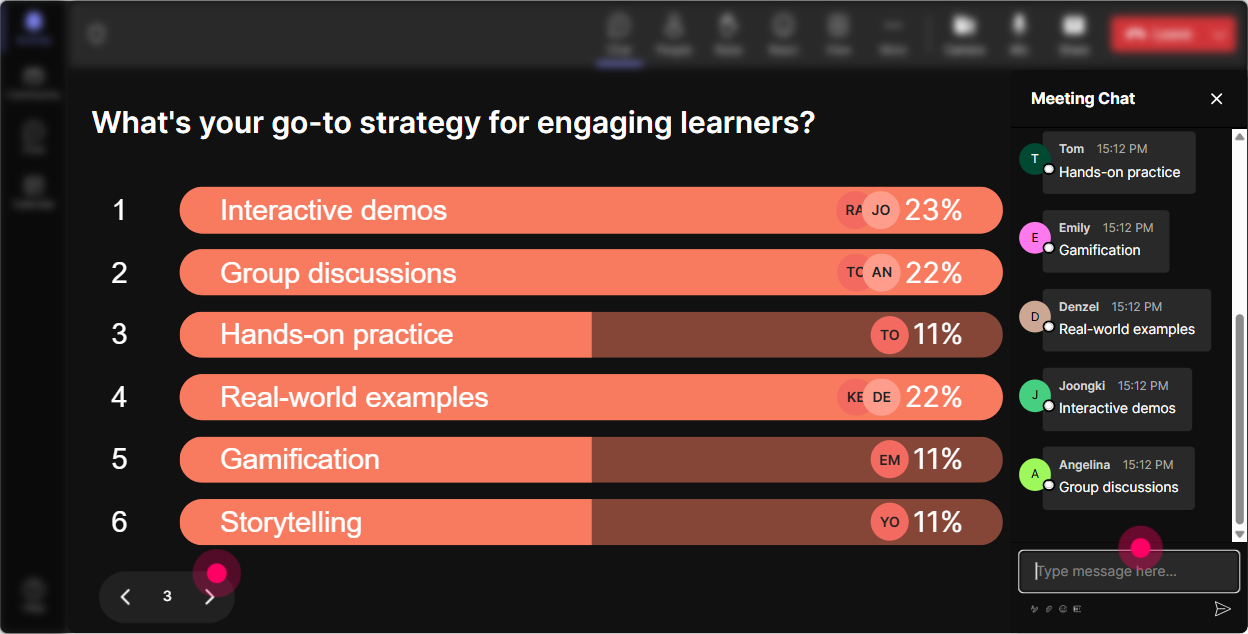
Power Polls: Let the audience choose what to focus on next
Vibe Coding sessions land best when people feel like theyre steering the ship. Power Polls make that easy. Use a poll to decide: - What do you want to go deeper on today? 1) Prompting frameworks for trainers 2) Turning SME content into activities 3) Building quizzes/knowledge checks fast 4) Designing role-plays + scenarios - Which tool usage style fits you best? 1) I want copy/paste templates 2) I want principles so I can improvise 3) I want a repeatable workflow - For your next training, what will you try first? 1) Icebreaker generation 2) Case study creation 3) Assessment questions 4) Facilitation script Why it works: you stop guessing what people want, and you get buy-in because they literally voted for the direction. Bonus move: Run the same poll again at the end: What are you most excited to try now? and compare the shift.
Winner Wheel: Pick a volunteer without the cringe (and reward participation)
Weve all done it: Any volunteers? and suddenly everyone becomes a statue. Winner Wheel fixes that. Ways to use it in Vibe Coding ILT: - Drop a prompt youd use with your learners in the chat. Im going to spin the wheel and well improve one prompt live. - Share your biggest blocker with using AI at work. Ill spin and well workshop one challenge together. - Were doing a 60-second role-play. Wheel decides who gets the trainer seat for round one. Why it works: it keeps people chatting because they know interaction = chances to be picked (and seen). And it feels playful, not pressuring. Make it safe: tell them upfront: If you get picked and youd rather pass, totally fine-just say pass and well spin again.

Quiz: Do quick knowledge checks that feel like a game
Vibe Coding has a lot of sounds easy, but people interpret it differently moments. Quiz helps you lock in key concepts without turning it into a test. Quiz ideas for corporate trainers: - Which prompt is best for getting a role-play scenario? A) Explain leadership. B) Create a 5-minute role-play for a new manager giving feedback, include roles, context, and debrief questions. (correct) C) Write something about feedback. - Whats the BEST first step before using AI output in training content? A) Paste it into slides B) Fact-check + align to policy/brand (correct) C) Make it longer - Which is a stronger instruction for Vibe Coding? A) Make this better. B) Rewrite in a friendly tone. C) Rewrite for a 30-minute ILT module, include timing, activity steps, and facilitator script. (correct) Why it works: instant feedback, instant clarity, and it wakes the room up mid-session. Trainer tip: After revealing the correct answer, ask: What made the wrong option tempting? Thats where the learning sticks.

Rating Polls: Get a fast temperature check on Vibe Coding confidence
Before you teach anything, find out where everyones starting from-because the room always has a mix: curious beginners, quiet skeptics, and a few who already tried it. Use a Rating Poll to ask: - On a scale of 110, how confident are you that you understand what Vibe Coding actually means? - How comfortable are you using AI tools live during a training session? (1 = not at all, 10 = bring it on) - After a demo: How clear was that workflow? (110) Why it works: it gives you instant, visual feedback in real time (not a survey youll never read). Plus, people love seeing where they land compared to the group. Trainer move: If the average is low, say: Perfect-then were exactly where we need to be. If its high, say: Cool, then were going to level it up.
Q&A (Quick Questions): Catch every question without hunting through chat
In Vibe Coding sessions, questions come fast-especially when people start trying prompts live. The problem is: chat moves, and you miss stuff. StreamAlive Q&A automatically detects and collects questions from chat so you can manage them cleanly on-screen. How to use it in your session: - Tell them: If its a question, start your message with Q: so it gets picked up. - Do parking lot moments: Lets pause for 3 minutes-drop your Qs now. - During demos: Ask questions as you go. Ill grab them from the Q&A list after this step. Why it works: participants feel heard, you stay organized, and you dont have to scroll like a maniac while trying to teach.

Analytics: Figure out what actually worked (so next time engagement jumps again)
This is the part most trainers skip-and its the part that makes you better fast. With StreamAlive Analytics, you can: - See minute-by-minute engagement spikes: Was it the role-play? The prompt teardown? The quiz? - Replay chat alongside the session: You can literally see what topic made people talk. - Identify your most engaged participants (your Fantastic Fans): Great for follow-up, champions, or future pilot groups. - Review interaction reports: Which polls got the most responses? Which question formats worked best? How this helps your next Vibe Coding ILT: - If engagement dipped during theory, tighten it and add an interaction sooner. - If quizzes spiked responses, add more micro-checks. - If Talking Tiles created tons of use-cases, build your next session around those real-world needs. And yes-you can email the reports to yourself or your team, which makes post-session debriefs actually useful (instead of vibes-only).

Use StreamAlive in all your training sessions
StreamAlive isn’t just for
Vibe Coding
training,
it can also be used for any instructor-led training session directly inside your PowerPoint presentation.
Explore similar traingin ideas: unlocking the potential of StreamAlive
See how StreamAlive transforms live training with engaging events and interactive sessions across industries, directly inside your PowerPoint presentation.

Interactions in action
(it's free)

.svg.png)


