Install StreamAlive for your PowerPoint slides
Learn more

Social Learning Training for Training Agencies
StreamAlive helps 9x the audience engagement in your Virtual Instructor-led Trainings (VILT) directly inside your powerpoint presentation.
Make your instructor-led Social Learning training more fun with polls, word clouds, spinner wheels and more
Works inside your existing PowerPoint presentation
Install the StreamAlive app for PowerPoint and see your slides come to life as people participate in your interactions
AI generates audience interactions for you
Let our AI scan your presentation and automatically come up with relevant questions based on the content. Or spend two hours coming up with your own questions, your choice!
Built to work with MS Teams and Zoom
Native apps for Teams and Zoom so you never have to leave your existing workflows
No QR Codes
Chat-powered interactions means your audience doesn’t need to scan QR codes or look at another screen to participate. They just type in the chat!

Quickly approved by your IT team
StreamAlive’s apps for Teams and Zoom means that they have been through rigorous quality assurance and client safety reviews. You’ll find everything an IT team needs to approve the app within the organization within your StreamAlive account.

Youve been asked to deliver a Social Learning instructor-led session for a training agency-and you want it to feel alive, not like another slide marathon. The good news: Social Learning is naturally interactive if you design for it. Here are practical ways to run it using StreamAlive so people actually participate (and stay with you).
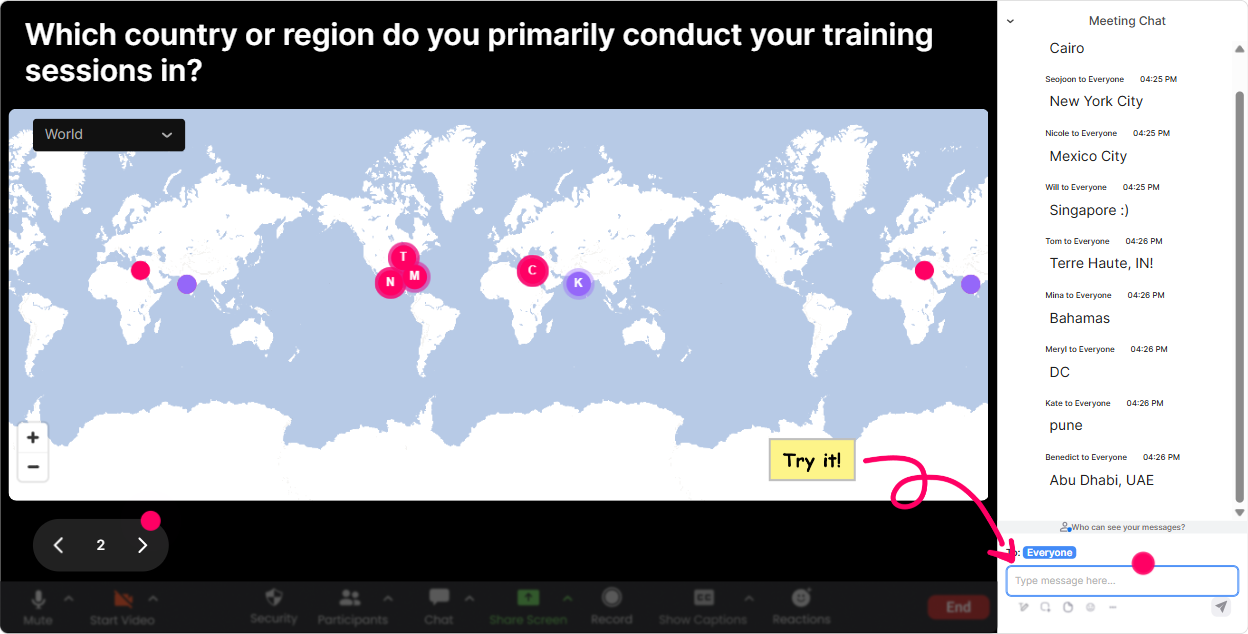
1) Magic Maps: Turn where are you joining from? into instant community
Social Learning works best when people feel like theyre part of a real group-not a bunch of silent tiles. Magic Maps is the easiest warm-up to create that were in this together vibe in the first 60 seconds. How to use it in a Social Learning ILT for training agencies: - Kick-off icebreaker: Where are you joining from today? (classic, always works) - Make it topic-relevant: Name a city where youve seen great learning culture in action. - Go aspirational: If you could visit any organization on earth to see their learning culture, where would it be? - Make it personal-fast: Which city shaped you the most as a trainer/facilitator? Trainer tip: when clusters pop up (say, a bunch from the same region), call it out: Looks like weve got a strong group from Singapore-someone tell us what social learning looks like in your organization. Thats instant discussion without forcing it. Bonus move: reset the map later and ask a second location question tied to the content, like Where does learning actually happen most in your org-HQ, frontline, remote, customer site? Type a location that represents it.
2) Rating Polls: Get a quick pulse on confidence + readiness
In Social Learning sessions, you need to know what room youre working with. Rating Polls give you that in seconds-and its way more honest than everyone good? followed by awkward silence. How to use it: - Confidence check at the start: On a scale of 110, how confident are you designing Social Learning into ILT? - Reality check: How strong is Social Learning in your agency today? (1 = almost none, 10 = its how we operate) - Readiness check before an activity: How ready are you to try a peer-led activity in your next session? (110) - After you teach a model (like 70:20:10): How clear was that framework? (110) Trainer tip: dont just collect the number-react to it. If the average is low, say: Perfect. That means were exactly where we need to be. Lets build from here. If its high, say: Great-then Im going to stretch you with advanced tactics.

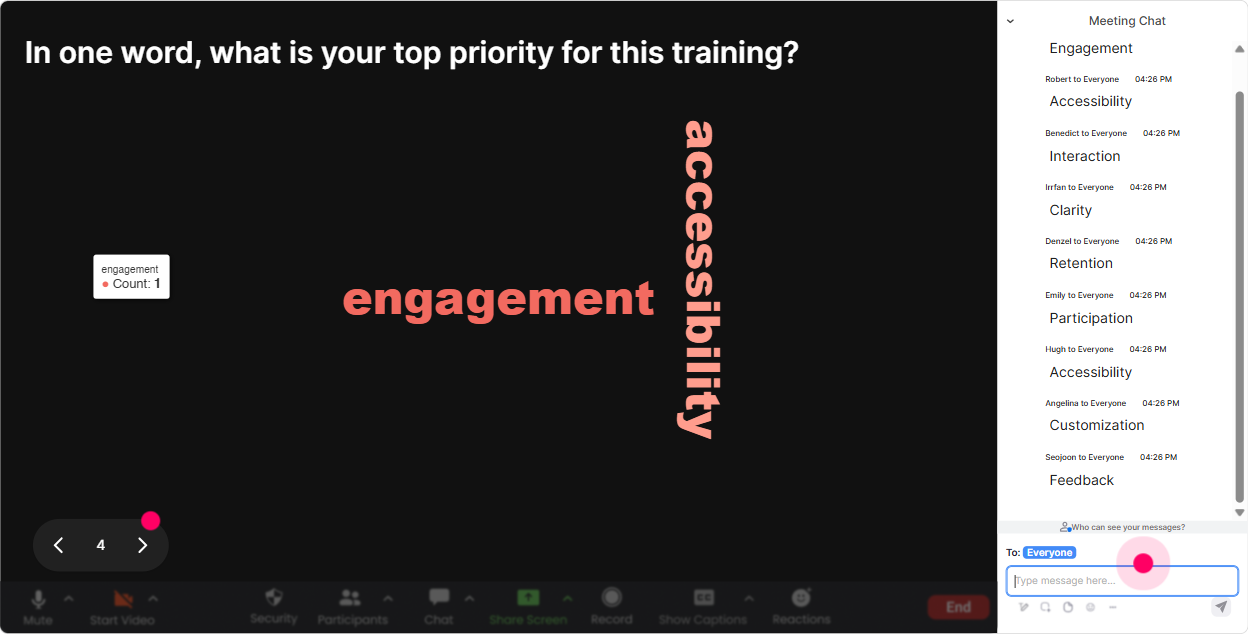
3) Wonder Words (Word Cloud): Make attitudes visible-fast
Social Learning can trigger mixed reactions: some people love it, some think its fluffy, and some fear itll become chaos. A Word Cloud lets you surface what people really feel in a fun, low-pressure way. Best ways to run it (keep answers to 12 words): - Emotional temperature check: How do you feel about Social Learning in ILT? One word. - Barrier reveal: Whats the biggest blocker to Social Learning in your programs? One or two words. - Value discovery: What outcome do you want from Social Learning? (speed, consistency, confidence, sharing, performance) - Culture mirror: One word that describes your learning culture today? Trainer tip: when one word gets huge (like time or buy-in), pause and build your next segment around it: Alright, the room is screaming time. Lets fix that with a 5-minute peer loop you can run in any class. Thats how the audience feels seen-and stays engaged.
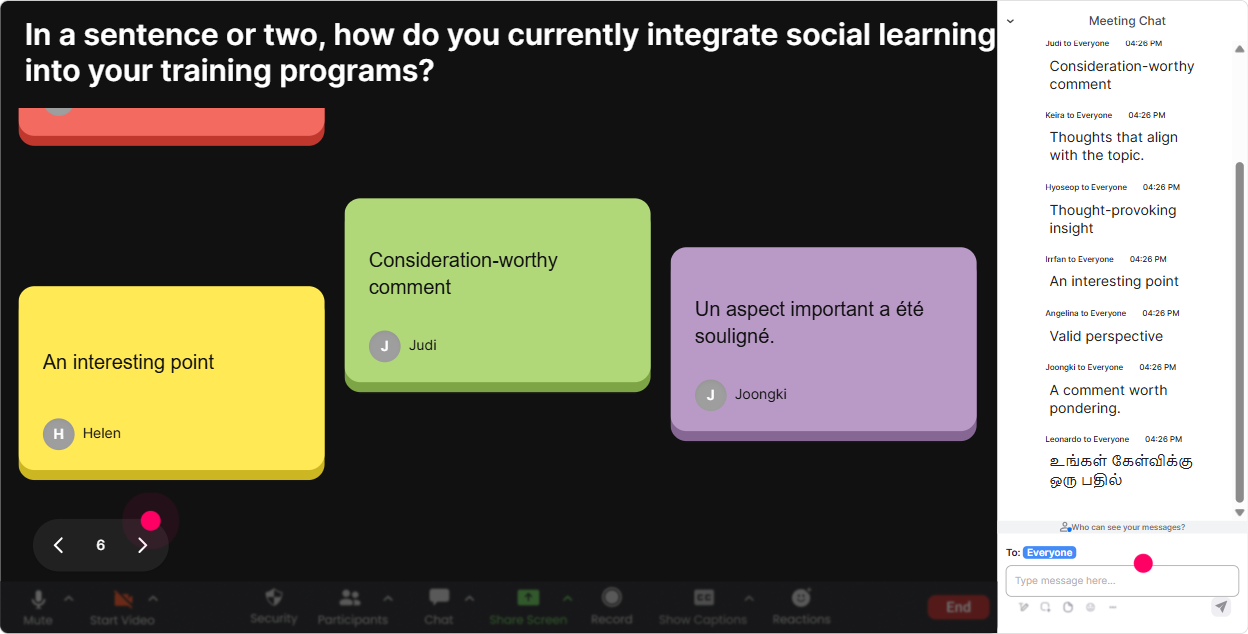
4) Talking Tiles: Turn peer sharing into a live group brainstorm wall
Social Learning needs people to share real examples, not just agree in theory. Talking Tiles is perfect when you want longer answers than a word cloud-without you having to read 50 chat messages manually. Great prompts for training agencies: - Practical impact: Where could Social Learning reduce rework or repetition in your training delivery? - Peer teaching: Share one technique you use to get learners teaching each other. - Design challenge: Whats one moment in your current ILT that could become peer-led instead of trainer-led? - Workplace connection: Describe one real on-the-job scenario where learners could learn faster from each other than from content. Trainer tip: after 6090 seconds of tiles, pick 23 and say: Lets build a Social Learning activity out of this one. Youre co-creating the session with them-which is basically Social Learning in action.
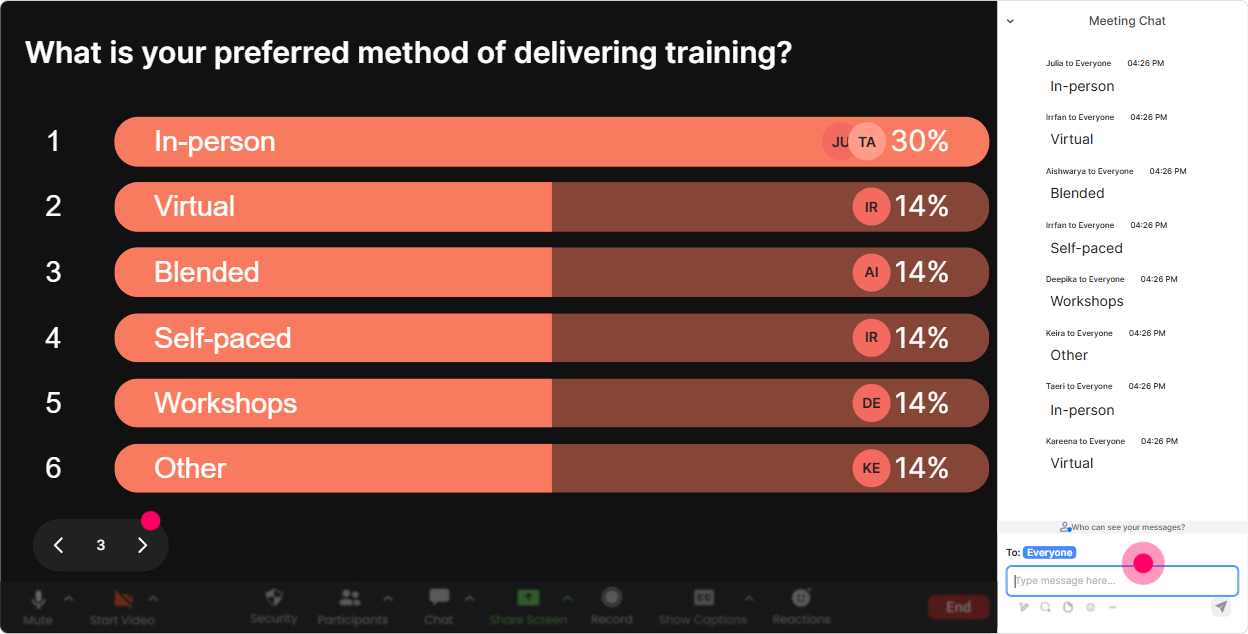
5) Power Polls: Let the group choose the direction (and feel ownership)
If you want participation to jump, let learners steer. Power Polls are great for choosing what to go deeper into, making the session feel customized-without you needing to guess. Poll ideas for Social Learning ILT: - What do you want more of today? 1) Peer coaching structures 2) Group debrief techniques 3) Social learning measurement 4) Community building between cohorts - Where does Social Learning fit best in your programs? 1) Onboarding 2) Leadership 3) Sales/customer-facing 4) Technical enablement - Whats your biggest constraint? 1) Time in agenda 2) Quiet participants 3) Leadership buy-in 4) Remote fatigue Trainer tip: run a poll before a breakout or group exercise, then assign groups based on the top 2 choices: Half of you tackle quiet participants, the other half tackles time in agenda. Bring back solutions. Now the room is solving their own problem.
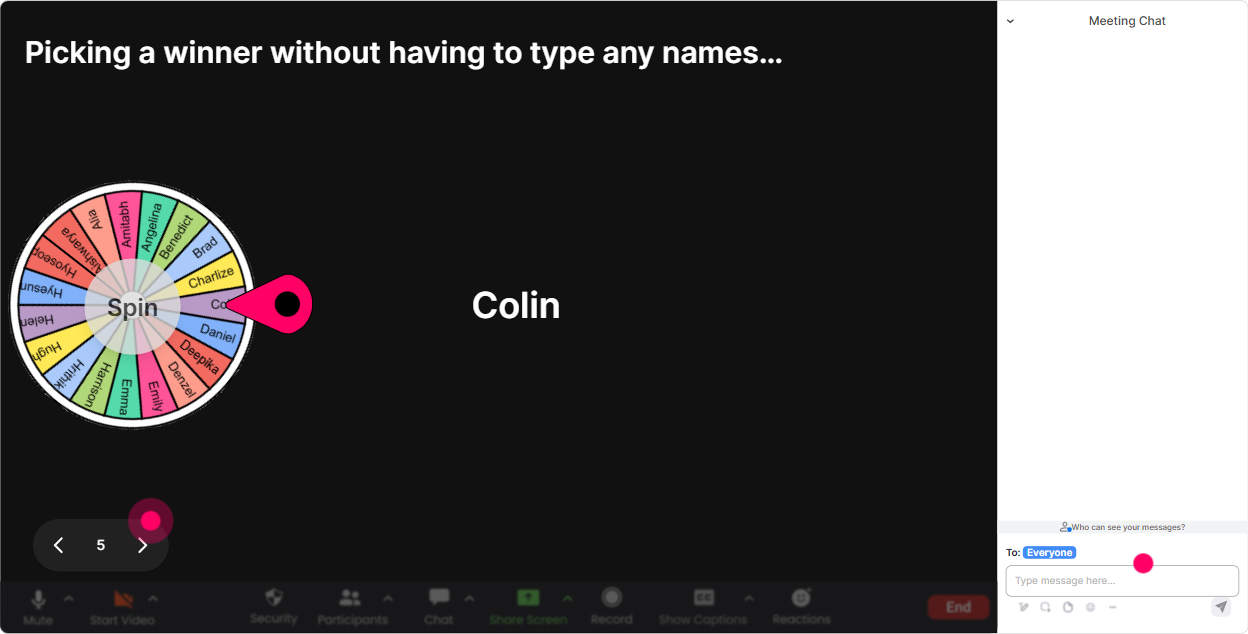
6) Winner Wheel: Get volunteers without the awkward anyone want to share?
You know that moment when you ask, Who wants to share? and suddenly everybody becomes a statue. Winner Wheel fixes that in a playful way-especially when you tie it to people who participated in chat. Ways to use it for Social Learning sessions: - Drop one Social Learning activity idea in chat. Im going to spin the wheel and the winner explains theirs in 20 seconds. - Tell me your biggest Social Learning challenge in chat-wheel decides who we coach live. - We need a volunteer to role-play a peer coach-lets let the wheel pick. Trainer tip: make it feel safe: You can always pass, but Id love a quick headline from you. The wheel adds energy, but your tone keeps psychological safety intact.
7) Quiz: Do a quick knowledge check without killing the vibe
A Quiz interaction is perfect when you want to lock in a concept like Social Learning isnt just group work or test myths. It keeps people alert because they have to choose-right now. Quiz questions you can use: - Which is the best example of Social Learning? A) Watching a video alone B) Peer feedback after a role play (Correct) C) Reading a PDF D) Taking a multiple-choice test - In 70:20:10, the 20 mostly refers to A) Formal courses B) Social learning from others (Correct) C) Assessments D) Compliance - Whats the trainers role in Social Learning ILT? A) Talk more so learners understand B) Facilitate peer exchange + reflection (Correct) C) Avoid group activities D) Only answer questions at the end Trainer tip: after revealing the correct answer, ask one follow-up in chat: What made you pick your option? That tiny move turns a quiz into a discussion-and thats the Social Learning win.

2) Rating Polls: Get a quick pulse on confidence + readiness
In Social Learning sessions, you need to know what room youre working with. Rating Polls give you that in seconds-and its way more honest than everyone good? followed by awkward silence. How to use it: - Confidence check at the start: On a scale of 110, how confident are you designing Social Learning into ILT? - Reality check: How strong is Social Learning in your agency today? (1 = almost none, 10 = its how we operate) - Readiness check before an activity: How ready are you to try a peer-led activity in your next session? (110) - After you teach a model (like 70:20:10): How clear was that framework? (110) Trainer tip: dont just collect the number-react to it. If the average is low, say: Perfect. That means were exactly where we need to be. Lets build from here. If its high, say: Great-then Im going to stretch you with advanced tactics.
8) Q&A: Capture every question without losing the chat
In a busy live session, questions get buried fast-especially when people are actively chatting (which is what you want). StreamAlives Q&A pulls questions out and organizes them so you can actually handle them. How to use it in Social Learning ILT: - Set expectations early: Drop questions anytime in chat-StreamAlive will catch them. - Mid-session checkpoint: Lets pause-what questions are coming up about implementing Social Learning in your agency? - End-of-module clarity: Whats still fuzzy about peer facilitation, debriefing, or measurement? Trainer tip: combine Q&A with a quick prioritization poll: Which question should we tackle next? That way the audience helps you decide what matters most.

9) Analytics: Use data to prove engagement (and improve the next cohort)
Training agencies live on outcomes-so its helpful when you can actually show what happened in the room, not just say it went well. StreamAlive Analytics helps you spot exactly when engagement spiked, who participated most, and which interactions worked. How it helps Social Learning programs: - Minute-by-minute engagement: see which activity (poll, tiles, quiz) woke the room up-and which segment lost them. - Interaction reports: revisit what the group said (super useful for improving your facilitation script). - Identify your top contributors (Fantastic Fans): these are your future champions-invite them to be peer facilitators in the next cohort. - Share results with stakeholders: send email reports or recap insights with your internal team on Teams. Trainer tip: after your session, look for the drop-off minute. Thats usually where you talked too long or didnt give them something to do. Fix that one spot, and your next delivery feels like a different program.

Use StreamAlive in all your training sessions
StreamAlive isn’t just for
Social Learning
training,
it can also be used for any instructor-led training session directly inside your PowerPoint presentation.
Explore similar traingin ideas: unlocking the potential of StreamAlive
See how StreamAlive transforms live training with engaging events and interactive sessions across industries, directly inside your PowerPoint presentation.

Interactions in action
(it's free)

.svg.png)


