Install StreamAlive for your PowerPoint slides
Learn more

Lifelong Employment Training for Corporate Trainers
StreamAlive helps 9x the audience engagement in your Virtual Instructor-led Trainings (VILT) directly inside your powerpoint presentation.
Make your instructor-led Lifelong Employment training more fun with polls, word clouds, spinner wheels and more
Works inside your existing PowerPoint presentation
Install the StreamAlive app for PowerPoint and see your slides come to life as people participate in your interactions
AI generates audience interactions for you
Let our AI scan your presentation and automatically come up with relevant questions based on the content. Or spend two hours coming up with your own questions, your choice!
Built to work with MS Teams and Zoom
Native apps for Teams and Zoom so you never have to leave your existing workflows
No QR Codes
Chat-powered interactions means your audience doesn’t need to scan QR codes or look at another screen to participate. They just type in the chat!

Quickly approved by your IT team
StreamAlive’s apps for Teams and Zoom means that they have been through rigorous quality assurance and client safety reviews. You’ll find everything an IT team needs to approve the app within the organization within your StreamAlive account.

Youve been asked to run an instructor-led session on Lifelong Employment for corporate trainers-and you want it to feel alive, not like another slide-and-sigh workshop. The easiest win? Get people talking early and often. Here are practical ways to do that using StreamAlive so your engagement can jump (seriously) up to 9x.
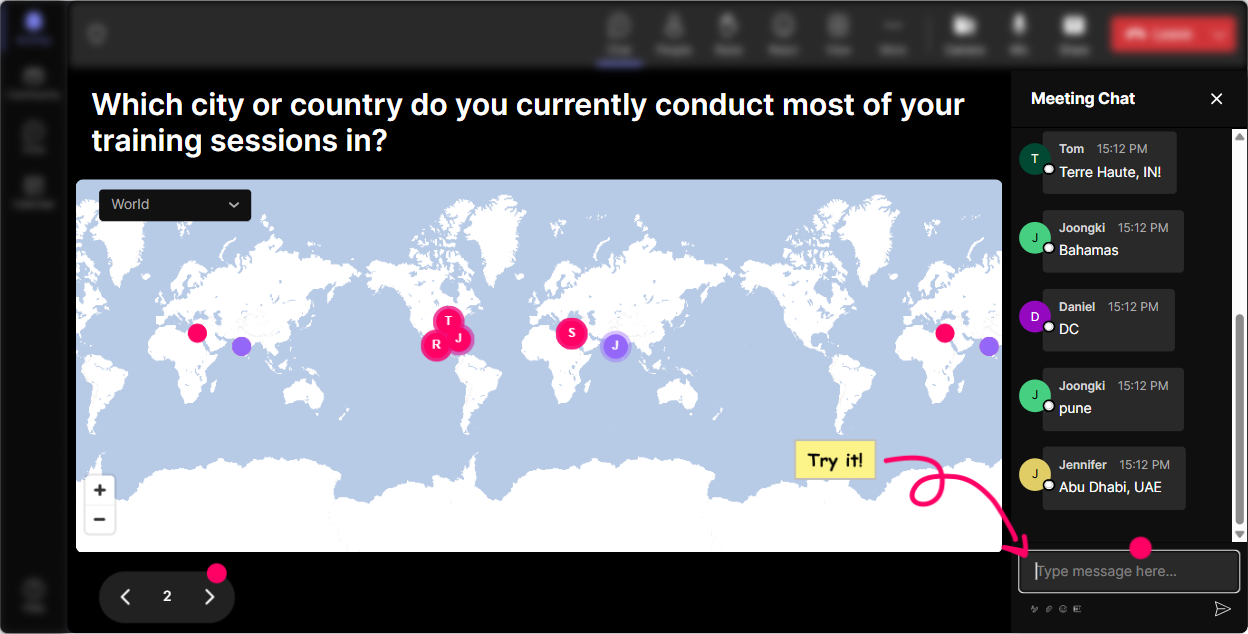
Magic Maps: Kick off Lifelong Employment by putting everyone on the map
This is your easiest icebreaker, and it works every time-especially with trainers who love hearing whats happening across regions. How to use it in a Lifelong Employment session: - Start with: Where are you joining from today? (Simple, fast, everyone can answer.) - Tie it to the topic: If Lifelong Employment was a place, what city would it represent for you-and why? (They type a city; you get a fun conversation starter.) - Go future-focused: Where in the world do you think the most future-proof jobs are growing fastest? Trainer tip: If youre running multi-country cohorts, call out clusters (Wow, weve got a whole Toronto crew today!). That tiny moment instantly builds community and gets people comfortable using chat-which sets you up for every interaction after.
Rating Polls: Get a quick pulse check on how confident people feel
Before you teach anything, find out where everyones at. Rating Polls are perfect for that because theyre quick, visual, and low-effort for participants. Ways to use Rating Polls in Lifelong Employment training: - Confidence check: On a scale of 110, how confident are you in explaining Lifelong Employment to a business leader? - Relevance check: How relevant is Lifelong Employment to your current training portfolio? (1 = not at all, 10 = extremely) - Readiness check: How ready is your organization to move from jobs to skills + mobility? (110) Trainer tip: When you see the average, react in real time. If its low, say, Perfect-this session is going to help. If its high, say, Awesome, then Im going to push you into advanced application today. People feel seen immediately.

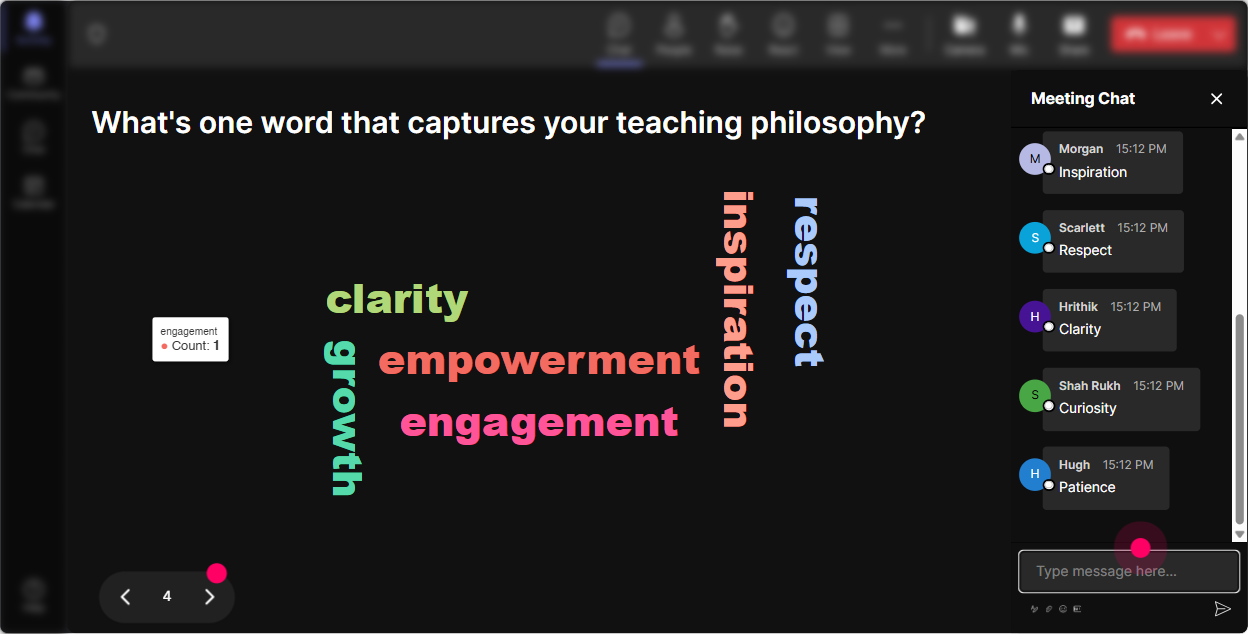
Wonder Words (Word Cloud): Make feelings and beliefs visible-fast
Lifelong Employment can trigger very different reactions-excitement, skepticism, confusion, curiosity. A Word Cloud lets you surface that in 30 seconds without putting anyone on the spot. Great Wonder Words prompts for this topic: - In 12 words, what does Lifelong Employment mean to you? - Whats the biggest obstacle to Lifelong Employment in most companies? (Examples youll see: culture, managers, time, budget, silos.) - Whats one skill employees will need to stay employable long-term? Trainer tip: Use Combine Similar Answers so reskilling and upskilling dont split the story. Then point to the biggest words and say, Cool-these are todays hotspots. Lets tackle them.
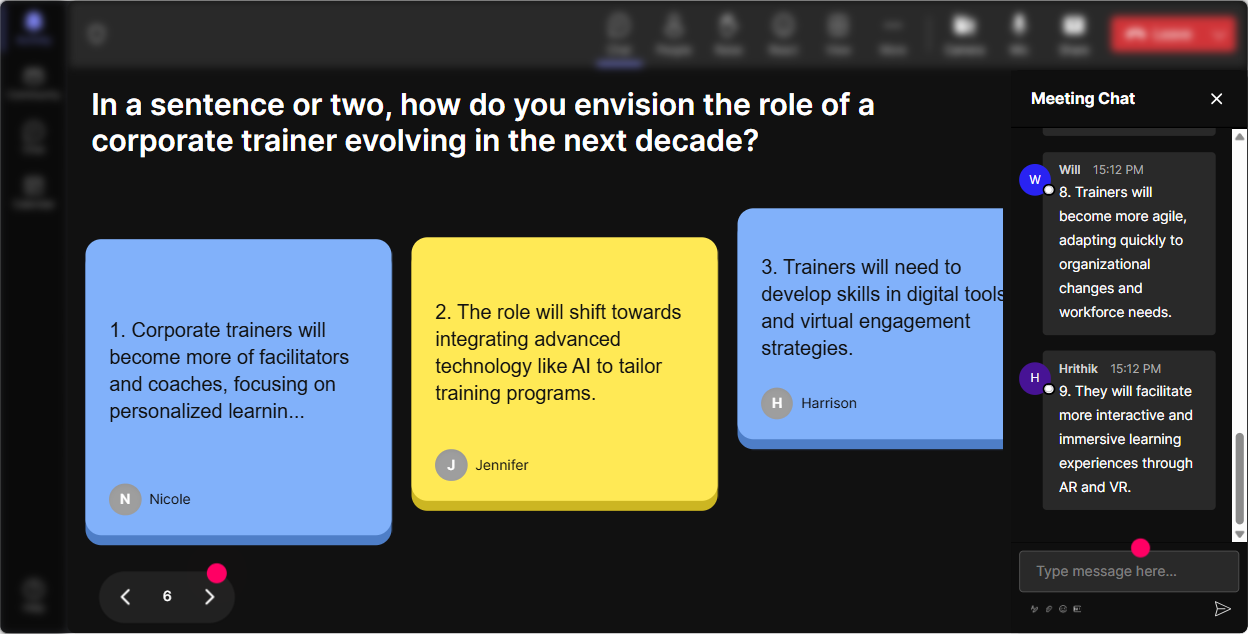
Talking Tiles: Turn participant stories into instant, shareable learning moments
When you want more than one-word answers-this is your move. Talking Tiles makes longer responses feel fun and visual, not like homework. Try these prompts: - Describe a time you had to reinvent your skills to stay relevant at work. What changed? - Whats one thing your learners ask for that screams we need Lifelong Employment thinking? - In your role as a trainer, whats one way you can support internal mobility? Trainer tip: After 812 tiles drop in, pause and summarize patterns like a pro: Im seeing a lot of role changes, new tech, and manager support-thats basically our roadmap for the next section. Thats how you make the audience feel like co-creators, not spectators.
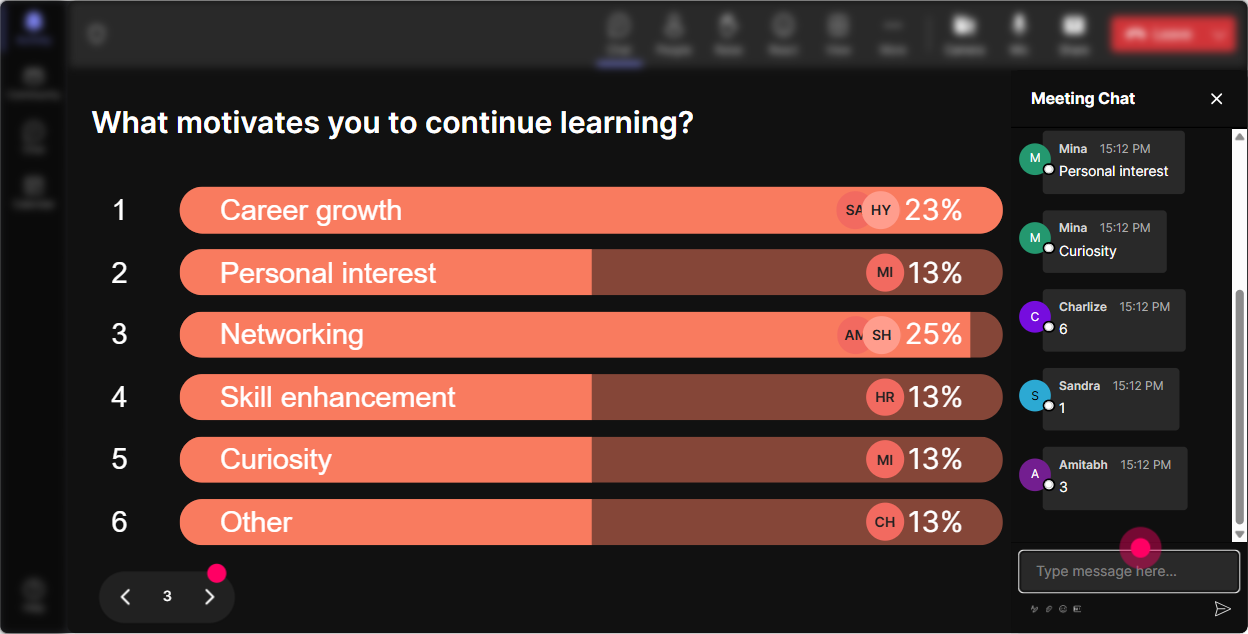
Power Polls: Let the group choose what to focus on next
Trainers love choice-because they know adult learners engage more when they have a say. Power Polls makes that choice visible, instantly. Poll ideas for Lifelong Employment ILT: - What do you want more of today? 1) Building a Lifelong Employment mindset 2) Designing skills-based learning paths 3) Measuring internal mobility + impact 4) Getting manager buy-in - Which program would create the biggest shift in your company? 1) Internal gigs marketplace 2) Skills taxonomy + skill validation 3) Career coaching for employees 4) Role-based academies Trainer tip: If youre tight on time, use the poll to decide which case study youll do live. People pay way more attention when they feel like they picked the direction.
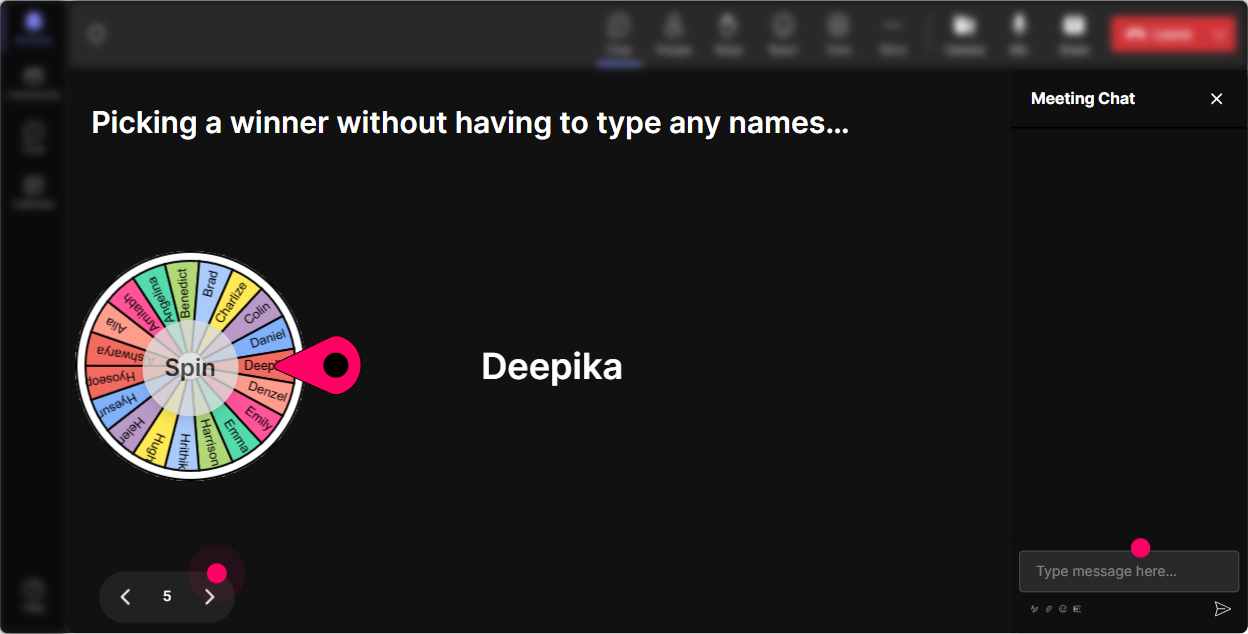
Winner Wheel (Spinner Wheel): Get volunteers without the awkward silence
You know that moment when you ask, Who wants to share? and suddenly everyone becomes intensely interested in their mute button? Spinner Wheel fixes that. Ways to use it for Lifelong Employment: - Drop ME in chat if youre willing to share a reskilling story. Ill spin the wheel. - Type one internal mobility challenge you face. Ill spin and well workshop the winners challenge for 2 minutes. - Quick role-play: Who wants to be the skeptical manager? Type MANAGER and Ill let the wheel decide. Trainer tip: Keep it light: Blame the wheel, not me. It lowers pressure, raises participation, and makes speaking up feel like a game instead of a risk.
Quiz: Do quick knowledge checks that dont kill the energy
If youre teaching concepts like skills-based orgs, internal mobility, or career lattices, a Quiz keeps people sharp-and gives you proof theyre tracking. Quiz questions you can run in Lifelong Employment training: - Which best describes Lifelong Employment? A) One company, one job, long tenure B) Continuous skill growth and mobility that sustains employability (Correct) C) Promotions only through management D) Job security guaranteed by HR - Whats the biggest shift from job-based to skills-based talent practices? A) Titles become more important B) Skills become the common language for hiring, learning, and movement (Correct) C) Training becomes optional D) Mobility slows down Trainer tip: After revealing the correct answer, ask one follow-up in chat: What made B the best answer? Thats where the real learning sticks.

Rating Polls: Get a quick pulse check on how confident people feel
Before you teach anything, find out where everyones at. Rating Polls are perfect for that because theyre quick, visual, and low-effort for participants. Ways to use Rating Polls in Lifelong Employment training: - Confidence check: On a scale of 110, how confident are you in explaining Lifelong Employment to a business leader? - Relevance check: How relevant is Lifelong Employment to your current training portfolio? (1 = not at all, 10 = extremely) - Readiness check: How ready is your organization to move from jobs to skills + mobility? (110) Trainer tip: When you see the average, react in real time. If its low, say, Perfect-this session is going to help. If its high, say, Awesome, then Im going to push you into advanced application today. People feel seen immediately.
Q&A (Quick Questions): Catch every question without losing your flow
When youre teaching live, chat moves fast-and good questions get buried. StreamAlive automatically detects and collects questions so you can actually manage Q&A like a human. How to use it in Lifelong Employment sessions: - Mid-session question sweep: Alright, lets do a 3-minute Q&A before we move into the next model. - Park questions while you teach: Drop questions anytime-StreamAlive will capture them and well hit them in our Q&A block. - End with: Which question should we tackle first? (Then pick the highest-value ones.) Trainer tip: This works beautifully when you have a co-facilitator. One person teaches, one person watches the captured questions and tees them up cleanly.

Analytics: After the session, see what actually worked (and who was truly engaged)
This is the part most trainers skip-and its the part that makes you better every time. StreamAlive Analytics shows where engagement spiked, where it dipped, and which interactions got people talking. How to use Analytics for Lifelong Employment ILT: - Improve your run-of-show: If chat explodes during internal mobility examples but dips during definitions, you know where to adjust next time. - Find your champions: Identify your most engaged participants (your future advocates, pilot-group volunteers, or internal ambassadors). - Prove impact to stakeholders: Share interaction results and engagement summaries via email or with your team on Teams-super helpful when you need to justify time, budget, or a broader rollout. Trainer tip: Look at the minute-by-minute breakdown and ask yourself: Where did I stop inviting participation? Then fix that section with a small interaction (poll, word cloud, quick question) next time. Thats how engagement compounds session after session.

Use StreamAlive in all your training sessions
StreamAlive isn’t just for
Lifelong Employment
training,
it can also be used for any instructor-led training session directly inside your PowerPoint presentation.
Explore similar traingin ideas: unlocking the potential of StreamAlive
See how StreamAlive transforms live training with engaging events and interactive sessions across industries, directly inside your PowerPoint presentation.

Interactions in action
(it's free)

.svg.png)


