Install StreamAlive for your PowerPoint slides
Learn more

Team-based RTO Training for Corporate Trainers
StreamAlive helps 9x the audience engagement in your Virtual Instructor-led Trainings (VILT) directly inside your powerpoint presentation.
Make your instructor-led Team-based RTO training more fun with polls, word clouds, spinner wheels and more
Works inside your existing PowerPoint presentation
Install the StreamAlive app for PowerPoint and see your slides come to life as people participate in your interactions
AI generates audience interactions for you
Let our AI scan your presentation and automatically come up with relevant questions based on the content. Or spend two hours coming up with your own questions, your choice!
Built to work with MS Teams and Zoom
Native apps for Teams and Zoom so you never have to leave your existing workflows
No QR Codes
Chat-powered interactions means your audience doesn’t need to scan QR codes or look at another screen to participate. They just type in the chat!

Quickly approved by your IT team
StreamAlive’s apps for Teams and Zoom means that they have been through rigorous quality assurance and client safety reviews. You’ll find everything an IT team needs to approve the app within the organization within your StreamAlive account.

Youve been asked to run a team-based RTO (Return-to-Office) instructor-led session-and you already know the risk: it can turn into a camera off, chat silent kind of hour. Lets make it the opposite. Here are practical, team-friendly ideas you can run live, using StreamAlive to keep people participating all the way through.
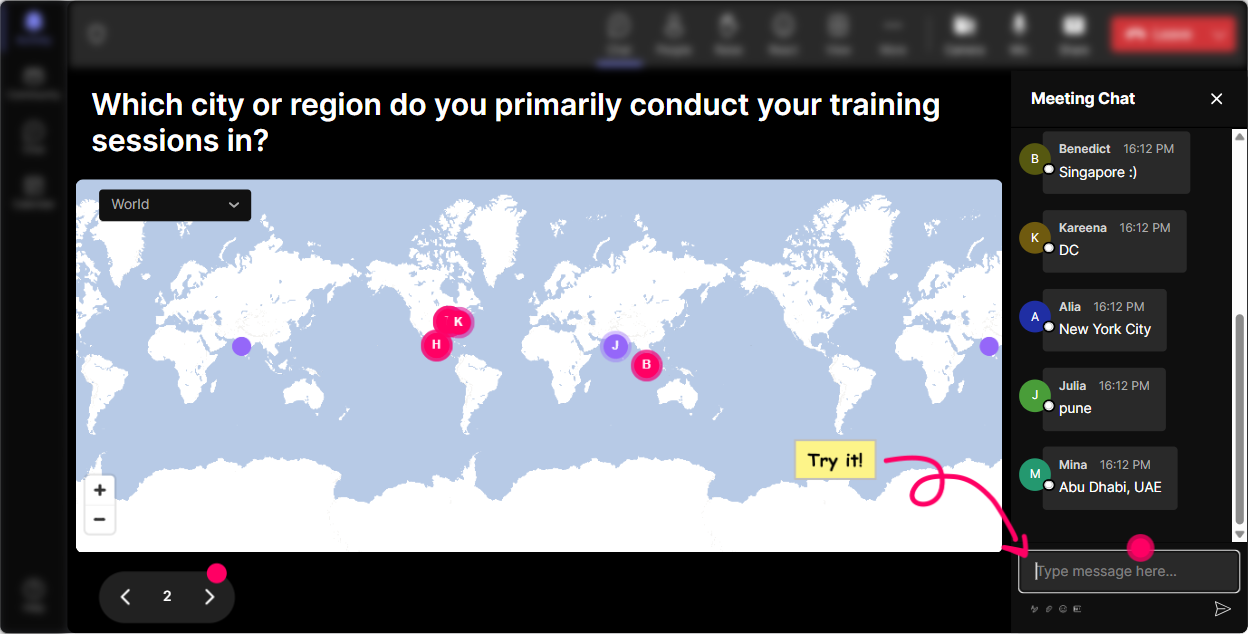
Magic Maps: Kick off with a were in this together moment
If youre running RTO training, youre literally dealing with people being in different places (office, home, hybrid, traveling). So start there. Use **Magic Maps** to break the ice and instantly make the room feel like a team: - Where are you joining from today-home, office, or somewhere else? Drop your city. - Which office location do you usually work from? (great for multi-site companies) - If you could choose ONE office in the world to work from for a month, where would it be? Why it works for team-based RTO: youre creating quick belonging. People see theyre not alone-others are commuting too, others are remote too, others are in the same building. Trainer tip: if youre doing breakout teams, you can even cluster people by region/site and say, Cool-lets make Site A vs Site B teams today.
Rating Polls: Get a fast pulse check (without awkward cold calling)
RTO topics can be sensitive. Some people love it, some people hate it, and a lot are somewhere in the middle. A **Rating Poll** lets you check the temperature in a way that feels safe. Try these quick rating prompts: - On a scale of 110, how clear are you on our current RTO expectations? - Rate your confidence (110) in handling RTO conversations with your team. (perfect for manager groups) - How comfortable are you with the new on-site collaboration norms? (110) Then respond like a real facilitator: Im seeing a bunch of 46s. Great-today is for you. Well make this practical. Trainer tip: run the same rating again at the end to show improvement live. Its a simple way to prove impact in the room.

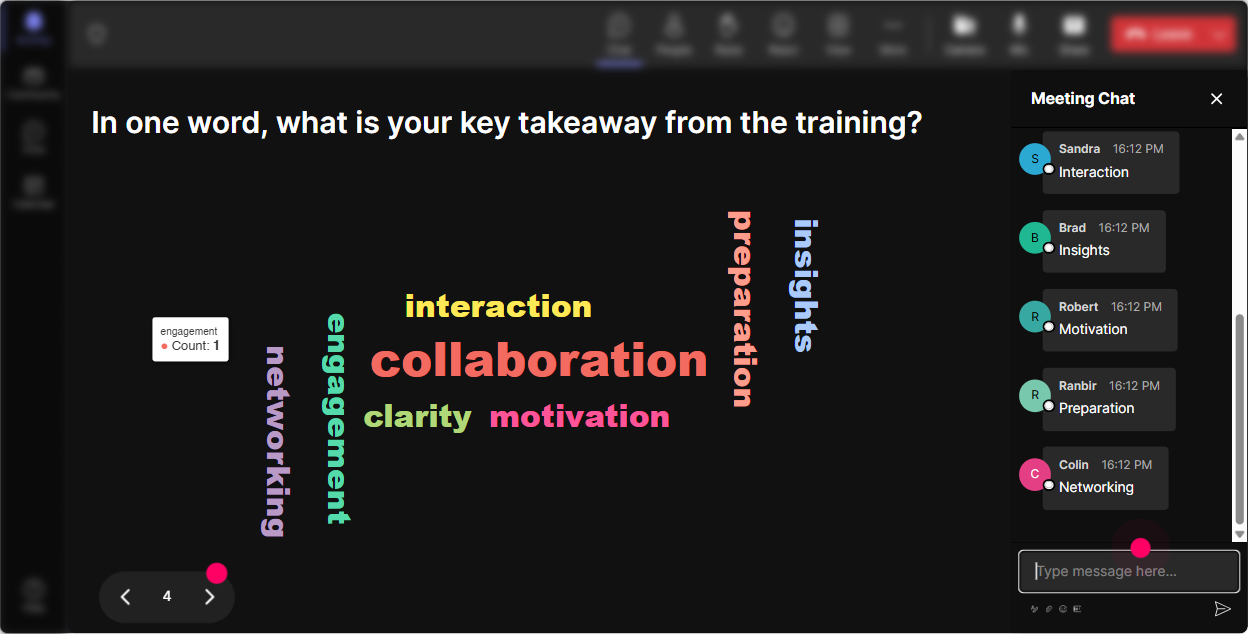
Wonder Words: Make feelings visible (fast)
RTO training isnt just policy-its emotion. **Wonder Words** is perfect when you want quick, honest reactions without forcing anyone to write a paragraph. Ask one of these: - When you hear Return to Office, whats the first word that comes to mind? - Whats one word you want your team to feel when they come into the office? - Whats the biggest friction point word right now? (commute, focus, childcare, meetings, etc.) Youll instantly see patterns: if commute and time show up huge, you know where to steer the conversation. Trainer tip: use this to set norms: I see focus and connection-lets design our team agreements around those.
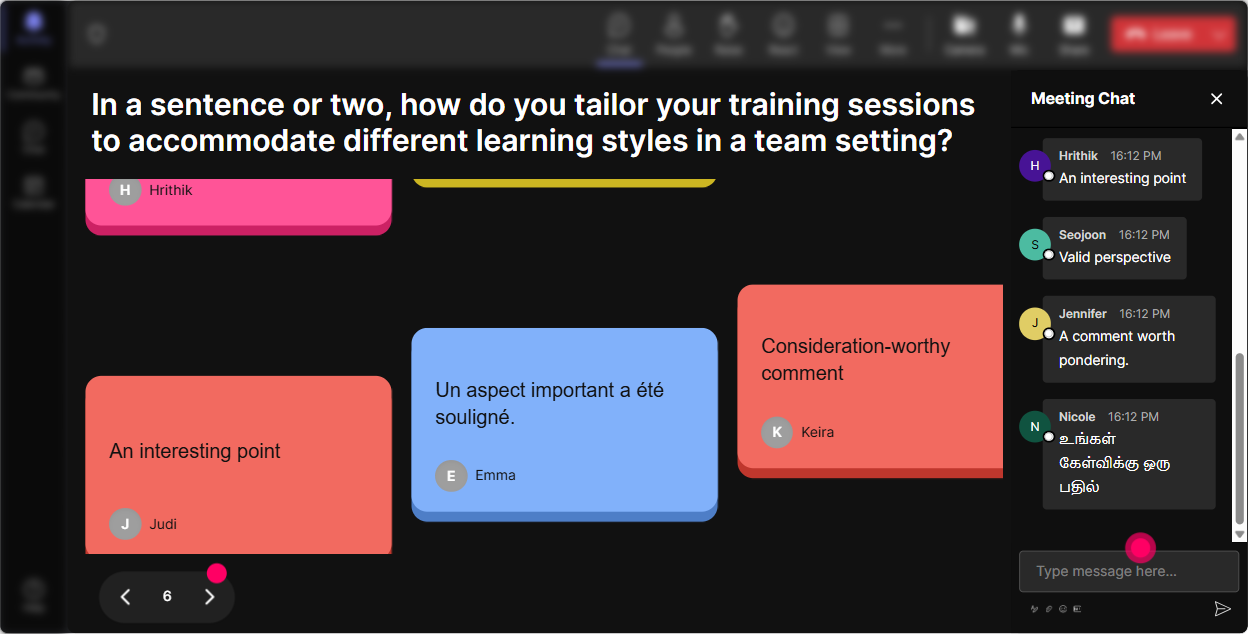
Talking Tiles: Turn team stories into a shared wall of insight
When you want deeper answers (not just one-word stuff), **Talking Tiles** makes it feel like the room is building something together. Great prompts for team-based RTO: - Whats one thing we should STOP doing when were in the office? - Whats one thing we should START doing to make office days worth it? - Describe a moment when in-person work actually helped you do your job better. - Whats one team agreement youd like us to try for 2 weeks? As the tiles drop in, you can group themes in real time: collaboration, meetings, noise, commute, flexibility, boundaries. Trainer tip: pick 35 tiles and say, Lets build a team playbook from these. Which ones do we want to test first? Now your training becomes action.
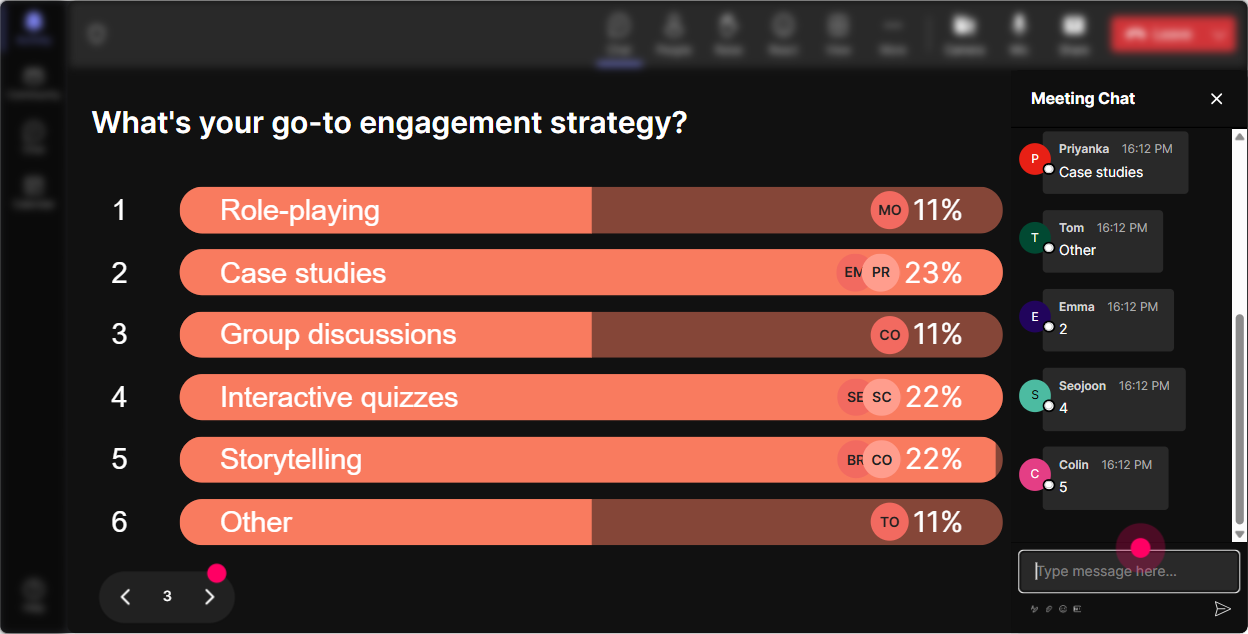
Power Polls: Let teams choose the agenda (so they actually care)
Team-based sessions land better when people feel like they helped steer the session. **Power Polls** are your choose what we focus on tool. Poll ideas that work really well for RTO: - What should we spend more time on today? 1) Team agreements 2) Collaboration norms 3) Handling resistance and complaints 4) Leading hybrid meetings 5) Productivity + focus on-site - Which RTO scenario is hardest right now? 1) Uneven attendance 2) I came in and sat on Zoom all day frustration 3) Manager inconsistency 4) Conflict around flexibility 5) Office distractions Then you can say: Looks like hybrid meetings is the winner. Perfect-lets tackle that with a team challenge. Trainer tip: do a poll again after a breakout: Which solution is best? Thats how you keep teams interacting, not just listening.
Winner Wheel: Get participation without the uhhh anyone? moment
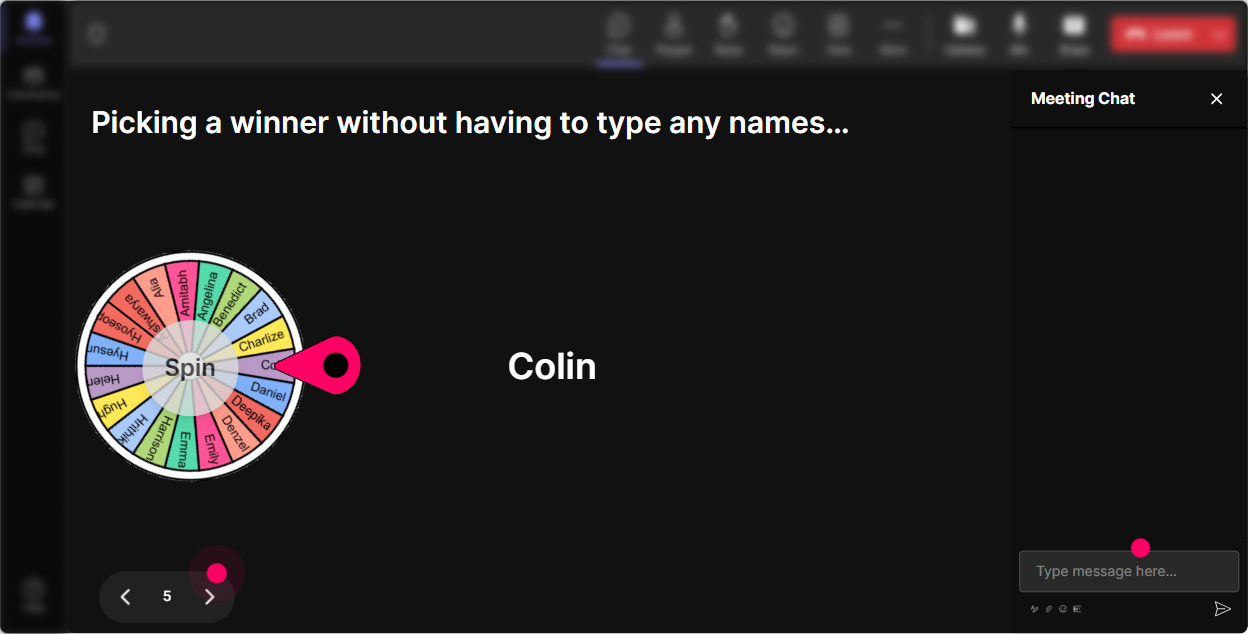
You know that moment when you ask, Who wants to share? and suddenly everyone becomes a statue? **Winner Wheel** fixes that-playfully. Ways to use it in team-based RTO training: - Drop in chat: ONE tip for making office days productive. Im spinning the wheel for a share. - Each team: type your team name + your agreement. Ill spin to pick which team presents first. - We need a volunteer for a role-play (manager + employee RTO convo). Comment Im in and lets spin. It keeps things fair and fun-people realize they might be called on, so they participate earlier. Trainer tip: tie it to tiny rewards: first pick chooses the scenario, or wins bragging rights, or gets to go last. Keeps energy up without feeling childish.
Quiz: Make the policy part interactive (and way less boring)
Lets be honest: RTO policies can get dry. A **Quiz** turns read the slide into a quick game and a knowledge check. Quiz questions you can run (multiple choice, one correct answer): - Which of these is considered an in-office day per our policy? A) Badge-in for 30 minutes B) Working from a coffee shop C) Being on-site for your scheduled shift D) Logging into VPN from home - Whats the best first step when an employee raises an RTO concern? A) Quote the policy and end it B) Listen + clarify the impact + explore options C) Escalate immediately D) Tell them everyone has to do it - Which meeting should be run as all-remote even if some people are on-site? A) Mixed group with remote attendees B) Only on-site attendees C) 1:1 coaching D) Team lunch Trainer tip: after revealing the correct answer, ask: What made you choose what you chose? Thats where the learning happens.

Rating Polls: Get a fast pulse check (without awkward cold calling)
RTO topics can be sensitive. Some people love it, some people hate it, and a lot are somewhere in the middle. A **Rating Poll** lets you check the temperature in a way that feels safe. Try these quick rating prompts: - On a scale of 110, how clear are you on our current RTO expectations? - Rate your confidence (110) in handling RTO conversations with your team. (perfect for manager groups) - How comfortable are you with the new on-site collaboration norms? (110) Then respond like a real facilitator: Im seeing a bunch of 46s. Great-today is for you. Well make this practical. Trainer tip: run the same rating again at the end to show improvement live. Its a simple way to prove impact in the room.
Q&A: Catch every question (even the quiet ones)
In RTO training, people ask questions that matter-sometimes they dont want to say them out loud. StreamAlive **Q&A** collects questions straight from chat and keeps them organized, so youre not scrolling like crazy. How to use it in a team-based RTO session: - Start: As questions pop up, drop them in chat anytime-StreamAlive will track them for me. - Midway: Lets pause for a 3-minute rapid Q&A-Ill answer the top ones coming in. - End: Before we wrap, Im going to clear the last 5 questions so nobody leaves hanging. Trainer tip: combine with a poll: Which question should I answer next? That makes Q&A feel like a team choice, not a trainer monologue.

Analytics: Prove what worked (and improve the next session)
After the session, you usually get feedback like Good training! which is nice, but not helpful. StreamAlive **Analytics** gives you real evidence of what actually engaged people. What you can do with it for team-based RTO training: - See the **minute-by-minute engagement**: youll know exactly which activity spiked chat and which slide lost them. - Check **interaction reports**: which polls got the most participation? Which questions caused debate? - Find your **most engaged participants** (Fantastic Fans): these are often your informal champions-great people to involve in follow-up teams or pilot groups. - Use **chat replay** to capture real employee language (gold for improving your next run). - Share the results via **email reports** with HR/L&D or leadership: Here are the top concerns and the top commitments teams made. Trainer tip: treat analytics like your facilitator debrief. Next time, youll know exactly where to add a poll, shorten a segment, or bring in a team activity to keep engagement up.

Use StreamAlive in all your training sessions
StreamAlive isn’t just for
Team-based RTO
training,
it can also be used for any instructor-led training session directly inside your PowerPoint presentation.
Explore similar traingin ideas: unlocking the potential of StreamAlive
See how StreamAlive transforms live training with engaging events and interactive sessions across industries, directly inside your PowerPoint presentation.

Interactions in action
(it's free)

.svg.png)


