Install StreamAlive for your PowerPoint slides
Learn more

AI implementation Training for CRM teams
StreamAlive helps 9x the audience engagement in your Virtual Instructor-led Trainings (VILT) directly inside your powerpoint presentation.
Make your instructor-led AI implementation training more fun with polls, word clouds, spinner wheels and more
Works inside your existing PowerPoint presentation
Install the StreamAlive app for PowerPoint and see your slides come to life as people participate in your interactions
AI generates audience interactions for you
Let our AI scan your presentation and automatically come up with relevant questions based on the content. Or spend two hours coming up with your own questions, your choice!
Built to work with MS Teams and Zoom
Native apps for Teams and Zoom so you never have to leave your existing workflows
No QR Codes
Chat-powered interactions means your audience doesn’t need to scan QR codes or look at another screen to participate. They just type in the chat!

Quickly approved by your IT team
StreamAlive’s apps for Teams and Zoom means that they have been through rigorous quality assurance and client safety reviews. You’ll find everything an IT team needs to approve the app within the organization within your StreamAlive account.

Imagine you're setting up AI training for your CRM team and you're aiming for less yawning and more "wows!" Let's make that happen.
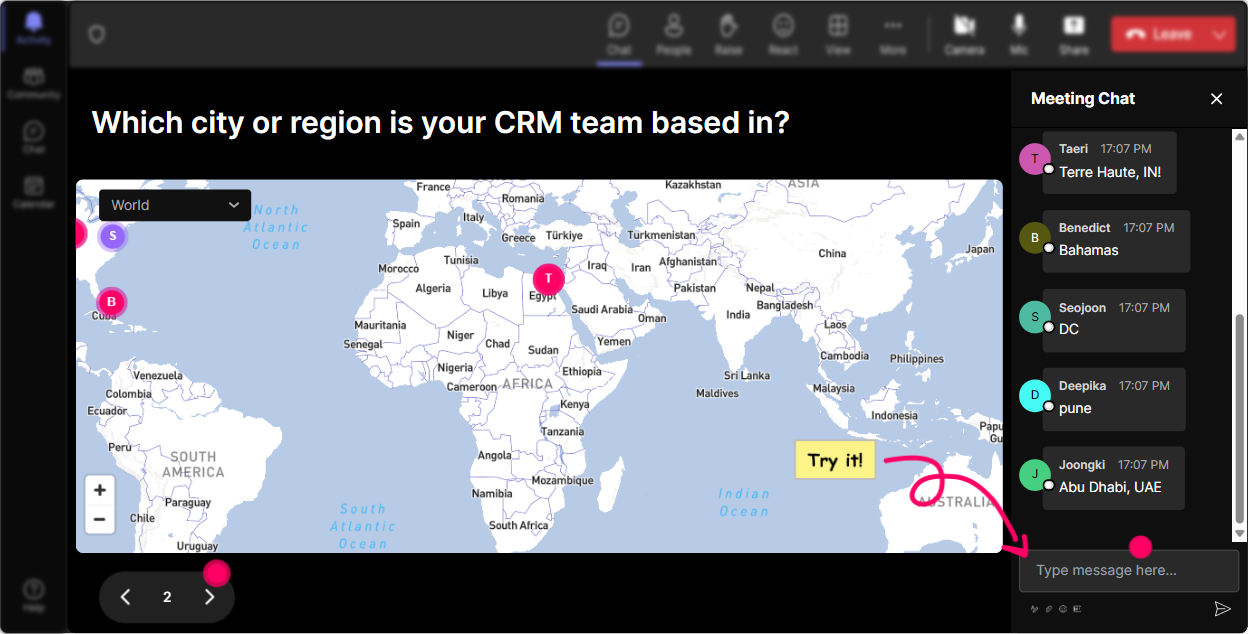
Magic with Maps
Start off with a bang by asking, "Where's everyone tuning in from today?" and make your training pop with dots on a map using StreamAlive's Magic Maps. Imagine the excitement when they see their location appear on screen.
Gauge the Rooms Temperature
Right from the get-go, get a feel for your audience's comfort with AI. Have them rate their knowledge on a scale of 1-10. Did people rate low? No worries, youll get them to 10 by the end of the session!

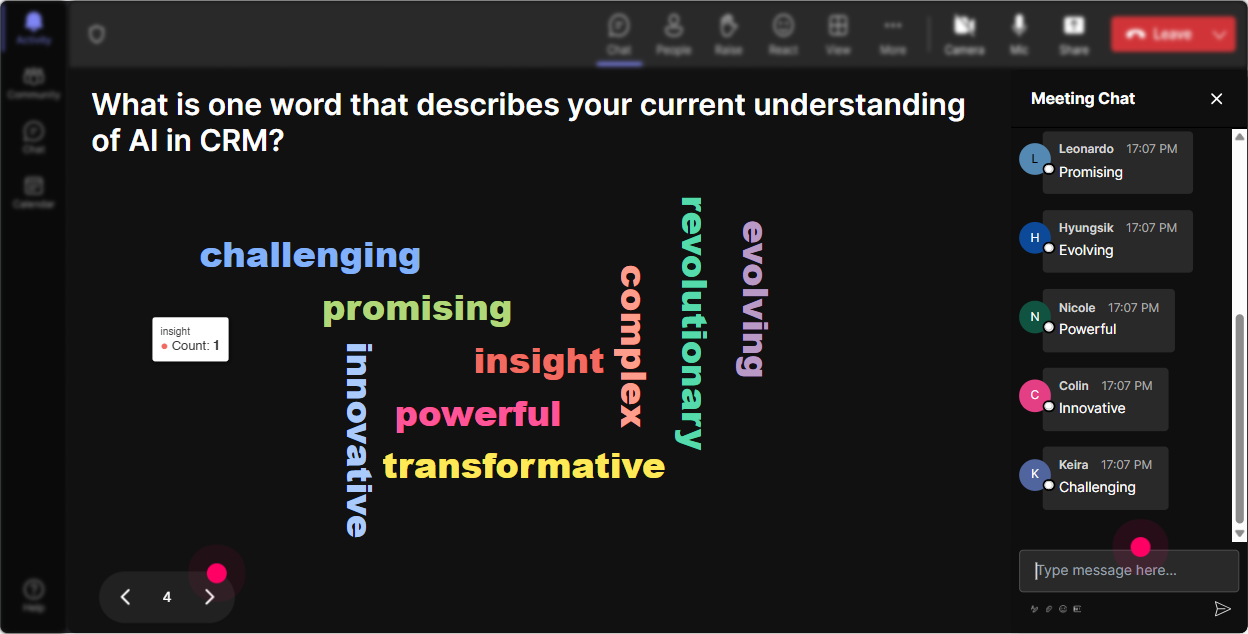
Feelings in a Snapshot
Use a Word Cloud to capture initial feelings about AI. Are they excited, curious, or anxious? Watch those words visualize into a picture of collective emotions.
Thoughts Come to Life
Prompt them with "How do you think AI will change your daily processes?" and let responses tumble in as colorful tiles on the screen-like a digital brainstorming session but way cooler.

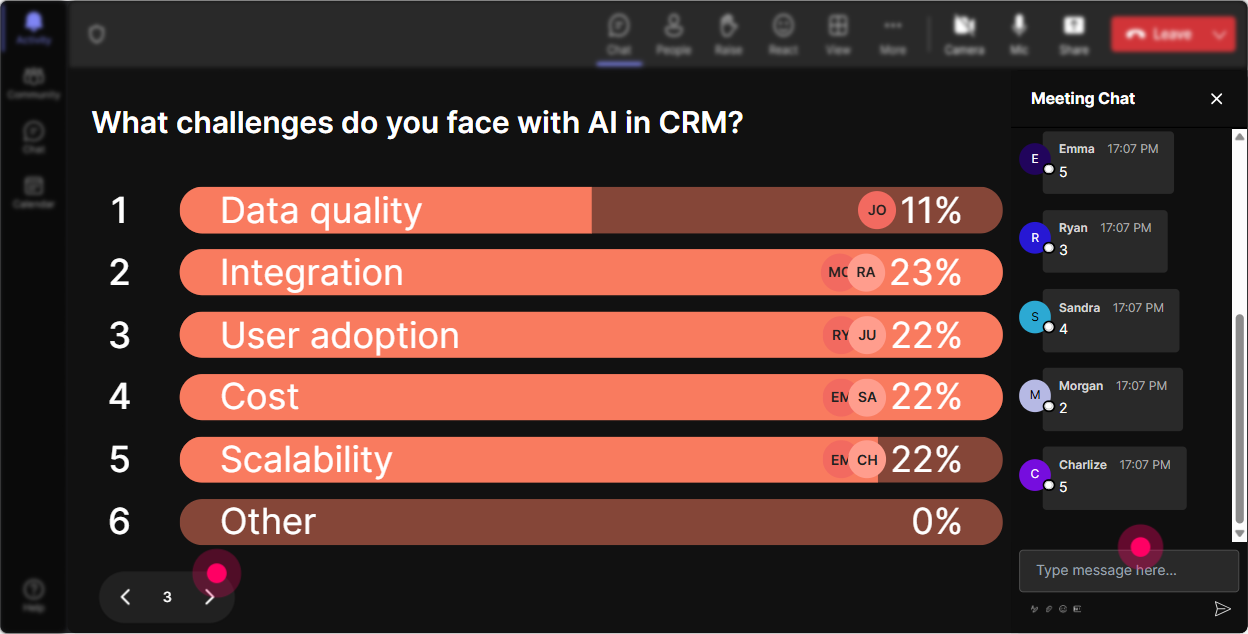
Let's Talk AI Curiosity
Poll them on which AI tool they'd love to deep-dive into. Is it chatbots, data analytics, or machine learning? Watch the results roll in real-time and adjust your focus accordingly.
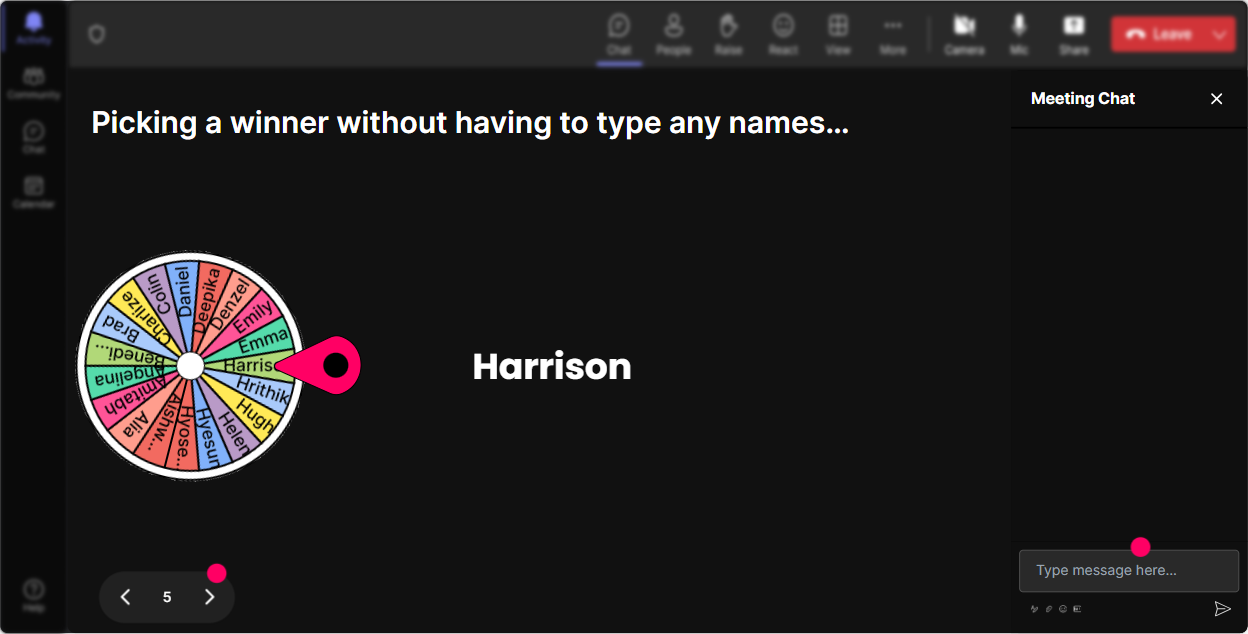
Luck of the Draw
Need a volunteer to demo a feature or answer a question? Spin the Wheel of Fate to select a lucky participant, keeping everyone on their toes (in a good way!).
Knowledge Check
Midway, toss in a pop quiz on key AI concepts. What's AI's biggest benefit? Let them choose, then reveal the right answer to reinforce learning.

Gauge the Rooms Temperature
Right from the get-go, get a feel for your audience's comfort with AI. Have them rate their knowledge on a scale of 1-10. Did people rate low? No worries, youll get them to 10 by the end of the session!
Catch Every Curiosity
StreamAlive grabs questions right from the chat-no more "missed message" headaches. Perfect for ensuring everyones queries are addressed smoothly as you wrap up a session.

Reading the Room
Post-session, peek into your analytics. You'll see who contributed the most, which sections were a hit, and how you can tweak future sessions for maximum engagement.

Use StreamAlive in all your training sessions
StreamAlive isn’t just for
AI implementation
training,
it can also be used for any instructor-led training session directly inside your PowerPoint presentation.
Explore similar traingin ideas: unlocking the potential of StreamAlive
See how StreamAlive transforms live training with engaging events and interactive sessions across industries, directly inside your PowerPoint presentation.

Interactions in action
(it's free)

.svg.png)


