Install StreamAlive for your PowerPoint slides
Learn more

Burnout & Change Fatigue Training for L&D Leaders
StreamAlive helps 9x the audience engagement in your Virtual Instructor-led Trainings (VILT) directly inside your powerpoint presentation.
Make your instructor-led Burnout & Change Fatigue training more fun with polls, word clouds, spinner wheels and more
Works inside your existing PowerPoint presentation
Install the StreamAlive app for PowerPoint and see your slides come to life as people participate in your interactions
AI generates audience interactions for you
Let our AI scan your presentation and automatically come up with relevant questions based on the content. Or spend two hours coming up with your own questions, your choice!
Built to work with MS Teams and Zoom
Native apps for Teams and Zoom so you never have to leave your existing workflows
No QR Codes
Chat-powered interactions means your audience doesn’t need to scan QR codes or look at another screen to participate. They just type in the chat!

Quickly approved by your IT team
StreamAlive’s apps for Teams and Zoom means that they have been through rigorous quality assurance and client safety reviews. You’ll find everything an IT team needs to approve the app within the organization within your StreamAlive account.

Youve been asked to run a Burnout & Change Fatigue session for L&D Leaders-and you already know the topic is real, heavy, and honestly people show up tired. The good news? You can still make it feel energizing, safe, and interactive. Heres how to use StreamAlive to keep everyone with you (not just logged in).
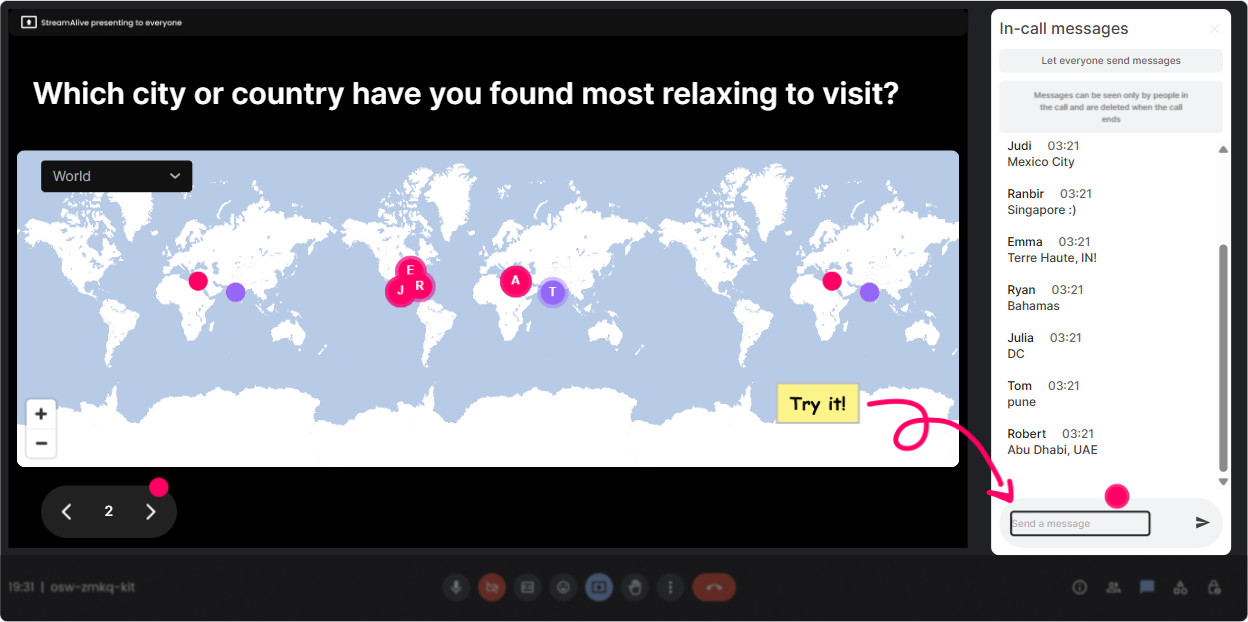
1) Magic Maps: Lets see what change looks like across the map
Kick off with something light before you go into the deep stuff. Magic Maps is perfect for that classic opener-but with a twist that fits your theme. Try prompts like: - Where are you joining from today? (simple, always works) - Which city has been your most change-heavy workplace so far? - If you could take a recovery break anywhere on earth right now, where would you go? Why it works for Burnout & Change Fatigue: it creates instant connection without asking anyone to be vulnerable too early. And once theyve typed in chat once, theyre way more likely to keep participating. Trainer tip: If youre training global leaders, call out clusters (Looks like weve got a whole crew from Singapore-love it). That micro-recognition boosts participation fast.
2) Rating Polls: Quick pulse check without putting anyone on the spot
Before you teach anything, get a read on the room. Rating Polls let people answer in seconds, and youll instantly see the spread-so you can adjust your pace and examples. Use Rating Polls like: - On a scale of 110, how burnt out does your org feel right now? - How confident are you (110) in spotting early burnout signals in your teams? - How change-fatigued do you personally feel this quarter? (110) Why it works: youre getting honest data without asking someone to unmute and confess in front of their peers. Plus, when you show the live results, it normalizes what people are experiencing (Okay wow-lots of 7s and 8s. Youre not imagining it.).

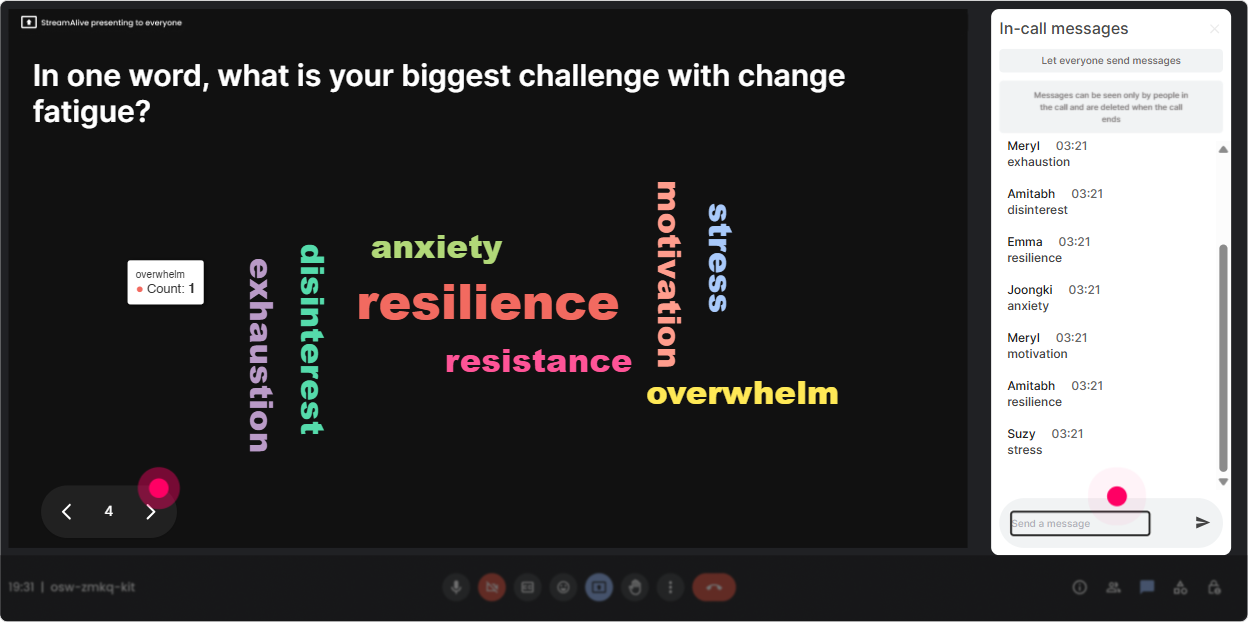
3) Wonder Words (Word Cloud): Name the feeling in the room-fast
Burnout and change fatigue are emotional topics. A word cloud is a super simple way to surface the vibe without forcing a long discussion right away. Ask one-question word cloud prompts like: - In ONE word, how does constant change feel right now? - Whats the first word you associate with burnout at work? - What do your leaders need more of right now? Why it works: when people see their words show up on screen, it feels like, Yep, thats me too. It creates shared reality-and thats a powerful foundation for the rest of your training. Trainer tip: If you get similar answers with different wording (like exhausted, tired, drained), use the Combine Similar Answers option so the word cloud tells a clearer story.
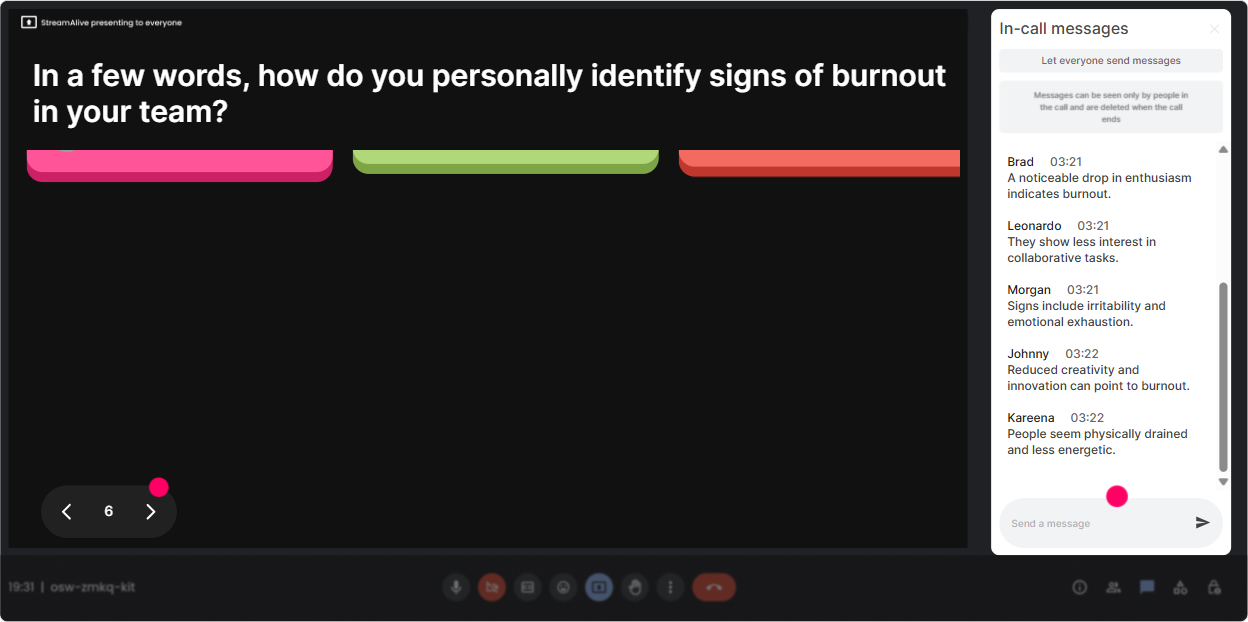
4) Talking Tiles: Let them vent (constructively) and turn it into learning
This is where you invite longer responses-because leaders have opinions, stories, and pain points here. Talking Tiles makes those responses feel lively instead of heavy, because it visualizes the conversation. Use prompts like: - Whats one small change that created a surprisingly big workload? - How is change fatigue showing up in your managers right now? - Whats one thing your org does that unintentionally fuels burnout? Why it works: youll get real examples to teach from-without relying on the same two outspoken people. And because messages appear as tiles, the session feels active and collaborative. Trainer move: After 1015 responses, pause and say, Im seeing three patterns here Then group them into themes (communication overload, tool changes, unclear priorities, etc.). You just turned chat into your content.
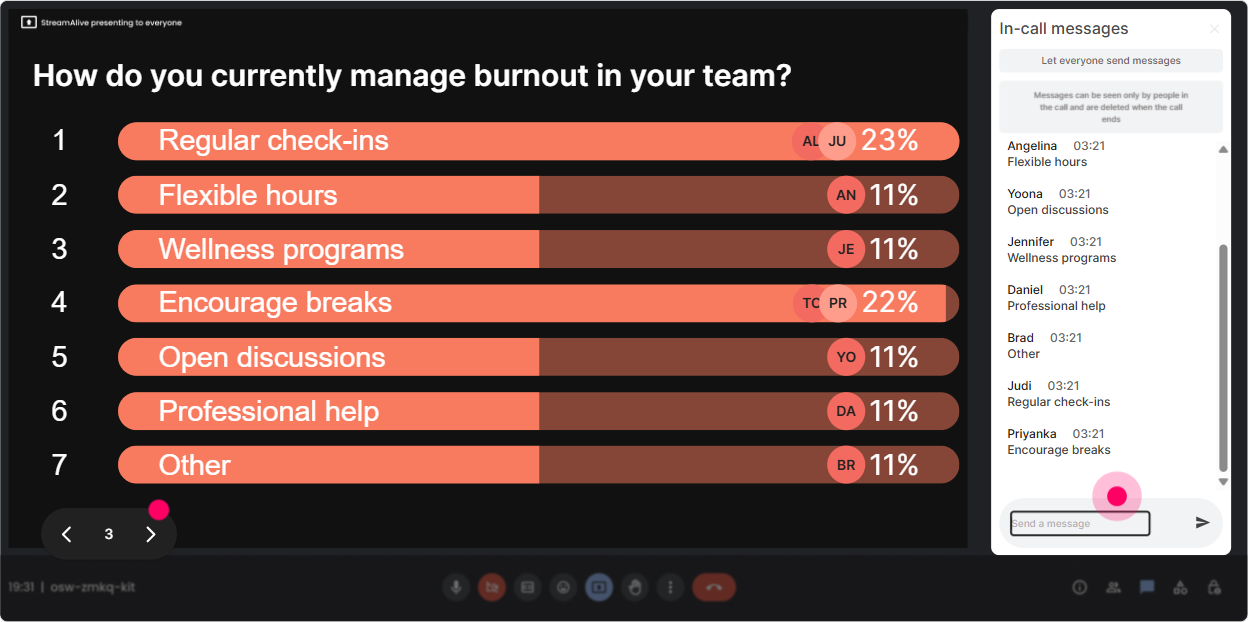
5) Power Polls: Let the group choose what matters most
If you want L&D Leaders to stay engaged, involve them in steering the session. Power Polls let you quickly prioritize what to spend time on. Poll ideas: - Whats the biggest driver of burnout in your org right now? 1) Too much work / not enough people 2) Constant reorgs and shifting priorities 3) Always-on culture (after-hours expectations) 4) Managers not equipped to support wellbeing - Where do you want practical tools today? 1) Spotting early warning signs 2) Having burnout conversations 3) Designing change communications 4) Building team recovery habits Why it works: it replaces guessing with real-time data. And when you teach to what they voted for, the training instantly feels more relevant. Bonus: You can run the same poll at the end (Which lever will you actually pull in the next 2 weeks?) to reinforce action.
6) Winner Wheel: Make participation fun (and fair)
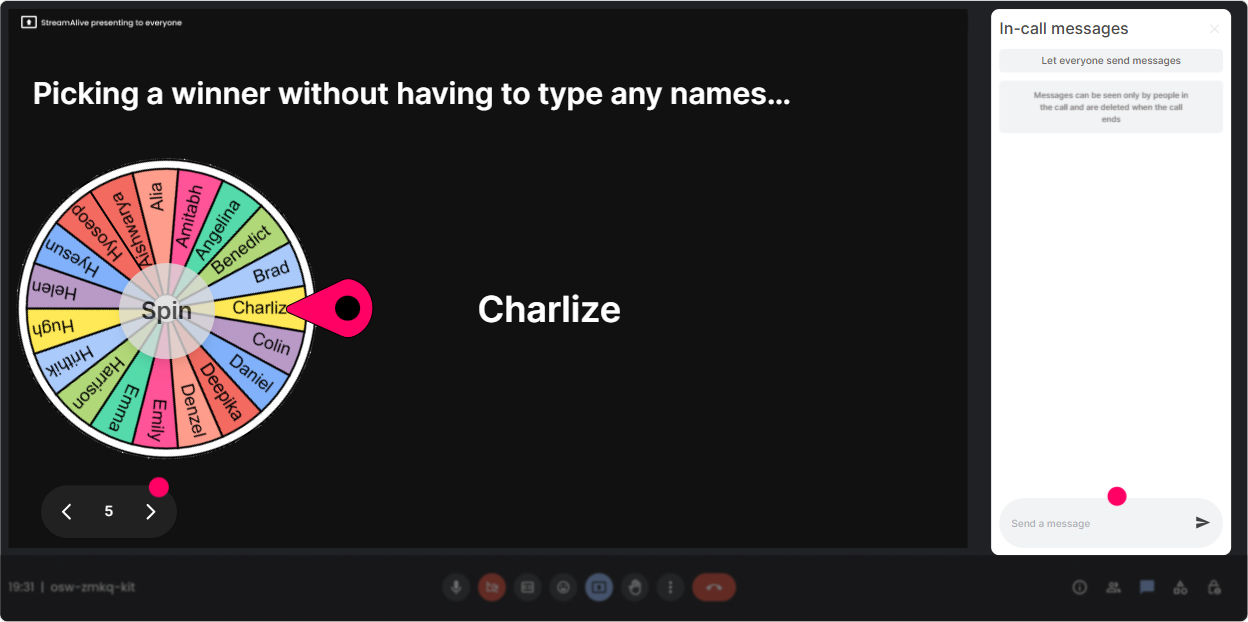
Sometimes you need someone to share out loud, but you dont want the awkward silence of Any volunteers? Winner Wheel fixes that-because it feels playful and random, not targeted. Ways to use it in this topic: - Type one boundary you wish leaders would protect more. Ill spin the wheel and ask one person to share their why. - Drop one change initiative youre supporting right now. Ill spin and well do a 60-second fatigue risk check together. - Share one micro-habit that helps you reset. Spinner decides who gives the group the tip. Why it works: it rewards chat participation and keeps people paying attention because they know, If I comment, I might get picked. Trainer tip: Set expectations kindly: No pressure-if you get picked and prefer not to speak, just type pass and well spin again. That keeps it psychologically safe.
7) Quiz: Quick knowledge checks that dont feel like school
Burnout & change fatigue has myths baked into it. A Quiz interaction is perfect for busting those myths without you lecturing. Quiz questions you can use: - Which is the BEST early indicator of burnout? A) Sudden drop in work quality B) Cynicism / detachment creeping in C) Taking more vacation days D) Working longer hours (Correct answer: B - often shows up before performance tanks) - Change fatigue is most likely when A) Change is frequent AND unclear B) Change is rare but large C) Leaders over-communicate D) Training is optional (Correct answer: A) Why it works: people engage because its low-stakes, and your debrief becomes the learning moment (Heres why the correct answer matters in real teams).

2) Rating Polls: Quick pulse check without putting anyone on the spot
Before you teach anything, get a read on the room. Rating Polls let people answer in seconds, and youll instantly see the spread-so you can adjust your pace and examples. Use Rating Polls like: - On a scale of 110, how burnt out does your org feel right now? - How confident are you (110) in spotting early burnout signals in your teams? - How change-fatigued do you personally feel this quarter? (110) Why it works: youre getting honest data without asking someone to unmute and confess in front of their peers. Plus, when you show the live results, it normalizes what people are experiencing (Okay wow-lots of 7s and 8s. Youre not imagining it.).
8) Q&A (Quick Questions): Catch the real questions while youre teaching
In burnout/change sessions, people often have questions they wont say out loud-especially leaders. StreamAlives Q&A pulls questions straight from chat and organizes them, so you dont miss them. How to use it naturally: - Tell them: Drop questions anytime-StreamAlive will capture them and Ill do a Q&A break every 15 minutes. - Seed it with prompts: - Whats the hardest burnout conversation youve had to lead? - Whats one change youre being asked to roll out that you dont fully agree with? Why it works: youre not hunting through chat, and participants feel heard because their questions dont get buried. It also helps you spot themes-like workload, leadership pressure, or emotional exhaustion-so you can address whats really going on.

9) Analytics: Prove engagement, improve the next session, and spot your champions
After your session, Analytics helps you answer the questions L&D Leaders actually care about: - Where did attention spike? (minute-by-minute engagement) - Which activities got people talking? (interaction reports + chat replay) - Who was most engaged? (Fantastic Fans) How youd use this for Burnout & Change Fatigue training: - If engagement drops during your theory slides, youll know to break that section up next time with a quick Rating Poll or Word Cloud. - If your biggest burnout driver poll gets tons of responses, youve got evidence that this is a priority topic-and you can share that insight with stakeholders. - You can also identify your most engaged participants (often your change champions) and follow up with them for peer-led initiatives or pilot groups. Bottom line: its not just that session felt good. Youll actually have data to back up what worked-and make your next delivery even stronger.

Use StreamAlive in all your training sessions
StreamAlive isn’t just for
Burnout & Change Fatigue
training,
it can also be used for any instructor-led training session directly inside your PowerPoint presentation.
Explore similar traingin ideas: unlocking the potential of StreamAlive
See how StreamAlive transforms live training with engaging events and interactive sessions across industries, directly inside your PowerPoint presentation.

Interactions in action
(it's free)

.svg.png)


