Install StreamAlive for your PowerPoint slides
Learn more

DEIB Training for Corporate Trainers
StreamAlive helps 9x the audience engagement in your Virtual Instructor-led Trainings (VILT) directly inside your powerpoint presentation.
Make your instructor-led DEIB training more fun with polls, word clouds, spinner wheels and more
Works inside your existing PowerPoint presentation
Install the StreamAlive app for PowerPoint and see your slides come to life as people participate in your interactions
AI generates audience interactions for you
Let our AI scan your presentation and automatically come up with relevant questions based on the content. Or spend two hours coming up with your own questions, your choice!
Built to work with MS Teams and Zoom
Native apps for Teams and Zoom so you never have to leave your existing workflows
No QR Codes
Chat-powered interactions means your audience doesn’t need to scan QR codes or look at another screen to participate. They just type in the chat!

Quickly approved by your IT team
StreamAlive’s apps for Teams and Zoom means that they have been through rigorous quality assurance and client safety reviews. You’ll find everything an IT team needs to approve the app within the organization within your StreamAlive account.

Youve been asked to run DEIB instructor-led training (for corporate trainers) and you want it to be meaningful without it feeling heavy or awkward. The fastest way to do that is to get people participating early and often. Here are easy DEIB activity ideas-paired with StreamAlive interactions-to keep your room engaged up to 9x more.
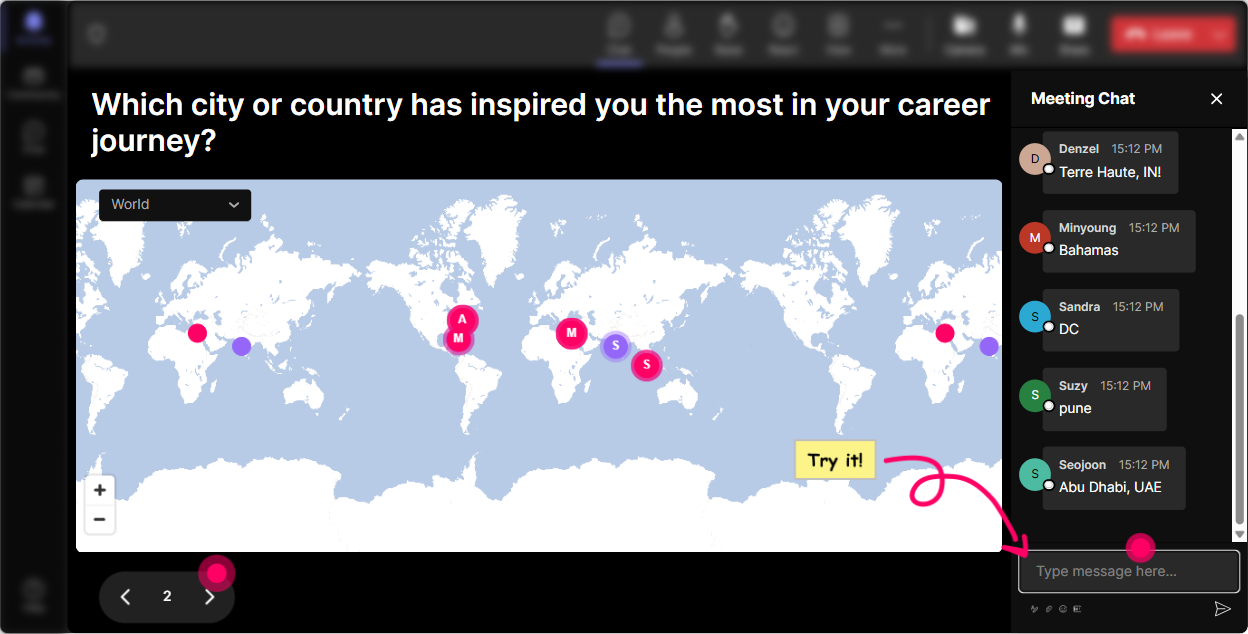
1) Magic Maps: Put your group on the map (and start DEIB without the awkwardness)
If youre running DEIB training, youre already working with difference-different regions, cultures, identities, experiences. Magic Maps lets you surface that diversity instantly in a warm, non-threatening way. How to use it in DEIB ILT: - Kickoff question (classic, but better): Where are you joining from today? Then pause and actually *talk about what you see*: time zones, regions, global vs. local norms. - Belonging starter: Type a place youve lived that shaped how you see the world. (People love this one. It invites story without forcing oversharing.) - Inclusion lens: If you could learn about one culture more deeply this year, where would you start? Trainer move that works: if you see a big cluster (say, Toronto or Manila), ask: Whats one workplace norm people assume here that might be different elsewhere? Boom-DEIB conversation, naturally. StreamAlive setup tip: If your question needs just one answer, set it to one location per attendee so the map stays clean. Reset the map when you move to the next activity.
2) Rating Polls: Get a quick pulse on comfort, confidence, and readiness
DEIB sessions can have mixed comfort levels in the room-and people wont always say it out loud. Rating Polls let you get the truth fast (without calling anyone out). Great moments to use Rating Polls: - At the start: On a scale of 110, how confident do you feel facilitating DEIB conversations? - Before a tricky module (bias, microaggressions, privilege): How comfortable are you addressing this topic in front of a live class? - After teaching a model/tool: How ready are you to use this in your next training session? How it boosts engagement: participants dont just sit back-they lean in because they can see the groups vibe live on screen. Trainer move that works: if the average is low, say: Perfect-this is why were here. Lets make this practical. If its high, say: Amazing. Im going to challenge you with a tougher scenario.

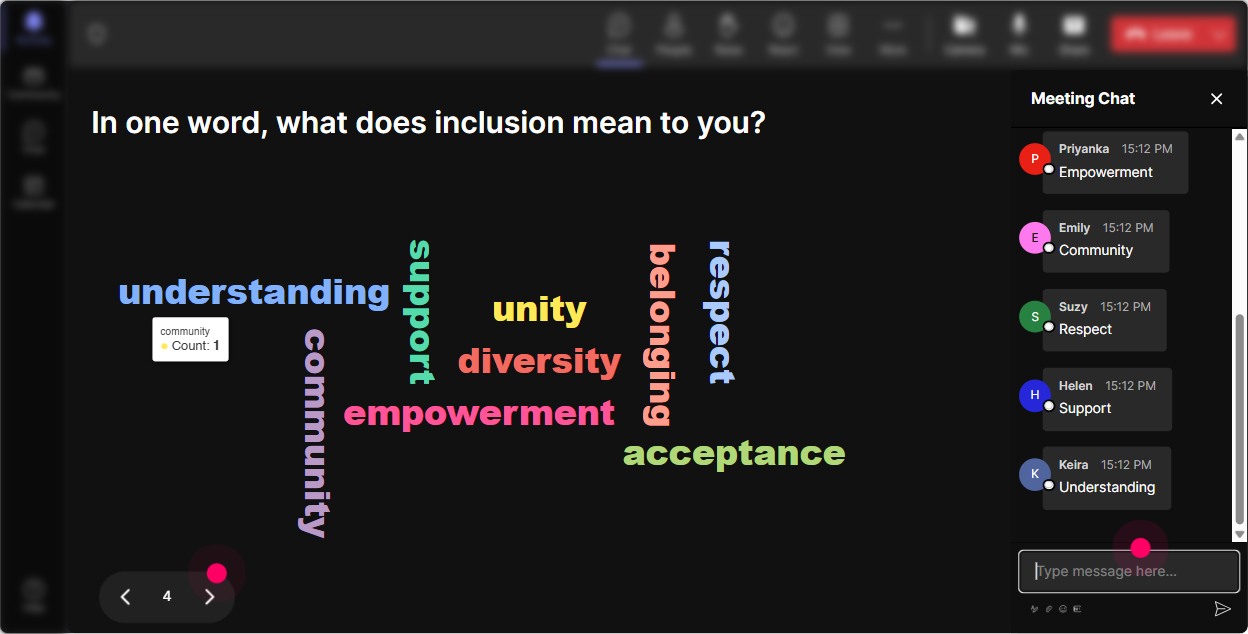
3) Wonder Words (Word Cloud): Capture feelings and beliefs-fast and visually
Want to know what people *really* think about DEIB training without forcing a big discussion right away? Use a word cloud. Its quick, low-pressure, and super revealing. DEIB-friendly prompts (12 words answers): - DEIB training usually feels (Youll get: important, awkward, overdue, political, energizing, etc.) - Inclusion at work looks like - One word: what makes facilitation hard when topics get sensitive? - What do you want more of in your workplace culture? Trainer move that works: read the big words neutrally-no judging. If you see a spicy one (like performative or forced), thank them and say: Lets unpack that-because thats real in a lot of workplaces. StreamAlive tip: turn on Combine Similar Answers so inclusive and inclusion dont split into separate bubbles.
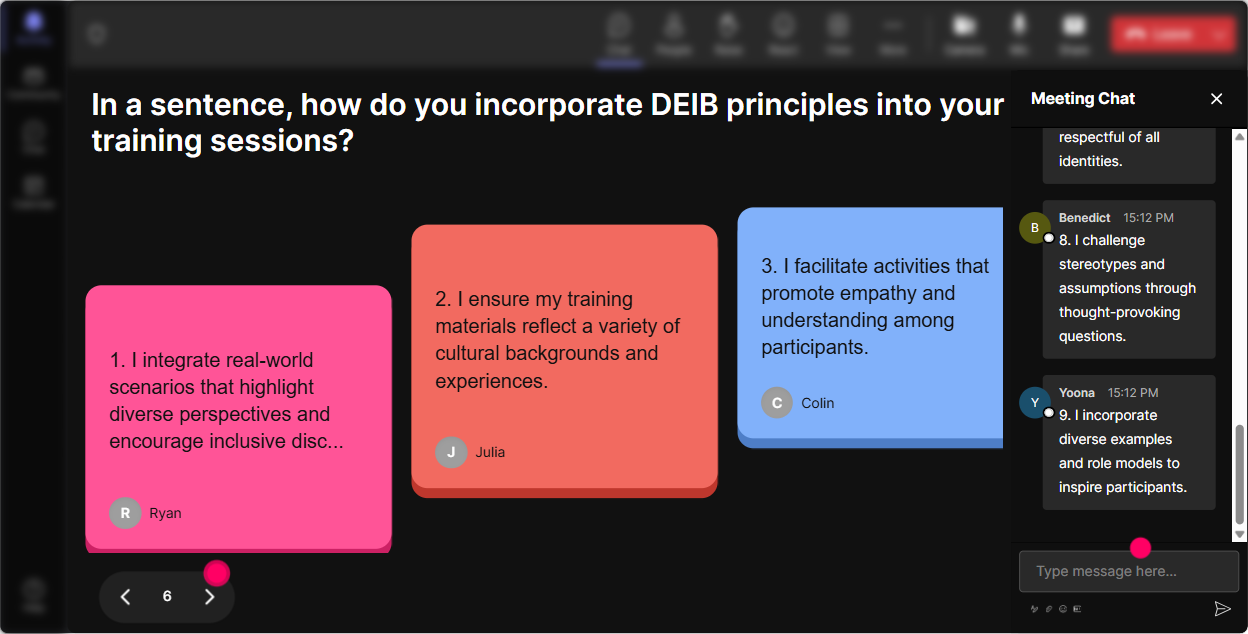
4) Talking Tiles: Let people share real experiences (without you moderating every comment)
Talking Tiles is great when you want more than a one-word answer-like reflections, scenarios, or small stories. It makes the chat feel like its part of the session, not a separate side-channel. How to use it in DEIB ILT for trainers: - Impact prompt: As a trainer, where do you see DEIB showing up in your day-to-day work? - Scenario prompt: Share one moment where a participant said something that made the room tense-what happened? - Skill-building: Finish this: A small inclusion move I can make in my next session is Trainer move that works: pick 23 tiles to read out loud and say, If you relate, type same in chat. Suddenly youve got community, not just comments. Why this can drive 9x engagement: people can contribute without needing mic time, and seeing their words on screen nudges others to join in.
5) Power Polls: Let the room choose what you teach next
Nothing increases engagement like letting adults steer the session. Power Polls make it easy to co-create the agenda in real time. Use Power Polls to ask: - What do you want more help with as a DEIB facilitator? 1) Handling resistance 2) Inclusive language 3) Psychological safety 4) Tough Q&A 5) Case studies - Which topic causes the most anxiety when youre leading a live class? 1) Identity terms 2) Microaggressions 3) Privilege 4) Allyship 5) Policies vs people - What should we practice today? 1) Redirecting harmful comments 2) Setting group norms 3) Repairing after missteps Trainer move that works: commit to the winner: Alright, you picked it-lets go there. People pay attention because they feel ownership. StreamAlive tip: if you want tight answers, use fixed options. If you want surprise insights, switch to Open-Ended Polls and let chat generate the options.

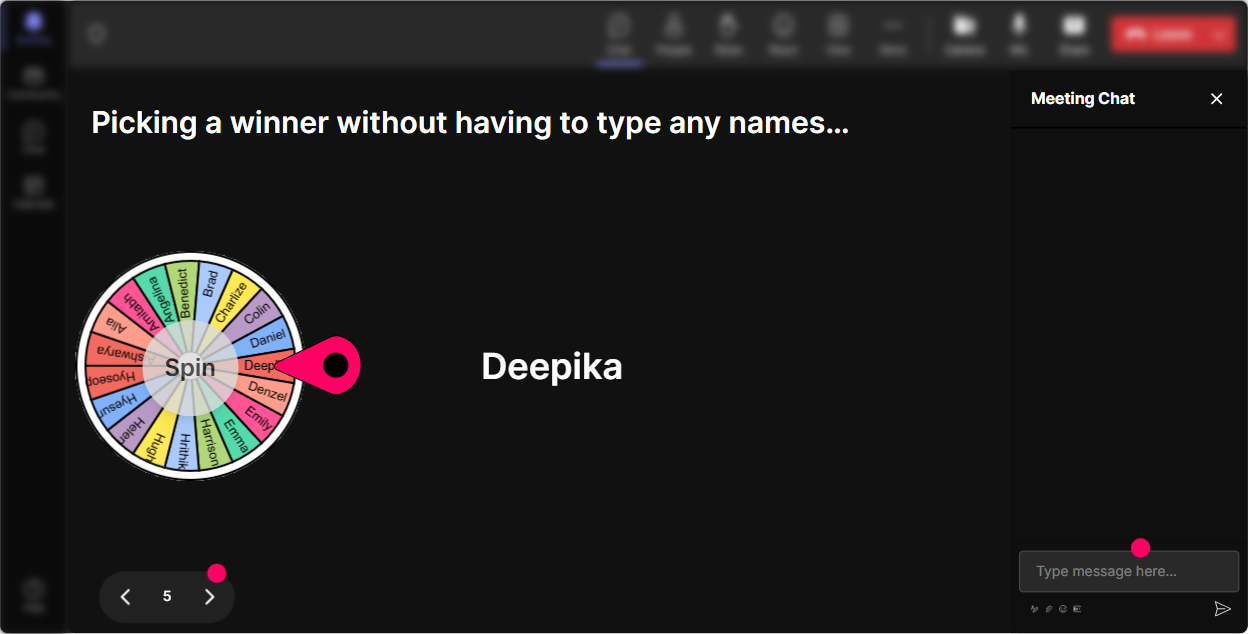
6) Winner Wheel: Call on people fairly (and make participation feel fun, not scary)
Weve all had that moment: you ask a question and the same two confident people answer while everyone else goes quiet. Winner Wheel helps you spread participation without awkward pressure. DEIB ways to use it (without putting anyone on the spot): - Drop a yes in chat if youre open to sharing a facilitation tip-then Ill spin the wheel. - Type one strategy youve used to handle a tough comment. Ill spin and ask one person to unmute and add context (totally optional). - We need a volunteer for a role-play (resister / facilitator / observer). Comment roleplay and well spin. Trainer move that works: always give an out: If youd rather pass, no worries-just say pass and well spin again. That keeps psychological safety intact. Extra engagement trick: use it to reward chat participation too-spin a quick winner for a small prize (coffee card, shoutout, first pick in breakout topics).
7) Quiz: Do quick myth-busting and knowledge checks (without the lecture vibe)
DEIB has a lot of misconceptions. A Quiz turns those into quick, memorable learning moments-and because its in chat, participation jumps. Quiz ideas (multiple choice, one correct): - Which is the best example of a microaggression? (Give 4 options, one clearly correct.) - Whats the main goal of psychological safety? - Which response is most effective as a facilitator when a participant says something harmful? Trainer move that works: after you reveal the correct answer, ask: What made that tricky? Thats where the real learning happens. StreamAlive tip: set the correct answer during setup, then reveal it using Show Correct Answer after people vote. It keeps energy high.

2) Rating Polls: Get a quick pulse on comfort, confidence, and readiness
DEIB sessions can have mixed comfort levels in the room-and people wont always say it out loud. Rating Polls let you get the truth fast (without calling anyone out). Great moments to use Rating Polls: - At the start: On a scale of 110, how confident do you feel facilitating DEIB conversations? - Before a tricky module (bias, microaggressions, privilege): How comfortable are you addressing this topic in front of a live class? - After teaching a model/tool: How ready are you to use this in your next training session? How it boosts engagement: participants dont just sit back-they lean in because they can see the groups vibe live on screen. Trainer move that works: if the average is low, say: Perfect-this is why were here. Lets make this practical. If its high, say: Amazing. Im going to challenge you with a tougher scenario.
8) Q&A (Quick Questions): Capture questions without losing the thread
In DEIB sessions, questions come fast-and sometimes they get buried in chat, or people hesitate because they dont want to derail the flow. StreamAlives Q&A pulls questions out of the chat and organizes them for you. How to use it smoothly: - Tell your group: Drop questions anytime-StreamAlive will catch them. Ill pause every 10 minutes and well tackle a few. - Do a parking lot style Q&A: Ask now, and Ill group themes and answer them together. - For sensitive topics: If your question feels awkward, ask it anyway-chances are someone else is thinking it too. Trainer move that works: read questions neutrally and thank the person. In DEIB, that tone matters as much as the answer. Big win: no separate Q&A box needed-people just use chat like they already do.

9) Analytics: See what actually worked (and improve your next session fast)
After a DEIB training, youre usually thinking: Did people stay with me? Where did energy drop? What sparked real conversation? StreamAlive Analytics answers that with real data. What to look for: - Minute-by-minute engagement: find where chat spiked (your strongest stories, best activities) and where it dipped (maybe too much lecture). - Chat replay: revisit moments where participants reacted strongly-great for refining your wording on sensitive topics. - Top fans / most engaged participants: these are often your future champions-invite them to help model behaviors in the next cohort. - Interaction reports + email summaries: easy to share with stakeholders (Heres what the group cared about most) or with your co-facilitator. Trainer move that works: use the analytics to tweak your Run of Show-more of what pulled people in, less of what made them quietly multitask. Thats how you steadily build sessions that feel alive, not obligatory.

Use StreamAlive in all your training sessions
StreamAlive isn’t just for
DEIB
training,
it can also be used for any instructor-led training session directly inside your PowerPoint presentation.
Explore similar traingin ideas: unlocking the potential of StreamAlive
See how StreamAlive transforms live training with engaging events and interactive sessions across industries, directly inside your PowerPoint presentation.

Interactions in action
(it's free)

.svg.png)


