Install StreamAlive for your PowerPoint slides
Learn more

AI security Training for clinical research teams
StreamAlive helps 9x the audience engagement in your Virtual Instructor-led Trainings (VILT) directly inside your powerpoint presentation.
Make your instructor-led AI security training more fun with polls, word clouds, spinner wheels and more
Works inside your existing PowerPoint presentation
Install the StreamAlive app for PowerPoint and see your slides come to life as people participate in your interactions
AI generates audience interactions for you
Let our AI scan your presentation and automatically come up with relevant questions based on the content. Or spend two hours coming up with your own questions, your choice!
Built to work with MS Teams and Zoom
Native apps for Teams and Zoom so you never have to leave your existing workflows
No QR Codes
Chat-powered interactions means your audience doesn’t need to scan QR codes or look at another screen to participate. They just type in the chat!

Quickly approved by your IT team
StreamAlive’s apps for Teams and Zoom means that they have been through rigorous quality assurance and client safety reviews. You’ll find everything an IT team needs to approve the app within the organization within your StreamAlive account.

You've been tasked with leading an AI security training session for a team of clinical researchers and you want to make it engaging and interactive. Let's explore how!
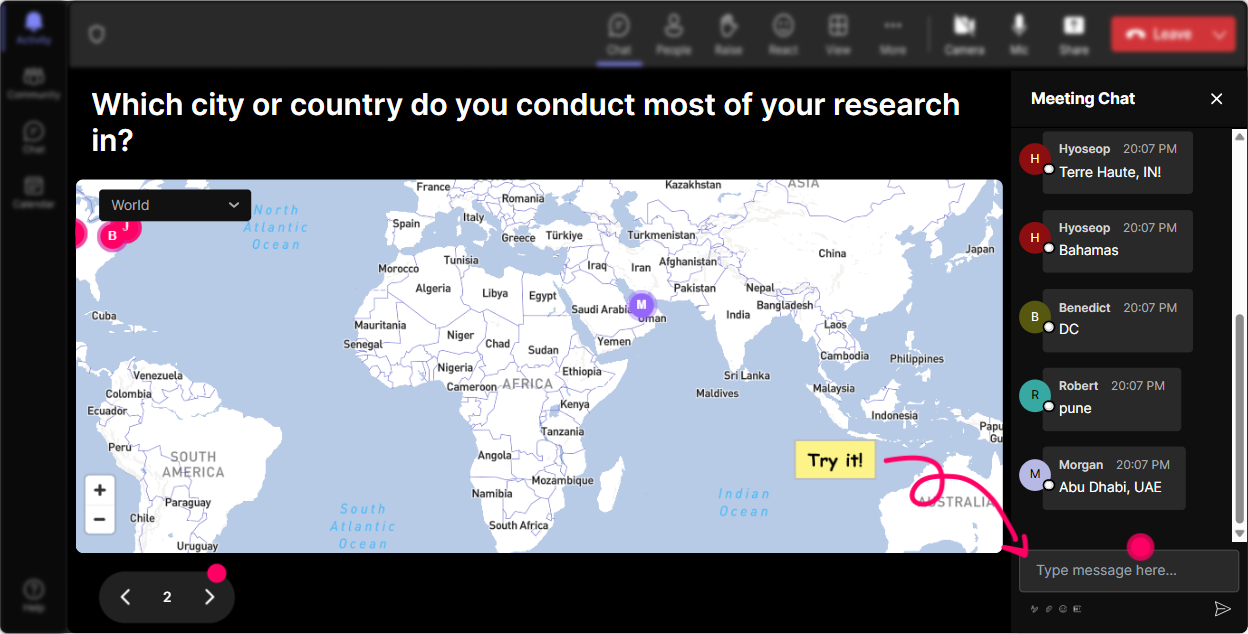
Lets Get Geographical with Magic Maps
Break the ice by literally putting your attendees on the map! Start your session by asking, "Where in the world are you tuning in from today?" Watch as a colorful magic map displays the locations of your attendees. Its a fantastic way to start a dynamic discussion about the global impact of AI security in clinical research.
Gauge Knowledge Levels with Rating Polls
Find out where everyone stands on their current understanding of AI security. Use Rating Polls to ask, "On a scale of 1-10, how comfortable are you with AI security protocols currently?" Its a quick way to tailor your training approach right off the bat.

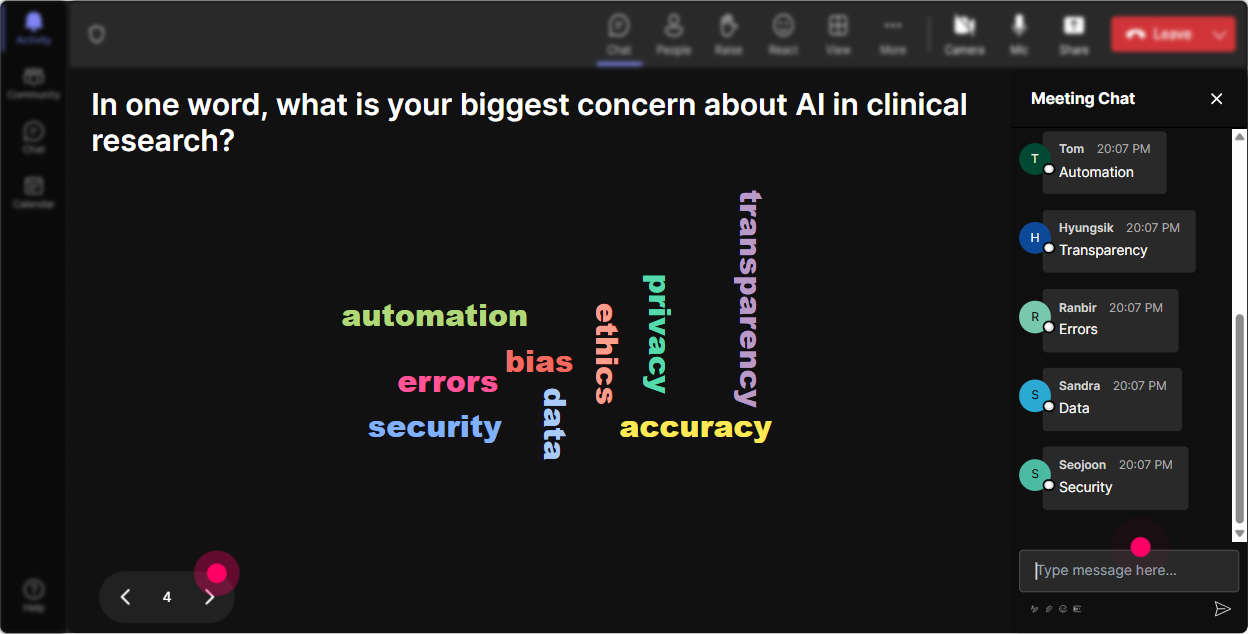
Capture the Mood with Wonder Words
Want to capture how your team feels about AI security training? Use a Wonder Words interaction. Pose the question, "AI security makes you feel..." As responses pour in, a word cloud will form, giving you visual insight into mindsets-whether theyre excited, anxious, or curious.
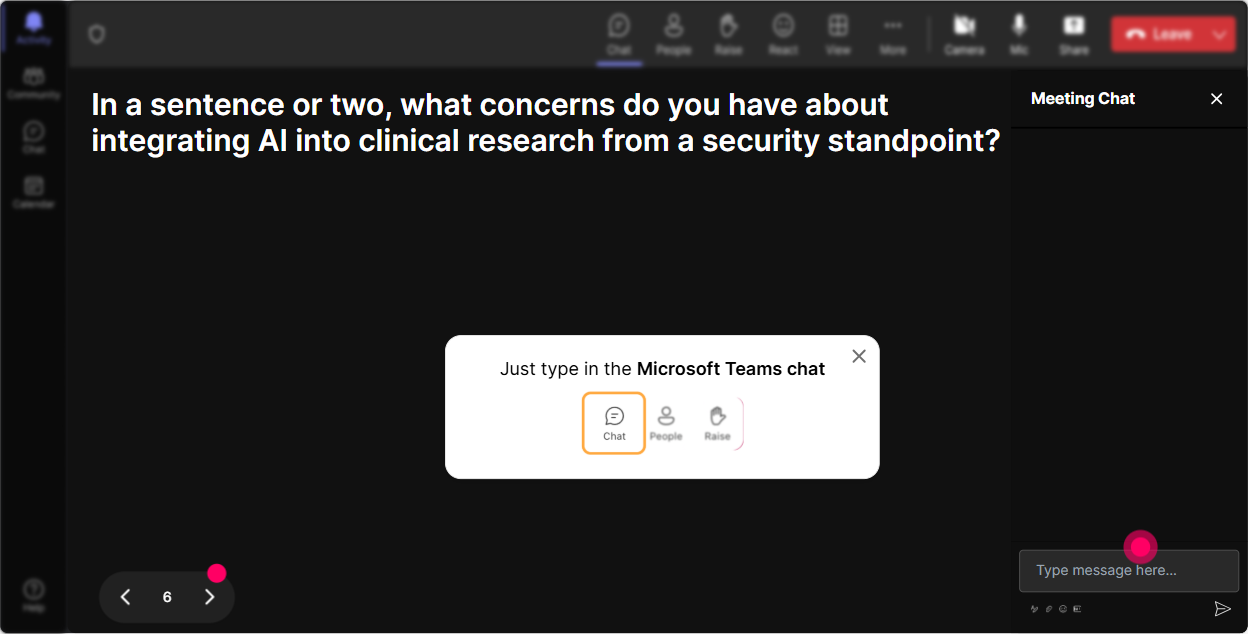
Dive Deep with Talking Tiles
Stimulate discussion by asking, "How does AI security impact your day-to-day responsibilities?" With Talking Tiles, responses tumble like Tetris pieces on the screen, creating a dynamic and fun visual engagement and deep conversation around varying job roles and AI security.
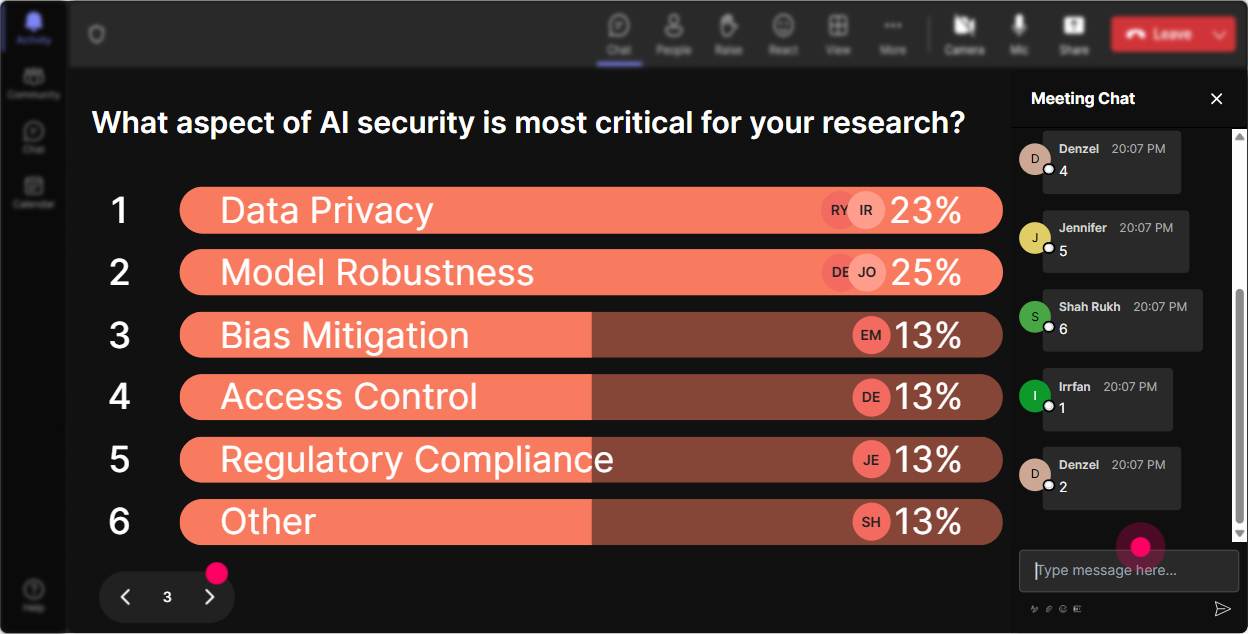
Dig Into Preferences with Power Polls
Curious about which aspects of AI security your team wants to delve deeper into? Create a quick Power Poll. Ask, "Which AI security topic are you most interested in exploring today?" Whether it's data encryption or threat detection, see the preferences instantly and tailor your training to match.
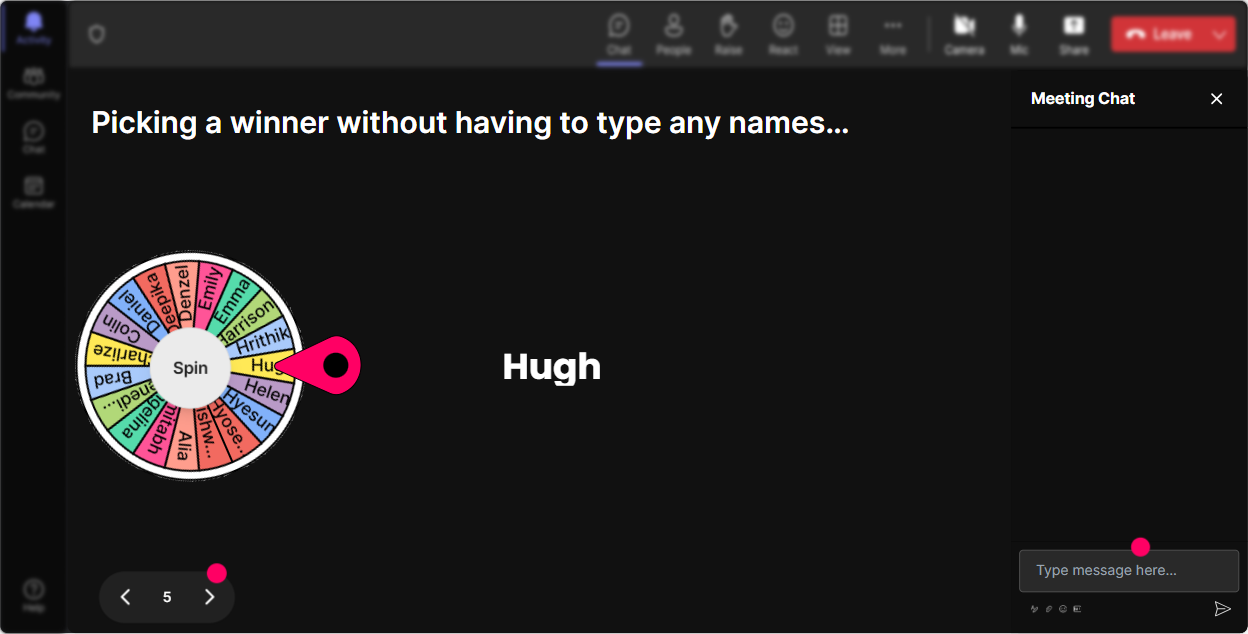
Break the Silence with Spinner Wheel
Need a volunteer but don't want to put anyone on the spot manually? Ask a question and let the Spinner Wheel pick who answers. It's a lighthearted way to get everyone involved, injects some fun, and keeps the energy up.
Challenge Knowledge with a Quick Quiz
Put your teams knowledge to the test midway with a fun mini-quiz! Ask, "Which of these is a key principle of AI security?" Use the Quiz feature to make it competitive. Reveal the correct answer for a mini-knowledge check everyone can learn from.

Gauge Knowledge Levels with Rating Polls
Find out where everyone stands on their current understanding of AI security. Use Rating Polls to ask, "On a scale of 1-10, how comfortable are you with AI security protocols currently?" Its a quick way to tailor your training approach right off the bat.
Streamline Inquiries with Q&A
Got burning questions flying in fast? StreamAlive's Q&A feature automatically fetches them from the chat, no need for a separate window! Stay on top of audience queries seamlessly, ensuring everyones doubts on AI security get addressed in real-time.

Analyze Engagement with StreamAlives Analytics
After wrapping up, dive into the analytics to see how engaged participants were throughout your session. Detect who your top contributors were, figure out which sections maintained peak interest, and share these insights easily with your team for future improvements.

Use StreamAlive in all your training sessions
StreamAlive isn’t just for
AI security
training,
it can also be used for any instructor-led training session directly inside your PowerPoint presentation.
Explore similar traingin ideas: unlocking the potential of StreamAlive
See how StreamAlive transforms live training with engaging events and interactive sessions across industries, directly inside your PowerPoint presentation.

Interactions in action
(it's free)

.svg.png)


