Install StreamAlive for your PowerPoint slides
Learn more

Practical AI Training for digital transformation teams
StreamAlive helps 9x the audience engagement in your Virtual Instructor-led Trainings (VILT) directly inside your powerpoint presentation.
Make your instructor-led Practical AI training more fun with polls, word clouds, spinner wheels and more
Works inside your existing PowerPoint presentation
Install the StreamAlive app for PowerPoint and see your slides come to life as people participate in your interactions
AI generates audience interactions for you
Let our AI scan your presentation and automatically come up with relevant questions based on the content. Or spend two hours coming up with your own questions, your choice!
Built to work with MS Teams and Zoom
Native apps for Teams and Zoom so you never have to leave your existing workflows
No QR Codes
Chat-powered interactions means your audience doesn’t need to scan QR codes or look at another screen to participate. They just type in the chat!

Quickly approved by your IT team
StreamAlive’s apps for Teams and Zoom means that they have been through rigorous quality assurance and client safety reviews. You’ll find everything an IT team needs to approve the app within the organization within your StreamAlive account.

Imagine gearing up to lead a team on a journey through Practical AI for digital transformation. Youre buzzing with excitement, wanting to make it not just informative, but downright exciting and memorable. That's where StreamAlive steps in to seriously up your training game.
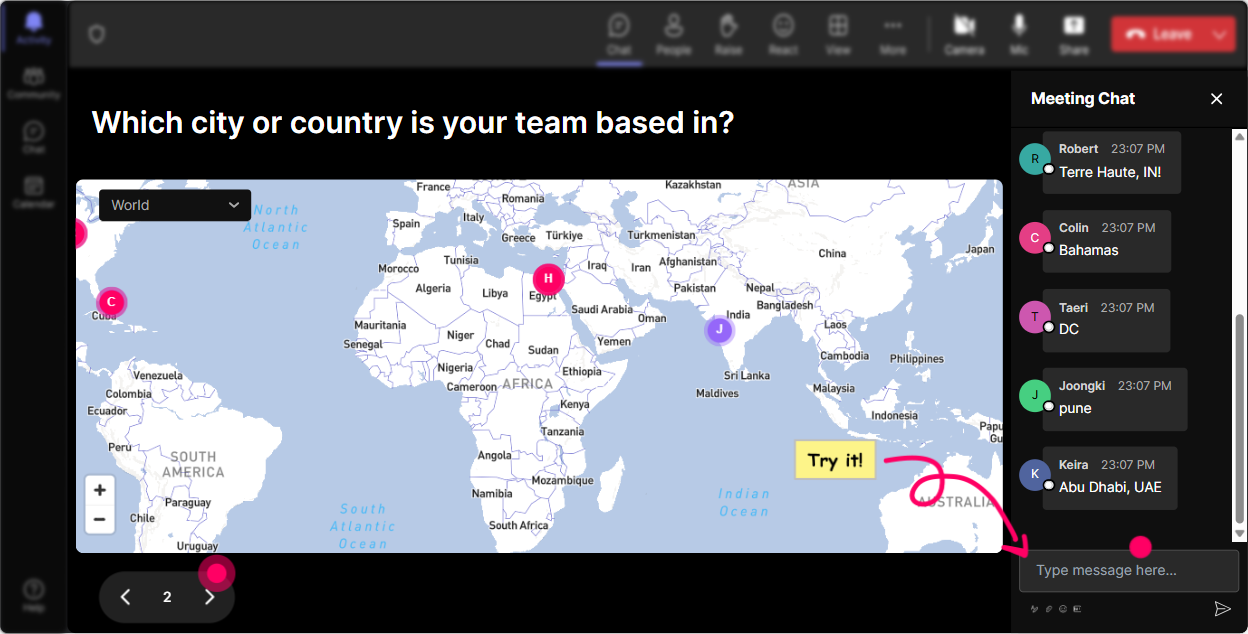
Getting Started with Magic Maps
Why not kick off by mapping where everyones tuning in from? This can be a fun ice-breaker that draws everyones eyes to the screen and gets them talking from the get-go. Ask them, Wheres everyone joining from? and watch as their locations light up on a real-time map. How cool is that for starting things off?
Gauge the Room with Rating Polls
Before diving into the nitty-gritty, see where everyone stands with AI by running a quick Rating Poll. Ask them on a scale of 1 to 10, how confident they are in their understanding of AI. This gives you a pulse on the room and helps tailor your approach right from the start.

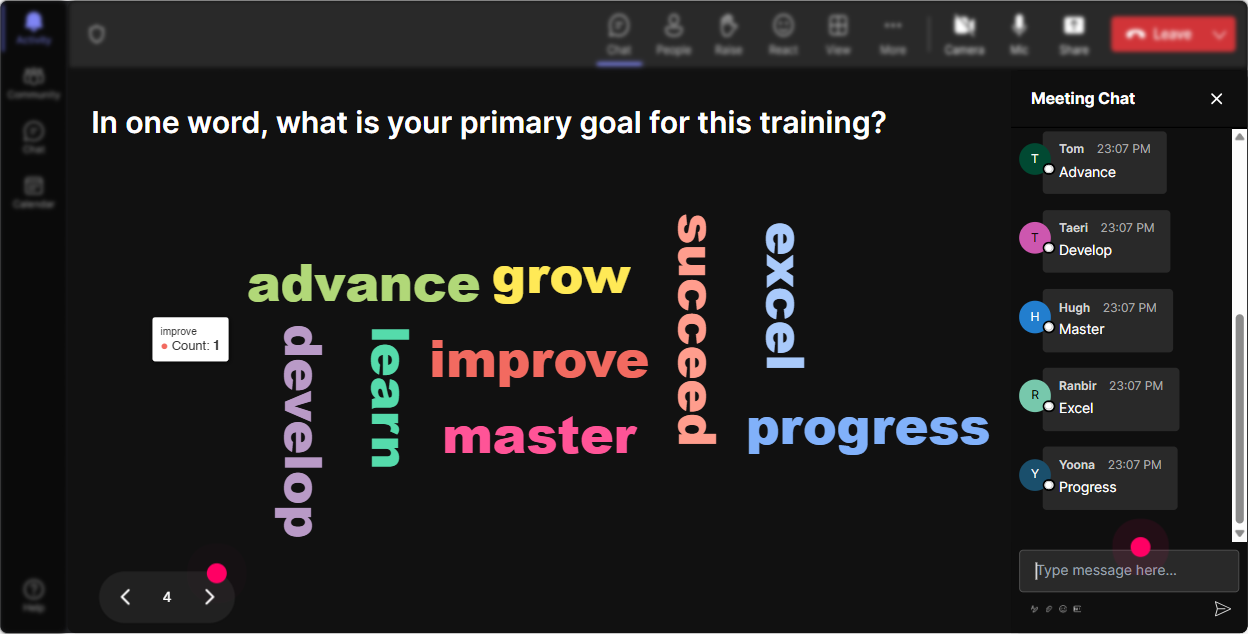
Capture the Mood with Wonder Words
Kickstart a conversation and dig into how the team feels about AI. Is it a buzz of excitement, a cloud of confusion, or a mix? Fire up a Wonder Word cloud and ask Whats your first thought when you hear AI? and let the responses shape the visuals in real-time.
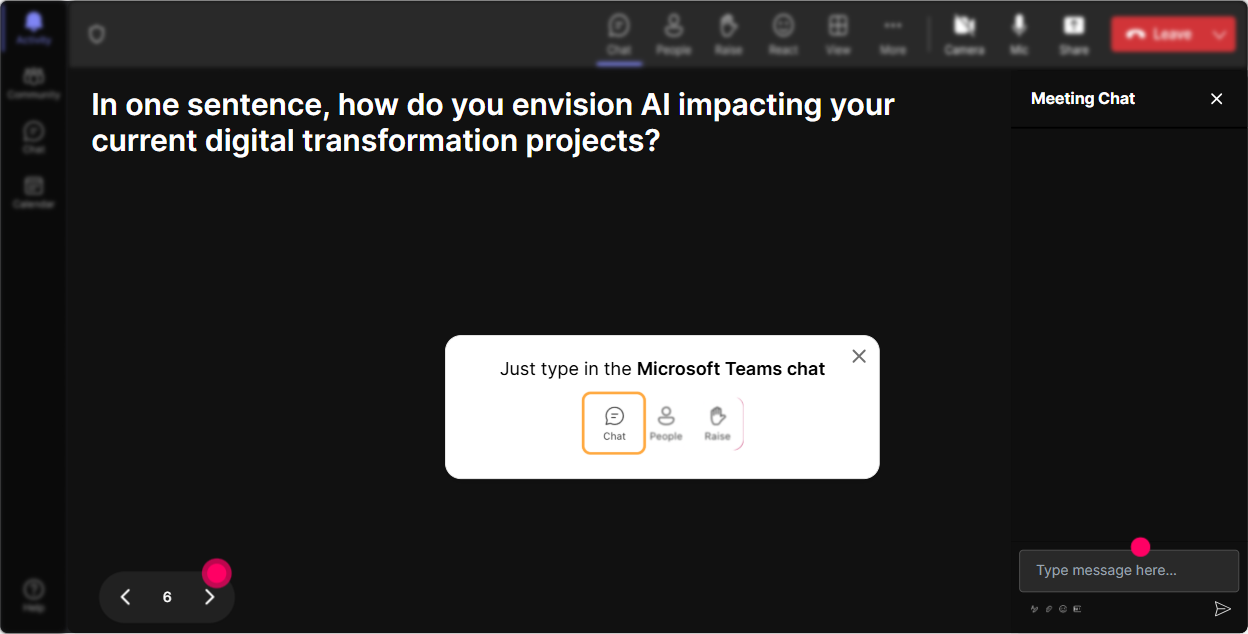
Bring Conversations to Life with Talking Tiles
Get the chat buzzing by asking the team how AI impacts their roles. As responses roll in, they pop up as dynamic tiles on the screen. Its like a living wall of ideas that keeps the energy flowing and the conversation lively.
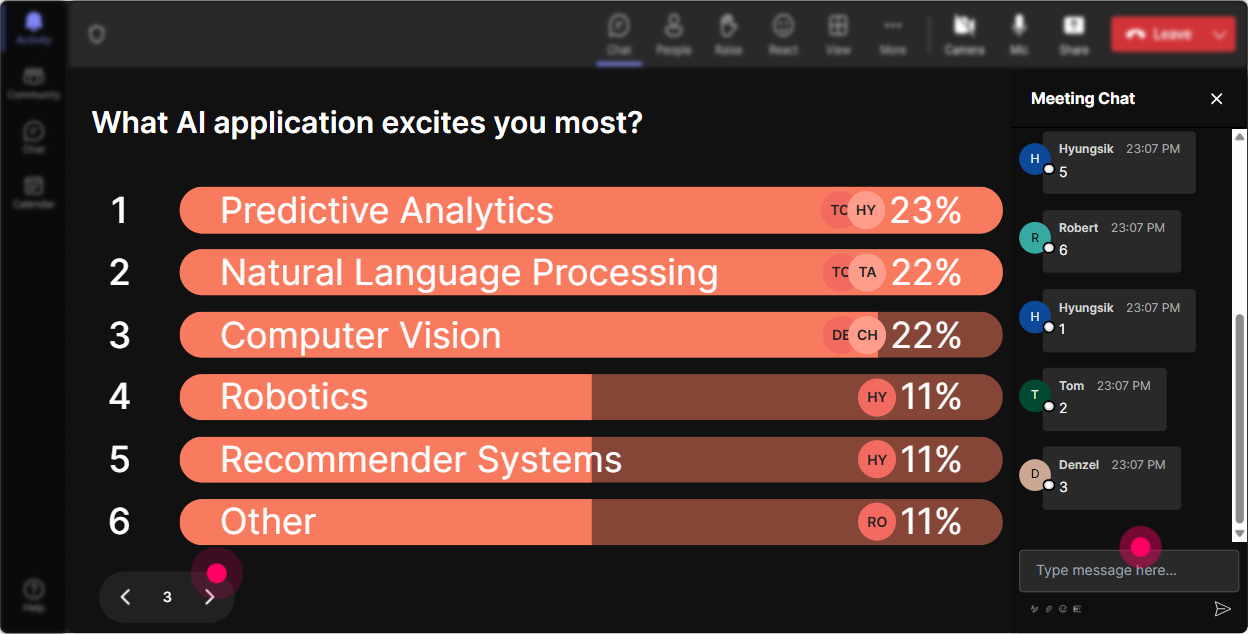
Pinpoint Interests with Power Polls
Direct the flow of your session by finding out which facets of AI intrigue your audience the most. Maybe its machine learning or perhaps data analytics? Let them vote and guide your deep dives into topics that truly matter to them.
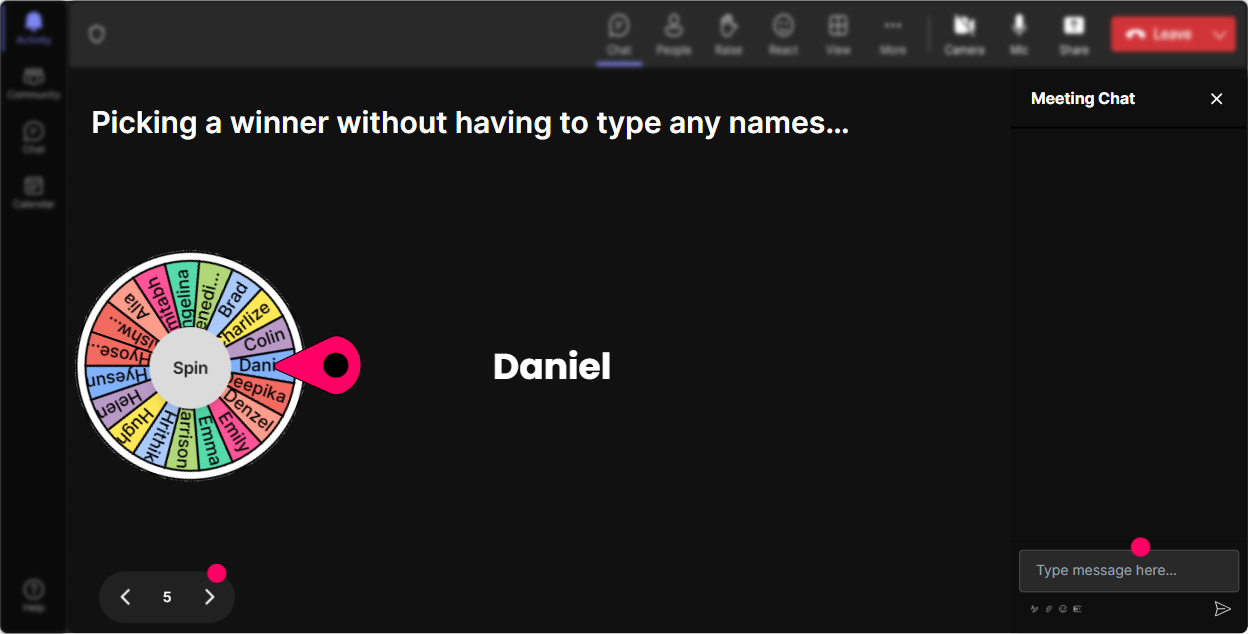
Add Some Fun with the Spinner Wheel
Instead of putting someone on the spot, let the Spinner Wheel decide who might share their thoughts or answer a question. It keeps everyone on their toes and switches it up with an element of surprise!
Boost Learning with Interactive Quizzes
Sprinkle some knowledge checks throughout with quick quizzes. They can be as simple as Which of the following is NOT an AI technology? Its a great way to reinforce learning and keep everyone engaged.

Gauge the Room with Rating Polls
Before diving into the nitty-gritty, see where everyone stands with AI by running a quick Rating Poll. Ask them on a scale of 1 to 10, how confident they are in their understanding of AI. This gives you a pulse on the room and helps tailor your approach right from the start.
Streamline Interactions with Q&A
Manage questions seamlessly as StreamAlive effortlessly gathers them from the chat, saving you from the hassle of toggling between boxes. Effortless engagement, right?

Reflect with Insightful Analytics
After wrapping up, dive into StreamAlives analytics to see which parts of your session struck a chord. Identify your most engaged participants, and easily share interaction highlights. This feedback loop is gold for sharpening your future sessions.

Use StreamAlive in all your training sessions
StreamAlive isn’t just for
Practical AI
training,
it can also be used for any instructor-led training session directly inside your PowerPoint presentation.
Explore similar traingin ideas: unlocking the potential of StreamAlive
See how StreamAlive transforms live training with engaging events and interactive sessions across industries, directly inside your PowerPoint presentation.

Interactions in action
(it's free)

.svg.png)


