Install StreamAlive for your PowerPoint slides
Learn more

Gyg Economy Training for Corporate Trainers
StreamAlive helps 9x the audience engagement in your Virtual Instructor-led Trainings (VILT) directly inside your powerpoint presentation.
Make your instructor-led Gyg Economy training more fun with polls, word clouds, spinner wheels and more
Works inside your existing PowerPoint presentation
Install the StreamAlive app for PowerPoint and see your slides come to life as people participate in your interactions
AI generates audience interactions for you
Let our AI scan your presentation and automatically come up with relevant questions based on the content. Or spend two hours coming up with your own questions, your choice!
Built to work with MS Teams and Zoom
Native apps for Teams and Zoom so you never have to leave your existing workflows
No QR Codes
Chat-powered interactions means your audience doesn’t need to scan QR codes or look at another screen to participate. They just type in the chat!

Quickly approved by your IT team
StreamAlive’s apps for Teams and Zoom means that they have been through rigorous quality assurance and client safety reviews. You’ll find everything an IT team needs to approve the app within the organization within your StreamAlive account.

Youve been asked to run a Gig Economy instructor-led training for other corporate trainers-and you want it to feel alive, not like a slide marathon. The trick is simple: get people talking early, and keep them interacting every few minutes. Here are practical ways to do that using StreamAlive so your session stays high-energy (and yes, way more engaging).
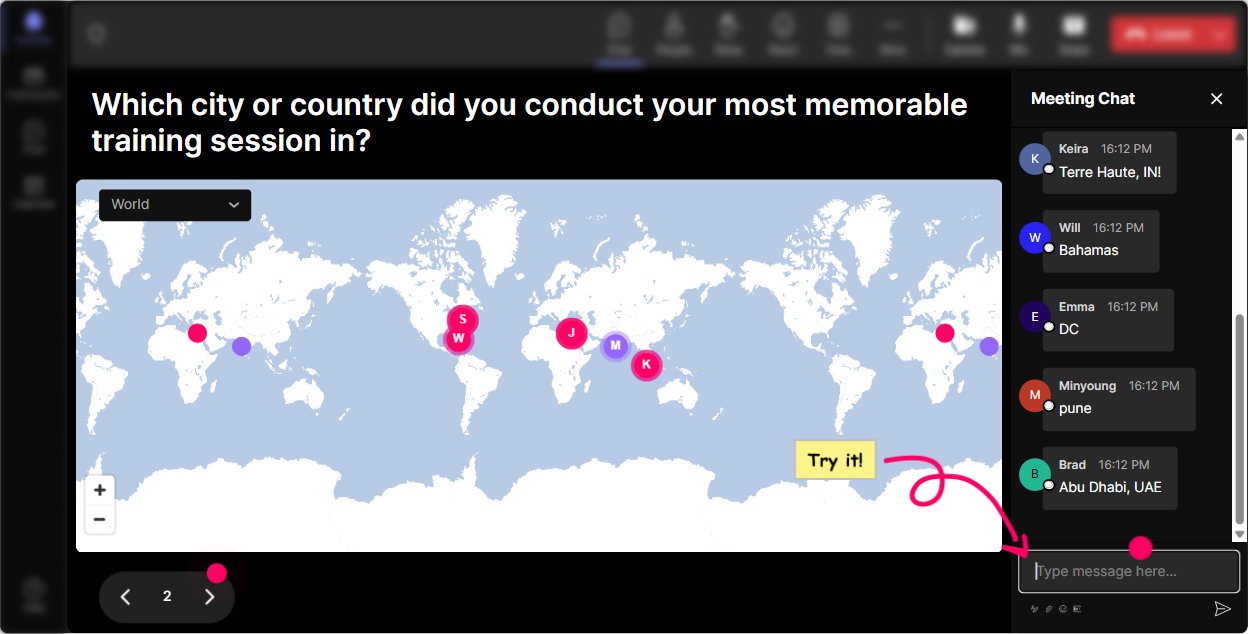
1) Magic Maps: Put your gig economy experience on the map (literally)
This is the easiest way to break the ice in the first 60 seconds-because everyone can answer it. How to use it in a Gig Economy ILT: - Kickoff question: Where are you joining from today? (classic, always works) - Make it gig-economy themed: Where is your side hustle city-the place youd move to if you freelanced full-time? - Or go practical: Where are your learners located most often-HQ, distributed across the country, global? Why it boosts engagement: - People love seeing themselves appear on the map in real time. - It instantly helps you tailor examples (e.g., different gig economy rules, labor laws, or market realities by region). Trainer tip: - If you want clean data, set it to one location per attendee. - Use cluster colors to highlight where most of the room is coming from (great segue into: Gig work looks different depending on the market youre in).
2) Rating Polls: Get a fast confidence check before you teach anything
Before you dive into definitions, legal concerns, or platform trends-get a quick pulse. Rating Polls are perfect because theyre fast, visual, and nobody has to overthink. How to use it in a Gig Economy ILT: - On a scale of 110, how confident are you explaining the gig economy to a room of leaders? - Rate your organizations readiness to manage gig workers (1 = not ready, 10 = super ready). - How risky do you think misclassifying gig workers is? (110) Why it boosts engagement: - You instantly see where the group is at, and they see theyre not alone. - It gives you permission to adjust: Looks like were mostly at a 46, so Ill slow down and keep this super practical. Trainer tip: - Run the same rating poll again at the end. The before vs after shift is satisfying and makes your session feel impactful.

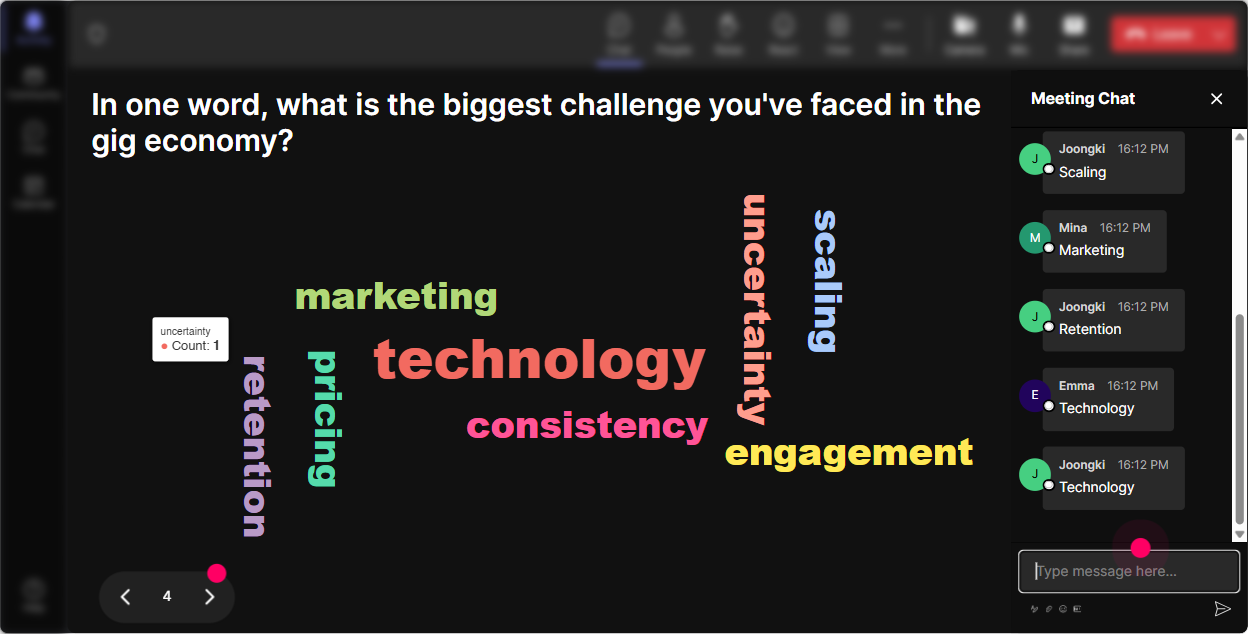
3) Wonder Words (Word Cloud): Make the rooms mindset visible in seconds
Word clouds are magic for getting honest reactions without putting anyone on the spot. You ask for a 12 word response, and suddenly youve got the emotional temperature of the room. How to use it in a Gig Economy ILT: - When you hear gig economy, whats the first word that comes to mind? - Whats the biggest challenge trainers face when teaching gig work internally? - One word: how do you think leaders in your company feel about gig workers? What youll typically see: - Words like flexibility, uncertainty, freedom, compliance, cost, control, future, risk. Why it boosts engagement: - People love watching the popular words grow bigger. - It gives you a perfect talk track: Interesting-compliance is huge here. Lets spend time on that. Trainer tip: - Use Combine Similar Answers so flexible/flexibility dont split into separate bubbles.
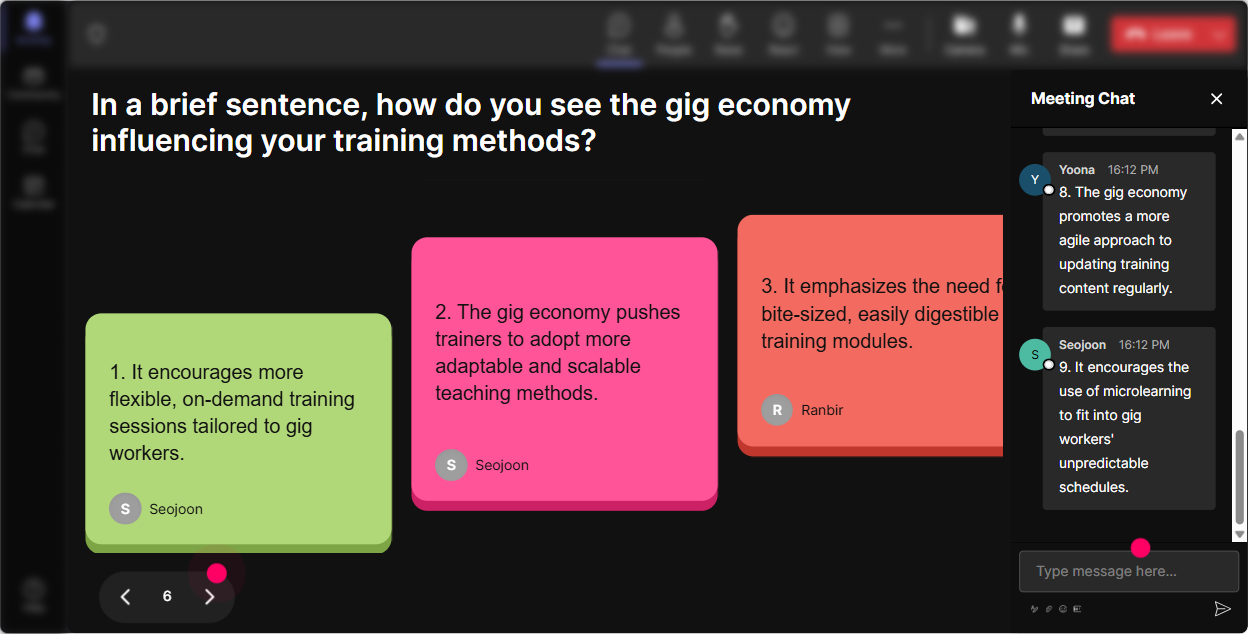
4) Talking Tiles: Turn real gig economy stories into your best training content
This is where you move from concepts to real life. Talking Tiles is awesome when you want longer responses-quick stories, examples, or mini case studies. How to use it in a Gig Economy ILT: - Where does gig work show up in your organization today? (Hiring, marketing, IT, events, customer support, etc.) - Tell me one moment you realized the gig economy was changing work in your industry. - Whats one concern your stakeholders bring up when they hear contractor or freelancer? Why it boosts engagement: - Your participants become co-creators of the session. - You get a library of real scenarios you can reference all session long: Like Priya said earlier about onboarding freelancers Trainer tip: - Use this right before a framework. First let them share reality, then give them structure to organize it.
5) Power Polls: Let the group choose the agenda (and feel ownership)
Trainers love having a plan-but learners love having a say. Use a Power Poll to decide where you spend time, especially in a session that can go in a lot of directions (classification, policies, onboarding, performance, culture, etc.). How to use it in a Gig Economy ILT (sample polls): - What do you want most from today? 1) Gig economy basics (definitions + trends) 2) How to train leaders on gig strategy 3) Compliance + worker classification basics 4) Managing gig talent (onboarding, quality, engagement) - Which gig economy topic is hardest to teach? 1) Risk/compliance 2) Culture + belonging 3) Measuring performance/output 4) Integrating gig workers with teams Why it boosts engagement: - People pay more attention when they feel like they helped steer the session. - The live results give you an instant facilitation roadmap. Trainer tip: - If you want broader input, use Open-Ended Polls: What gig platforms does your company use? and let StreamAlive pick up answers from chat.

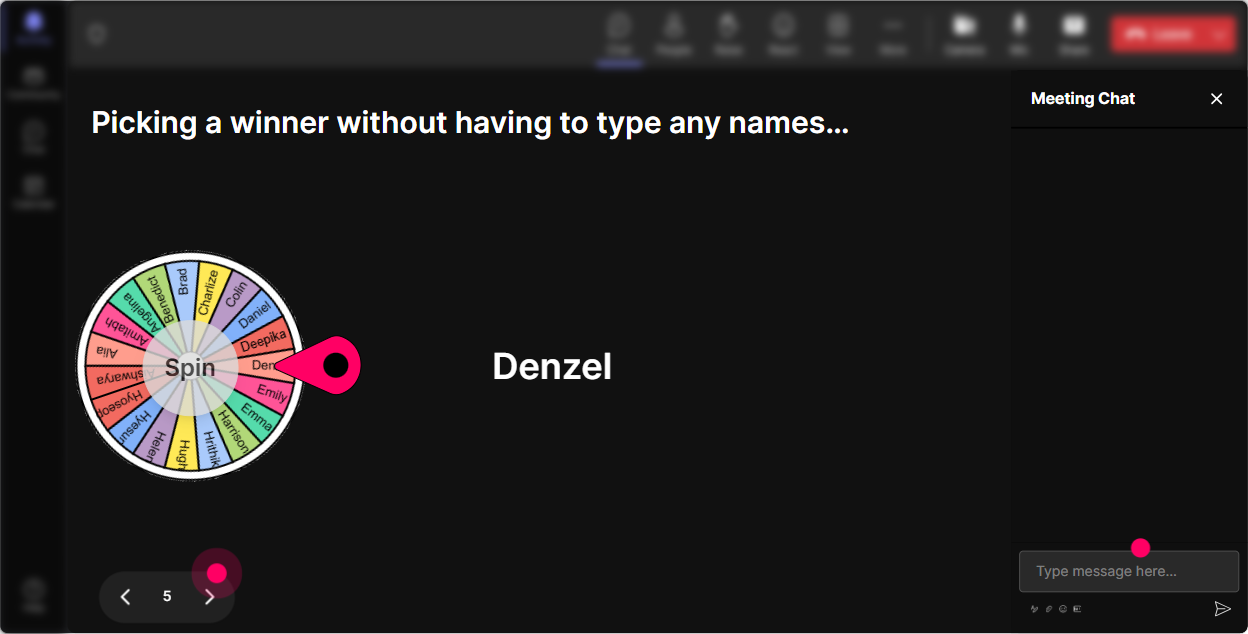
6) Winner Wheel (Spinner Wheel): Get volunteers without the awkward silence
You know that moment when you ask, Who wants to share? and the room suddenly forgets how to type? The Winner Wheel fixes that-because it makes sharing feel playful and fair. How to use it in a Gig Economy ILT: - After a discussion prompt: Drop a quick example of gig work youve seen. Im going to spin the wheel and ask one person to unmute and expand. - For role-play: Were going to practice explaining gig economy risks to a leader-wheel decides who plays the leader. - For recap: Type one takeaway. Wheel chooses someone to give us the 20-second summary. Why it boosts engagement: - More people participate in chat because they might be picked. - It creates light accountability without putting pressure on the same outspoken people. Trainer tip: - Set the criteria to pull from people who commented during a specific interaction-so its tied to the exact activity youre running.
7) Quiz: Do quick knowledge checks that feel like a game (not a test)
Gig economy training has a lot of I think I know this but do I? moments. A Quiz interaction is perfect for busting myths and locking in the basics. How to use it in a Gig Economy ILT (sample questions): - Which is the best definition of the gig economy? A) Any remote job B) Short-term, task-based work often mediated by platforms (Correct) C) Only rideshare and delivery D) Any job with flexible hours - True or False: All freelancers are automatically gig workers. (Correct: False-great discussion starter) - Which metric best measures gig worker success? A) Hours worked B) Output quality + on-time delivery (Correct) C) Office attendance D) Team tenure Why it boosts engagement: - People love seeing live tallies. - Revealing the correct answer gives you a natural teaching moment. Trainer tip: - Use quizzes at transitions: after a concept, before a break, or right before you shift into application exercises.

2) Rating Polls: Get a fast confidence check before you teach anything
Before you dive into definitions, legal concerns, or platform trends-get a quick pulse. Rating Polls are perfect because theyre fast, visual, and nobody has to overthink. How to use it in a Gig Economy ILT: - On a scale of 110, how confident are you explaining the gig economy to a room of leaders? - Rate your organizations readiness to manage gig workers (1 = not ready, 10 = super ready). - How risky do you think misclassifying gig workers is? (110) Why it boosts engagement: - You instantly see where the group is at, and they see theyre not alone. - It gives you permission to adjust: Looks like were mostly at a 46, so Ill slow down and keep this super practical. Trainer tip: - Run the same rating poll again at the end. The before vs after shift is satisfying and makes your session feel impactful.
8) Q&A: Capture every question without missing the chat scroll
Gig economy sessions spark tons of questions-especially around policy, classification, fairness, and internal pushback. StreamAlive Q&A (Quick Questions) pulls questions from chat and organizes them so you dont lose the good ones. How to use it in a Gig Economy ILT: - Tell them upfront: Drop questions anytime-StreamAlive will catch them and Ill hit them during our Q&A blocks. - Use structured Q&A moments: - After definitions/trends: Whats unclear about gig economy terminology? - After risk/compliance: Whats your biggest what if scenario? - After implementation: Whats the hardest part of training leaders on this? Why it boosts engagement: - Participants ask more when they trust their question wont be ignored. - You can keep teaching without constantly scanning the chat. Trainer tip: - Combine Q&A with a poll: Which question should we tackle next? and let the room choose.

9) Analytics: Find out what actually worked (so your next session is even better)
This is the part most trainers skip-and its honestly where you level up fast. StreamAlive analytics show you minute-by-minute engagement, chat activity, interaction performance, and who your most engaged participants were. How to use it after a Gig Economy ILT: - See where attention spiked: Was it the myth-busting quiz? The compliance discussion? The real stories? - Spot drop-off moments: If engagement dipped during a section, thats your cue to tighten slides or add an interaction next time. - Identify your Fantastic Fans: These are your potential champions-people who might help roll gig economy training out internally. - Share results with your team: Email reports make it easy to show stakeholders, Heres what people cared about most. Why it boosts engagement long-term: - You stop guessing and start designing sessions based on real behavior. - Over time, your trainings get tighter, more interactive, and feel way more relevant to your audience.

Use StreamAlive in all your training sessions
StreamAlive isn’t just for
Gyg Economy
training,
it can also be used for any instructor-led training session directly inside your PowerPoint presentation.
Explore similar traingin ideas: unlocking the potential of StreamAlive
See how StreamAlive transforms live training with engaging events and interactive sessions across industries, directly inside your PowerPoint presentation.

Interactions in action
(it's free)

.svg.png)


