Install StreamAlive for your PowerPoint slides
Learn more

Lifelong Learning Training for Training Agencies
StreamAlive helps 9x the audience engagement in your Virtual Instructor-led Trainings (VILT) directly inside your powerpoint presentation.
Make your instructor-led Lifelong Learning training more fun with polls, word clouds, spinner wheels and more
Works inside your existing PowerPoint presentation
Install the StreamAlive app for PowerPoint and see your slides come to life as people participate in your interactions
AI generates audience interactions for you
Let our AI scan your presentation and automatically come up with relevant questions based on the content. Or spend two hours coming up with your own questions, your choice!
Built to work with MS Teams and Zoom
Native apps for Teams and Zoom so you never have to leave your existing workflows
No QR Codes
Chat-powered interactions means your audience doesn’t need to scan QR codes or look at another screen to participate. They just type in the chat!

Quickly approved by your IT team
StreamAlive’s apps for Teams and Zoom means that they have been through rigorous quality assurance and client safety reviews. You’ll find everything an IT team needs to approve the app within the organization within your StreamAlive account.

Youve been asked to deliver a Lifelong Learning instructor-led session for a training agency-and you want people to actually stay present, not just log in and drift off. The fastest way to do that is to make your session feel like a two-way experience. Here are practical Lifelong Learning training ideas using StreamAlive to keep your audience engaging (often up to 9x more).
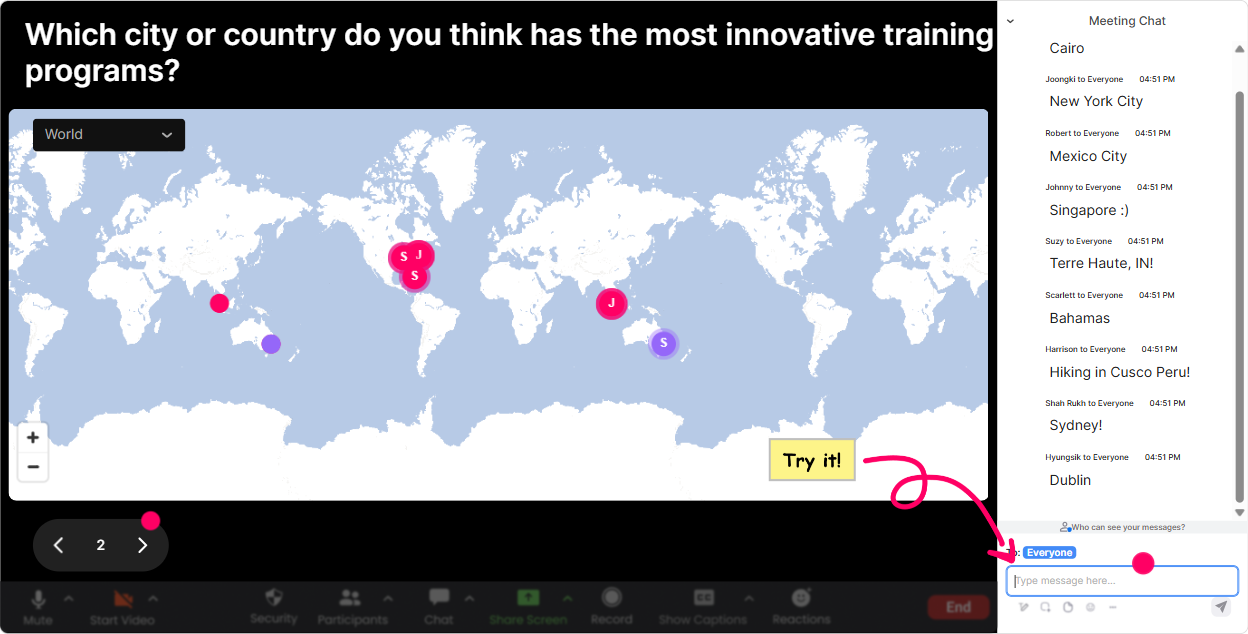
1) Magic Maps: Start with connection (and instantly make it feel live)
This is the easiest win for your opening 3 minutes. Instead of a flat Where are you joining from?, you put everyone on a real-time world map and suddenly the room feels alive. How to use it in Lifelong Learning training (Training Agencies): - Icebreaker that ties to the topic: Where are you joining from-and whats one skill your region is hiring for right now? (They enter the location; they can add the skill in a follow-up chat message.) - Future-focused warm-up: If you could teleport anywhere on earth to learn something new for a month, where would you go? - Experience check: Which city/country has shaped your learning the most? Trainer tip: If you want clean data, set it to one location per person so the map stays crisp. Then call out clusters: Looks like weve got a Toronto cluster-Canadas showing up strong today. That quick shoutout gets people chatting early, which helps engagement for the rest of the session.
2) Rating Polls: Get a real-time confidence check (without awkward silence)
Rating Polls are perfect for those Okay, wheres everyone at? moments. People answer with a number in chat, you get a live visual average + distribution, and now you can teach to the room you actually have. How to use it in Lifelong Learning training: - Opening pulse check: On a scale of 110, how confident are you in building a lifelong learning culture in your programs? - Mid-session checkpoint: Rate how clear this learning pathway framework feels right now (1 = blurry, 10 = crystal clear). - End-of-module feedback: How useful was that model for your learners (110)? Trainer tip: When you see a split (some 3s and some 9s), say it out loud: Cool-half of you are flying, half of you want a slower step-by-step. Lets do one example together. That small pivot makes people feel seen.

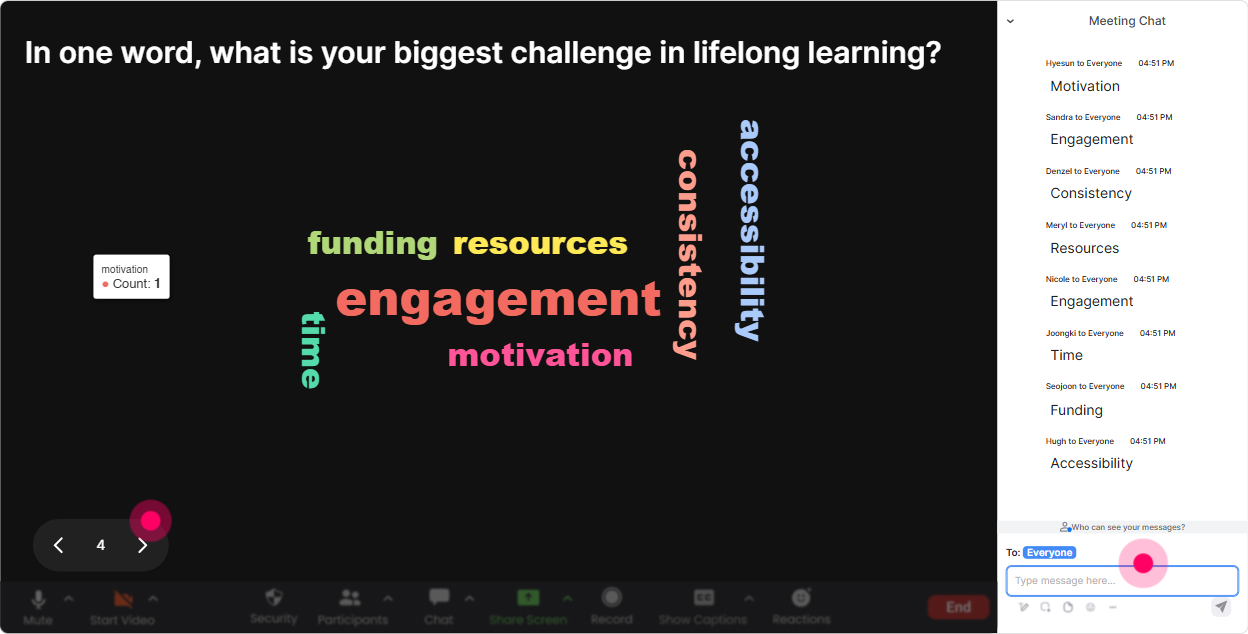
3) Wonder Words (Word Cloud): Reveal what people *really* think about Lifelong Learning
Word clouds are gold because theyre fast and honest. You ask for 12 words, people type without overthinking, and you instantly see the emotional temperature of the room. How to use it in Lifelong Learning training: - Emotional kickoff: When you hear Lifelong Learning, whats the first word that comes to mind? (Youll get things like growth, time, overwhelming, exciting.) - Barrier discovery: In one word, whats the biggest blocker for learners staying consistent? (Common ones: time, motivation, support, burnout.) - Design focus: One word: what should a great learning program feel like? (Think: simple, relevant, practical, rewarding.) Trainer tip: Use Combine Similar Answers so motivated/motivation or busy/time dont split into tiny buckets. Then react to the biggest word: Time is loud here-lets design for time-poor learners.
4) Talking Tiles: Turn learner stories into a shared wall of ideas
Talking Tiles is where you go beyond one-word vibes and pull in real experiences. Responses drop onto the screen like tiles-so instead of you reading chat out loud, the audience can literally see the room thinking. How to use it in Lifelong Learning training: - Role impact prompt: What impact does lifelong learning have on your job role-or the learners you support? (One or two sentences.) - Program improvement prompt: Whats one change you could make to your training programs to encourage ongoing learning after the course ends? - Reflection moment: Share a quick story: when did you learn something that genuinely changed how you work? Trainer tip: After 1015 tiles, pause and say: Im seeing a theme-career growth + confidence. Lets build around that. People feel heard, and you get smooth transitions into your next section.

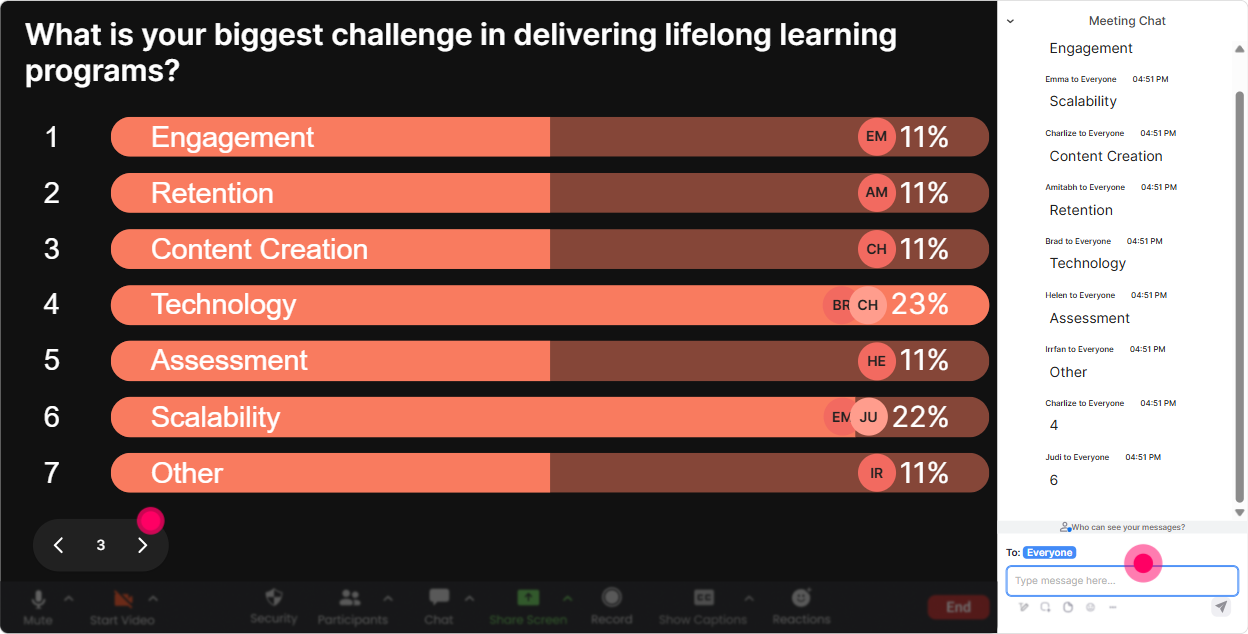
5) Power Polls: Let the audience choose the direction (so they stay invested)
Power Polls are perfect when you want structure: clear options, fast voting, and visible results. Its also a sneaky way to give your audience control-which instantly boosts attention. How to use it in Lifelong Learning training: - Choose the learning track: What do you want to focus on today? 1) Building a learning culture 2) Designing learning pathways 3) Measuring learning impact 4) Motivating reluctant learners - Program design decision: Which format is easiest for your learners to stick with? 1) Microlearning 2) Cohort-based learning 3) Self-paced modules 4) Mentoring / peer circles - Prioritization: Where do your learners struggle most? 1) Starting 2) Staying consistent 3) Applying on the job 4) Getting manager support Trainer tip: Run a poll before a breakout or activity. Then say: Alright, the room picked Applying on the job-lets build a quick transfer plan together. Thats how you keep it from feeling like a generic workshop.
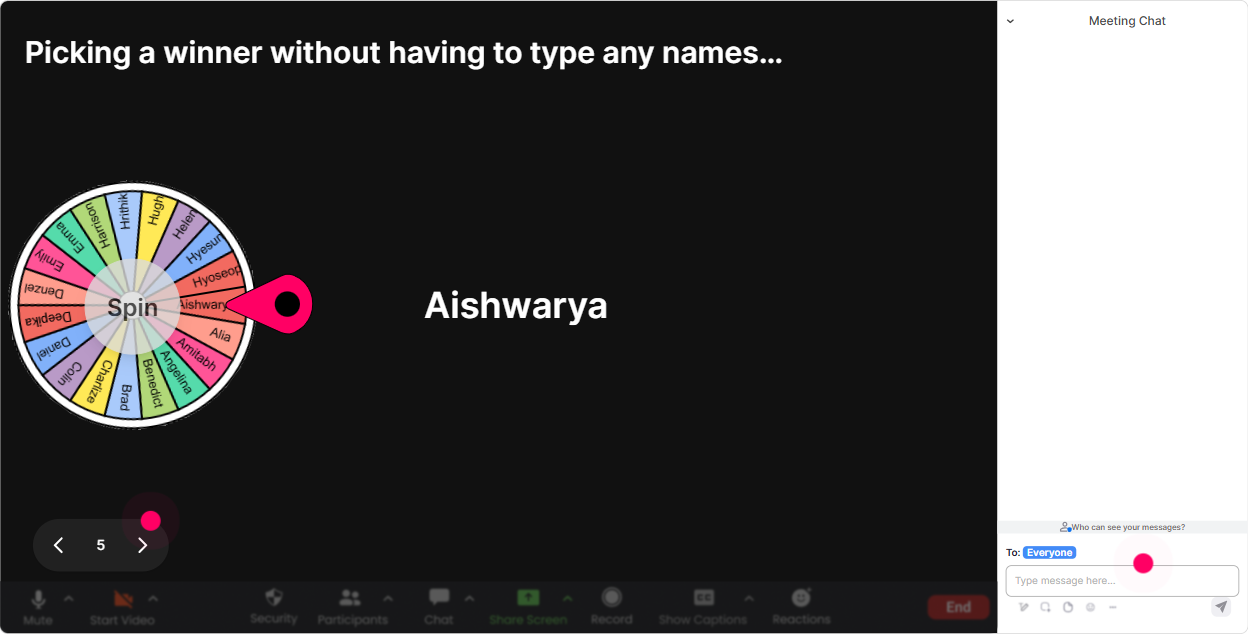
6) Winner Wheel (Spinner Wheel): Call on people without it getting weird
You know that moment when you ask, Any volunteers? and suddenly everyone becomes a statue? Spinner Wheel fixes that. People participate more because they know its random-and it feels playful, not pressured. How to use it in Lifelong Learning training: - Quick share-out: Drop ONE strategy you use to stay learning-consistent. Ill spin the wheel and ask someone to unmute and explain theirs for 20 seconds. - Scenario practice: Type ready in chat if youre open to being picked for a mini role-play: learner vs. manager support conversation. - Reward participation: Anyone who answered the last activity is on the wheel-winner gets a shoutout + my template after the session. Trainer tip: Use the wheel right after an interaction (poll/tiles/word cloud) so the eligible list is full. It nudges even quiet folks to type something because participation = chance to be picked (or win something).
7) Quiz: Make knowledge checks feel like a game (and catch confusion early)
A Quiz is perfect for those Did that land? moments. You set the options, people answer in chat, results show live, and you can reveal the correct answer when youre ready. How to use it in Lifelong Learning training: - Myth-busting question: Question: Which is the strongest driver of continuous learning behavior? A) More content B) Time pressure C) Clear goals + relevance D) Longer workshops (Correct: C) - Practical design check: Question: Whats the BEST next step after training to improve real-world application? A) Give a certificate B) Provide a 30-day action plan + reminders C) Add more slides D) Do a longer lecture (Correct: B) Trainer tip: If the wrong option wins, dont panic-celebrate it: Love this-this tells me exactly what to clarify. Quizzes are less about scoring and more about steering the teaching.

2) Rating Polls: Get a real-time confidence check (without awkward silence)
Rating Polls are perfect for those Okay, wheres everyone at? moments. People answer with a number in chat, you get a live visual average + distribution, and now you can teach to the room you actually have. How to use it in Lifelong Learning training: - Opening pulse check: On a scale of 110, how confident are you in building a lifelong learning culture in your programs? - Mid-session checkpoint: Rate how clear this learning pathway framework feels right now (1 = blurry, 10 = crystal clear). - End-of-module feedback: How useful was that model for your learners (110)? Trainer tip: When you see a split (some 3s and some 9s), say it out loud: Cool-half of you are flying, half of you want a slower step-by-step. Lets do one example together. That small pivot makes people feel seen.
8) Q&A (Quick Questions): Capture questions cleanly-without losing your flow
When chat is flying, great questions get buried. StreamAlives Q&A pulls questions out automatically and shows them neatly on your Presentation Live view-so you can actually manage Q&A like a pro. How to use it in Lifelong Learning training: - Set expectations: Drop questions anytime in chat-StreamAlive will collect them. Ill pause every 10 minutes to answer the top ones. - Theme-based Q&A: Questions about measurement and ROI-send them now. Well do a quick Q&A sprint. - Parking lot made easy: If your question is about implementation inside your agency, ask it now-Ill tackle those at the end. Trainer tip: During activities, remind people: If you get stuck, ask your question in chat-dont wait. More questions = more engagement = better session energy.

9) Analytics: Improve every session like a trainer who actually learns from the room
This is the part most trainers skip-and its honestly where you get your biggest long-term win. StreamAlive Analytics shows you minute-by-minute engagement, chat replay, what interactions hit, and who your most engaged participants were. How to use it in Lifelong Learning training (Training Agencies): - Fix your run-of-show: If engagement drops at minute 25 every time, youll see it. Thats your cue to add a poll, shorten a section, or switch to an activity right there. - Prove impact to clients: Share interaction results (poll outcomes, word cloud themes) in your post-session recap email. Training agencies love anything that shows evidence. - Identify champions: Use Fantastic Fans to spot highly engaged participants-these are your future advocates, testimonials, or pilot-group members for new programs. Trainer tip: After 23 deliveries of the same Lifelong Learning workshop, use analytics to compare what worked best. Youll start refining like crazy-and your sessions naturally become more interactive, tighter, and way more memorable.

Use StreamAlive in all your training sessions
StreamAlive isn’t just for
Lifelong Learning
training,
it can also be used for any instructor-led training session directly inside your PowerPoint presentation.
Explore similar traingin ideas: unlocking the potential of StreamAlive
See how StreamAlive transforms live training with engaging events and interactive sessions across industries, directly inside your PowerPoint presentation.

Interactions in action
(it's free)

.svg.png)


