Install StreamAlive for your PowerPoint slides
Learn more

Facilitation Training for Corporate Trainers
StreamAlive helps 9x the audience engagement in your Virtual Instructor-led Trainings (VILT) directly inside your powerpoint presentation.
Make your instructor-led Facilitation training more fun with polls, word clouds, spinner wheels and more
Works inside your existing PowerPoint presentation
Install the StreamAlive app for PowerPoint and see your slides come to life as people participate in your interactions
AI generates audience interactions for you
Let our AI scan your presentation and automatically come up with relevant questions based on the content. Or spend two hours coming up with your own questions, your choice!
Built to work with MS Teams and Zoom
Native apps for Teams and Zoom so you never have to leave your existing workflows
No QR Codes
Chat-powered interactions means your audience doesn’t need to scan QR codes or look at another screen to participate. They just type in the chat!

Quickly approved by your IT team
StreamAlive’s apps for Teams and Zoom means that they have been through rigorous quality assurance and client safety reviews. You’ll find everything an IT team needs to approve the app within the organization within your StreamAlive account.

Youve been asked to run a Facilitation instructor-led training for corporate trainers-and you want people participating, not multitasking. The easiest win? Build in moments where everyone can respond fast, see themselves on screen, and feel part of the room. Here are practical ways to do that using StreamAlive.
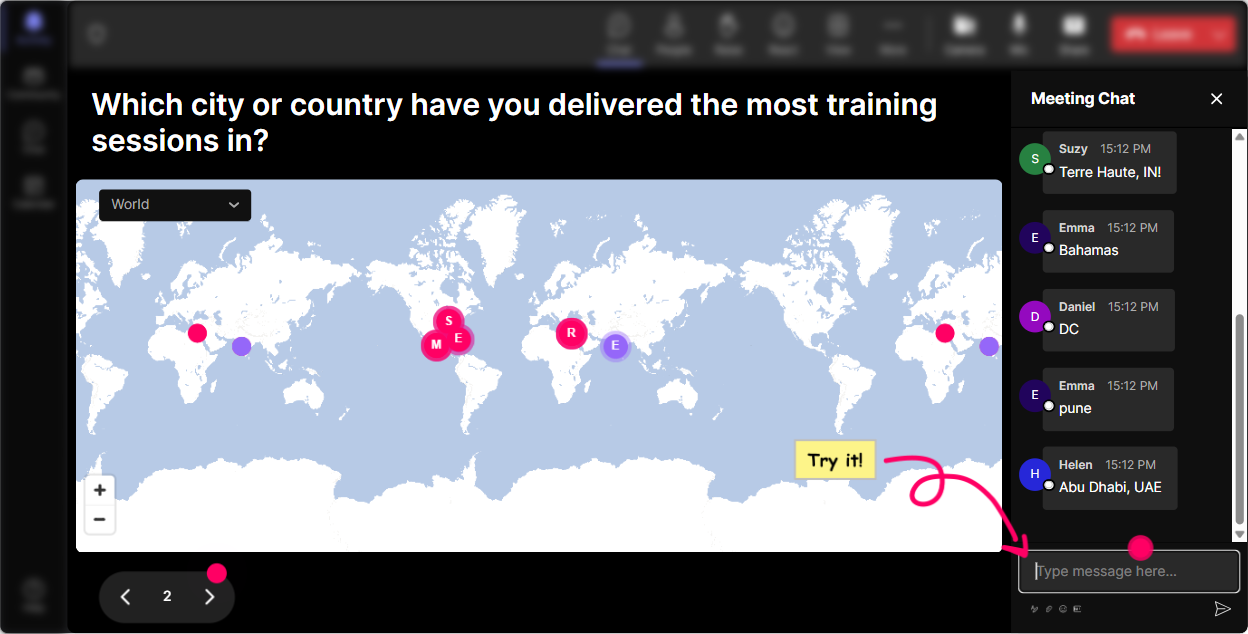
1) Magic Maps: break the ice and instantly create were in this together energy
That classic opener-Where are you joining from?-works for a reason. But when answers just sit in the chat, you lose the momentum. With StreamAlives Magic Maps, those locations pop onto a live world map in real time, so the group literally *sees* the cohort. Try it in your Facilitation training like this: - **Warm welcome:** Where in the world are you facilitating from today? (great for global cohorts) - **Facilitation context:** Name a city where youve had to facilitate a tough room. - **Dream scenario:** If you could facilitate a session anywhere on earth, where would you host it? Trainer tip: If you want clean data, set it so each person can enter **one location**. And if you notice clusters (like a big London or Dubai group), call it out-instant rapport boost.
2) Rating Polls: quick confidence checks (without putting anyone on the spot)
In facilitation training, people often *feel* something (nervous, confident, unsure) but wont say it out loud. Rating Polls let them share a number in chat and you instantly see the overall vibe-average + spread. Use it at key points: - **Start-of-session pulse check:** On a scale of 110, how confident are you facilitating a group discussion? - **After teaching a tool:** Rate how usable this method feels for your next training session (110). - **After a practice round:** How strong was your debrief question game? (110) Be honest-this is just for you. What this does for you: it tells you whether to speed up, slow down, or do one more example *right now* instead of finding out later in feedback forms.

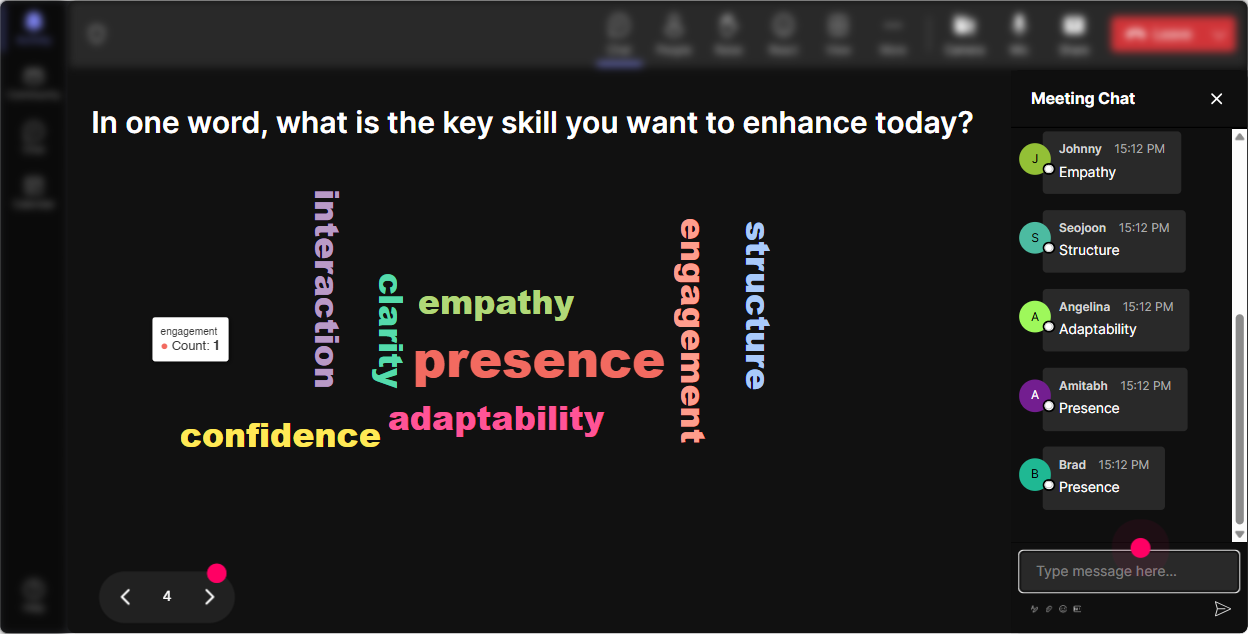
3) Wonder Words (Word Cloud): get feelings, beliefs, and quick reflection in one glance
Facilitation isnt just skills-its mindset. Word Clouds are perfect for those one or two words moments where you want the rooms honest reaction, fast. As people type, the most common answers get bigger, so you can literally teach off what the group is thinking. Great prompts for your session: - **Emotional check-in:** Facilitation feels like ____ (12 words). - **Belief audit:** A great facilitator is ____. - **Pain point reveal:** Hardest part of facilitating is ____. - **Before/after comparison:** Start: What do you think facilitation is? End: What is facilitation now? Trainer tip: Use **Combine Similar Answers** so confidence and confident dont split into separate bubbles and muddy the insight.
4) Talking Tiles: make longer answers fun (and way more visible than chat)
Some facilitation questions need more than one word-like real experiences, challenges, and examples. Talking Tiles makes those responses visually show up as falling tiles on screen (Tetris-style), so people actually read each others answers instead of the chat flying by. Use it for richer facilitation moments: - **Role impact:** Where does facilitation show up in your job the most? - **Real challenges:** Whats one participant behavior that throws you off? - **Practice reflection:** What did you do well in that activity-and what will you try differently next time? - **Group norms:** Whats one rule you want in a well-facilitated session? This is also gold for quieter groups-because once they see their words on the main screen, participation feels more rewarding and less shouty.

5) Power Polls: let the audience choose the agenda (and watch engagement jump)
Corporate trainers love when training feels relevant. Power Polls help you quickly let people vote on what they want most-then you can tailor your examples and practice time around the winner. And because results show live, it creates that okay were doing this together feeling. Poll ideas for facilitation ILT: - **What they want most:** What do you want to get better at today? 1) Handling difficult participants 2) Asking better questions 3) Running activities smoothly 4) Debriefing like a pro - **Scenario selection:** Which situation should we role-play? 1) Silent room 2) Dominator participant 3) Side conversations 4) Time running out - **Tool preference:** Which tool should we practice first? 1) Parking lot 2) 1-2-4-All 3) Fist-to-Five 4) Fishbowl Trainer tip: Run a poll at the start, then again later. Youll often see the groups priorities shift once they learn what good looks like.

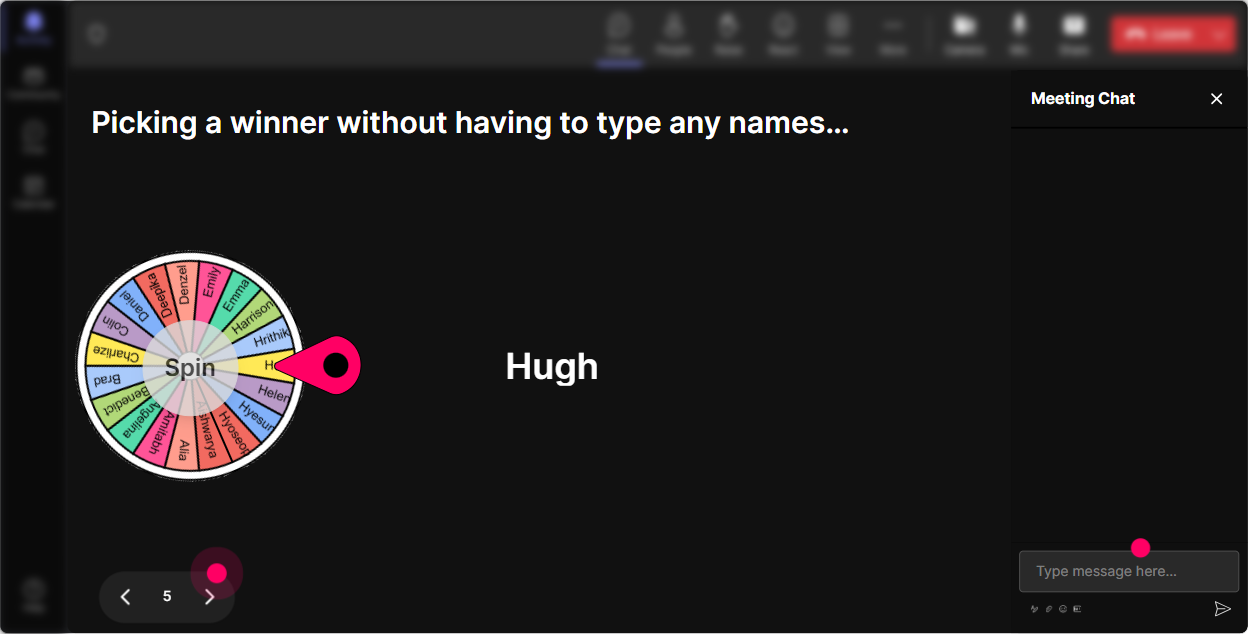
6) Winner Wheel (Spinner Wheel): pick speakers fairly-without the awkward volunteering silence
You know that moment: Who wants to share? and suddenly everyone becomes a statue. Spinner Wheel fixes that in a way that feels playful, not threatening-because its random and transparent. Ways to use it in facilitation training: - **Gentle cold-calling:** Drop ME in chat if youre open to being picked to share a debrief question. spin the wheel - **Practice leadership:** Type ROLEPLAY if youll be the facilitator for the next 2-minute scenario. spin - **Reward participation:** Pick a winner from people who commented during an activity (works great with small prizes or simple bragging rights). Its also sneaky-good for inclusion: you dont end up hearing from the same 3 confident voices all session.
7) Quiz: quick knowledge checks that feel like a game (not a test)
Facilitation has principles people *think* they know-until you quiz it. StreamAlive Quiz lets you run multiple-choice questions in chat, tally answers live, and then reveal the correct one when youre ready. Perfect for keeping attention high and clearing up misconceptions. Use Quiz moments like: - **Core concept check:** Which is the best example of a neutral facilitation question? 1) Dont you think thats unrealistic? 2) Why would you do it that way? 3) What makes that option appealing to you? 4) Whos to blame for that? - **Process knowledge:** When a participant dominates, whats the best first move? 1) Ignore it 2) Call them out publicly 3) Acknowledge + redirect to group 4) End the activity - **Debrief skills:** Which question is BEST for reflection? 1) Did you like it? 2) What happened? 3) Who was right? 4) Wasnt that confusing? Trainer tip: After revealing the correct answer, ask one follow-up: What made the wrong options tempting? Thats where the real learning lives.

2) Rating Polls: quick confidence checks (without putting anyone on the spot)
In facilitation training, people often *feel* something (nervous, confident, unsure) but wont say it out loud. Rating Polls let them share a number in chat and you instantly see the overall vibe-average + spread. Use it at key points: - **Start-of-session pulse check:** On a scale of 110, how confident are you facilitating a group discussion? - **After teaching a tool:** Rate how usable this method feels for your next training session (110). - **After a practice round:** How strong was your debrief question game? (110) Be honest-this is just for you. What this does for you: it tells you whether to speed up, slow down, or do one more example *right now* instead of finding out later in feedback forms.
8) Q&A (Quick Questions): capture every question without losing them in chat chaos
In a live ILT, great questions pop up while youre teaching-and then disappear in the chat river. StreamAlives Q&A automatically detects and collects questions from chat and displays them neatly, so you can actually manage them like a pro. How to use it in facilitation training: - **Parking lot done right:** Drop your questions anytime-StreamAlive will collect them and well hit them at the end of each module. - **Scenario coaching:** If youve got a real participant challenge, ask it as a question in chat and Ill pull a few for live coaching. - **Panel-style:** If you have co-facilitators or SMEs, Q&A keeps it organized so youre not scrolling mid-session. Bonus: this reduces the trainer brain-load. You can focus on teaching, not hunting for messages.

9) Analytics: figure out what actually worked (and make the next session even better)
After your facilitation training, youll probably *feel* like certain parts landed-but Analytics shows you what really happened. StreamAlive gives you minute-by-minute engagement, chat replay, interaction performance, and even who your most engaged participants were. How corporate trainers can use this: - **Improve your run-of-show:** Spot the moments engagement dipped (maybe your lecture ran long) and tighten that segment next time. - **Prove value to stakeholders:** Share interaction results and engagement trends with your L&D team via email reports. - **Identify champions:** Find your Fantastic Fans (most engaged folks) and invite them to help model behaviors in future cohorts. - **Compare activities:** See which interaction types (polls, word clouds, quizzes) drove the biggest response so you can replicate what works. If youre serious about increasing engagement-not just hoping for it-Analytics is how you turn every session into a smarter one.

Use StreamAlive in all your training sessions
StreamAlive isn’t just for
Facilitation
training,
it can also be used for any instructor-led training session directly inside your PowerPoint presentation.
Explore similar traingin ideas: unlocking the potential of StreamAlive
See how StreamAlive transforms live training with engaging events and interactive sessions across industries, directly inside your PowerPoint presentation.

Interactions in action
(it's free)

.svg.png)


