Install StreamAlive for your PowerPoint slides
Learn more

Burnout & Change Fatigue Training for Corporate Trainers
StreamAlive helps 9x the audience engagement in your Virtual Instructor-led Trainings (VILT) directly inside your powerpoint presentation.
Make your instructor-led Burnout & Change Fatigue training more fun with polls, word clouds, spinner wheels and more
Works inside your existing PowerPoint presentation
Install the StreamAlive app for PowerPoint and see your slides come to life as people participate in your interactions
AI generates audience interactions for you
Let our AI scan your presentation and automatically come up with relevant questions based on the content. Or spend two hours coming up with your own questions, your choice!
Built to work with MS Teams and Zoom
Native apps for Teams and Zoom so you never have to leave your existing workflows
No QR Codes
Chat-powered interactions means your audience doesn’t need to scan QR codes or look at another screen to participate. They just type in the chat!

Quickly approved by your IT team
StreamAlive’s apps for Teams and Zoom means that they have been through rigorous quality assurance and client safety reviews. You’ll find everything an IT team needs to approve the app within the organization within your StreamAlive account.

Youve been asked to run Burnout & Change Fatigue instructor-led training, and you already know the room (virtual or in-person) might be tired before you even start. The good news: this topic doesnt have to feel heavy or lecture-y. Here are simple ways to keep it real, interactive, and genuinely engaging-using StreamAlive to pull everyone into the session.
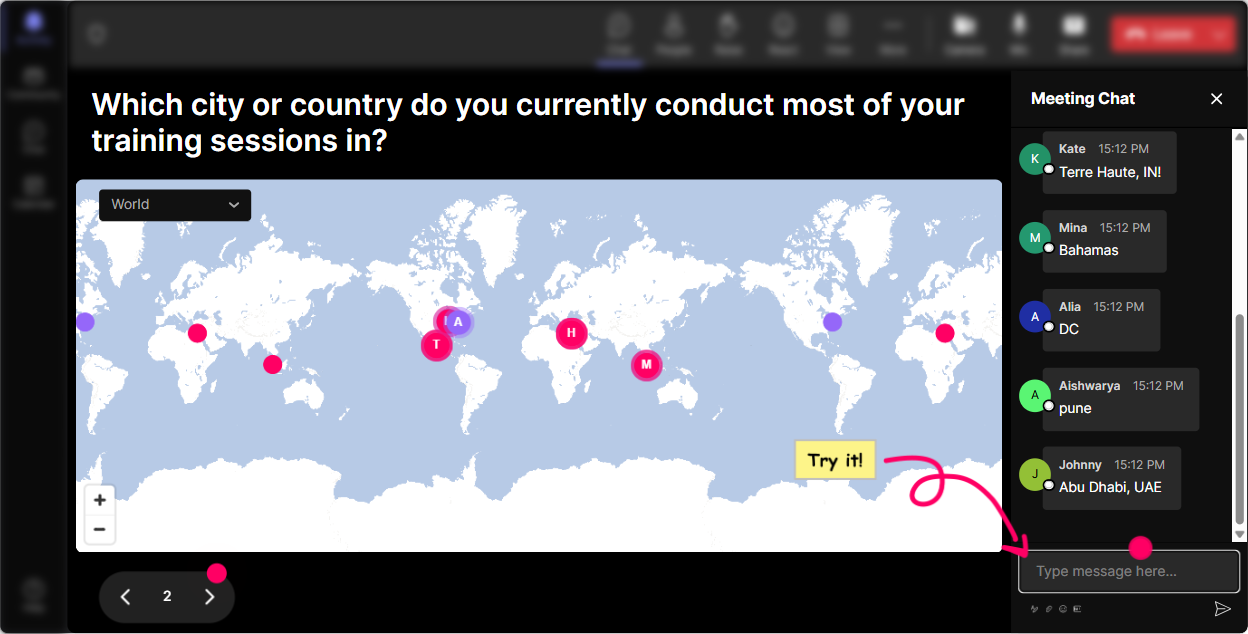
1) Magic Maps: start with connection, not content
Burnout and change fatigue can feel isolating-so the best opener is one that reminds people theyre not alone. Magic Maps does that instantly by putting everyone on the map in real time. How to use it in this training: - Warm-up question: Where are you joining from today? (classic, quick win) - Topic-relevant twist: If you could teleport anywhere on earth to truly rest for 48 hours, where would you go? - Another good one: Which city feels the most recharging to you-where youve felt like yourself again? Trainer tip: When you see clusters (like lots of people from one region), call it out: Okay wow, weve got a whole burnout support squad in Toronto today. It sounds small, but it creates instant togetherness and gets people chatting early.
2) Rating Polls: do a quick burnout pulse-check (without making it awkward)
Rating Polls are perfect for topics like burnout because people can be honest without having to explain themselves in a paragraph. You get the emotional temperature of the room in seconds-and participants feel seen. Ways to use Rating Polls in Burnout & Change Fatigue training: - On a scale of 110, how change-fatigued do you feel right now? - How confident are you in spotting early burnout signs (110)? - How supported do you feel by your team/org when workload spikes? (110) Trainer tip: Dont rush past the results. If you see a bunch of 710s on fatigue, pause and say: Got it. Lets treat today as practical relief-not theory. That one sentence builds trust fast.

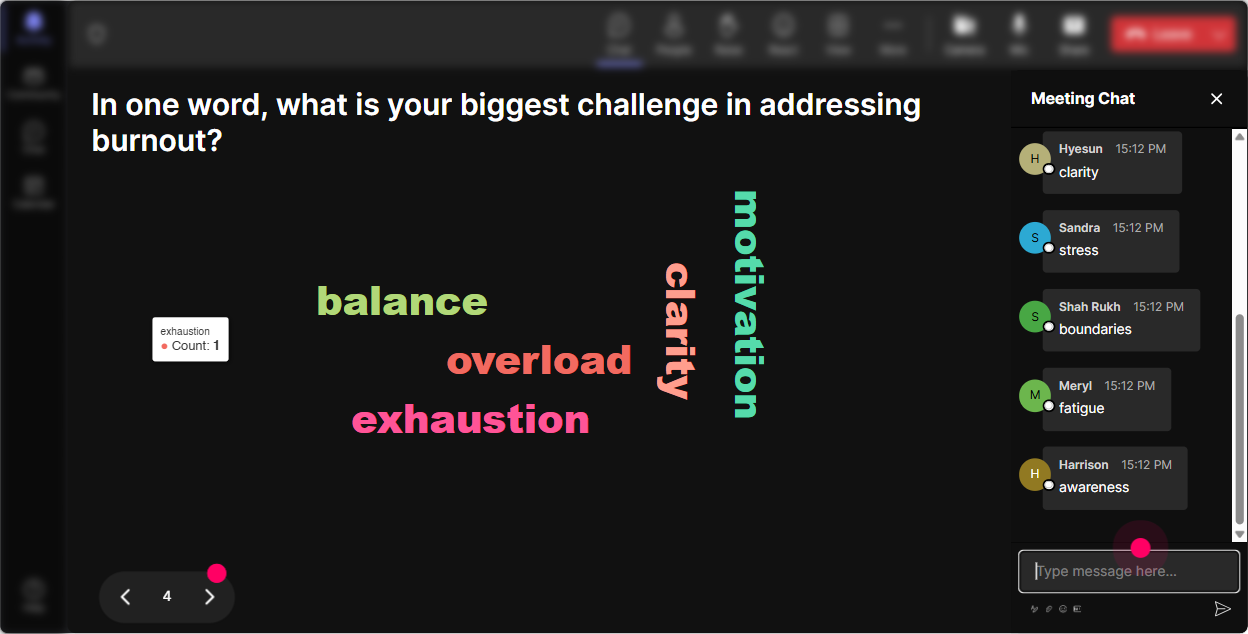
3) Wonder Words (Word Cloud): name the feeling in the room
A word cloud is like letting the group speak all at once-without the chaos. Its amazing for burnout training because it surfaces emotion quickly and visually (and people realize theyre having similar experiences). Try prompts like: - In 12 words, what does burnout feel like? - What word comes to mind when you hear another change initiative? - What do you need more of right now? (One word) Trainer tip: Use Combine Similar Answers so tired, exhausted, and drained dont split the vote. Then reflect what you see: Okay, overwhelmed is huge. Lets talk about what overwhelmed actually looks like at work-before it becomes burnout.
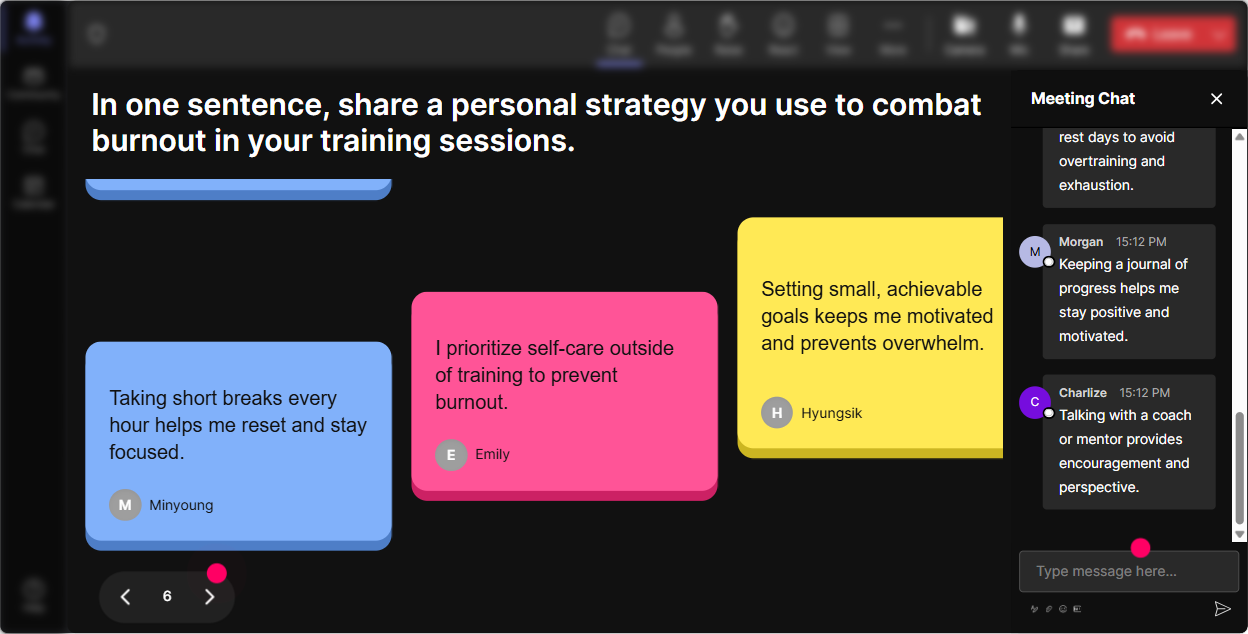
4) Talking Tiles: get real stories without putting anyone on the spot
Burnout and change fatigue show up differently for everyone. Talking Tiles lets people share short real-life experiences in chat, and it turns those responses into a visual wall of voices-way more engaging than asking for volunteers. Prompts that work really well: - Whats one work situation that drains you faster than it should? - Whats a small change at work that actually took a big toll? - How does burnout show up for you-mentally, physically, or emotionally? - Whats one boundary you *wish* you could set? Trainer tip: Once tiles are flowing, pick 23 themes you notice (like meetings, late Slack messages, constant pivots) and teach to those. It makes your training feel tailored, not templated.
5) Power Polls: let the group choose what to focus on
Burnout training lands best when it feels relevant. Power Polls help you stop guessing what people need and let them steer the session. Poll ideas (with options): - Whats your biggest burnout driver right now? 1) Workload 2) Lack of control 3) Constant change 4) Unclear priorities 5) Team dynamics - Where does change fatigue hit hardest? 1) Too many tools/process changes 2) Leadership messaging 3) Re-orgs 4) Role ambiguity 5) Change with no training - Which skill would help you most this month? 1) Boundary setting 2) Saying no 3) Managing energy 4) Handling uncertainty 5) Resetting after a tough week Trainer tip: Use the winning option as your next module. People instantly feel like: Oh good, were covering the thing I actually deal with.

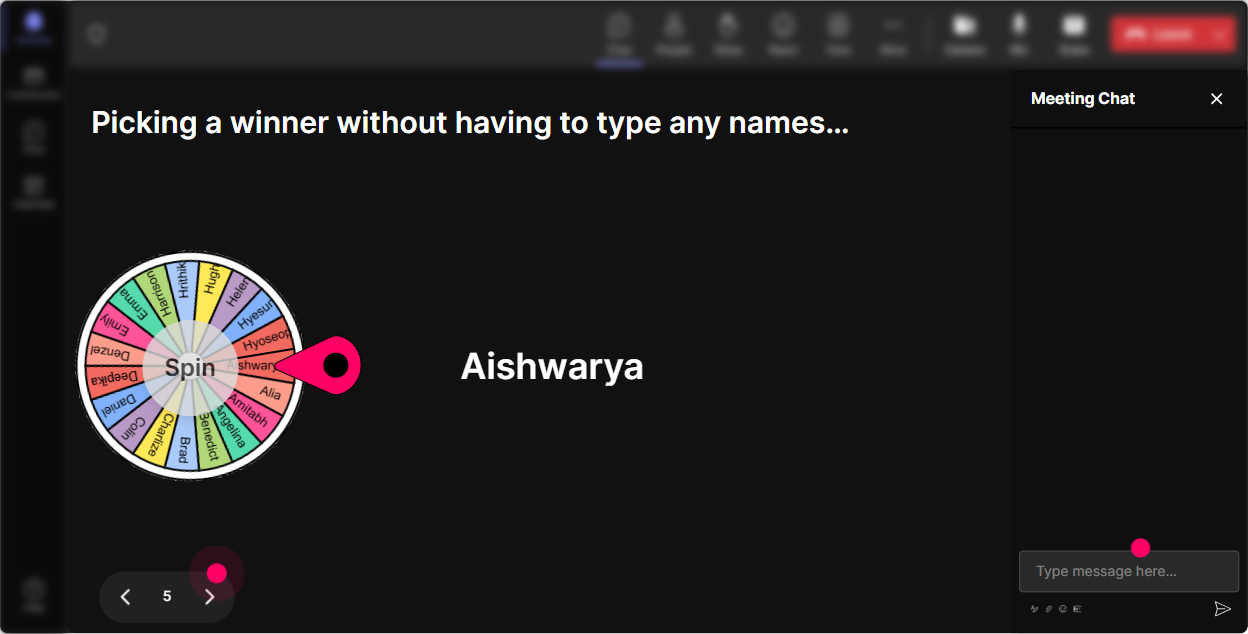
6) Winner Wheel: participation without the pressure
In burnout and change fatigue sessions, some people wont want to speak up-especially if leaders are present. The Winner Wheel is a fun way to invite voices without making it feel like a pop quiz. How to use it smoothly: - Tell people: Drop your answer in chat-then Ill spin the wheel to hear one perspective. - Spin from people who commented during the activity (so its fair and opt-in). Questions to pair with the wheel: - Whats one boundary thats worked for you (even a little)? - Whats a change at work you adapted to well-what helped? - Whats one early warning sign youve learned to notice in yourself? Trainer tip: Keep it light and safe: You can pass if you want-no stress. Ironically, giving permission to pass makes more people willing to talk.
7) Quiz: quick myth-busting and knowledge checks (without being boring)
A Quiz interaction is perfect for burnout training because there are so many myths floating around (burnout means youre weak, a vacation fixes it, just manage your time better). Use quizzes to teach in small bites and keep attention high. Quiz questions you can use: - Which one is NOT a common sign of burnout? A) Cynicism B) Chronic exhaustion C) Increased empathy for work D) Reduced performance - Whats most likely to reduce change fatigue long-term? A) More updates B) Clear priorities + fewer competing changes C) Longer meetings D) More urgency - True or False: Burnout is mainly caused by personal weakness. A) True B) False Trainer tip: After you reveal the correct answer, ask: What made that tricky? The learning happens in that 30-second discussion.

2) Rating Polls: do a quick burnout pulse-check (without making it awkward)
Rating Polls are perfect for topics like burnout because people can be honest without having to explain themselves in a paragraph. You get the emotional temperature of the room in seconds-and participants feel seen. Ways to use Rating Polls in Burnout & Change Fatigue training: - On a scale of 110, how change-fatigued do you feel right now? - How confident are you in spotting early burnout signs (110)? - How supported do you feel by your team/org when workload spikes? (110) Trainer tip: Dont rush past the results. If you see a bunch of 710s on fatigue, pause and say: Got it. Lets treat today as practical relief-not theory. That one sentence builds trust fast.
8) Q&A: capture the real questions people are afraid to ask out loud
In burnout sessions, questions can come fast-and they can be sensitive. StreamAlives Q&A automatically pulls questions from the chat so youre not hunting through messages and missing the important stuff. Great moments to run Q&A: - After you cover burnout signs (people suddenly self-identify) - After boundaries and workload conversations (leaders/managers often ask follow-ups) - In the last 10 minutes as a pressure release Prompts to invite questions: - Whats the hardest part of managing change fatigue on your team? - Whats one burnout situation youre trying to solve right now? - Ask me anything-practical questions welcome, even if it feels messy. Trainer tip: If you notice multiple questions on the same theme (like workload or unclear priorities), group them: Im seeing three questions about too much work, too little control-lets tackle that together.

9) Analytics: prove engagement, spot what worked, and improve next time
Burnout & Change Fatigue training is one of those sessions where you really want to know: Did this actually land? StreamAlive Analytics helps you see what moments got people participating, where chat spiked, and which interactions pulled the room back in. How corporate trainers can use Analytics after the session: - Check minute-by-minute engagement to see where attention dropped (and adjust your pacing next time) - Review chat replay to capture common burnout drivers people mentioned (great for follow-up resources) - Identify your most engaged participants (your Fantastic Fans)-theyre often champions for healthier team habits - Share interaction results via email with stakeholders (like: Top burnout drivers were workload + constant reprioritization) Trainer tip: Use the data as your debrief: Heres what the group told us today. That turns your training into something leadership can act on-without you doing extra manual work.

Use StreamAlive in all your training sessions
StreamAlive isn’t just for
Burnout & Change Fatigue
training,
it can also be used for any instructor-led training session directly inside your PowerPoint presentation.
Explore similar traingin ideas: unlocking the potential of StreamAlive
See how StreamAlive transforms live training with engaging events and interactive sessions across industries, directly inside your PowerPoint presentation.

Interactions in action
(it's free)

.svg.png)


