Install StreamAlive for your PowerPoint slides
Learn more

Multigenerational Workplaces Training for L&D Leaders
StreamAlive helps 9x the audience engagement in your Virtual Instructor-led Trainings (VILT) directly inside your powerpoint presentation.
Make your instructor-led Multigenerational Workplaces training more fun with polls, word clouds, spinner wheels and more
Works inside your existing PowerPoint presentation
Install the StreamAlive app for PowerPoint and see your slides come to life as people participate in your interactions
AI generates audience interactions for you
Let our AI scan your presentation and automatically come up with relevant questions based on the content. Or spend two hours coming up with your own questions, your choice!
Built to work with MS Teams and Zoom
Native apps for Teams and Zoom so you never have to leave your existing workflows
No QR Codes
Chat-powered interactions means your audience doesn’t need to scan QR codes or look at another screen to participate. They just type in the chat!

Quickly approved by your IT team
StreamAlive’s apps for Teams and Zoom means that they have been through rigorous quality assurance and client safety reviews. You’ll find everything an IT team needs to approve the app within the organization within your StreamAlive account.

Youve been asked to deliver an instructor-led session on Multigenerational Workplaces for L&D leaders-and you want it to feel alive, not like a slide marathon. The secret is getting people to participate early and often. Here are practical ideas you can run using StreamAlive so everyone (across generations) actually joins in.
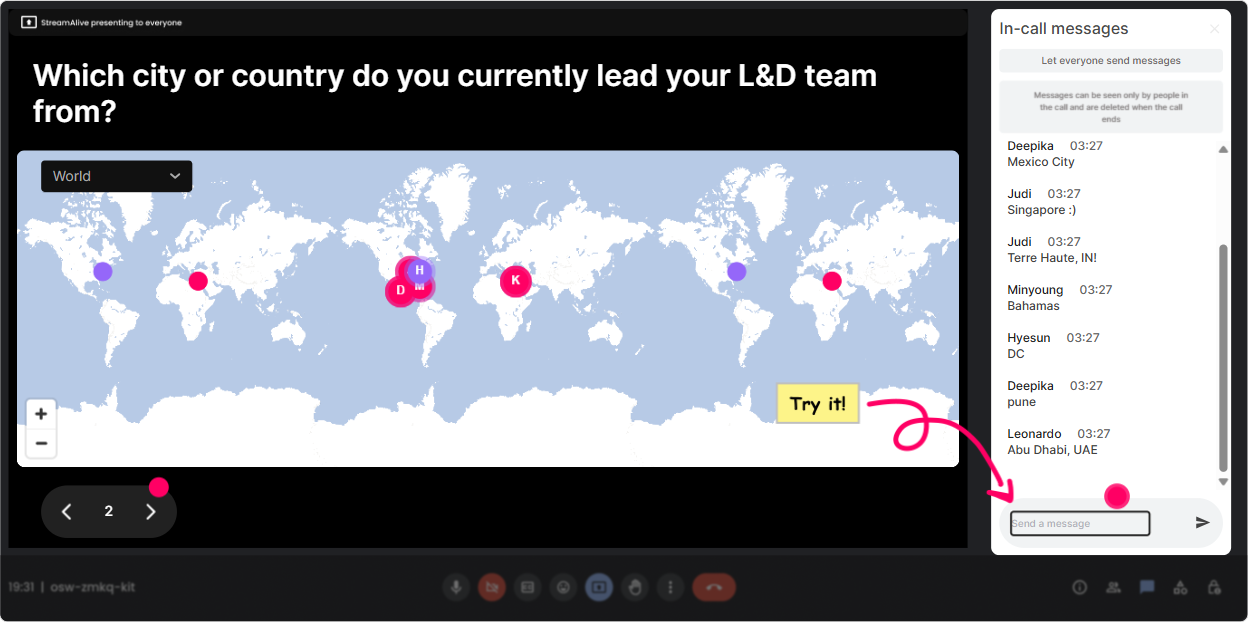
1) Magic Maps: Put your multigenerational room on the map (literally)
This is the easiest way to break the ice without forcing anyone to speak out loud. Ask one location-based question, let the chat do the work, and watch StreamAlive plot everyone in real time. How to use it in this session: - Kickoff question: Where are you joining from today? (classic-and it works) - Make it theme-relevant: Which city taught you the most about working with different generations? - Leadership twist: Where is your workforce most spread out-HQ city or remote hubs? - Fun warm-up: If you could do a generational exchange program anywhere on earth, where would it be? Trainer tip: If youre training a global L&D group, this instantly creates a shared moment. And if you see clusters (say, a big bunch from one region), you can call that out and ask, Alright, whats the generational dynamic like in your location? Its a natural segue into culture + age diversity without making it awkward.
2) Rating Polls: Get a quick pulse check on comfort and confidence
Multigenerational topics can get opinionated fast. Rating Polls let you measure the room without putting anyone on the spot. People just drop a number in chat and you instantly see the spread. Ideas you can run: - Confidence check: On a scale of 110, how confident are you leading a multigenerational team? - Training readiness: How ready is your org to build learning that works for all generations? (110) - Reality check: How often do generational misunderstandings show up in your workplace? (1 never 10 daily) Trainer tip: When you see the average (and the range), you can adjust your pacing. If the room is at a 34, you go more foundational. If theyre at an 89, you shift to advanced application and real scenarios.

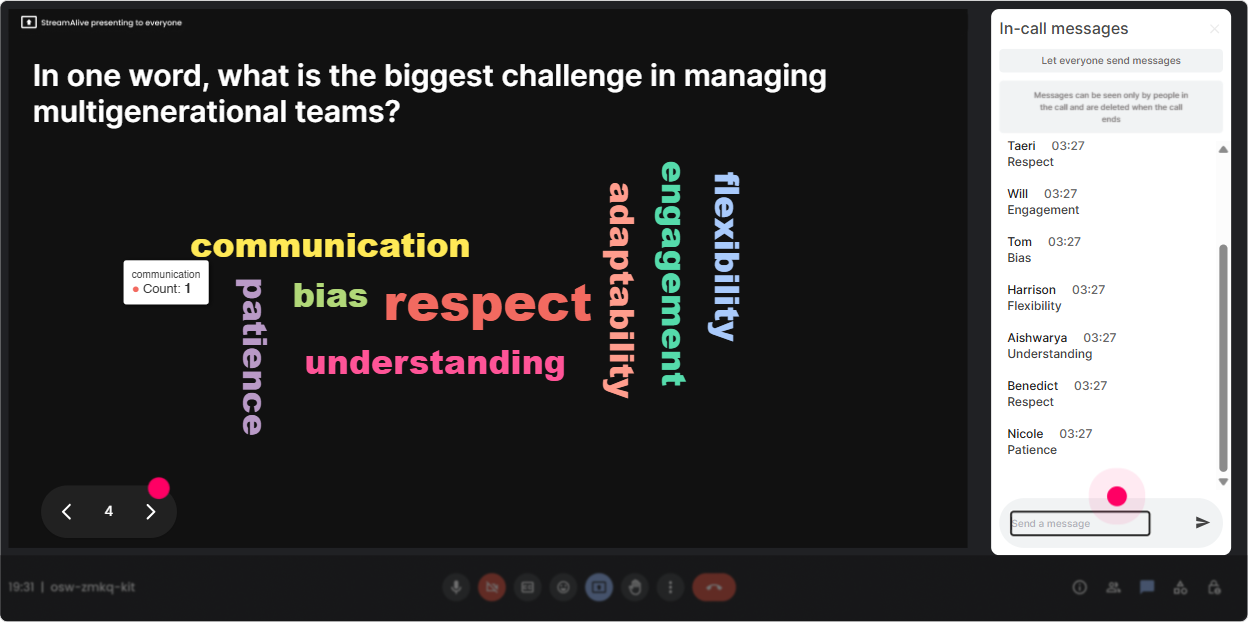
3) Wonder Words (Word Cloud): Surface perceptions-fast
If you want instant engagement, ask a 12 word question that reveals what people really think. Word Clouds are perfect for multigenerational training because youll see beliefs, biases, and pain points without calling anyone out. Great prompts: - One word: What comes to mind when you hear multigenerational workplace? - Whats the biggest challenge right now? (12 words) - Whats one thing you wish other generations understood? (keep it short) - What does respect at work look like to you? (12 words) Trainer tip: The biggest words become your agenda. If communication or entitlement pops up huge, you can say, Okay-this is what the room cares about. Lets go there. It feels like youre co-creating the session with them.
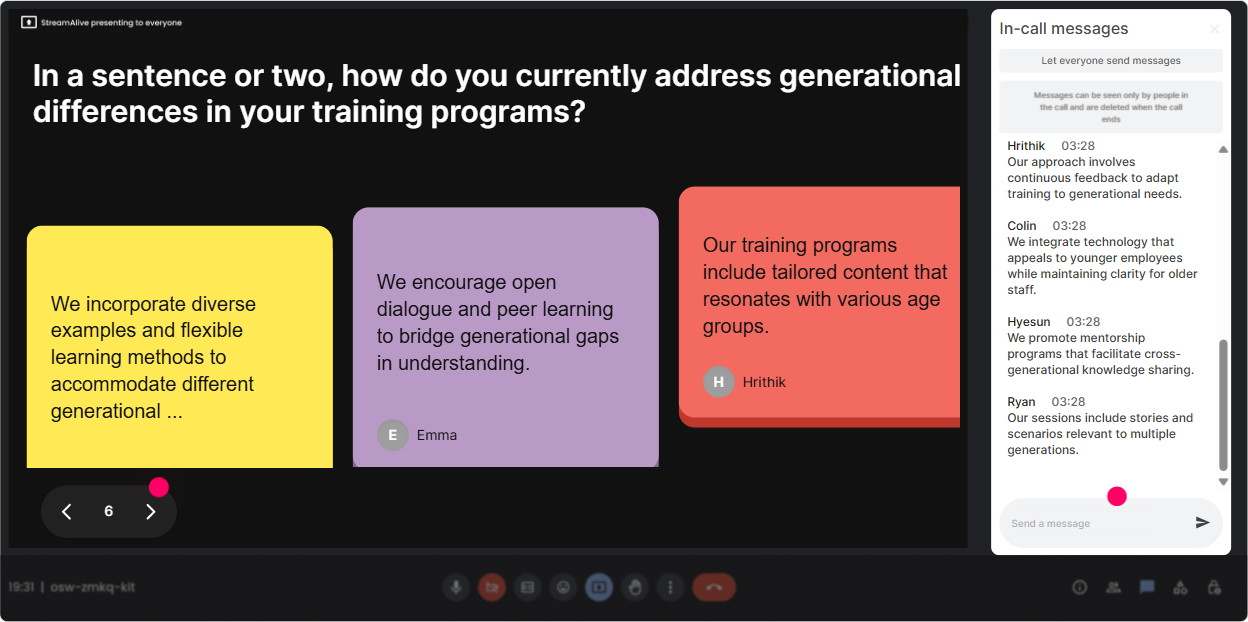
4) Talking Tiles: Collect real stories (without the long awkward silence)
When you want more than one-word answers-like examples, situations, and stories-Talking Tiles is your best friend. People type, and their responses show up visually as tiles falling onto the screen. It feels playful, but you get serious insight. Use it for: - Real impact: Where do you feel generational differences most in your work-meetings, feedback, tech, career expectations, communication style? Share an example. - Leadership challenge: Whats a moment where you felt misread by someone from a different generation? - L&D design: Whats one training format your learners love and one they ignore? Trainer tip: Pick 23 tiles to read out loud and react to. That I see you moment is what pulls quiet participants into the session. And because its chat-based, youll get way more honesty than if you asked people to unmute.
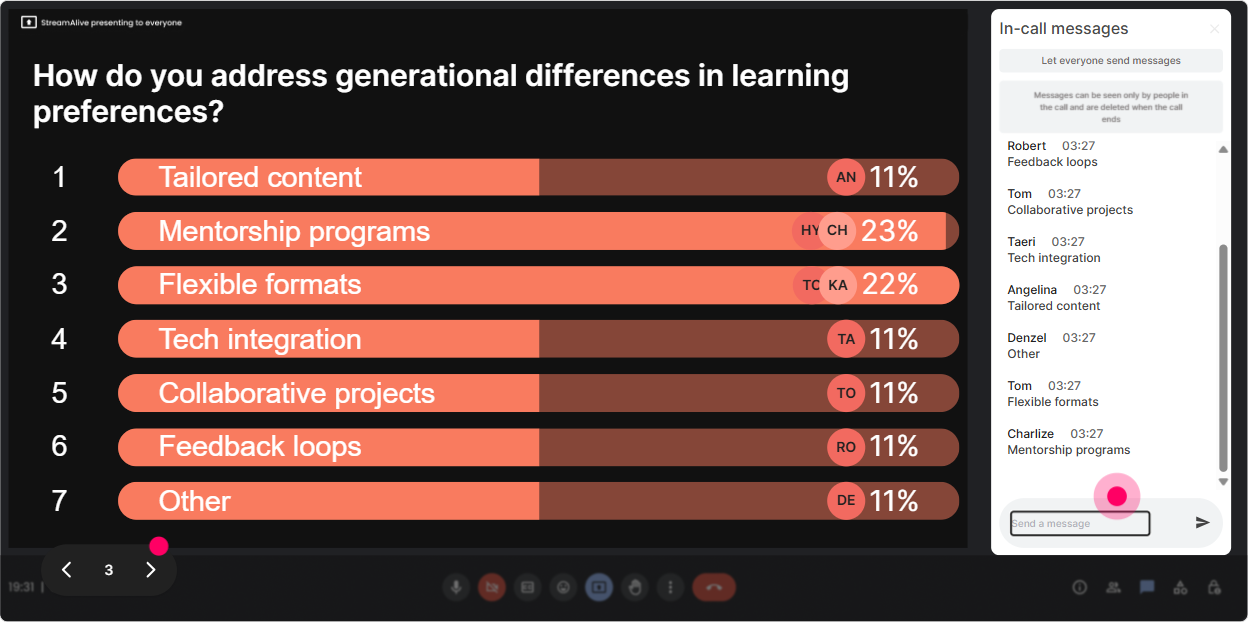
5) Power Polls: Let the room choose the direction (and feel ownership)
Multigenerational training can go a lot of ways-communication, conflict, feedback, motivation, learning styles, career expectations. Power Polls help you quickly find what matters most to this specific audience. Poll ideas: - What do you want most from today? 1) Reducing generational tension 2) Better communication norms 3) Coaching & feedback across ages 4) Designing training for mixed generations 5) Retention & career pathways - Whats the trickiest situation in your org? 1) Tone in messages 2) Flexibility vs fairness 3) Promotions and expectations 4) Tech adoption 5) Meeting etiquette Trainer tip: Show results live and say, Cool, well spend extra time on the top two. People instantly lean in because the session now feels customized-not canned.
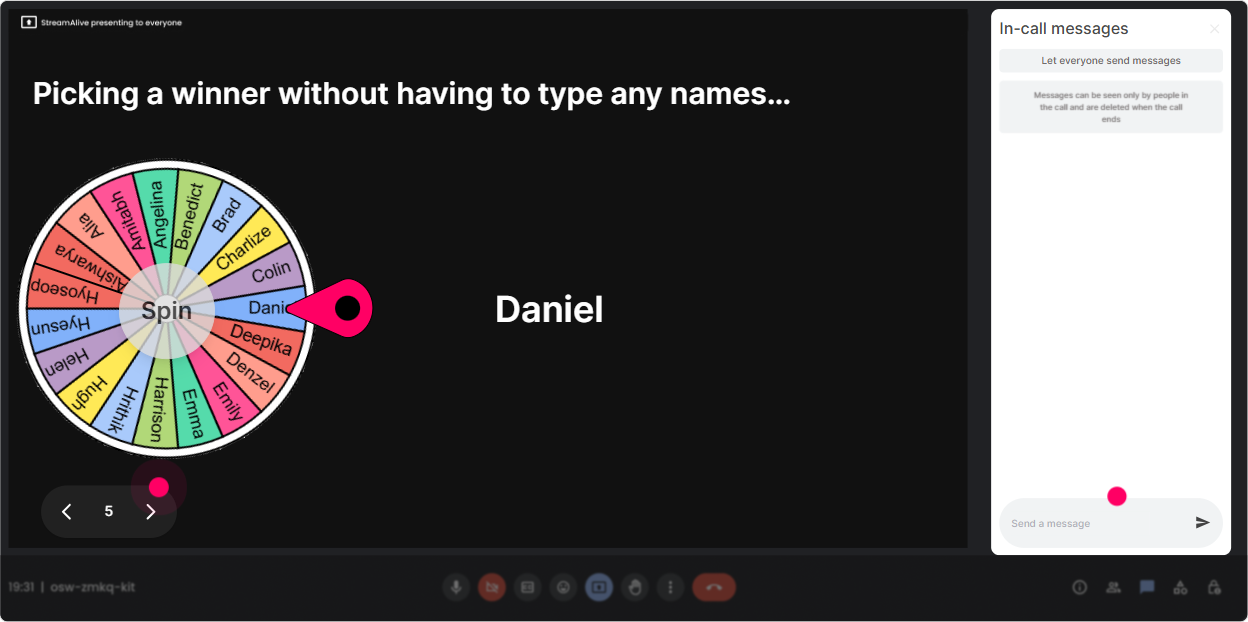
6) Winner Wheel: Get volunteers without the cringe anyone want to share?
You know that moment when you ask for a volunteer and everyone suddenly becomes a statue? Winner Wheel fixes that. You can spin from people who participated in chat-so youre rewarding engagement, not punishing silence. Ways to use it in this training: - Lets hear a real example. Im going to spin the wheel-winner shares a situation (30 seconds). - We need a volunteer to role-play a feedback conversation. Wheel decides! - Quick prize moment: Ill spin for someone who answered the last poll. Trainer tip: Keep it light and give people an opt-out line like, If youd rather pass, just say pass-no stress. The wheel still increases participation because people know engagement gets noticed (in a fun way).
7) Quiz: Bust myths and do quick knowledge checks (without feeling like school)
Multigenerational workplaces are full of myths-so quizzes work great here. You can make it fast, friendly, and focused on practical takeaways. Quiz questions you can use: - Which statement is most accurate? A) Generational differences explain most workplace conflict B) Life stage + role often matter more than generation (correct) C) You should manage each generation completely differently - Whats a better approach than labeling someone by generation? A) Ask preferences and context (correct) B) Assume based on age C) Avoid talking about differences Trainer tip: After you reveal the correct answer, ask: What made you pick what you picked? Thats where the learning really lands-without you lecturing for 10 minutes.

2) Rating Polls: Get a quick pulse check on comfort and confidence
Multigenerational topics can get opinionated fast. Rating Polls let you measure the room without putting anyone on the spot. People just drop a number in chat and you instantly see the spread. Ideas you can run: - Confidence check: On a scale of 110, how confident are you leading a multigenerational team? - Training readiness: How ready is your org to build learning that works for all generations? (110) - Reality check: How often do generational misunderstandings show up in your workplace? (1 never 10 daily) Trainer tip: When you see the average (and the range), you can adjust your pacing. If the room is at a 34, you go more foundational. If theyre at an 89, you shift to advanced application and real scenarios.
8) Q&A: Capture the real questions as they come up (without losing them in chat chaos)
In multigenerational sessions, people have specific scenarios theyre dying to ask about-especially L&D leaders. StreamAlives Q&A pulls questions from chat and displays them clearly, so youre not scrolling like crazy. Prompts to invite questions: - Drop your hardest multigenerational scenario as a question-StreamAlive will catch it. - Whats one policy or training situation youre stuck on right now? - Whats something youre nervous to say out loud, but youll type it? Trainer tip: Use Q&A in two waves: once midway (pressure release) and once at the end. It keeps people engaged because they know their questions wont get missed.

9) Analytics: Prove engagement, improve your next session, and spot your champions
After the session, StreamAlive Analytics shows you what actually worked-not what you *think* worked. You get minute-by-minute engagement, interaction performance, chat replay, and your most engaged participants. How L&D leaders and trainers can use this: - Find your engagement spikes: When did chat explode-during myths, scenarios, or polls? - Tighten your design: If engagement dips at a certain slide, you know exactly where to add an interaction next time. - Identify champions: Your Fantastic Fans are often your future peer facilitators, super-users, or internal advocates. - Share proof: Export or email reports to your team to show participation and learning momentum (especially useful when stakeholders ask, Was it interactive?). Trainer tip: Treat analytics like your rehearsal footage. Every session gets easier to run-and more engaging-because youre improving based on what your audience actually did in the moment.

Use StreamAlive in all your training sessions
StreamAlive isn’t just for
Multigenerational Workplaces
training,
it can also be used for any instructor-led training session directly inside your PowerPoint presentation.
Explore similar traingin ideas: unlocking the potential of StreamAlive
See how StreamAlive transforms live training with engaging events and interactive sessions across industries, directly inside your PowerPoint presentation.

Interactions in action
(it's free)

.svg.png)


