Install StreamAlive for your PowerPoint slides
Learn more

Co-Creation Training for L&D Leaders
StreamAlive helps 9x the audience engagement in your Virtual Instructor-led Trainings (VILT) directly inside your powerpoint presentation.
Make your instructor-led Co-Creation training more fun with polls, word clouds, spinner wheels and more
Works inside your existing PowerPoint presentation
Install the StreamAlive app for PowerPoint and see your slides come to life as people participate in your interactions
AI generates audience interactions for you
Let our AI scan your presentation and automatically come up with relevant questions based on the content. Or spend two hours coming up with your own questions, your choice!
Built to work with MS Teams and Zoom
Native apps for Teams and Zoom so you never have to leave your existing workflows
No QR Codes
Chat-powered interactions means your audience doesn’t need to scan QR codes or look at another screen to participate. They just type in the chat!

Quickly approved by your IT team
StreamAlive’s apps for Teams and Zoom means that they have been through rigorous quality assurance and client safety reviews. You’ll find everything an IT team needs to approve the app within the organization within your StreamAlive account.

Youve been asked to run a Co-Creation instructor-led training for L&D Leaders-and you want it to feel alive, not like another talking head session. The easiest way? Build the session with your audience, not just for them. Here are simple co-creation moments you can run using StreamAlive to keep everyone participating (and paying attention) throughout.
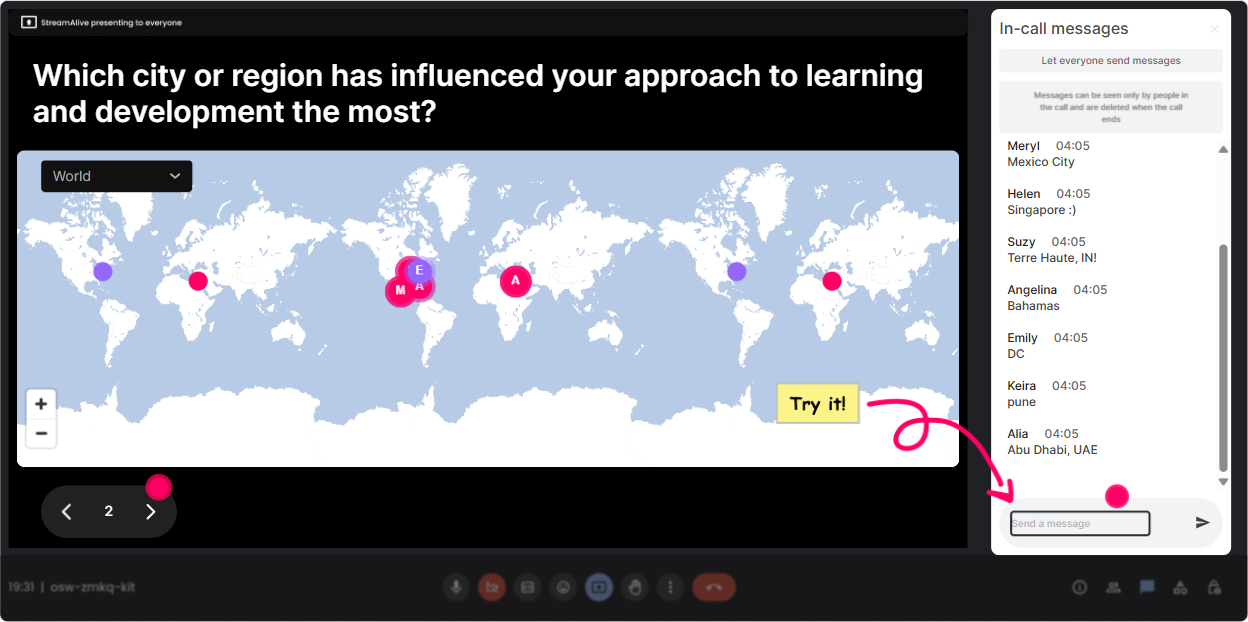
1) Magic Maps: Put Your L&D Leaders on the Map (and kick off co-creation fast)
If you want co-creation to happen, people have to feel seen early. Magic Maps is perfect for that classic opener-Where are you joining from?-but you can make it more *purposeful* for a Co-Creation session. Try prompts like: - Where are you joining from, and whats one stakeholder group you support most (sales, ops, frontline, leaders)? (Location in chat; you can debrief verbally.) - Drop the city where youve seen the *best* collaboration in learning projects. - If your org could teleport to best-in-class co-creation, where would you go to learn from? How it drives co-creation: once the map is full, you can call out clusters (Looks like weve got a lot of folks from London and Singapore-whats different about stakeholder expectations there?). That small moment turns your group into contributors, not listeners.
2) Rating Polls: Get a quick pulse-then build the session around it
Rating Polls are the fastest way to figure out where your room actually is today. And the best part: you can *change your facilitation plan in real time* based on what you see. Use these in the first 510 minutes: - Rate your current confidence in running true co-creation (1 = not confident, 10 = I teach this). - How supported do you feel by the business when you try co-creation? (110) - How mature is co-creation in your org right now? (1 = ad-hoc, 10 = baked into how we work) Co-creation move: after results show, say something like, Okay-most of us are at a 46. Lets co-design what would make this session a 7 for you. Thats a simple pivot that gets instant buy-in.

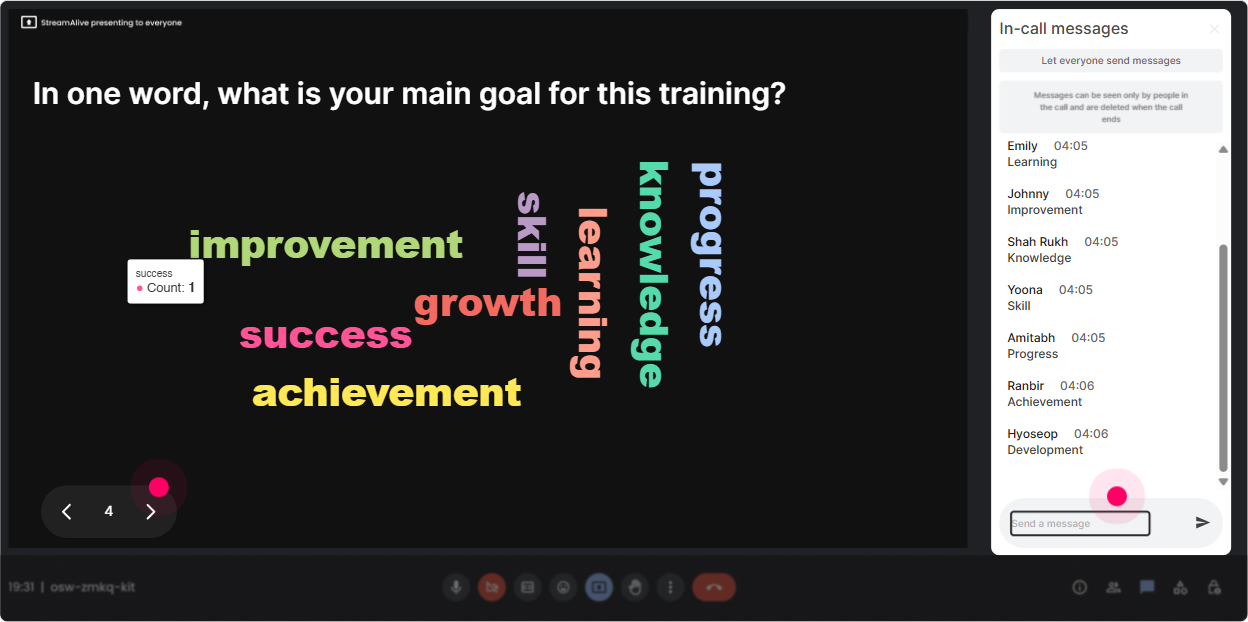
3) Wonder Words (Word Cloud): Turn feelings + beliefs into your agenda
Co-creation gets blocked by emotions and assumptions-so bring those to the surface quickly without putting anyone on the spot. A Word Cloud makes it safe and visual. Great prompts for L&D Leaders: - When you hear co-creation, whats the first word that comes to mind? - One word: whats the hardest part of co-creating with stakeholders? - What do you want more of in co-creation? (trust, speed, alignment, clarity, ownership) Then do the facilitator magic: point to the biggest words and say, Cool-*these* are our real topics today. Lets build around them. Now the session feels tailor-made, because it literally is.
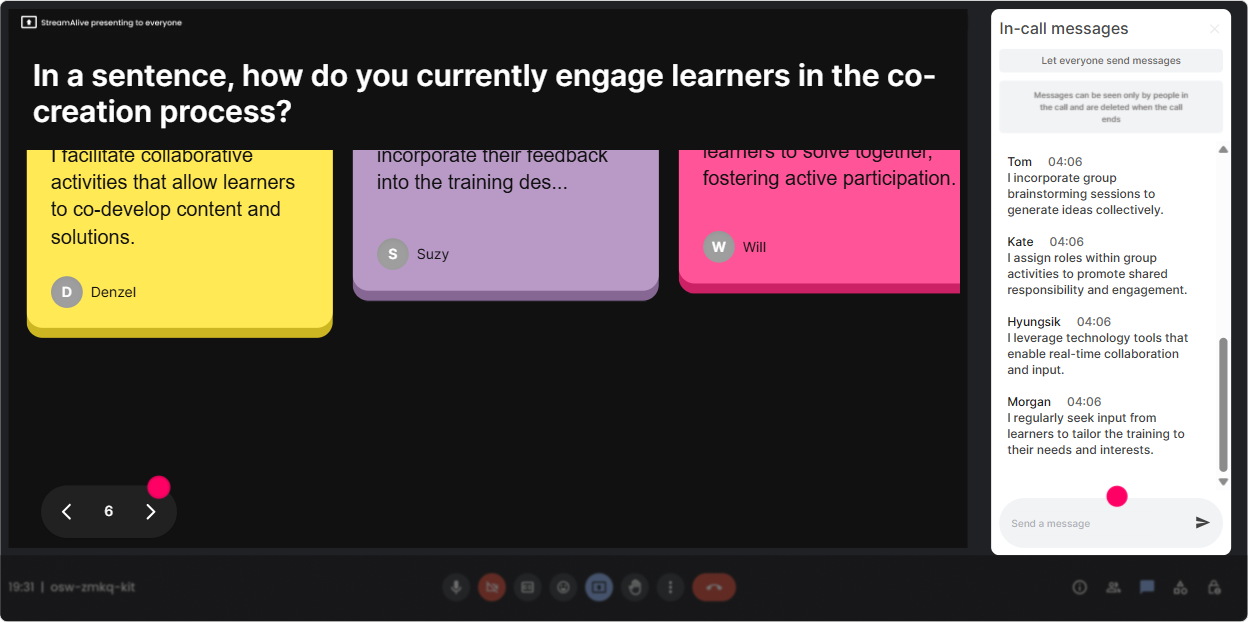
4) Talking Tiles: Let them write the playbook with you (live)
Talking Tiles are gold when you want longer answers-real experiences, real examples, real nuance. Its basically instant group brainstorming, but it looks fun on screen and keeps responses flowing. Prompts that work really well: - Describe a time co-creation went wrong-what happened? - Whats one stakeholder behavior that makes co-creation easier? - Where in your workflow does co-creation break down most? (Intake, design, review, pilot, rollout) Why? - Finish this sentence: Co-creation would be worth it if Co-creation move: once tiles come in, you can say, Im seeing themes-lets cluster these into 3 rules of co-creation for L&D Leaders. Youre not just teaching a framework-youre letting the group generate it.
5) Power Polls: Let the group choose what you go deep on
This is the simplest way to avoid the classic problem: you planned a great session but its not what they need today. A quick Power Poll lets them steer. Poll ideas: - What do you want to spend the most time on today? 1) Getting stakeholder buy-in 2) Running co-creation workshops 3) Handling conflicting opinions 4) Measuring impact + proving value - Which co-creation scenario do you want to practice? 1) New program design 2) Refreshing existing training 3) Building a capability academy 4) Performance support + workflow learning Co-creation move: take the winner and say, Perfect. Well use that as our main case study. Drop a real example from your world and well build the approach together.

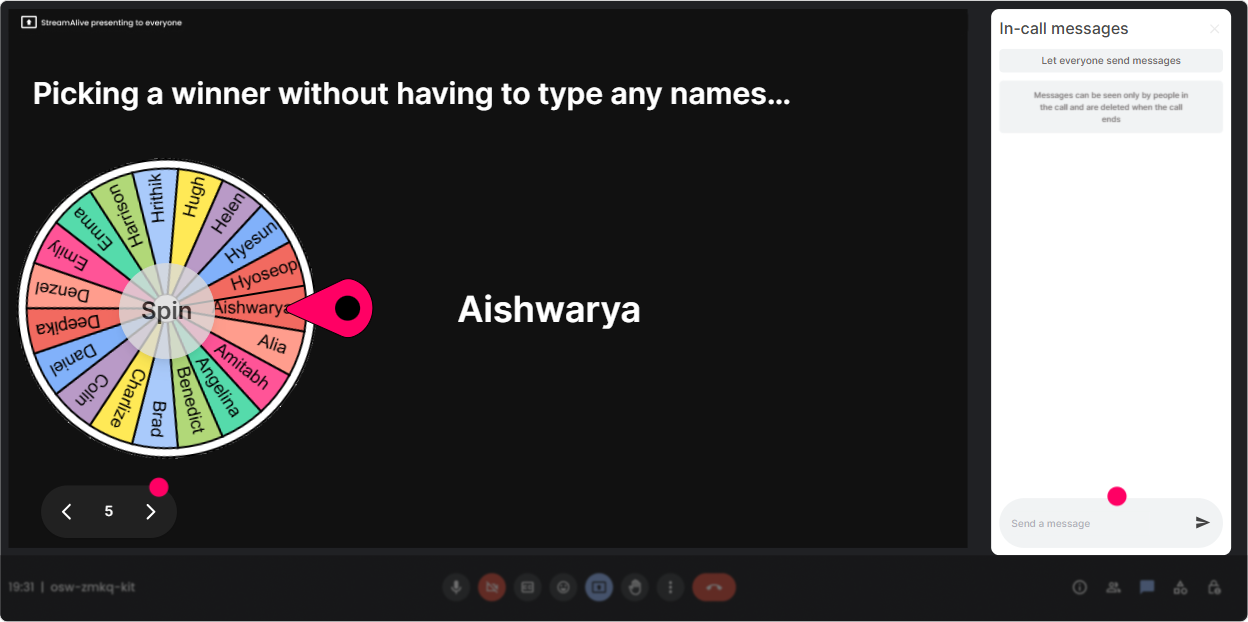
6) Winner Wheel (Spinner Wheel): Get voices in the room-without awkward silence
Every live session has it: a few people talk, others stay quiet. The Winner Wheel is a friendly way to pull people in without you having to cold call in a tense way. Ways to use it in a Co-Creation ILT: - Type CASE in the chat if youre willing to share a stakeholder challenge. Ill spin and well build a solution together. - Drop one barrier youre facing. Ill spin the wheel and well unpack that persons situation as a group. - We need a volunteer for a quick role-play: stakeholder vs. L&D. Put ROLEPLAY in chat-wheel decides. It keeps it fair, it keeps it light, and it dramatically increases participation because people realize: commenting = being part of the session.
7) Quiz: Quick knowledge checks that feel like a game (not a test)
If youre teaching Co-Creation, you want to check understanding often-without killing the vibe. A Quiz interaction gives you that mini game feel, plus you can reveal the correct answer to teach the concept. Quiz questions you can use: - Which is the BEST example of co-creation? A) Stakeholders review the final draft B) Stakeholders choose between two finished options C) Stakeholders help define the problem + success metrics before design starts D) Stakeholders approve the rollout plan - Whats the biggest risk of co-creation without clear decision rights? A) Too many good ideas B) Scope creep and stalled decisions C) Higher engagement D) Faster development Co-creation move: after you reveal answers, ask: Where does your org currently land-more like A/B or more like C? That bridges knowledge into real workplace reflection.

2) Rating Polls: Get a quick pulse-then build the session around it
Rating Polls are the fastest way to figure out where your room actually is today. And the best part: you can *change your facilitation plan in real time* based on what you see. Use these in the first 510 minutes: - Rate your current confidence in running true co-creation (1 = not confident, 10 = I teach this). - How supported do you feel by the business when you try co-creation? (110) - How mature is co-creation in your org right now? (1 = ad-hoc, 10 = baked into how we work) Co-creation move: after results show, say something like, Okay-most of us are at a 46. Lets co-design what would make this session a 7 for you. Thats a simple pivot that gets instant buy-in.
8) Q&A: Capture questions without losing the chat (and without missing the quiet folks)
In co-creation sessions, questions pop up constantly-but they get buried in chat fast. StreamAlives Q&A pulls questions out and organizes them so you can actually *use them*. How to make it a co-creation tool (not just a help desk): - Start with: As we go, drop questions anytime. StreamAlive will catch them-so ask in the moment. - Midway: Lets pause and let your questions shape the next segment. Which one should we tackle first? - End: Which unanswered question is most important to your role as an L&D Leader? That last one is powerful-it tells you what to include next time, and it shows the group youre responding to what they actually care about.

9) Analytics: Prove engagement, improve your facilitation, and show impact to stakeholders
If youre an L&D Leader (or training one), you know the question that always comes after a session: Did it work? StreamAlive Analytics helps you answer that with real data-not vibes. How you can use it after your Co-Creation ILT: - Spot your engagement peaks: Which activity got the most chat + participation-map, word cloud, case clinic? Do more of that next time. - Find drop-off moments: if engagement dips during a lecture-heavy section, you know exactly where to add an interaction. - Identify your Fantastic Fans (most engaged participants): these are your future champions, pilot-group members, or co-facilitators. - Share interaction results: send reports to your email, recap in Teams, or share with your L&D team as evidence of participation and needs. Basically: you dont just run a co-creation session-you *learn from it* and make the next one even stronger.

Use StreamAlive in all your training sessions
StreamAlive isn’t just for
Co-Creation
training,
it can also be used for any instructor-led training session directly inside your PowerPoint presentation.
Explore similar traingin ideas: unlocking the potential of StreamAlive
See how StreamAlive transforms live training with engaging events and interactive sessions across industries, directly inside your PowerPoint presentation.

Interactions in action
(it's free)

.svg.png)


