Install StreamAlive for your PowerPoint slides
Learn more

Metaverse Training for L&D Leaders
StreamAlive helps 9x the audience engagement in your Virtual Instructor-led Trainings (VILT) directly inside your powerpoint presentation.
Make your instructor-led Metaverse training more fun with polls, word clouds, spinner wheels and more
Works inside your existing PowerPoint presentation
Install the StreamAlive app for PowerPoint and see your slides come to life as people participate in your interactions
AI generates audience interactions for you
Let our AI scan your presentation and automatically come up with relevant questions based on the content. Or spend two hours coming up with your own questions, your choice!
Built to work with MS Teams and Zoom
Native apps for Teams and Zoom so you never have to leave your existing workflows
No QR Codes
Chat-powered interactions means your audience doesn’t need to scan QR codes or look at another screen to participate. They just type in the chat!

Quickly approved by your IT team
StreamAlive’s apps for Teams and Zoom means that they have been through rigorous quality assurance and client safety reviews. You’ll find everything an IT team needs to approve the app within the organization within your StreamAlive account.

Youve been asked to run Metaverse instructor-led training for L&D Leaders-and you want it to feel like a real experience, not another slide-and-sigh webinar. The good news: you can make it interactive fast, even if youre not a Metaverse expert. Here are simple ideas using StreamAlive to keep people participating (not just attending).
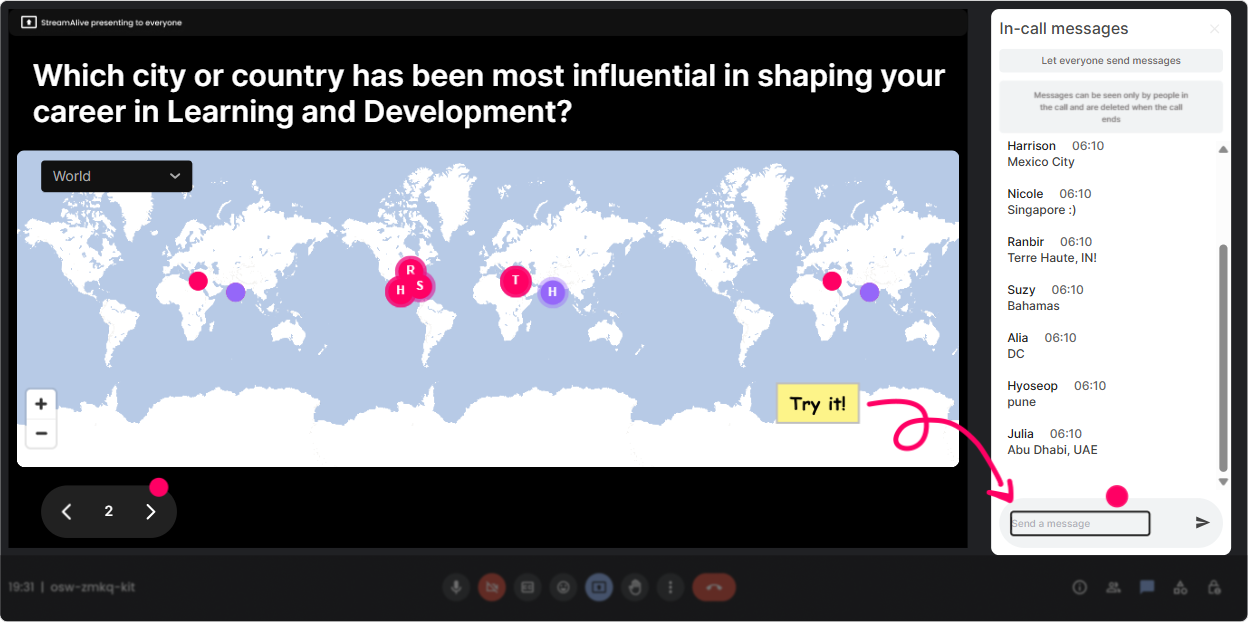
1) Magic Maps: Put your L&D Leaders on the map (literally)
If youre training on the Metaverse, your audience is probably spread across locations, time zones, and org cultures-so use that diversity as your opening energy. How to use it in Metaverse ILT: - Kick off with the easiest icebreaker ever: Where are you joining from today? and let StreamAlives Magic Maps plot everyone live. - Make it Metaverse-relevant: If you could teleport anywhere on earth right now for a leadership retreat, where would you go? - Tie it back to the session: Which city do you think will adopt Metaverse learning fastest-and why? (Ask for one location only if you want clean data.) Why it works: it instantly gets chat moving, gives you a visual moment, and creates that were in this together vibe in the first 60 seconds.
2) Rating Polls: Quick confidence check before you teach anything
Metaverse sessions can feel intimidating-so dont guess where people are. Just ask and show it on screen. Easy prompts that work really well: - On a scale of 110, how confident are you explaining the Metaverse to a business leader? - Rate your current comfort level with running training inside virtual worlds: 1 = not ready, 10 = I could teach it tomorrow. - How relevant is Metaverse learning to your 2026 L&D strategy? (110) Trainer move: if the average is low, you slow down and build foundations. If its high, you skip the basics and go straight to use cases. Either way, you look like you designed the session for them.

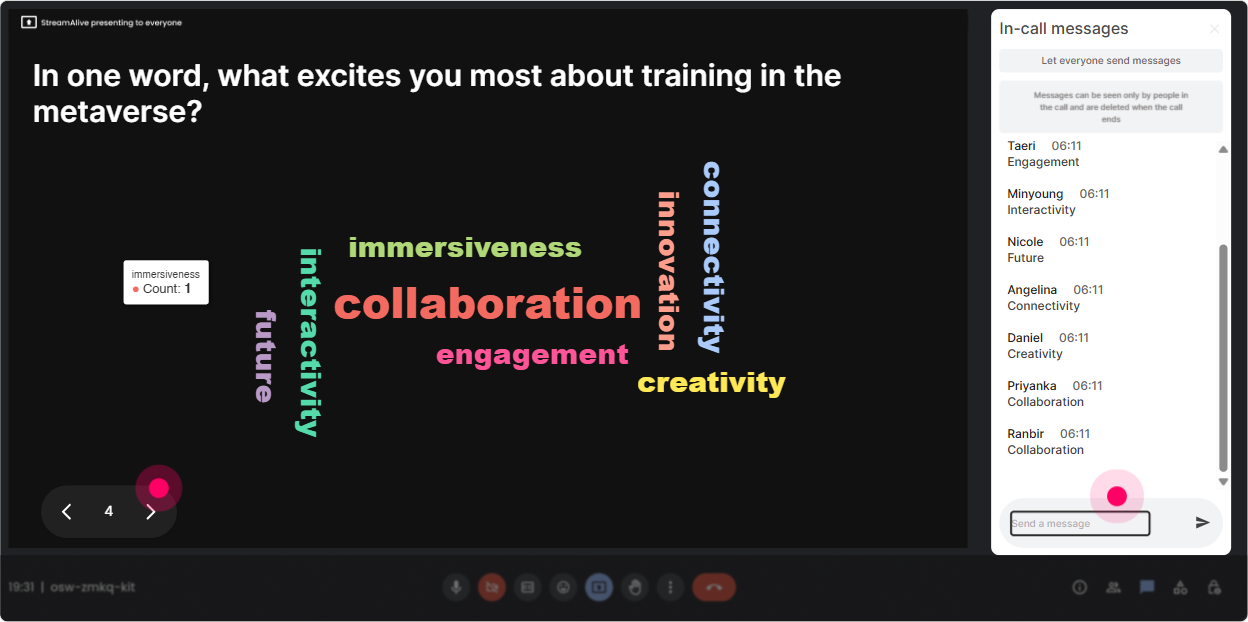
3) Wonder Words (Word Cloud): Capture the rooms vibe in one question
Word clouds are perfect for Metaverse training because people have opinions-and sometimes baggage. This lets them share it quickly without writing paragraphs. Ask for 12 word answers like: - Metaverse training feels (one word) - Whats the biggest barrier in your org? (one or two words) - When you hear Metaverse for L&D, what do you think of first? What youll see: words like excited, skeptical, cost, headsets, engagement, privacy get big fast-and now you know exactly what to address. Bonus: it makes the session feel alive because the screen is reacting to them in real time.
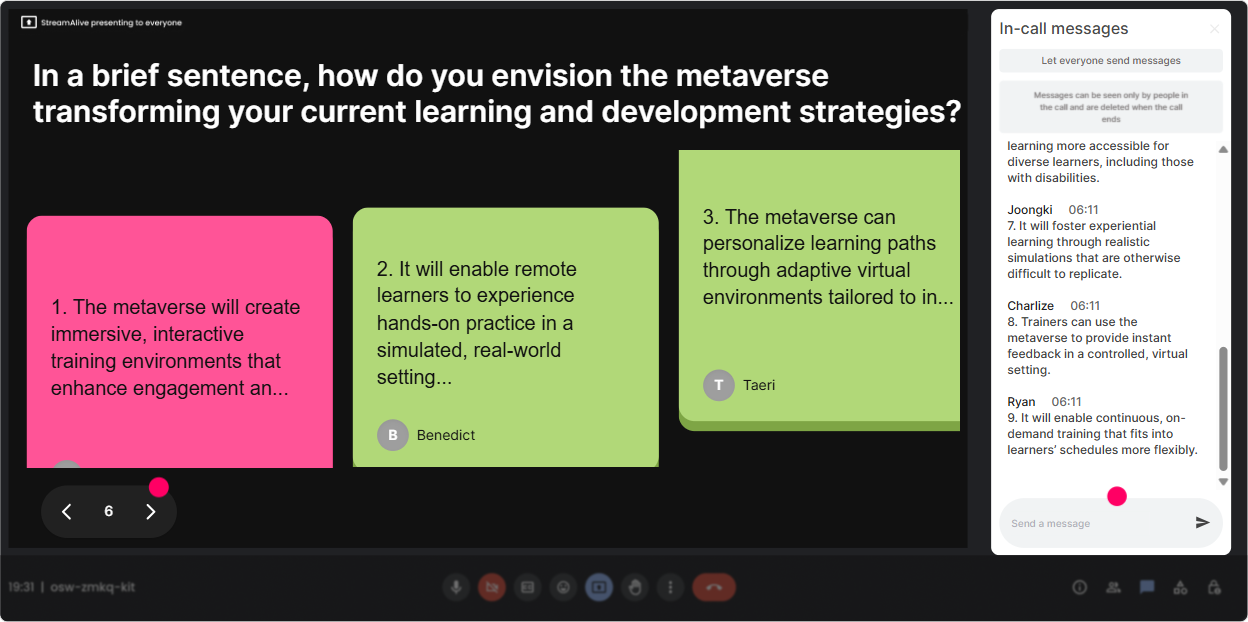
4) Talking Tiles: Turn longer responses into an instant visual brainstorm
When you want more than one-word answers, Talking Tiles is your best friend-because it makes responses feel fun and visible (instead of disappearing in chat). Great Metaverse ILT prompts: - In one sentence: how could the Metaverse change your role in L&D over the next 2 years? - Describe a training program in your org that would benefit most from immersive learning. - Whats one concern youd need to solve before launching a Metaverse pilot? How to run it: ask the question, let people type freely, and StreamAlive turns their answers into falling tiles on-screen. It feels like a group brainstorm without you having to read the chat out loud for 10 minutes.
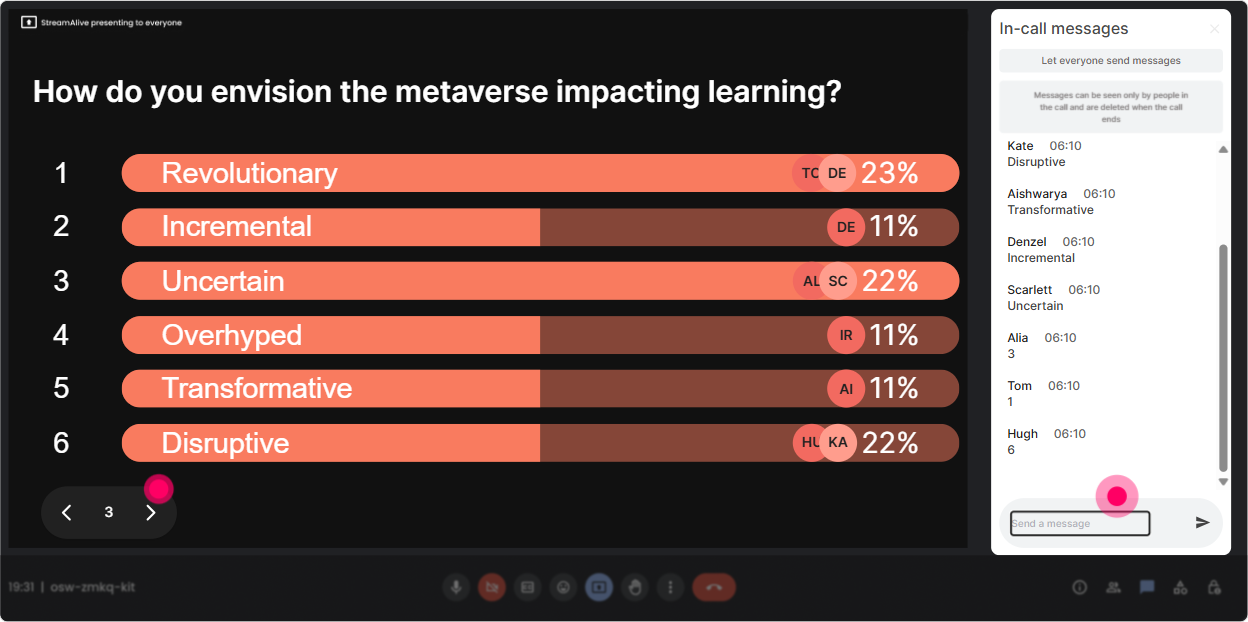
5) Power Polls: Let them choose the direction of the session
L&D Leaders love practical takeaways. Power Polls make it easy to personalize the session in real time-and it stops the this doesnt apply to me energy. Poll ideas for Metaverse training: - What do you want most from Metaverse learning? 1) Higher engagement 2) Practice simulations 3) Faster onboarding 4) Better leadership training 5) Global collaboration - Where are you most likely to start? 1) Onboarding 2) Safety/compliance 3) Sales enablement 4) Leadership development 5) Technical training - Whats your biggest implementation blocker? 1) Budget 2) Executive buy-in 3) IT/security 4) Content design 5) Hardware/access Trainer move: announce, Alright, well spend extra time on the top voted area. People immediately feel heard-and they stay with you longer.
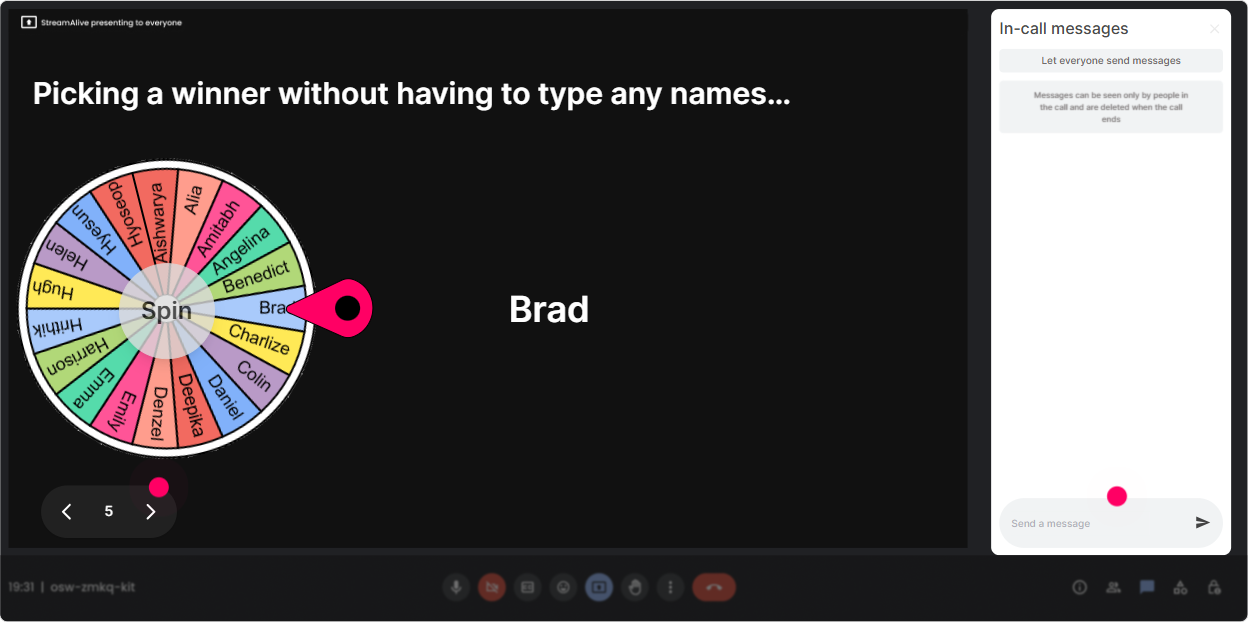
6) Winner/Spinner Wheel: Get volunteers without the awkward silence
You know that moment when you ask, Who wants to share? and the room goes quiet? Spinner Wheel solves that in a playful way-without putting pressure on the same 2 talkative folks. Ways to use it in Metaverse ILT: - Drop one Metaverse use case youre considering in chat. Im going to spin and ask one person to unmute and give a 30-second context. - Type pilot if youre running one in the next 12 months. Ill spin and well hear one real plan. - Answer this poll, then well spin the wheel and Ill invite one person to challenge the winning option (friendly debate). Why it works: participation goes up because people know they might be picked-but it still feels fair and fun.
7) Quiz: Make your Metaverse training stick with quick knowledge checks
Metaverse content can get fuzzy fast (Isnt that just VR?). A quick quiz clears up myths and locks in learning. Example quiz questions (single correct answer): - Which is the best example of immersive learning? A) Watching a video about conflict B) Practicing a tough conversation in a simulated environment C) Reading a PDF policy D) Taking a survey (Correct: B) - Whats one key difference between VR and the broader Metaverse? A) VR always requires avatars B) Metaverse focuses on shared persistent spaces C) Metaverse only works with headsets D) VR cant be used for training (Correct: B) Trainer move: after revealing the correct answer, ask, Why do you think people confuse these? Thats where the real learning happens.

2) Rating Polls: Quick confidence check before you teach anything
Metaverse sessions can feel intimidating-so dont guess where people are. Just ask and show it on screen. Easy prompts that work really well: - On a scale of 110, how confident are you explaining the Metaverse to a business leader? - Rate your current comfort level with running training inside virtual worlds: 1 = not ready, 10 = I could teach it tomorrow. - How relevant is Metaverse learning to your 2026 L&D strategy? (110) Trainer move: if the average is low, you slow down and build foundations. If its high, you skip the basics and go straight to use cases. Either way, you look like you designed the session for them.
8) Q&A: Catch every question without losing your flow
In Metaverse sessions, questions pop up constantly-tools, security, learning measurement, change management and they can easily get buried in chat. With StreamAlive Q&A (Quick Questions): - Questions are detected and collected from chat automatically. - You can address them in a clean, organized way instead of scrolling forever. How to use it in your session: - Tell them: Drop your questions anytime-StreamAlive will capture them and Ill do Q&A at the end of each section. - Run it in chunks: after Use Cases, after Risks, after Pilot Plan. Result: people feel safe asking questions, and you dont derail the session trying to find them.

9) Analytics: Prove engagement (and improve the next run)
If youre training L&D Leaders, you know the follow-up question: Did it work? StreamAlive analytics helps you answer that with real data, not vibes. How it helps after your Metaverse ILT: - See minute-by-minute engagement so you know where attention spiked (or dipped). - Replay chat + interaction results to spot which activities got the strongest response. - Identify your most engaged participants (your champions for future pilots). - Share results easily via email or with your team on platforms like Teams. Practical use: after the session, you can say, Heres what leaders were most curious about, here are the top concerns, and heres what we should cover deeper next time. Thats how you turn one training into an ongoing program.

Use StreamAlive in all your training sessions
StreamAlive isn’t just for
Metaverse
training,
it can also be used for any instructor-led training session directly inside your PowerPoint presentation.
Explore similar traingin ideas: unlocking the potential of StreamAlive
See how StreamAlive transforms live training with engaging events and interactive sessions across industries, directly inside your PowerPoint presentation.

Interactions in action
(it's free)

.svg.png)


