Install StreamAlive for your PowerPoint slides
Learn more

Coaching Training for Training Agencies
StreamAlive helps 9x the audience engagement in your Virtual Instructor-led Trainings (VILT) directly inside your powerpoint presentation.
Make your instructor-led Coaching training more fun with polls, word clouds, spinner wheels and more
Works inside your existing PowerPoint presentation
Install the StreamAlive app for PowerPoint and see your slides come to life as people participate in your interactions
AI generates audience interactions for you
Let our AI scan your presentation and automatically come up with relevant questions based on the content. Or spend two hours coming up with your own questions, your choice!
Built to work with MS Teams and Zoom
Native apps for Teams and Zoom so you never have to leave your existing workflows
No QR Codes
Chat-powered interactions means your audience doesn’t need to scan QR codes or look at another screen to participate. They just type in the chat!

Quickly approved by your IT team
StreamAlive’s apps for Teams and Zoom means that they have been through rigorous quality assurance and client safety reviews. You’ll find everything an IT team needs to approve the app within the organization within your StreamAlive account.

Ideas for Coaching instructor-led training for Training Agencies can feel tricky-because coaching needs practice, not just slides. If you want people to participate (not just listen), you need quick moments where everyone can respond, reflect, and apply. Here are simple ways to do that using StreamAlive so your session feels alive, not like a lecture.
1) Magic Maps: Start with a coaching-friendly icebreaker (and build instant connection)
In coaching trainings, trust and connection matter from minute one. Magic Maps is a super easy way to get everyone typing right away, without putting anyone on the spot. How to use it in a Coaching ILT for training agencies: - Kick-off question: Where are you joining from today? (classic, but it works every time) - Make it coaching-themed: Where did you learn your best coaching lesson-what city/company/team were you in? - Future-focused: If you could travel anywhere to learn coaching from the best, where would you go? Trainer move: When the map fills up, call out clusters (Wow, weve got a mini coaching squad in Toronto!). It creates that were in this together feeling-fast. And if youre running multi-batch programs, you can reset the map each cohort and still keep the opening fresh.

2) Rating Polls: Get a quick confidence check before you teach anything
Coaching groups are usually mixed-some folks are brand new, others have been coaching for years (with very different definitions). Rating Polls let you measure the room instantly and adjust your pace. Ideas you can run in the first 5 minutes: - On a scale of 110, how confident are you in coaching a struggling performer? - Rate your comfort level with giving difficult feedback (1 = avoid it, 10 = bring it on). - How effective is your current coaching process today? (110) Trainer move: Show the results and say, Cool-looks like were split. Ill make sure we cover both the fundamentals and the real-life messy scenarios. People feel seen, and youve bought attention for the next segment.

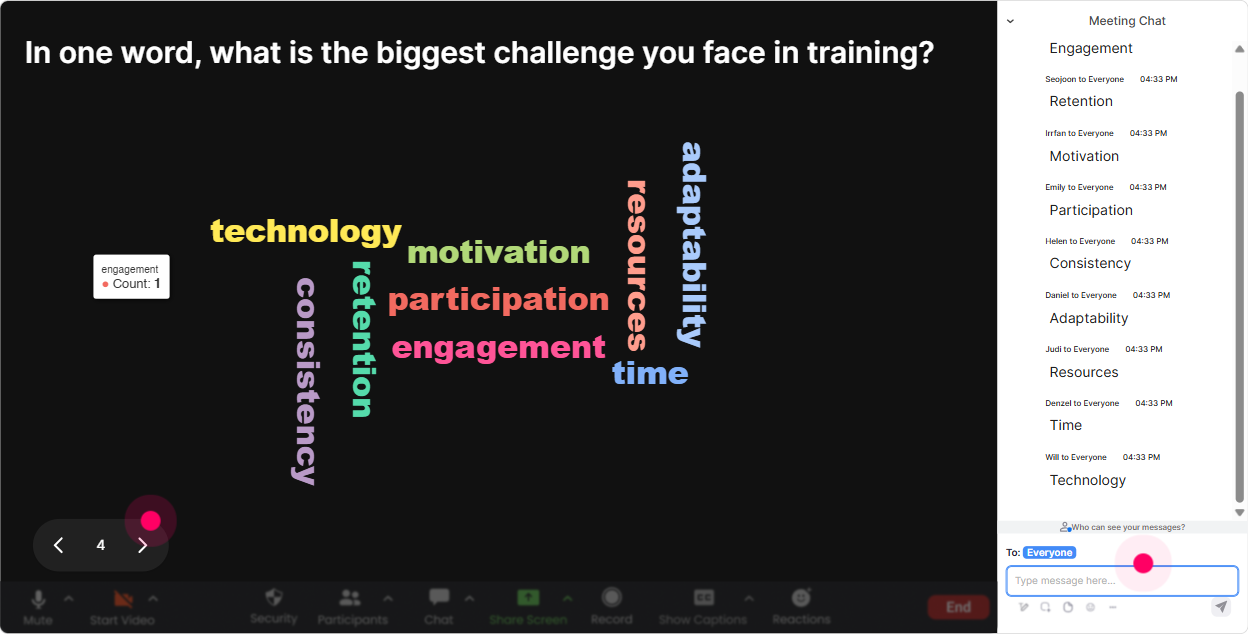
3) Wonder Words (Word Cloud): Surface attitudes about coaching (the stuff people dont always say out loud)
Coaching has emotions attached to it-nerves, excitement, fear of awkward conversations, worry about time, all of it. A word cloud lets people express that quickly, and it gives you a perfect segue into the content. Word cloud prompts that work great: - In 12 words: how do you feel about coaching conversations? - Whats the #1 thing that makes coaching hard? - When coaching is done well, employees feel (12 words) Trainer move: When you see big words like awkward, time, or resistance, dont rush past them. Say: Okay, Im seeing time blow up on the screen-lets build a coaching rhythm that works even when youre slammed. Thats how you earn trust.
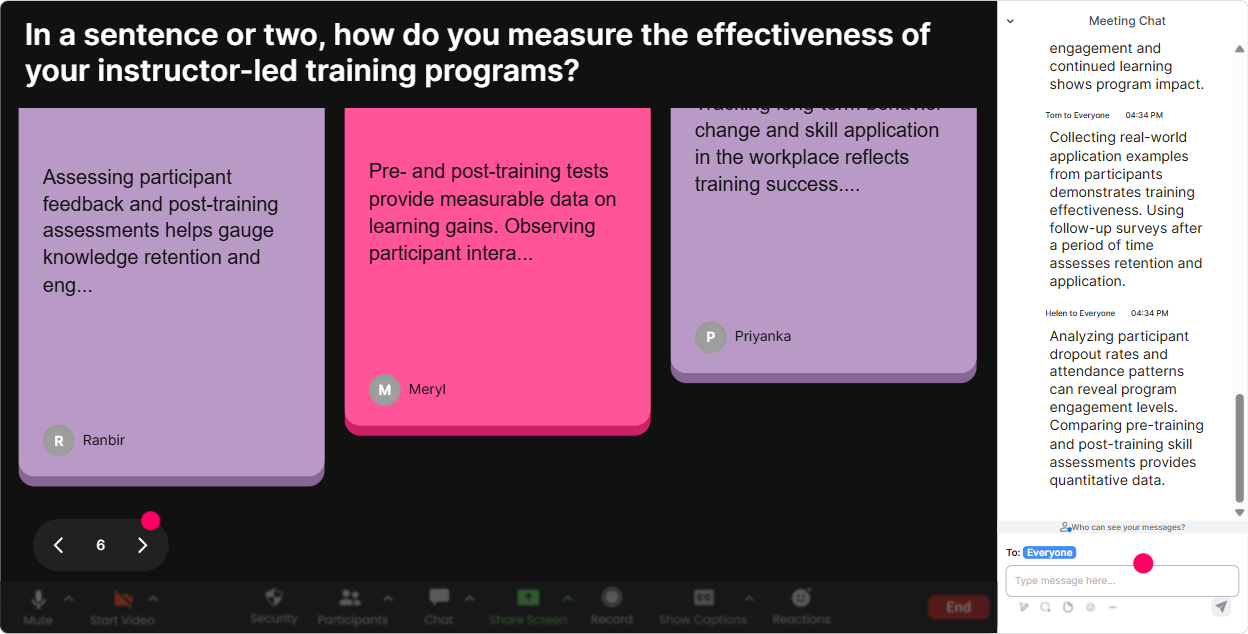
4) Talking Tiles: Turn experience-sharing into a visual group brainstorm
Coaching trainings get powerful when people share real examples-but open discussion can be slow, and only a few voices dominate. Talking Tiles makes everyones responses visible in a fun, fast way. Use it for questions where answers are a sentence or two: - Describe a coaching conversation that went well-what made it work? - Whats the most common coaching mistake you see managers make? - Finish this: A great coach on my team is someone who Trainer move: After the tiles fall in, read out 35 themes youre noticing. Then say, Lets turn these into a coaching playbook we can actually use. Now the group feels like they co-created the session-not just attended it.
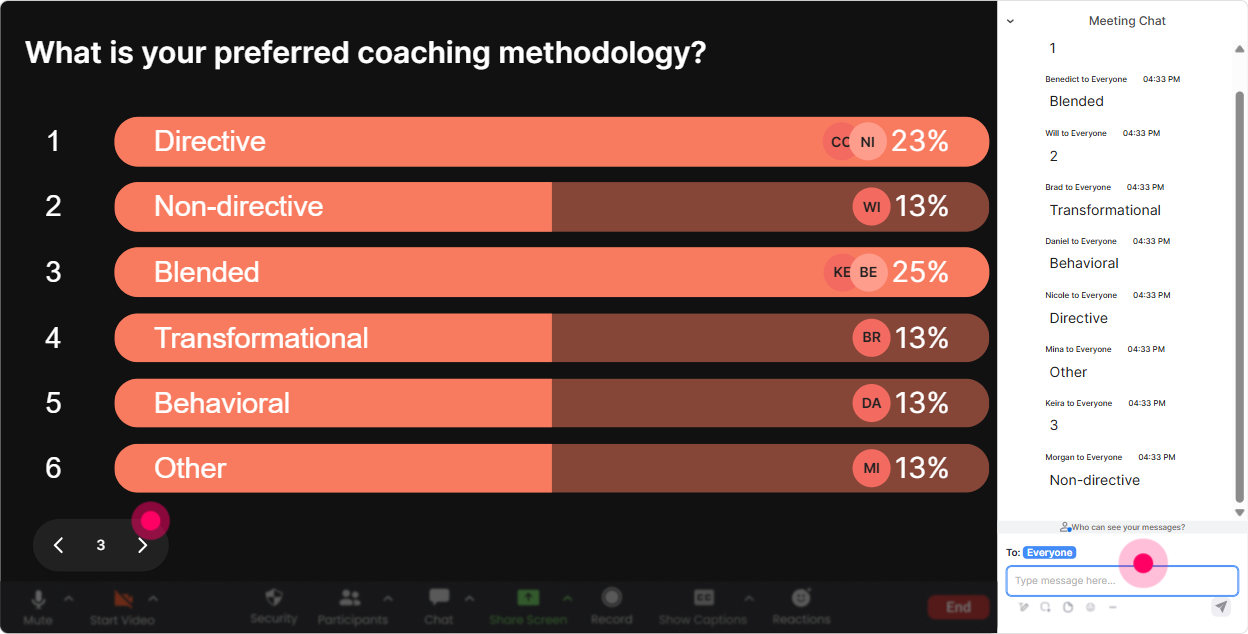
5) Power Polls: Let the group choose what to focus on (so youre not guessing)
In training agencies, youre often delivering coaching ILTs for different client contexts-sales teams, operations, leadership, frontline supervisors, etc. Power Polls help you quickly tailor the session to what they care about. Poll ideas (with options): - What do you want most from todays coaching session? 1) A simple coaching framework 2) Better coaching questions 3) Handling resistance/defensiveness 4) Coaching for performance improvement - Which coaching moment is toughest for you? 1) Starting the conversation 2) Being specific with feedback 3) Getting commitment to action 4) Following up consistently Trainer move: Announce the winner like it matters: Looks like handling defensiveness is the big one-perfect, well build a script and practice it today. People lean in because its about their actual pain.
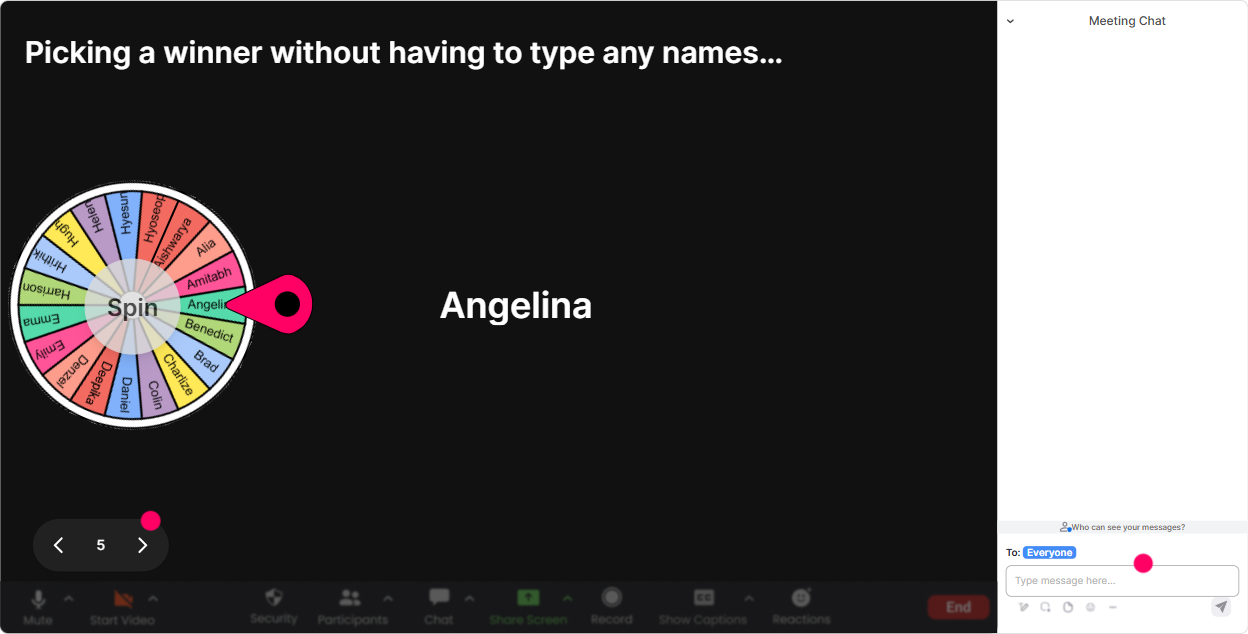
6) Winner Wheel: Get volunteers without the awkward silence
You know that moment: you ask, Who wants to role-play? and suddenly everyone becomes very interested in their mute button. Winner Wheel solves that without you calling on the same brave person every time. Fun (and fair) ways to use it in coaching training: - Lets do a quick role-play. Type ME in chat if youre willing-Winner Wheel decides who goes first. - Who wants to share a real coaching challenge? Drop one word in chat-then well spin to pick who we unpack with the group. - End-of-module prize: well spin from people who answered the last interaction. Trainer move: Keep it light: Blame the wheel, not me. It lowers the pressure, increases participation, and gets more voices into the session.
7) Quiz: Run quick coaching knowledge checks that feel like a game
Coaching has a lot of sounds right concepts-so a quick Quiz is a great way to tighten understanding and correct myths without sounding preachy. Multiple-choice questions you can use: - Which is the best example of a coaching question? A) Why did you do that? B) What options do you see right now? (correct) C) Dont you think you should? D) Can you just fix it by Friday? - Whats the main goal of coaching? A) Give advice B) Solve the problem for them C) Build their thinking and ownership (correct) D) Avoid conflict Trainer move: After revealing the correct answer, ask: What made the wrong options tempting? That one follow-up question turns a quiz into real learning.

2) Rating Polls: Get a quick confidence check before you teach anything
Coaching groups are usually mixed-some folks are brand new, others have been coaching for years (with very different definitions). Rating Polls let you measure the room instantly and adjust your pace. Ideas you can run in the first 5 minutes: - On a scale of 110, how confident are you in coaching a struggling performer? - Rate your comfort level with giving difficult feedback (1 = avoid it, 10 = bring it on). - How effective is your current coaching process today? (110) Trainer move: Show the results and say, Cool-looks like were split. Ill make sure we cover both the fundamentals and the real-life messy scenarios. People feel seen, and youve bought attention for the next segment.
8) Q&A (Quick Questions): Capture every question without losing the chat
In coaching workshops, questions pop up constantly-especially when people are thinking about real conversations they need to have. StreamAlives Q&A pulls questions from chat and keeps them organized, so you dont miss the good ones. How to use it smoothly: - Tell the group: Drop questions anytime-StreamAlive will capture them and well hit them at the end of each section. - Do mini Q&A breaks: after frameworks, after demos, after role-plays. - Use it for anonymous-feeling questions (people often type what they wont say out loud). Trainer move: When you answer, call out the question on screen and say, This is a great real-world coaching moment. It validates the asker and encourages more questions from everyone else.

9) Analytics: Improve your coaching ILT every time you run it (not just based on gut feel)
If you deliver coaching programs as a training agency, youre probably running the same workshop many times. StreamAlive Analytics helps you see what actually landed-minute by minute-so your next delivery gets sharper. What to look for after a session: - Engagement spikes: Which segment got the most chat activity? (Often its role-plays, tough scenarios, or a specific framework.) - Drop-off moments: Where did engagement dip? Thats usually where you need a story, a demo, or a quick interaction. - Fantastic Fans: Identify your most engaged participants-great candidates for testimonials, champions, or follow-up programs. - Interaction reports: See which polls/questions performed best so you can reuse the winners in future client deliveries. Trainer move: Share a quick recap with your internal team or client sponsor: Heres what the cohort struggled with most, and heres what they felt confident about by the end. It makes your training feel measurable-and way more valuable.

Use StreamAlive in all your training sessions
StreamAlive isn’t just for
Coaching
training,
it can also be used for any instructor-led training session directly inside your PowerPoint presentation.
Explore similar traingin ideas: unlocking the potential of StreamAlive
See how StreamAlive transforms live training with engaging events and interactive sessions across industries, directly inside your PowerPoint presentation.

Interactions in action
(it's free)

.svg.png)


