Install StreamAlive for your PowerPoint slides
Learn more

Data Privacy Training for Corporate Trainers
StreamAlive helps 9x the audience engagement in your Virtual Instructor-led Trainings (VILT) directly inside your powerpoint presentation.
Make your instructor-led Data Privacy training more fun with polls, word clouds, spinner wheels and more
Works inside your existing PowerPoint presentation
Install the StreamAlive app for PowerPoint and see your slides come to life as people participate in your interactions
AI generates audience interactions for you
Let our AI scan your presentation and automatically come up with relevant questions based on the content. Or spend two hours coming up with your own questions, your choice!
Built to work with MS Teams and Zoom
Native apps for Teams and Zoom so you never have to leave your existing workflows
No QR Codes
Chat-powered interactions means your audience doesn’t need to scan QR codes or look at another screen to participate. They just type in the chat!

Quickly approved by your IT team
StreamAlive’s apps for Teams and Zoom means that they have been through rigorous quality assurance and client safety reviews. You’ll find everything an IT team needs to approve the app within the organization within your StreamAlive account.

Youve been asked to run Data Privacy instructor-led training for corporate trainers-and you want it to land (not lull). The easiest way to make it stick is to get people talking, reacting, and sharing real scenarios as you go. Here are practical, plug-and-play ways to do that with StreamAlive.
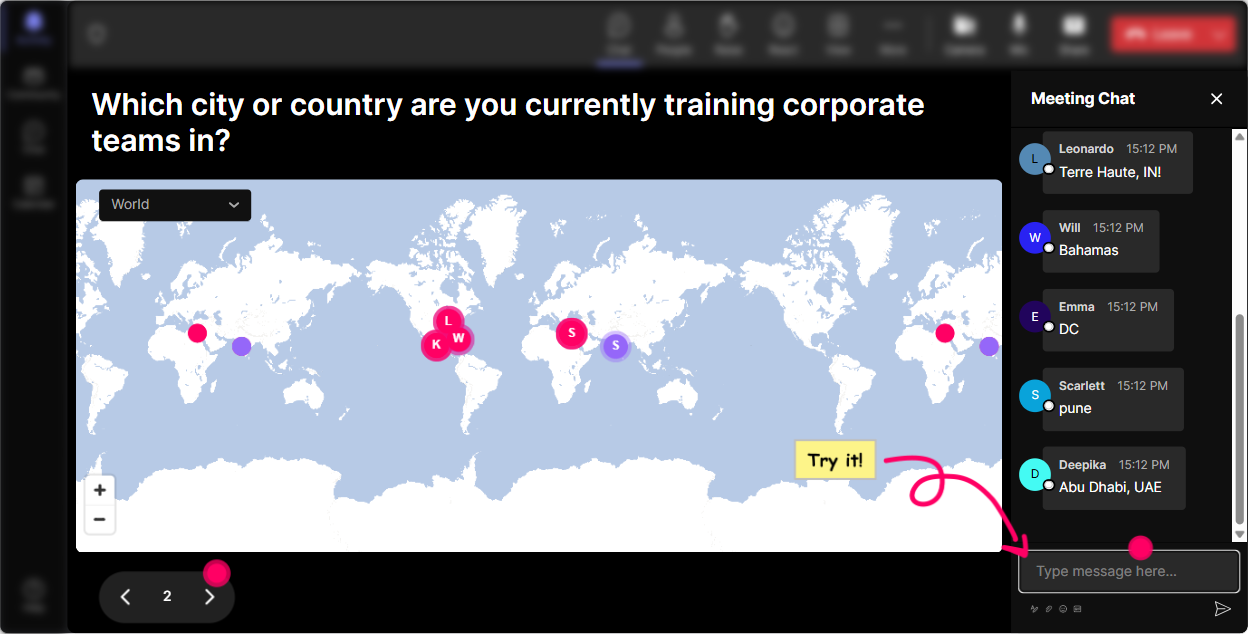
1) Magic Maps: Put your privacy audience footprint on the map
Data Privacy is global, and so are your learners-so start by making it visual and personal. Magic Maps is a super easy opener that gets everyone to type *something* in chat right away (and that momentum helps for the rest of the session). Try these Data Privacy-friendly warm-ups: - Where are you joining from today? (classic, but it works) - Which country/state has the strictest privacy expectations in your experience? - If you work with customers in another region, where are they mostly based? Trainer move: After the map fills up, connect it to your content. Example: Cool-weve got folks in CA, NY, and EU regions. That means different rules and expectations may show up in your day-to-day, even inside one company. Instant relevance, zero extra slides.
2) Rating Polls: Get a quick confidence check (and tailor your pace)
Before you dive into laws, policies, and definitions, find out where people are actually at. Rating Polls let you do a fast pulse check right in the chat-no awkward silence, no long survey. Use it at the start: - On a scale of 110, how confident are you explaining personal data to a new hire? - Rate your comfort level handling a data incident (1 = panic, 10 = Ive got a playbook). Use it mid-session: - How clear is the difference between data controller and data processor right now? (110) Trainer move: If the average is low, you can say: Got it-lets slow down and do an example together. People feel seen, and you look like youre adapting in real time.

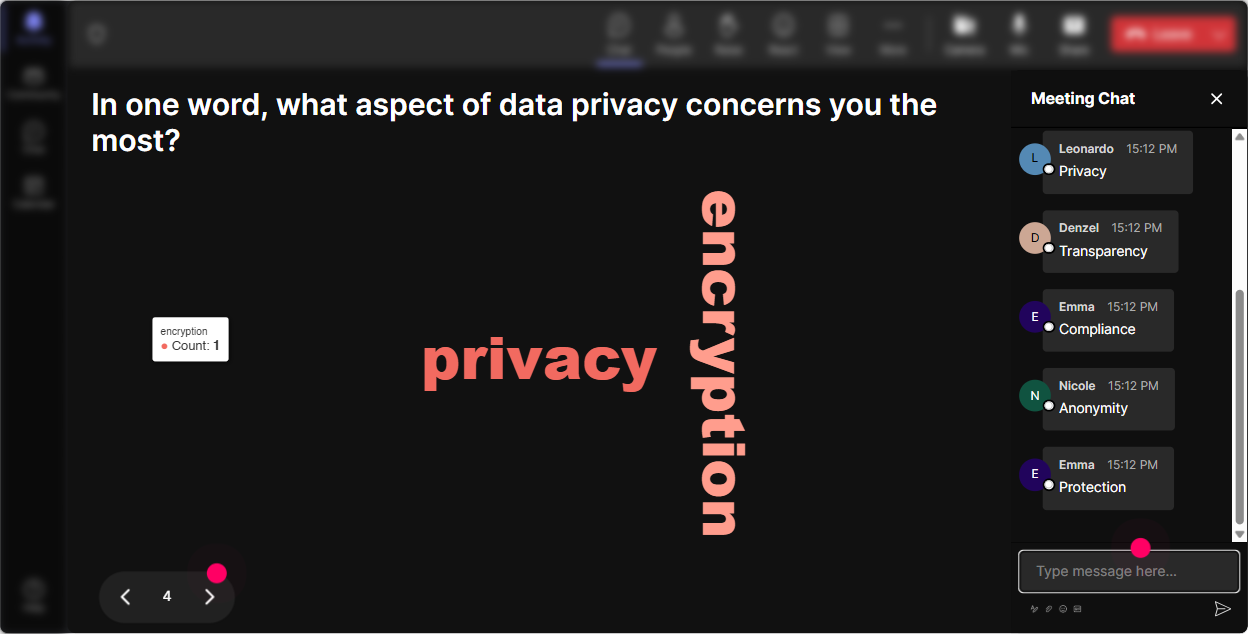
3) Wonder Words: Reveal attitudes toward Data Privacy in 30 seconds
Privacy training can trigger a whole mix of feelings-some people are genuinely interested, others think its legal stuff, and a few are worried theyve been doing things wrong. Wonder Words helps you surface that vibe instantly, without putting anyone on the spot. Prompts that work great: - Data Privacy training in one word: how are you feeling? - Whats the first word you associate with personal data? - Whats the biggest risk word you think of-breach, fine, phishing, leak, etc.? Trainer move: When you see the big words pop, use them as your agenda. Example: Im seeing breach and phishing huge-perfect, well hit those with real examples in a bit.
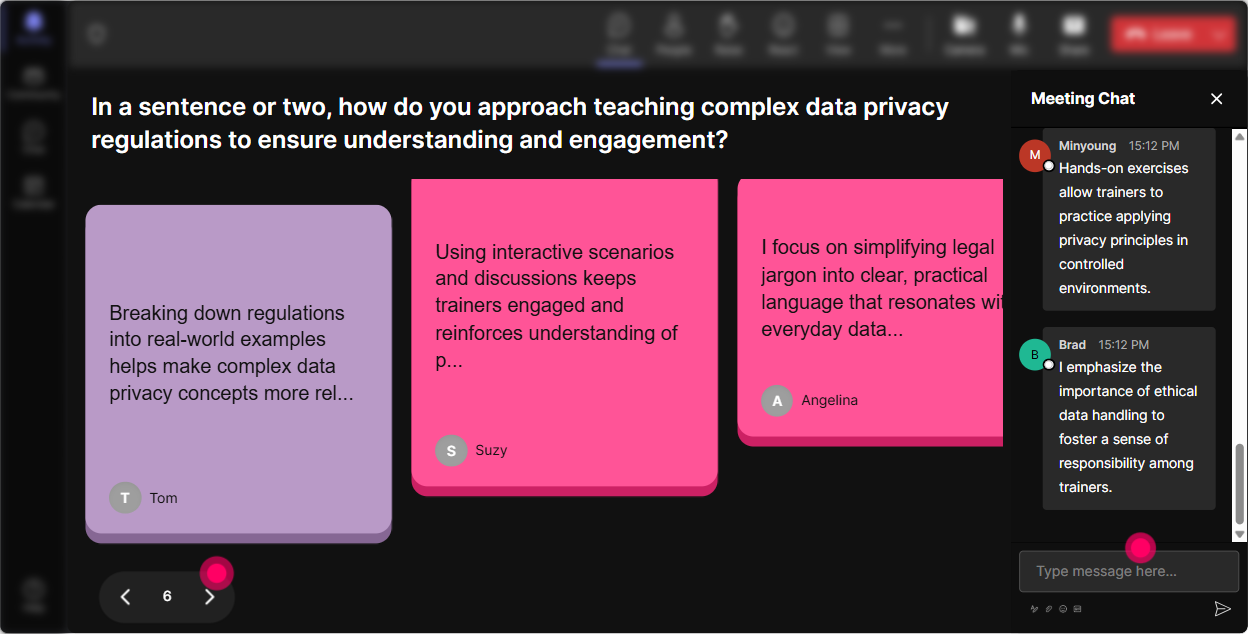
4) Talking Tiles: Collect real-life privacy moments (without forcing people to speak)
Data Privacy gets interesting when its tied to real work. Talking Tiles is perfect for longer, more specific answers-think mini-stories, examples, or heres what happens in my team responses. Prompts to try: - Whats one place in your workflow where personal data shows up? - Describe a close call youve seen (or could imagine) with customer or employee data. - Whats one habit you wish your team would stop doing with sensitive info? Trainer move: As tiles fall, read 23 out loud and label them (gently) like: Thats a data minimization issue or Thats an access control problem. Youre basically turning chat into teachable moments-live.
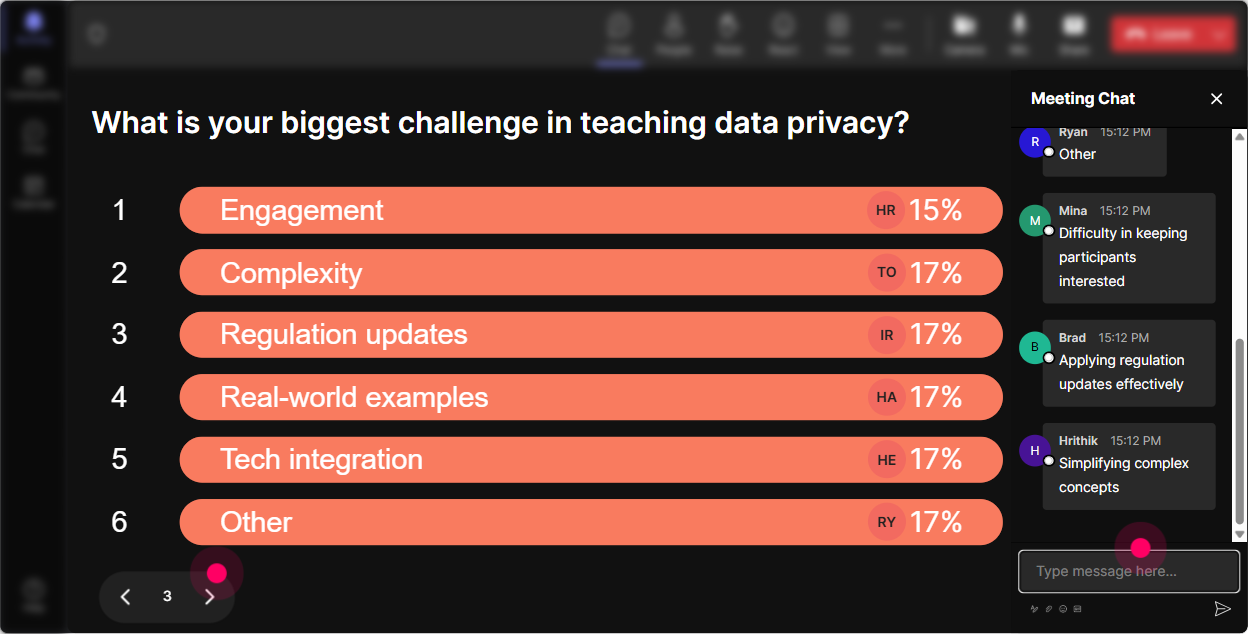
5) Power Polls: Let the group choose what to focus on (and boost buy-in)
Instead of guessing what people care about, ask them-and show the results live. This is huge in Data Privacy training because different roles care about different things (HR vs Sales vs IT vs Trainers). Poll ideas (with options): - Which area do you want the clearest guidance on today? 1) What counts as personal data 2) Consent & lawful basis basics 3) Sharing data with vendors/tools 4) Incident response (what to do first) 5) Data retention & deletion Another great one: - Where do you think most privacy mistakes happen? 1) Emailing 2) Spreadsheets 3) File sharing links 4) AI/tools usage 5) Verbal oversharing Trainer move: Use the winning option to decide your next example or breakout. People engage more when they feel like they influenced the direction.
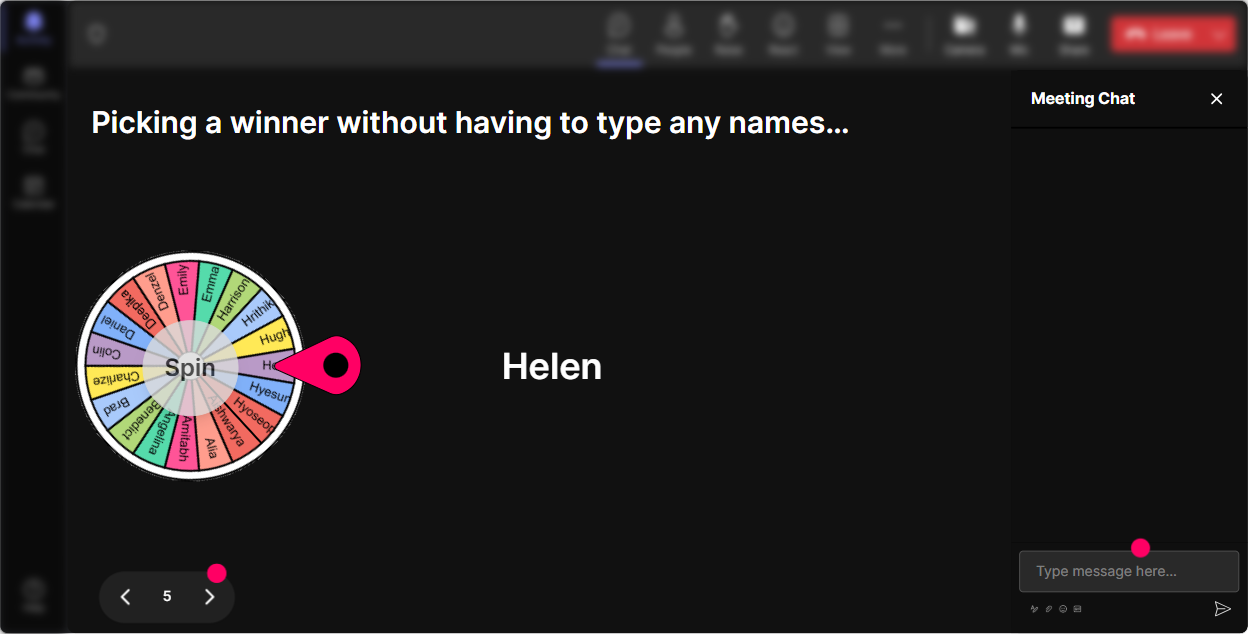
6) Winner Wheel: Get participation without the awkward any volunteers? moment
In privacy training, people sometimes hesitate to speak because they dont want to say the wrong thing. Winner Wheel fixes the awkwardness by making it random and playful-plus it rewards chat participation. How to use it in a privacy-safe way: - Tell everyone: Drop your best guess in chat-no pressure. - Spin the wheel to pick someone to *explain their reasoning*, not to be right. Prompts: - Is this personal data-yes or no? Type Y/N and why. (then spin) - Which is riskier: sending a file link publicly or attaching the file? Vote 1 or 2. (then spin) Trainer move: Make it psychologically safe: Were not grading. Were practicing judgment. Youll get way more voices that way.
7) Quiz: Run quick privacy knowledge checks that feel like a game
Quizzes are perfect for Data Privacy because its full of common misconceptions. StreamAlive Quiz lets you ask a multiple-choice question, collect votes via chat, and then reveal the correct answer when youre ready. Quiz questions trainers love: - Which of these is considered personal data? 1) Employee ID number 2) IP address 3) Customer email 4) All of the above (Correct: 4) - What should you do FIRST if you accidentally emailed personal data to the wrong person? 1) Delete the email and hope 2) Report it immediately via the company process 3) Ask the recipient to ignore it 4) Wait to see if it becomes a problem (Correct: 2) Trainer move: After revealing the answer, ask one follow-up in chat: What made you choose your option? Thats where the real learning happens.

2) Rating Polls: Get a quick confidence check (and tailor your pace)
Before you dive into laws, policies, and definitions, find out where people are actually at. Rating Polls let you do a fast pulse check right in the chat-no awkward silence, no long survey. Use it at the start: - On a scale of 110, how confident are you explaining personal data to a new hire? - Rate your comfort level handling a data incident (1 = panic, 10 = Ive got a playbook). Use it mid-session: - How clear is the difference between data controller and data processor right now? (110) Trainer move: If the average is low, you can say: Got it-lets slow down and do an example together. People feel seen, and you look like youre adapting in real time.
8) Q&A (Quick Questions): Capture questions as they happen (without losing them in the chat scroll)
Privacy sessions trigger lots of Wait, what about questions-and in normal chat, they get buried fast. StreamAlives Q&A automatically detects and collects questions so you can address them cleanly. Ways to use it: - Drop your questions anytime-StreamAlive will capture them and well do a Q&A pit stop every 15 minutes. - If youve got a scenario question (like Can I use this tool?), ask it in chat-no need to find a separate Q&A box. Trainer move: Do themed Q&A moments: - Tools & AI questions - Customer data questions - Employee/HR data questions It keeps things organized and helps you manage time.

9) Analytics: See what actually engaged your group (and improve the next delivery)
After your Data Privacy session, you shouldnt have to guess what worked. StreamAlive Analytics shows you minute-by-minute engagement, which interactions got people talking, and who your most engaged participants were. How trainers use this for privacy training: - Spot the drop-off moment: Maybe your legal definitions section needs a story or a poll. - Identify what sparked chat: Was it the breach scenario? The vendor-sharing discussion? Do more of that next time. - Find your engaged champions: Those top chat contributors are great people to follow up with-maybe they become privacy ambassadors in their teams. - Share results: Export/email interaction reports to your team or stakeholders to show participation (especially helpful when training is mandatory). Trainer move: Use analytics to iterate like a pro: keep the parts that spiked engagement, tighten the parts that didnt, and your next session will feel smoother and more energizing.

Use StreamAlive in all your training sessions
StreamAlive isn’t just for
Data Privacy
training,
it can also be used for any instructor-led training session directly inside your PowerPoint presentation.
Explore similar traingin ideas: unlocking the potential of StreamAlive
See how StreamAlive transforms live training with engaging events and interactive sessions across industries, directly inside your PowerPoint presentation.

Interactions in action
(it's free)

.svg.png)


