Install StreamAlive for your PowerPoint slides
Learn more

Digital & Global Organizations Training for L&D Leaders
StreamAlive helps 9x the audience engagement in your Virtual Instructor-led Trainings (VILT) directly inside your powerpoint presentation.
Make your instructor-led Digital & Global Organizations training more fun with polls, word clouds, spinner wheels and more
Works inside your existing PowerPoint presentation
Install the StreamAlive app for PowerPoint and see your slides come to life as people participate in your interactions
AI generates audience interactions for you
Let our AI scan your presentation and automatically come up with relevant questions based on the content. Or spend two hours coming up with your own questions, your choice!
Built to work with MS Teams and Zoom
Native apps for Teams and Zoom so you never have to leave your existing workflows
No QR Codes
Chat-powered interactions means your audience doesn’t need to scan QR codes or look at another screen to participate. They just type in the chat!

Quickly approved by your IT team
StreamAlive’s apps for Teams and Zoom means that they have been through rigorous quality assurance and client safety reviews. You’ll find everything an IT team needs to approve the app within the organization within your StreamAlive account.

Youve been asked to run a live, instructor-led session on Digital & Global Organizations for L&D leaders-and you want it to feel alive, not like another slide parade. The good news: with a few simple interactions, you can get people chatting, thinking, and contributing from minute one. Here are practical ideas (and StreamAlive features) to keep engagement high all session long.
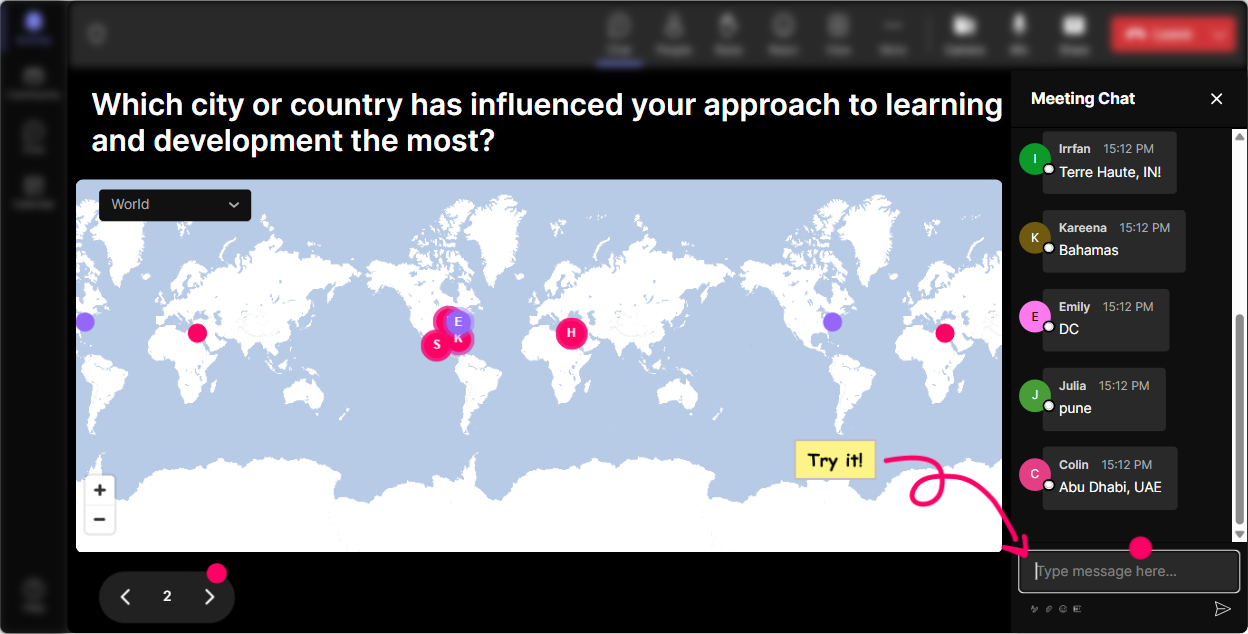
1) Magic Maps: Put your global audience on the map (literally)
If youre teaching Digital & Global Organizations, your audiences locations are part of the lesson. Magic Maps is the easiest way to turn Where are you joining from? into an instant, visual moment that wakes everyone up. How to use it in this training: - Icebreaker that actually connects to the topic: Where are you joining from today-and what time is it there right now? - Culture + collaboration angle: Drop a city where youve had the hardest cross-time-zone collaboration. - Global mindset opener: If your team could have a hub anywhere on earth, where would you put it? Trainer tip: When you see clusters (like 12 people from Singapore or 8 from London), call it out and ask one quick follow-up: Whats one global challenge you see most from that region? Youve just created instant relevance.
2) Rating Polls: Get a fast pulse-check before you go deep
Rating Polls are perfect when you need a quick where are we at? moment-without awkward silence or long explanations. People just type a number, and you immediately see the groups confidence. Where it shines in Digital & Global Orgs training: - Kickoff baseline: On a scale of 110, how confident are you that your org is truly digital-first? - Reality check mid-session: Rate how aligned your leaders are globally on priorities (1 = not aligned, 10 = totally aligned). - After a framework: How usable is this model for your organization? (110) Trainer tip: If the average is low, youve got a clear coaching moment. If its high, challenge them: Okay-whats the one thing that could still break this at scale?

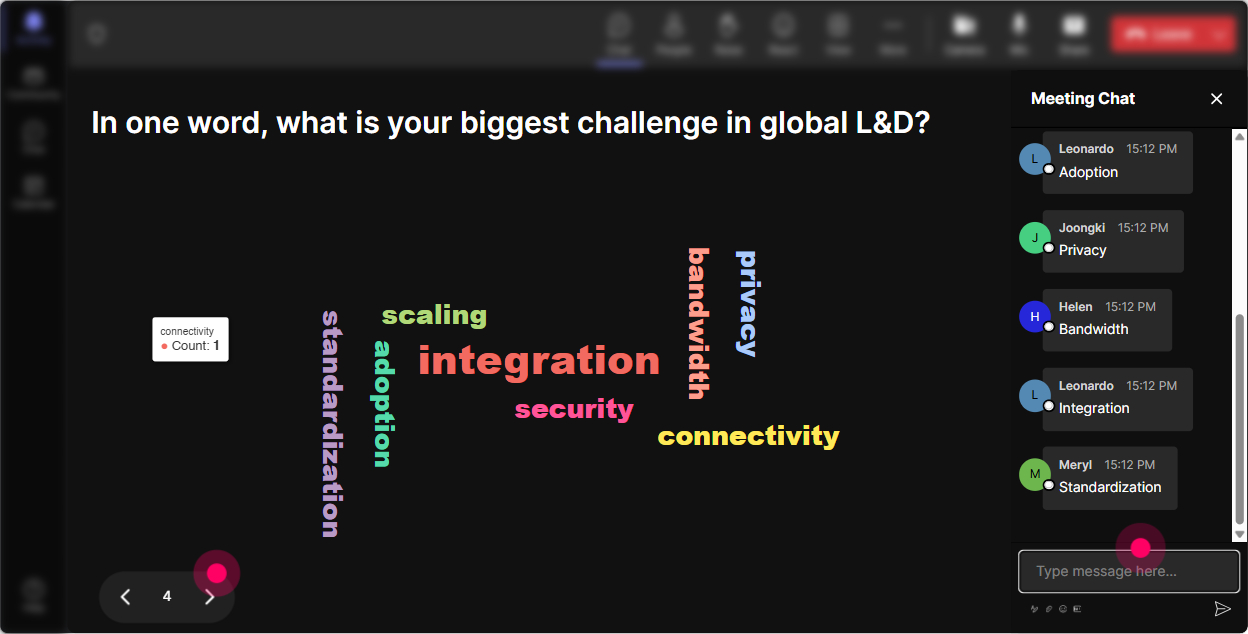
3) Wonder Words (Word Cloud): Make the rooms feelings visible in seconds
A word cloud is your shortcut to honesty. Instead of asking How do you feel? and getting two people responding, Wonder Words gets everyone to answer in one or two words-and the group sees the theme instantly. Use it to surface mindset + friction: - Emotional temperature check: Digital transformation feels like (12 words) - Global collaboration reality: The hardest part of working across regions is - Leadership lens: A great global leader is Trainer tip: When one word becomes huge (like silos or time zones), pause the deck and go there. Thats the real session your audience came for.
4) Talking Tiles: Turn chat into a live brainstorming wall
Talking Tiles is great when answers need to be longer than a couple of words-like examples, mini-stories, or practical ideas. It makes the chat feel like a shared workspace instead of a scrolling sidebar. Perfect prompts for this topic: - Whats one process in your org that became easier because of digital tools? - Where does global work break down most-handoffs, decisions, meetings, or priorities? Tell me what you see. - Share one thing your organization does that helps teams collaborate across countries. Trainer tip: Use the tiles to theme responses live. Say: Im seeing a pattern-tools are fine, but decision rights are messy. Now youre facilitating, not just presenting.

5) Power Polls: Let the audience choose what to focus on next
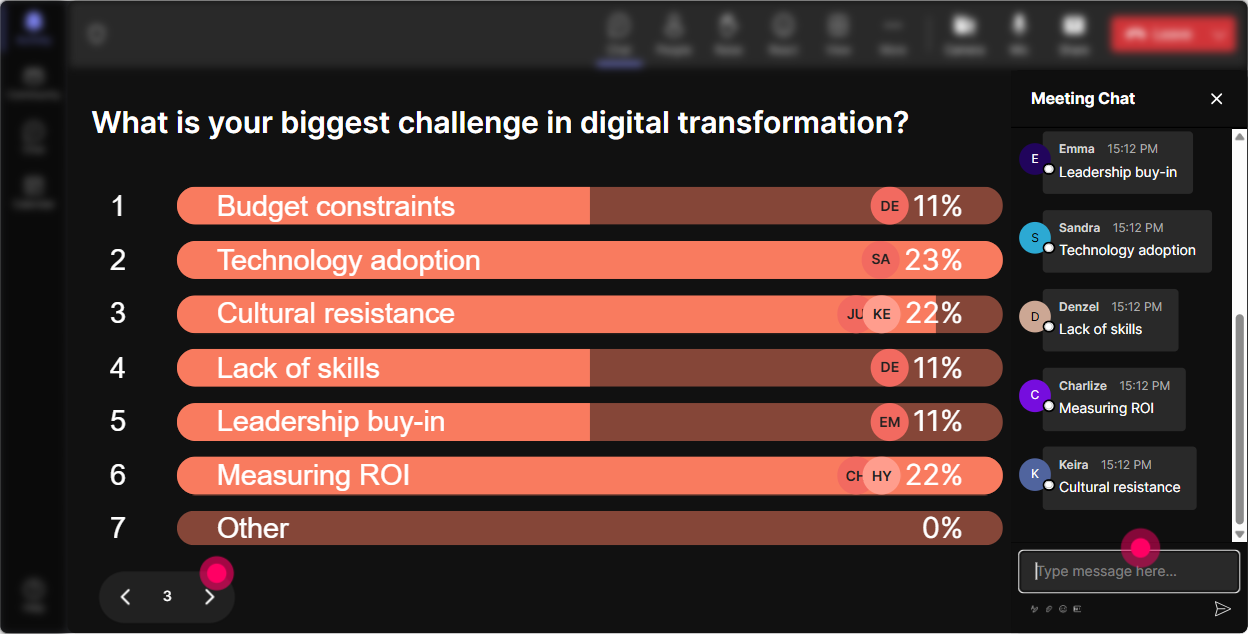
In global/digital sessions, youll usually have a mixed room-some are dealing with tech adoption, others with org design, others with culture. Power Polls let you stop guessing and let them steer. Poll ideas you can run in the moment: - What do you want most from today? 1) Operating models for global teams 2) Digital tools + workflow adoption 3) Culture and change management 4) Governance and decision-making across regions - Whats the biggest blocker right now? 1) Leadership alignment 2) Too many tools 3) Skill gaps 4) Siloed teams 5) Time zones + meeting overload Trainer tip: Tell them youll spend 10 extra minutes on the winning option. People engage more when they feel the session is being built with them, not done to them.
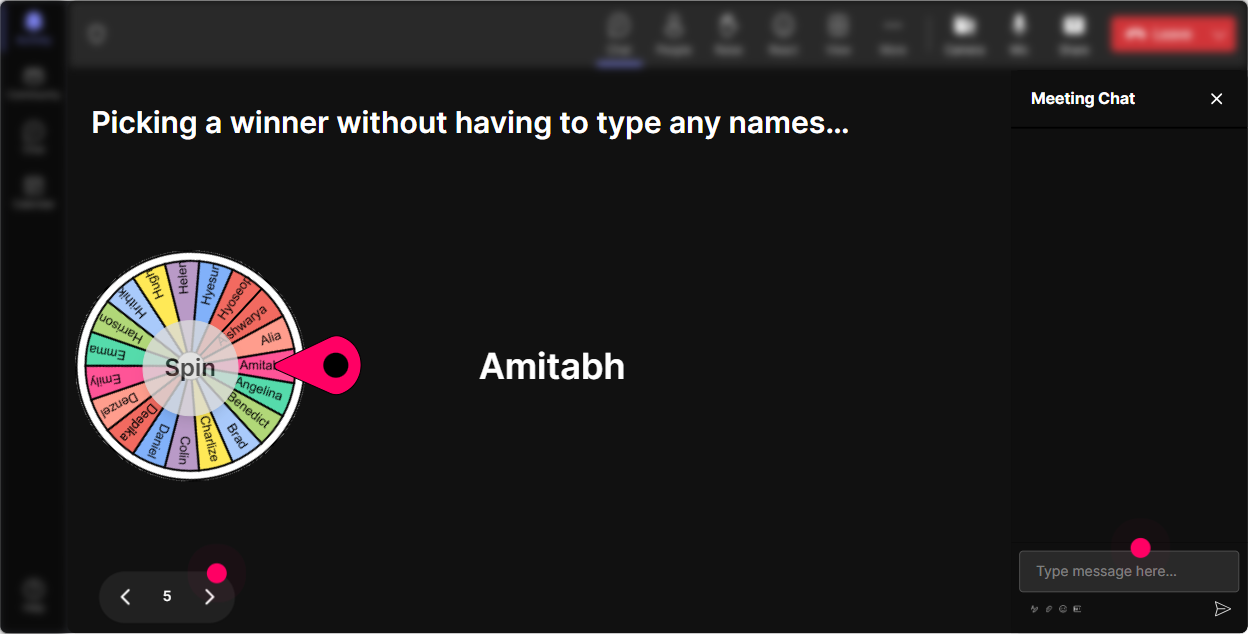
6) Winner Wheel: Get participation without putting people on the spot
We all know the moment: you ask a question and the room goes quiet. The Winner Wheel fixes that in a fun way-because it rewards participation and makes who speaks next feel fair. Ways to use it in this training: - Drop one example of a global collaboration challenge in chat. Ill spin the wheel and ask one person to expand for 30 seconds. - Share a tool/process your team uses well. Wheel chooses a winner to explain how it works. - End-of-module reflection: type your biggest takeaway. Ill spin and well hear one voice live. Trainer tip: Frame it kindly: If you get picked and youd rather pass, just say pass-no stress. People stay relaxed but still play along.
7) Quiz: Do quick knowledge checks that dont feel like school
Quizzes are awesome for L&D leader audiences because theyre short, competitive (in a good way), and they surface misconceptions fast. And because answers come through chat, it feels light-not like an exam. Quiz questions that fit Digital & Global Organizations: - Which is the BEST example of a digital operating model shift? 1) Moving files to SharePoint 2) Redesigning decision-making using real-time data 3) Buying new laptops 4) Creating more meetings (Correct: 2) - What usually breaks first in global teams? 1) Talent 2) Strategy 3) Communication + handoffs 4) Branding (Often: 3) Trainer tip: After you reveal the correct answer, ask: If you picked something else, what made it feel right? Thats where the learning happens.

2) Rating Polls: Get a fast pulse-check before you go deep
Rating Polls are perfect when you need a quick where are we at? moment-without awkward silence or long explanations. People just type a number, and you immediately see the groups confidence. Where it shines in Digital & Global Orgs training: - Kickoff baseline: On a scale of 110, how confident are you that your org is truly digital-first? - Reality check mid-session: Rate how aligned your leaders are globally on priorities (1 = not aligned, 10 = totally aligned). - After a framework: How usable is this model for your organization? (110) Trainer tip: If the average is low, youve got a clear coaching moment. If its high, challenge them: Okay-whats the one thing that could still break this at scale?
8) Q&A: Capture questions without losing them in the chat scroll
In a busy live session, great questions get buried fast. StreamAlives Q&A automatically pulls audience questions from chat and keeps them organized so you can actually address them. How to use it smoothly: - Set expectations: Drop questions anytime-StreamAlive will collect them and Ill pause every 15 minutes. - Use it for global context: If youre in EMEA/APAC/AMER, ask one question you wish your HQ understood. - End with a rapid-fire round: Im going to answer the top 5 questions we captured. Trainer tip: When someone asks a strong question, call it a gift to the room. That reinforces participation and encourages others to ask.

9) Analytics: Prove what worked and make the next session even better
If youre training L&D leaders, you know the follow-up question: How do we know it landed? StreamAlive Analytics helps you answer that with real data-plus it shows you exactly which moments sparked engagement. How L&D teams can use it after the session: - See minute-by-minute engagement: identify where attention dropped (maybe that slide-heavy section) and where it spiked (maybe the poll or scenario activity). - Review chat replay alongside interactions: pull real participant quotes to share with stakeholders. - Find your most engaged participants (Fantastic Fans): these are your champions for future rollouts, pilots, or peer learning groups. - Share interaction results via email/Teams: quick wins for reporting and stakeholder updates. Trainer tip: After every session, pick one thing to tweak based on Analytics-like more interaction every 710 minutes or shorten the theory section, expand the scenario debrief. Thats how engagement compounds session after session.

Use StreamAlive in all your training sessions
StreamAlive isn’t just for
Digital & Global Organizations
training,
it can also be used for any instructor-led training session directly inside your PowerPoint presentation.
Explore similar traingin ideas: unlocking the potential of StreamAlive
See how StreamAlive transforms live training with engaging events and interactive sessions across industries, directly inside your PowerPoint presentation.

Interactions in action
(it's free)

.svg.png)


