Install StreamAlive for your PowerPoint slides
Learn more

Performance Consulting Training for Corporate Trainers
StreamAlive helps 9x the audience engagement in your Virtual Instructor-led Trainings (VILT) directly inside your powerpoint presentation.
Make your instructor-led Performance Consulting training more fun with polls, word clouds, spinner wheels and more
Works inside your existing PowerPoint presentation
Install the StreamAlive app for PowerPoint and see your slides come to life as people participate in your interactions
AI generates audience interactions for you
Let our AI scan your presentation and automatically come up with relevant questions based on the content. Or spend two hours coming up with your own questions, your choice!
Built to work with MS Teams and Zoom
Native apps for Teams and Zoom so you never have to leave your existing workflows
No QR Codes
Chat-powered interactions means your audience doesn’t need to scan QR codes or look at another screen to participate. They just type in the chat!

Quickly approved by your IT team
StreamAlive’s apps for Teams and Zoom means that they have been through rigorous quality assurance and client safety reviews. You’ll find everything an IT team needs to approve the app within the organization within your StreamAlive account.

Youve been asked to run a Performance Consulting instructor-led training for corporate trainers-and you want it to feel alive, not like another slide marathon. The good news: this topic is naturally interactive if you pull people into the conversation early. Here are simple, trainer-friendly ways to use StreamAlive to keep everyone participating (not just listening).
1) Magic Maps: Put your trainers in the room instantly
If you want engagement right away, start with what every live host asks anyway: Where are you joining from? With StreamAlives Magic Maps, those locations show up live on a world map, so your session feels like an event-not a meeting. Performance Consulting twist (so its not just small talk): - Where are you joining from-and what industry do you train in? (Have them enter the city/country, then you ask industry as a follow-up in chat.) - Drop a location where youve had to fix a performance problem (HQ, plant, call center city, etc.). - Where do your learners usually sit-on-site, hybrid, or remote? Enter your location first. How it helps your training: - You can point at clusters and say: Looks like weve got a lot of folks from healthcare-awesome, well use a healthcare example for the next activity. - It sets up your core message: performance is contextual. Different environments, different constraints, different solutions.

2) Rating Polls: Get a quick confidence check (and adjust on the fly)
Performance Consulting can feel obvious to some trainers and totally new to others. A Rating Poll lets you check the room in seconds-no awkward everyone good? moments. Use it like this: - On a scale of 110, how confident are you in diagnosing performance issues (not just delivering training)? - Rate this statement 110: If performance is low, training is usually the answer. - How comfortable are you pushing back when a stakeholder says, We just need a course? Trainer move that works: - If the average is low, you slow down and do more examples. - If its high, you can say: Cool-lets make this practical. Well do real scenarios and sharpen your process. Its a simple way to meet people where they are-and it keeps them clicking and watching because they want to see the group result.

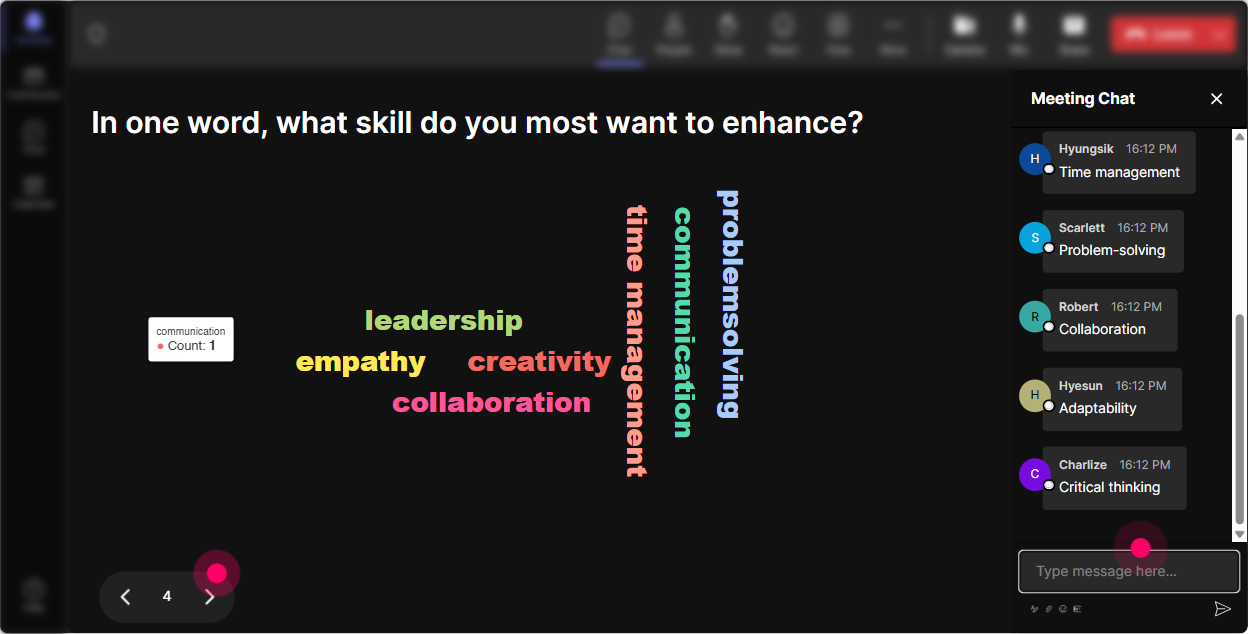
3) Wonder Words (Word Cloud): Reveal what people *really* think about Performance Consulting
Want instant honesty without putting anyone on the spot? Ask for 12 word answers and let StreamAlive build the word cloud live. Its a great way to surface the emotional vibe in the room. Try prompts like: - In 12 words: Performance Consulting feels? (Youll get answers like strategic, confusing, powerful, political, time-consuming.) - Whats the biggest blocker to doing Performance Consulting at your workplace? (e.g., time, buy-in, access, data, stakeholders) - When someone asks for training, whats your first reaction? (e.g., sure, why, again, depends) What you do next is the magic: - Call out the biggest words: Im seeing buy-in and time everywhere-perfect, well build a faster diagnostic you can actually use. - Youve now co-created the agenda with them, which instantly raises attention and trust.
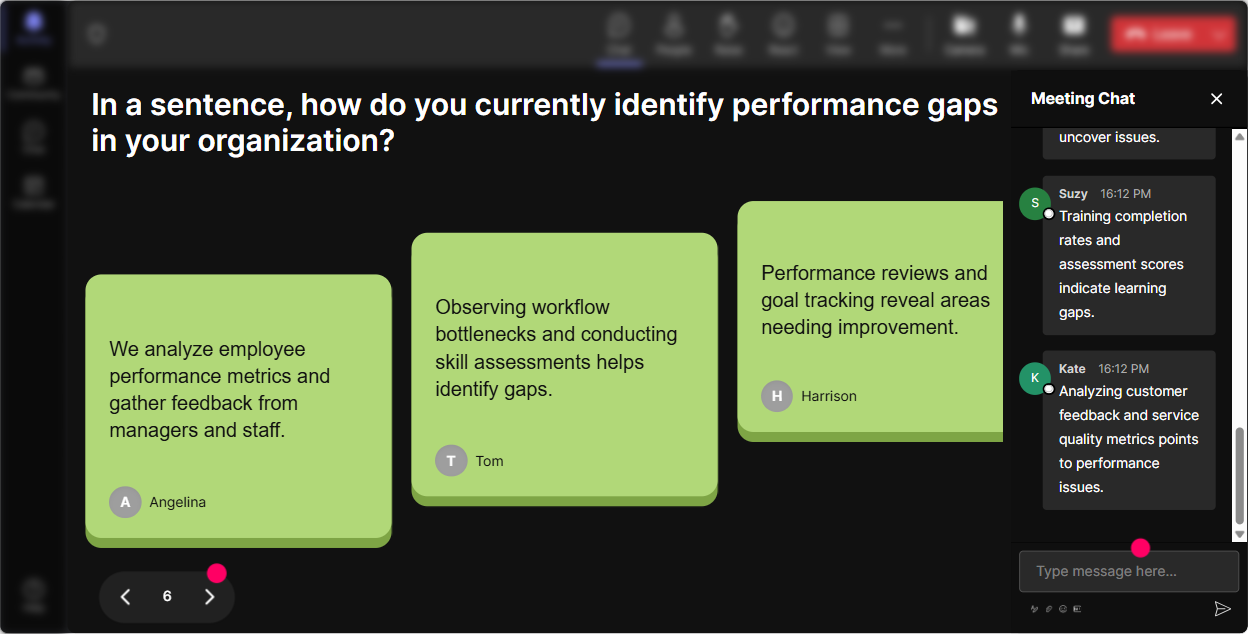
4) Talking Tiles: Turn quiet thinking into visible group insight
Talking Tiles is awesome when you want longer responses than a word cloud-without forcing anyone to unmute. People type in chat, and their messages fall onto the screen like tiles. It feels playful, but its seriously effective for group thinking. Performance Consulting activities that work great: - Describe a real performance problem you were asked to solve-what was the request vs. what you suspected? - Whats one question you wish trainers asked *before* agreeing to build a course? - Finish this sentence: Training wont fix it when - What impact would better Performance Consulting have on your role? (less rework, more credibility, better results, etc.) How to facilitate it: - Let tiles build for 3060 seconds. - Read 35 out loud and group them: These are process issues, these are tool gaps, and these are incentive problems. Thats Performance Consulting in real life. This is where engagement can jump-because everyone can literally see their contribution on screen.
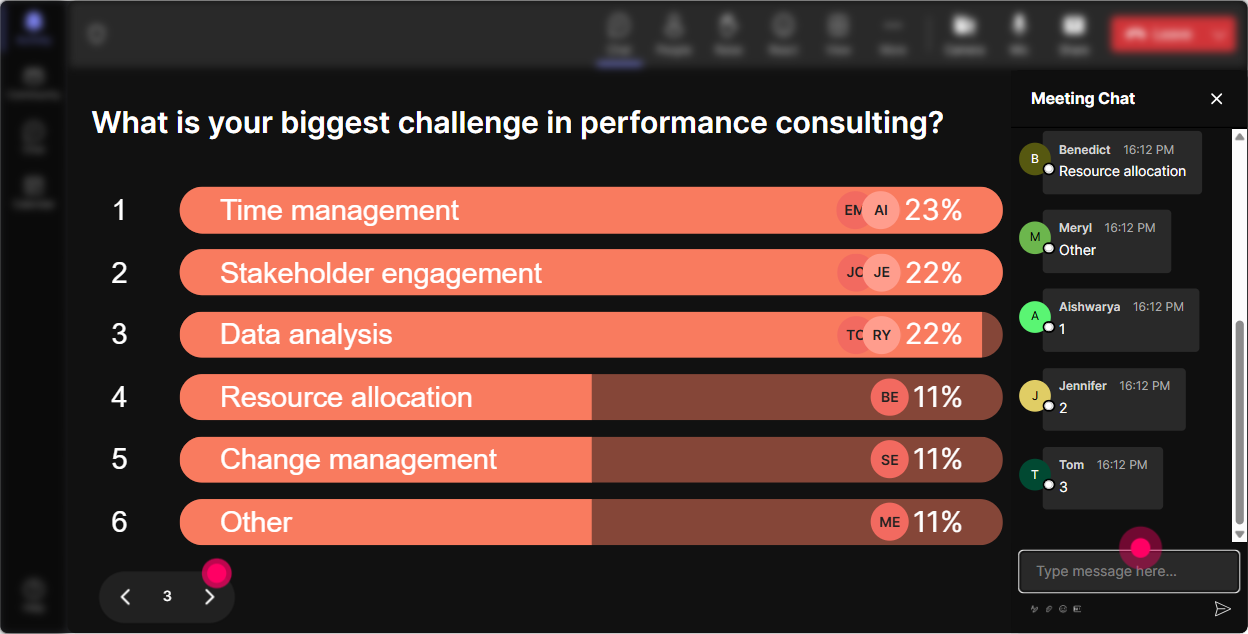
5) Power Polls: Let the audience choose what to go deeper on
Performance Consulting has a few big pillars (intake, analysis, stakeholder alignment, solution design, measurement). Instead of guessing what your trainers need most, ask-and show results live. Poll ideas (with options): - Where do you struggle most? 1) Getting good intake info 2) Finding the real root cause 3) Pushing back on just build training 4) Designing non-training solutions 5) Proving impact/ROI - Whats your typical stakeholder? 1) HR/L&D 2) Operations 3) Sales 4) Leadership 5) Compliance - Which tool would you actually use next week? 1) 5 Whys 2) Performance gap checklist 3) Stakeholder interview script 4) Solution matrix Trainer tip: - Take the top-voted option and say: Alright, you picked it-lets do a live practice scenario on this. Now your session feels customized, and people stay engaged because they helped steer it.
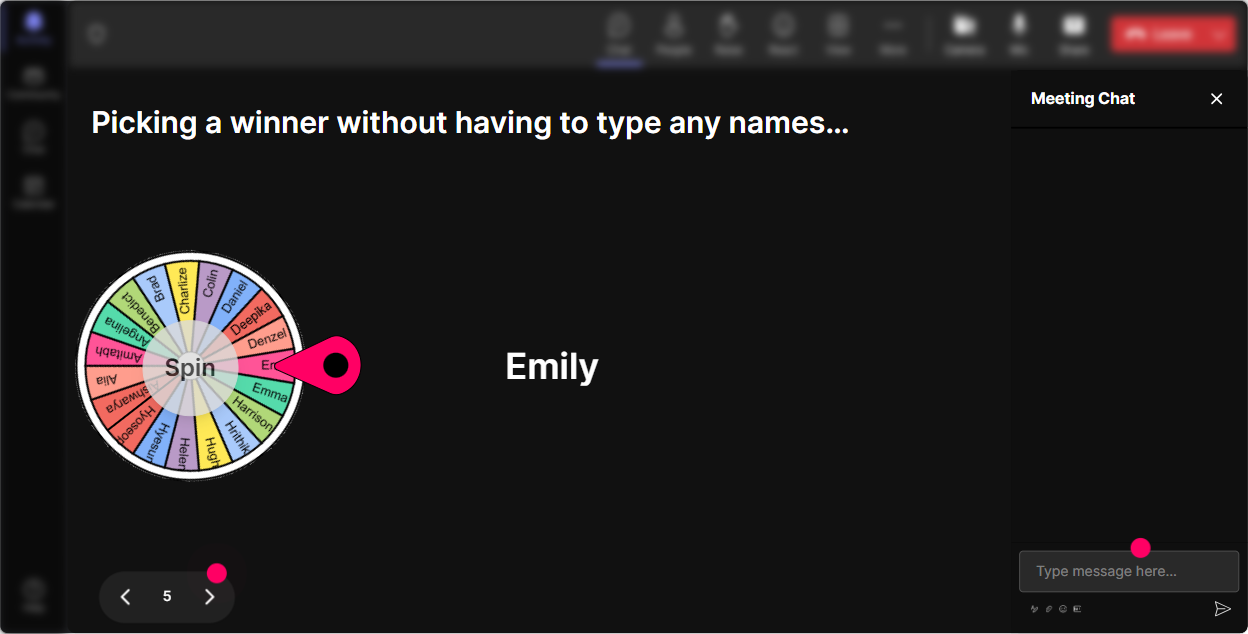
6) Winner Wheel: Get volunteers without the awkward silence
You know that moment when you ask, Who wants to share? and suddenly everyone becomes a statue? Winner Wheel fixes that by making participation feel fair and fun. Ways to use it in Performance Consulting ILT: - Drop one stakeholder challenge youve faced in the chat. Im going to spin and well unpack one real scenario together. - Type ME if youre willing to role-play the stakeholder intake conversation. Lets spin for who gets to be the consultant first. - Everyone who answered the last poll is eligible-winner shares a quick example, and Ill coach you through a better diagnostic question. Why it works: - It rewards participation (people realize chat activity matters). - It reduces pressure-because its not you calling on someone. Its fate.
7) Quiz: Quick knowledge checks that dont feel like school
A Quiz interaction is perfect for checking understanding without a heavy test vibe. Ask a multiple-choice question, let them vote in chat, then reveal the correct answer. Performance Consulting quiz questions you can use: - A manager says: My team isnt hitting targets. We need training. Whats the BEST next step? A) Start designing a course outline B) Ask what success looks like and whats blocking it (Correct) C) Send a survey to learners D) Schedule training next week - Which is the clearest sign the issue is NOT a training problem? A) People dont know the process B) No time/tools to do the task (Correct) C) New employees are struggling D) Skills vary by person - Which measure is most aligned to Performance Consulting? A) Smile sheets B) Completion rate C) Business outcome metric tied to the gap (Correct) D) Attendance Facilitation trick: - After revealing the answer, ask: If you picked a different option, what made it feel right? Thats where the learning sticks.

2) Rating Polls: Get a quick confidence check (and adjust on the fly)
Performance Consulting can feel obvious to some trainers and totally new to others. A Rating Poll lets you check the room in seconds-no awkward everyone good? moments. Use it like this: - On a scale of 110, how confident are you in diagnosing performance issues (not just delivering training)? - Rate this statement 110: If performance is low, training is usually the answer. - How comfortable are you pushing back when a stakeholder says, We just need a course? Trainer move that works: - If the average is low, you slow down and do more examples. - If its high, you can say: Cool-lets make this practical. Well do real scenarios and sharpen your process. Its a simple way to meet people where they are-and it keeps them clicking and watching because they want to see the group result.
8) Q&A (Quick Questions): Capture every question without losing the chat
In a lively session, questions get buried fast. StreamAlives Q&A pulls questions out of the chat and puts them in one clean view, so you dont miss the good stuff. How to use it in this training: - Start with: As questions pop up, drop them in chat anytime-StreamAlive will catch them. - During exercises: Type your question while youre working. Ill pause every 10 minutes and clear the top 3. - For tough topics (like pushing back on stakeholders): Ask your real life question-no polishing needed. This keeps momentum because youre not constantly scrolling, and participants feel seen because their question doesnt disappear.

9) Analytics: Improve your next session (and prove engagement to stakeholders)
If youre running Performance Consulting training internally, someone will eventually ask, Did people actually engage? StreamAlive analytics gives you a clean way to answer that-and to improve your delivery. What to look at after your session: - Minute-by-minute engagement: Find the exact moments people lit up (often your scenarios, polls, or role-plays). - Interaction reports: See which questions got the most responses (keep those, refine the rest). - Top engaged participants: Great for identifying champions-those are your future peer coaches or pilot group for new processes. - Email reports: Easy share with your team or sponsor: Heres what participants struggled with most, and what were doing next. Real-world use: - If engagement dips during theory, youll know to break it up next time with a quick Rating Poll or Quiz. - If a stakeholder says, People didnt participate, youve got the data to show otherwise-and highlight what the group cared about.

Use StreamAlive in all your training sessions
StreamAlive isn’t just for
Performance Consulting
training,
it can also be used for any instructor-led training session directly inside your PowerPoint presentation.
Explore similar traingin ideas: unlocking the potential of StreamAlive
See how StreamAlive transforms live training with engaging events and interactive sessions across industries, directly inside your PowerPoint presentation.

Interactions in action
(it's free)

.svg.png)


